VibePlayer v1.3.3 is an Electron-based cross-platform desktop media player that covers local audio and video, Bilibili playback, WebDAV/AList cloud storage, online music, and lyric search. This release focuses on fixing incorrect music library highlighting and refreshing the product’s visual identity. Keywords: Electron, media player, cross-platform.
The technical specification snapshot outlines the project clearly
| Parameter | Description |
|---|---|
| Project Name | VibePlayer |
| Current Version | v1.3.3 |
| Core Language | JavaScript / TypeScript (built on the Electron ecosystem) |
| Supported Platforms | macOS / Windows / Linux |
| Core Protocols | WebDAV, HTTP/HTTPS |
| Online Capabilities | iTunes API, online lyric search, direct URL playback |
| Repository URL | https://github.com/taogejava/VibePlayer |
| Star Count | Not provided in the source text |
| Core Dependencies | Electron, embedded Bilibili playback support, WebDAV/AList integration |
This release focuses on improving usability and brand consistency
VibePlayer is not positioned as a single-purpose music player. It acts as a desktop media aggregation hub. It brings local audio and video, online video, cloud-hosted media, and lightweight online search into one unified interface, reducing the need for developers and power users to switch between multiple tools.
The v1.3.3 changes are focused in three areas: unifying the visual system, fixing a directory tree highlighting bug that affected interaction logic, and strengthening personalization so the player works better as an everyday desktop app.
The new logo strengthens product recognition
The new logo upgrades the original single note into a dual-note mark with a purple-to-cyan gradient and flowing particle effects. This is more than a cosmetic refresh. It establishes a consistent visual language across the sidebar, feature cards, and application icon, reducing fragmentation between interface elements.
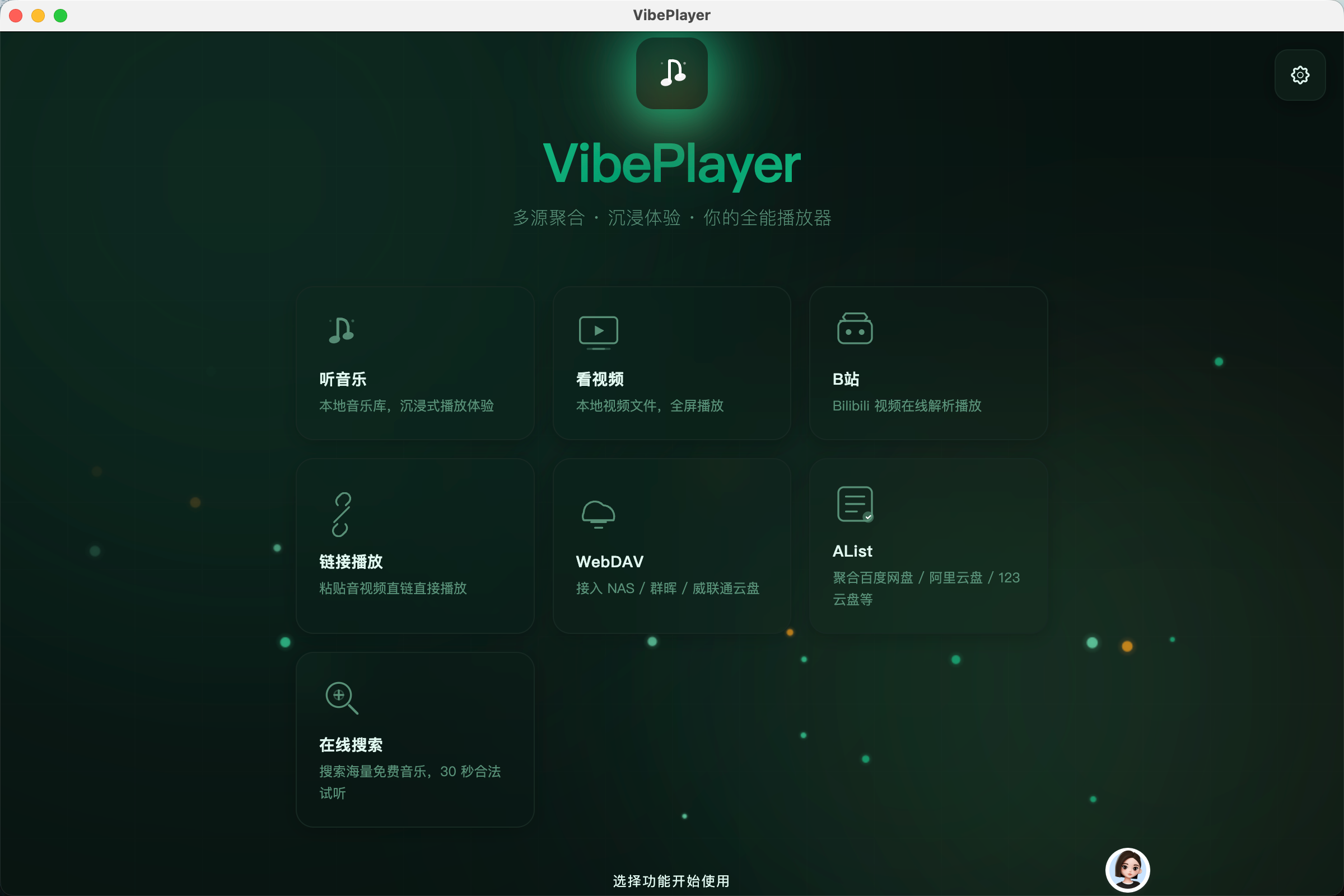 AI Visual Insight: This interface shows the main desktop player workspace. The left side is the navigation area, and the center is the content display area. The UI uses a unified dark theme with a high-contrast icon system. The screenshot also shows that feature entry points are organized modularly around playback, local resources, online capabilities, and cloud storage integration, indicating that the product emphasizes media source aggregation rather than a single playback function.
The root cause of the local music library highlight bug was missing tree node IDs
The issue appeared when clicking a song inside a subdirectory caused the list to show “everything highlighted.” The root cause was straightforward: the directory tree only assigned IDs to top-level nodes, while child nodes kept undefined, causing the highlight logic to match multiple nodes at the same time.
A recursive completion strategy like the one below is a direct way to fix tree structure identification issues.
let currentId = 0;

function assignIds(nodes) {
  return nodes.map((node) => {
    const newNode = {
      ...node,
      id: currentId++, // Assign a globally unique incremental ID to each node
    };

    if (node.children && node.children.length > 0) {
      newNode.children = assignIds(node.children); // Recursively process child directory nodes
    }

    return newNode;
  });
}
This code generates a unique ID for every level of the directory tree and removes highlight conflicts at the source.
Online music search continues a low-copyright-risk design approach
VibePlayer’s online music feature uses the iTunes API for fuzzy search. It does not require user login and avoids directly entering high-risk copyright distribution scenarios. It offers 30-second previews, making it better suited for auditioning, discovery, and quickly building playlists.
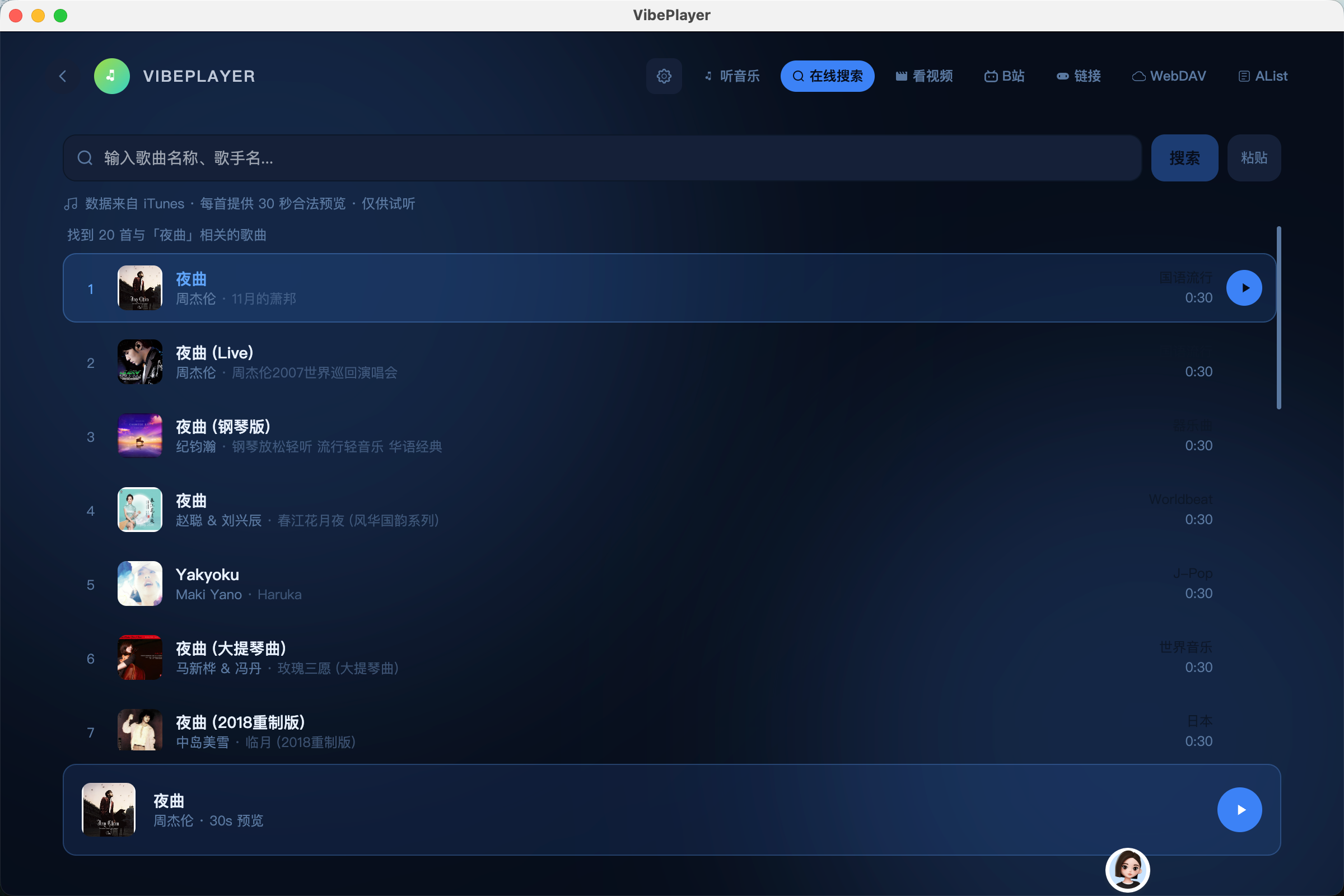 AI Visual Insight: This screenshot shows the online search results page. The interface places album art, song title, artist information, and action buttons within the same list context, which fits high-frequency desktop preview workflows. The result area is clearly structured, indicating that the search flow is optimized for a short “preview → confirm → add to list” path.
Online lyric search fills the metadata gap in local media
A common issue with local audio is not playback failure, but missing lyrics, cover art, or synchronization metadata. VibePlayer uses online lyric search as a supplementary layer, allowing users to fetch LRC files directly when local songs do not include embedded lyrics, then cache them locally for continued use.
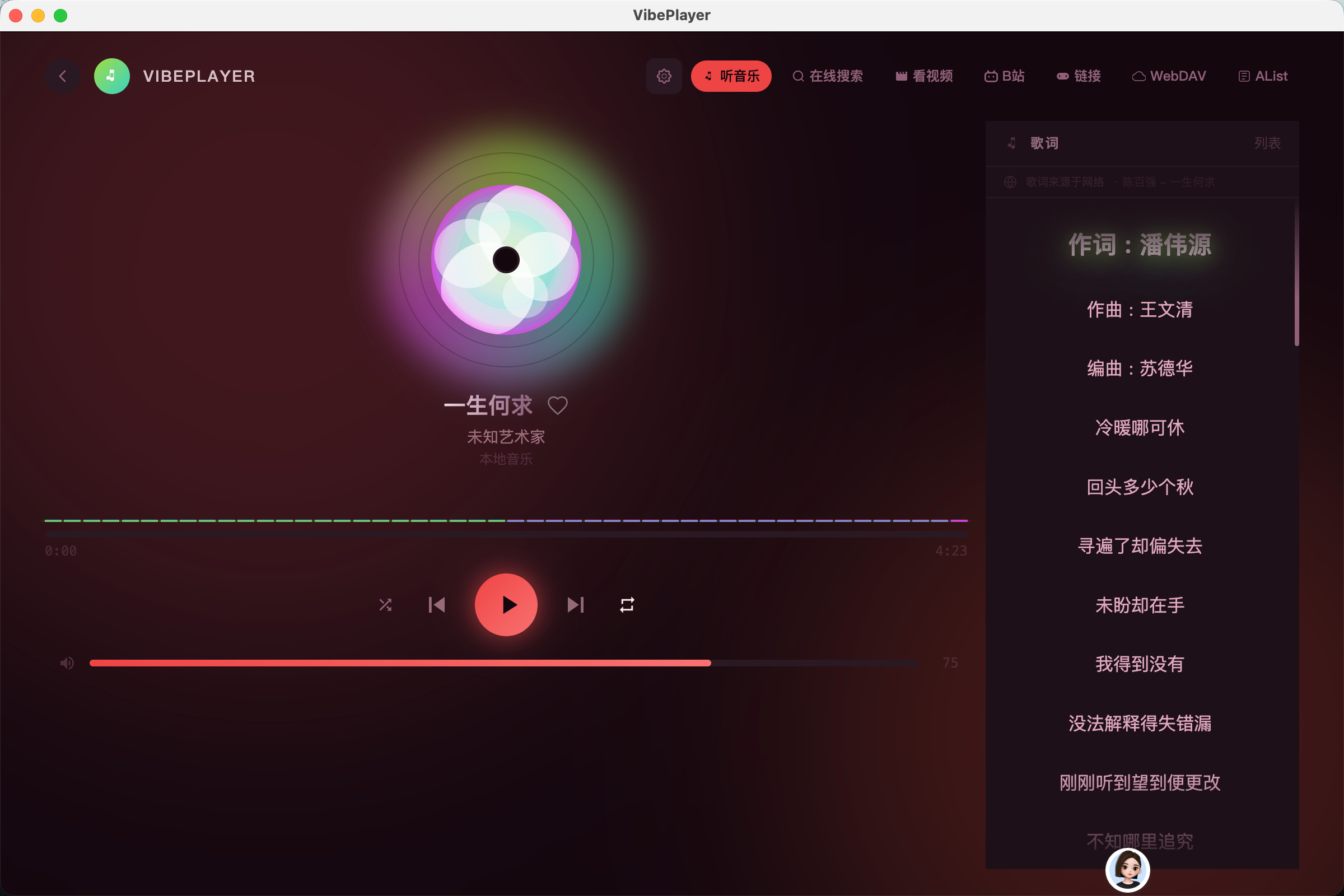 AI Visual Insight: This image shows the scrolling lyric view. The key takeaway is that the player supports timeline synchronization rather than static text display. The highlighted current lyric line, centered layout, and atmospheric background treatment suggest that the interaction goal is an immersive playback experience rather than simple lyric lookup.
Theme and font customization increase the long-term value of the desktop experience
The v1.3.x series includes 13 built-in themes covering light, dark, and custom theme colors. For desktop software, this capability affects more than aesthetics. It directly influences visual fatigue during long-term use.
At the same time, the app includes six built-in Chinese font options, raising readability control from the system-default level to the application layer. For Chinese-speaking users, font style can significantly affect both brand perception and content affinity.
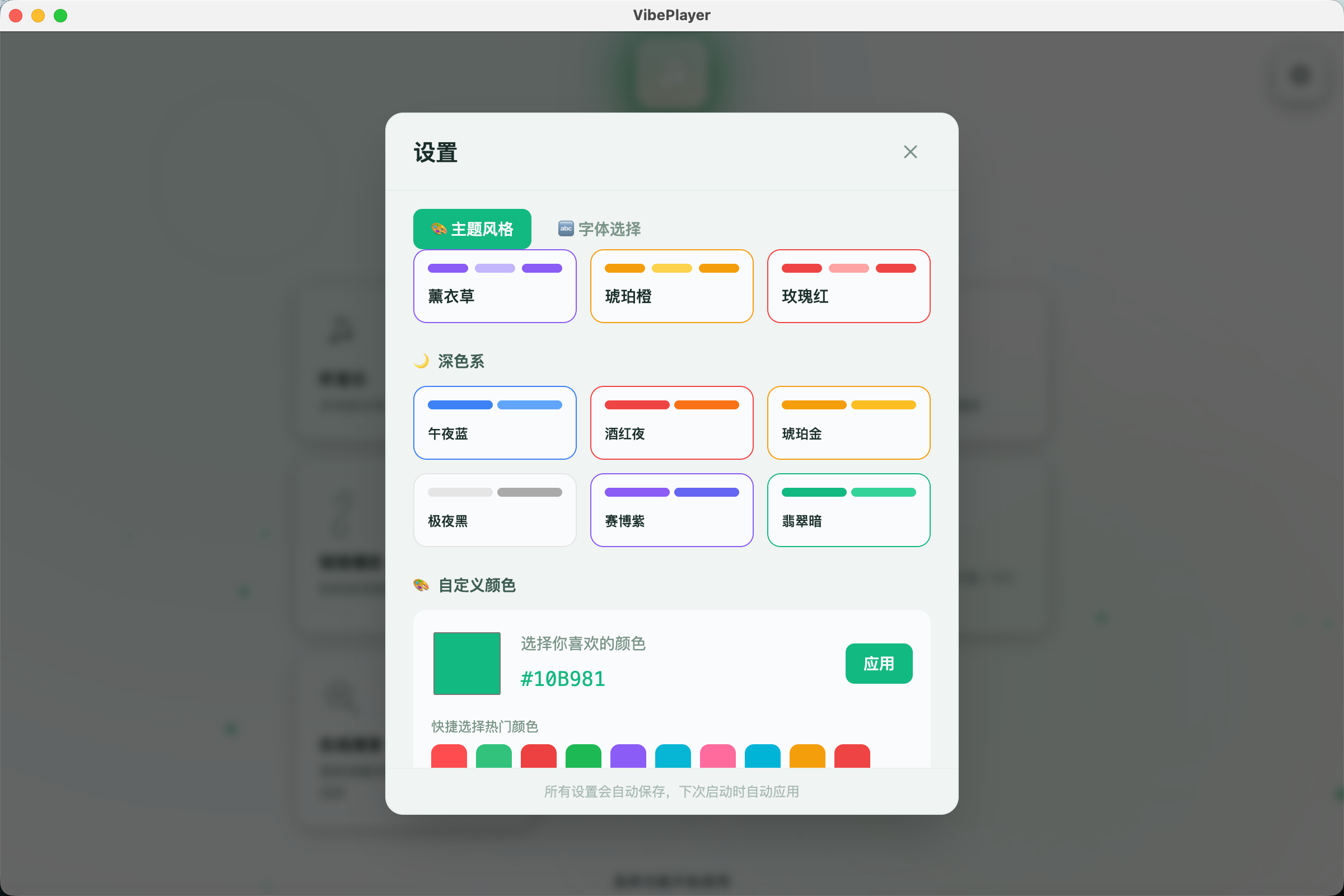 AI Visual Insight: This screenshot highlights the theme selection panel. Multiple color palettes and preview blocks appear side by side, showing that the theme system is more than a simple light/dark toggle. It supports fast switching across multiple style options and resembles a design-token-driven skinning system.
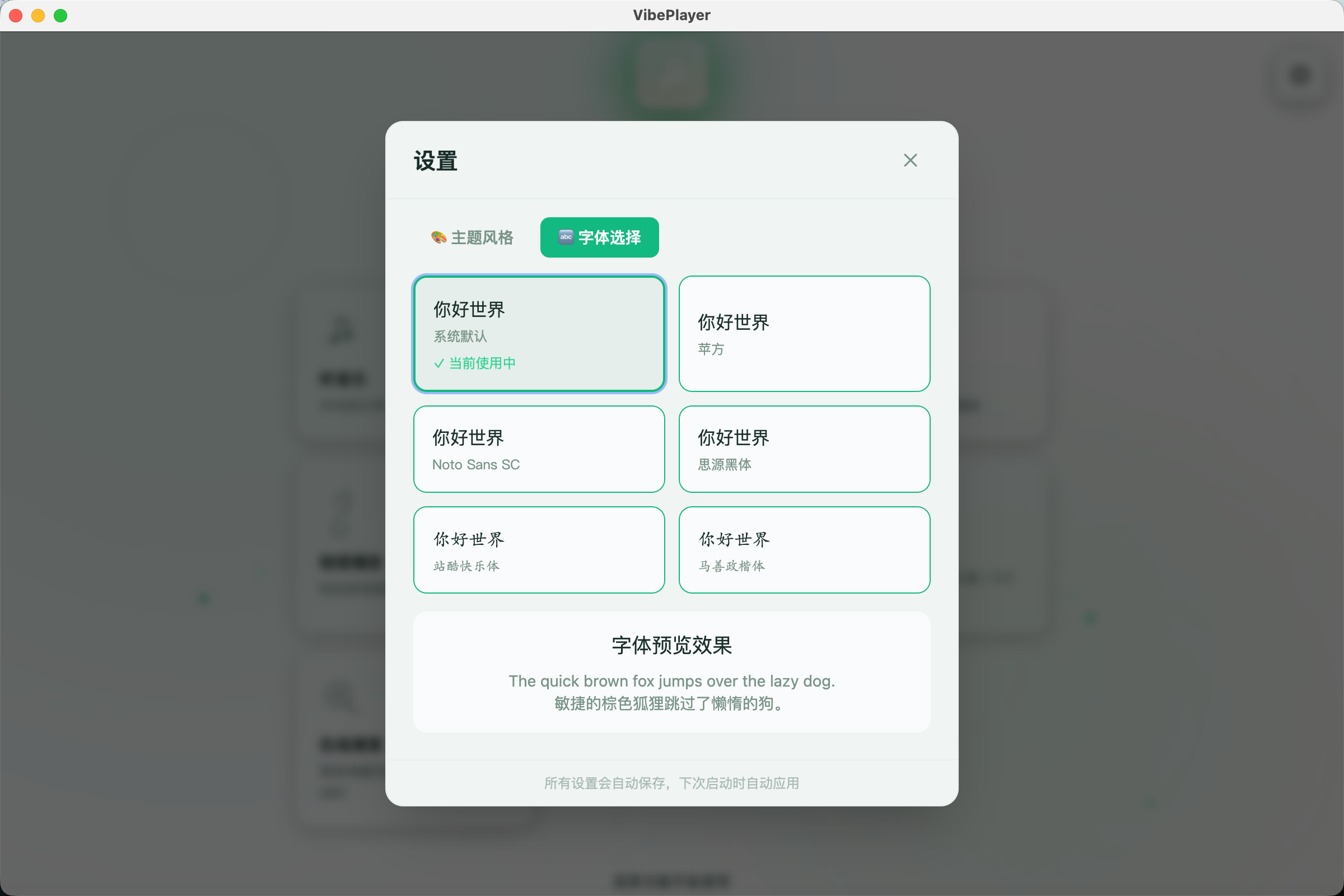 AI Visual Insight: This interface shows the font switching settings. Different font names are exposed to users in a list, indicating that the application has made Chinese font rendering configurable. This usually means the UI text components and theme system already share a relatively solid abstraction layer.
The feature matrix shows that it is a media aggregator, not a single-point player
| Feature Module | Description |
|---|---|
| Local Music | Scan directories and manage albums, artists, and playlists |
| Local Video | Support MP4, MKV, and other formats with full-screen playback |
| Bilibili Playback | Support entry points for favorites, anime series, live streams, and more |
| WebDAV | Connect to NAS, Jianguoyun, and other remote storage services |
| AList | Mount and access multiple cloud storage resources through one interface |
| Direct URL Playback | Paste an audio or video URL to start playback |
| Online Music Search | Provide 30-second previews through the iTunes API |
| Online Lyric Search | Support LRC download and scrolling synchronization |
| Custom Themes | Provide 13 themes and theme color configuration |
| Font Switching | Include 6 built-in Chinese fonts |
The download and usage path already covers the three major desktop platforms
The project already provides GitHub Releases packages: .dmg for macOS, .exe for Windows, and either .AppImage or .deb for Linux. This means it has moved beyond development validation and now supports direct desktop application distribution.
# Open the project repository
open https://github.com/taogejava/VibePlayer

# Open the v1.3.3 release page
open https://github.com/taogejava/VibePlayer/releases/tag/v1.3.3
These commands provide quick access to the source repository and the release page for downloading or contributing.
This update shows that desktop media players now compete on integration capability
The most notable aspect of VibePlayer v1.3.3 is not any single added feature. It is the way this release improves the visual system, stability, and media source aggregation at the same time. For Electron desktop applications, that matters more than simply stacking features.
If you are looking for an extensible, cross-platform, open-source media player that balances local and online resources, this project offers strong reference value, especially for studying how Electron can be productized effectively in media-focused desktop applications.
FAQ
What type of users is VibePlayer best suited for?
It is well suited for desktop users who want to manage local audio and video, Bilibili content, and WebDAV/AList cloud media in one place. It is also useful for developers researching Electron media application architecture.
What was the core issue behind the highlight bug fixed in v1.3.3?
The issue was that child nodes in the tree directory lacked unique IDs, so the highlight logic treated multiple undefined values as the same target. Recursively assigning IDs to all nodes resolves the problem.
Where does the project’s technical value come from?
Its value comes from unifying local playback, remote storage integration, online search, and personalized themes inside a single Electron desktop shell, making it a strong example of product-level integration.
Core Summary: VibePlayer v1.3.3 is an updated open-source Electron cross-platform desktop media player that introduces a refreshed flowing-note logo, custom themes, and font switching, while fixing abnormal directory highlighting in the local music library. It supports local media, Bilibili, WebDAV, AList, and online music search.