This article focuses on MongoDB production deployment and security hardening on Linux, addressing common risks such as permissive default settings, unauthorized access, and insecure remote connections. It covers installation, authentication, role separation, firewall strategy, and remote access with cpolar. Keywords: MongoDB security hardening, Linux deployment, remote access.
Technical Specifications at a Glance
| Parameter | Details |
|---|---|
| Runtime Environment | CentOS 7 / Linux |
| Database Version | MongoDB 4.4.30 (used in examples) |
| Default Port | 27017 |
| Service Management | systemd |
| Authentication Mechanism | auth=true, role-based authorization |
| Core Dependencies | mongod, mongo shell, systemctl, curl, cpolar |
| Network Strategy | bind_ip, Linux firewall, TCP tunnel |
| Protocols | MongoDB TCP / cpolar TCP |
| Star Count | Not provided in the original article |
MongoDB’s Core Production Risks Must Be Addressed Explicitly
MongoDB is well suited for semi-structured workloads such as logging, CMS platforms, IoT, and mobile backends. Its strengths include a document model, schema flexibility, and horizontal scalability. However, in early-stage deployments, the most common issue is not performance—it is that the default posture is often too open.
Production incidents typically come from three mistakes: authentication is disabled, the service listens on 0.0.0.0, and port 27017 is exposed directly. These conditions allow scanners to discover the instance easily and can lead to data deletion, ransomware, or data leakage. The deployment priority should therefore be not “get it running first,” but “lock it down before opening access.”
MongoDB and Relational Databases Serve Different Purposes
MongoDB stores data as BSON documents and works well for rapid iteration and write-heavy workloads. MySQL is often a better fit for complex relational queries and strongly consistent transactions. Only after choosing the right database model does a security baseline become meaningful.
# Check the MongoDB version and binary path
which mongod           # Verify the server binary location
mongod --version       # Confirm the version to match the correct config format
These commands verify the MongoDB executable path and version information before deployment.
Installation and Runtime Directories Should Be Managed Separately on Linux
This example uses a binary package installation, placing the program under /usr/local/mongodb and storing data and logs under data/db and data/log. This structure simplifies migration, backup, and service management.
The original example provides a runnable path, but in production you should avoid overly permissive file permissions. The data directory should belong to a dedicated runtime user, rather than relying on globally writable settings such as chmod 666.
cd /app
wget https://fastdl.mongodb.org/linux/mongodb-linux-x86_64-rhel70-4.4.30.tgz  # Download the installation package
tar -zxvf mongodb-linux-x86_64-rhel70-4.4.30.tgz                               # Extract the archive
mv mongodb-linux-x86_64-rhel70-4.4.30 /usr/local/mongodb                       # Standardize the installation path
mkdir -p /usr/local/mongodb/data/{db,log}                                      # Create data and log directories
These commands complete the MongoDB binary installation and initialize the required directories.
 AI Visual Insight: This image serves as a cover-style overview, emphasizing that MongoDB production deployment, security configuration, and remote access form a complete operational loop rather than an isolated installation task.
The Configuration File Must Control Storage, Authentication, and Listening Scope Together
At a minimum, the MongoDB configuration file should define the data directory, log directory, port, background process behavior, and authentication setting. The two fields that most directly affect exposure are auth and bind_ip.
The original article uses bind_ip=0.0.0.0 for remote connectivity, but in production you should bind to 127.0.0.1 or a private network address whenever possible. If public access is absolutely required, use a VPN, bastion host, or temporary tunnel instead of exposing the database port directly.
# /usr/local/mongodb/mongodb.conf
dbpath=/usr/local/mongodb/data/db
logpath=/usr/local/mongodb/data/log/mongodb.log
logappend=true
port=27017
auth=true                    # Enable authentication and block anonymous access
fork=true
bind_ip=127.0.0.1            # In production, listen only on localhost or a private network
This configuration establishes a minimal but safer MongoDB runtime baseline.
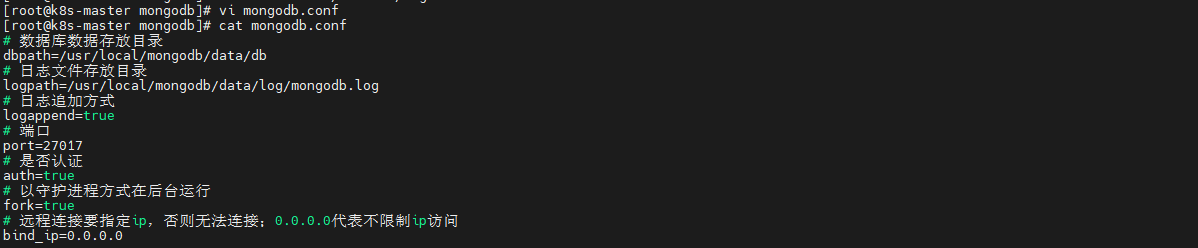 AI Visual Insight: This image shows the edited configuration file, highlighting the data path, log path, authentication switch, and listening address. Technically, it reflects that MongoDB’s security baseline is primarily enforced through server configuration rather than the client.
systemd Management Provides Observability and Auto-Start
Manual startup is suitable for testing, but not for production. Once MongoDB is managed by systemd, it gains consistent start, stop, restart, boot-time enablement, and status-check capabilities, making it easier to integrate into operations workflows.
[Unit]
Description=MongoDB
After=network.target

[Service]
Type=forking
ExecStart=/usr/local/mongodb/bin/mongod -f /usr/local/mongodb/mongodb.conf
ExecStop=/usr/local/mongodb/bin/mongod -f /usr/local/mongodb/mongodb.conf --shutdown
PrivateTmp=true

[Install]
WantedBy=multi-user.target
This service file brings MongoDB under unified systemd management.
User Permissions Must Follow the Principle of Separating Administrators and Application Accounts
MongoDB includes many built-in roles, but in production the most important pattern is a two-layer model: the administrator account manages users, while the application account receives only the minimum privileges required for its target database. Never let an application connect with root or a full-instance administrative account.
Create the administrator account in the admin database first, then switch to the application database and create a readWrite user. This approach gives the application what it needs while preventing mistakes from affecting other databases.
use admin
db.createUser({
  user: "admin",
  pwd: "StrongPasswordExample",
  roles: [{ role: "userAdminAnyDatabase", db: "admin" }]  // The administrator is responsible only for user management
})

db.auth("admin", "StrongPasswordExample")  // Authenticate as the administrator
use nobody
db.createUser({
  user: "ceshi",
  pwd: "ApplicationPasswordExample",
  roles: [{ role: "readWrite", db: "nobody" }]           // Grant the application account read/write access only to the target database
})
This script creates the administrator account, authenticates it, and creates a least-privilege user for the application database.
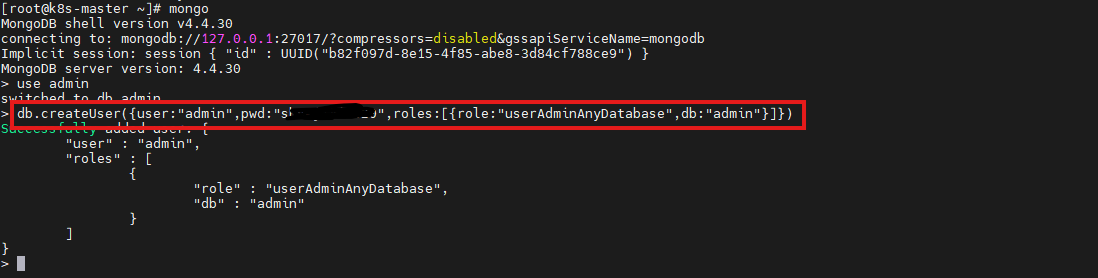 AI Visual Insight: This image shows the execution feedback in the Mongo shell after creating the administrator account. It demonstrates that account creation occurs in the
 admin authentication database and that the role model is controlled through database-level authorization.
Firewall Policy Should Work with bind_ip and Authentication to Form Defense in Depth
Enabling a password alone is not enough. If port 27017 is still reachable from the public internet, the attack surface remains exposed. The correct approach is a three-layer model: restrict listening scope with bind_ip, limit traffic sources with the system firewall, and constrain database actions with account permissions.
If only an application server needs access, allow inbound traffic only from that specific source IP. If MongoDB is used locally only, do not open port 27017 at all. This reduces the likelihood of lateral movement even if credentials are leaked.
# Allow only a specific private host to access port 27017, using firewalld as an example
firewall-cmd --permanent --add-rich-rule='rule family="ipv4" source address="10.0.0.12" port protocol="tcp" port="27017" accept'  # Allow the application host
firewall-cmd --permanent --add-port=27017/tcp --remove-port=27017/tcp 2>/dev/null || true                                               # Avoid accidentally opening the port to all sources
firewall-cmd --reload                                                                                                                     # Reload firewall rules
The core idea behind these commands is simple: port 27017 should be accessible only to whitelisted hosts, not to the entire internet.
GUI Client Connections Must Explicitly Specify the Authentication Database and Account Scope
The original article uses MongoDB Compass to connect to the instance, which is useful for validating authentication and permissions. When connecting, you must specify the host, port, username, password, and authentication database. Otherwise, the login may fail if the application database is mistakenly used as the authentication database.
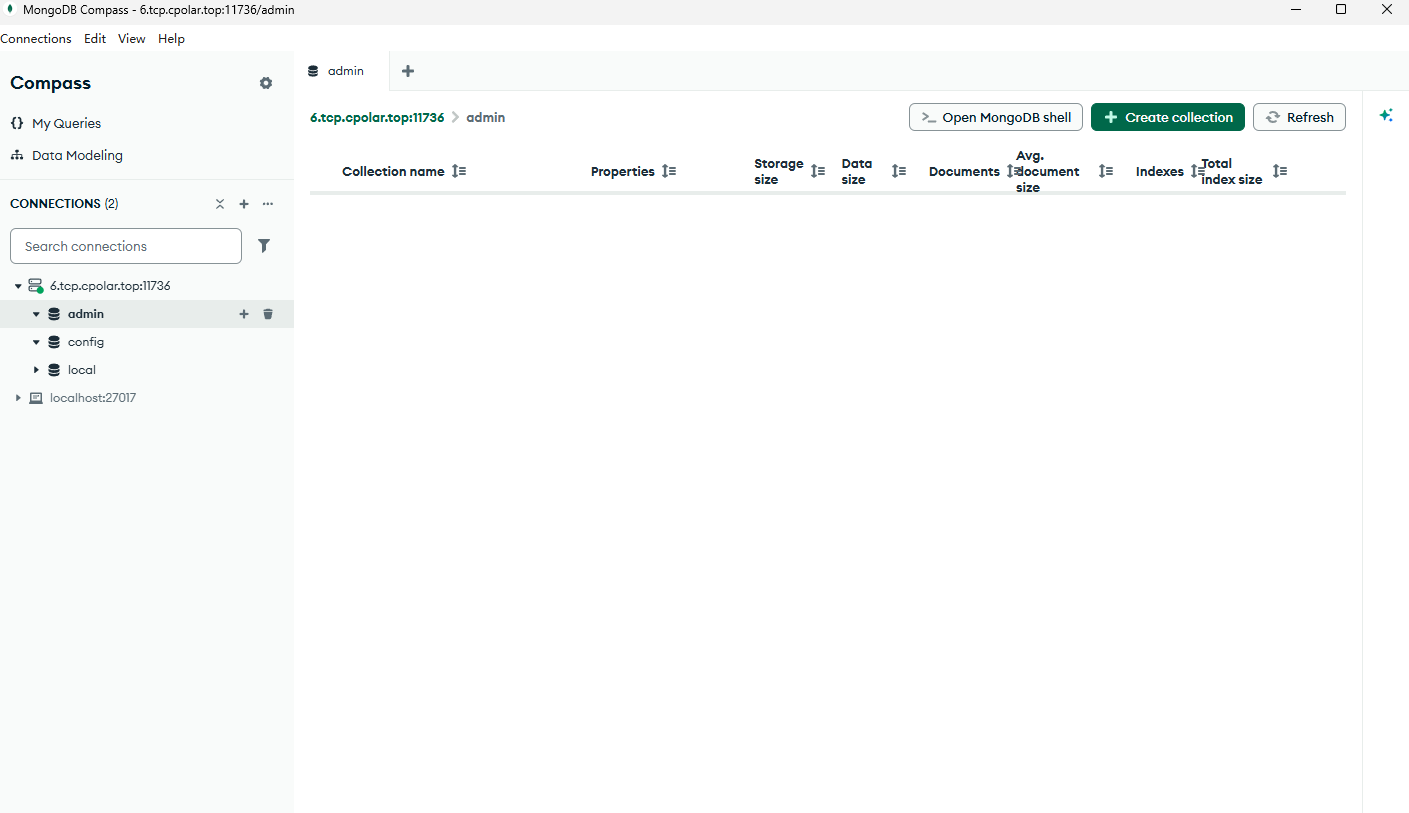
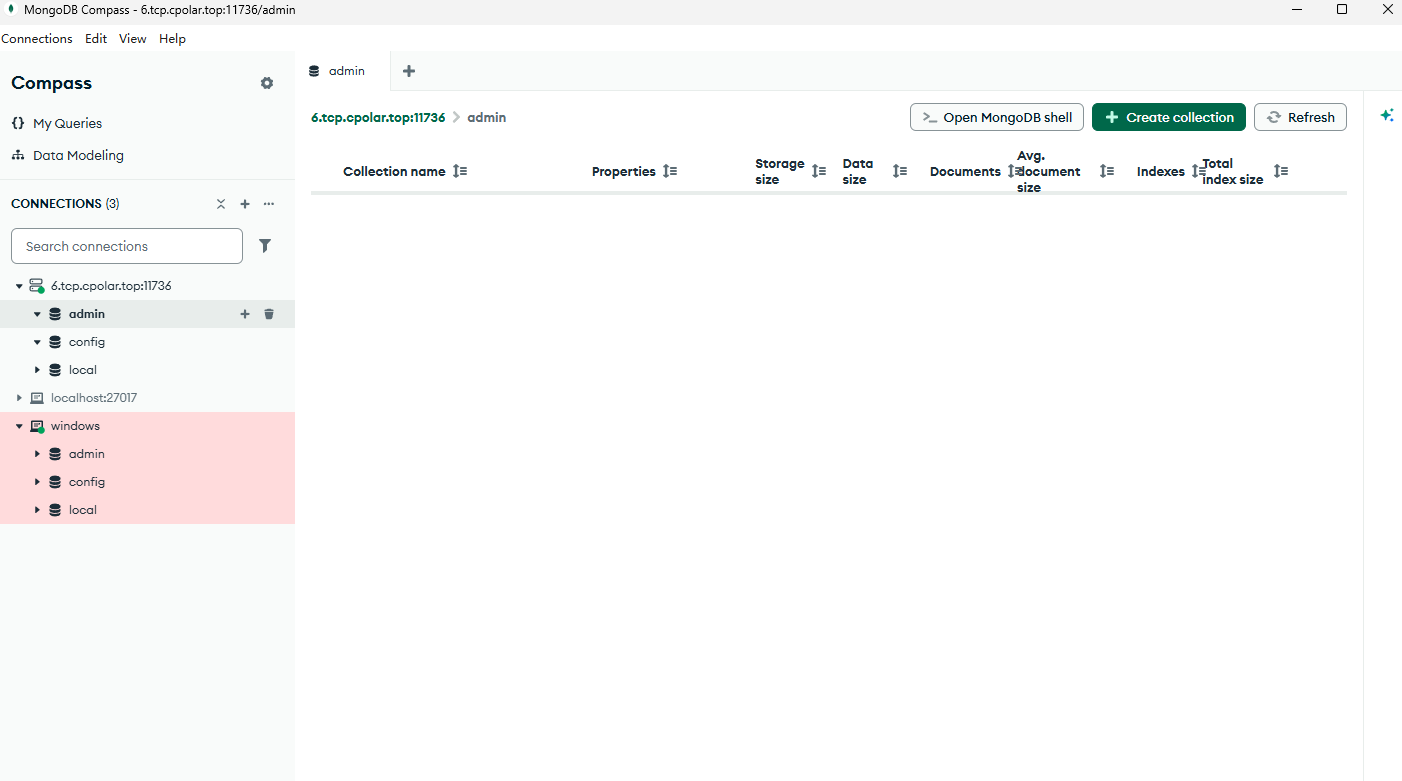 AI Visual Insight: This image shows the MongoDB Compass interface after a successful connection, indicating that network connectivity, account authentication, and client protocol negotiation have all completed successfully. It is useful for post-deployment visual validation.
cpolar Solves the No-Public-IP Problem, but It Is Not the Default Production Option
cpolar can expose a local or private-network port through a publicly reachable TCP endpoint. This is useful for development, debugging, demos, and temporary remote collaboration. It lowers the barrier to remote access, but it does not make direct internet-facing database access inherently safe.
curl https://get.cpolar.sh | sh     # Install cpolar
systemctl status cpolar             # Check the service status
These commands install cpolar and verify that the service is running correctly.
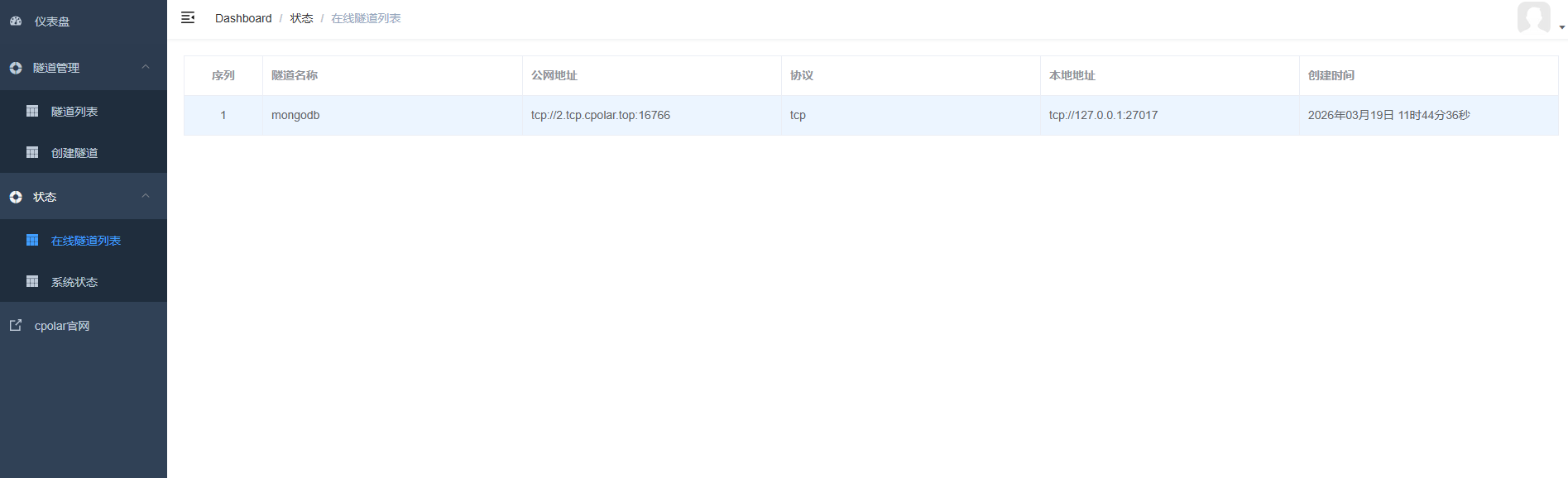 AI Visual Insight: This image shows the public TCP address and port generated by the cpolar tunnel. Technically, it indicates that the local
 27017 port has been mapped to an externally reachable entry point, and remote clients will access the database through that hostname and port.
Remote Access Designs Must Include Guardrails and Safer Alternatives
If you use cpolar, enable it only during short testing windows and pair it with strong passwords, least-privilege accounts, and access auditing. For long-term stable environments, prefer a fixed private network, VPN, zero-trust access, or a managed cloud database service.
A fixed TCP address solves the problem of changing temporary ports, but it does not improve security by itself. A true production design should still focus on minimal exposure, least privilege, and auditability.
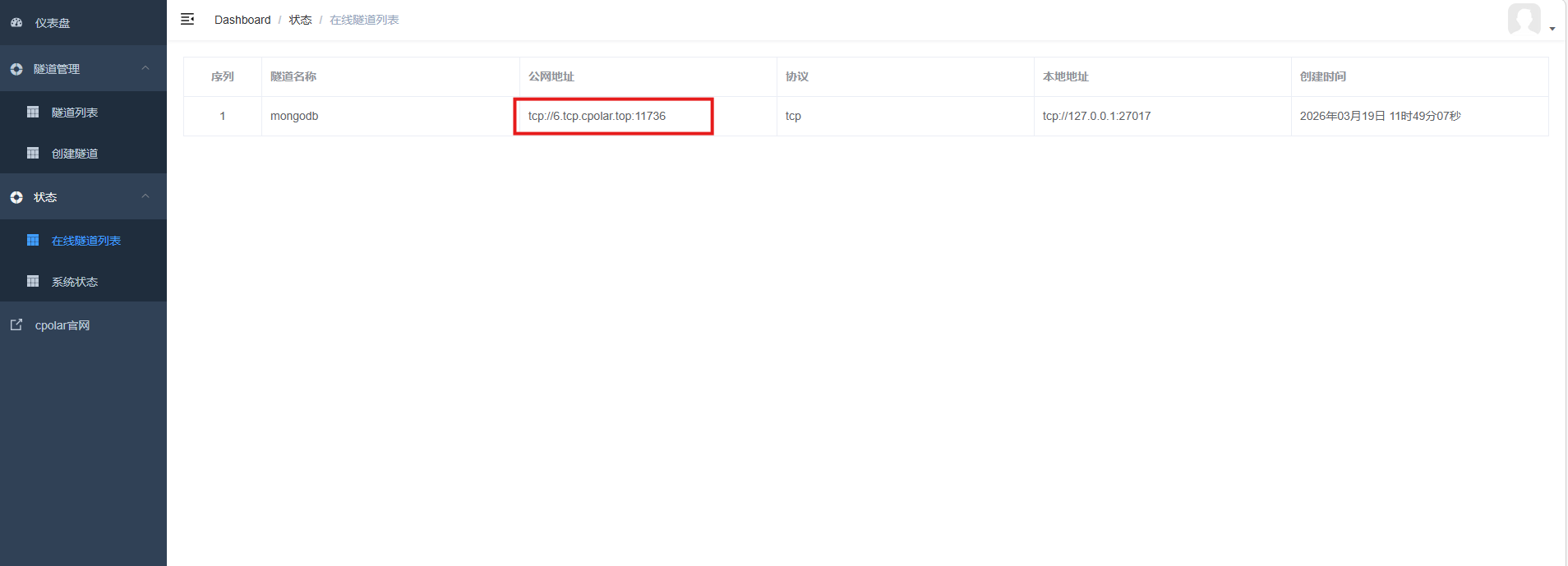 AI Visual Insight: This image shows the tunnel state after switching from a random address to a reserved fixed TCP address. It indicates that the access endpoint has moved from a temporary session-based mapping to a reusable public entry point, making it more suitable for repeated cross-device connection testing.
The Final Production Conclusion Is to Harden First and Open Access Later
A standalone MongoDB deployment is not inherently difficult. What determines production readiness is whether you have established a security baseline. Authentication must be enabled, the listening scope must be reduced, application accounts must follow least privilege, and the system firewall must restrict traffic sources.
If you later move to a high-availability architecture, you should also add replica sets, backup and recovery, TLS encryption, monitoring and alerting, and audit logs. Without these capabilities, a database may be usable, but it is not truly production-ready.
FAQ
1. Why is it not recommended to bind MongoDB directly to 0.0.0.0?
Because it makes the instance listen on all network interfaces. As long as a network path exists, port 27017 may be discovered by scanners. In production, you should bind to localhost or a private network address first, then control access through a firewall or a secure channel.
2. Can an application connect directly with an admin or root account?
No. The application should use a dedicated account for its own database and receive only the permissions it needs, such as readWrite. Administrative accounts should be reserved for operations and access management to avoid accidental deletion, privilege abuse, and credential sprawl.
3. Is cpolar suitable for long-term exposure of a production database?
No. It is better suited for development, debugging, temporary demos, and emergency access. For long-term production access, use a VPN, private connectivity, zero-trust networking, or a managed cloud database service to gain stronger identity control and auditability.
AI Readability Summary
This article reconstructs a production-ready MongoDB deployment workflow on Linux. It covers installation, configuration, systemd management, administrator and application account creation, least-privilege access control, firewall and bind_ip strategy, and remote access with cpolar. It also makes the security boundary of internet-exposed databases explicit and provides safer alternatives.