This project is a prompt case library and open-source repository built around GPT Image 2. Its core value lies in centralizing high-quality prompts, result images, and template structures that would otherwise remain scattered across different sources. It solves three common problems: images without prompts, prompts that cannot be reused, and repeated scenarios that lack templates. Keywords: GPT Image 2, Prompt Gallery, prompt templates.
The technical snapshot defines the project at a glance
| Parameter | Details |
|---|---|
| Project format | Prompt website + GitHub open-source repository |
| Target model | GPT Image 2 |
| Content scale | 400+ prompts / templates |
| Primary scenarios | Portraits, posters, infographics, UI mockups, product visuals, 3D, packaging design |
| Access URL | https://gptimagelab.com |
| Repository | https://github.com/peterRooo/awesome-gpt-image-2-prompts |
| License | Not explicitly stated in the source text; verify against the actual GitHub repository |
| Star count | Not provided in the source text; verify against live GitHub data |
| Core dependencies | GPT Image 2, prompt taxonomy, case indexing, and preview pages |
| Language | Primarily English prompts, with some Chinese scenario examples |
This project productizes the prompt reuse workflow for GPT Image 2
The key point of the original article is not how impressive any single prompt looks. Instead, it shows how prompt engineering can evolve from “writing a sentence on demand” into a reusable asset library that is searchable, replaceable, and iterative.
For developers, designers, and content teams, the biggest pain point is usually not the inability to write prompts. The real challenge is knowing where to begin reuse, and understanding which descriptions form a stable structure versus which ones are only one-off details.
The project covers high-frequency visual production scenarios
The project currently organizes 400+ GPT Image 2 prompts and templates across portrait photography, poster design, Chinese text posters, infographics, knowledge cards, UI mockups, product visuals, packaging design, 3D scenes, character illustration, and text rendering.
This coverage matters because it does not categorize examples by “model capability.” It categorizes them by “business output,” which makes the library much easier to integrate into production workflows.
Select a scenario → Find a similar example → Review the full prompt → Keep the structural skeleton → Replace the subject variables → Continue fine-tuningThe core value of this workflow is that it turns prompt writing from open-ended improvisation into semi-structured editing.
The sample cases show that the library prioritizes structural stability over stacked inspiration
Case 1 is a medical infographic. It emphasizes a transparent human body, organ labeling, and poster-style layout. The stable part of this kind of prompt is not the “medical” theme itself. It is the combination of a central subject, a label system, layout order, and a modern infographic style.

Case 2 is a GPT architecture blueprint poster. It highlights a blueprint background, technical line art, grids, measurement scales, arrows, and orthographic outlines. It proves that technical visuals do not depend on photorealism. They depend on explicit drawing conventions.
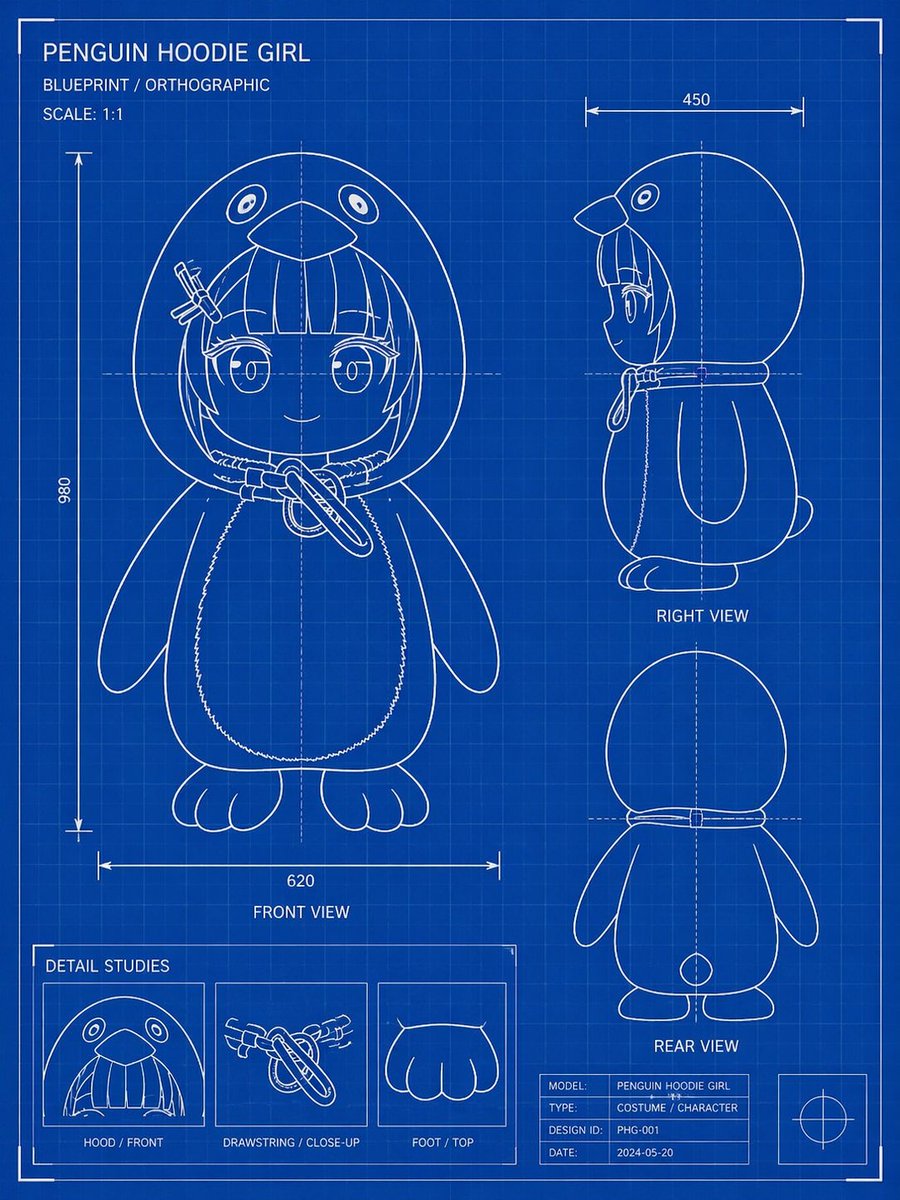 AI Visual Insight: The image focuses on blueprint visual grammar: a dark blue background, white wireframes, orthographic projection, support grids, and technical annotations all contribute to an engineering drawing aesthetic. This indicates that line-art rules and layout constraints have a major impact on output consistency.
UI and product visual examples are the best candidates for template-based rewriting
Case 3 is a modern SaaS homepage design board. Its keywords focus on Figma-style design, a hero section, floating input UI, rounded cards, soft shadows, and a highly clean layout. This type of description is ideal for variable substitution.
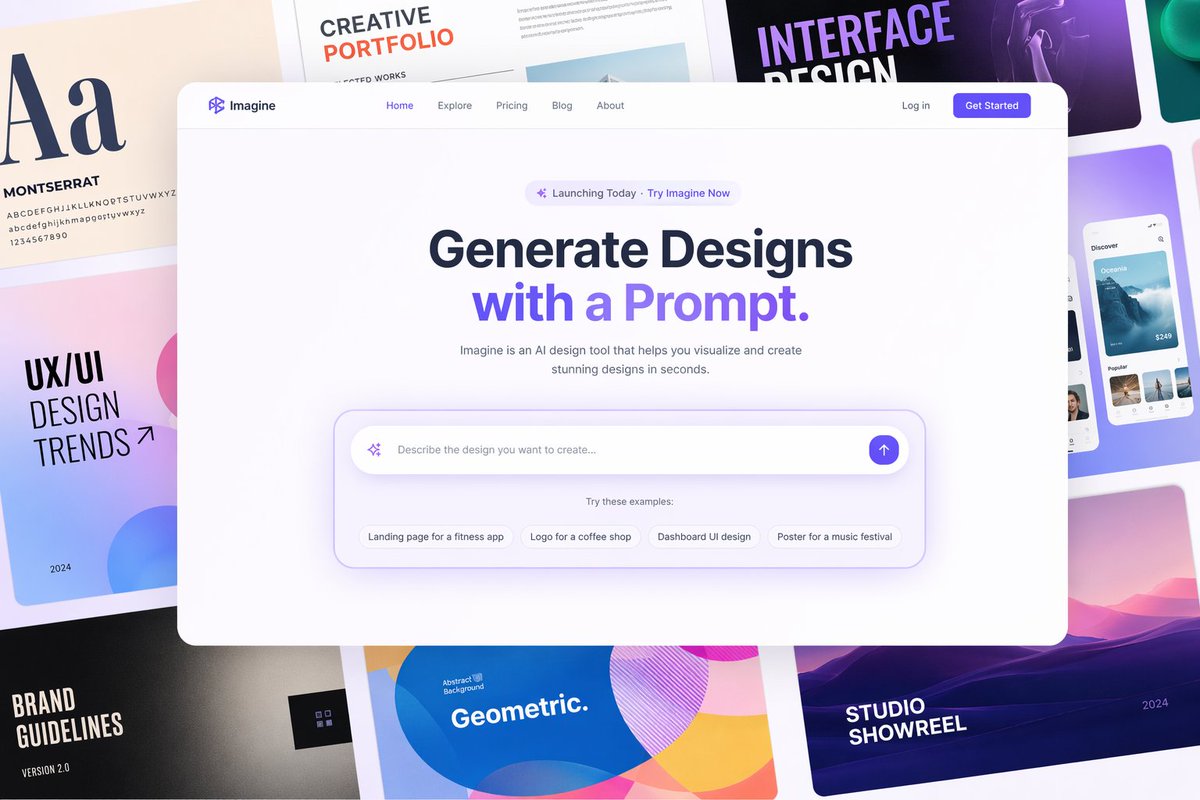 AI Visual Insight: The image presents multiple design boards arranged side by side. The main interfaces use generous whitespace, soft shadows, and a component-based card system. This shows that the prompt is actually controlling the UI design language, information hierarchy, and visual density, not just the page topic.
Case 4 is a tropical sparkling water can product visual. It emphasizes condensation droplets, sand texture, brand illustration, contrasting background colors, and ad-grade lighting. This kind of prompt works especially well for e-commerce, brand marketing, and packaging validation.

# A template-oriented way to organize prompts for GPT Image 2
prompt = {
    "scene": "modern SaaS website homepage",  # Scenario
    "subject": "AI product hero section with a floating input box",  # Subject
    "style": "Figma style, minimalist, premium UI",  # Style
    "details": ["rounded cards", "soft shadows", "centered composition", "elegant whitespace"],  # Key details
    "constraints": ["no clutter", "high readability", "suitable for a landing page hero section"]  # Constraints
}
This code sample shows that high-quality prompts are often organized as fields rather than written as one long natural-language sentence.
The recommended usage pattern is fundamentally “inherit structure and replace details”
The original guidance is highly practical: first find a case close to your target result, then retain stable structures such as camera angle, lighting, material, composition, and aspect ratio, and finally replace the subject, scene, style, and details.
That means the truly reusable parts usually include viewpoint, layout, light logic, material description, rendering fidelity, and output format. The parts that should usually change include object nouns, brand elements, text content, and business context.
A rewriting example that fits team collaboration better
base_prompt = "clean modern poster design, centered composition, clear labels, soft contrast"
subject = "new energy vehicle battery safety infographic"  # Replace the subject
extras = "Chinese title, modular annotations, suitable for social media distribution"  # Add business requirements
final_prompt = f"{subject}, {base_prompt}, {extras}"  # Combine into the final prompt
print(final_prompt)
This code sample shows how to migrate quickly to a new topic while preserving the layout skeleton.
The long-term value of this resource lies in building prompt assets
The roadmap includes a prompt builder, prompt improver, prompt translator, more structured templates, and more Chinese text rendering examples. This suggests that the project is evolving from a “case library” into prompt infrastructure.
If you need to generate UI, posters, knowledge cards, or product images at scale, this type of resource library is far more valuable than a loose collection of bookmarks. It can directly support retrieval, help teams build shared standards, and shorten the trial-and-error cycle.
FAQ answers the most practical questions in a structured format
Who is this project best suited for?
It is well suited for AI designers, content operators, indie developers, brand teams, and anyone who needs to generate visual assets in batches. It is especially useful for people who do not want to write prompts from scratch but still want stable reuse of proven prompt structures.
What is the most important principle when using this kind of Prompt Gallery?
The most important principle is to preserve the structural skeleton while replacing business variables. Prioritize inherited composition, lighting, materials, camera language, and layout first, then modify the subject, copy, and scenario. This usually produces better results than rewriting everything from scratch.
Why is the core value of this repository not simply “having a large number of prompts”?
Because the truly scarce asset is not the 400+ lines of text. It is the classification, previews, scenario mapping, and replaceable structure behind each prompt. Searchability, comparability, and secondary editability are what give the repository engineering value.
[AI Readability Summary]
This article reconstructs a prompt resource system for GPT Image 2 that includes 400+ categorized examples, an open-source repository, and a companion site workflow. The key takeaway is that stable poster, UI, infographic, and product visual generation comes from case retrieval, structure preservation, and variable replacement—not from rewriting every prompt from scratch.