VERT is an open-source, self-hosted local file conversion platform that lets you convert images, documents, audio, and video directly in the browser. It avoids the privacy risks and throttling limits that come with uploading files to third-party services. This guide covers Docker deployment, NAS hosting, and public access configuration. Keywords: VERT, file conversion, Docker.
Technical Specifications at a Glance
| Parameter | Details |
|---|---|
| Project Name | VERT |
| Primary Language | TypeScript / WebAssembly (based on the original capability description) |
| Runtime Model | Docker, self-hosted web service |
| Access Protocol | HTTP |
| Default Port | 3833 |
| Supported Types | Images, documents, audio, video |
| Core Dependencies | Docker, NAS / Synology, cpolar (optional) |
| Open Source Status | Free and open source |
| GitHub Stars | Not provided in the source material |
This Setup Solves the Trust Problem of Online Conversion Tools
The typical problem with online file conversion services is not that they are unusable. It is that they are difficult to trust over the long term. One issue is output quality: even after you pay, formatting can still break, especially in scenarios like PDF-to-Word or PPT-to-image conversion. The other issue is data exposure: files must be uploaded to an external platform, which creates leakage risks for sensitive documents, contracts, IDs, or media containing personal images.
VERT matters because it brings the entire conversion workflow back to your own environment. Files are processed on your own device instead of passing through third-party servers. Performance depends on your local hardware rather than subscription throttling. Once deployed, the browser becomes a single unified entry point, so you no longer need to jump between multiple conversion websites.
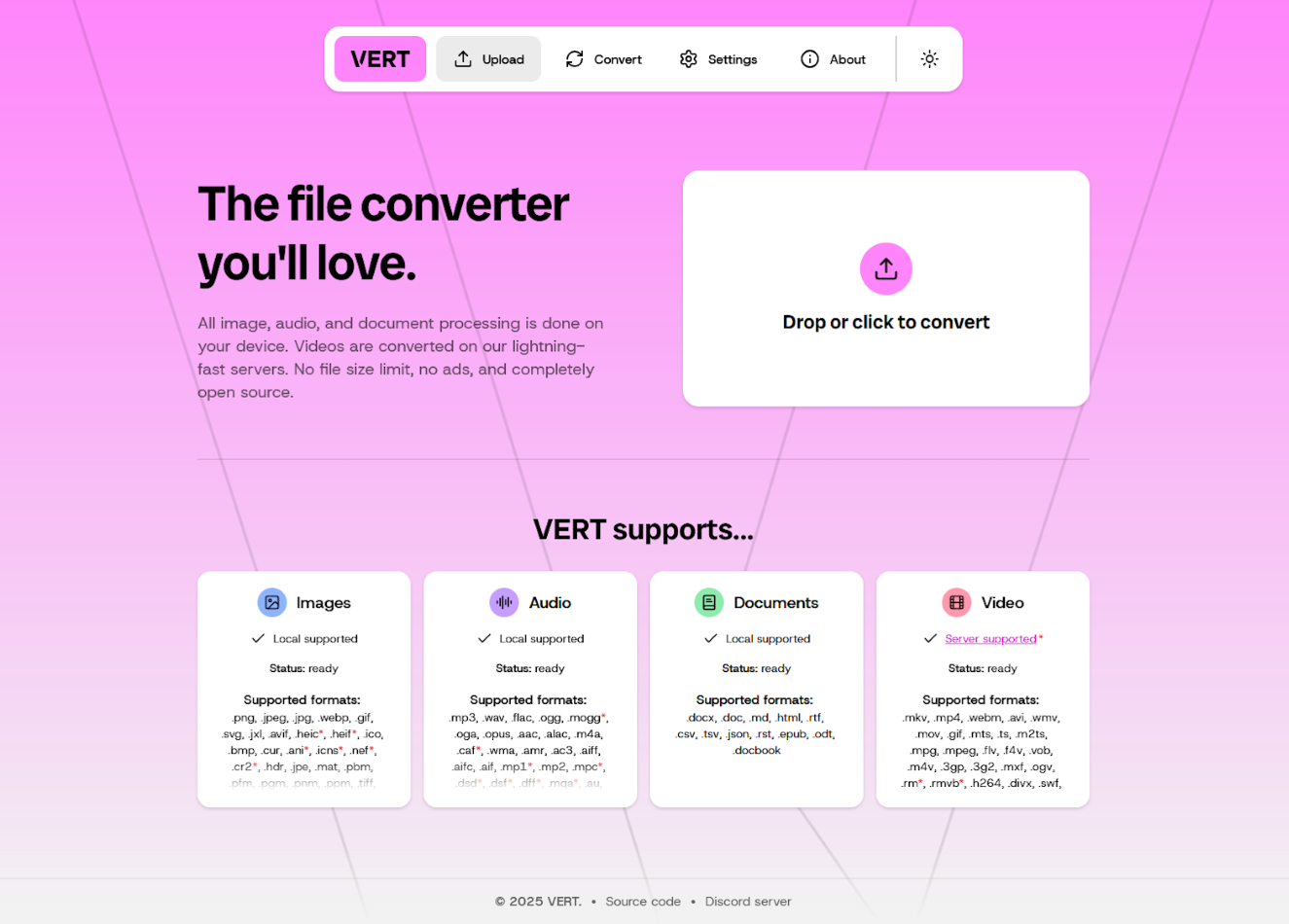 AI Visual Insight: This interface shows the VERT home page. Its defining traits are a single-page file entry point and a minimal interaction model, which suggests that the product targets lightweight, high-frequency, on-demand conversion tasks rather than complex workflow orchestration.
VERT’s Core Value Can Be Summarized as Local Processing, Broad Format Support, and Low Friction
According to the source material, VERT supports conversions across multiple format categories, including images, audio, documents, and video. Common types include PNG, JPG, WEBP, GIF, MP3, WAV, FLAC, DOCX, PDF, and Markdown. For individual users and small teams, this means a single service can cover most day-to-day conversion needs.
Its key technical foundation is WebAssembly, which performs processing on the local device side. The advantage is not just speed. More importantly, it reduces data exposure outside your own environment. For NAS users, self-hosting also means the service can remain online continuously, making it well suited as a permanent utility for a home lab or studio.
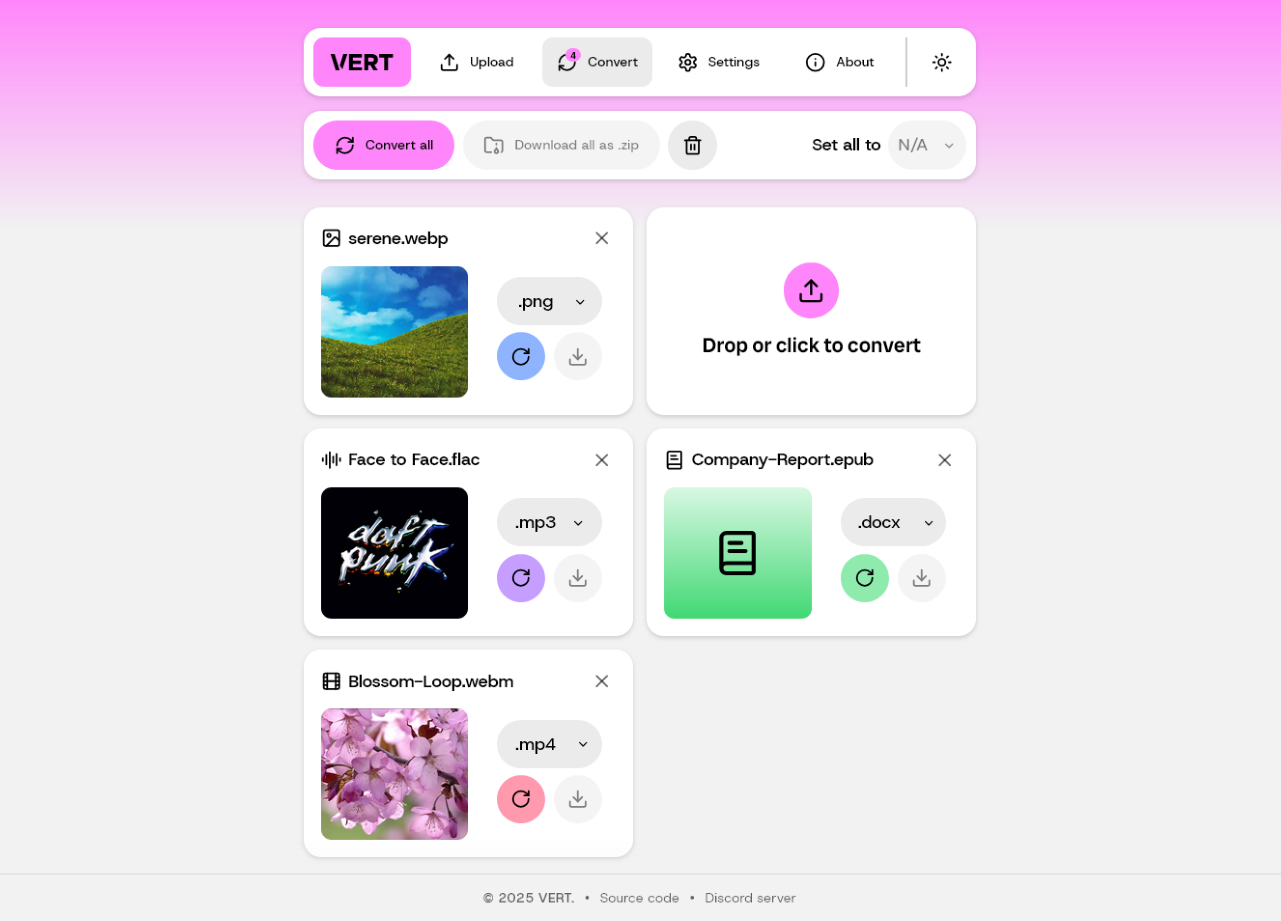 AI Visual Insight: The image shows VERT’s conversion interface, which typically includes a source file upload area, a target format selector, and an execution trigger. It reflects how the tool wraps lower-level conversion workflows in a browser-based UI, lowering the barrier compared with command-line utilities.
Deploying VERT on Synology NAS Is Low Cost and Straightforward
If Docker or Container Manager is already enabled on your NAS, deploying VERT is almost a one-command task. In the original scenario, the setup runs on Synology, where you can log in over SSH and start the container directly.
sudo docker run -d \
  --restart unless-stopped \
  --name vert \
  -p 3833:80 \
  ghcr.io/vert-sh/vert:latest  # Pull the latest image and map it to local port 3833
This command starts a container named vert and exposes the web service inside the container through port 3833 on the host.
After deployment, open http://NAS_IP:3833 in a browser to access the service. This design is especially suitable for NAS environments: the device usually stays powered on, the LAN is stable, and storage is abundant, all of which make it a natural host for file processing services.
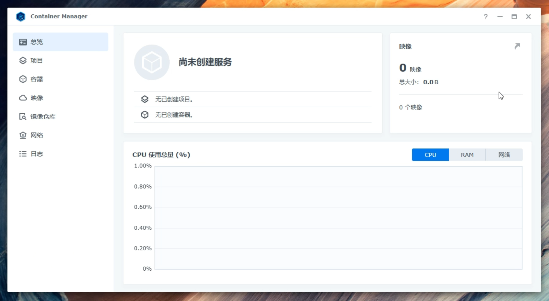 AI Visual Insight: This image shows the Synology container management interface, indicating that the deployment entry point is a graphical NAS administration platform. That makes it a practical option for users who want stable hosting without deep Linux experience.
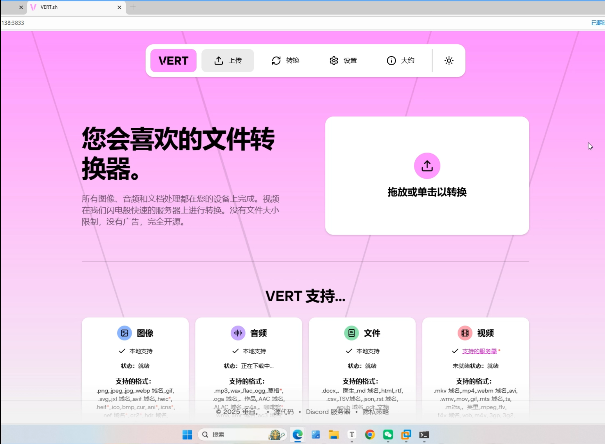 AI Visual Insight: This image shows the web access result after deployment, meaning the container port mapping is working correctly and the frontend is reachable on the local network, which confirms service availability.
Exposing a LAN-Only Service Externally Requires a Secure Tunneling Layer
Local deployment solves the privacy and cost problem, but by default it only works inside your home or office network. If you want to access VERT from a phone, tablet, or an external computer, you need to map the internal service to a public endpoint securely.
The original article uses cpolar as the tunneling tool. Its advantages include fixed subdomains, relatively simple configuration, and a practical way to expose a local HTTP service directly. For users without a public IP, or those who do not want to maintain their own reverse proxy and certificates, this is a pragmatic solution.
# Example architecture: map local port 3833 to a public HTTP endpoint
# Installation can be completed through the Synology Package Center;
# this snippet only illustrates the target topology
public_url -> cpolar tunnel -> NAS:3833 -> VERT Web UI  # External requests are ultimately forwarded to the local container
This example highlights the traffic path: the public domain is only the entry point, while the actual application continues to run on your NAS.
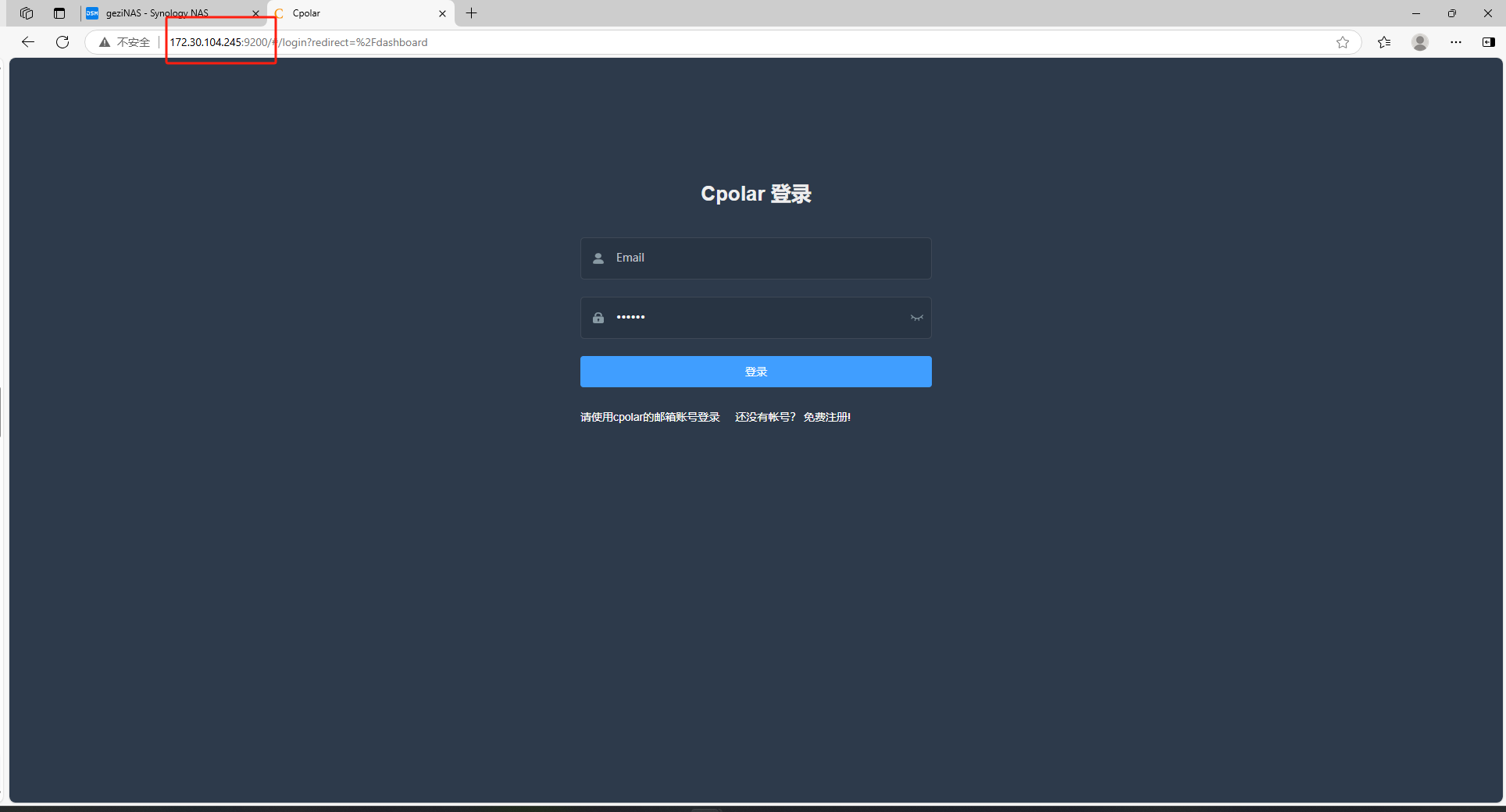 AI Visual Insight: This image shows the cpolar web management interface, indicating that tunnel creation, authentication, and address assignment can all be handled from a console, which reduces the complexity of traditional reverse proxy and NAT configuration.
A Fixed Public Address Makes the Service Truly Available Anytime
When creating a tunnel in cpolar, only a few parameters matter: choose HTTP as the protocol, set the local address to 3833, and select either a random domain or a reserved subdomain. If you want stable long-term access, a fixed subdomain works better for bookmarks, mobile home screen shortcuts, or team-shared documentation.
Once the public address is fixed, VERT changes from a tool you can use only at home into an online service you fully own. That is especially useful for people who travel frequently, work remotely, or need to process files across multiple devices.
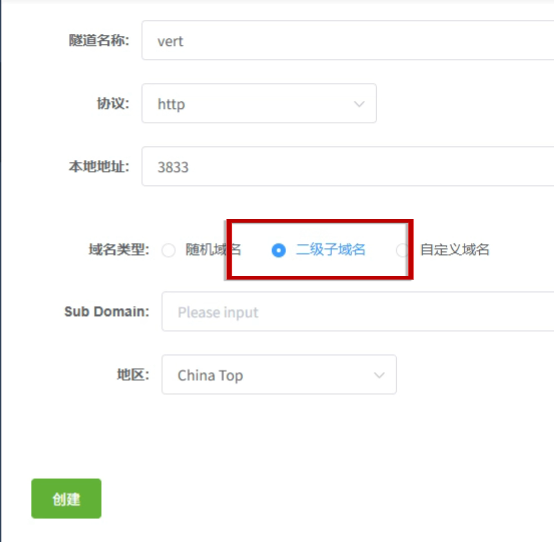 AI Visual Insight: This image shows the tunnel creation page. The key fields include protocol, local port, and domain type, reflecting that the tunneling configuration essentially binds a local web service to a resolvable public entry point.
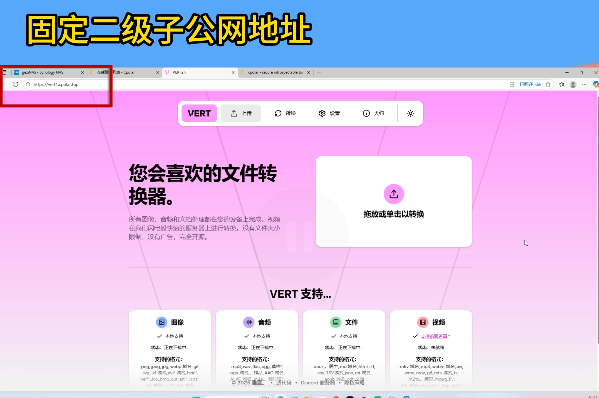 AI Visual Insight: This image shows access from a mobile or external network environment, proving that VERT has expanded from a LAN-only app into a remotely accessible personal file conversion platform.
This Combination Fits Specific User Profiles Best
If you frequently work with contracts, teaching materials, design assets, podcast media, or raw short-form video clips, this setup gives you more control than public conversion websites. It is especially suitable for three groups: privacy-conscious individuals, home lab users who already own a Synology or other NAS device, and small teams that want to build internal tools at low cost.
Of course, the solution has boundaries. The source material does not cover advanced parameter tuning, batch queues, permission control, or object storage integration. That means it is better positioned as a lightweight general-purpose conversion platform than as an enterprise-grade media processing pipeline.
FAQ
What is the biggest difference between VERT and typical online conversion websites?
The biggest difference is where file processing happens. VERT runs locally or in a self-hosted environment, so files do not need to be uploaded to third-party servers. That makes it a better fit for documents, images, audio, and video that contain sensitive information.
Why is deploying VERT on a NAS recommended?
A NAS is well suited for this kind of lightweight browser-accessible service because it usually stays online, provides a stable LAN environment, and supports persistent access. Once deployed, the service can be reused by everyone in the household or team.
Is cpolar required?
No. If you only need access inside the local network, you can use NAS_IP:3833 directly. You only need cpolar or a similar tunneling tool when you want to expose the service to the public internet.
Core Summary
This article reconstructs the deployment workflow for VERT, an open-source self-hosted tool, with a focus on local file conversion, privacy protection, and public access. It covers VERT’s core capabilities, one-command Docker deployment on Synology NAS, cpolar-based tunneling for external access, and the most relevant use cases and FAQs. It is a practical guide for developers and NAS users who want to replace online file conversion platforms with a private alternative.