This project is a front-end/back-end separated ticketing system built with Vue 3 and Spring Boot. It covers user feedback submission, customer support handling, status transitions, rich text replies, image and attachment uploads, and profile management. It addresses common issues in traditional feedback systems, such as limited expression, broken workflows, and messy file management. Keywords: ticketing system, Vue 3, Spring Boot.
This project implements a complete business workflow from user feedback to admin handling
| Parameter | Description |
|---|---|
| Frontend Language | JavaScript |
| Backend Language | Java |
| Frontend Framework | Vue 3 + Vite + Element Plus |
| Backend Framework | Spring Boot |
| Database | MySQL |
| Protocol / API Style | HTTP + REST-style |
| File Storage | Server local disk |
| Core Dependencies | Vue Router, Element Plus, Spring Web, MySQL Driver |
| GitHub Repositories | mxnican/workOrderFrontend, mxnican/workOrderBackend |
| Star Count | Not provided in the original article |
The core value of this system is that it turns a real customer support scenario into a runnable prototype
This project is not a static showcase page. It is a feedback-processing platform with real business actions. After users submit an issue, they can attach screenshots, files, and follow-up replies. Administrators then complete the handling loop through the ticket list, ticket details, status transitions, and replies.
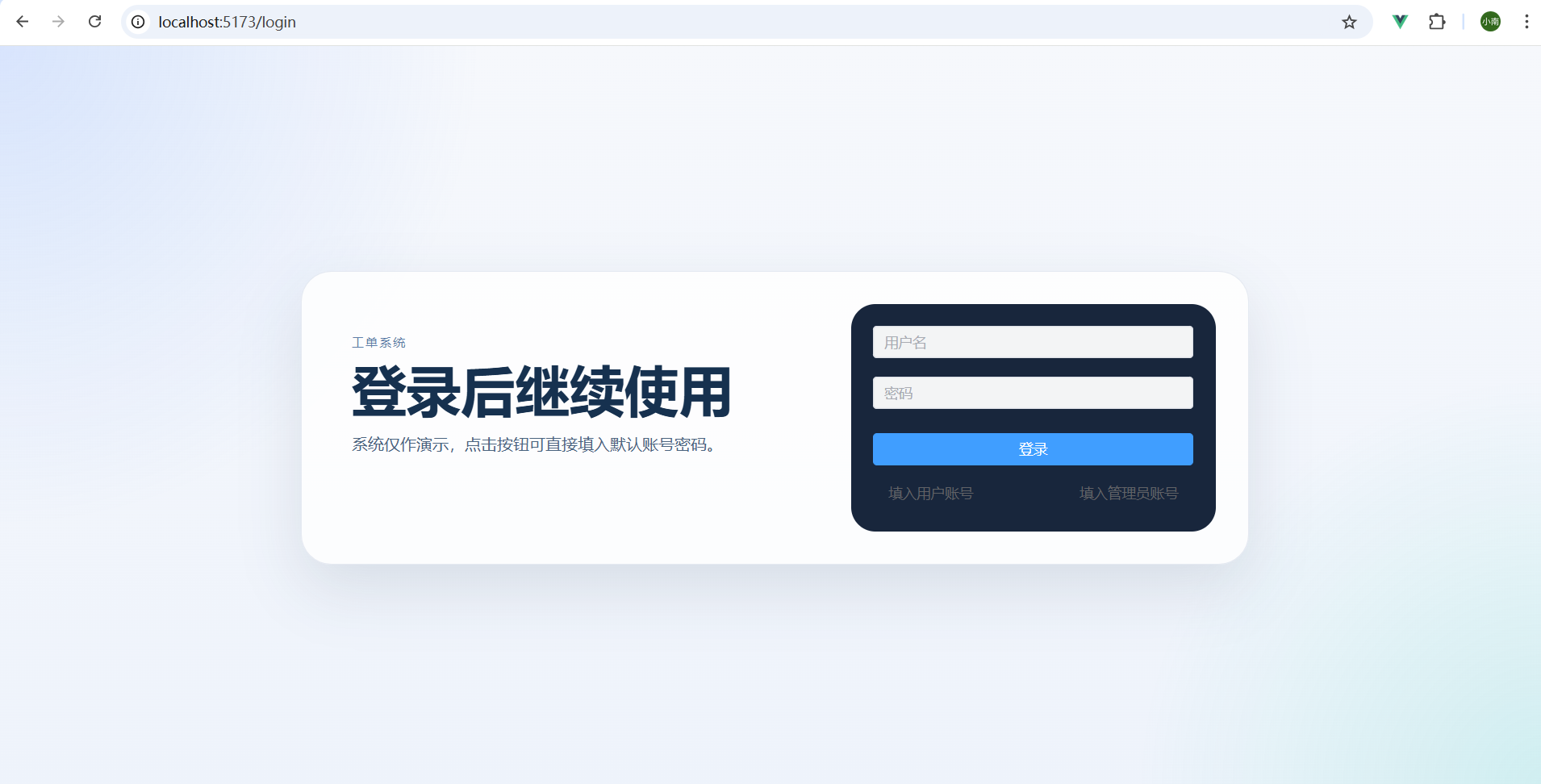 AI Visual Insight: This image shows the overall layout of the system homepage or main workspace. You can see the left-side navigation, the main content area, and the hierarchical arrangement of function entry points. This indicates that the frontend adopts a typical admin-console information architecture that works well for feedback lists, linked detail views, and role-based flows.
Role separation defines the first boundary in the system workflow design
The system includes two built-in roles: user and administrator. After a successful login, users are routed to “My Feedback” by default, while administrators are routed to “Ticket Management.” This prevents permission overlap from making the interface unnecessarily complex.
// Redirect to different home pages based on the role after a successful login
if ("ADMIN".equals(user.getRole())) {
    return "/ticket/manage"; // Admin enters ticket management
}
return "/feedback/my"; // Regular user enters my feedback
This logic dispatches role-based routing after authentication completes and is critical to keeping the authorization experience consistent across the frontend and backend.
The system organizes pages, APIs, and file resources through frontend-backend separation
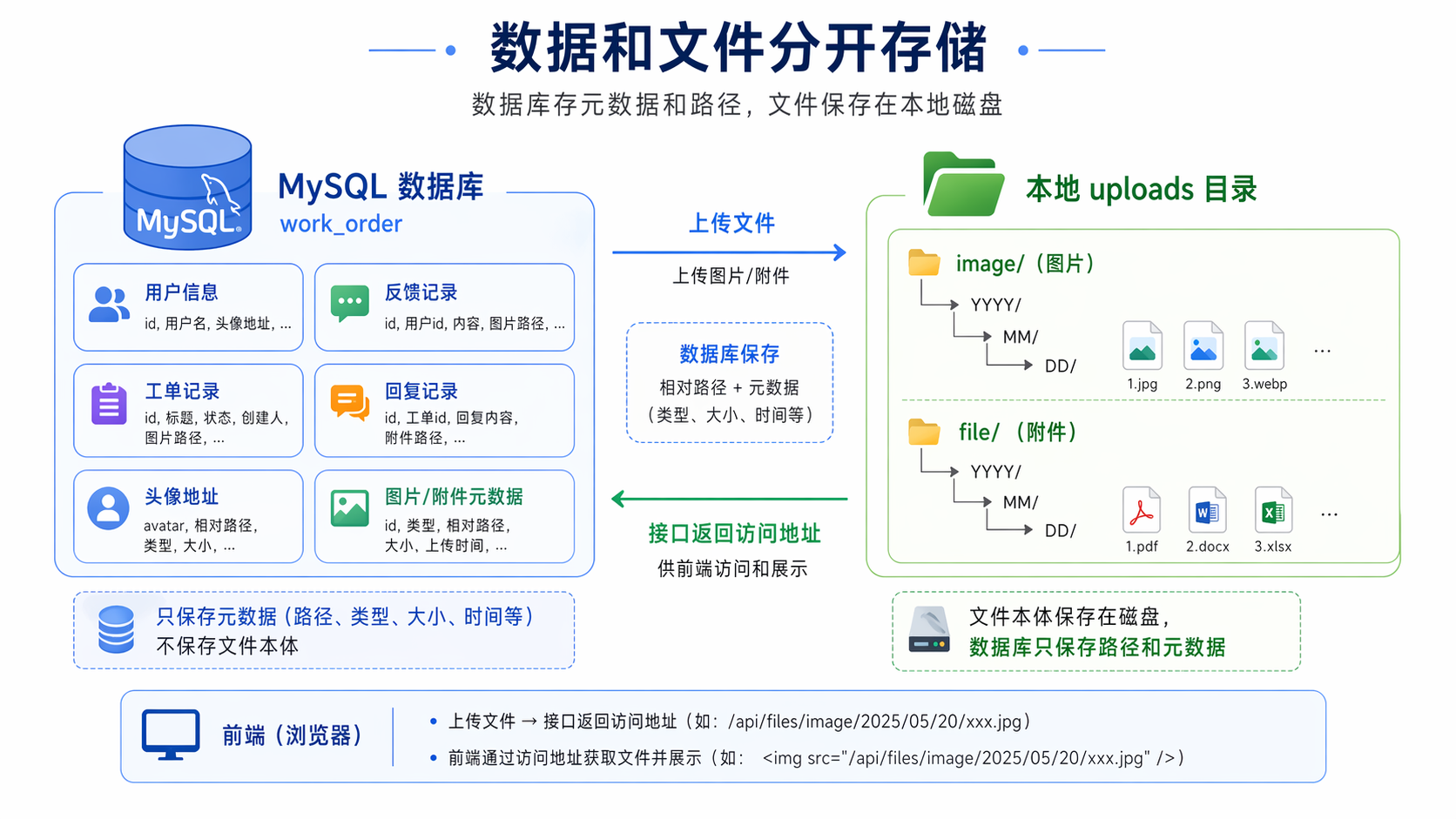
The frontend handles page rendering, form interaction, and upload triggers. The backend handles authentication, business data, file persistence, and URL write-back. The database stores metadata, while the disk stores actual files. This design balances performance and maintainability.
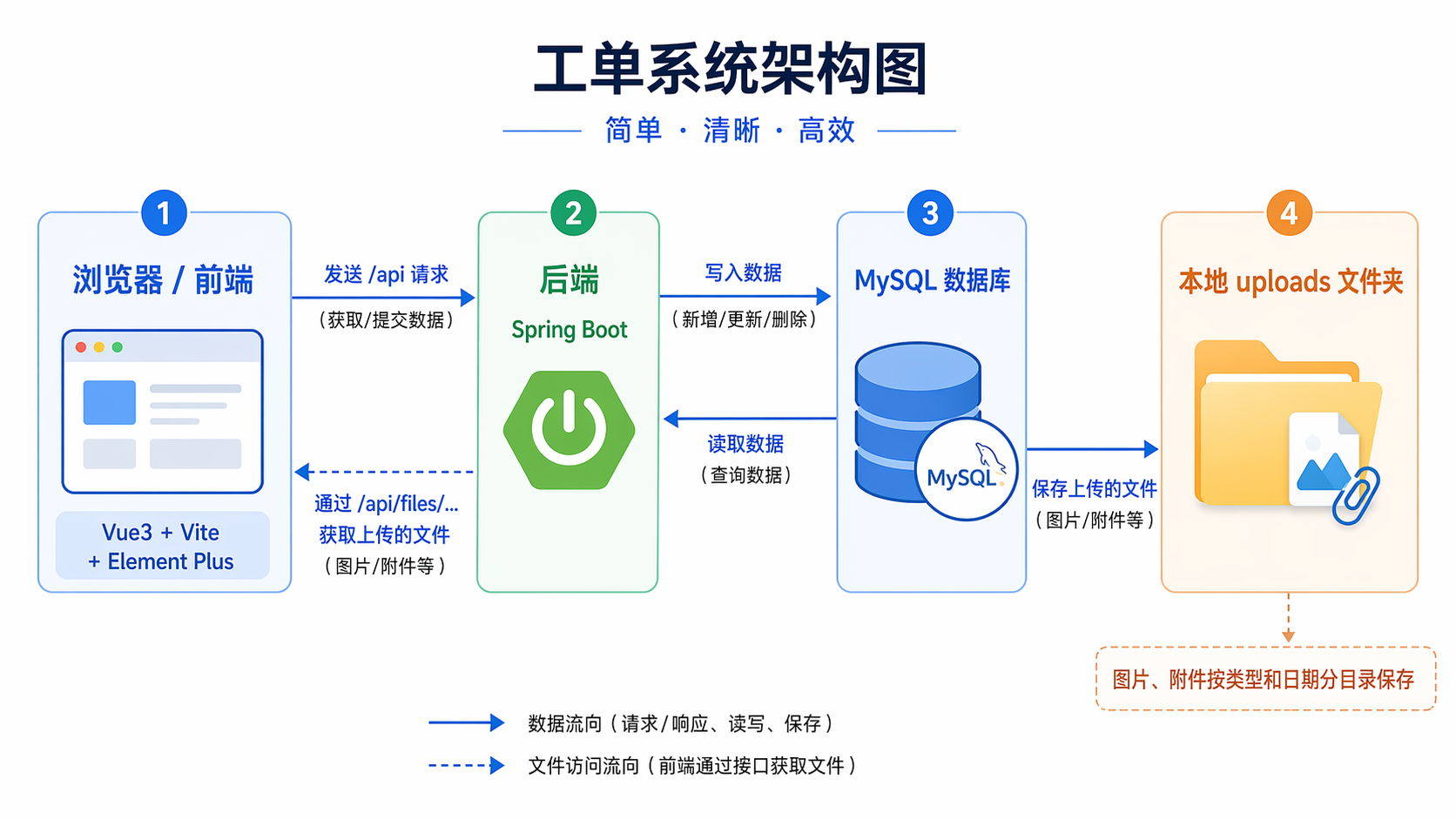 AI Visual Insight: The diagram shows a clear separation of responsibilities between the frontend UI layer, the backend service layer, and the file/database storage layer. It reflects a typical three-tier architecture: the UI manages interaction, Spring Boot handles APIs and business orchestration, and MySQL plus disk directories carry structured data and binary files respectively.
The login page and identity entry points reduce demo and testing costs
The system supports username/password login and directly provides demo accounts: user / user123 and admin / admin123. This allows reviewers, interviewers, and developers to validate both role workflows quickly.
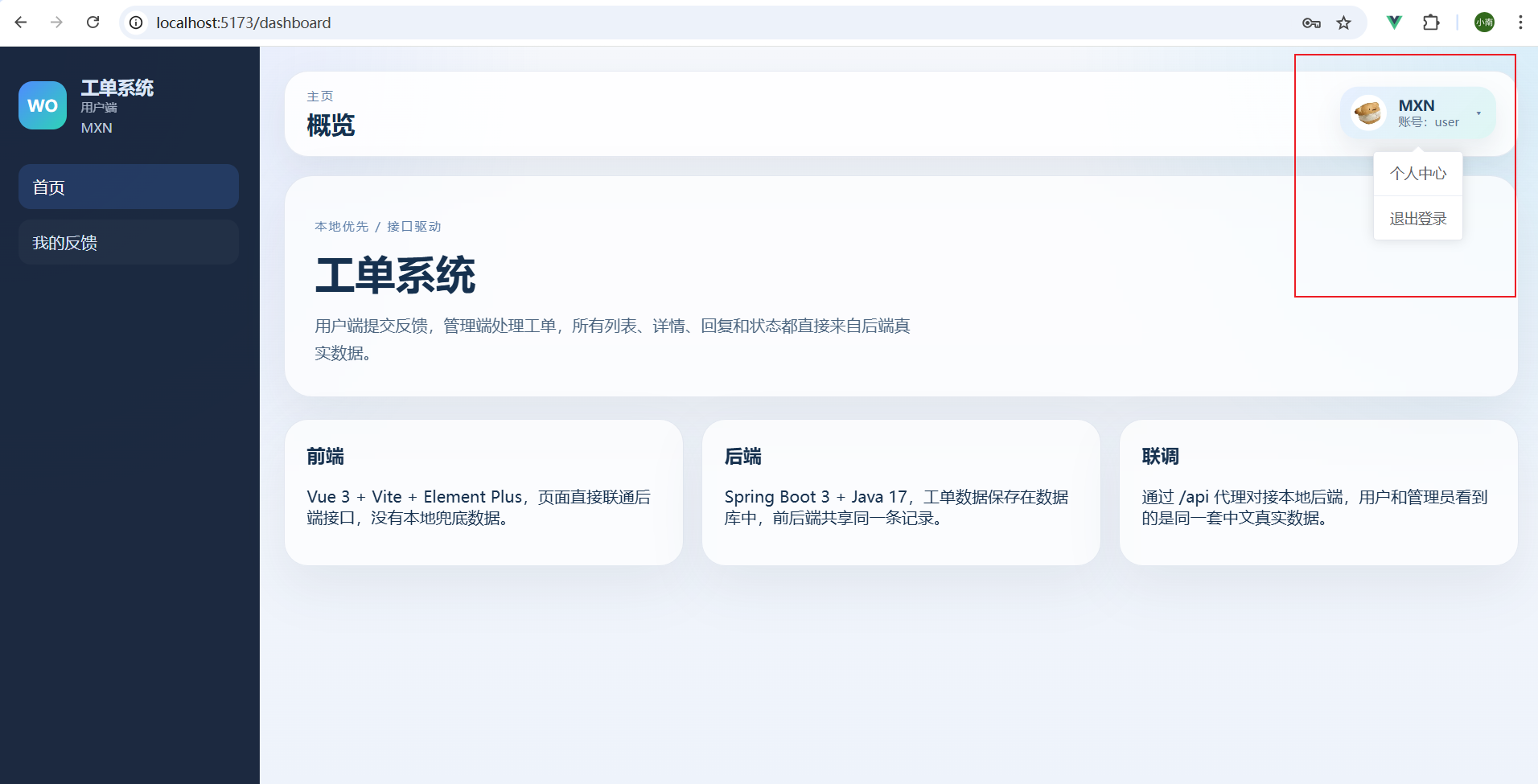 AI Visual Insight: This image highlights the login form, demo account entry points, and a simplified authentication area. It shows that the system is designed for quick trial scenarios, which is especially suitable for open-source demos and business prototype validation.
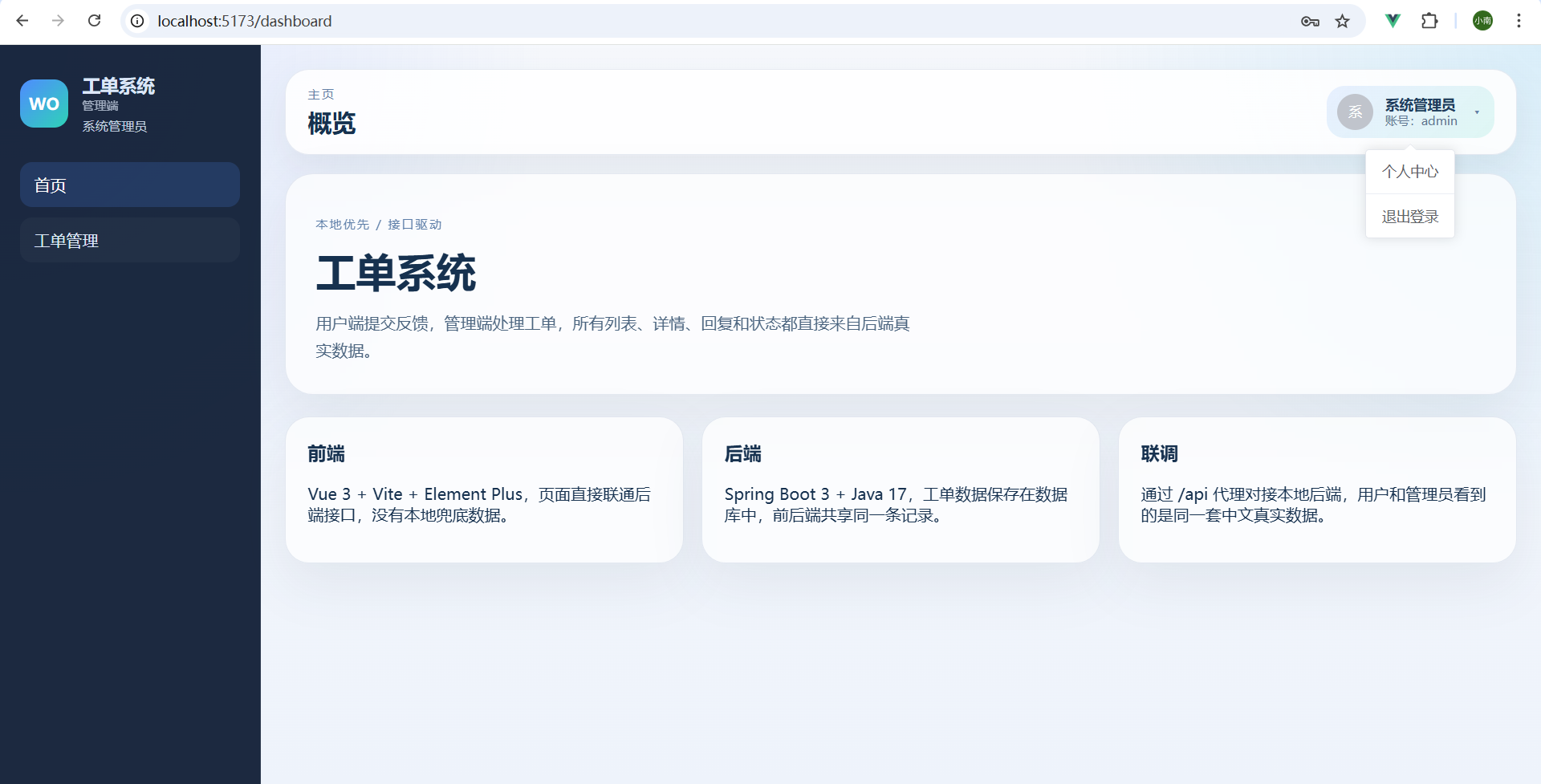 AI Visual Insight: The image shows the avatar, nickname, and dropdown menu area in the top-right corner. This indicates that the system already supports basic session-state presentation and consolidates frequent actions such as profile access and logout into a unified entry point.
On the user side, the feedback list and detail page form the main issue-tracking path
In “My Feedback,” users can filter historical records by keyword and status, and view the ticket number, title, summary, status, and reply count. The classic “list + detail” layout works well for frequent review and continuous follow-up.
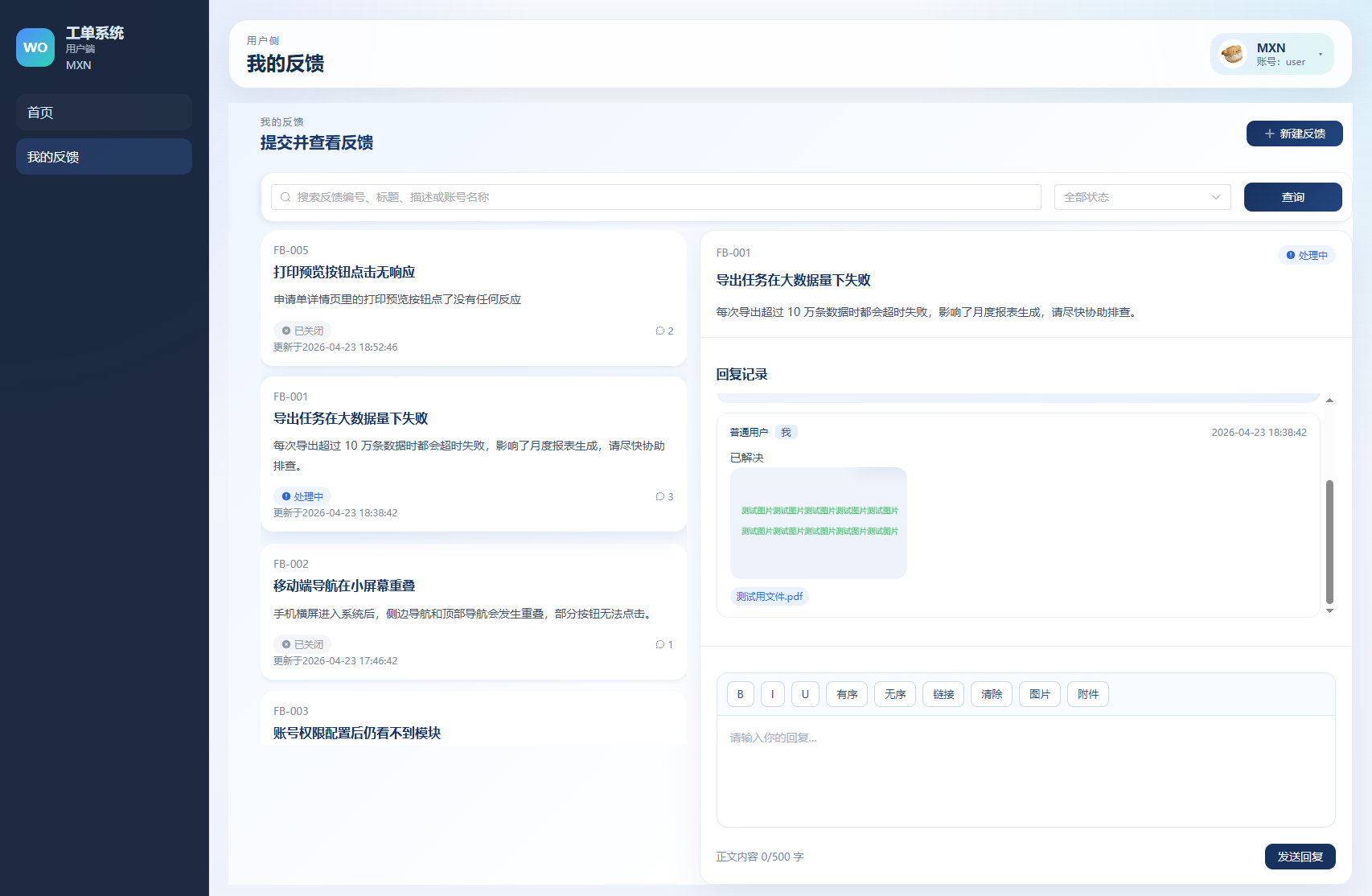 AI Visual Insight: The screen presents a workspace layout with a list on the left and a detail or action area on the right. The list fields include ticket identification and status information, which shows that the page is optimized for quick search, positioning, and context switching.
The feedback detail page acts as the context aggregation layer
On the detail page, users can view not only the title, description, and status, but also issue images, attachments, and the complete reply history. If a ticket is closed, the reply entry is automatically disabled to keep system behavior consistent with ticket state.
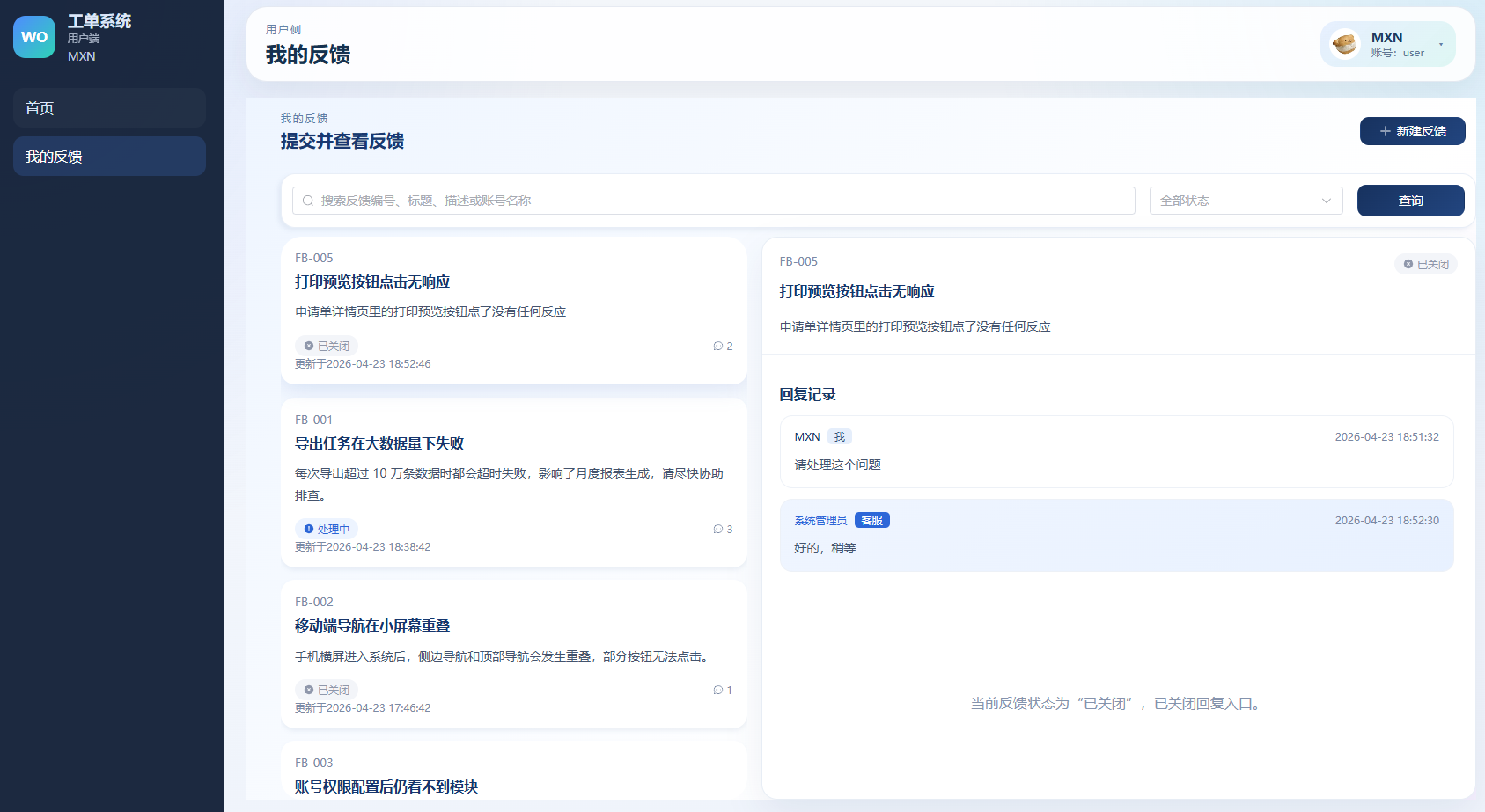 AI Visual Insight: The image shows the issue body, attachment area, and reply timeline aggregated in a single view. This reduces page-switching costs and helps administrators and users maintain a consistent understanding of the issue background.
const canReply = computed(() => {
  return !['CLOSED'].includes(detail.value.status) // Disable reply when the ticket is closed
})
This frontend logic controls whether the reply entry should be shown based on the ticket status, which prevents invalid submissions.
Rich text and attachment support are the most business-valuable modules in this project
Many ticketing systems support only plain text, which makes it difficult for users to describe screenshots, logs, and reproduction steps accurately. This project embeds images and attachments directly into reply content, significantly improving issue description quality.
 AI Visual Insight: This image shows a rich text editing area with a toolbar that supports mixed content such as text, images, and attachments. It demonstrates that the system is more than a simple textarea and is designed for real customer support communication scenarios.
Embedding images into the body creates a more coherent issue context
Images no longer exist as isolated attachments. Instead, they appear at their semantic positions in the body content. This allows administrators to read without constantly switching windows, which better matches real-world support ticket workflows.
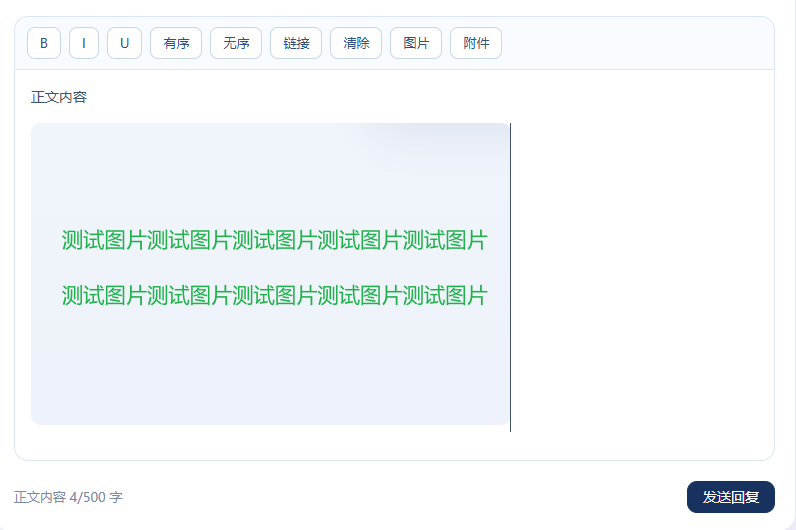 AI Visual Insight: The image is rendered directly inside the text content area, which shows that the editor can write uploaded results back as accessible resource links and render mixed text-image content in read mode.
Embedding attachments into the body completes support for logs and document collaboration
The system supports inserting logs, Excel files, PDFs, and other documents. For troubleshooting scenarios, attachments are often more important than plain text. This determines whether the system can evolve from a demo into a usable prototype.
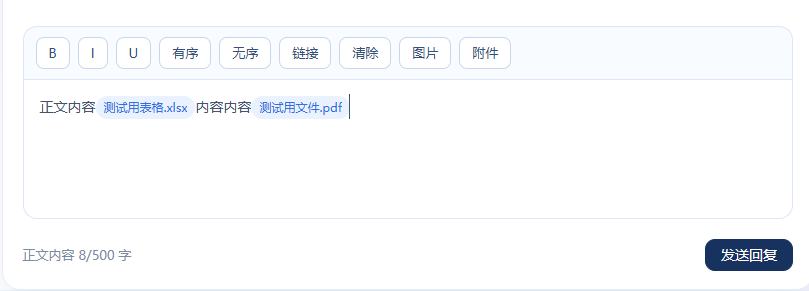 AI Visual Insight: This image shows attachments embedded in the body as links or file blocks. It indicates that the rendering layer already supports rich content output rather than simply listing uploaded files separately.
 AI Visual Insight: The image demonstrates that the resource URL is written back into the content area after upload. This shows that the system follows the standard rich text resource pipeline: upload the file first, return a URL, and then insert it into the body.
@PostMapping("/upload")
public String upload(MultipartFile file) {
    String path = storageService.save(file); // Save the file to disk first
    return "/api/files/" + path; // Return an accessible URL to the frontend
}
This API snippet illustrates the core upload flow: file upload, disk persistence, and accessible URL write-back.
New feedback creation and profile management complete the self-service capability for users
Creating new feedback supports title, description, images, attachments, and draft saving. Drafts are stored locally in the browser, which covers scenarios where users leave midway through editing. This is very close to real business needs.
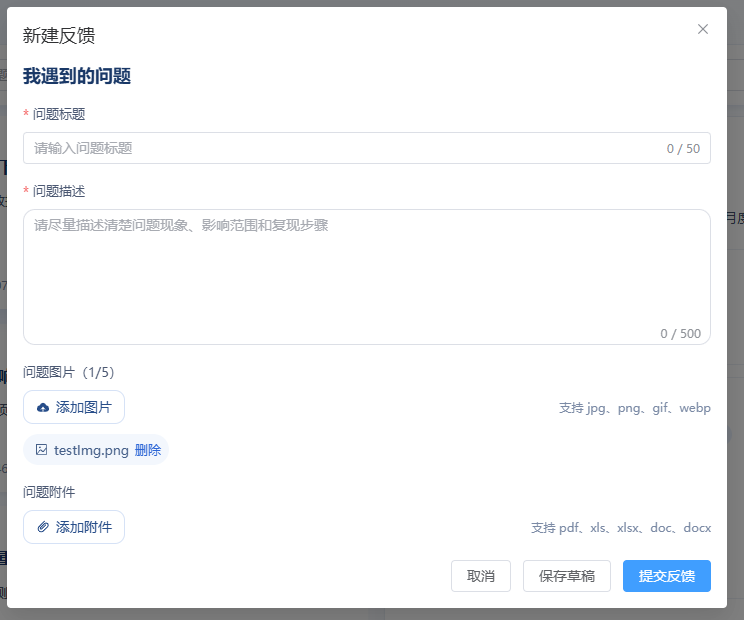 AI Visual Insight: The image shows a form, an upload area, and action buttons in the same view. This indicates that the new feedback page integrates structured field input with unstructured material uploads and acts as the core entry point for issue creation.
The profile center brings avatar and password maintenance into a unified account domain
Both users and administrators can update their nickname, avatar, and password. The avatar is actually uploaded to the server and persisted, and it still displays after refresh. This confirms that the account profile is backed by real data instead of frontend-only mock data.
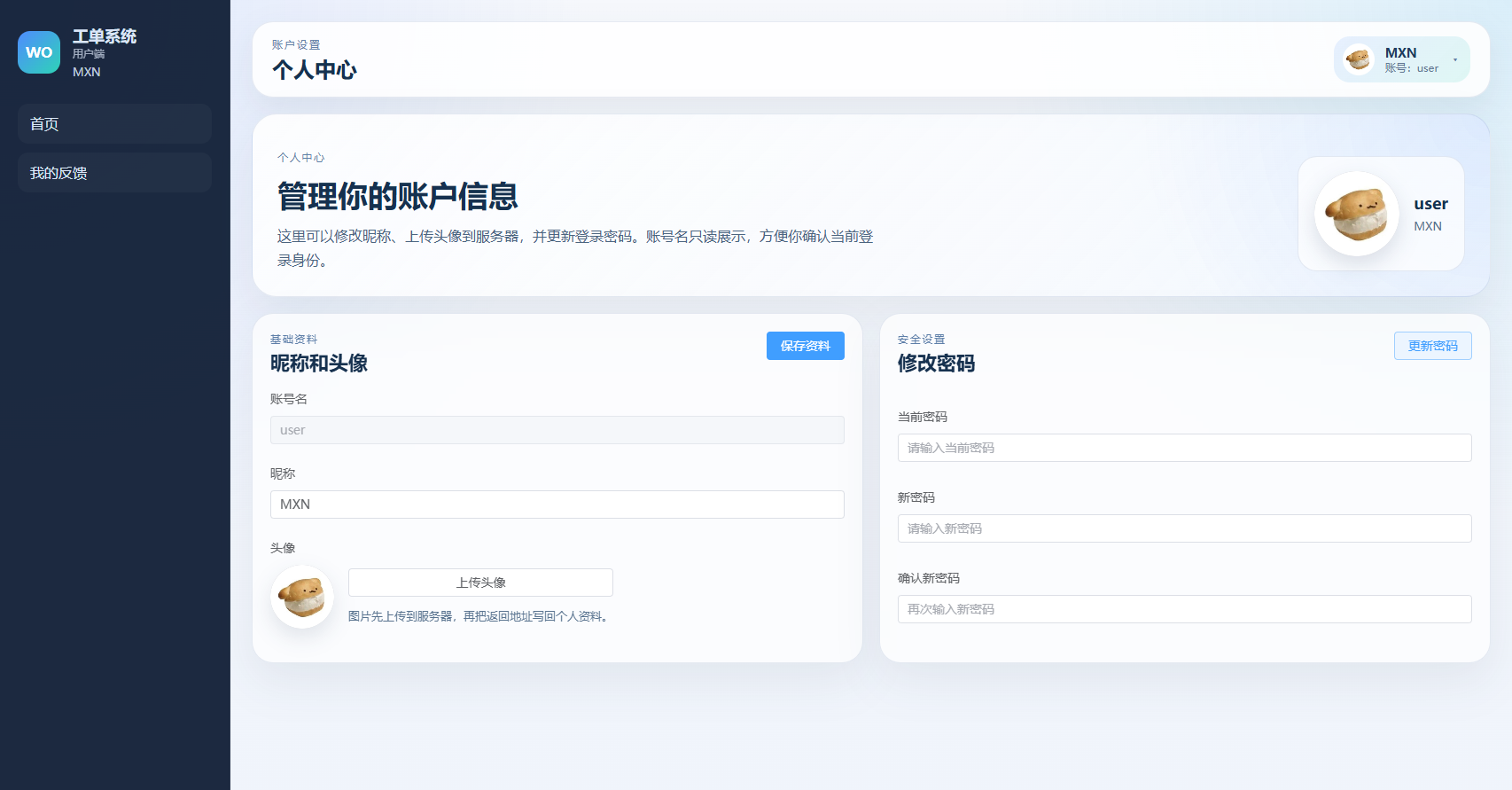 AI Visual Insight: This image shows account information, avatar upload, and password update forms. It demonstrates that the system has expanded beyond simple business flow processing into full account maintenance capability.
The admin side builds an operations workspace around metrics, lists, details, and workflow transitions
After logging in, administrators first see summary cards that quickly show the distribution of total tickets, pending tickets, in-progress tickets, resolved tickets, and closed tickets. This provides an immediate operational view for daily support work.
 AI Visual Insight: The image shows multiple metric cards with ticket counts under different statuses. This indicates that the system supports basic aggregate statistics and helps administrators quickly identify backlog and processing progress.
The ticket list serves as the entry point for search and assignment-like handling
Administrators can search by title, description, number, or account name, and can also filter by status. The list page aggregates fields such as assignee and update time, making it suitable for high-frequency review.
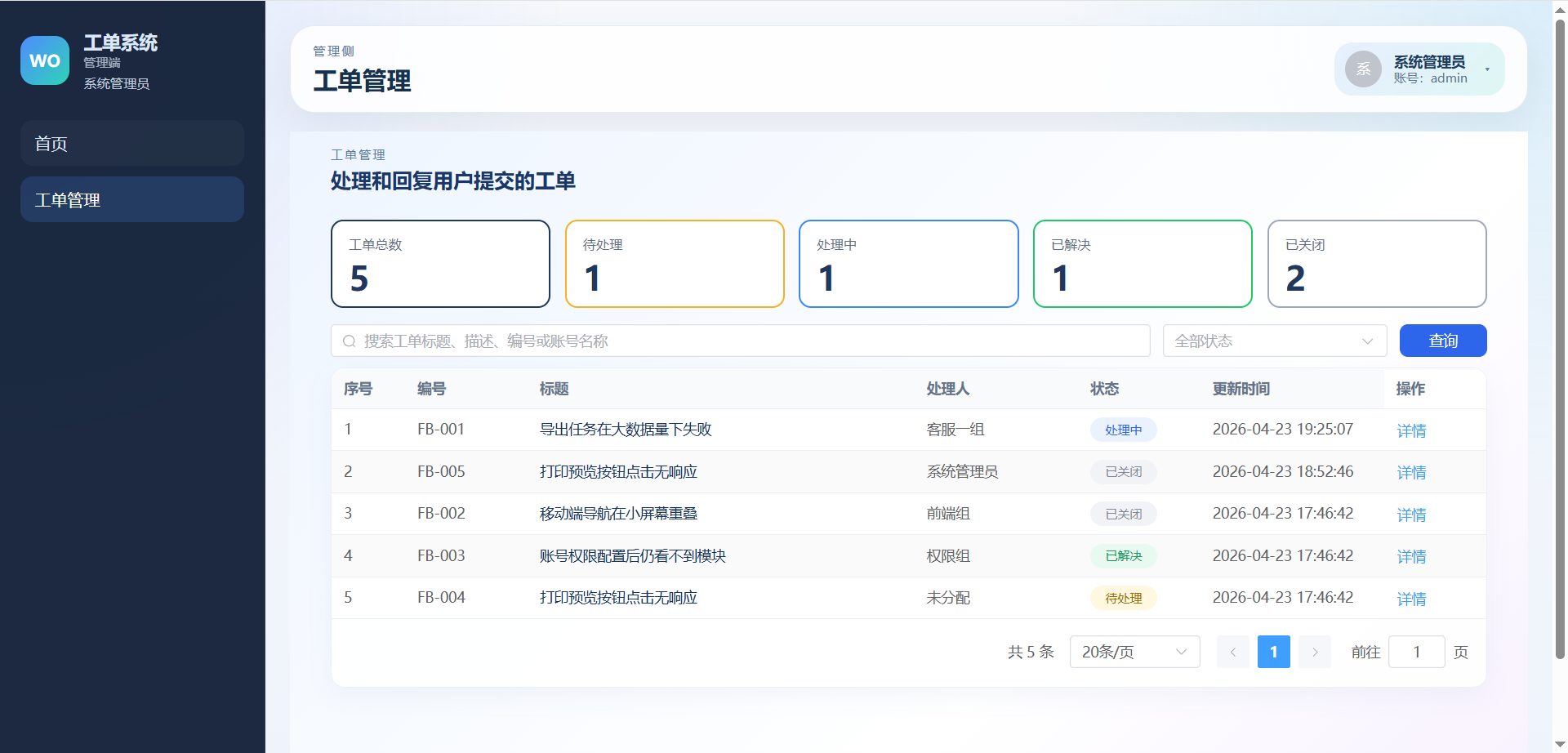 AI Visual Insight: This image shows a data table page with a filtering area. The fields cover status, assignee, and update time, which indicates that it is positioned as a management workspace for operations and customer support teams.
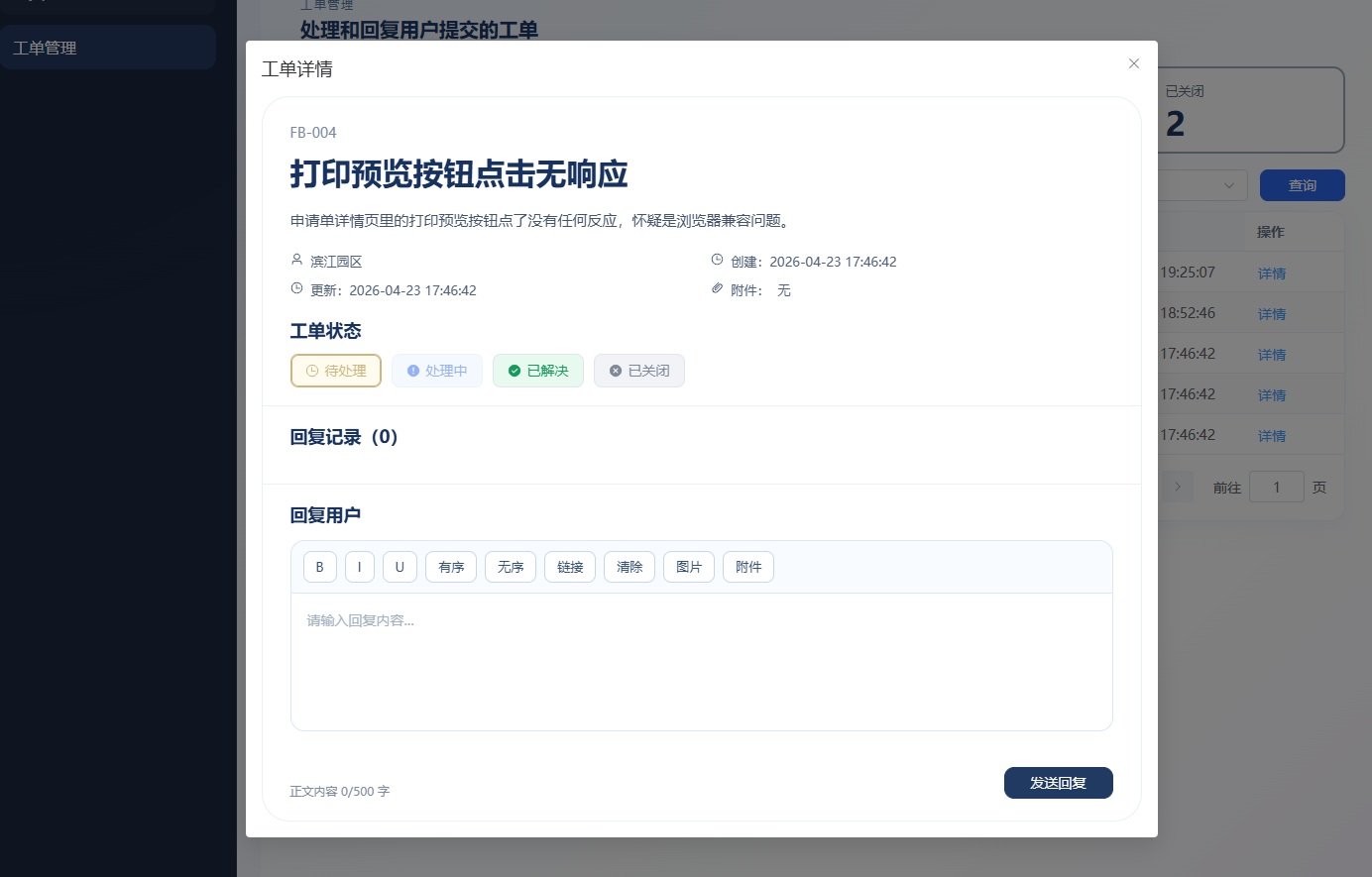 AI Visual Insight: The image presents the issue description, attachments, account information, and reply history in a unified view. This means administrators can understand the full context and make handling decisions from a single page.
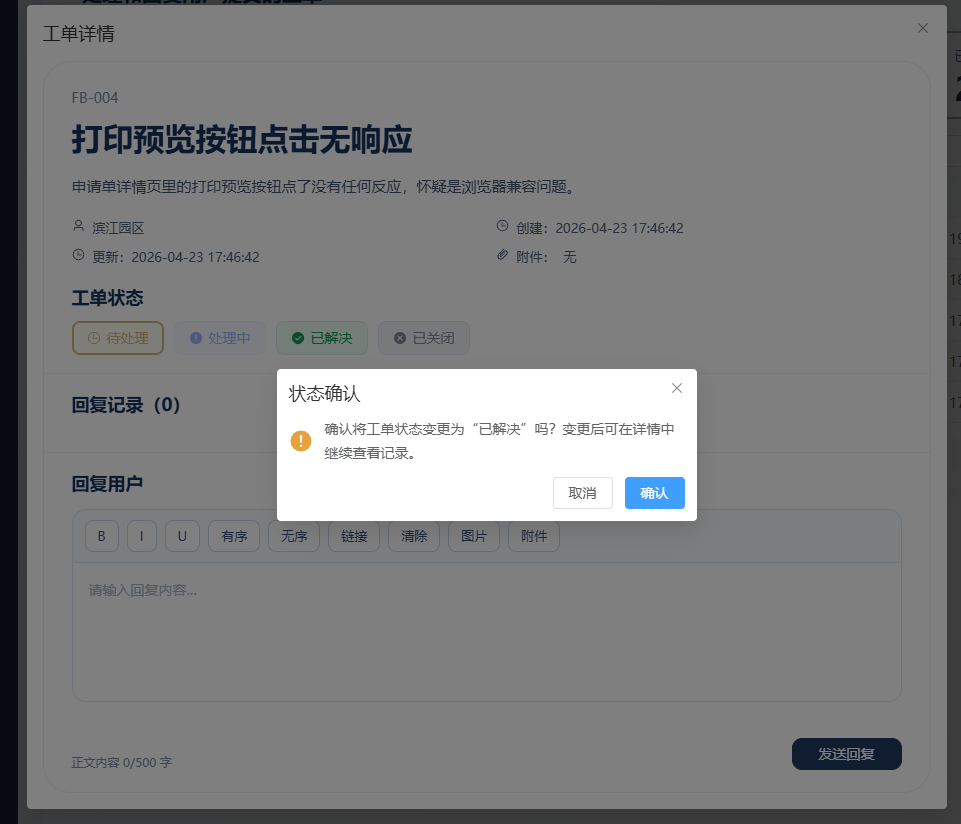 AI Visual Insight: This image shows the status switch controls and the reply action area. It indicates that the system supports both ticket progression and communication feedback within the same interface, forming a complete closed loop.
public void updateStatus(Long ticketId, String status) {
    Ticket ticket = ticketRepository.findById(ticketId).orElseThrow();
    ticket.setStatus(status); // Update ticket status
    ticket.setUpdateTime(LocalDateTime.now()); // Sync the update time
    ticketRepository.save(ticket);
}
This code implements ticket status transitions, which is one of the most critical business actions on the administrator side.
Storing files on disk and decoupling them from the database improves engineering maintainability
Business data is stored in MySQL, including users, feedback, tickets, replies, avatar URLs, and file metadata. Actual images and attachments are stored in the server disk directory, with the default path set to ${user.dir}/uploads.
Organizing files by type and date is a more operations-friendly storage strategy
The system stores files by category using paths such as uploads/image/YYYY/MM/DD/... and uploads/file/YYYY/MM/DD/.... This avoids overloading a single directory and makes cleanup, backup, and migration easier later on.
# Typical upload directory structure
uploads/
├── image/2026/04/23/
└── file/2026/04/23/
This directory example shows that the system uses an operations-oriented file organization strategy rather than storing binary content directly in the database.
This project works well as a combined example of frontend-backend separation and a customer support system prototype
Its value does not come from showing off technology. Instead, it lies in organizing login, roles, feedback, replies, attachments, status, profiles, and file access into one complete business chain. For developers learning Vue 3 and Spring Boot, this kind of project is far more convincing than a simple CRUD demo.
 AI Visual Insight: This image looks like a project highlights or summary page. It presents the functional modules and value points in a concentrated way and emphasizes that the system already supports a complete closed loop from issue submission to resolution.
The GitHub repository information makes it easy to continue reading the source code
- Frontend repository:
https://github.com/mxnican/workOrderFrontend - Backend repository:
https://github.com/mxnican/workOrderBackend
FAQ
1. What is this ticketing system best suited for?
It is well suited for campus recruitment portfolios, graduation project prototypes, frontend-backend separation practice projects, and a basic internal feedback platform template for small and midsize teams.
2. Why are files not stored directly in the database?
Images and attachments are usually large and frequently accessed. Storing them directly in the database increases database pressure. Storing metadata in the database and binary files on disk is a more common and scalable approach.
3. What are the most valuable directions for extending this project?
The top priorities are JWT authentication, object storage, message notifications, ticket assignment, operation auditing, and rich text content security filtering. These capabilities can move the prototype closer to production readiness.
AI Readability Summary
This article reconstructs a ticketing system built with Vue 3, Vite, Element Plus, Spring Boot, and MySQL. It focuses on role separation, rich text replies, image and attachment uploads, status transitions, and file storage design, making it a strong practical reference for frontend-backend separation projects.