This article explains a vehicle detection and counting solution built with OpenCV and Python. Its core capability is to extract moving vehicles from road video, filter noise, and count targets that cross a detection line. It is well suited for teaching demos and lightweight traffic monitoring prototypes. Keywords: OpenCV, vehicle detection, video counting.
Technical Specifications at a Glance
| Parameter | Description |
|---|---|
| Language | Python |
| Core Library | OpenCV (cv2) |
| Detection Method | MOG2 background subtraction + morphological processing + contour analysis |
| Input Protocol | Local video file reading |
| Counting Logic | Target center point crosses a predefined detection line |
| Star Count | Not provided in the source content |
| Core Dependency | opencv-python |
This project builds an interpretable vehicle counting pipeline with minimal dependencies
This solution does not rely on deep learning models. Instead, it uses a traditional computer vision pipeline for vehicle detection. Its strengths are simplicity, lightweight deployment, and a low barrier to entry, which makes it an excellent beginner-friendly OpenCV project.
The core problem it solves is straightforward: how to reliably extract moving vehicles from continuous video while avoiding false counts caused by road noise, shadows, or tiny fragmented objects. The entire system follows a clear workflow: foreground extraction, region cleanup, contour filtering, and line-crossing counting.
Install the required dependency first
pip install opencv-python -i https://pypi.tuna.tsinghua.edu.cn/simpleThis command installs OpenCV, the only essential dependency for the project.
The core of vehicle detection is separating moving objects from the background
The project uses cv2.createBackgroundSubtractorMOG2() to build a background subtractor. This method learns the static background and highlights persistent foreground motion in the video, which makes it especially effective for fixed-camera traffic surveillance scenarios.
However, the raw foreground mask usually contains significant noise. Common causes include shadow disturbance, compression artifacts, road reflections, and a background model that has not yet fully stabilized. For that reason, morphological cleanup is required before the result can be used reliably.
import cv2

# Minimum width and height used to filter out objects that are too small
min_w, min_h = 85, 85
# Detection line position and tolerance range
line_high, offset = 400, 7

# Create the video input and background subtractor
cap = cv2.VideoCapture(r"oCam\cheliangjiance.mp4")
sub = cv2.createBackgroundSubtractorMOG2()
# Define a rectangular structuring kernel for morphological processing
kernel = cv2.getStructuringElement(cv2.MORPH_RECT, (5, 5))
This code initializes the video stream, background model, and morphological kernel.
Morphological processing determines whether the foreground mask is clean enough
After foreground extraction, the project applies Gaussian blur, erosion, dilation, and closing in sequence. Gaussian blur suppresses high-frequency noise first, erosion removes small white specks, dilation restores the main vehicle regions, and closing fills small holes inside those regions.
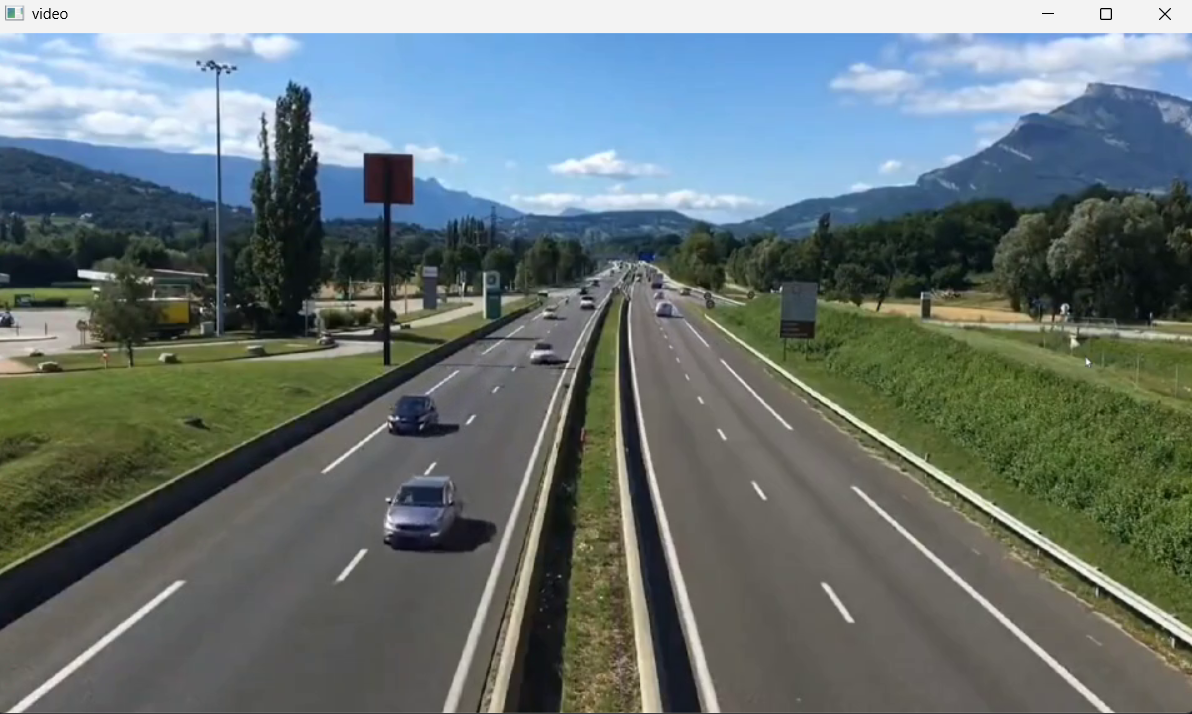 AI Visual Insight: This image shows the original road video frame. Vehicles move along fixed lanes, while the background includes road texture and environmental detail, indicating a traffic monitoring scene well suited to fixed-view foreground separation.
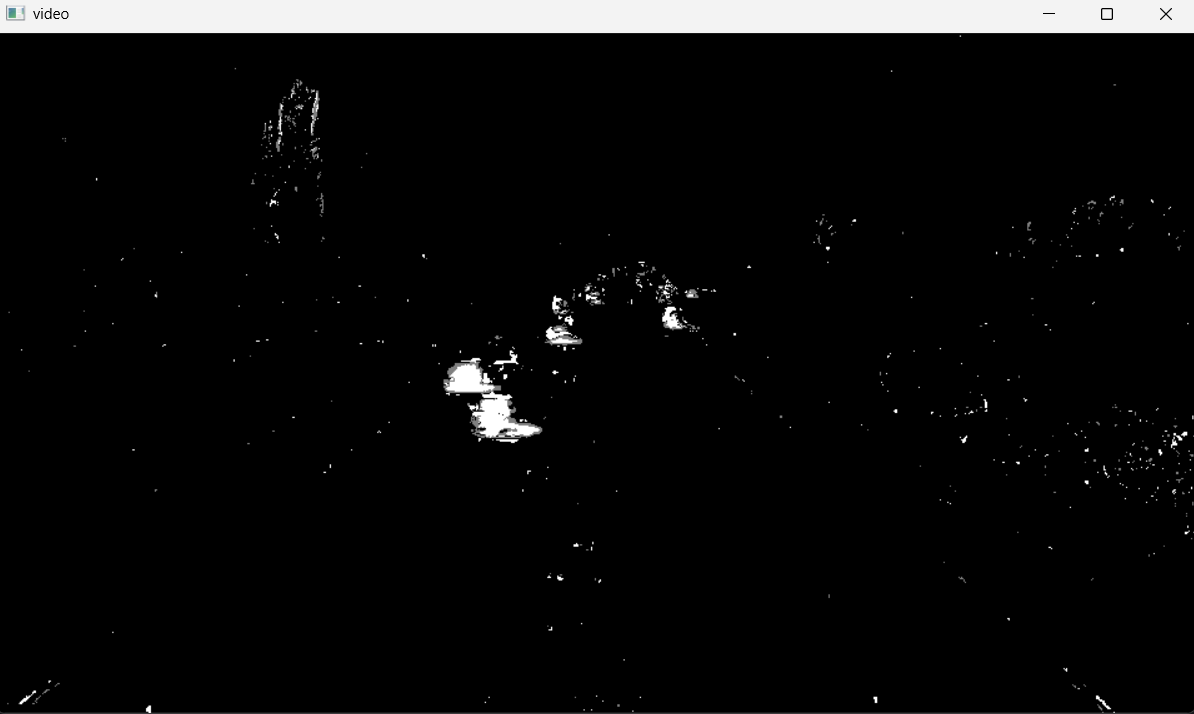 AI Visual Insight: This image shows the foreground mask after background subtraction. Moving targets are highlighted, but obvious scattered noise and jagged boundaries remain, which shows that MOG2 output alone is not stable enough for direct counting.
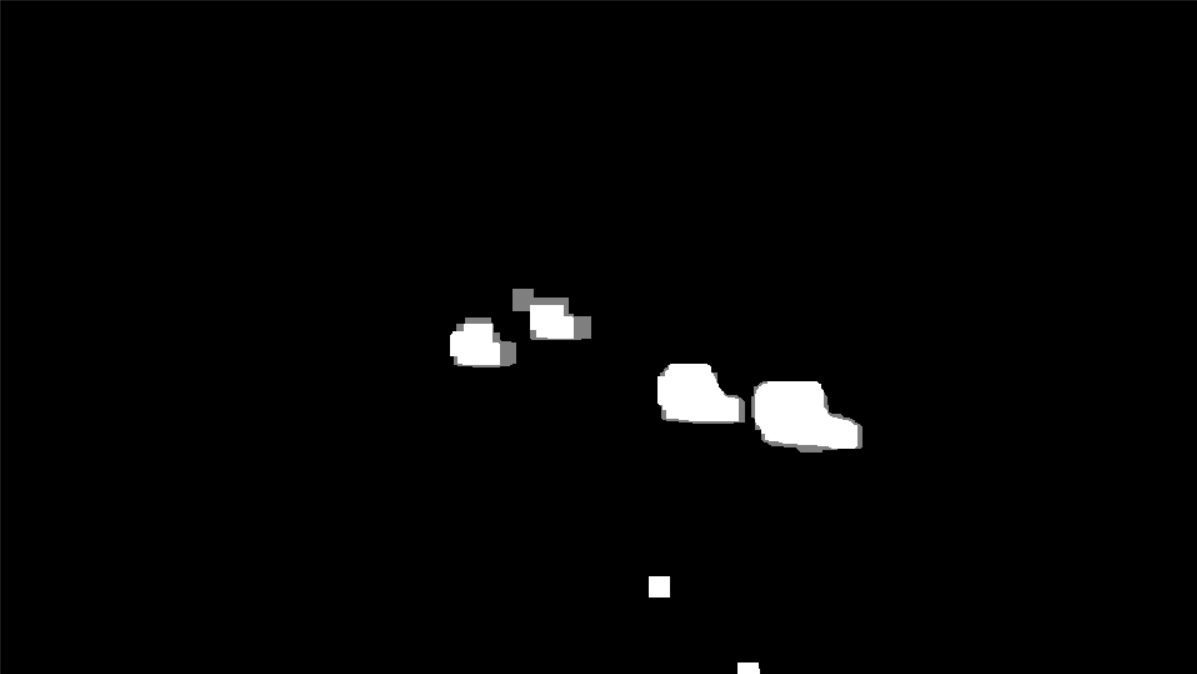 AI Visual Insight: This image shows the mask after morphological cleanup. Vehicle regions are more connected and complete, and scattered noise is noticeably reduced, providing a more reliable input for contour extraction and size-based filtering.
ret, frame = cap.read()
blur = cv2.GaussianBlur(frame, (3, 3), 5)      # Apply smoothing to reduce noise first
mask = sub.apply(blur)                         # Extract the moving foreground
erode = cv2.erode(mask, kernel)               # Remove small noisy regions
dilate = cv2.dilate(erode, kernel, iterations=4)  # Restore the main target regions
close = cv2.morphologyEx(dilate, cv2.MORPH_CLOSE, kernel)  # Fill holes inside regions
This code turns a rough foreground mask into binary regions that are much better suited for contour analysis.
Contour filtering is the key step for reducing false detections
OpenCV uses findContours to extract the outer contours of closed regions, and then uses bounding rectangles to obtain each target’s position, width, and height. The real goal here is not to find every contour, but to remove contours that are unlikely to represent vehicles.
In practice, you can use a minimum width min_w and minimum height min_h to filter out motorcycle shadows, road fragments, or small distant objects that appear as false foreground. These thresholds should be adjusted according to camera height, focal length, and lane perspective.
contours, _ = cv2.findContours(close, cv2.RETR_EXTERNAL, cv2.CHAIN_APPROX_SIMPLE)

for c in contours:
    x, y, w, h = cv2.boundingRect(c)
    is_valid = w >= min_w and h >= min_h  # Filter non-vehicle targets by size
    if not is_valid:
        continue
    cv2.rectangle(frame, (x, y), (x + w, y + h), (0, 0, 255), 2)  # Draw the vehicle box
This code keeps only the moving regions that are more likely to be vehicles.
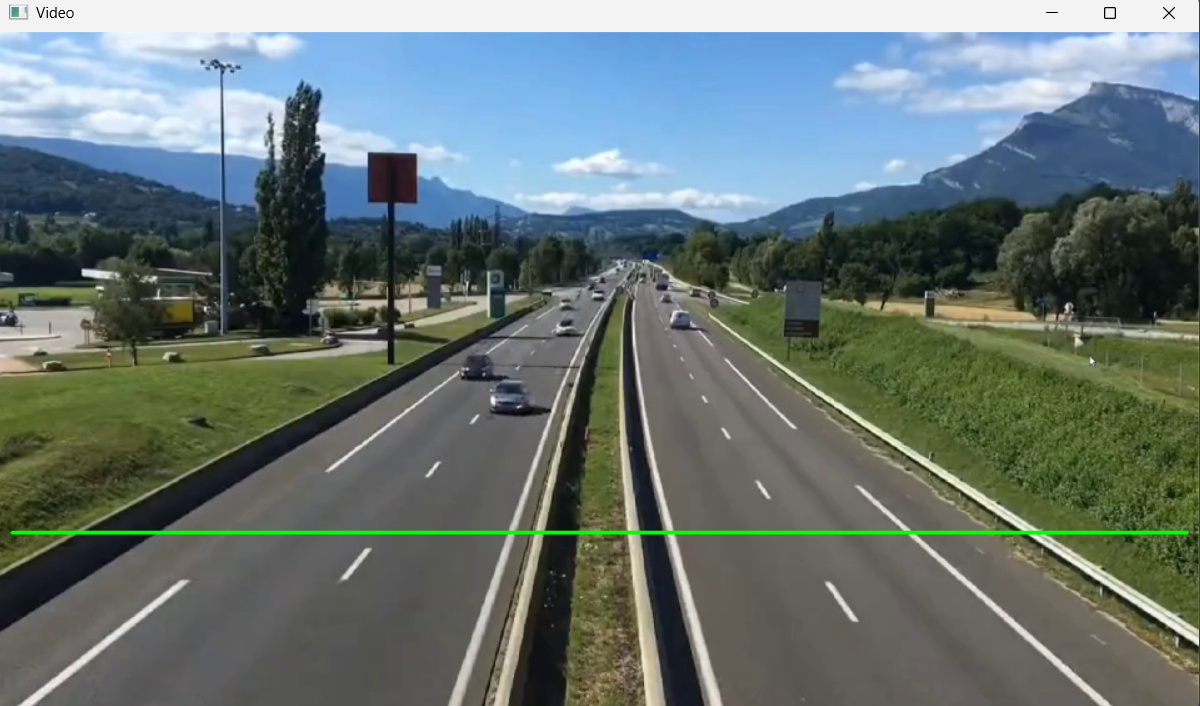 AI Visual Insight: This image shows the green detection line drawn on the video frame. The line position defines the counting trigger area, indicating that the system uses a one-way line-crossing event for counting.
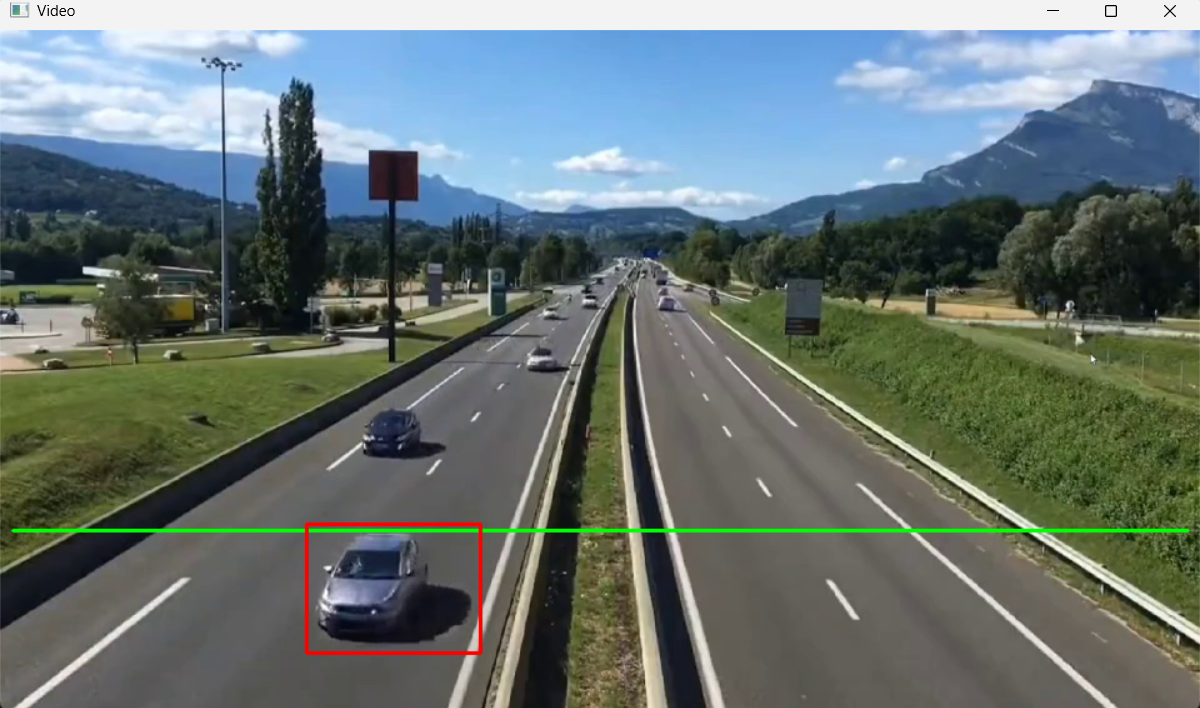 AI Visual Insight: This image shows vehicles enclosed by red bounding boxes, indicating that contour filtering can already isolate the main vehicle targets in the scene and bring them into a countable state.
The counting logic uses center points crossing a detection line
The project does not count vehicles based on how many times a contour appears. Instead, it calculates the center point of each bounding rectangle. When a center point enters the tolerance band around the detection line, the system treats that event as one valid crossing.
This method is simple, but it introduces a risk of duplicate counting. The original implementation stores center points in a list and removes them once they trigger the line-crossing event, which reduces the chance of repeated increments. Even so, merged targets or repeated detections can still occur in crowded scenes.
cars = []
car_no = 0

def center(x, y, w, h):
    cx = x + int(w / 2)  # Compute the center x-coordinate of the bounding box
    cy = y + int(h / 2)  # Compute the center y-coordinate of the bounding box
    return cx, cy

cv2.line(frame, (10, line_high), (950, line_high), (0, 255, 0), 2)  # Draw the detection line

for c in contours:
    x, y, w, h = cv2.boundingRect(c)
    if w >= min_w and h >= min_h:
        point = center(x, y, w, h)
        cars.append(point)

for x, y in cars[:]:
    if line_high - offset < y < line_high + offset:  # The center point enters the detection band
        car_no += 1
        cars.remove((x, y))  # Remove the counted target to avoid duplicate counting
This code implements the core line-crossing counting mechanism based on vehicle center points.
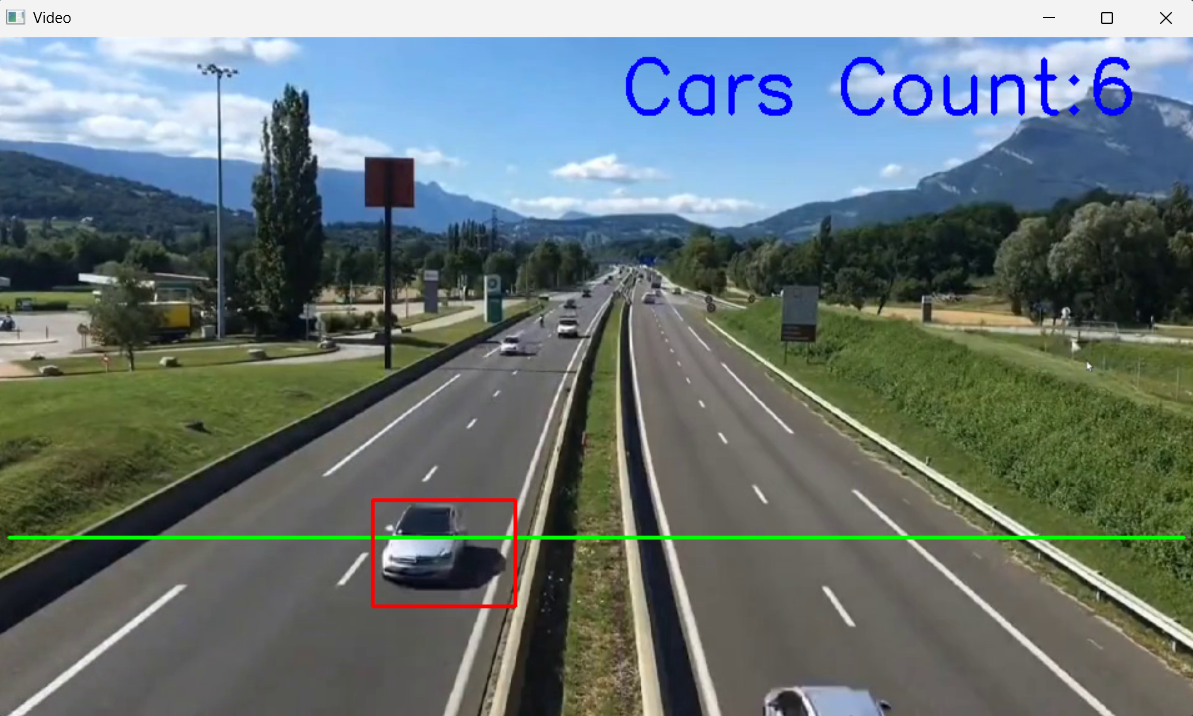 AI Visual Insight: This image shows the final count result overlaid on the video frame. Vehicle boxes, the detection line, and the cumulative count are visible at the same time, showing that the solution forms a complete visual monitoring loop.
Here is a more complete runnable example
import cv2

min_w, min_h = 85, 85
line_high, offset = 400, 7
cars = []
car_no = 0

def center(x, y, w, h):
    cx = x + int(w / 2)  # Compute the center point of the target
    cy = y + int(h / 2)
    return cx, cy

cap = cv2.VideoCapture(r"oCam\cheliangjiance.mp4")
sub = cv2.createBackgroundSubtractorMOG2()
kernel = cv2.getStructuringElement(cv2.MORPH_RECT, (5, 5))

while True:
    ret, frame = cap.read()
    if not ret:
        break

    blur = cv2.GaussianBlur(frame, (3, 3), 5)              # Denoise the video frame
    mask = sub.apply(blur)                                 # Extract the foreground
    erode = cv2.erode(mask, kernel)                        # Remove fragmented noise
    dilate = cv2.dilate(erode, kernel, iterations=4)      # Enhance the target regions
    close = cv2.morphologyEx(dilate, cv2.MORPH_CLOSE, kernel)  # Complete the vehicle regions

    contours, _ = cv2.findContours(close, cv2.RETR_EXTERNAL, cv2.CHAIN_APPROX_SIMPLE)
    cv2.line(frame, (10, line_high), (950, line_high), (0, 255, 0), 2)

    for c in contours:
        x, y, w, h = cv2.boundingRect(c)
        if w < min_w or h < min_h:
            continue
        cv2.rectangle(frame, (x, y), (x + w, y + h), (0, 0, 255), 2)
        cars.append(center(x, y, w, h))

    for x, y in cars[:]:
        if line_high - offset < y < line_high + offset:
            car_no += 1
            cars.remove((x, y))

    cv2.putText(frame, f"Cars Count: {car_no}", (500, 60), cv2.FONT_HERSHEY_SIMPLEX, 2, (255, 0, 0), 3)
    cv2.imshow("Video", frame)

    if cv2.waitKey(20) == ord("q"):
        break

cap.release()
cv2.destroyAllWindows()
This code combines the full workflow of video reading, detection, filtering, counting, and visualization.
This approach is effective for prototyping but has clear limits in complex traffic scenes
It works best in environments with a fixed camera, stable background, clear lanes, and limited occlusion. In night scenes, under severe shadow changes, during heavy congestion, or when multiple vehicles occlude each other side by side, the stability of a contour-based method drops significantly.
Further optimization paths include adding object tracking to avoid duplicate counting, using perspective-aware adaptive thresholds, or upgrading to detection models such as YOLO combined with multi-object trackers like ByteTrack.
FAQ
Why are vehicles counted more than once?
Because the original solution records only center points and does not assign stable object IDs. If the same vehicle repeatedly falls into the detection band across multiple frames, it may be added to the list more than once. You can solve this with object tracking or a deduplication cache.
Why does it work in daytime but perform poorly at night?
Background subtraction is sensitive to lighting changes. At night, headlights, shadows, and reflections amplify noise. You can tune MOG2 parameters, optimize the morphological kernel, or switch directly to a deep learning-based detection pipeline.
How should I tune min_w, min_h, and offset?
Start by observing the actual target sizes in the frame, then gradually increase the minimum width and height to suppress false detections. The offset controls line-crossing tolerance: if it is too small, you will miss counts; if it is too large, duplicate counts become more likely. Frame-by-frame tuning on the target video is recommended.
Core Summary: This article reconstructs a Python vehicle detection and counting project based on OpenCV. It walks through the full pipeline of background subtraction, morphological denoising, contour filtering, and detection-line crossing counts, and provides runnable code, parameter guidance, visual result analysis, and answers to common questions.