Mofa Nebula is an open 3D digital human platform for the Web and multiple device types. It combines large language models, speech recognition, and real-time facial expression and motion driving into a complete interaction pipeline, reducing the traditional complexity of digital human development, heavyweight rendering, and difficult integration. Keywords: 3D Digital Human, Embodied AI, Web SDK.
Technical specifications provide a quick snapshot of the platform.
| Parameter | Details |
|---|---|
| Platform Name | Mofa Nebula Open Platform |
| Primary Languages | JavaScript / TypeScript |
| Integration Protocols | Web SDK, HTTP API, cloud-based key configuration |
| Demo Repository | Available on both GitHub and Gitee |
| Star Count | Not provided in the source material |
| Core Dependencies | Node.js, npm or pnpm, Tencent Cloud ASR, Volcano Engine LLM |
| Key Capabilities | Speech recognition, text conversation, 3D rendering, facial expression and motion driving |
| Target Devices | Web, mobile, large-screen displays, in-vehicle systems, and more |
The platform turns large model capabilities into visual digital human interactions.
The core value of Mofa Nebula is not just that it provides a 3D avatar. It connects the full chain of understanding, generation, and expression. After a developer submits text or voice input, the platform coordinates semantic understanding, speech synthesis, facial control, and body motion generation to produce interactions that feel closer to a real person.
This architecture directly addresses three common pain points in traditional digital human projects: heavy modeling and driving pipelines, complex cross-platform deployment, and disconnected AI dialogue and motion systems. For business teams, it functions more like an interaction middleware layer that can be embedded quickly than a high-barrier graphics engine project.
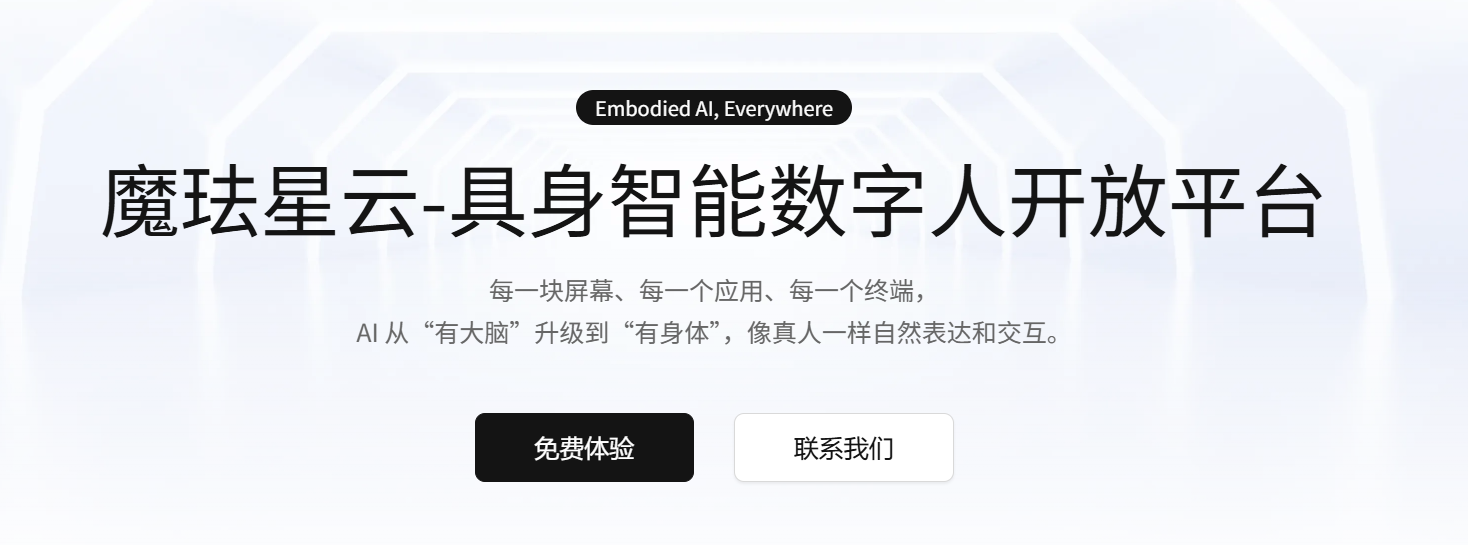 AI Visual Insight: This image shows the platform’s main visual and entry page information. It highlights the open-platform positioning and the aggregation of digital human capabilities. It is typically used to communicate a product value proposition centered on fast creation, unified configuration, and online debugging, rather than low-level technical details.
The platform’s capabilities can be broken down into rendering, driving, and conversation layers.
The rendering layer handles high-fidelity 3D avatars and multi-device output. The driving layer synchronizes speech, lip movement, facial expressions, eye gaze, and body motion. The conversation layer connects to ASR services and large language models. Because these three layers are decoupled, developers can replace model services and business knowledge sources independently.
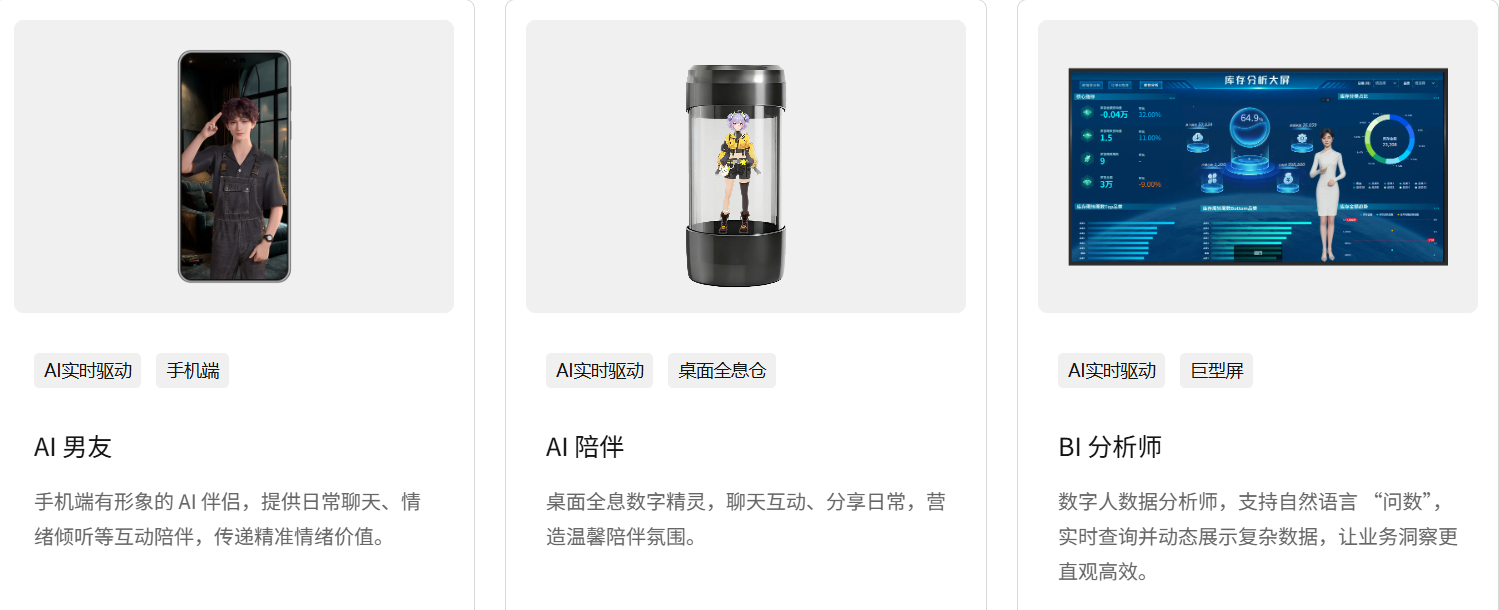 AI Visual Insight: This image presents an overview of the platform’s capabilities, with emphasis on realistic digital modeling, real-time speech and facial expression driving, semantic dialogue, and lightweight client-side rendering. It reflects a multimodal, embodied interaction architecture.
The local demo integration path can be reduced to three steps: environment setup, platform configuration, and key-based service wiring.
The first step is to clone the demo and install dependencies. The source material provides both GitHub and Gitee repositories, which indicates that the project is accessible in both domestic and international network environments. The environment requirements are lightweight and consistent with a typical frontend project structure.
# Install project dependencies using either package manager
pnpm i   # Install dependencies with pnpm
npm i    # Install dependencies with npm

# Start the local development server
npm run dev   # Launch the local demo for debugging
These commands initialize the base environment and start a locally accessible development service.
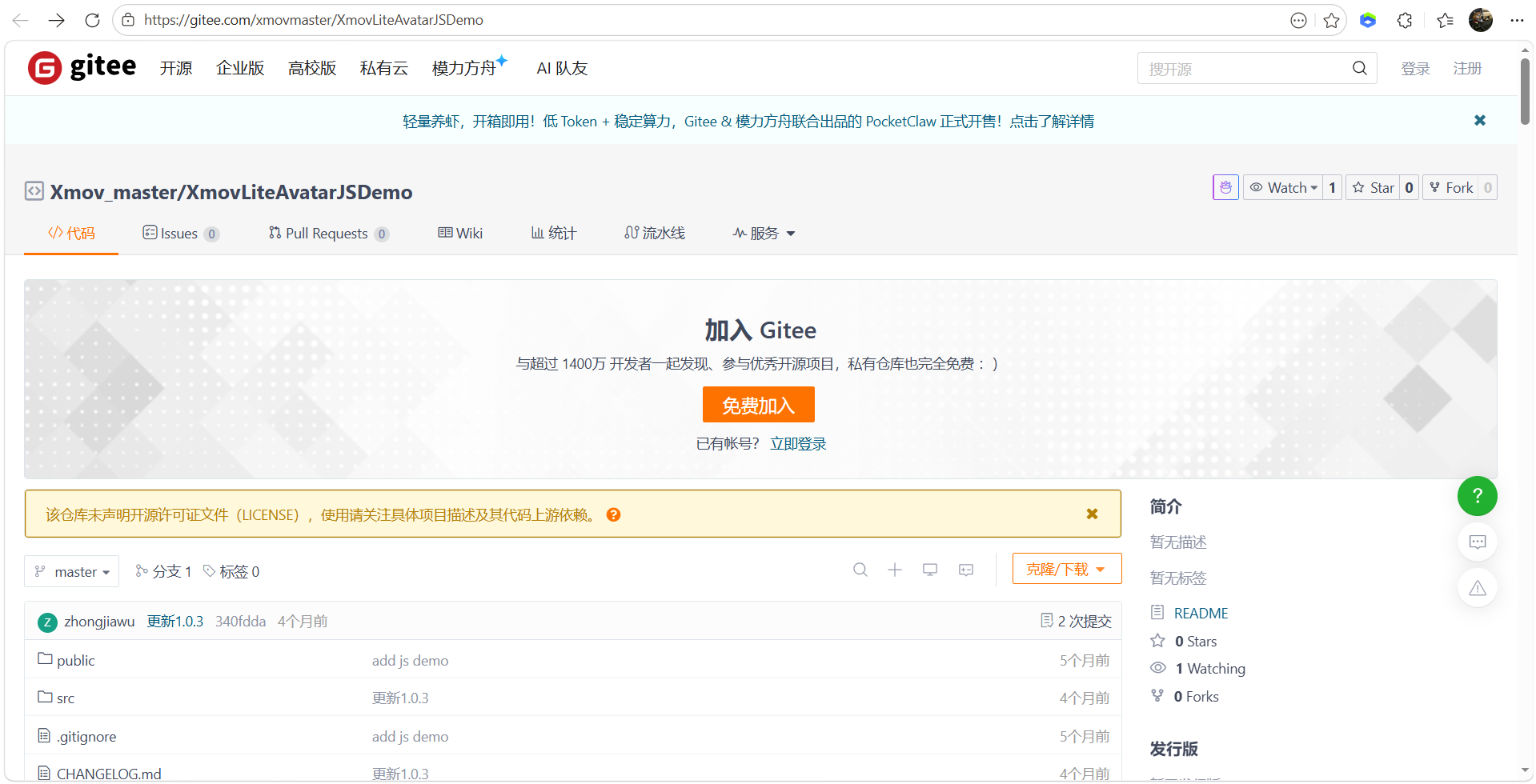 AI Visual Insight: This image shows the demo repository download entry, indicating that the official team or community has already provided a runnable frontend sample project. This helps developers avoid building rendering and communication pipelines from scratch.
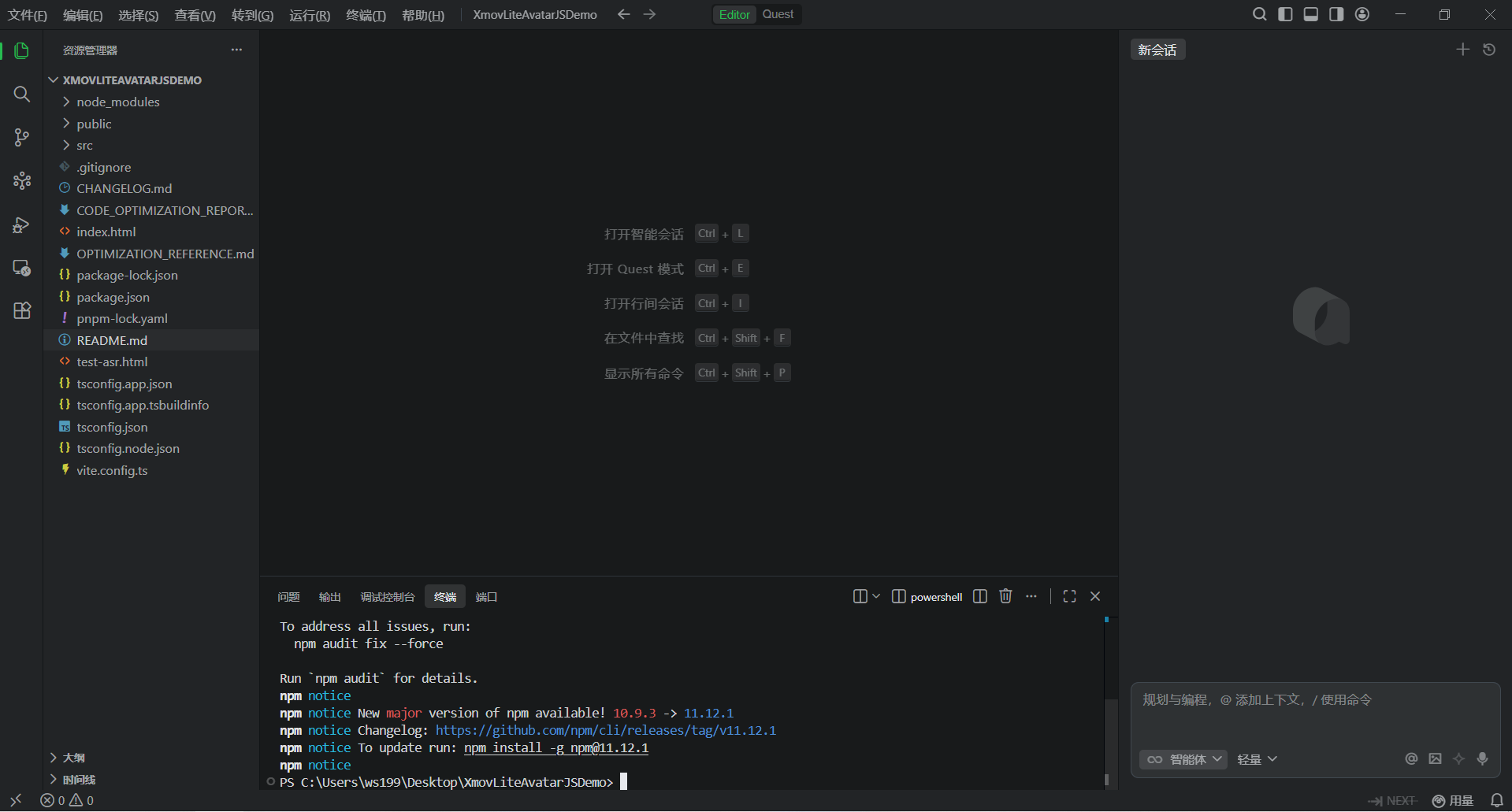 AI Visual Insight: This image shows the dependency installation steps inside a local IDE or terminal. It indicates that the project is built on the Node.js toolchain and has an adoption threshold similar to that of a standard frontend application.
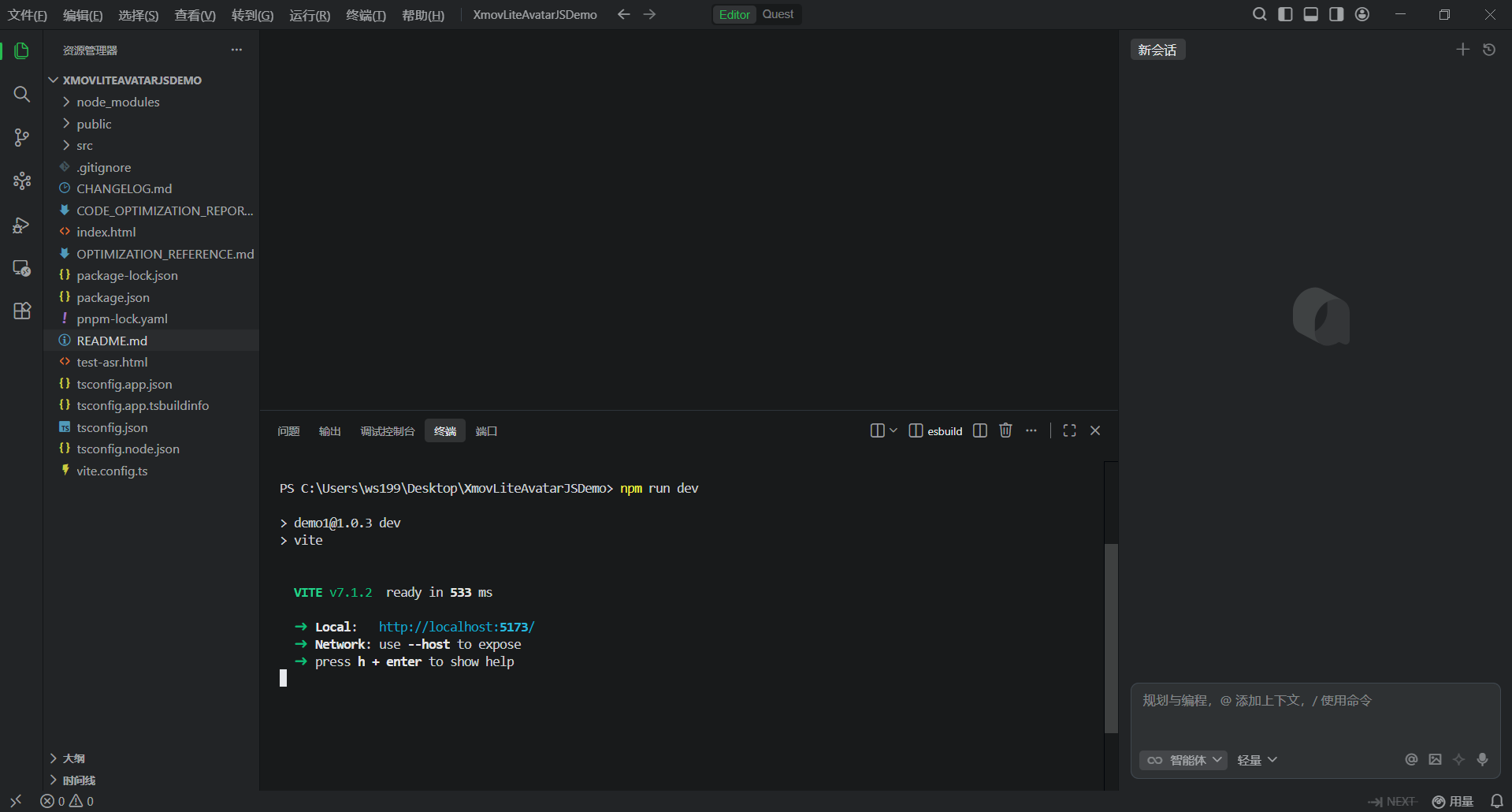 AI Visual Insight: This image reflects the development server startup process, typically associated with Vite or a similar frontend framework with local hot reload, which suggests a lightweight debugging experience.
Platform-side configuration determines the avatar’s appearance and behavior.
In the Mofa Nebula console, you need to create an application and generate an AppKey. Then open the avatar configuration panel and set the character, scene, voice, and performance parameters in sequence. This design indicates that the platform has already decoupled digital human assets from business applications, making later reuse easier.
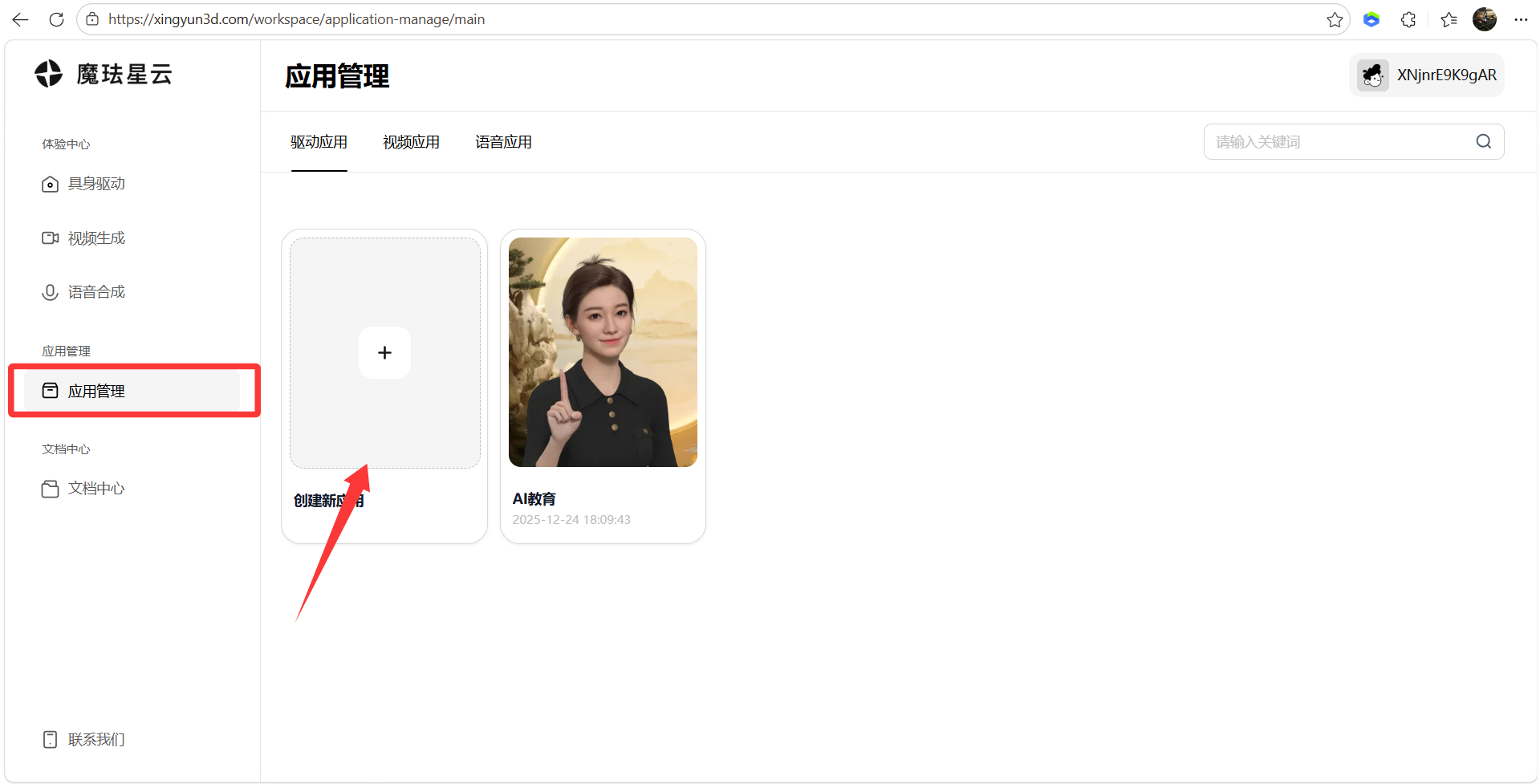 AI Visual Insight: This image shows application management and the entry for creating a new app. It indicates that the platform uses a multi-application isolation model, which is suitable for managing different digital human instances and keys by business line.
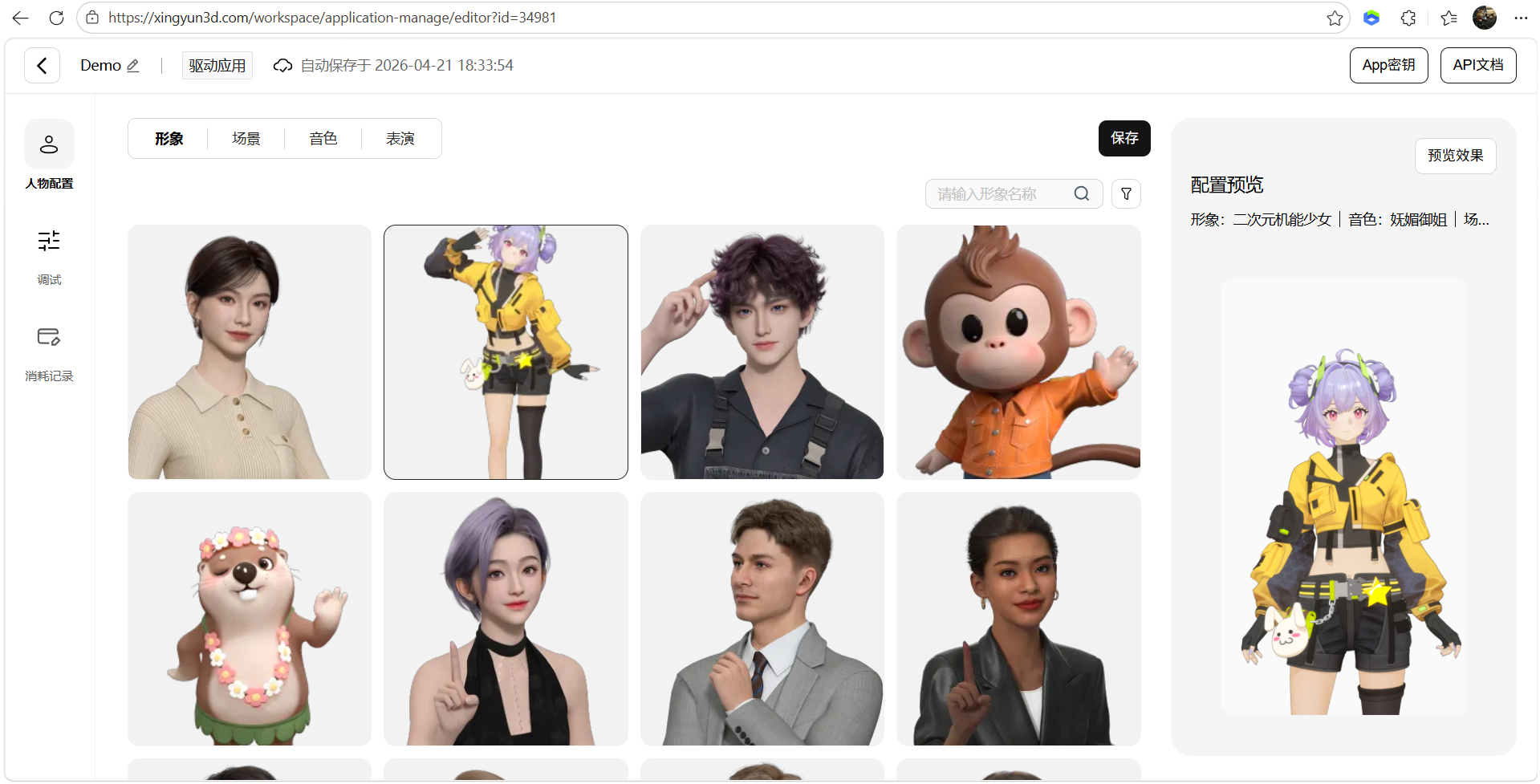 AI Visual Insight: This image shows the avatar configuration interface, reflecting that digital human appearance assets have been encapsulated at the platform level. Developers mainly make selections and bind parameters instead of manually modeling assets.
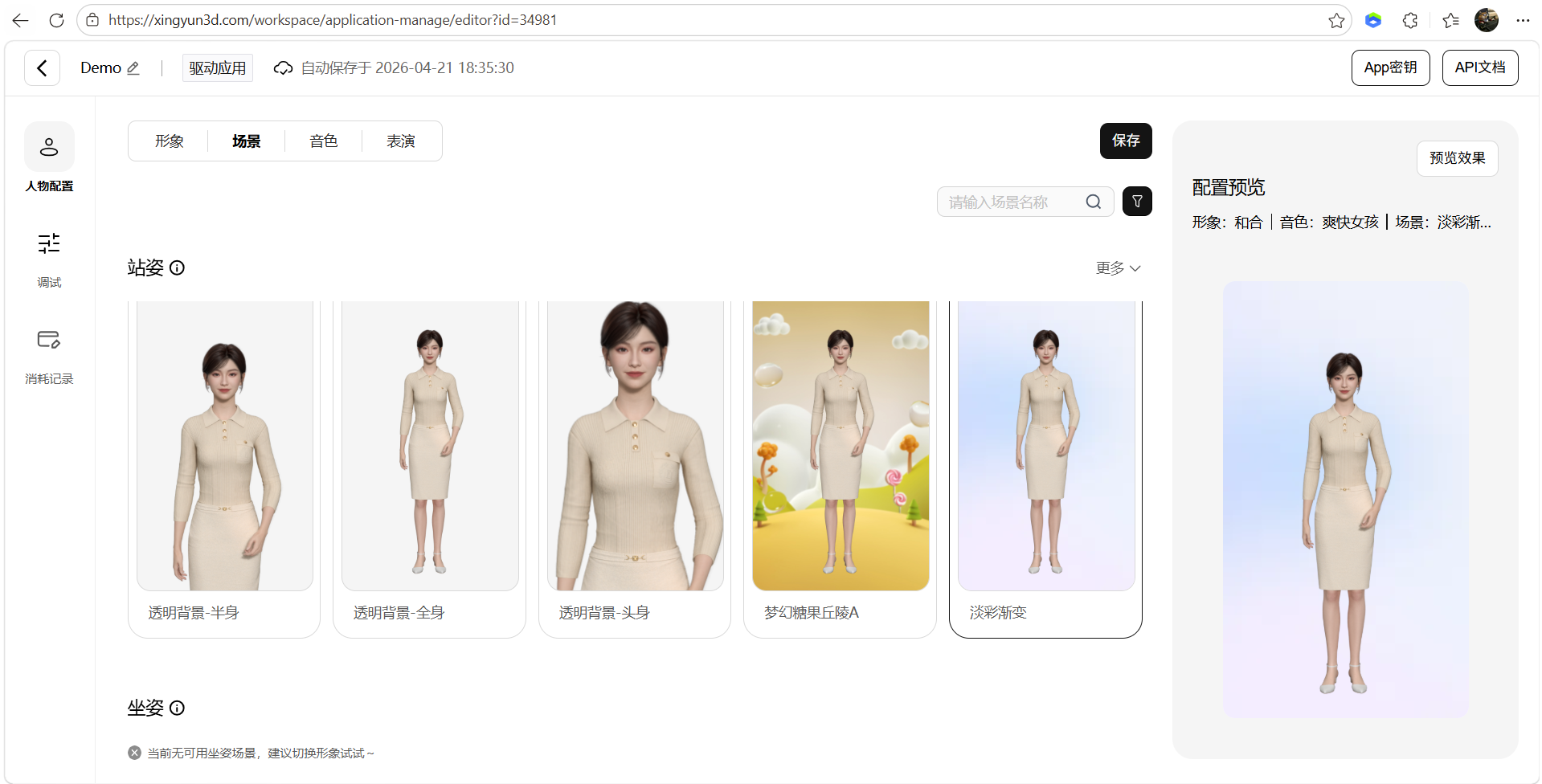 AI Visual Insight: This image shows the scene configuration capability, indicating that the avatar is not rendered in isolation and can be associated with background or scene assets to improve business presentation and immersion.
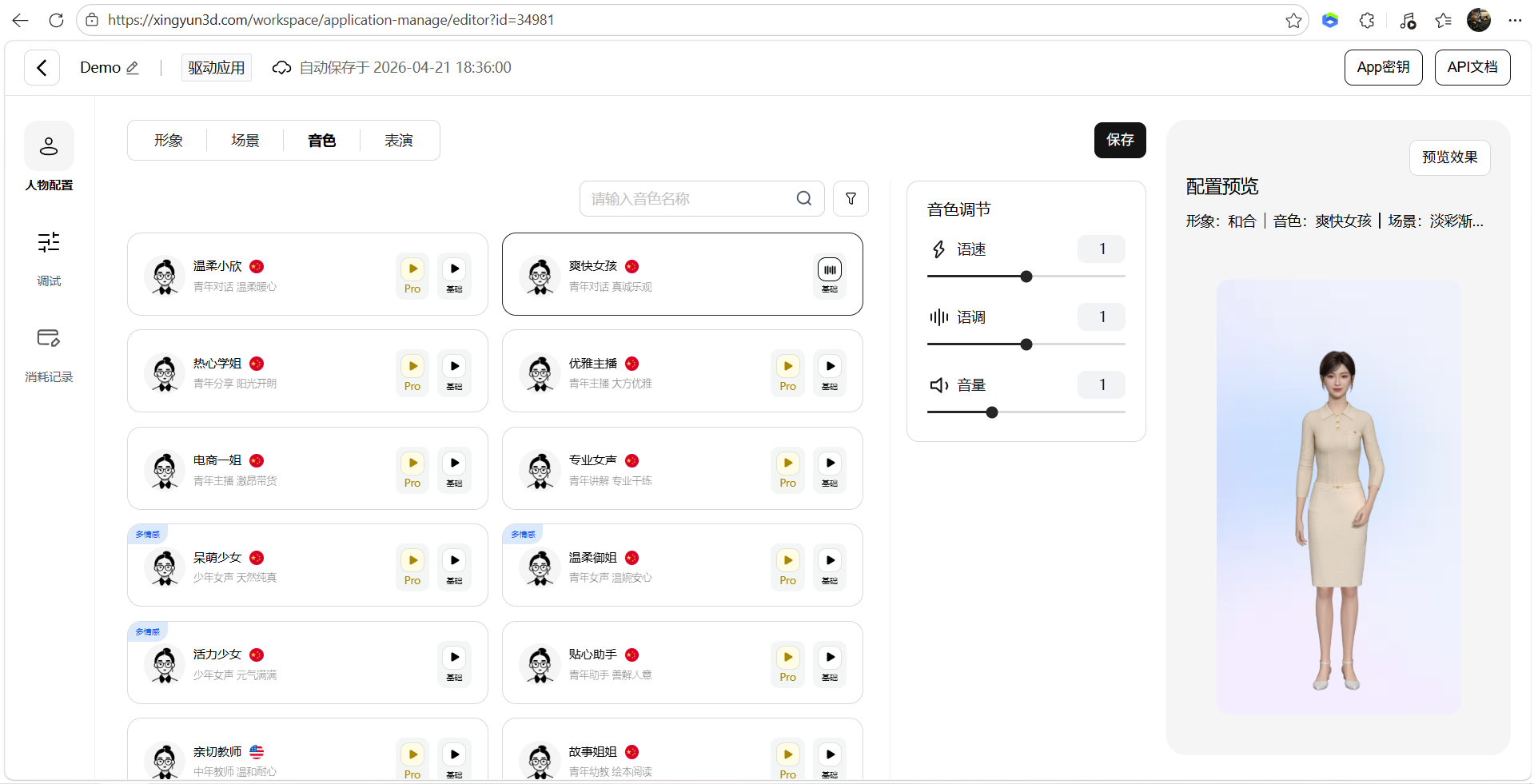 AI Visual Insight: This image shows the voice selection interface, which indicates that the platform exposes speech expression as a configurable option for customer service, tour guide, broadcasting, and other scenarios.
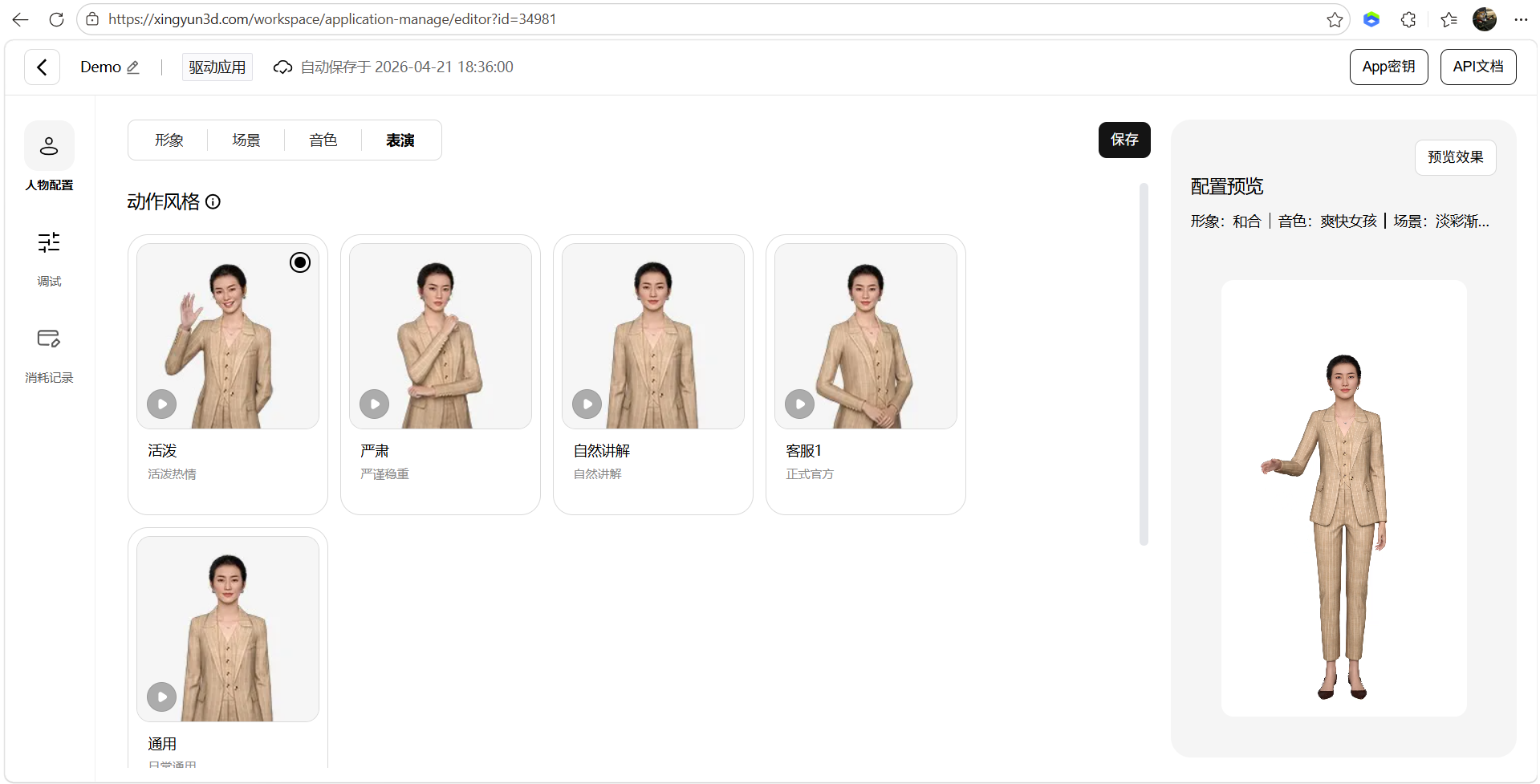 AI Visual Insight: This image shows the performance configuration module, which suggests that facial expressions, motion style, and delivery parameters can be adjusted independently. These are key contributors to realistic digital human output.
Third-party service integration is the key to completing the full interaction pipeline.
To make a digital human truly able to listen, respond, and behave naturally, you need to integrate at least two categories of external services: speech recognition and a large language model. In the source material, the example uses Tencent Cloud ASR and the Volcano Engine Doubao model. This combination indicates that the platform is not tightly bound to a single model ecosystem.
const config = {
  appKey: "YOUR_APP_KEY", // Mofa Nebula application key
  asrAppId: "YOUR_ASR_APP_ID", // Tencent Cloud speech recognition AppId
  asrSecretId: "YOUR_ASR_SECRET_ID", // Tencent Cloud secret ID
  asrSecretKey: "YOUR_ASR_SECRET_KEY", // Tencent Cloud secret key
  llmApiKey: "YOUR_LLM_API_KEY" // Volcano Engine or another large model API key
}

// Inject configuration during initialization to enable full avatar interaction
initAvatar(config)
This configuration snippet shows that the core work in the demo is not rewriting business logic, but injecting credentials and orchestrating services.
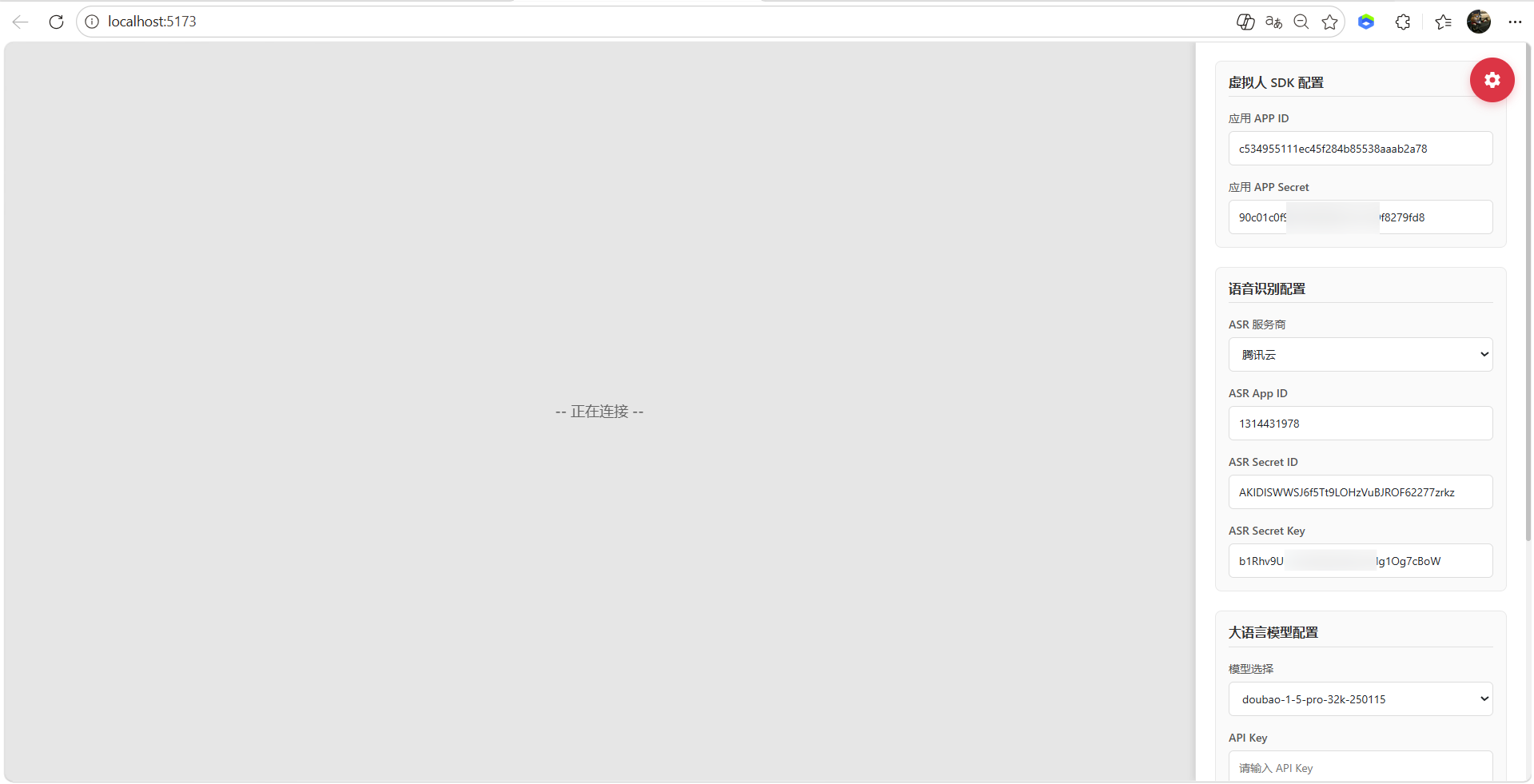 AI Visual Insight: This image shows the ASR parameter configuration interface. It indicates that the required speech recognition fields such as AppId, SecretId, and SecretKey have been standardized into form inputs, which makes it easier to switch cloud vendors.
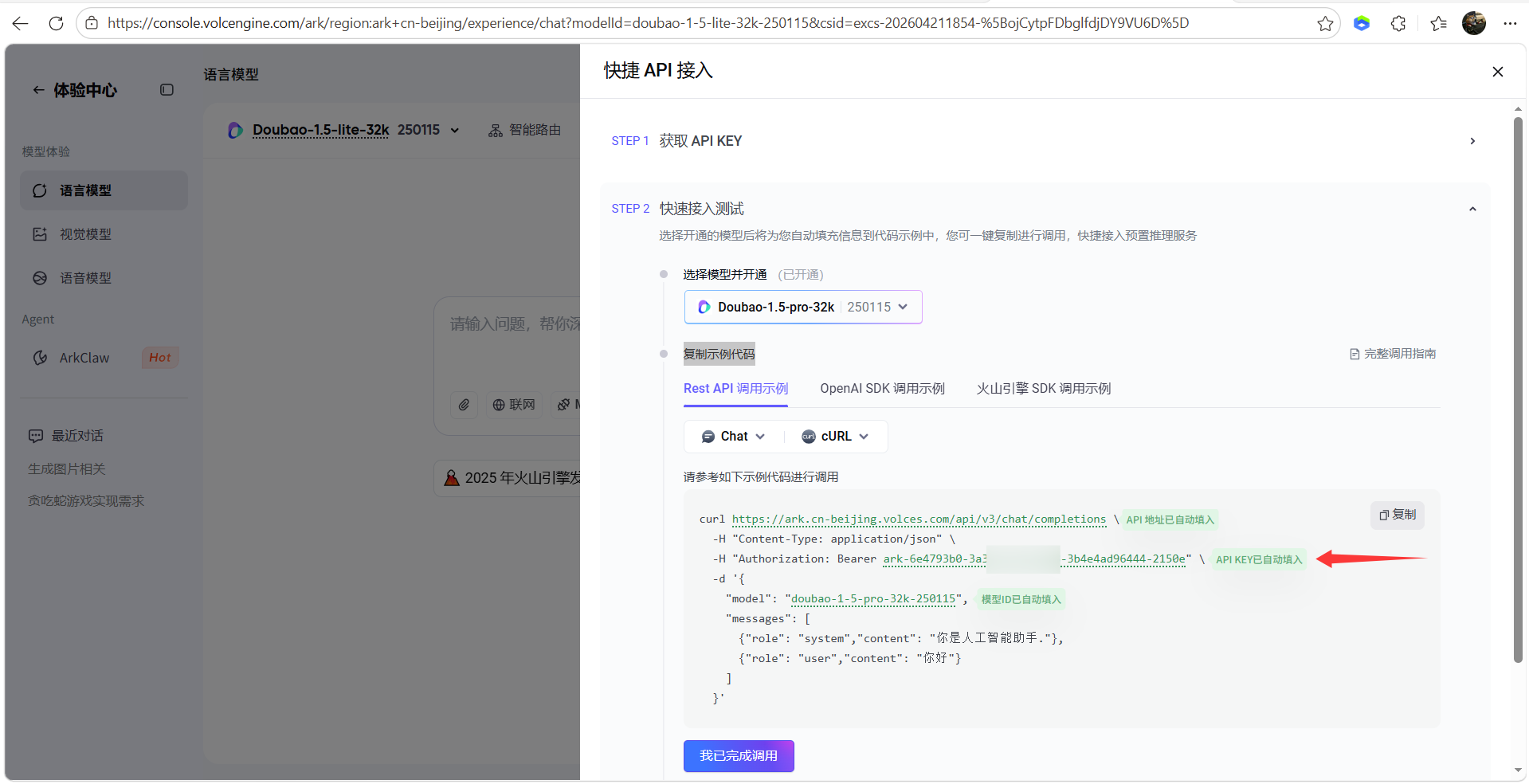 AI Visual Insight: This image shows where to enter the large model API key, indicating that the demo already includes an LLM integration layer. Developers only need to configure credentials to enable conversational capabilities.
After debugging is complete, the digital human can support both text and voice interaction channels.
Once the connection succeeds, users can either type text or speak to interact with the digital human. At this point, the platform not only returns response text, but also drives speech playback, lip sync, facial expression changes, and motion generation to produce a complete embodied output.
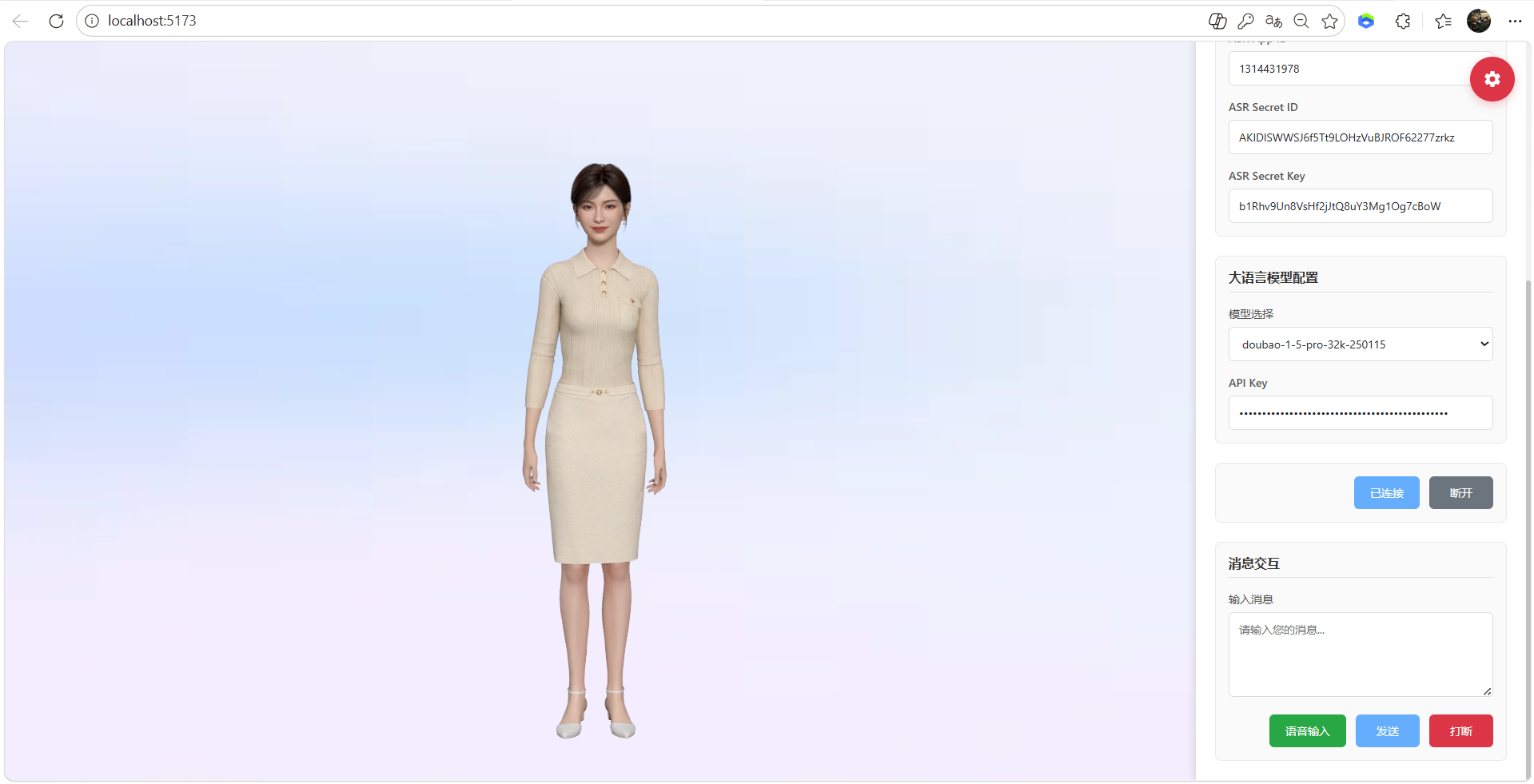 AI Visual Insight: This image shows the final integrated interaction interface after successful debugging. You can typically see the input area, connection status, and the digital human rendering window, which indicates that text, voice, and visual character output have been combined into a unified workflow.
The engineering advantage of this solution lies in combining low hardware requirements with strong business adaptability.
The source material emphasizes cloud-edge collaborative rendering, approximately 500 ms low latency, support for Web and mobile apps, multi-device adaptation, and compatibility with domestic technology environments. This means the platform is more suitable for real enterprise deployment than for demo-only prototypes.
From a use-case perspective, intelligent customer service, virtual hosts, knowledge explanation, government and enterprise guidance, and AI assistants can all benefit directly. Development teams do not need deep expertise in graphics, motion capture, or real-time driving algorithms. They can focus instead on business workflows, knowledge bases, and user experience.
function handleUserInput(text) {
  // 1. Send user input to the large language model
  const reply = askLLM(text)

  // 2. Drive avatar speech and motion with the generated reply
  avatar.speak(reply) // Speak the response and trigger facial expressions and motion

  // 3. Update the frontend conversation history
  renderMessage(text, reply) // Render the Q&A in the chat window
}
This pseudocode summarizes the platform’s minimum closed loop: input understanding, response generation, and embodied expression.
FAQ provides structured answers to the most common integration questions.
1. What types of developers is Mofa Nebula best suited for?
It is well suited for frontend engineers, AI application developers, and enterprise digital transformation teams. If you want to upgrade an LLM from a simple chat box into a visual assistant quickly, this is a relatively low-barrier option.
2. What are the most critical configuration items during integration?
The most important items are the platform AppKey, the ASR parameters, and the LLM API key. These three are responsible for digital human instance authorization, voice input, and intelligent response generation, respectively. Missing any one of them will break the full pipeline.
3. Why is this solution easier to implement than a traditional digital human project?
Because it encapsulates 3D rendering, motion driving, the speech pipeline, and the dialogue pipeline into a platformized product. Developers mainly handle configuration and business integration rather than building everything from a low-level engine.
[AI Readability Summary]
This article reconstructs the integration flow of the Mofa Nebula Open Platform and systematically explains local demo startup, AppKey configuration, ASR and large model integration, avatar and scene parameter setup, and the key capabilities and engineering considerations for deploying a 3D digital human on the Web.