This article focuses on integrating Xiaomi MiMo-V2.5-Pro with Claude Code and evaluating its real-world performance. It covers how to claim 1.6 billion tokens, configure the API, install Skills extensions, and benchmark the model across four project types. The central question is simple: how can developers validate the real coding ability of a domestic large language model at minimal cost? Keywords: MiMo-V2.5-Pro, Claude Code, AI coding.
The technical specification snapshot provides a quick overview
| Parameter | Details |
|---|---|
| Model | Xiaomi MiMo-V2.5-Pro |
| Architecture Features | MoE, million-token context window |
| Integration Protocol | OpenAI / Anthropic compatible |
| Typical Tools | Claude Code, CC Switch |
| Extension Capabilities | Skills, Plugins, MCP |
| Evaluated Tasks | Personal website, full-stack analyzer, mini-game, source code analysis site |
| Source Format | Hands-on blog evaluation |
| Core Dependencies | Node.js, npm, FastAPI/Flask, React/Next.js |
This review shows that MiMo is better suited for low-cost validation first
After releasing the MiMo-V2.5 series, Xiaomi also launched a large-scale token incentive program. For developers, the biggest value is not just that it is free. The real value is the ability to test the model’s engineering capability, tool usage behavior, and long-task stability at extremely low trial-and-error cost.
The central conclusion of the article is straightforward: MiMo-V2.5-Pro can complete projects, but its quality on complex tasks, its initiative in using extension tools, and its reliability on details still lag behind stronger frontier models.
 AI Visual Insight: The image shows a promotional page for the MiMo incentive program, emphasizing a massive token allocation and developer-facing testing scenarios. The key message is clear: Xiaomi is using resource subsidies to collect real developer usage feedback.
The key path to claim tokens is actually very short
Developers must first visit the MiMo ORBIT incentive program page and submit an application. The form asks about commonly used AI coding tools, preferred foundation models, and past project experience. After approval, log in to the MiMo Open Platform with the same email address. The benefits usually arrive within 24 hours.
The key point here is not the application itself, but email consistency. If you register on the Open Platform with a different email first and then apply for the incentive program, the benefits may fail to bind correctly.
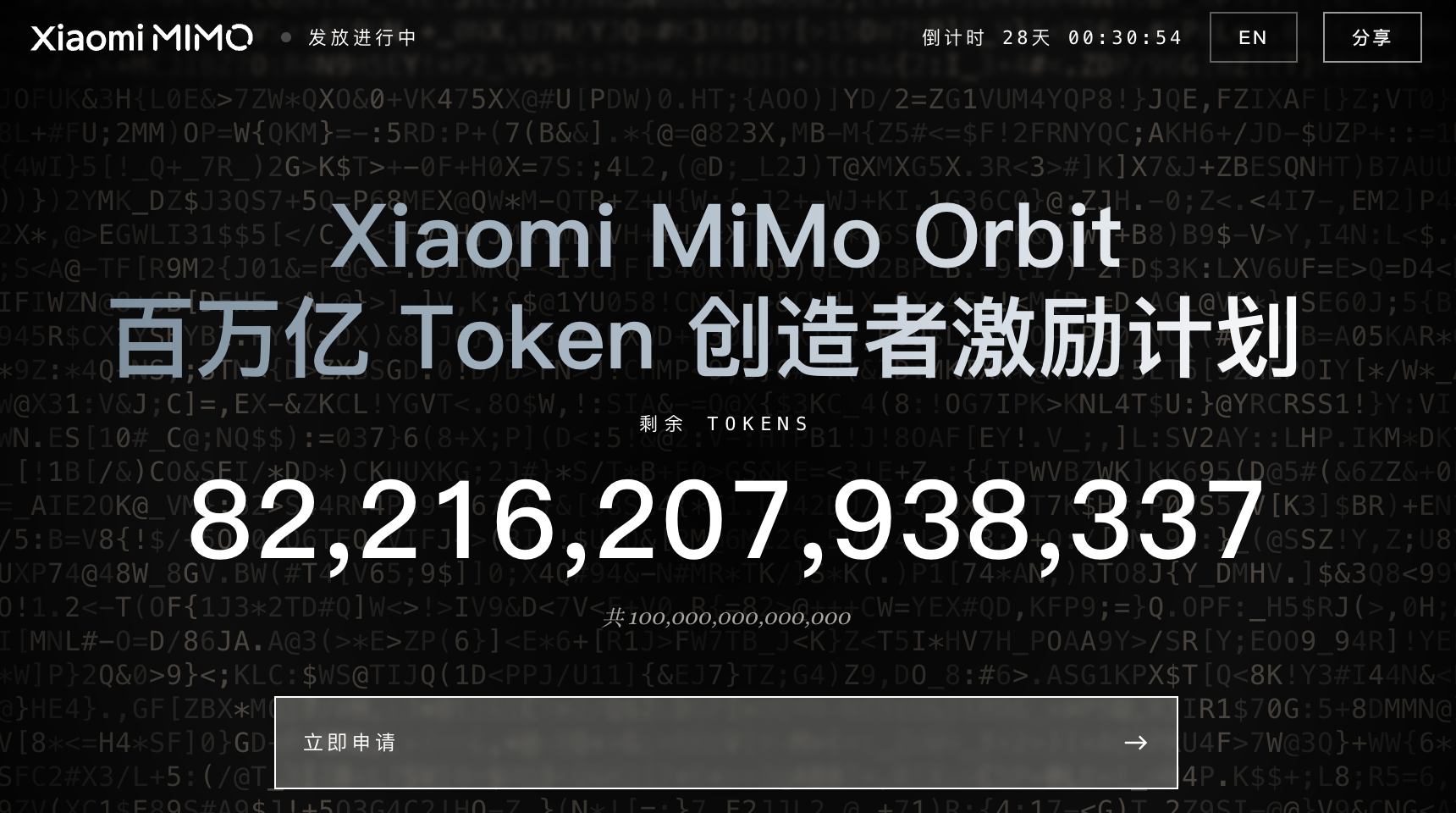 AI Visual Insight: The image shows the total incentive pool and distribution status. It suggests that this is not a one-time promo code campaign, but a platform-style resource pool with ongoing issuance.
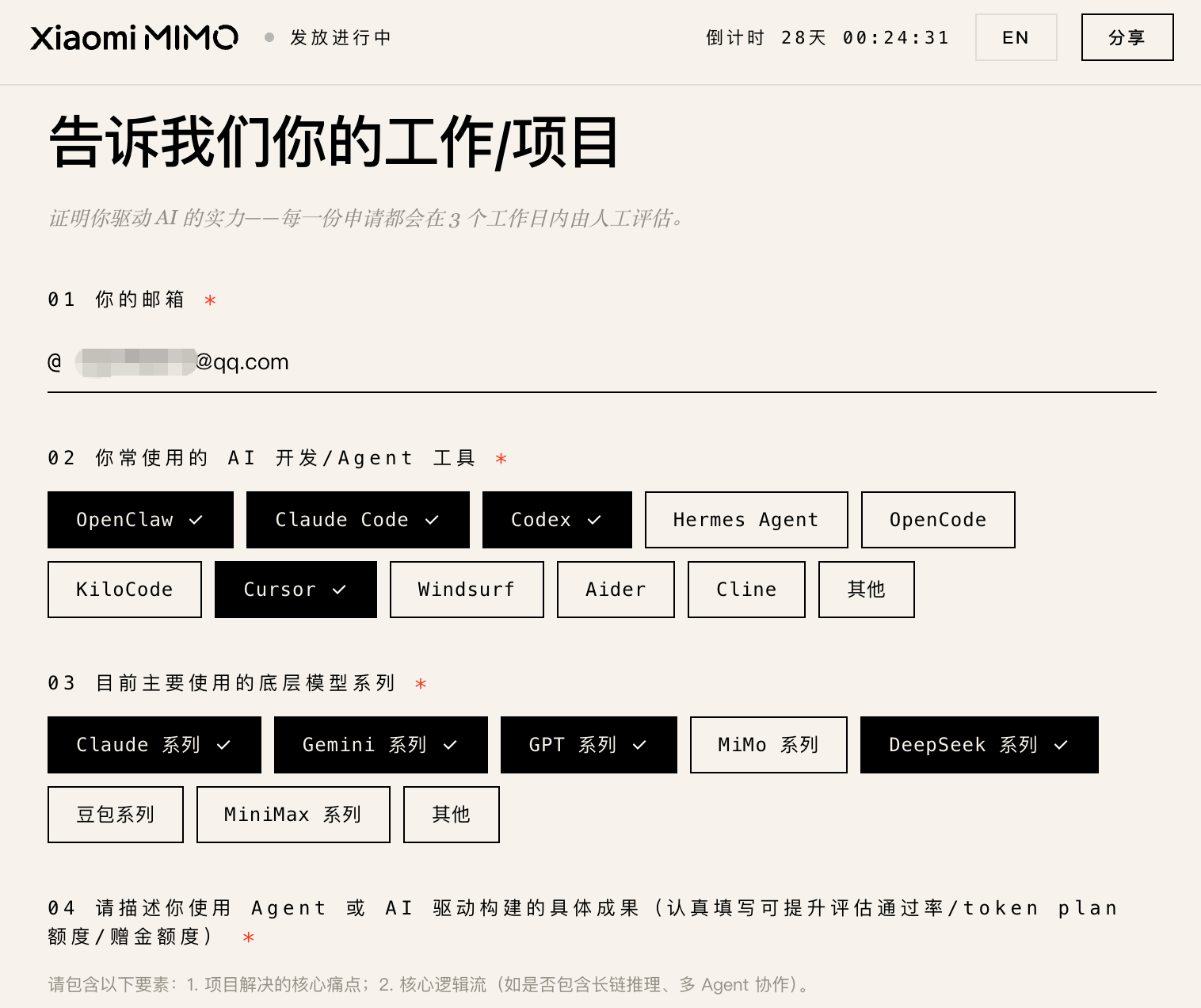 AI Visual Insight: The image presents the application form interface. Its fields focus on AI coding tools, model preferences, and project experience, which indicates that the platform is screening for users with real development needs.
# Complete the incentive program application first
# Then log in to the Open Platform with the same email to avoid benefit activation issues
open https://100t.xiaomimimo.com
open https://platform.xiaomimimo.com
These commands connect the application and benefit activation flow and reduce configuration errors caused by inconsistent email usage.
Integrating Claude Code is mostly about model switching, not installation
Installing Claude Code is extremely simple. The real source of errors usually appears later when switching model providers. Many developers instinctively try to log in through Anthropic’s official system, but the goal of this evaluation is to use Claude Code as a unified terminal shell while routing the underlying model calls to the MiMo API.
npm install -g @anthropic-ai/claude-code  # Install Claude Code
claude  # Start the command-line interactive interface
These commands complete the basic Claude Code installation and the initial launch.
Using CC Switch can significantly reduce the cost of switching across models
Compared with manually editing JSON configuration files, the real value of CC Switch is visual management for different model providers. It supports Claude Code, Codex, Gemini CLI, and similar tools, making it well suited for development workflows that frequently switch providers, protocols, and Base URLs.
For MiMo, the most important detail is to use the dedicated API key and dedicated Base URL provided by the bundle. If you accidentally use a standard key or the default endpoint, you may lose access to the bundled model or directly consume your account balance.
brew tap farion1231/ccswitch
brew install --cask cc-switch  # Install the visual switching tool
These commands install CC Switch on macOS so you can manage Claude Code model configurations through a GUI.
Installing Skills extensions does not guarantee that the model will call them proactively
The article also installs three categories of extensions: Frontend Design, Firecrawl, and Context7. They correspond to frontend polish, web crawling, and up-to-date documentation retrieval, which are among the most common capability patches in AI coding workflows.
However, one important finding from the hands-on evaluation is that MiMo-V2.5-Pro almost never proactively called these installed skills across the four projects. Instead, it preferred to use built-in search or retrieval capabilities. This suggests that the model’s tool selection strategy remains conservative, and its agent decision-making quality still has room to improve.
/plugin marketplace add anthropics/skills  # Add the official Skills marketplace
npx -y firecrawl-cli@latest init --all --browser  # Install the web crawling extension
npx ctx7@latest setup  # Install the documentation lookup extension
These commands enable the Skills marketplace, web crawling, and documentation query capabilities respectively.
The results across four project types show that it can finish tasks, but not always finish them well
The first project is a personal website, mainly used to evaluate frontend design and UI aesthetics. The result shows a strong first-screen visual impression, which suggests that when explicitly guided to use component libraries such as Aceternity UI, the model can produce solid visual output with the help of mature design systems. However, factual mistakes in the content were obvious, exposing weaknesses in information retrieval and validation.
The second project is a website interpreter that combines React, FastAPI, scraping, and large-model analysis. This case achieved the highest completion quality. The frontend and backend worked end to end, and SSE streaming output was usable. That indicates MiMo performs steadily on full-stack template-style tasks with clear structure and explicit workflows.
Games and complex visualization tasks expose weaknesses most quickly
A QQ Tang-style mini-game is the most representative high-interaction scenario. Although the model generated runnable HTML, issues with collision handling, speed, AI behavior, and state consistency appeared in clusters. These tasks require robust state machines, pathfinding, and animation timing, which easily push beyond the boundary of an implementation that merely runs.
The Claude Code source code analysis site exposed a different category of issue. The information architecture looked good at first glance, but the flowcharts and directory tree were clearly incomplete. This shows that the model can create an early sense of completeness in the presentation layer while still leaving gaps in the data layer and interaction layer.
def evaluate_project(completion, aesthetics, reliability):
    score = completion * 0.4  # Functional completeness carries the highest weight
    score += aesthetics * 0.2  # Visual quality is a supporting metric
    score += reliability * 0.4  # Stability determines whether the project is usable
    return round(score, 2)

print(evaluate_project(0.8, 0.6, 0.5))  # Example: overall score for a full-stack project
This code demonstrates how to evaluate an AI-generated project across completion, aesthetics, and reliability.
Cost and applicability boundaries are the most valuable conclusions from this evaluation
The article reports a total usage of roughly 23 million tokens, which is only about 1% of the bundle. If the free quota is truly available as advertised, developers can run multiple medium-sized experimental projects at very low cost to validate prompts, engineering scaffolds, and workflow design.
As a result, MiMo-V2.5-Pro is better suited for two scenarios. First, it works well for clearly defined tasks such as utility tools, small full-stack projects, and page generation. Second, it can serve as a low-cost candidate model when paired with stricter prompting, human review, and harness-based engineering practices.
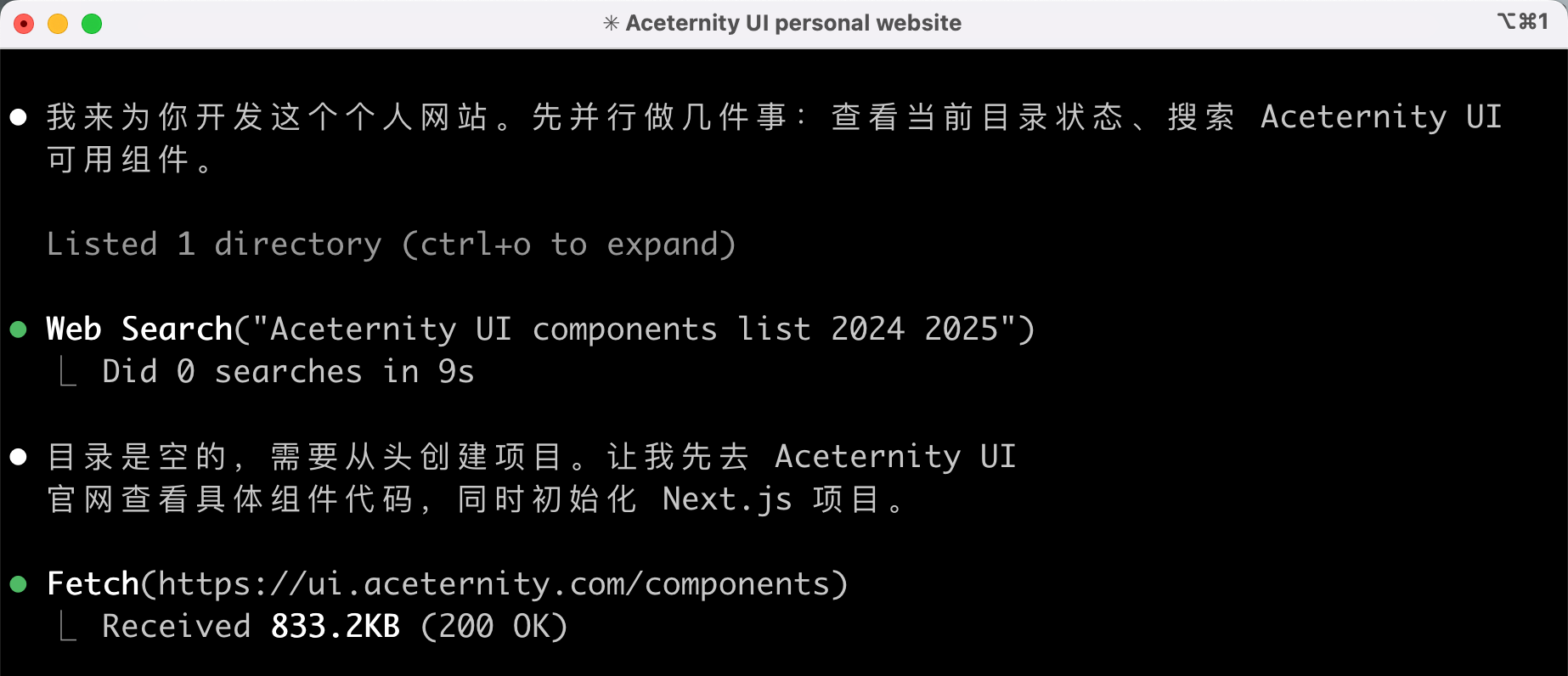 AI Visual Insight: The image shows tool or skill invocation logs in Claude Code. The key takeaway is that the model demonstrates weak willingness to call external extension capabilities during real tasks, which is an important signal when judging agent intelligence.
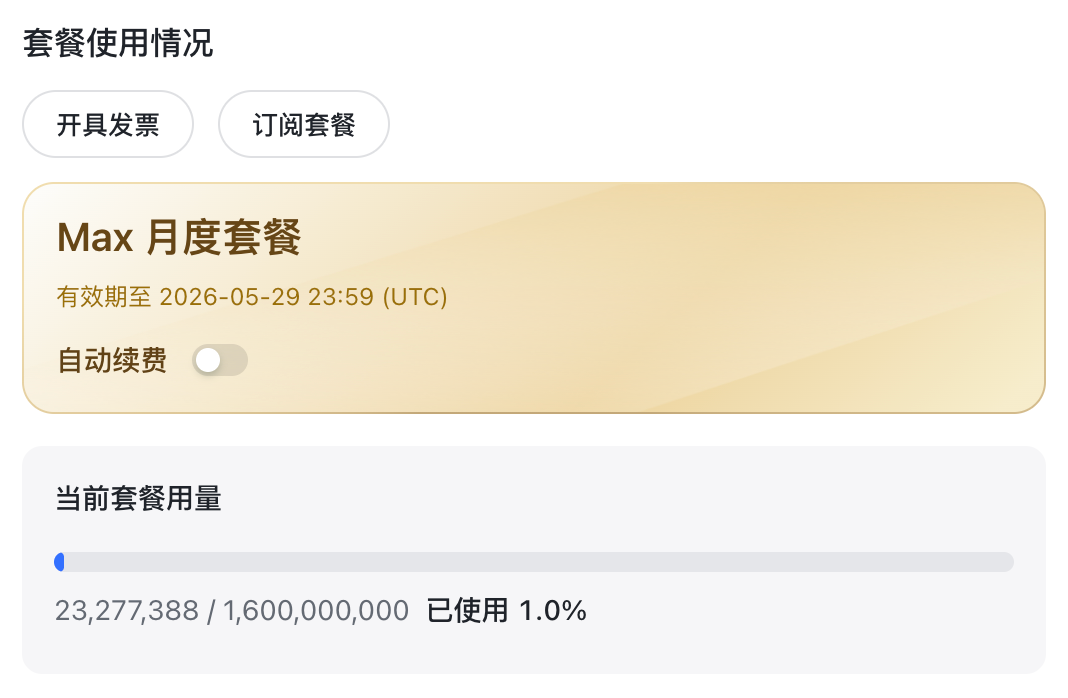 AI Visual Insight: The image presents bundle usage or consumption metrics, showing that a high token quota can keep the marginal cost of multi-project testing low, making it suitable for continuous experimentation and comparative evaluation.
The conclusion is that it is worth claiming, but you should not overestimate the default experience
If your goal is to get a large free quota and quickly evaluate the AI coding usability of a domestic model, MiMo-V2.5-Pro is absolutely worth trying. If your goal is to produce complex projects with stable quality out of the box, however, it behaves more like a co-pilot that requires strong prompt constraints than a fully reliable primary driver.
For teams, the truly reusable lesson is not to memorize one model ranking from one evaluation, but to build a standard workflow that includes model switching, skill extensions, prompt templates, and human acceptance checks.
FAQ structured answers
Is MiMo-V2.5-Pro suitable as a primary development model instead of Claude or DeepSeek?
Not as a direct replacement. It is better suited as a low-cost experimental model or an executor for small to medium tasks. On complex interaction, tool decision-making, and detail-level reliability, it still requires human oversight.
What is the easiest mistake to make when integrating it with Claude Code?
The most common problem is a mismatch between the API key, Base URL, and the benefit bundle. You must use the dedicated key and dedicated endpoint associated with the bundled plan. Otherwise, the model may fail to respond or your account balance may be charged by mistake.
Why does the model still not use Skills even after they are installed?
Because extension usage depends on the model’s agent decision strategy, not on installation alone. The practical fix is to explicitly require the use of specific skills in the prompt and then verify the invocation logs during acceptance testing.
Core Summary: Reconstructed from a frontline hands-on evaluation, this article systematically explains Xiaomi MiMo-V2.5-Pro’s free token claim process, Claude Code integration method, CC Switch setup, Skills extension installation, and real coding performance across four project types. It helps developers quickly judge the model’s agent coding ability, tool invocation quality, and cost-effectiveness.