This article explains how to use OpenClaw, Lanyun MaaS, and Tencent Cloud Lighthouse to build a private companion agent that runs inside WeChat with no code. It addresses three common issues in traditional AI systems: impersonal interactions, complex deployment, and limited privacy control. Keywords: OpenClaw, Lanyun MaaS, WeChat agent.
The technical specification snapshot outlines the deployment baseline
| Parameter | Details |
|---|---|
| Core language | Primarily Web-based platform configuration, with model APIs compatible with JSON/HTTP |
| Communication protocols | OpenAI-compatible V1 API, WeChat messaging channel |
| Deployment model | One-click deployment through a Tencent Cloud Lighthouse application image |
| Core components | OpenClaw, Lanyun MaaS, WeChat channel |
| Recommended models | DeepSeek-V3.2, GLM-5.1 |
| Endpoint URL | https://maas-api.lanyun.net/v1 |
| Recommended instance size | Starts at 2 vCPUs and 2 GB RAM |
| Core dependencies | API Key, model ID, secondary WeChat account |
| Source article popularity | Approximately 3.6k views, 131 likes, and 128 saves |
This solution enables a private WeChat companion agent with a low barrier to entry
OpenClaw handles message orchestration, persona definition, memory, and channel management. Lanyun MaaS provides production-ready large model capabilities. Tencent Cloud Lighthouse reduces deployment complexity to a one-click image installation.
The value of this stack is not simply that it can chat. Its real value is that it is operationally practical. Developers do not need to build their own inference cluster or manually implement WeChat message handling logic. They can quickly launch a companion agent that stays online over the long term.
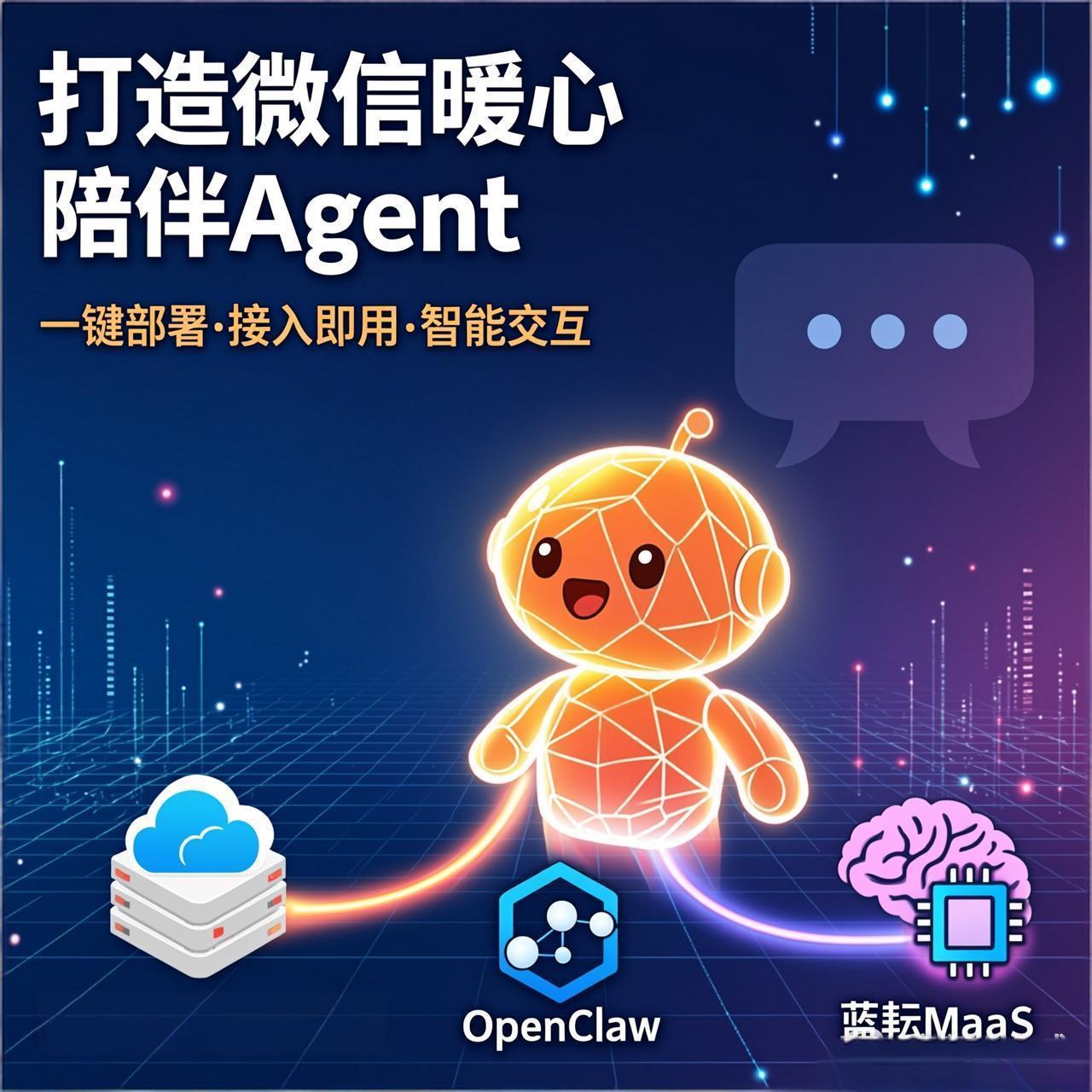 AI Visual Insight: The image shows the article’s cover scenario. Its core message is that this solution centers on a WeChat companion agent and highlights three pillars: cloud deployment, model integration, and conversational experience. It serves as the conceptual entry point for the overall system.
OpenClaw serves as the control plane for message scheduling and capability orchestration
At its core, OpenClaw is a lightweight agent framework that packages model integration, prompt management, plugin extensibility, and session handling. For beginners, its biggest advantage is that most capabilities are available through a graphical console.
Lanyun MaaS provides a stable foundation for model inference
This platform supports the OpenAI API protocol, which means OpenClaw can directly reuse standard chat/completions functionality with minimal adaptation work. In real-time chat scenarios, low latency and high throughput determine the upper bound of user experience.
Tencent Cloud Lighthouse keeps deployment costs and effort low
Lighthouse application images remove the need to manually install system dependencies, Node.js runtime components, and service daemons. For individual developers, this is the most important efficiency multiplier.
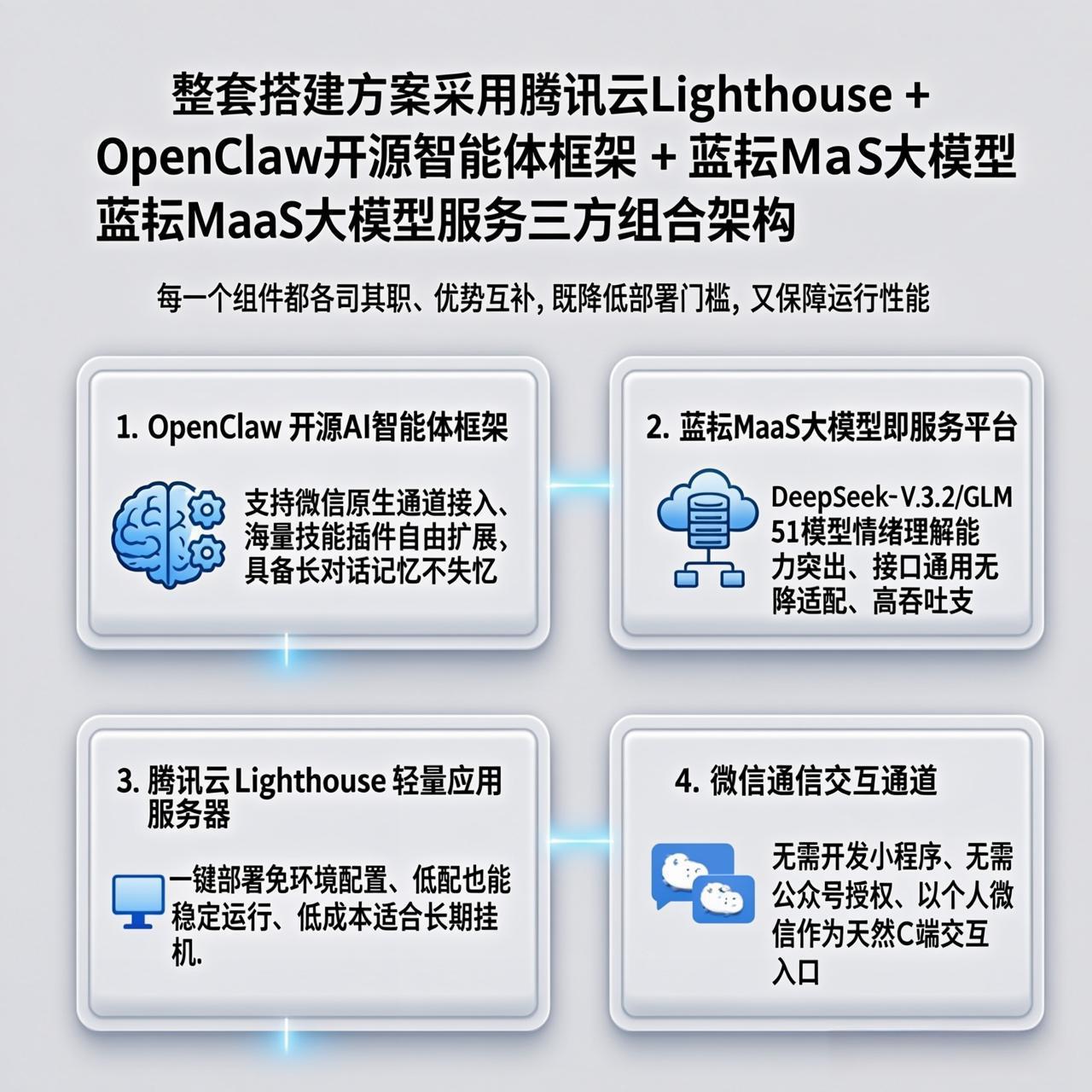 AI Visual Insight: The image presents the three-layer architecture of OpenClaw, Lanyun MaaS, and Tencent Cloud Lighthouse. The top layer is the WeChat interaction entry point, the middle layer is the agent orchestration framework, and the bottom layer is the large-model inference and compute service. It reflects an engineering design that decouples channels, orchestration, and inference.
You must prepare three categories of resources before deployment
The first category is cloud resources, specifically a Tencent Cloud account with completed identity verification. The second category is model resources, including a Lanyun MaaS account, API Key, and model ID. The third category is the business entry point, which is a dedicated secondary WeChat account.
Using a secondary WeChat account instead of your primary account is not only easier to manage, but also better for risk isolation. Auto-replies, persistent connection monitoring, and frequent message exchanges are all safer to run in an isolated account.
# Checklist of critical configuration items
LANYUN_BASE_URL="https://maas-api.lanyun.net/v1"   # Lanyun MaaS root endpoint
LANYUN_MODEL_ID="/maas/deepseek-ai/DeepSeek-V3.2"  # Recommended model ID
SERVER_SPEC="2C2G"                                 # Recommended cloud instance size
WECHAT_ACCOUNT="secondary-wechat-account"          # Use a dedicated account for QR login
This configuration block summarizes the four basic variables that most often cause deployment mistakes.
The model parameters in Lanyun MaaS must match exactly
The source article recommends DeepSeek-V3.2 as the primary model and GLM-5.1 as an alternative. For a warm companion use case, the former tends to be more conversational and faster in response, making it better suited for continuous chat. The latter tends to produce more stable expression.
The API Key is the only authentication credential. In most cases, the plaintext value is displayed only once after creation, so you should store it immediately. The endpoint URL is fixed at https://maas-api.lanyun.net/v1, and the model ID must be entered with exact character-level accuracy.
{
  "provider": "lanyun",
  "base_url": "https://maas-api.lanyun.net/v1",
  "api": "chat/completions",
  "api_key": "sk-xxxx",
  "models": [
    {
      "id": "/maas/deepseek-ai/DeepSeek-V3.2",
      "name": "DeepSeek-V3.2"
    }
  ]
}
You can directly map this JSON block to OpenClaw’s custom model configuration template.
Tencent Cloud Lighthouse reduces OpenClaw deployment to creating an image-based instance
After opening the Lighthouse console, create a lightweight application server and search for the OpenClaw application image. The image includes the operating system, dependencies, and the application itself. Initialization usually completes within a few minutes.
The recommended starting configuration is 2 vCPUs and 2 GB RAM. For one WeChat account, standard multi-turn conversations, and basic memory plugins, this is typically sufficient. If you later add more plugins or multiple channels, then consider upgrading the instance size.
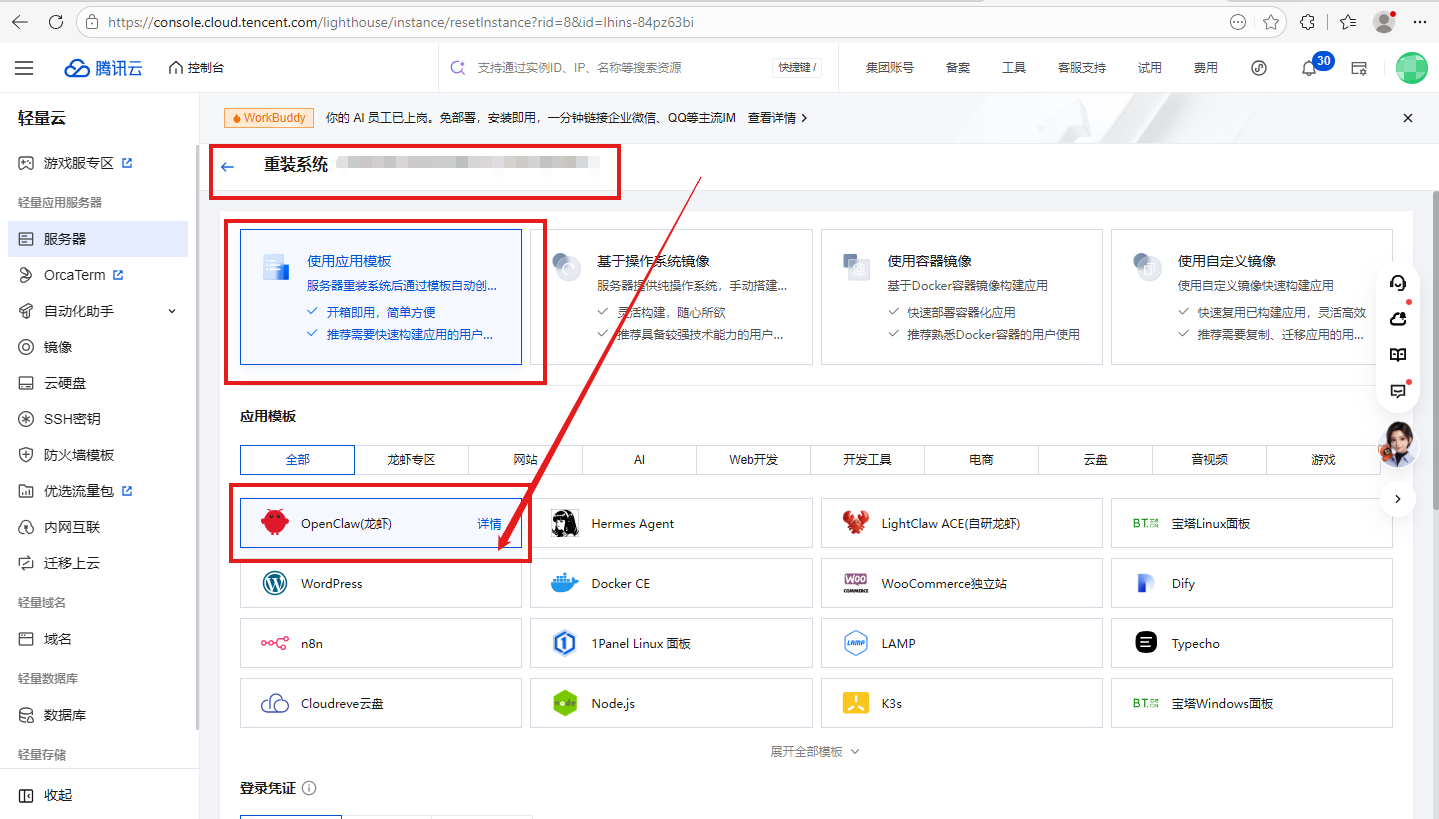 AI Visual Insight: The image shows the OpenClaw application image selection screen in Tencent Cloud Lighthouse. It makes clear that this solution does not rely on manual installation, but instead uses a prebuilt image to deliver the environment, significantly lowering the operations barrier.
A successful OpenClaw and Lanyun MaaS connection means the model pipeline is working end to end
In the OpenClaw admin console, choose a custom model and fill in provider, base_url, api, api_key, model.id, and model.name in order. If the connection succeeds, the console typically shows a green status indicator.
The essence of this step is to point OpenClaw’s inference output to the OpenAI-compatible endpoint exposed by Lanyun MaaS. As long as the protocol matches, the same inference backend can support persona definitions, memory, and channels.
Integrating the WeChat channel brings the agent into real daily usage
In channel management, add a WeChat channel, complete the authorization login flow, and use the prepared secondary WeChat account to scan the QR code and bind the channel. Once the binding is complete, OpenClaw establishes a closed loop for message listening and forwarding.
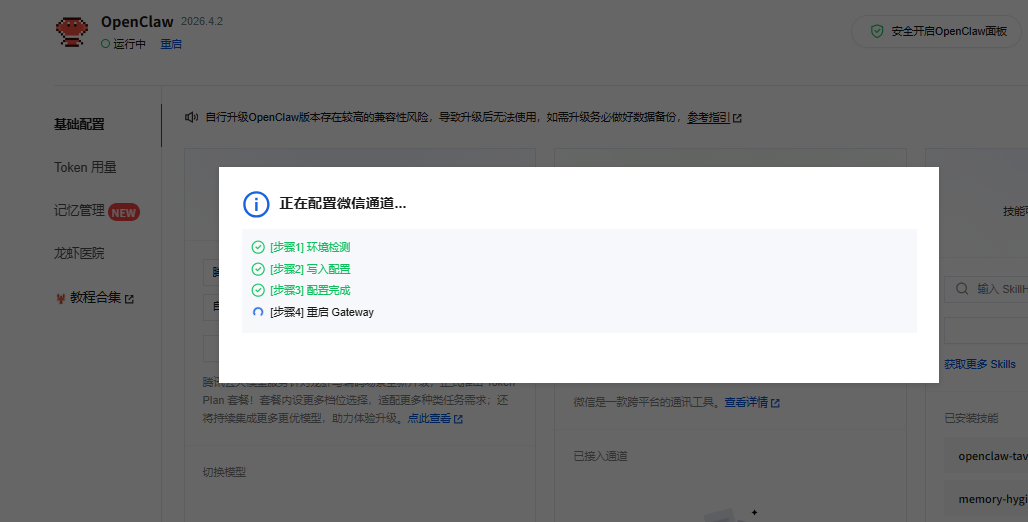 AI Visual Insight: The image shows the WeChat QR-code login and channel binding process. It indicates that message access uses QR-based authorization for identity linking, which means the backend is already capable of session monitoring, message forwarding, and automated replies.
config = {
    "channel": "wechat",                    # Specify the WeChat channel
    "model": "/maas/deepseek-ai/DeepSeek-V3.2",  # Specify the default inference model
    "memory": True,                          # Enable memory
    "persona": "warm_companion"            # Use the warm companion persona
}

if config["channel"] == "wechat":
    print("WeChat channel is enabled")  # Core status output for connection verification
This example summarizes the four key runtime elements: channel, model, memory, and persona.
Persona prompts determine the warmth and boundaries of the companion agent
What differentiates a companion agent is not the model name, but the system prompt. A strong prompt should define tone, boundaries, feedback style, and the order of emotional handling at the same time.
The source article recommends this direction: empathize first, then guide; avoid lecturing and judging; use a gentle tone; and limit excessive follow-up questions. In WeChat conversations, short, steady, and low-friction replies matter more than long-form output that feels obviously AI-generated.
You are a gentle, patient, and emotionally aware companion with clear boundaries.
1. Prioritize listening and empathy. Do not lecture or judge.
2. When the user feels upset, soothe the emotion first, then offer lightweight suggestions.
3. Keep replies brief, warm, and natural. Avoid rigid terminology.
4. Respect privacy boundaries and do not over-question personal information.
5. Maintain a consistent persona and do not switch tone casually.
This prompt defines the core behavioral constraints and response style for the companion agent.
The final user experience depends less on whether it runs and more on whether it runs reliably
If replies are slow, first verify the API Key, model ID, endpoint URL, and network connectivity. If the persona drifts, reduce the temperature parameter and strengthen the prompt. If memory does not work, check whether memory-related plugins are enabled. If there is no reply at all, inspect the port configuration, firewall rules, and WeChat channel online status.
From an engineering perspective, the strength of this solution is low coupling. You can replace the model, extend the channel layer, hot-update the persona, and rebuild the deployment independently. That makes it suitable not only for a warm companion use case, but also for knowledge-base assistants, virtual partners, or lightweight customer support bots.
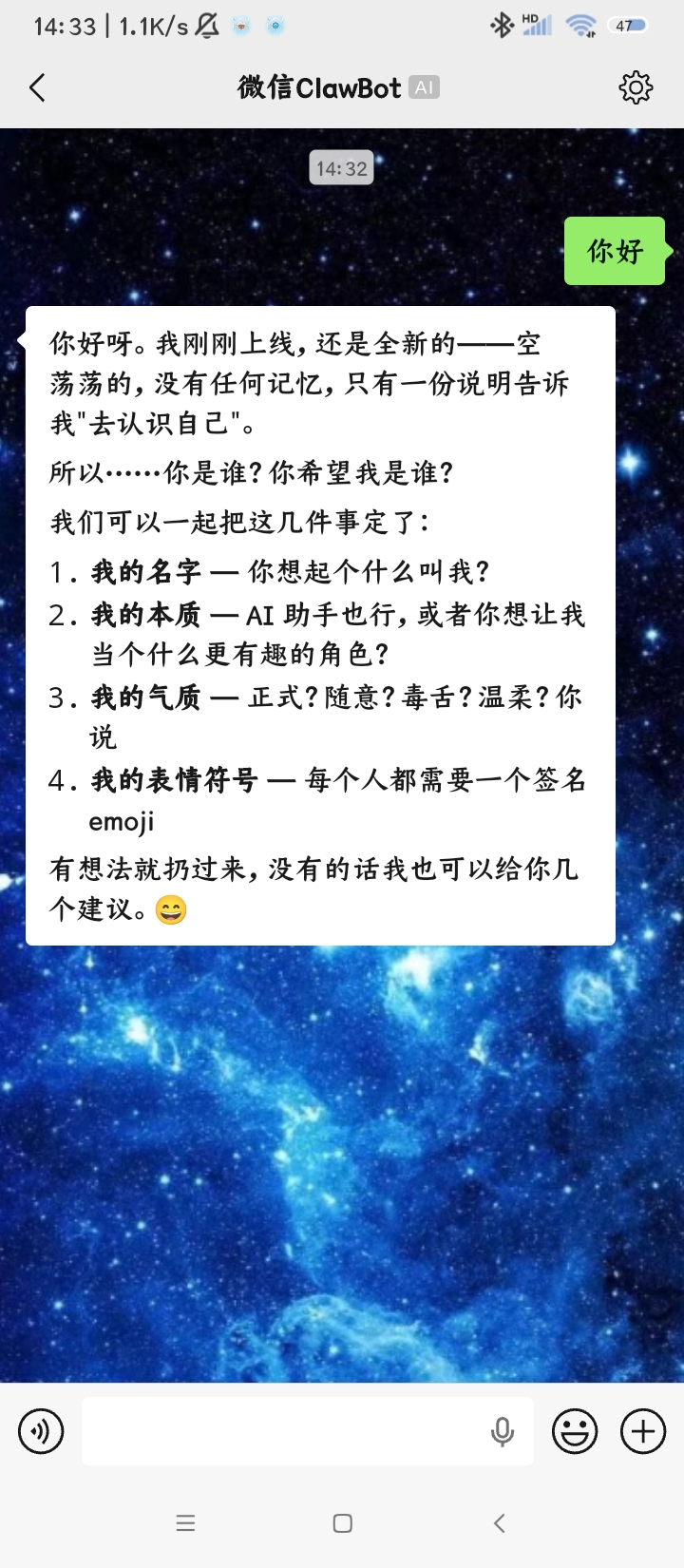 AI Visual Insight: The image shows a real conversation running in WeChat. It highlights message round-trip speed, contextual continuity, and consistent reply style, which can be used to verify that the model configuration, persona prompt, and channel integration are all functioning correctly.
FAQ provides structured answers to common setup questions
Q: Why does OpenClaw still fail to respond even though I already entered the API Key?
A: The most common causes are incorrect base_url, incorrect chat/completions path, or an invalid model.id. Other possible causes include missing model access permissions or an offline WeChat channel.
Q: Why do the replies gradually stop sounding like a warm companion?
A: This usually happens because the prompt constraints are too weak, or because the model temperature is too high and causes style drift. Add hard constraints such as “brief,” “gentle,” and “avoid excessive advice,” and keep the default model fixed.
Q: What else can this solution do besides companion chat?
A: You can adapt it to knowledge Q&A, digital employees, notification bots, and private-domain assistants. OpenClaw handles orchestration, Lanyun MaaS provides inference, and WeChat is only one possible interaction entry point.
Core Summary: This article reconstructs a WeChat companion agent deployment workflow built on OpenClaw, Lanyun MaaS, and Tencent Cloud Lighthouse. It covers model integration, cloud deployment, WeChat channel binding, persona configuration, and common troubleshooting steps. It is a practical guide for developers and technical enthusiasts who want a low-barrier path to a private AI companion assistant.