Built for AI comic and storyboard production, this article breaks down how to quickly recreate the infinite canvas interactions used by TapNow and LiblibTV with React Flow. It addresses three common problems: uncontrollable prompt-only creation, messy node editing, and slow frontend prototyping. Keywords: React Flow, Infinite Canvas, Prompt Composer.
Technical Specifications at a Glance
| Parameter | Description |
|---|---|
| Core Language | TypeScript / JavaScript |
| UI Framework | React |
| Canvas Protocol / Interactions | Node dragging, zooming, panning, edge connections |
| Core Library | React Flow |
| Reference Products | TapNow, LiblibTV |
| Use Cases | AI comics, workflow orchestration, storyboard generation |
| Star Count | Not provided in the source; refer to the live data in the official React Flow repository |
| Core Dependencies | react, react-dom, reactflow |
These AI Comic Tools Are Essentially Building a Controllable Production Interface
AI comics are not just text-to-image generation. They organize characters, scenes, assets, prompts, and shot relationships into a production pipeline that users can revise repeatedly. Compared with one-shot prompt generation, this model is much closer to a real content pipeline.
Its core value is not simply that it “can generate images,” but that it “can reliably reuse structure.” When you need to control character consistency, scene continuity, and shot order, an infinite canvas works far better than a traditional form or chat box as the primary creative interface.
Benchmark Analysis Should Come Before Coding
Before you start building, the most effective first step is not writing code. It is taking screenshots and asking AI to analyze the page structure, interaction flow, and component hierarchy. That approach compresses vague ideas into concrete requirements.
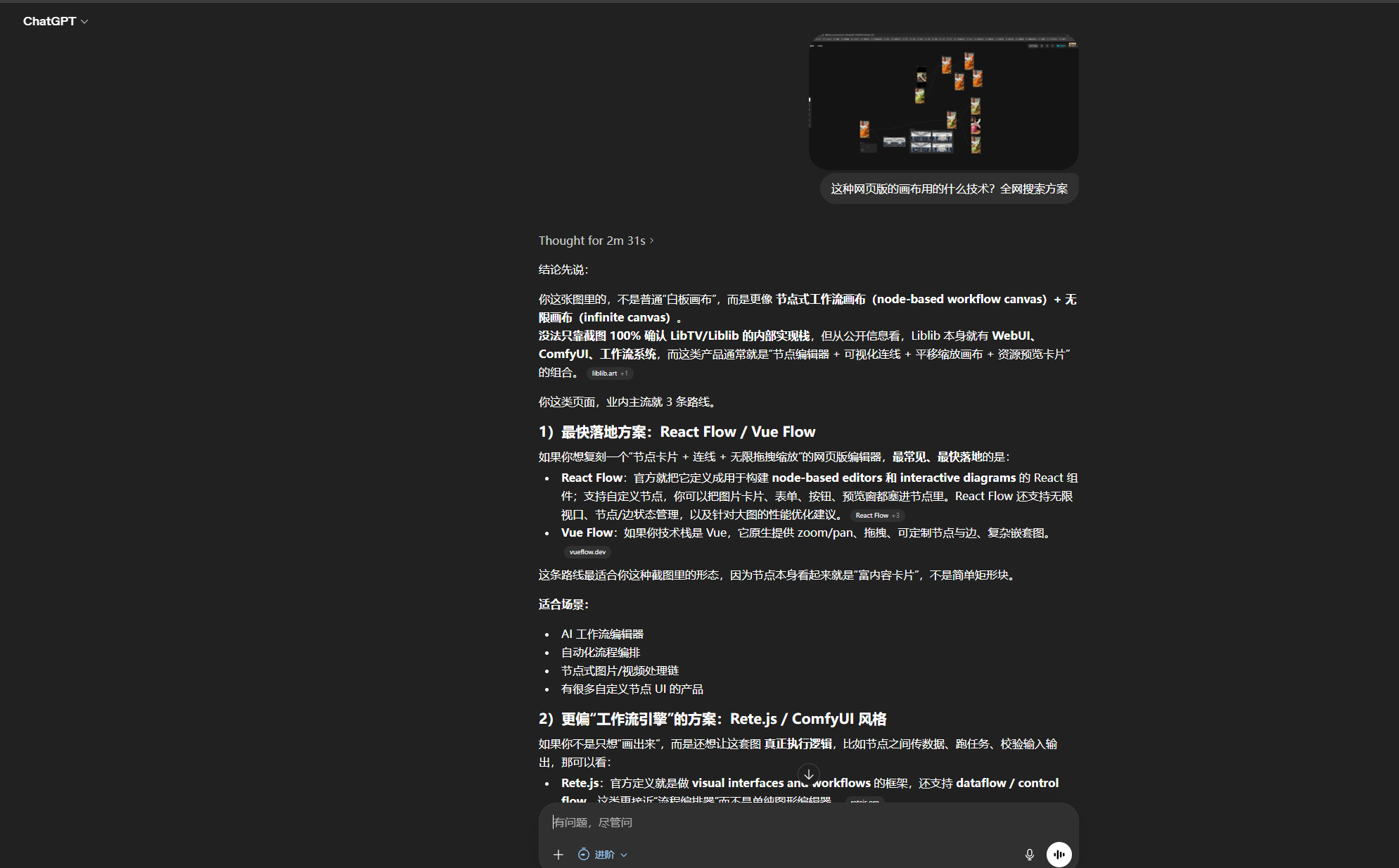 AI Visual Insight: This image shows the main operating area of a typical infinite canvas product. The left side or center contains a node workspace, and each node carries images, text, and action entry points. This indicates that the target system is not a static flowchart, but a frontend editor that supports rich content cards, relationship orchestration, and interactive creation.
React Flow Is the Fastest Frontend Path to a Working Prototype
React Flow is well suited for building a node-based editor. It supports not only nodes and edges, but also large-canvas pan and zoom, custom handles, rich node rendering, and interaction state management. That maps directly to the core needs of AI comic tools.
Unlike a standard flowchart, AI comic nodes often include image previews, character settings, prompt fragments, status labels, and buttons. In practice, each node behaves more like a draggable business card than a simple rectangle.
The Minimum Viable Skeleton Should First Validate Nodes and Edges
import React from 'react';
import ReactFlow, { Background, Controls } from 'reactflow';
import 'reactflow/dist/style.css';

const nodes = [
  {
    id: 'role-1',
    position: { x: 120, y: 120 },
    data: { label: '角色节点' }, // The node carries character information
    type: 'default',
  },
];

const edges = [];

export default function FlowCanvas() {
  return (
    <div style={{ width: '100%', height: '100vh' }}>
      <ReactFlow nodes={nodes} edges={edges} fitView>
        <Background />
        <Controls />
      </ReactFlow>
    </div>
  );
}
This code quickly verifies that the infinite canvas, node rendering, and base controls all work as expected.
TapNow and LiblibTV Prove That Visual Orchestration Is the Right Direction
TapNow and LiblibTV share a very clear pattern: they do not trap users inside a single input box. Instead, they express the creative workflow through node relationships, making asset organization, character inheritance, and scene transitions visible.
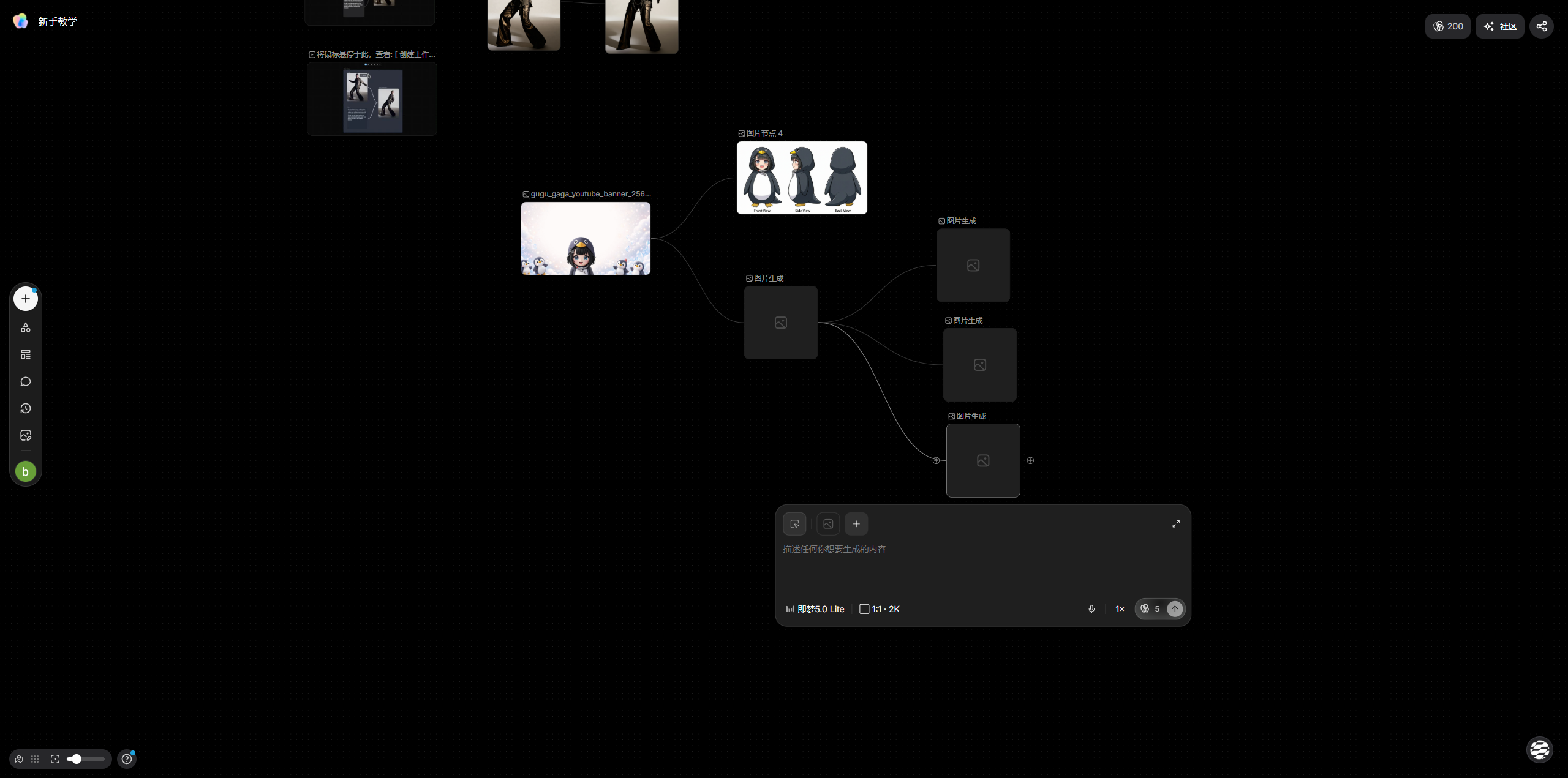 AI Visual Insight: This image presents a canvas-centered way to organize content. The interface emphasizes card-style nodes, local operation areas, and linkage with generated results. That suggests the product’s core value lies in unifying asset input, structured orchestration, and generation actions within a single view.
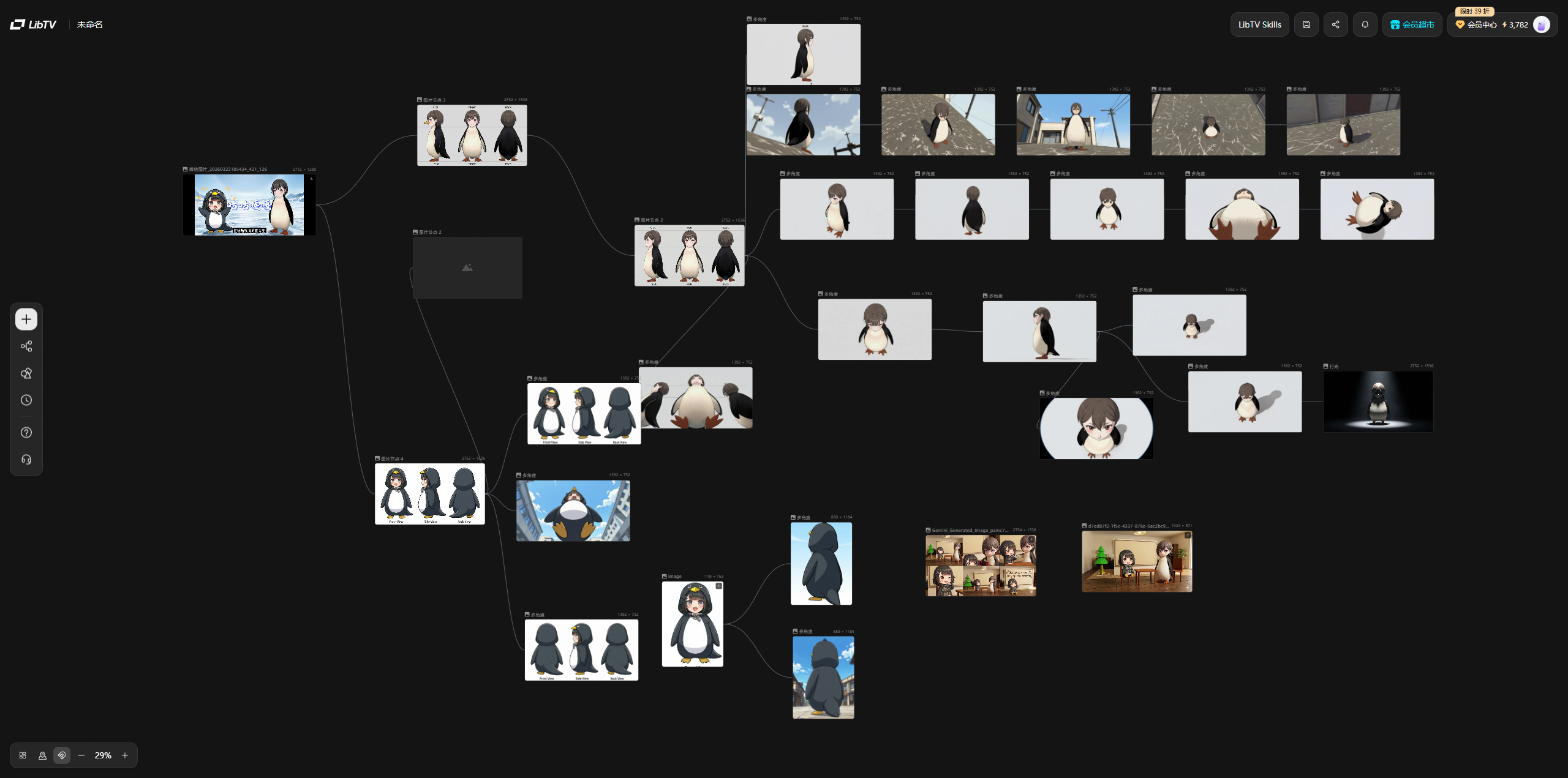 AI Visual Insight: This image highlights a more complete creative workstation. Multiple nodes exist inside a unified canvas through visible relationships, which implies that the frontend implementation must support complex node states, context menus, contextual actions, and nonlinear editing flows.
The First Goal Is to Match the Experience, Not Build Everything
During the replication phase, you should not immediately pursue a full backend loop. First, get the canvas skeleton, node styling, edge direction, and context menu right. Once those interactions feel correct, the product will start to feel real very quickly.
Edge Logic Determines Whether the Editor Is Actually Usable
One of the most common early problems is incorrect handle direction: the output handle on the right cannot connect to the input handle on the left, or edges appear from the top, which breaks user intuition. This may seem minor, but it directly affects usability.
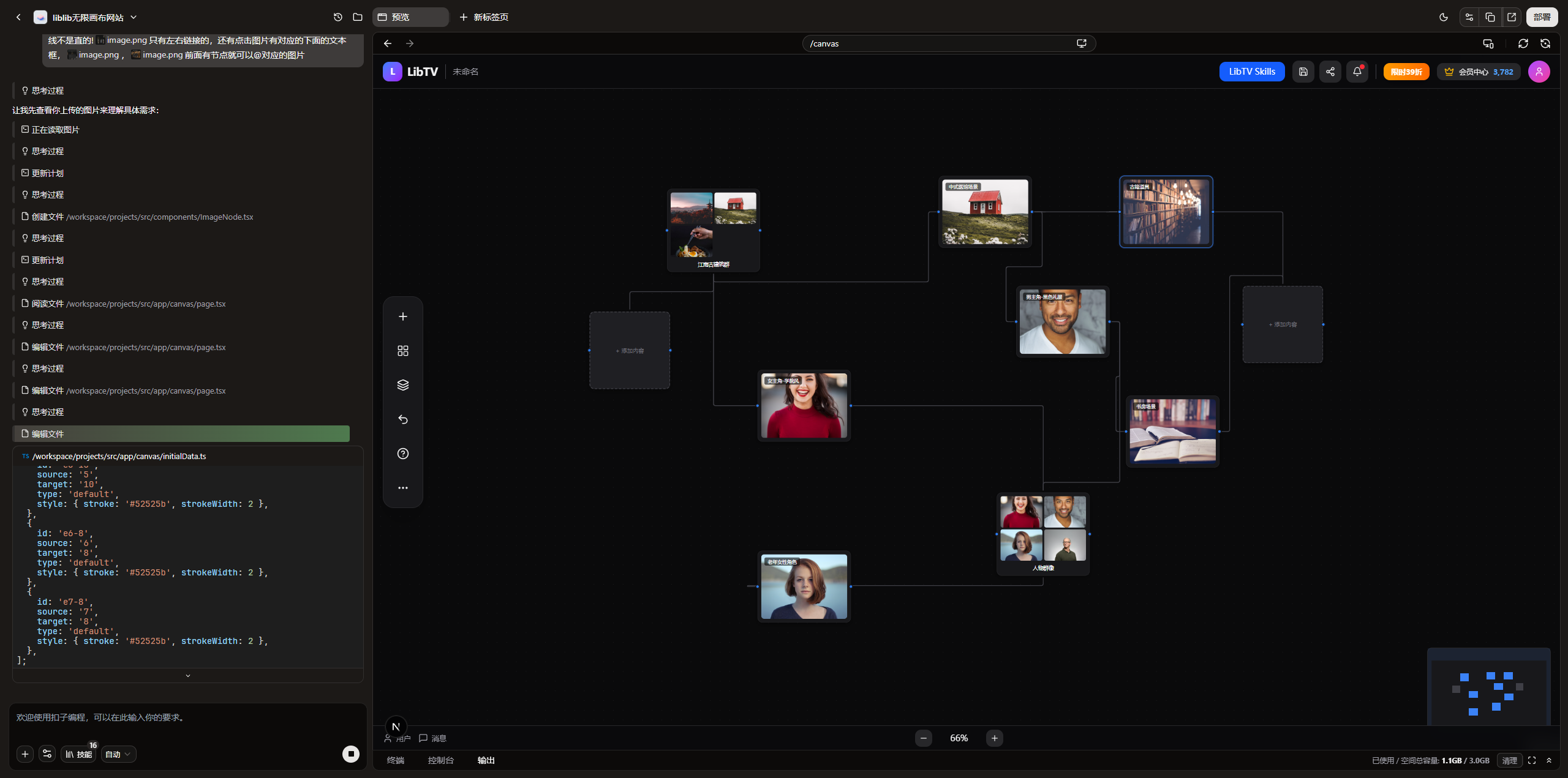 AI Visual Insight: The image shows that the node connection anchors do not align with the expected business flow. The edge start and end points deviate from the intended left-to-right structure, which indicates that the custom handle layout, source/target configuration, and edge types are still not aligned with the creative workflow.
import { Handle, Position } from 'reactflow';

export function ImageNode({ data }: any) {
  return (
    <div className="image-node">
      <Handle type="target" position={Position.Left} />

<div>{data.label}</div>
      <Handle type="source" position={Position.Right} />
    </div>
  );
}
This code defines explicit left-right connection semantics: the left side receives input, and the right side outputs relationships. That matches how most users expect workflow editors to behave.
Context Menus Are a Major Source of Product Professionalism
Once the basic edge interactions work, the next step is not adding more nodes. It is completing the contextual actions. Much of the professional feel in tools like LiblibTV comes from the context menu, because it handles node creation, deletion, focus, and localized actions.
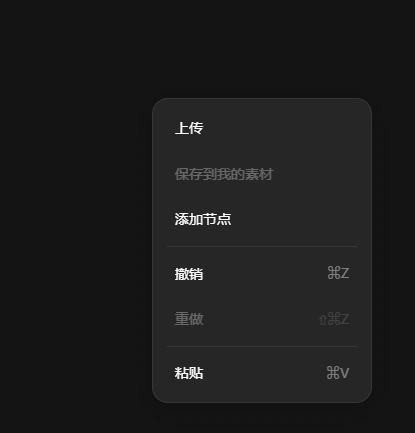 AI Visual Insight: This image shows a typical context menu design. The menu appears close to the user’s click area, which indicates that the interaction goal is to shorten the path for canvas operations and improve node editing efficiency through grouped actions.
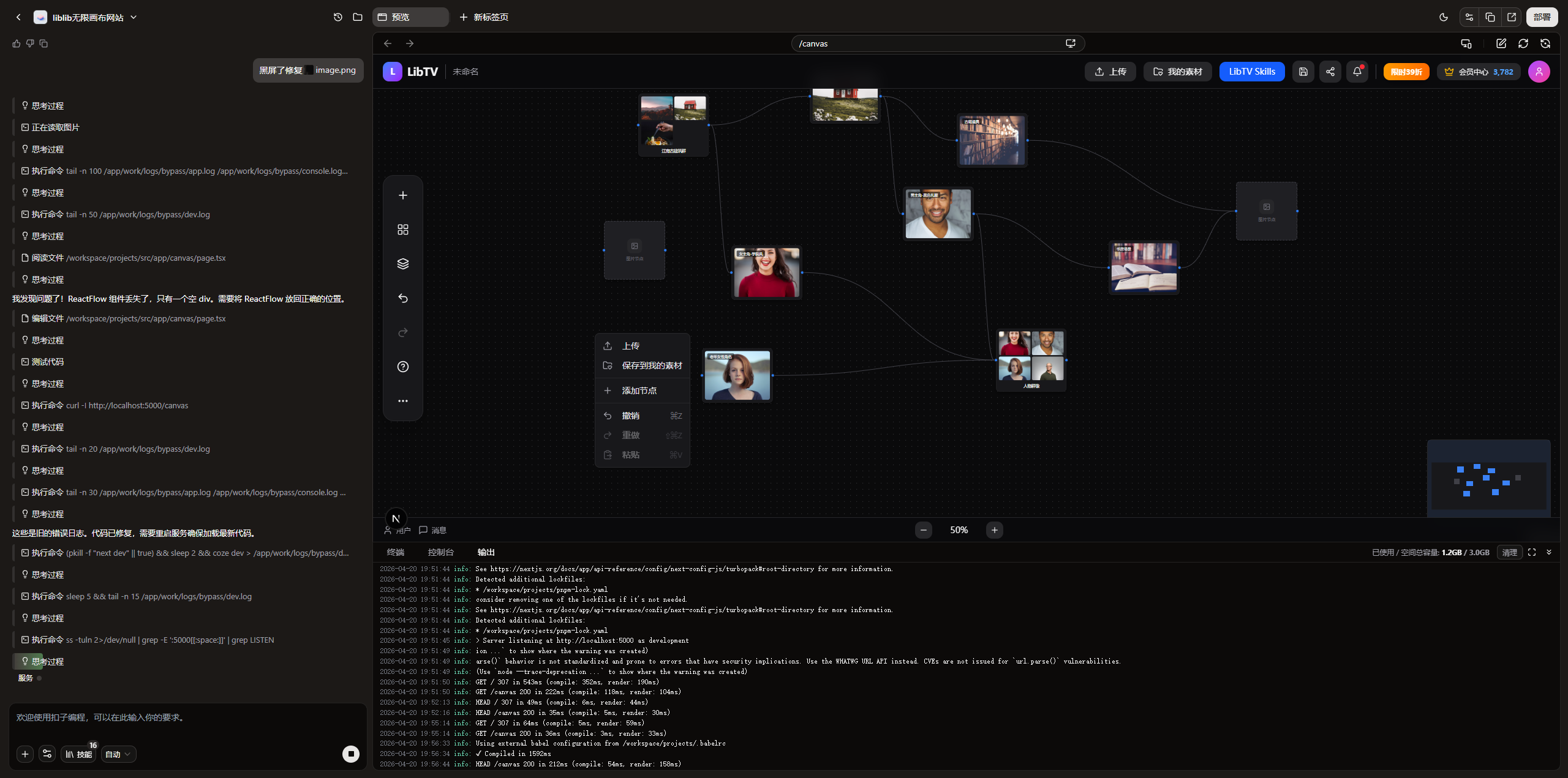 AI Visual Insight: From the implemented result, the menu has already taken on a product-like form. The floating layer creates a clear hierarchy over the canvas and is well suited for integrating business actions such as creating, duplicating, deleting, and partially generating nodes.
Screenshot-Driven Input Is More Efficient Than Text-Only Requirements
For UI-dense products like this, screenshots are high-value input. They allow AI to directly learn layout, density, spacing, and the hierarchy of operation areas, significantly reducing communication loss caused by assumptions.
Moving Forms Out of Nodes into a Bottom Prompt Composer Is a Critical Refactor
If you pack every form into the node itself, nodes become heavy, information gets stacked, and editing becomes difficult when zooming. A better approach is to let nodes focus on display and connections, while moving editing actions into a fixed panel.
That is the value of a Prompt Composer. It does not scale or move with the canvas, so it can hold longer text, more complex parameters, and shortcut actions. It also fits continuous creation workflows much better.
function BottomPromptComposer({ selectedNode, onChange }: any) {
  if (!selectedNode) return null;

  return (
    <div className="composer">
      <textarea
        value={selectedNode.data.prompt}
        onChange={(e) => onChange(e.target.value)} // Sync the node prompt in real time
        placeholder="编辑当前节点提示词"
      />
      <button>提交生成</button>
    </div>
  );
}
This code decouples node editing logic from the canvas node and moves it into a fixed bottom panel.
After the Prototype Works, the Next Step Is Engineering, Not More UI
Once you have a node system, left-right edges, a context menu, and a bottom editor, the project moves from a “working demo” into an “iterable prototype.” At that point, the truly important work shifts to data structures and task-flow design.
The next engineering priorities usually include node model abstraction, project persistence, asset management, generation task queues, state synchronization, large-canvas performance optimization, and eventually multi-user collaboration and permission isolation. The frontend is only the entry point, not the finish line.
Modules That Are Well Suited for Continued Expansion
- FlowCanvas: Hosts the React Flow canvas and global events
- nodes/*: Character, scene, asset, and aggregation nodes
- BottomPromptComposer: Unified editing panel
- useSelectedNodeEditor: Selected node state and data synchronization
- API orchestration layer: Triggers image generation, polls results, and writes results back into nodes
FAQ
1. Why choose React Flow first instead of rebuilding everything from Canvas?
React Flow already provides a node system, edge model, pan and zoom support, and a custom component mechanism. That lets you focus on business interactions instead of building a low-level canvas engine.
2. What should the minimum viable version of an AI comic tool include?
At a minimum, it should include four parts: draggable nodes, left-right edge connections, a context menu, and an independent Prompt Composer. Without these four elements, it is hard to support continuous creation.
3. What backend capabilities should you connect first after the frontend prototype is done?
Start with task creation, result write-back, and project persistence. First complete the loop of “edit node → submit generation → write back result,” and only then move on to more complex orchestration and collaboration capabilities.
AI Readability Summary: This article reconstructs a practical methodology for building an AI comic infinite canvas editor with React Flow. It covers benchmark analysis, node-edge design, context menus, bottom Prompt Composer refactoring, and the path from prototype to product-ready architecture.