[AI Readability Summary] Kubernetes uses
imagePullPolicyto control whether a Pod pulls an image from a remote registry at startup. This setting directly affects image consistency, startup latency, and private registry authentication. This article covers all three policies, default rules, Harbor/ACR pull configuration, and troubleshooting. Keywords: Kubernetes, imagePullPolicy, Harbor.
Technical Specification Snapshot
| Parameter | Description |
|---|---|
| Domain | Kubernetes image distribution and container deployment |
| Core setting | spec.containers[].imagePullPolicy |
| Common policies | Always / IfNotPresent / Never |
| Related protocols | OCI Image, Docker Registry HTTP API |
| Common registries | Docker Hub, Harbor, Alibaba Cloud ACR |
| Main tools | kubectl, container runtime, Secret |
| Stars | Not provided in the source content |
| Core dependencies | Kubernetes, image registry, ServiceAccount |
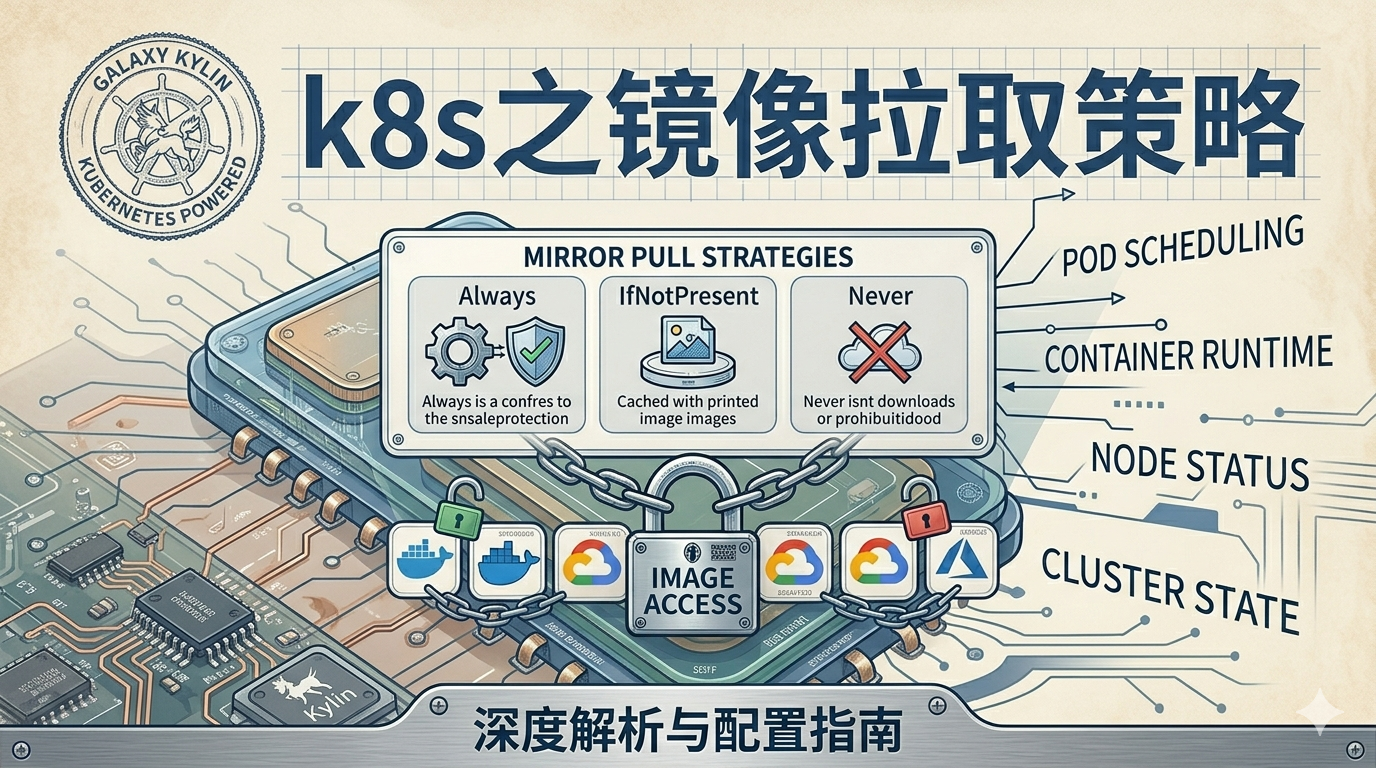 AI Visual Insight: The image serves as the article’s thematic illustration and introduces the comparison context for Kubernetes image pull policies. Its technical value is that it highlights the image retrieval path before Pod startup, emphasizing the coordination among node-local cache, remote image registry, and
 imagePullPolicy.
Kubernetes image pull policies determine the Pod startup path
When Kubernetes creates a Pod, it first resolves the container image reference, then decides whether to access a remote registry based on imagePullPolicy. This setting directly affects startup speed, image version consistency, and offline availability.
The three policies are Always, IfNotPresent, and Never. They are not just syntax variations. They are behavior switches evaluated during scheduling and execution, and they matter even more in multi-node clusters and private registry environments.
The behavior differences among the three policies are easy to compare directly
| Policy | Behavior | Typical scenario |
|---|---|---|
Always |
Always attempts to pull from the remote registry at startup | Development environments, :latest, continuous delivery |
IfNotPresent |
Pulls only when the image does not exist locally | Production environments, fixed version tags |
Never |
Never accesses the remote registry and uses only local images | Offline environments, preloaded images |
apiVersion: v1
kind: Pod
metadata:
  name: policy-demo
spec:
  containers:
    - name: nginx
      image: nginx:1.25.0
      imagePullPolicy: IfNotPresent  # Pull only if the image is not available locally
This configuration demonstrates the most common production-oriented strategy: reuse the node cache whenever possible to reduce image pull time.
IfNotPresent is usually the safest default for production
When an image uses an explicit version tag such as nginx:1.25.0, IfNotPresent reduces repeated downloads while preserving version stability. It works well in environments with controlled release cycles and immutable image tags.
If the node already has the image cached, the Pod starts immediately. If the node is deploying it for the first time, Kubernetes pulls it only once. This behavior reduces pressure on the registry and is also better suited for multi-replica scaling.
apiVersion: apps/v1
kind: Deployment
metadata:
  name: nginx-deployment
spec:
  replicas: 1
  selector:
    matchLabels:
      app: nginx
  template:
    metadata:
      labels:
        app: nginx
    spec:
      containers:
        - name: nginx
          image: nginx:1.25.0
          imagePullPolicy: IfNotPresent  # Common strategy for fixed versions
          ports:
            - containerPort: 80
This Deployment is a good fit for fixed-version releases because it balances stability and startup efficiency.
Always prioritizes image freshness over startup speed
Always makes a request to the remote registry every time a Pod is created. Even if the node already has an image with the same name, Kubernetes still revalidates it and attempts a pull. This policy is appropriate for continuous integration, canary validation, and environments that depend on the newest available image.
Keep in mind that Always is more sensitive to registry reachability and authentication issues. Network instability, certificate errors, or expired credentials can directly cause the Pod to enter ImagePullBackOff.
apiVersion: apps/v1
kind: Deployment
metadata:
  name: nginx-always
spec:
  replicas: 1
  selector:
    matchLabels:
      app: nginx
  template:
    metadata:
      labels:
        app: nginx
    spec:
      containers:
        - name: nginx
          image: nginx:1.25.0
          imagePullPolicy: Always  # Always check and pull from the remote registry
This configuration ensures that each Pod creation fetches the latest image state from the registry first.
Never works best for fully offline environments or nodes with preinstalled images
Never does not access a remote registry under any circumstances, so the target node must already have the required image. Otherwise, the container cannot start and Kubernetes reports ErrImageNeverPull.
This policy is common in isolated internal networks, edge nodes, demo environments, or scenarios where images are preloaded with tools such as ctr images import or docker load.
apiVersion: apps/v1
kind: Deployment
metadata:
  name: nginx-never
spec:
  replicas: 1
  selector:
    matchLabels:
      app: nginx
  template:
    metadata:
      labels:
        app: nginx
    spec:
      containers:
        - name: nginx
          image: nginx:1.25.0
          imagePullPolicy: Never  # Use local images only
This configuration assumes that every target node already has the exact same image name and tag prepared.
Default behavior is strongly tied to the image tag
If you do not explicitly specify imagePullPolicy, Kubernetes derives the default based on the image tag. This is the root cause of many production issues, because omitting the field does not mean Kubernetes will automatically use the local cache.
| Image tag | Default policy |
|---|---|
:latest or no tag specified |
Always |
Explicit version tag such as :v1.2.3 |
IfNotPresent |
For that reason, production environments should avoid latest. It increases the risk of non-repeatable deployments and makes troubleshooting less deterministic.
kubectl get pod <pod-name> -n <namespace> -o yaml | grep imagePullPolicy
# View the effective image pull policy on the Pod
This command quickly confirms whether the current workload is using an inferred default policy.
Pulling from a private registry depends on imagePullSecrets for authentication
When an image is stored in Harbor or a cloud ACR service, a Pod cannot access the protected registry without credentials. The standard approach is to create a docker-registry Secret and reference it from either the Pod or a ServiceAccount.
The first step is to create the authentication Secret. This Secret stores the registry address, username, and password so kubelet can use them when pulling the image.
kubectl create secret docker-registry registry-secret \
  --docker-server=172.16.10.24:10010 \
  --docker-username=admin \
  --docker-password=Harbor12345 \
  -n nginx
# Create private registry pull credentials
This command creates the authentication object used by Pods to pull private images from Harbor.
 AI Visual Insight: The image shows the result of listing Secrets in a namespace with
 kubectl get secret, mainly to verify whether the docker-registry credentials were created successfully. Technically, it corresponds to the credential existence check in the image authentication workflow.
Explicitly referencing the Secret in the workload is the most direct approach
After creating the Secret, you can reference it in spec.imagePullSecrets within a Pod or Deployment. Kubelet will then automatically attach the authentication information before pulling the image.
apiVersion: apps/v1
kind: Deployment
metadata:
  name: harbor-nginx
  namespace: nginx
spec:
  replicas: 1
  selector:
    matchLabels:
      app: harbor-nginx
  template:
    metadata:
      labels:
        app: harbor-nginx
    spec:
      imagePullSecrets:
        - name: registry-secret  # Reference private registry credentials
      containers:
        - name: nginx
          image: 172.16.10.24:10010/library/nginx:1.25.0  # Image URL hosted in Harbor
          imagePullPolicy: Always
          ports:
            - containerPort: 80
This configuration gives the Deployment full authentication capability to pull a private Harbor image.
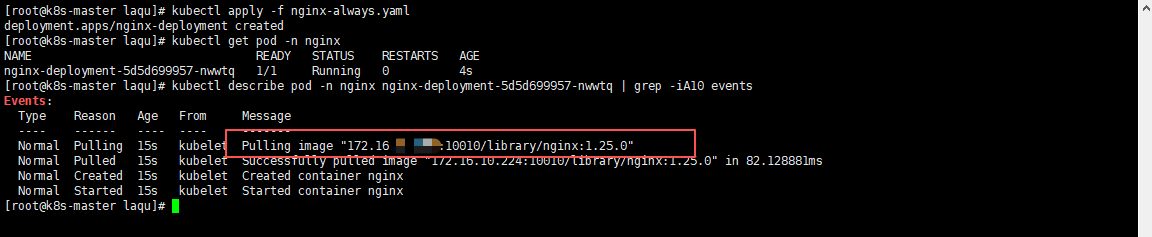 AI Visual Insight: The image shows the events or describe output after Pod creation, where you can typically see key events such as
 Pulling image, Pulled, and Created. These events are the primary evidence for determining whether image pulling succeeded, whether an authentication error occurred, or whether registry connectivity failed.
Patching the default ServiceAccount reduces repetitive configuration
If most workloads in a namespace need access to the same private registry, you can bind imagePullSecrets to the default ServiceAccount. This avoids repeating the same declaration in every YAML manifest.
kubectl patch serviceaccount default \
  -p '{"imagePullSecrets": [{"name": "registry-secret"}]}' \
  -n nginx
# Append image pull credentials to the namespace default account
This command allows Pods in the same namespace to inherit registry authentication automatically unless they override the setting.
Most image pull failures fall into three categories: image path, local cache, and credentials
Image pull failures are usually straightforward. In most cases, the registry path is incorrect, the node does not have the required local image, the Secret credentials are invalid, or the network is unreachable. During troubleshooting, start with Pod events, then verify the node and registry state.
| Symptom | Possible cause | Recommended action |
|---|---|---|
ImagePullBackOff |
Image does not exist, authentication failed, or network error | Check the image name, registry connectivity, and Secret |
ErrImageNeverPull |
Never is set but the image is not present on the node |
Import the image first, then recreate the Pod |
Unauthorized |
Incorrect username, password, or registry address | Recreate the Secret and verify the server value |
kubectl describe pod <pod-name> -n nginx | grep -iA10 Events
# View image pull events and failure reasons
This command directly reveals pull-stage errors and is the most common entry point for troubleshooting.
FAQ
1. Which image pull policy should I prefer in production?
In most cases, use IfNotPresent together with fixed version tags. This combination keeps deployments traceable while reducing startup delays and registry load caused by repeated pulls.
2. Why does Kubernetes still pull the image every time even though I did not set imagePullPolicy?
Most likely because the image uses latest or does not specify an explicit tag. Kubernetes infers Always for those cases, so it attempts to access the remote registry every time.
3. What should I check first when pulling from a private registry fails?
Check these three items first: whether the image path is correct, whether imagePullSecrets is bound properly, and whether the server/username/password values in the Secret exactly match the registry. Then inspect Pod events.
Core Summary: This article systematically explains the behavioral differences among Kubernetes image pull policies, the default rules, private registry authentication methods, and common troubleshooting steps. It helps development and operations teams choose the right imagePullPolicy for production, offline, and test environments.