[AI Readability Summary] AFIA is a feature enhancement module designed for dynamic noisy scenes. It suppresses motion blur, specular reflections, and complex background interference, while improving YOLOv11 detection stability for blurry targets. Its core design combines DSA, SSA, and adaptive fusion, making it well suited to medical imaging, object detection, and attention mechanism workloads.
Technical Specifications Snapshot
| Parameter | Description |
|---|---|
| Primary Language | Python |
| Deep Learning Framework | PyTorch, Ultralytics |
| Task Type | Object Detection, Medical Image Detection |
| Core Modules | AFIA, C2PSA_AFIA |
| Attention Structure | DSA + SSA + Adaptive Fusion |
| Code Form | Custom nn.Module + YAML Integration |
| Paper Source | AVPDN/AFIA proposed in Scientific Reports 2026 |
| Typical Dependencies | torch, torch.nn, ultralytics |
| Original Article Popularity | 29 views, 2 likes, 1 bookmark |
AFIA targets feature contamination in dynamic noisy scenes
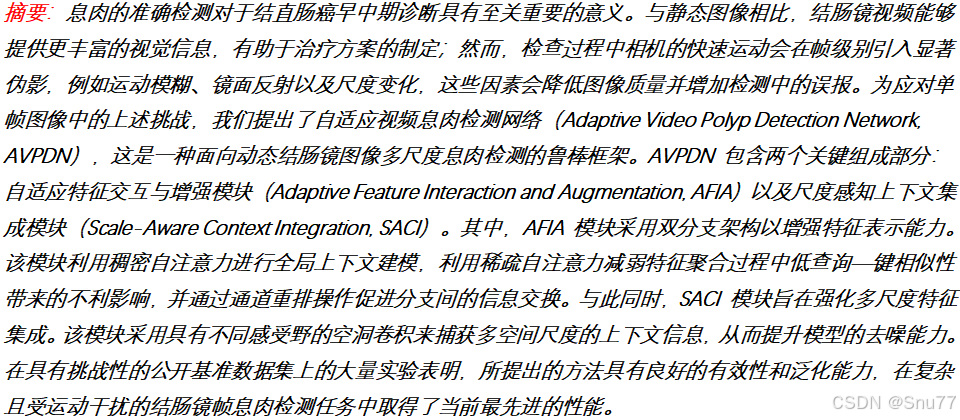
AFIA stands for Adaptive Feature Interaction and Augmentation. It was originally designed for dynamic colonoscopy polyp detection. Its goal is not simply to add another attention layer, but to address feature distortion caused by blur, glare, bubbles, and scale variation.
In these scenarios, standard self-attention can model long-range dependencies, but it can also absorb noisy regions into the attention map. As a result, background texture may be overemphasized while the true target becomes harder to distinguish. AFIA matters because it preserves useful information and suppresses noise at the same time.
 AI Visual Insight: This image serves as the article cover and highlights the core idea of introducing the AFIA attention mechanism into the YOLOv11 detection framework for noise suppression and target enhancement in medical imaging, with a clear emphasis on module design and practical model integration.
AFIA uses dual-branch attention to preserve information and suppress noise
AFIA is built around two attention branches: DSA and SSA. DSA uses Softmax to preserve global context and is well suited for capturing long-range dependencies. SSA uses ReLU to produce sparse responses and is better at suppressing irrelevant regions and false activations.
The key value of this design is not the dual-branch layout itself, but the clear division of labor between the two branches. DSA ensures that useful semantics are not missed. SSA prevents the model from trusting noisy responses too much. Together, they improve discrimination under complex backgrounds.
 AI Visual Insight: This figure shows the overall network or module structure around AFIA, typically illustrating how backbone features flow into AFE/AFIA after feature extraction. It makes clear that AFIA is not an add-on attached only to the detection head, but a core component in the feature enhancement pipeline.
import torch
import torch.nn.functional as F

# DSA: preserve global information
attn_dense = F.softmax(q @ k.transpose(-1, -2) / (c ** 0.5), dim=-1)

# SSA: keep only high-response regions and suppress noise
attn_sparse = F.relu(q @ k.transpose(-1, -2) / (c ** 0.5))
This code snippet captures the core difference between AFIA’s two branches: one performs global normalization, while the other performs sparse selection.
AFIA uses adaptive fusion to assign attention weights dynamically by scene
If you use only DSA, noise can still participate in feature aggregation. If you use only SSA, the representation may become too sparse and lose important information. AFIA solves this by letting the network learn the weights of both branches instead of using a fixed manual ratio.
In the paper, learnable parameters normalize and weight the outputs of the two branches, then apply them element-wise to the V branch. A final 1×1 convolution produces the enhanced attention output. This allows different images and different frames to select a more suitable strategy automatically.
 AI Visual Insight: This figure illustrates the internal dual-branch attention and fusion process inside AFIA, typically including Q/K/V generation, parallel DSA/SSA computation, weighted fusion, and output projection. It emphasizes the internal information flow and the noise suppression logic of the module.
Channel Shuffle further improves cross-channel feature diversity
AFIA does not focus only on spatial attention. It also introduces channel shuffle. The motivation is straightforward: even if the attention mechanism works well, the model can still produce redundant representations when channel expressions are highly repetitive.
By grouping channels first and then shuffling them, AFIA strengthens information flow across groups. Combined with 1×1 and 3×3 convolutions, it builds a representation that captures both local texture and global modeling. The final output is obtained by adding the convolution branch and the attention branch.
class ChannelShuffle(torch.nn.Module):
    def __init__(self, groups):
        super().__init__()
        self.groups = groups

    def forward(self, x):
        b, c, h, w = x.size()
        x = x.view(b, self.groups, c // self.groups, h, w)  # Rearrange channels by group
        x = x.transpose(1, 2).contiguous()                  # Swap group and intra-group channels
        return x.view(b, c, h, w)                           # Restore the original tensor shape
This code implements the channel shuffle operation used in AFIA to enhance channel interaction at low cost.
Integrating AFIA into YOLOv11 is a low-intrusion module registration process
In practice, the integration workflow can be reduced to four steps: add a new module file, export it in __init__.py, register it in ultralytics/nn/tasks.py, and add parsing logic in parse_model. Most modifications stay within the ultralytics/nn path, so the integration remains relatively non-intrusive.
The original article also presents two common integration patterns. The first inserts AFIA as a standalone block after a specific detection-head scale. The second wraps AFIA into C2PSA_AFIA and replaces the original PSA structure near the end of the backbone. The former is better for per-scale experiments, while the latter is better for modular reuse.
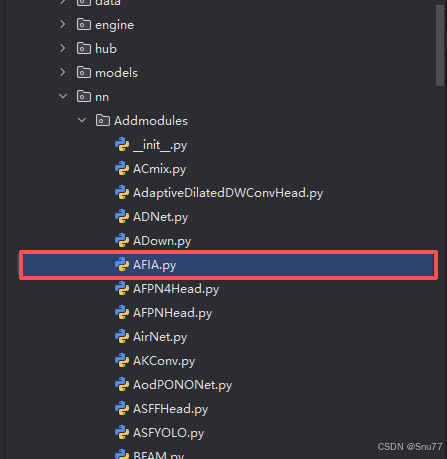 AI Visual Insight: This figure shows the location of the newly added
 Addmodules directory in the Ultralytics project, indicating that AFIA is integrated into the source tree as a custom module file, which is a typical low-intrusion extension pattern.
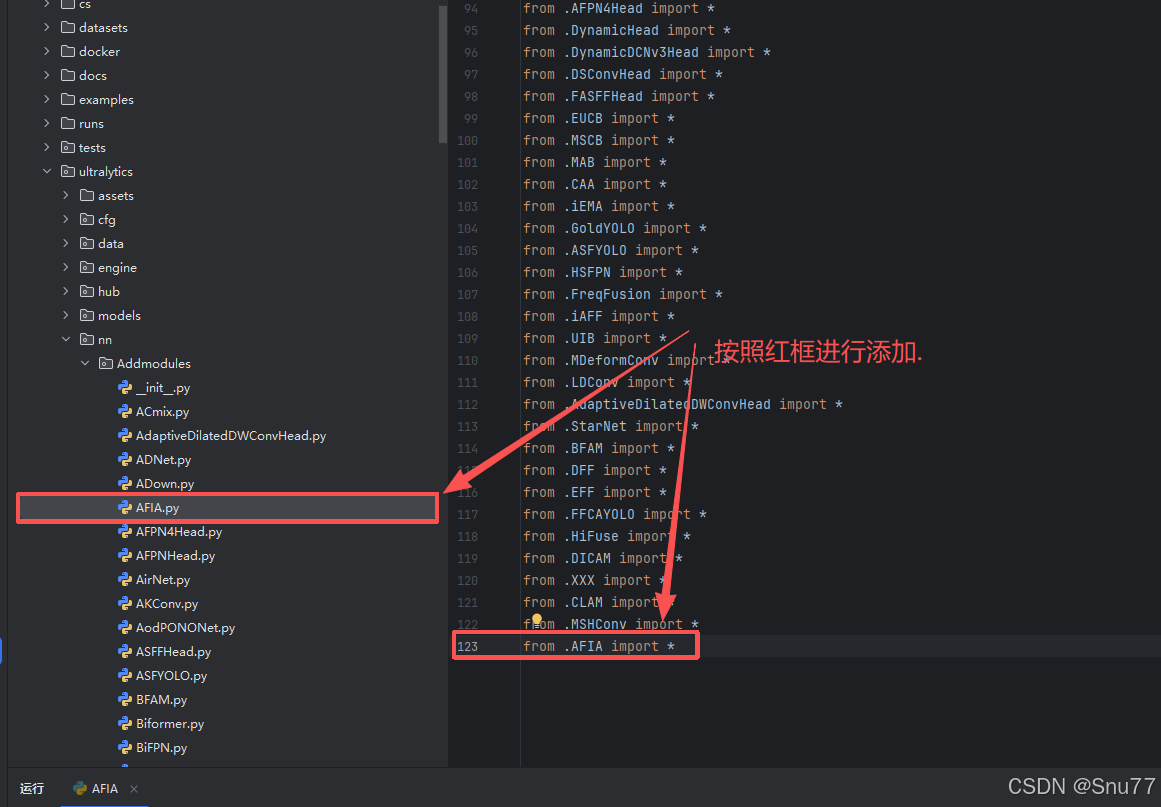 AI Visual Insight: This figure shows the module import configuration in
 __init__.py, demonstrating that AFIA must first be exposed by the Python package before the model parser can recognize and instantiate it.
 AI Visual Insight: This figure shows where AFIA is imported or registered in
 tasks.py, indicating that model construction depends on a unified registry or parsing entry point, so custom modules must be added to this path.
# Insert AFIA into the P3 small-object branch in YAML
head:
  - [-1, 1, nn.Upsample, [None, 2, "nearest"]]
  - [[-1, 6], 1, Concat, [1]]
  - [-1, 2, C3k2, [512, False]]
  - [-1, 1, nn.Upsample, [None, 2, "nearest"]]
  - [[-1, 4], 1, Concat, [1]]
  - [-1, 2, C3k2, [256, False]]
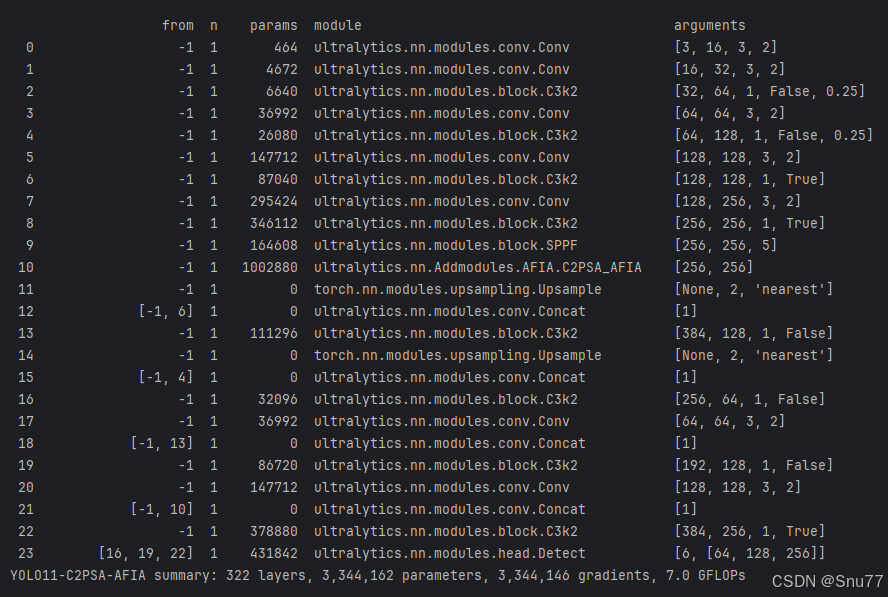
  - [16, 1, AFIA, [4]]  # Insert AFIA into the small-object layer, groups=4
  - [[23, 19, 22], 1, Detect, [nc]]
This configuration shows that AFIA can be inserted directly into the YOLOv11 detection head as an independent layer.
Training configuration should choose the insertion point based on target scale and noise type
The original article specifically recommends against stacking AFIA on P3, P4, and P5 at the same time. The reason is that AFIA works better as targeted enhancement, where the insertion point is chosen according to the target scale distribution in the dataset. Prioritize P3 for small objects, P4 for medium objects, and P5 for large objects.
The suggested training parameters include imgsz=640, epochs=150, batch=16, and optimizer='SGD'. The article also notes that if you encounter NaN values, you should disable AMP. This is practical advice, because custom attention modules are indeed more likely to expose numerical stability issues under mixed precision.
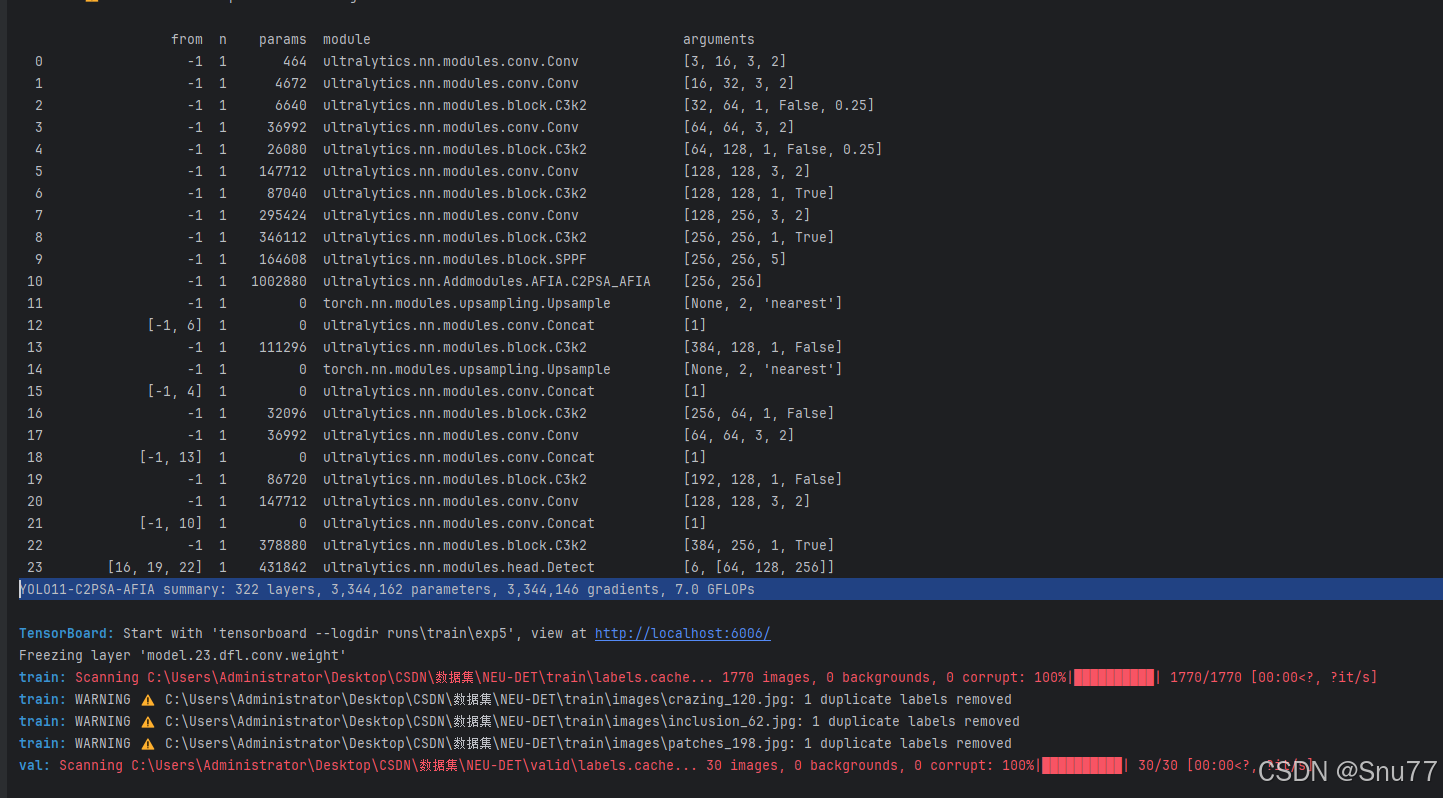 AI Visual Insight: This figure shows a training snapshot, typically including loss curves, metric trends, or training logs. It can be used to assess whether the model converges stably after AFIA integration and whether the accuracy gains emerge progressively during training.
The minimal training script can reuse the Ultralytics interface directly
from ultralytics import YOLO

if __name__ == '__main__':
    model = YOLO('yolo11-afia.yaml')  # Load the custom model architecture
    model.train(
        data='data.yaml',             # Dataset configuration file
        imgsz=640,
        epochs=150,
        batch=16,
        device='0',
        optimizer='SGD',
        amp=False                     # Disable mixed precision if numerical instability appears
    )
This script starts training for the AFIA-enhanced YOLOv11 model and keeps the most important tunable parameters.
AFIA is a high-value incremental module for medical object detection
From a modeling perspective, AFIA’s strength is not extreme parameter efficiency, but its explicit focus on complex noisy scenes. It is especially suitable for endoscopy, ultrasound, low-texture small objects, and dynamic video detection.
From an engineering perspective, AFIA integrates with YOLOv11 in a straightforward way and supports both standalone insertion and PSA-variant encapsulation. For research work, AFIA is also relatively interpretable: dual-branch attention, learnable fusion, and channel reorganization together form a clear innovation narrative.
FAQ
Where should AFIA be inserted in YOLOv11?
Choose the detection-head level based on target scale. Use P3 for small objects, P4 for medium objects, and P5 for large objects. Avoid stacking AFIA across all three levels at once, because it can introduce redundant computation and increase the risk of overfitting.
What is the biggest difference between AFIA and standard self-attention?
Standard self-attention tends to model global relationships in a unified way, which makes it easier to absorb noise together with valid context. AFIA uses DSA to preserve context, SSA to filter out low-relevance responses, and adaptive weighting to fuse both branches, with the goal of balancing recall and noise robustness.
What are the most common issues during AFIA integration and training?
The most common issues are incomplete module registration, incorrect YAML layer indices, and NaN values caused by mixed precision. A practical debugging order is to verify registration in tasks.py first, then check the input layer indices for Detect, and finally disable amp to validate numerical stability.
Core Summary: This article reconstructs the AFIA integration workflow for YOLOv11, explains its dual-branch self-attention, channel shuffle, and adaptive fusion mechanisms, and provides implementation code, model configuration, and training guidance for medical imaging and object detection under complex noise.