This article explains how to use ModelEngine Nexent’s one-click generation capabilities to build a multi-agent travel planning system. By integrating a Weather MCP service, creating a destination knowledge base, and configuring vision recognition with controller-agent orchestration, you can address three common LLM limitations: stale information, weak image understanding, and poor decomposition of complex tasks. Keywords: ModelEngine, MCP, multi-agent systems.
Technical specifications at a glance
| Parameter | Description |
|---|---|
| Platform | ModelEngine Nexent |
| Core architecture | Multi-agent collaboration system |
| Primary protocols/interfaces | MCP, model APIs, knowledge base retrieval |
| Recommended models | DeepSeek-V3, GPT-4o |
| Typical capabilities | Weather lookup, destination retrieval, image analysis, itinerary planning |
| Star count | Not provided in the original article |
| Core dependencies | Nexent Agent development, MCP tools, knowledge base, vision models |
The solution decomposes travel planning into three orchestrated roles
The core value of the original case is not simply “building a travel assistant.” It is about decomposing a complex task into three verifiable agents: the Info Scout, the Visual Guide, and the Personal Travel Planner.
This design directly avoids three weaknesses of the all-in-one single-model approach: lack of real-time information, weak visual input handling, and distortion across long task chains. The controller agent focuses only on scheduling and aggregation, while each sub-agent specializes in a vertical capability.
User request
  ├─ Image input -> Visual Guide
  ├─ Destination information -> Info Scout
  └─ Result aggregation -> Personal Travel Planner
This structural diagram illustrates the responsibility boundaries in a multi-agent system: identify first, retrieve second, and generate the final plan last.
Environment setup should focus on models, permissions, and knowledge sources
The platform entry point is Nexent. The original article notes that administrator permissions or an invitation code are required for agent development. For enterprise teams, this means you should confirm tenant permissions, model quotas, and API key management policies before development begins.
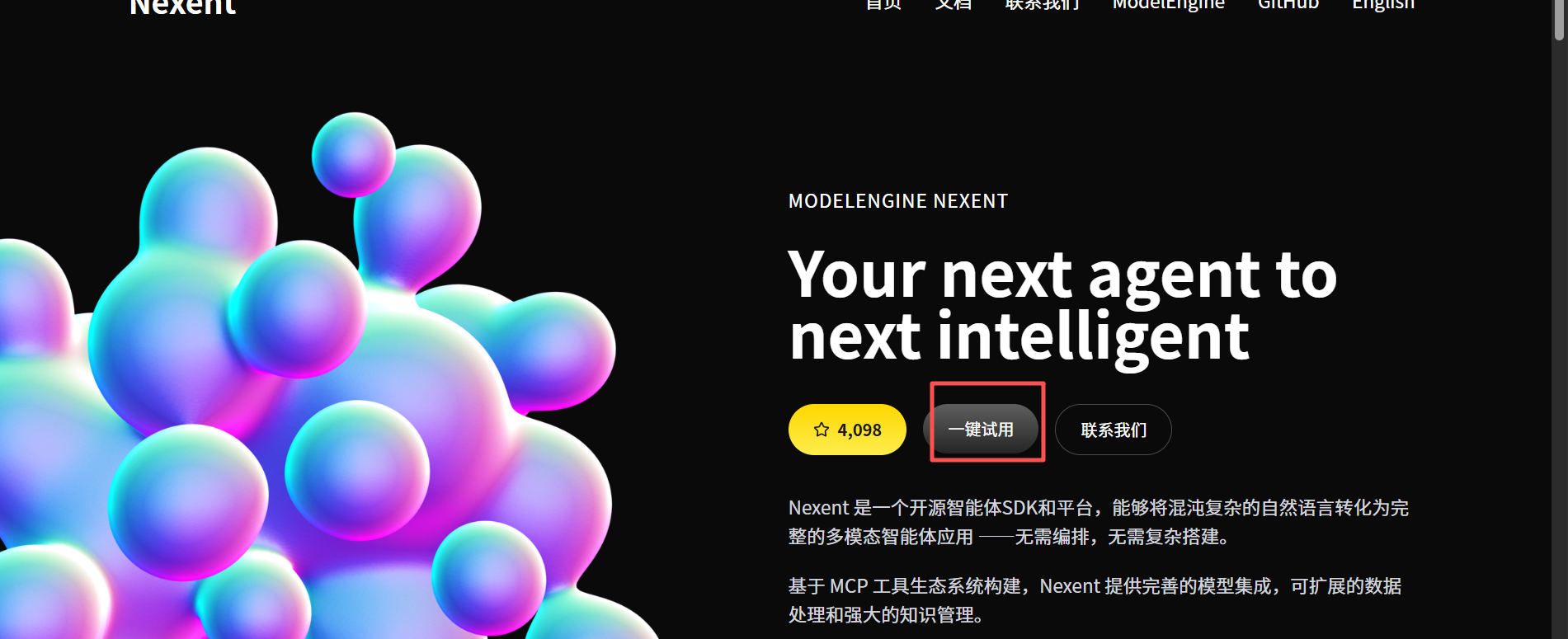 AI Visual Insight: The image shows the Nexent platform entry interface and emphasizes that agent development starts from a unified workspace. It indicates that the platform uses a visual entry point to organize agent creation, model configuration, and debugging workflows.
It is recommended to prioritize a model with strong reasoning capabilities as the controller brain, such as DeepSeek-V3 or GPT-4o. The controller model handles planning and aggregation, while sub-agents can be selected separately based on cost and capability.
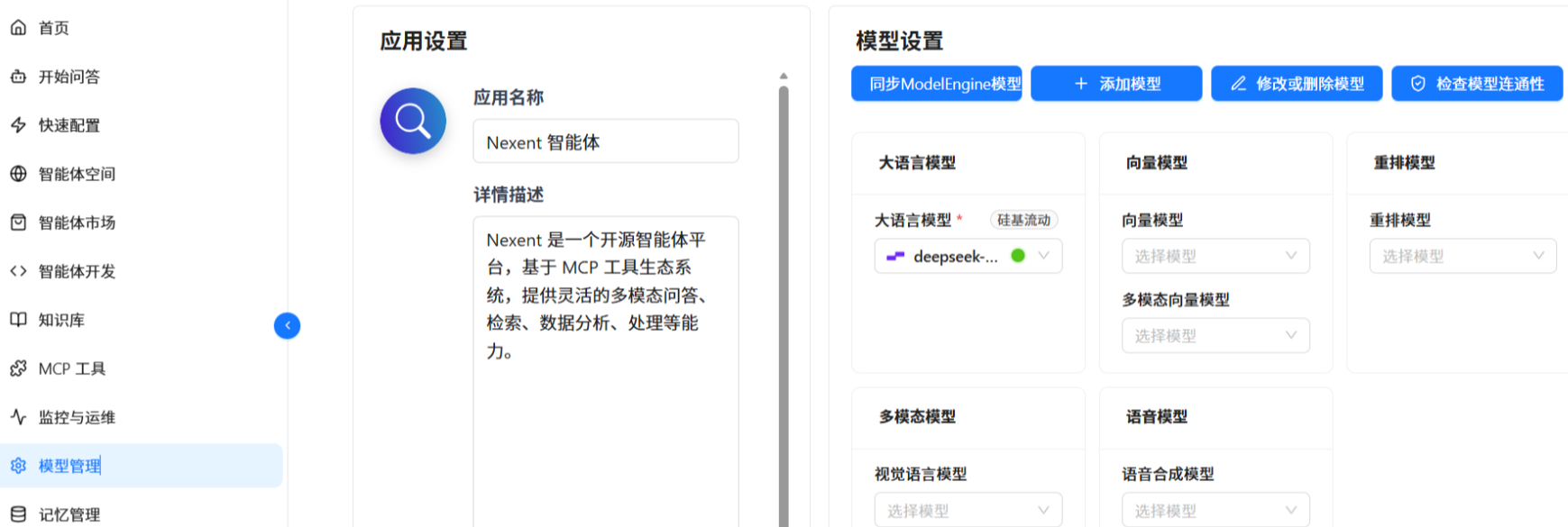 AI Visual Insight: This screenshot shows the model management interface. The key point is that you can switch model providers and configure foundation models, which suggests that the platform decouples the model layer from the agent layer. This makes it easier to replace the underlying model later without rewriting business logic.
The Info Scout should handle internet access and knowledge augmentation
The Info Scout is responsible for querying weather, recommending attractions, and supplementing transportation policies. The key here is not prompt design, but tool integration: a Weather MCP service and a destination knowledge base coexist to provide a dual-source supply of real-time data plus private domain knowledge.
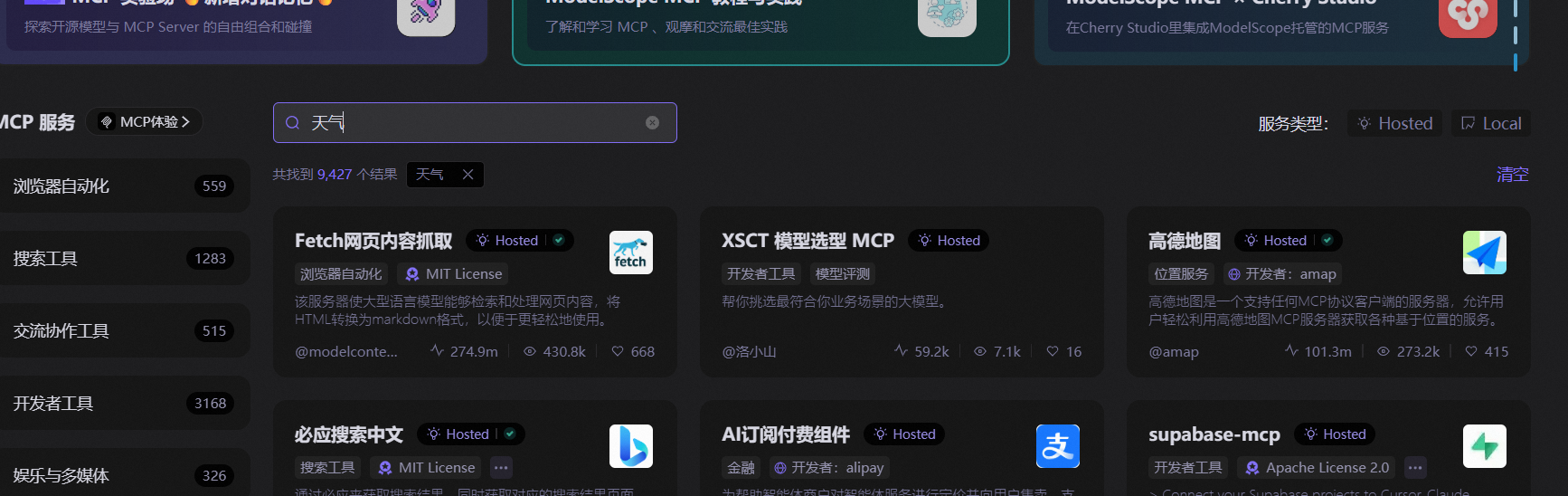 AI Visual Insight: The screenshot shows the process of mounting an MCP tool on the agent configuration page. It demonstrates that the platform injects external capabilities into agents as plugins, so weather queries no longer depend on model memory and instead become executable real-time calls.
agent_profile = {
    "name": "Info Scout",
    "role": "Responsible for searching destination weather, attractions, and transportation policies online",  # Define agent responsibilities
    "tools": ["weather_mcp"],  # Connect the Weather MCP service
    "knowledge_base": "tourism_kb"  # Bind the destination knowledge base
}
This configuration expresses the minimum viable structure of an intelligence-focused agent: role, tools, and knowledge source.
The knowledge base deserves separate emphasis. The original article shows that the platform supports automatic summarization. This means that after importing destination materials, the system can do more than retrieve them—it can also generate high-level summaries first, reducing the prompt burden for downstream steps.
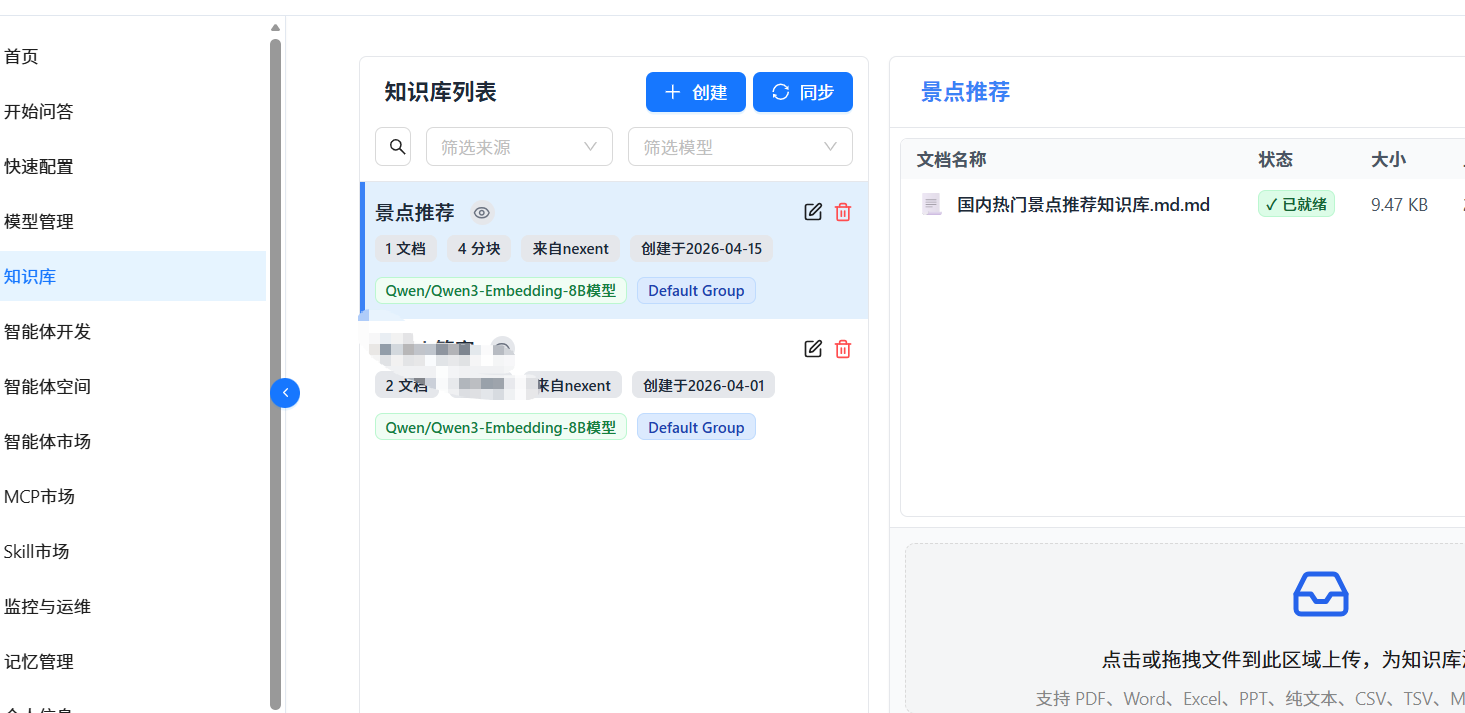 AI Visual Insight: This image presents the knowledge base configuration interface and shows that documents are imported in a structured way for question answering and summarization. It indicates that the platform can transform unstructured travel content into retrievable knowledge units.
The Visual Guide converts images into structured travel signals
The Visual Guide is not just an image describer. It transforms image content into fields that itinerary planning can use directly, such as place type, atmosphere, best visiting time, and key landmarks on a map.
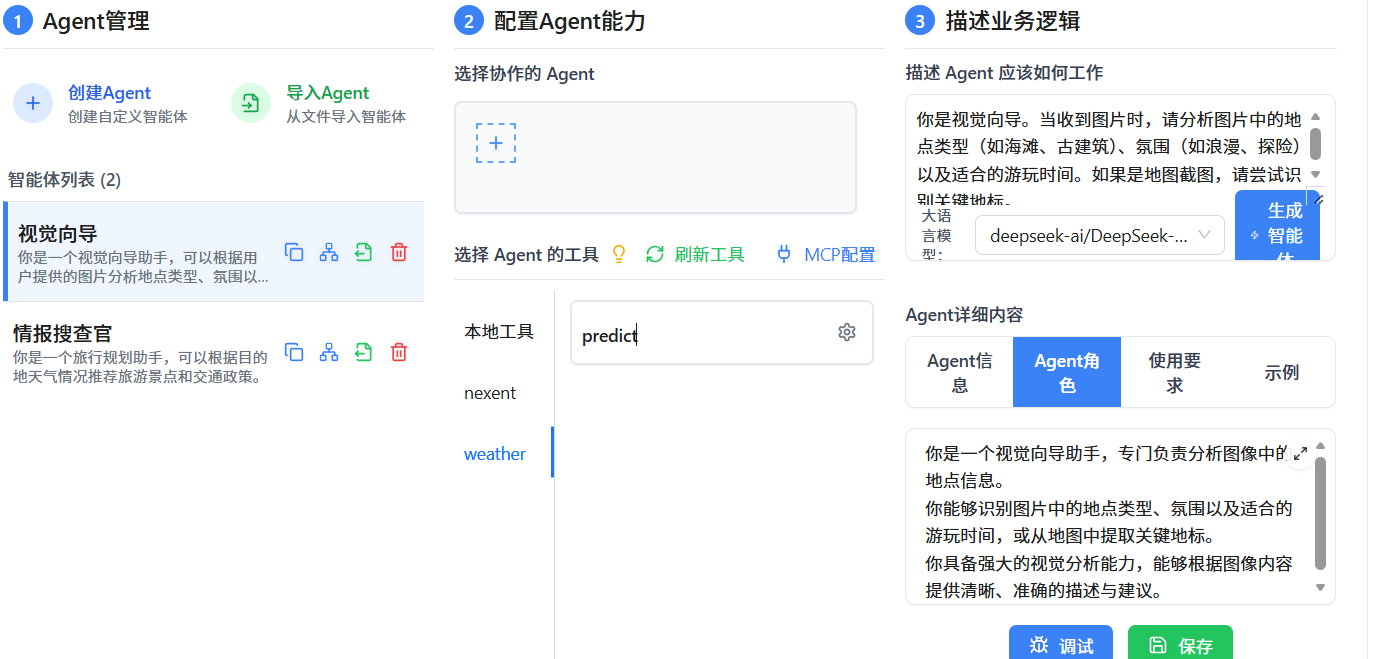 AI Visual Insight: The image shows the prompt and role configuration area for the vision agent. It reflects that the platform supports defining dedicated image-analysis tasks for multimodal agents, such as identifying beaches, historic buildings, map landmarks, and scene atmosphere.
def analyze_image(image_input):
    result = {
        "place_type": "historic architecture",  # Identify the place type
        "mood": "cultural, quiet",      # Extract the scene atmosphere
        "best_time": "early morning or evening"   # Suggest the best visiting time
    }
    return result
The value of this kind of output is that it compresses unstructured visual information into decision variables that the controller agent can consume directly.
The controller agent enables stable collaboration through orchestration rules
The real upper bound of the system depends on the controller agent. It must not speculate about an image beyond its scope, and it must not generate an itinerary directly when weather data is missing. The constraints described in the original article are highly engineering-oriented: run visual analysis first, then fetch weather and attractions, and only then synthesize the final output.
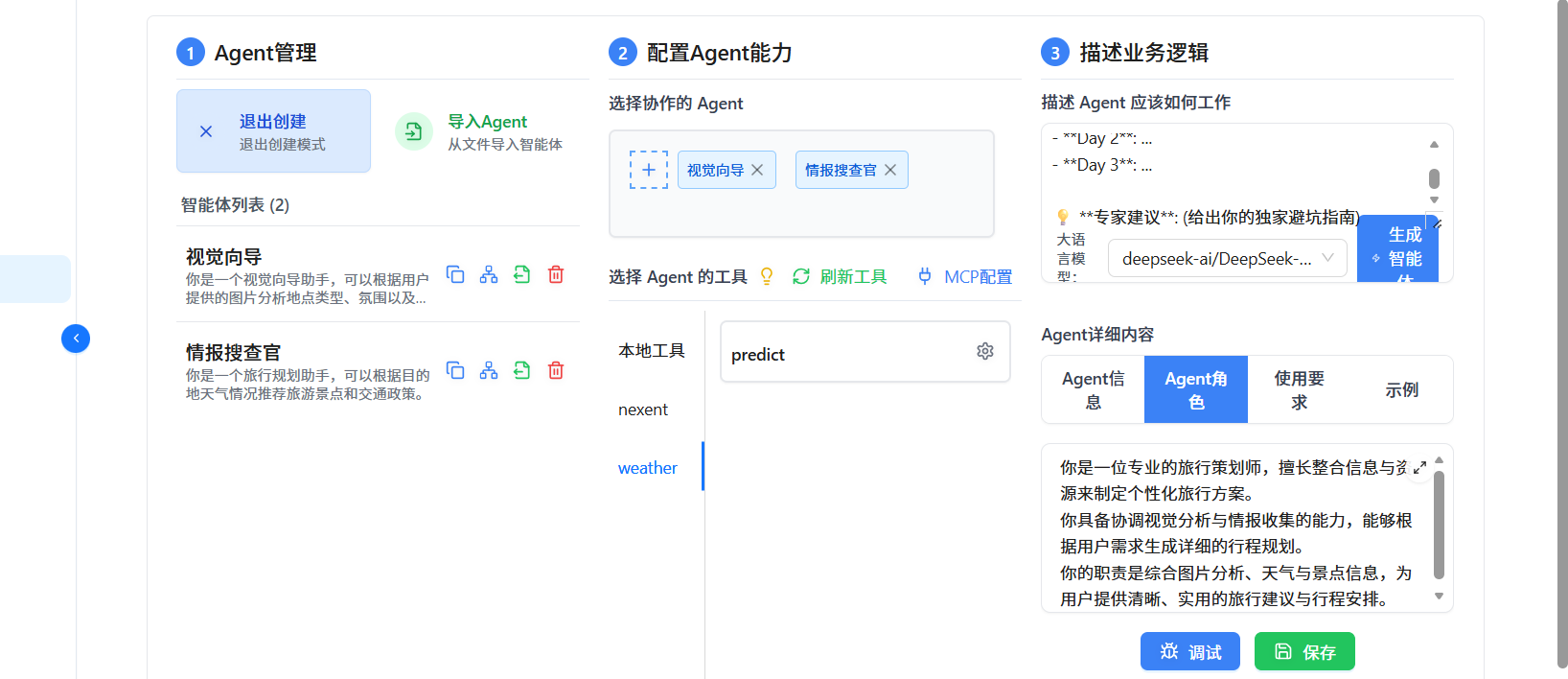 AI Visual Insight: This screenshot shows the process of attaching multiple sub-agents to the controller agent in the UI. It indicates that Nexent provides visual collaboration orchestration, allowing developers to compose capability chains declaratively without writing a complex scheduling framework.
def plan_trip(user_request, has_image=False):
    visual = None
    if has_image:
        visual = call_agent("Visual_Guide", user_request)  # Run image analysis first

    intel = call_agent("Info_Scout", user_request)  # Then query weather and attractions

    return {
        "weather": intel.get("weather"),
        "visual_highlight": visual,
        "itinerary": "Day-by-day itinerary"  # Final aggregated output
    }
This pseudocode maps to the most important workflow constraint in the original article: the order cannot be changed, and the evidence chain cannot be broken.
During testing, you should verify whether the tool invocation chain is explainable
During debugging, do not evaluate only whether the final answer sounds fluent. You should also verify whether the controller actually invoked the sub-agents. The original article shows a test in the “Start Q&A” interface using the request “I want to travel to Shanghai. Recommend attractions and create a plan.” The key is the visible reasoning process and tool invocation trace.
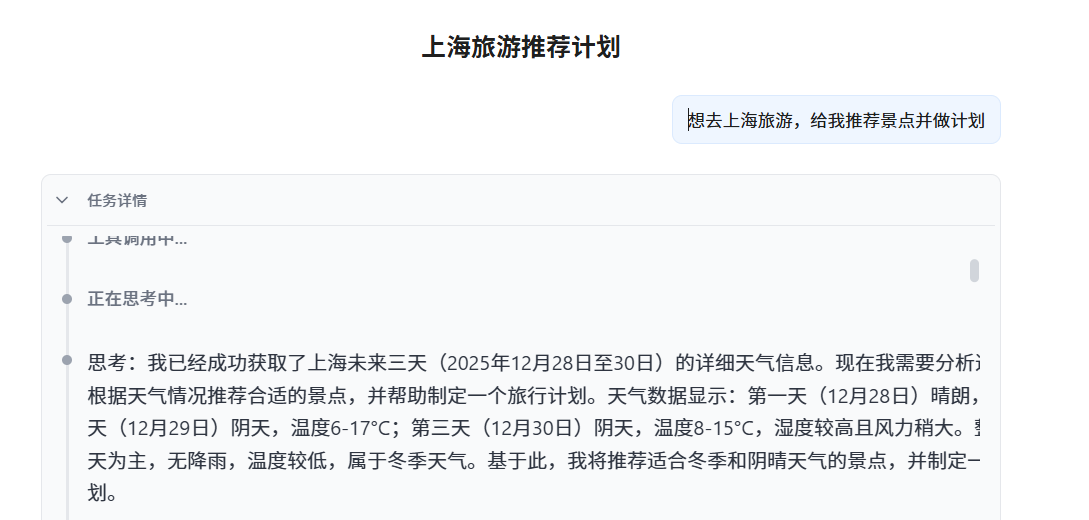 AI Visual Insight: This image shows intermediate information during the testing phase. It demonstrates that the platform supports viewing reasoning steps and tool invocation chains, which is critical for verifying whether the multi-agent system follows the intended workflow and whether unauthorized generation occurs.
If the system can consistently output weather tips, visual highlights, and a day-by-day route, the orchestration is working. If it generates a generic itinerary directly, that usually means the tool invocation constraints were not specified concretely enough, or the controller prompt boundaries are too weak.
This practice shows that multi-agent systems fit complex travel planning better than a single model
The essence of this case is using a platform-driven approach to upgrade AI application development from “writing prompts” to “orchestrating capabilities.” Weather MCP solves timeliness, the knowledge base solves domain depth, the vision agent solves image understanding, and the controller agent solves process integration.
This pattern is especially suitable for enterprises that want to validate industry-specific agents quickly. You do not need to build a scheduling framework first. Instead, you can assemble a runnable system visually. If you want to upgrade later, you can replace a single sub-agent or switch the underlying model without rebuilding the entire application.
Actionable optimization recommendations
- Define strict input and output schemas for each sub-agent to reduce parsing errors in the controller.
- Add timestamps to weather, attractions, and transportation information to prevent stale data from contaminating planning.
- Split the knowledge base into three levels of indexing—city, season, and travel theme—to improve retrieval hit rate.
FAQ
Q1: Why is travel planning better suited to a multi-agent system than a single large model?
A: Because it naturally includes three heterogeneous tasks: real-time information retrieval, visual recognition, and route planning. Once decomposed, each agent can be optimized independently, producing more stable results that are also easier to audit.
Q2: What is the practical role of MCP in this case?
A: MCP standardizes how external capabilities such as weather services are connected to an agent. This allows the model to fetch data in real time through tools instead of relying on training-time memory, which reduces hallucinations and the risk of outdated information.
Q3: How should you extend the system later for hotel booking or budget control?
A: Add a dedicated Budget Agent or Hotel Agent and let the controller agent orchestrate them. It is best to keep the principle of “one agent, one responsibility” so that a single sub-agent does not accumulate too much business logic.
Core summary
This article reconstructs a practical multi-agent implementation based on ModelEngine Nexent and shows how to quickly assemble a collaborative travel planning system with Weather MCP, a destination knowledge base, and a vision analysis agent, all orchestrated by a controller agent that manages the full itinerary generation workflow.