[AI Readability Summary] GPT-Image-2 is OpenAI’s next-generation image generation model. Its core strengths are high-quality Chinese text rendering, DALL·E-compatible APIs, and support for batch image generation. It addresses common issues in older models, including Chinese character errors, unstable direct connectivity, and high migration costs. Keywords: GPT-Image-2, DALL·E migration, Chinese rendering.
The technical specification snapshot is straightforward
| Parameter | Details |
|---|---|
| Primary Language | Python |
| API Protocol | HTTPS / OpenAI Images API |
| Endpoint | /v1/images/generations |
| Model Name | gpt-image-2 |
| Images per Request | 1–10 |
| Chinese Support | Full CJK support with high Chinese text rendering accuracy |
| Market Signal | The original article notes it reached the top of Image Arena within 12 hours of release |
| Core Dependencies | openai, base64 |
GPT-Image-2 has become the direct replacement for the DALL·E family
OpenAI has clearly consolidated its image generation stack around GPT-Image-2. For developers, this is not just a conceptual upgrade. It is an engineering migration. DALL·E 2 and DALL·E 3 are approaching deprecation, which means production systems need to complete the switch within a very limited window.
Compared with DALL·E 3, GPT-Image-2 introduces three major changes: significantly better Chinese usability, multi-image generation in a single request, and a pricing model that shifts from per-image billing to token-based billing. The first two affect output quality and throughput. The last one directly changes how you model cost.
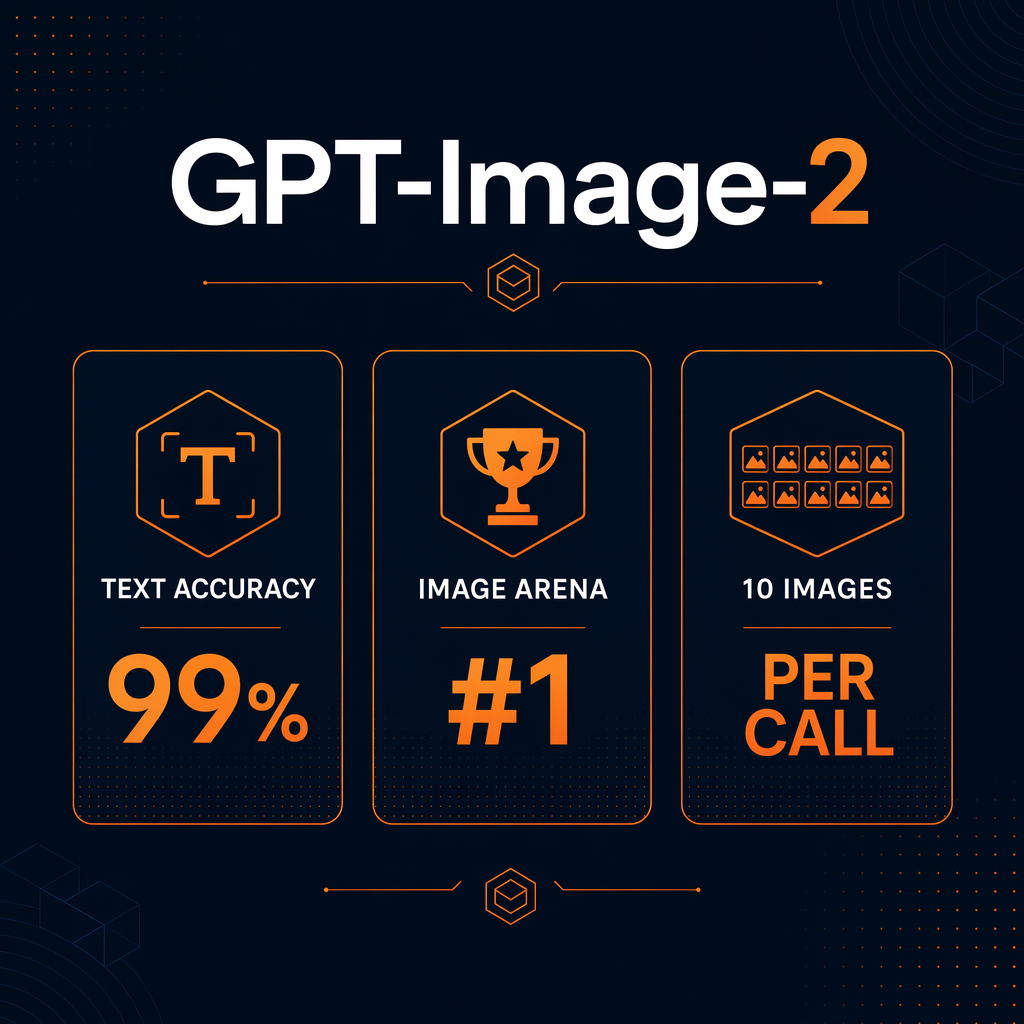
AI Visual Insight: The image visualizes GPT-Image-2 capabilities, with emphasis on its leading performance in image generation rankings, model comparisons, or output samples. The key message is that the new model outperforms previous options in image quality, text rendering, and overall evaluation benchmarks.
The key differences between GPT-Image-2 and DALL·E 3 can be summarized quickly
| Comparison | DALL·E 3 | GPT-Image-2 |
|---|---|---|
| Chinese Text Rendering | Prone to broken strokes and incorrect characters | Significantly improved Chinese stability |
| Number of Images | Up to 1 image | Up to 10 images |
| Generation Mechanism | Direct generation | Generation after reasoning |
| Billing Model | Per-image billing | Token-based billing |
| Migration Cost | – | Largely API-compatible |
This means tasks that place Chinese text inside images—such as product posters, packaging labels, and infographic cards—benefit first. If your workload also involves large-scale asset generation, expanding from n=1 to n=10 can directly improve throughput.
The Python integration flow stays aligned with the OpenAI ecosystem
From an engineering perspective, one of the most valuable points is that GPT-Image-2 still follows the OpenAI Images API calling pattern. Existing SDK usage, authentication methods, and response structures remain stable, so migration does not require a rewrite.
from openai import OpenAI
import base64

# Initialize the client. You can replace base_url with a stable proxy or aggregator endpoint.
client = OpenAI(
    api_key="your_api_key",  # Replace with your actual API key
    base_url="https://cloud.dataeyes.ai/v1"  # Use an OpenAI-compatible endpoint
)

# Call the image generation API
result = client.images.generate(
    model="gpt-image-2",      # Specify the new model name
    prompt="海报中央写着‘有机绿茶 100g 无添加’,极简包装风格",  # Keep Chinese text explicit
    size="1024x1024",         # Common output size
    quality="medium",         # low / medium / high
    n=1                        # Generate 1 image per request, scalable to 10
)

# Decode the returned base64 image and write it to a file
with open("output.png", "wb") as f:
    f.write(base64.b64decode(result.data[0].b64_json))

print("Image generated successfully")
This code handles model invocation, response decoding, and local file output. It works well as a minimal runnable example.

AI Visual Insight: This image appears to illustrate API integration or code execution results. It is typically used to show generated output after an API call, sample images, or a platform demo screen, emphasizing the practical value that you can produce usable images immediately after integration.
Chinese prompts work better when composition and text content are separated
Although GPT-Image-2 has improved Chinese rendering significantly, stable output still depends on clearer prompt structure. In practice, it is best to describe visual style, camera language, and background environment in English, then specify the exact Chinese text that must appear in the image.
prompt = """
Professional product packaging photography.
Chinese text on label exactly: '有机绿茶 100g 无添加'.
Clean white studio background, soft shadows, premium packaging design.
"""
The main benefit of this pattern is that it separates visual semantics from text constraints, which reduces the chance that the model misinterprets Chinese copy.
The billing change requires teams to recalculate per-image cost
The biggest budgeting difference between GPT-Image-2 and DALL·E 3 is not simply whether one is cheaper or more expensive. The cost function itself has changed. DALL·E 3 fits a simple per-image accounting model. GPT-Image-2 requires you to consider input tokens, output tokens, and image quality together.
| Billing Item | Unit Price | Notes |
|---|---|---|
| Text Input | $5 / M tokens | Longer prompts cost more |
| Image Output | $30 / M tokens | Higher resolution and quality increase cost |
| Image Input | $8 / M tokens | Only relevant for reference-image scenarios |
| Low Quality per Image | About $0.04 | Suitable for bulk asset generation |
| High Quality per Image | About $0.20-$0.35 | Suitable for product images and posters |
For most teams, low-quality mode is enough for testing, drafts, and large-scale generation. High-quality mode is better suited for final deliverables. Your budget strategy should move from a single quality tier to a layered quality model.
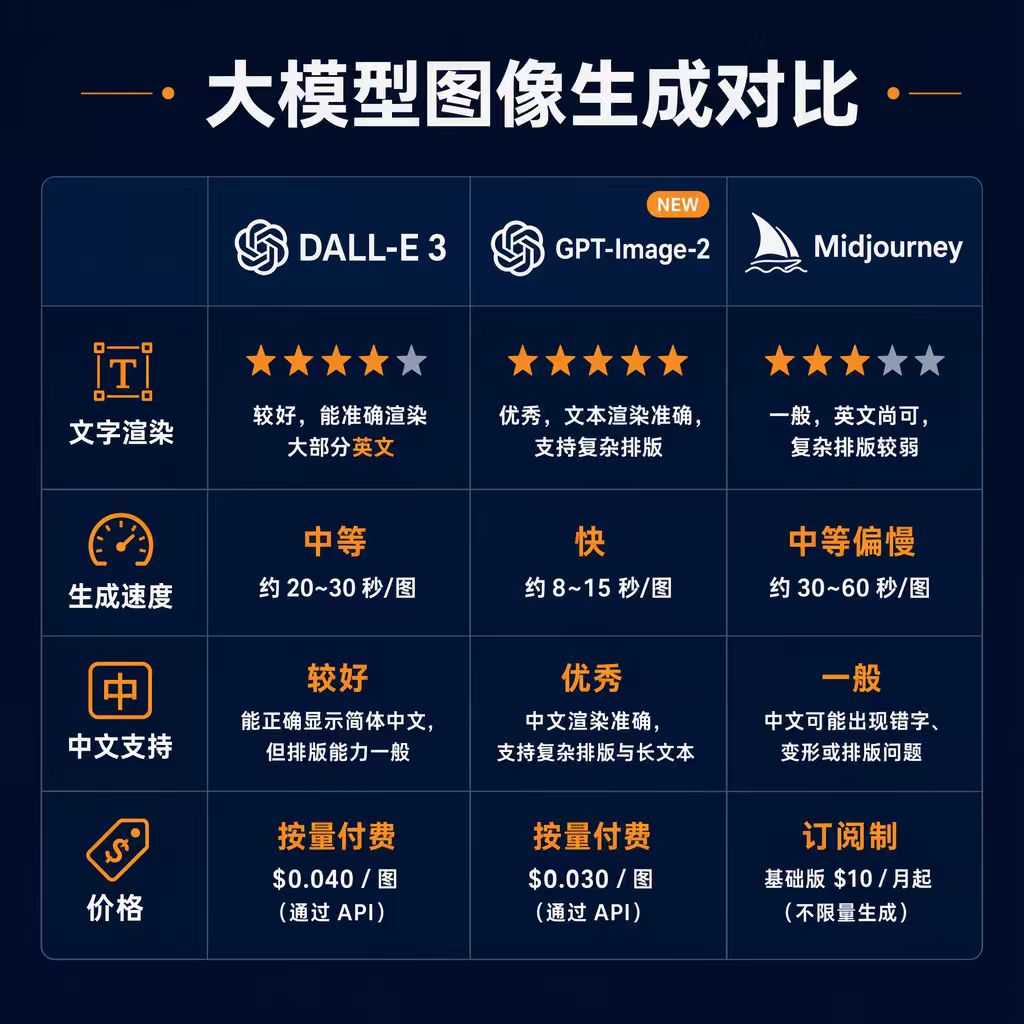
AI Visual Insight: This image is typically used to illustrate pricing, cost ranges, or differences in generation quality. It may use examples, comparisons, or diagrams to highlight the trade-off between output quality and budget across different quality levels.
Cost optimization usually starts with three practical paths
First, shorten prompts and remove unnecessary modifiers. Second, split draft generation and final rendering into two stages. Third, generate candidate images in batches first, then rerender only the selected outputs instead of using high quality for everything.
# Example of a two-stage generation strategy
quality = "low"       # Stage 1: low-cost draft generation
selected = True       # Assume manual or programmatic selection is complete

if selected:
    quality = "high"  # Stage 2: rerender selected candidates in high quality
This strategy reflects a “screen first, refine later” workflow, which is usually more budget-efficient than generating everything at high quality.
DALL·E migration usually requires changes to only a few key parameters
If you already use client.images.generate() in production, the migration effort is very low. In most cases, you do not need to change business workflows, response parsing, or storage logic. You mainly need to replace the model name and remap quality parameters.
# Before migration: DALL·E 3
result = client.images.generate(
    model="dall-e-3",
    prompt="...",
    quality="hd",
    n=1,
    size="1024x1024"
)

# After migration: GPT-Image-2
result = client.images.generate(
    model="gpt-image-2",  # Change 1: replace the model name
    prompt="...",
    quality="high",       # Change 2: remap the quality parameter
    n=1,
    size="1024x1024"
)
This migration example shows that your existing API abstraction layer is largely reusable. In practice, a configuration-based rollout is usually enough, without requiring business-level refactoring.
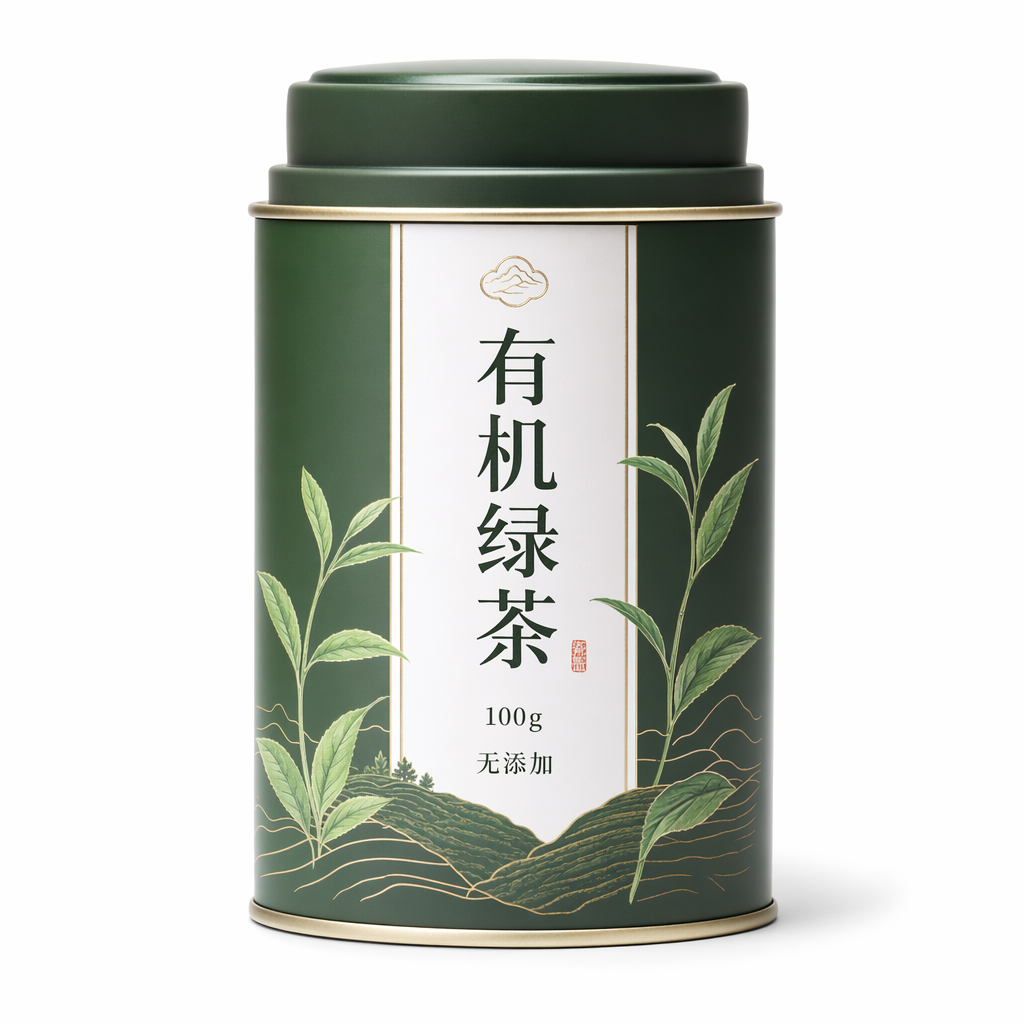
AI Visual Insight: This image most likely demonstrates Chinese text generation quality, packaging copy samples, or comparisons across multiple outputs. The technical point is to show that the model can now render Chinese labels, headlines, or short phrases more reliably, which makes it suitable for posters and product packaging scenarios.
A minimal validation checklist is recommended before production rollout
- Search globally for all
dall-e-2anddall-e-3call sites. 2. Verify thatqualityparameter mappings match the new model requirements. 3. Compare response structures and file-writing logic in a test environment. 4. Run regression tests on core Chinese-language scenarios. 5. Add timeout and retry strategies to high-frequency endpoints.
The FAQ section answers the most common implementation questions
Are GPT-Image-2 and DALL·E 3 API-compatible?
Compatibility is very high. Both follow the OpenAI Images API framework. In most projects, you only need to replace the model and quality parameters, while image extraction logic such as result.data[0].b64_json usually stays unchanged.
What should I do when direct connectivity is unstable in mainland China?
You can use a stable endpoint that is compatible with the OpenAI protocol. Replacing base_url is often enough to solve timeout and availability issues. This approach preserves the SDK workflow while reducing uncertainty in production environments.
How can I improve Chinese text rendering success rates?
The best practice is: describe composition in English, specify copy in Chinese, wrap required text in quotes, and reduce ambiguity. For tasks such as packaging, posters, and labels, it is also a good idea to express required Chinese text with an exactly: constraint and keep each text segment reasonably short.
Core Summary: This article systematically explains GPT-Image-2 integration, its differences from DALL·E 3, token-based pricing logic, and migration steps. It covers Python API examples, Chinese prompt-writing techniques, stable access strategies for mainland China, and common developer questions, helping teams complete the image generation migration at low cost before the deprecation window closes.