The core strength of GPT Image 2 is not that it “draws better,” but that it responds better to structured prompts. This guide distills its prompt framework, editing strategies, multi-image composition patterns, and text rendering methods to solve three common problems: uncontrolled generation, off-target edits, and garbled text. Keywords: GPT Image 2, Prompt Engineering, Image Editing.
The technical specification snapshot is straightforward
| Parameter | Details |
|---|---|
| Model | GPT Image 2 |
| Primary capabilities | Text-to-image, single-image editing, multi-image composition, style transfer, text rendering |
| Typical endpoints | openai/gpt-image-2, openai/gpt-image-2/edit |
| Input methods | Structured prompts, reference image URLs / file IDs |
| Reference image limit | Up to 16 images |
| Output priorities | Layout, lighting, materials, text readability, character consistency |
| Core dependencies | OpenAI-compatible API, fal invocation pattern, image URL hosting |
| Stars | Not provided in the source |
| License | Not provided in the source |
| Language | English prompts are preferred; Chinese instructions can be used as auxiliary constraints |
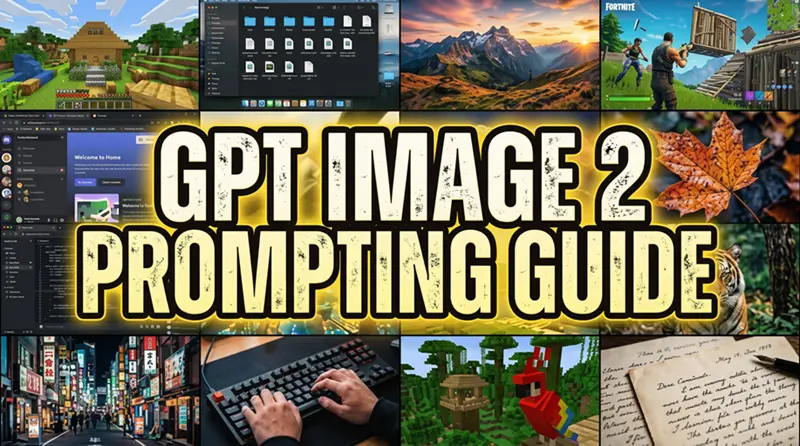 AI Visual Insight: The image is a cover graphic for a GPT Image 2 prompt guide. Its core message centers on “structured input” and “template-based prompting,” emphasizing that the model depends more on clearly separated scene, subject, details, use case, and constraints than on generic praise words.
The best practice for GPT Image 2 is to write prompts like a specification
GPT Image 2 is more sensitive to structure than rhetoric. The core of a high-quality prompt is not stacking adjectives like cinematic or masterpiece, but giving the model facts it can map directly to pixels and layout.
Use a five-part framework: scene, subject, important details, use case, and constraints. If the prompt is longer than a short paragraph, split it into blocks on separate lines to reduce semantic blending.
Scene: [location, time, background environment]
Subject: [who or what the subject is]
Important details: [materials, clothing, lighting, lens, composition, texture, mood]
Use case: [editorial photo / poster / UI screenshot / product image]
Constraints: [no watermark / no logo / preserve face / preserve layout]
This template turns an idea into an executable specification.
Vague praise words do not translate into controllable pixels
Words like “stunning,” “epic,” “8K,” or “award-winning” carry low information density and contain almost no verifiable visual constraints. When the model receives them, it often improvises too freely, which leads to style drift or subject distortion.
By contrast, phrases like “a museum on an overcast afternoon,” “a beige knit sweater,” “35mm documentary texture,” or “warm neutral white balance” are drawable details. They directly influence lighting, material rendering, and composition.
A quiet classical museum gallery in soft afternoon light.
A woman in her 30s standing casually in front of a large oil painting.
Natural smile, realistic skin texture, beige knit sweater, dark jeans,
white sneakers, eye-level full-body framing, marble floor reflections.
The value of this style is that it narrows the generation target to concrete visual facts.
Image editing tasks must explicitly separate what changes from what stays
One of the most important techniques in the original method is to write edits using a dual-list structure: Change and Preserve. This keeps the model from repainting regions that should remain untouched.
When editing fails, the issue is usually not that the model is weak, but that the preservation conditions are incomplete. Face, pose, background, perspective, lighting, text, and composition should all be treated as assets that may need to be locked.
Change: Remove every advertising sign and poster from the shop windows.
Preserve: awning, brick facade, mullions, reflections, sidewalk,
all people, original lighting, white balance, film grain.
Constraints: no ghosting, no adhesive marks, no logo drift, no watermark.
This prompt establishes a clear boundary between object replacement and environmental preservation.
Changing only one variable at a time significantly reduces drift
If you ask for “more premium, more realistic, more fashionable, change the outfit, rewrite the copy, and replace the background” all at once, the model must compete across multiple goals. The result is usually a compromise on every front.
A safer method is to change only one thing per round: raise the color temperature, remove the chair on the left, or restore the wall texture. Small-step iteration is more reliable than a single full rewrite.
The three core GPT Image 2 workflows are now very clear
The first is generation from scratch, which works well for posters, product scenes, editorial photography, UI screenshots, and concept visuals. In this workflow, the most important task is locking the scene, camera behavior, and final use case.
The second is single-image editing, which fits outfit changes, object removal, weather replacement, and background cleanup. The key is not just describing what to change, but also stating exactly what must not change.
The third is multi-image composition, which is useful for virtual try-on, style transfer, and content blending. When you pass multiple images, number each one and assign it a clear role in the instruction.
await fal.subscribe("openai/gpt-image-2/edit", {
  input: {
    prompt: "Image 1: base scene to preserve. Image 2: jacket reference. Image 3: boots reference. Instruction: Dress the person in Image 1 with the jacket from Image 2 and the boots from Image 3, while preserving the face, pose, background, and lighting.",
    image_urls: [
      "https://your-host/base.png",
      "https://your-host/jacket.png",
      "https://your-host/boots.png"
    ],
    quality: "high" // High-quality rendering for refinement-heavy scenarios
  }
})
This example shows the standard invocation pattern for multi-reference image editing.
Text generation and UI screenshots are strong GPT Image 2 use cases
Compared with older models, GPT Image 2 is stronger at text readability, visual hierarchy, and layout stability. However, this only works if you write the prompt like a layout system rather than as casual prose.
Provide exact copy, placement, font style, and alignment. Also state that there should be no extra text and no duplicated text. For difficult words, you can even spell them out letter by letter.
Title: DAYBREAK
Subtitle: Tuesday, 23 April
Tasks:
- Review quarterly notes
- Call mom
- Ship the image update
- Pick up bread
Style: muted cream background, deep navy accent, rounded sans serif,
soft card shadows, generous spacing, exact readable copy.
The key point of this prompt is to make the model understand that this is a screen where the layout must be correct.
Effective prompts are fundamentally about visual facts, physical realism, and layout constraints
For photorealistic images, focal length, time of day, light source, ground reflections, material wear, and air conditions all matter. Details like “visible breath in cold air,” “wet concrete ground,” or “warm tungsten light” can significantly improve realism.
For product images, prioritize material accuracy, label fidelity, contact shadows, and background neutrality. The real challenge in product generation is not making it “look good,” but making it look like the same physical object.
Character consistency requires repeated anchors, not just the phrase “keep the same character”
To maintain character consistency, repeat the face, outfit, proportions, color palette, and overall personality. The first image establishes the anchors. The second image must restate them, or the model will quietly redesign the character.
Keep the same face, same green hooded tunic, same proportions,
same color palette, and same gentle personality.
Do not redesign the character.
This constraint turns “consistent character” from an abstract request into a verifiable condition.
Developers can reuse these prompt rules with high confidence
They can be summarized into four stable rules: define the scene first, then the subject; replace abstract praise with visible facts; separate change from preserve during editing; and write exact copy and layout instructions for text and UI tasks.
If you need transparent-background extraction, explicitly request a transparent background, clean edges, no white fringing, and exact preservation of label text and geometric proportions. JPEG is not suitable for transparent output; PNG and WebP are better choices.
Extract the product from the input image.
Output: transparent background, crisp silhouette, clean edges, no halos.
Preserve the bottle geometry, cap shape, label text and colors exactly.
Do not restyle the product.
This template works well for e-commerce assets, billboard compositing, and product asset standardization.
The FAQ captures the practical rules clearly
1. Why does GPT Image 2 need structured prompts?
Because it responds more reliably to segmented descriptions of scene, subject, details, use case, and constraints. Structured prompting reduces style drift, subject distortion, and layout instability.
2. Why does image editing keep damaging the background?
A common reason is that the prompt only says what to change, but not what to preserve. You should explicitly lock critical assets such as the face, pose, background, lighting, perspective, composition, and text.
3. How can I improve the readability of text and UI in generated images?
Write exact copy, font style, hierarchy, position, and spacing requirements. Then add constraints such as “no extra text,” “no duplicated text,” and “all text must be readable.”
Core summary: This article reconstructs the official GPT Image 2 prompting methodology, distilling a structured prompt framework, edit-preservation strategies, text rendering techniques, and character consistency practices, along with reusable templates for both generation and editing. It is well suited for AI image creation, product design, UI generation, and multi-image composition workflows.