This article breaks down a hands-on “project learning assistant” built with Codex, GPT-5.5, and DeepSeek V4: users submit a GitHub repository URL, the system automatically clones and analyzes the codebase, generates a report, and supports source code Q&A with streaming output. It addresses two common problems with large open-source projects: slow onboarding and the high cost of understanding unfamiliar code. Keywords: Codex, DeepSeek V4, AI coding.
The technical specification snapshot is straightforward
| Parameter | Details |
|---|---|
| Project Name | project-helper / Project Learning Assistant |
| Core Capabilities | Repository analysis, source code Q&A, progress updates, result caching |
| Backend Language | Python |
| Frontend Framework | Vue |
| Backend Framework | FastAPI |
| AI Orchestration | LangChain |
| Data Storage | SQLite |
| Model Stack | GPT-5.5 + DeepSeek V4 |
| Protocols / Interfaces | HTTP API, streaming responses, tool calling |
| Core Dependencies | FastAPI, LangChain, SQLite, Firecrawl, Context7 |
| Code Size | 19 files, about 1,644 lines of code |
| GitHub Stars | Not provided in the source article |
This is an AI application pattern focused on source code understanding
The core of this article is not a simple benchmark comparison between models. Instead, it uses a real project to verify whether an AI coding workflow can hold up in practice. The target product is a “project learning assistant”: after a user submits a GitHub repository URL, the system automatically clones the repo, scans the source code, produces a structured summary, and generates an analysis report designed for beginners.
Compared with reading a traditional README or manually tracing through source files, this kind of application is much better suited to large repositories. It turns “reading code” into “asking questions about the codebase,” lowers the barrier to understanding, and upgrades AI from a code-writing tool into a source code learning agent.
 AI Visual Insight: The image illustrates the article’s opening context for this model-driven implementation, emphasizing that GPT-5.5 and DeepSeek V4 launched within the same time window and naturally created a comparison scenario. Visually, it reinforces the theme of “new models + validation through a real project.”
The minimum viable loop for this product is very clear
- Enter a repository URL.
- The backend clones and indexes the codebase.
- The AI generates a project overview, module breakdown, data flow summary, and reading recommendations.
- The user continues with interactive source code Q&A.
from fastapi import FastAPI

app = FastAPI()

@app.post("/analyze")
def analyze_repo(repo_url: str):
    # Receive the repository URL and start the analysis workflow
    return {"repo_url": repo_url, "status": "queued"}
This snippet demonstrates the minimal API shape for the project analysis entry point.
The architecture uses frontend-backend separation and a tool-use pattern
The technology choices are intentionally restrained: Vue for the frontend, FastAPI for the backend, LangChain to orchestrate the AI call chain, and SQLite for persistence. The focus is not on complex infrastructure, but on making sure the model only looks at the files it actually needs.
The truly important design decision is not to dump the entire repository into the model at once. Instead, the system exposes three categories of capabilities through tool calling: reading files, searching code, and retrieving the repository structure. Based on the question, the model decides which tools to call and then composes the final answer.
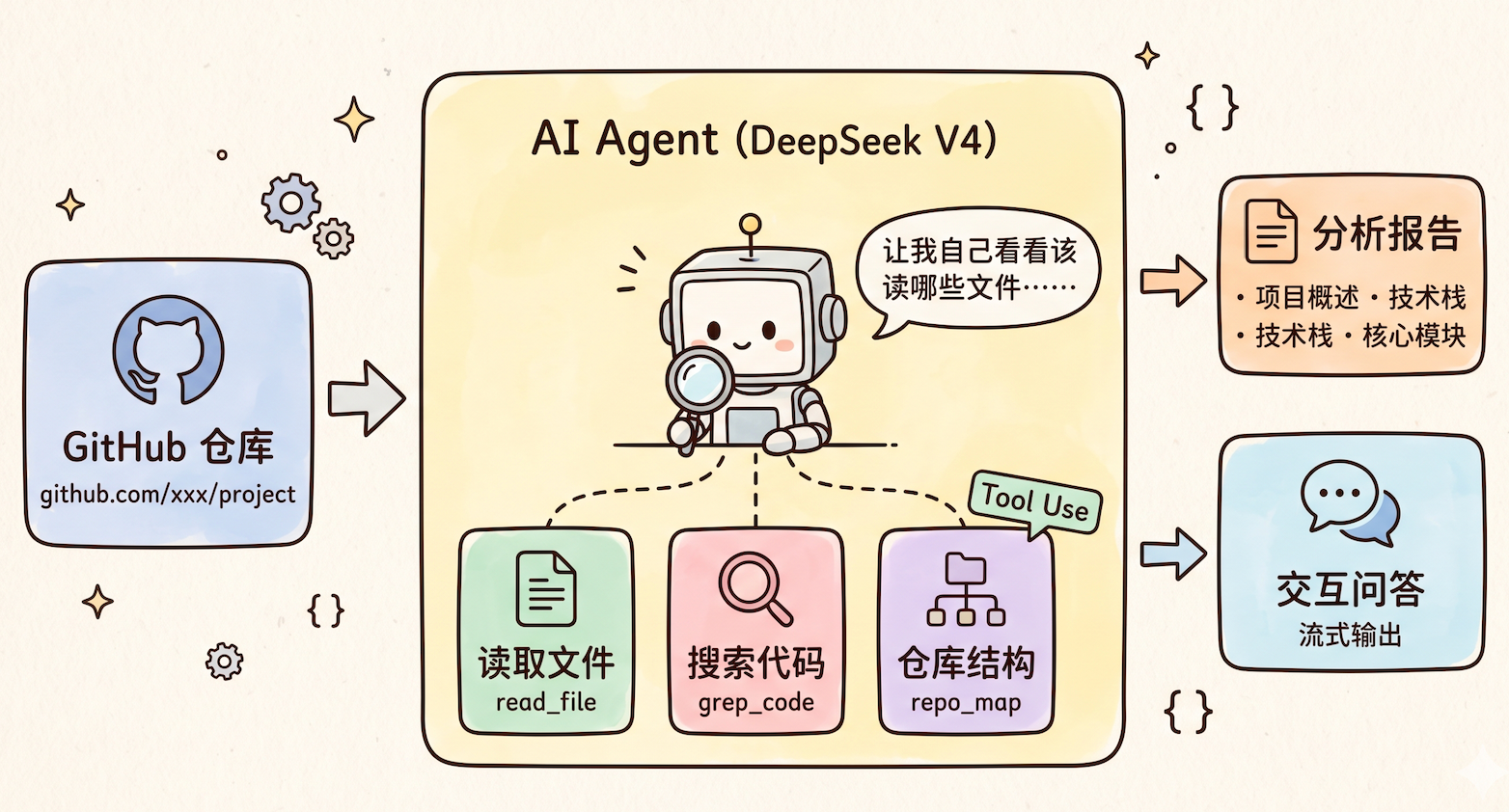 AI Visual Insight: The image presents the AI agent-style analysis approach. The key technical detail is that the model does not consume the entire codebase directly. Instead, it accesses repository structure, file contents, and retrieval results through a tool layer, which reduces context pressure and improves answer relevance.
A tool-based agent is more practical than brute-forcing a huge context window
This pattern fits agentic scenarios well, especially for repositories with tens of thousands of lines or more. The reason is simple: large models are good at decision-making and summarization, but not at indiscriminately swallowing an entire repository. Teaching the model where to look is more token-efficient and more stable than forcing it to read everything.
TOOLS = ["read_file", "grep_code", "repo_map"]

def answer_question(agent, question: str):
    # Let the agent choose tools autonomously for source code Q&A
    return agent.invoke({"question": question, "tools": TOOLS})
This snippet summarizes the core operating pattern of the source code Q&A module.
Environment setup depends on Codex skills and the extension ecosystem
In this implementation, Codex is more than a chat box. It functions as a development workbench with Skills, Plugins, and MCP integration. The article configures three key extensions: Firecrawl, Context7, and UI UX Pro Max.
Firecrawl handles web search and page crawling, which helps solve the “stale information” problem. Context7 is used to query the latest official framework and API documentation, which reduces hallucinations. UI UX Pro Max improves the quality of generated frontend interfaces.
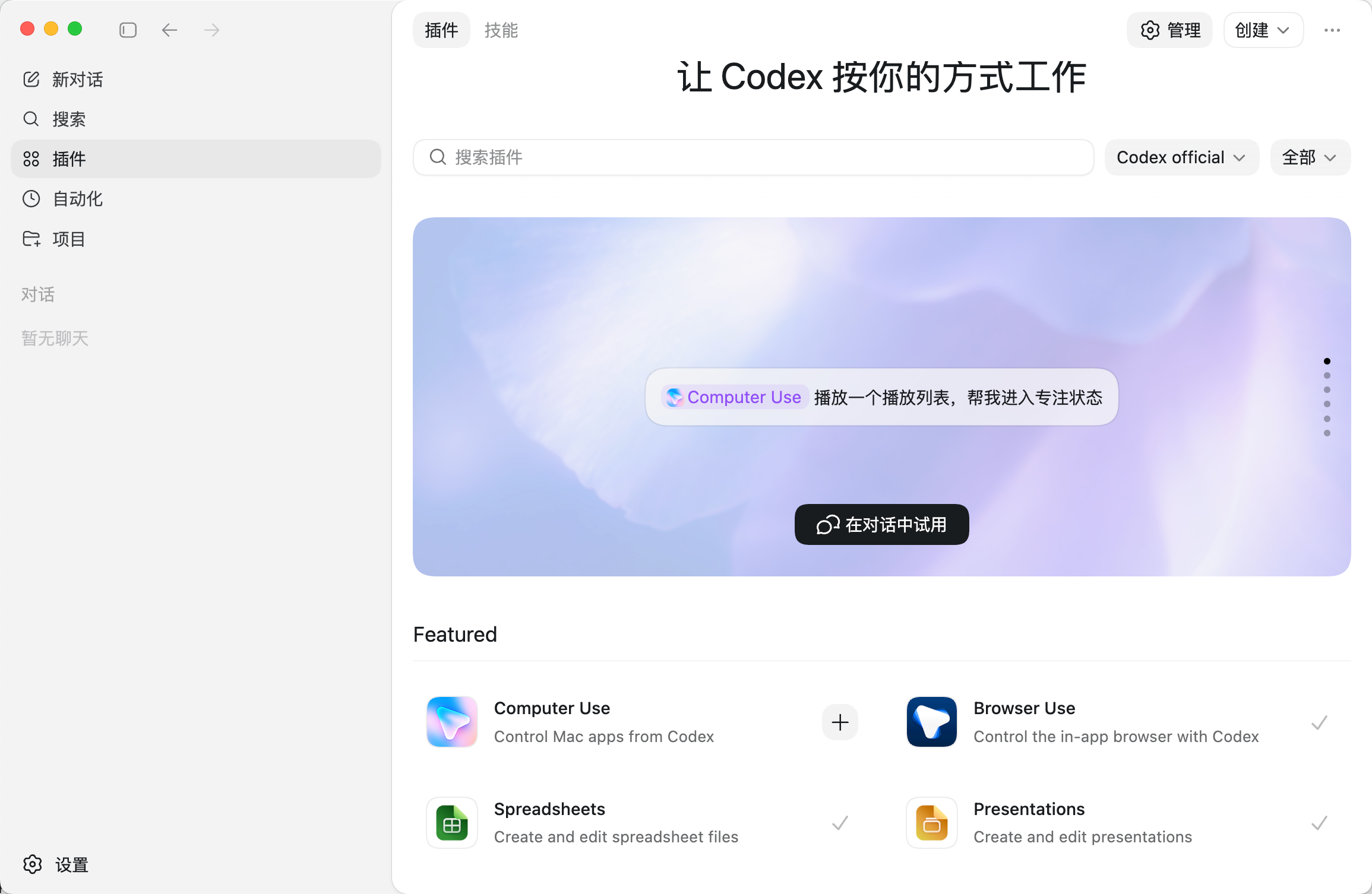 AI Visual Insight: The image shows Codex’s built-in extension capabilities, reflecting a plugin-based development environment that supports browser usage, computer control, document processing, and more. These features provide the operational layer for an AI coding agent.
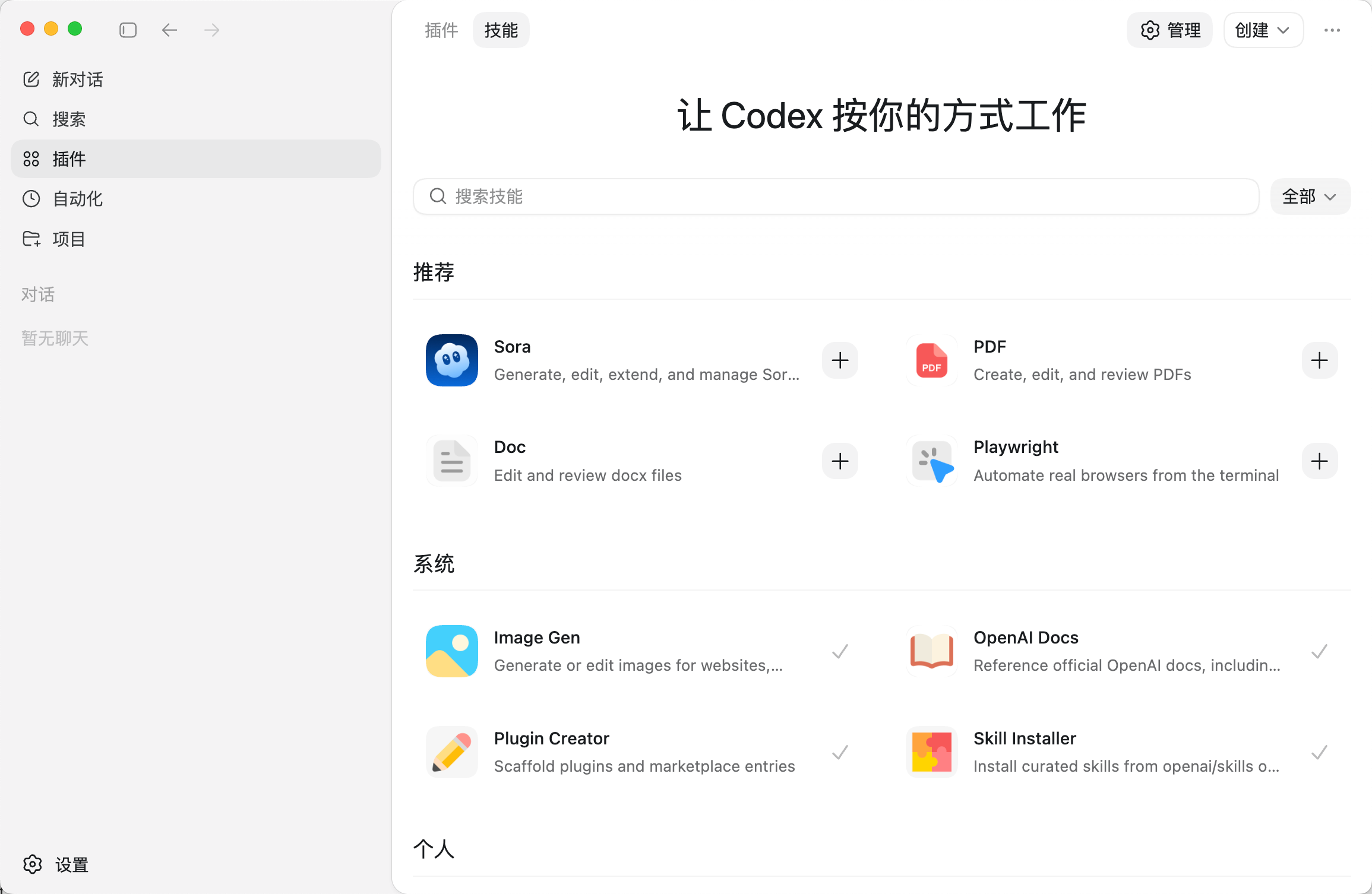 AI Visual Insight: This image further shows the skills or plugin list interface, illustrating that Codex has evolved from a single-purpose code generator into a configurable multi-capability platform that can integrate with external toolchains for complex engineering tasks.
These three extensions determine the upper bound of the results
npx -y firecrawl-cli@latest init --all --browser
npx ctx7@latest setup
uipro init
These commands install the capabilities for online crawling, documentation retrieval, and frontend polishing, respectively.
Prompt design directly determines project generation quality
In this implementation, the prompt is not “build a website.” Instead, it explicitly defines the role, task, tech stack, and constraints. Two requirements are especially important: search the web and read the documentation before development, and test and validate the output independently after development.
This effectively writes the engineering process into the prompt, pushing the model from a code generator toward a semi-automated engineer. In practice, the AI ultimately generated a complete frontend-backend codebase, documentation, and a runnable project structure.
A reusable prompt skeleton should include constraints
Role: You are a full-stack engineer with strong Python + FastAPI + LangChain expertise.
Task: Build a project learning assistant that supports repository analysis, source code Q&A, result caching, and streaming output.
Requirements: Use Firecrawl and Context7 to research first, then generate the full codebase, and independently test after every step.
The value of this prompt skeleton is that it binds together three phases upfront: information gathering, implementation, and validation.
Testing and configuration expose real-world usability
After integrating the DeepSeek V4 API, the project needs environment variable configuration. The article points out that a direct export is only suitable for temporary debugging. A .env and .env.example workflow is better for collaboration and open-source maintenance.
export DEEPSEEK_API_KEY=your_key
export DEEPSEEK_MODEL=deepseek-v4-pro
These commands temporarily inject the model access credential and model name.
Beyond that, the AI can also complete .gitignore, restart the project, and run manual validation. Test cases include the accuracy of repository analysis results, the quality of source code Q&A, and stability under edge-case scenarios.
 AI Visual Insight: The image shows token context usage during Codex or model operation, illustrating how complex project development is constrained by context windows and quota limits. These constraints directly affect long-chain generation stability and cost.
Automated browser testing is an important bonus in this workflow
The author uses @Browser Use to let the AI click through pages in a built-in browser, enter a repository URL, inspect the results, and fix problems autonomously. That means testing no longer stops at the API level. It now includes basic end-to-end execution capability.
@Browser Use
Autonomously test all features, automatically fix issues when they appear, and ensure everything works correctly
This instruction captures the closed-loop shift from “writing code” to “validating and repairing it.”
Cost and model performance suggest DeepSeek V4 is better suited as the application brain
From the conclusion, Codex offers a fairly complete engineering workflow, but its model ecosystem and installation experience still lag behind tools like Cursor and Copilot. GPT-5.5 does not create a decisive gap in full-stack development quality, but it is fully capable of building the main workflow.
DeepSeek V4’s strengths are clearer: compared with V3, it improves code understanding and analysis, supports a 1 million token context window, and keeps API costs low. That makes it a strong fit for source code analysis, deep research, and the backend model layer of enterprise AI applications.
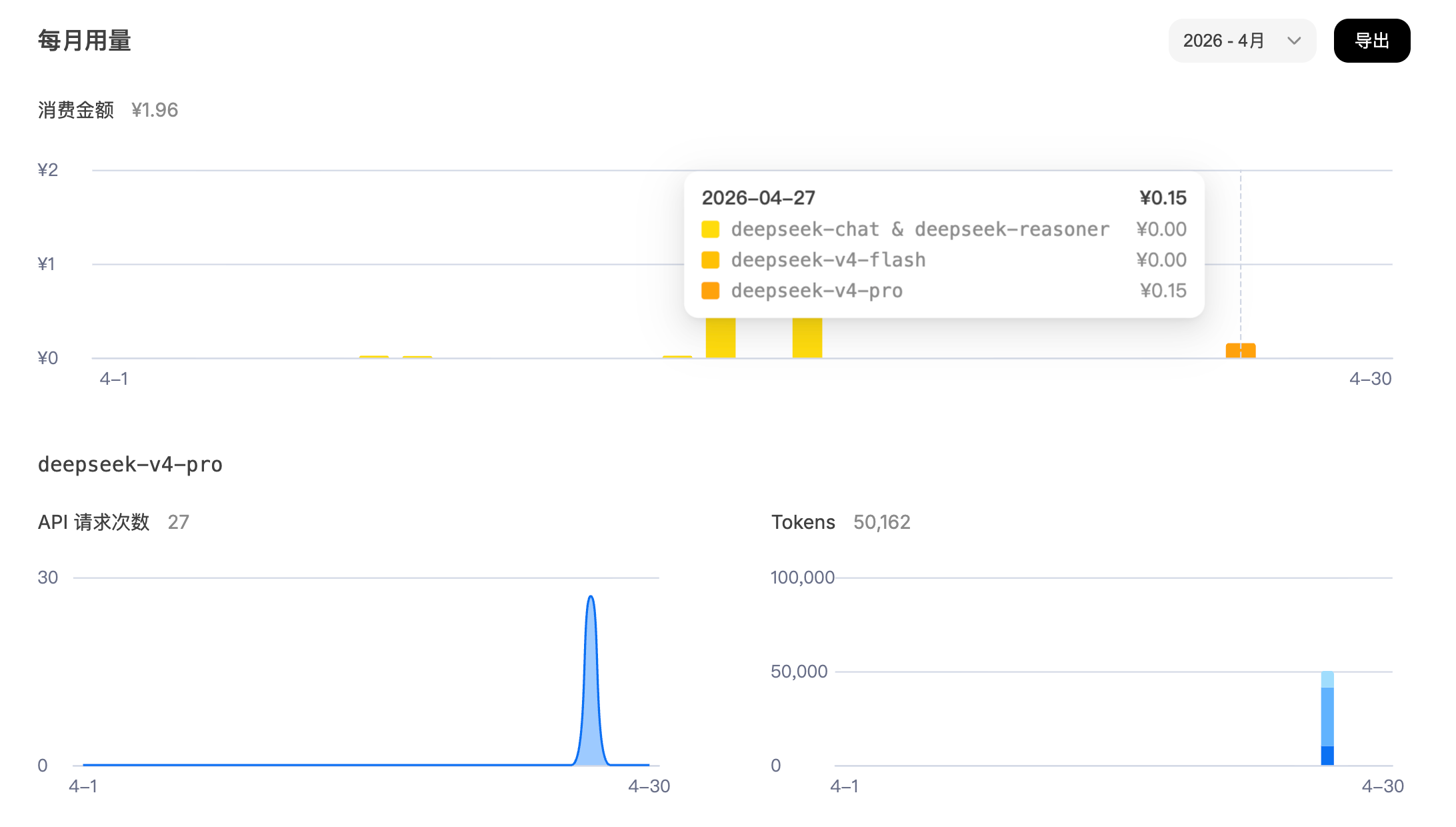 AI Visual Insight: The image shows DeepSeek API usage statistics and cost data, indicating that its real-world operating cost is relatively low. That makes it suitable as a high-frequency business model layer, especially for long-context tasks such as source code analysis.
This implementation proves AI coding is entering an engineering phase
The most valuable part of this hands-on project is not that it “built another full-stack website.” It is that it validated a more mature workflow: retrieve information first, then develop through tool calling, then automate testing, and finally evaluate cost and model fit.
For teams that want to build AI-native development workflows, this path matters more than simply chasing the newest model. Models are a replaceable layer. Tool calling, prompt engineering, closed-loop testing, and cost control are the real long-term moat.
FAQ: The three questions developers care about most
Why not just stuff the entire repository into a large model?
Because large repositories rapidly consume context, and irrelevant code interferes with reasoning. A better approach is to let the model read on demand through repo_map, grep_code, and read_file, which improves accuracy and lowers cost.
How should Codex, GPT-5.5, and DeepSeek V4 split responsibilities?
Codex is best understood as a development workbench with a tool ecosystem. GPT-5.5 handles high-execution project generation. DeepSeek V4 is better suited for in-product source code analysis and Q&A. These roles complement each other rather than compete.
What additional capabilities should this kind of project add before production?
At a minimum, it should cover edge cases such as missing repositories, clone failures, network interruptions, cache invalidation, rate limiting, and authentication. It should also add logging, retries, a task queue, and persistent indexing before it can reliably support a production environment.
Core Summary: This article reconstructs a real development workflow built on Codex, GPT-5.5, and DeepSeek V4, centered on a source code analysis web application called the “project learning assistant.” It systematically covers architecture design, extension setup, prompt strategy, automated testing, and cost evaluation.