This article implements a data sync conflict governance framework for Flutter on OpenHarmony. It focuses on three core paths: conflict detection, resolution strategies, and history tracking, helping resolve data inconsistency caused by concurrent edits across multiple devices. Keywords: Flutter, OpenHarmony, data sync conflicts.
This is a technical specification snapshot for Flutter for OpenHarmony
| Parameter | Description |
|---|---|
| Primary language | Dart |
| UI framework | Flutter |
| Target platform | OpenHarmony / HarmonyOS-compatible environment |
| Sync model | Local data vs. remote data two-sided comparison |
| Conflict types | Update conflict, delete conflict, create conflict |
| Resolution strategies | Keep local, keep remote, merge, ignore |
| State model | pending / resolved / ignored |
| Core dependencies | flutter/material.dart, dart:async, dart:math |
| Architecture pattern | Singleton service + Stream-based reactive notifications |
| Native dependencies | None, pure Dart implementation |
| Star count | Not provided in the original article |
| License | CC 4.0 BY-SA (as stated in the original article) |
This solution establishes a complete closed loop for multi-device sync consistency
In multi-device synchronization, the most common problem is not whether data can sync, but whether it remains consistent after synchronization. When the same record is modified locally and in the cloud at the same time, the final state often becomes unpredictable unless you add a conflict governance layer.
This solution splits the capability into four layers: conflict detection, conflict resolution, history tracking, and visual management. It does not depend on native OpenHarmony plugins, which makes it a better fit for smoothly integrating into existing Flutter projects.
The conflict model comes before the UI, and that determines system extensibility
The core design uses a unified data model. ConflictInfo centrally encapsulates the conflict type, status, local data, remote data, resolution method, and timestamps, so the business layer does not need to assemble state manually.
enum ConflictType { dataUpdate, dataDelete, dataCreate }
enum ConflictResolution { keepLocal, keepRemote, merge, ignore }
enum ConflictStatus { pending, resolved, ignored }

class ConflictInfo {
  final String id;
  final ConflictType type;
  final ConflictStatus status;
  final String title;
  final String description;
  final Map<String, dynamic>? localData;
  final Map<String, dynamic>? remoteData;
  final ConflictResolution? resolution;
  final DateTime timestamp;
  final DateTime? resolvedAt;

  ConflictInfo({
    required this.id,
    required this.type,
    required this.status,
    required this.title,
    required this.description,
    this.localData,
    this.remoteData,
    this.resolution,
    required this.timestamp,
    this.resolvedAt,
  });
}
This code defines the smallest semantic unit for conflict governance and serves as the foundation for later detection, decision-making, and auditing.
The service layer manages the full conflict lifecycle through a singleton and streams
ConflictService maintains both the pending conflict list and the conflict history list, and broadcasts state changes to the UI through StreamController.broadcast(). This structure naturally fits scenarios where a settings page, list page, and details page all subscribe at the same time.
class ConflictService {
  static final ConflictService instance = ConflictService._internal();
  ConflictService._internal();

  final List
<ConflictInfo> _pendingConflicts = []; // Pending conflicts
  final List
<ConflictInfo> _conflictHistory = [];  // History records
  final _pendingConflictController = StreamController<List<ConflictInfo>>.broadcast();
  final _historyController = StreamController<List<ConflictInfo>>.broadcast();

  bool _isInitialized = false;
  ConflictResolution _autoResolution = ConflictResolution.keepLocal;

  Future
<bool> initialize() async {
    if (_isInitialized) return true; // Avoid repeated initialization
    _isInitialized = true;
    return true;
  }
}
This code extracts conflict handling from page logic and turns it into a reusable foundational service.
Conflict detection is not about algorithmic flair, but clear business classification
The original implementation divides conflicts into three categories: update conflicts, delete conflicts, and create conflicts. This classification is enough to cover most note-taking, settings, checklist, and profile-based applications.
In production, the detection entry point usually sits either in the pre-sync comparison phase or the post-sync validation phase. If the remote version number, old and new timestamps, or field digest do not match, you can generate a ConflictInfo object and push it into the pending stream.
void detectConflicts() {
  if (!_enableConflictDetection) return; // Exit immediately if detection is disabled
  _pendingConflictController.add(_pendingConflicts); // Push the latest conflict list
}
This code demonstrates the minimal detection entry point. In production, you can replace it with version-based, hash-based, or field-level diff logic.
Resolution strategies must be selectable, automatable, and traceable
This solution provides four decisions: keep local, keep remote, merge data, and ignore conflict. The first two fit scenarios with a clearly dominant source of truth. Merge works better for structured fields, while ignore is useful for low-priority records.
What matters most is not the number of buttons, but whether you preserve an audit trail after each decision. Otherwise, users cannot explain why the final result looks the way it does.
void resolveConflict(String id, ConflictResolution resolution) {
  final index = _pendingConflicts.indexWhere((c) => c.id == id);
  if (index == -1) return; // Return immediately if the conflict is not found

  final conflict = _pendingConflicts.removeAt(index);
  final archived = ConflictInfo(
    id: conflict.id,
    type: conflict.type,
    status: resolution == ConflictResolution.ignore
        ? ConflictStatus.ignored
        : ConflictStatus.resolved,
    title: conflict.title,
    description: conflict.description,
    localData: conflict.localData,
    remoteData: conflict.remoteData,
    resolution: resolution,
    timestamp: conflict.timestamp,
    resolvedAt: DateTime.now(), // Record the resolution time
  );

  _conflictHistory.insert(0, archived); // Write to history for traceability
  _pendingConflictController.add(_pendingConflicts);
  _historyController.add(_conflictHistory);
}
This code completes conflict migration: it moves an item from the pending queue into the history queue and updates both data streams at the same time.
The UI layer creates value by making differences visible, not by hiding complexity
A practical UI should be split into three tabs: pending conflicts, history records, and strategy settings. The pending page should show differences between local and remote data; the history page should display the resolution method and timestamp; the settings page should manage automatic strategies and the detection toggle.
The original article uses ExpansionTile to reveal conflict details, which is a sensible choice. It combines summary browsing and deep comparison inside the same list, reducing the need for page transitions.
History records give conflict handling audit and debugging value
History is useful not only for users who want to review past decisions, but also for developers who want to evaluate whether the default strategy is appropriate. If a large number of conflicts are ultimately changed manually to keep remote, your default strategy may be configured incorrectly.
At a minimum, each history item should retain the title, description, resolution method, resolution time, and status. In enterprise projects, you can also add operator identity, device ID, and sync batch number.
Main app integration should follow startup initialization and entry-point decoupling
Initialize the service in main.dart alongside other foundational services such as permissions, encryption, and network security. This ensures that sync capabilities and conflict governance are both ready when the app starts.
void main() async {
  WidgetsFlutterBinding.ensureInitialized();

  final conflictService = ConflictService.instance;
  await conflictService.initialize(); // Initialize the conflict service at startup

  runApp(const MyApp());
}
This code ensures that the app has conflict detection and state broadcasting capabilities from launch.
OpenHarmony compatibility depends on sync timing, data formats, and resource constraints
In OpenHarmony scenarios, pay close attention to differences in distributed synchronization timing. Different devices may experience clock drift, network jitter, or out-of-order sync batches, all of which directly increase the probability of false-positive conflict detection.
On OpenHarmony devices, add three categories of safeguards: a unified time source or versioning mechanism, standardized field serialization, and subscription cancellation when pages are destroyed. On low-end and mid-range devices, reduce the frequency of real-time detection to avoid frequent comparisons that can slow down the UI.
The screenshots demonstrate the complete interaction flow
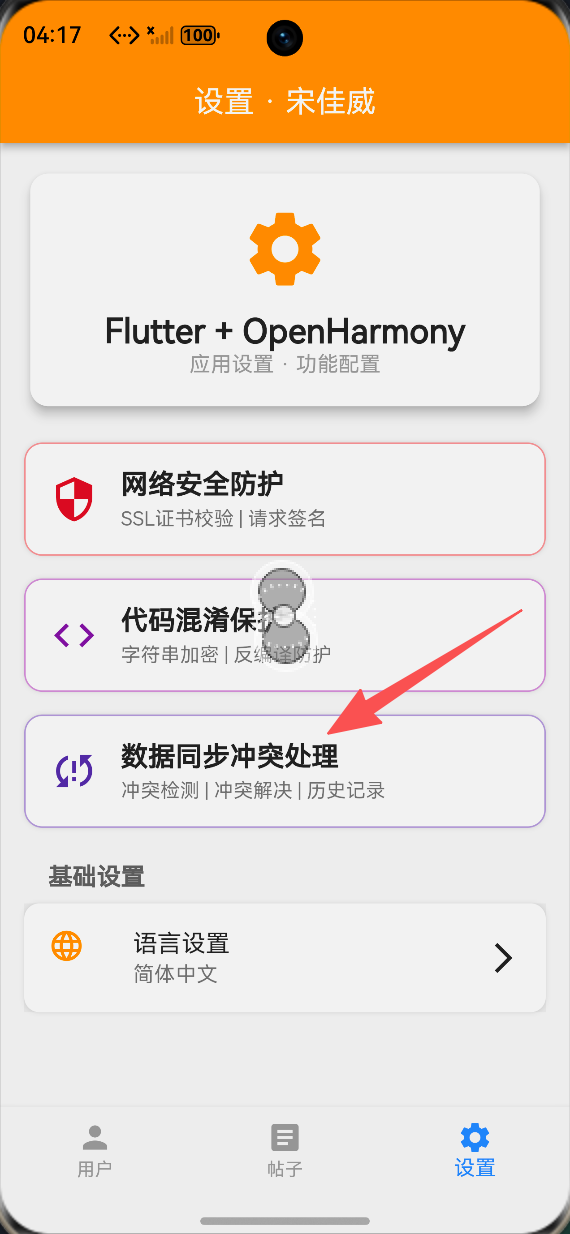 AI Visual Insight: This image shows the list-based home view of the conflict handling interface. It highlights the card structure of pending conflicts, conflict type labels, time indicators, and expandable interactions, indicating that the UI already supports both conflict summary browsing and drill-down into details.
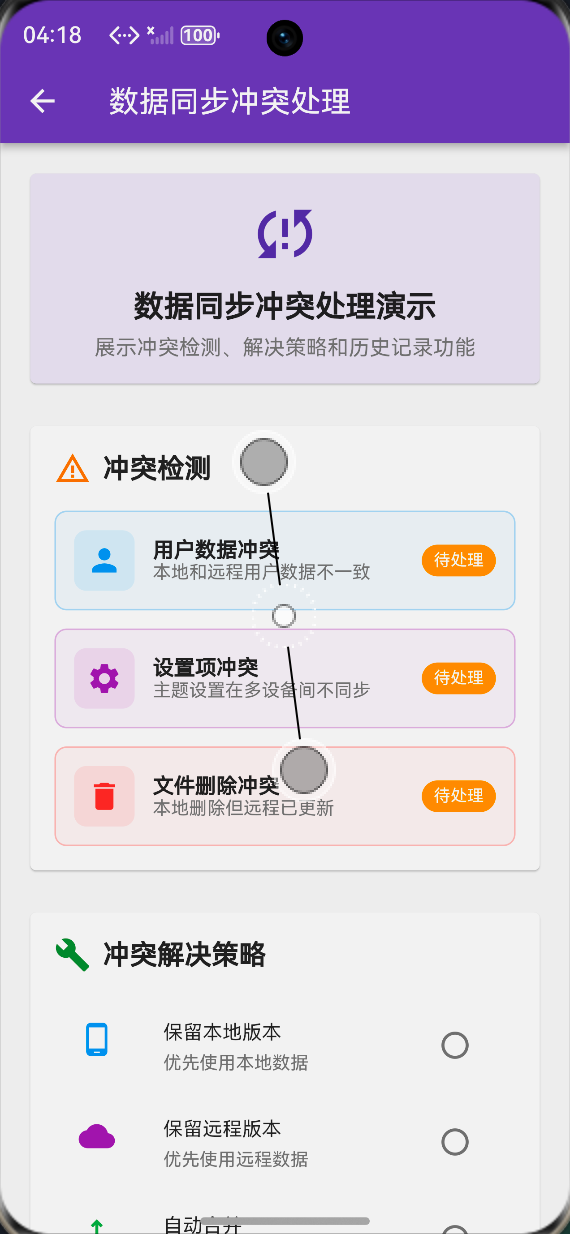 AI Visual Insight: This image shows the expanded conflict details view with side-by-side data comparison and an action button area. It demonstrates that local data, remote data, and resolution actions are presented in the same decision context, helping users quickly choose whether to keep, merge, or ignore.
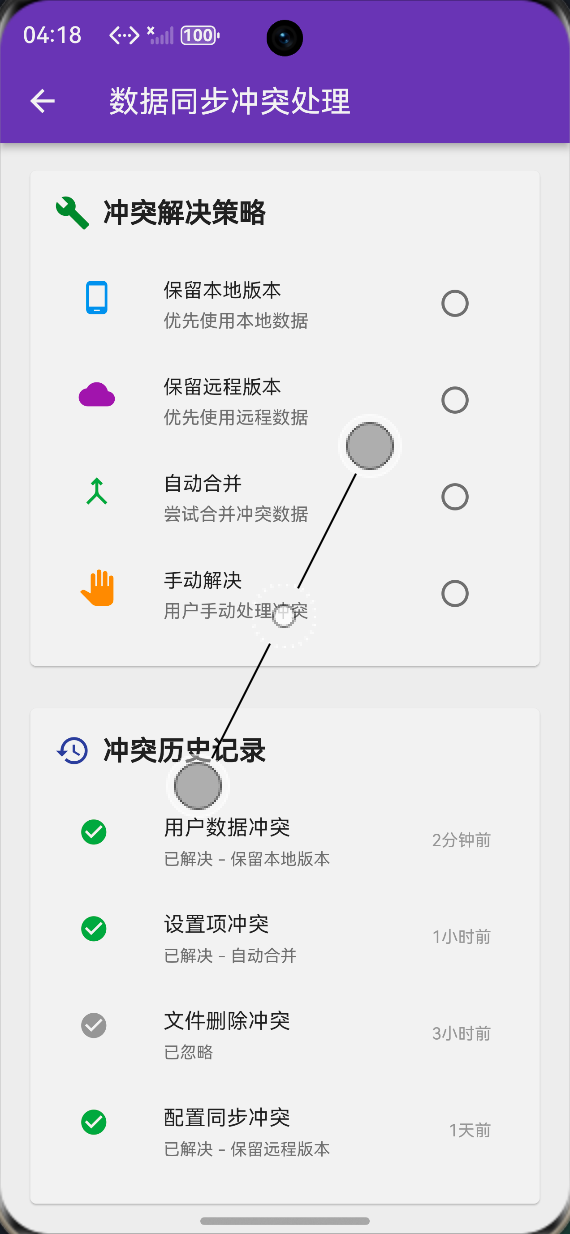 AI Visual Insight: This image shows the strategy configuration or history page. It reflects that the system supports not only manual conflict handling, but also automatic resolution strategies, status tracking, and configuration management, demonstrating a complete productized capability from handling to governance.
This implementation works better as a business foundation than as the final algorithmic destination
If your business already has a clear versioning mechanism, you can integrate this structure directly. If your scenario involves collaborative multi-user editing, you should go further and introduce field-level merges, operation logs, or even CRDTs.
For a typical Flutter app running on OpenHarmony, this pure Dart solution built around detection, strategy, and history is already enough to cover 80% of data consistency governance needs.
FAQ: The three questions developers care about most
Q1: When should I choose “keep local” instead of “auto-merge”?
When the data has strong device ownership, such as local drafts, offline edit caches, or temporary user preferences, keeping local is usually safer. If the fields are separable and do not introduce overwrite ambiguity, then auto-merge becomes a reasonable option.
Q2: How can I reduce false conflict detection on OpenHarmony?
Prefer version numbers or revision IDs instead of relying only on timestamps. Standardize serialization formats. Add debouncing and retry logic for network jitter scenarios. When needed, assign idempotency identifiers to sync batches.
Q3: Can I use this solution directly in production?
Yes, as a production foundation framework. However, before shipping it into a formal business environment, you should add persistent storage, failure recovery, field-level merge rules, subscription cleanup, log auditing, and automated testing.
AI Readability Summary
This article reconstructs a data sync conflict handling solution for Flutter for OpenHarmony. It covers conflict detection, four resolution strategies, history tracking, page-level integration, and OpenHarmony compatibility considerations, helping developers maintain data consistency in multi-device synchronization scenarios.