This is a web-based data visualization system for product logistics and warehouse operations. Its core capabilities include CSV import, MySQL storage, FastAPI APIs, multi-chart analytics with ECharts, favorites, and recommendations. It addresses fragmented logistics data, limited analysis dimensions, and weak chart interactivity. Keywords: logistics analytics, FastAPI, ECharts.
The technical specification snapshot outlines the stack clearly
| Parameter | Details |
|---|---|
| Programming Languages | Python, JavaScript, HTML/CSS |
| Web Protocols | HTTP/HTTPS |
| Backend Framework | FastAPI |
| Database | MySQL |
| ORM | SQLAlchemy 2.x |
| Template Engine | Jinja2 |
| Frontend UI | Bootstrap 5.3.3 |
| Charting Engine | ECharts 5.5.1 |
| Session Mechanism | Starlette SessionMiddleware |
| Dataset | data/warehouse.csv |
| Data Volume | 12,888 records |
| Time Range | 2025-04-28 05:54:10 to 2025-06-15 18:56:54 |
| GitHub Stars | Not provided in the source data |
| Core Dependencies | FastAPI, SQLAlchemy, PyMySQL, Jinja2, ECharts |
The system builds a complete closed loop for logistics operations analytics
The system uses FastAPI as its service core and integrates logistics records, user management, favorites and recommendations, and multi-dimensional charts into a single application. Unlike projects that only implement a one-page dashboard, this system emphasizes a complete workflow: data import, analytical modeling, layered page design, and interactive drill-down.
Its business goal is straightforward: help users understand logistics operations from five dimensions—time trends, warehouse network activity, product categories, process status, and cost efficiency—while also enabling administrators to govern the data.
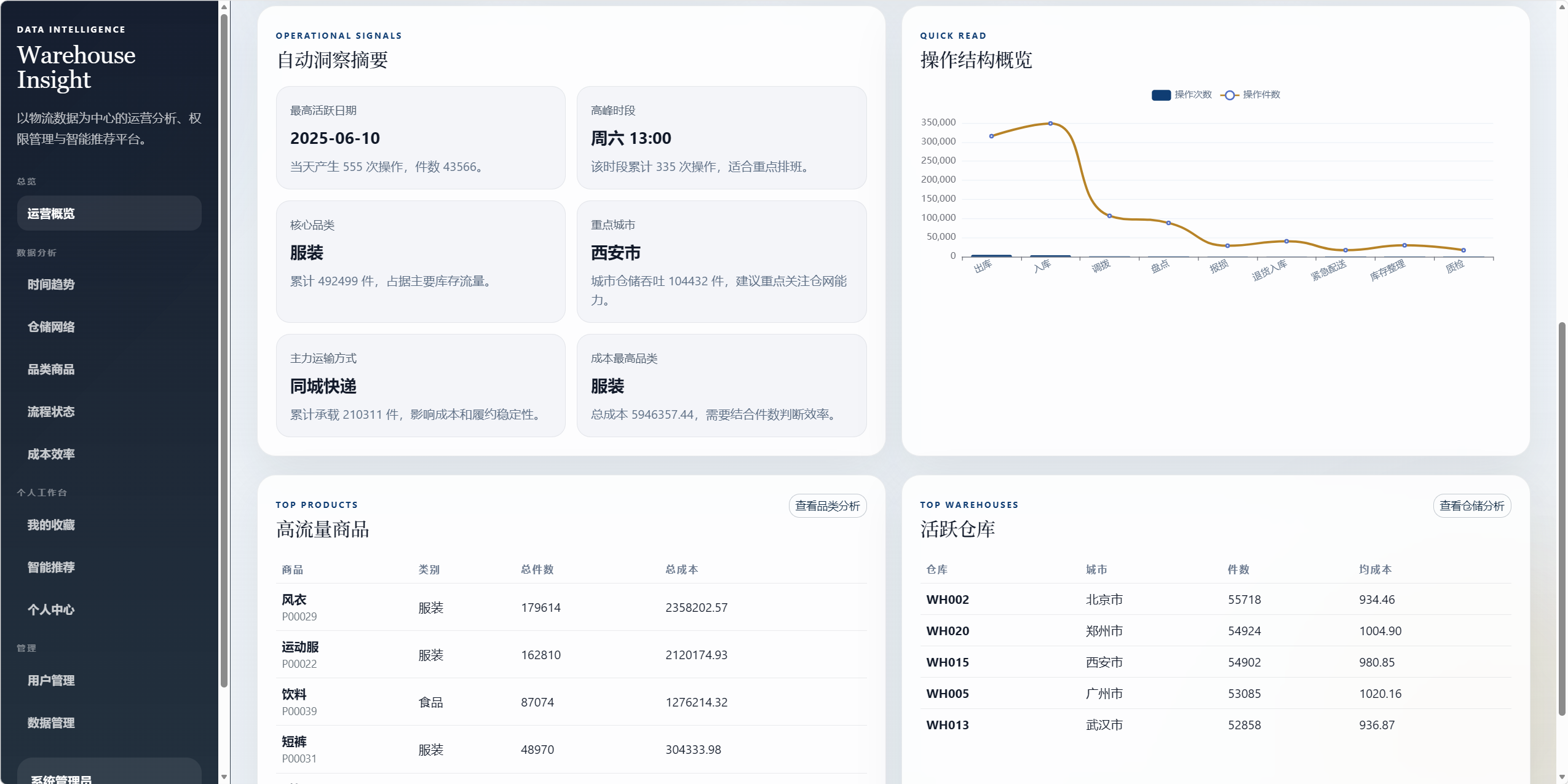 AI Visual Insight: This image appears to show the homepage or analytics overview page. It typically includes metric cards, a navigation area, and a chart area, which suggests the project uses a card-based layout with a left-side navigation structure that works well for multi-module logistics operations data entry points.
 AI Visual Insight: This image appears to show a linked multi-chart analytics page, likely containing line, bar, or heatmap containers. It reflects an implementation pattern in which the frontend automatically renders ECharts instances by page container, which is suitable for dense data exploration.
The project directory separates services, routes, and static assets cleanly
The backend structure separates responsibilities across routers, services, templates, and static. analytics.py handles statistics and recommendations, while bootstrap.py handles initialization and import logic. This shows the project is not a simple collection of files, but a system with clear module boundaries.
app/
├── routers/        # Page routes and API routes
├── services/       # Statistical analytics and startup initialization
├── templates/      # Jinja2 page templates
├── static/         # Local CSS, JS, Bootstrap, and ECharts assets
├── models.py       # ORM data models
├── security.py     # Password hashing and security logic
└── dependencies.py # Login and authorization dependencies
This structure shows that the system follows a typical layered FastAPI design, making it easier to extend with independent APIs and analytics modules later.
The data model supports analytics, access control, and recommendation capabilities
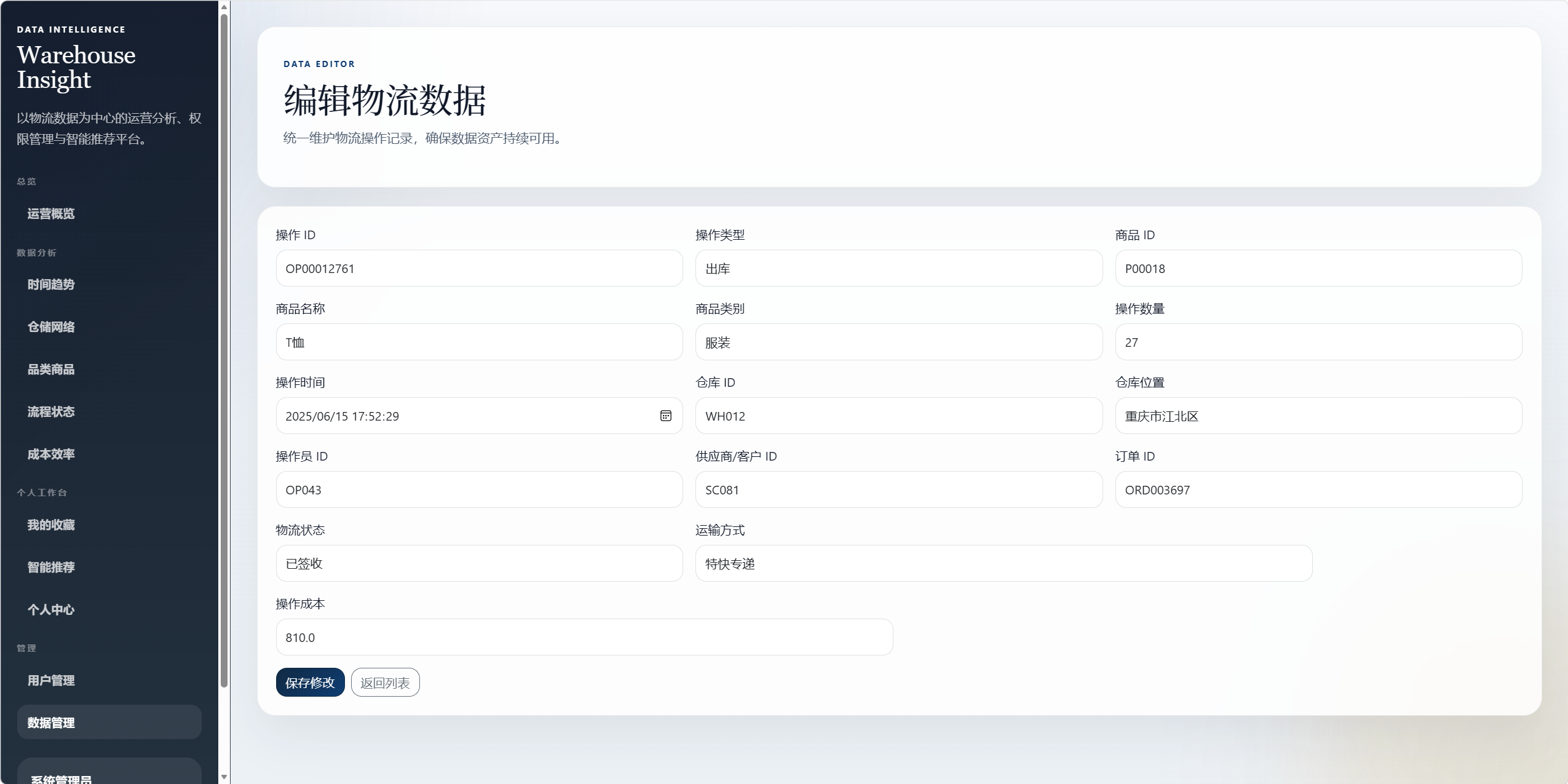
The users table stores authentication data, roles, preferences, and profile information. It serves as the foundation for both authorization and recommendation logic. The warehouse_records table covers key fields such as operation type, product, warehouse, status, transport mode, and cost, which makes it suitable for time-series, categorical, relational, and anomaly analysis.
The favorite_products table brings user behavior into the data pipeline, and that is a critical design choice. Many academic systems include charts but no user feedback loop. This project upgrades a pure analytics system into a business application with preference modeling by capturing favorite behavior.
The data import workflow reduces the barrier to first-time deployment
On first startup, the system automatically checks whether warehouse_records is empty. If it is empty, the application imports data from data/warehouse.csv. This removes the need for manual database seeding in demo environments and significantly reduces setup cost.
from fastapi import FastAPI

app = FastAPI()

@app.on_event("startup")
def startup_event():
    init_database()          # Initialize the database and table schema
    create_default_admin()   # Create the default administrator account
    import_csv_if_empty()    # Import CSV data when the table is empty
The core value of this startup logic is that it combines environment preparation, account initialization, and cold-start data loading into one automated process.
The visualization architecture keeps metrics consistent through a single aggregated API
The project consolidates most chart data under /api/dashboard. The response includes multiple payloads such as overview, trend, calendar_heatmap, city_route_flow, category_drilldown, sankey, and parallel_records.
This aggregated API design has two advantages. First, frontend pages can be split across modules while still sharing the same statistical definitions. Second, when adding a new chart, developers only need to extend the backend payload and the frontend rendering function, which keeps maintenance cost relatively low.
 AI Visual Insight: This image most likely shows a time trend or cost trend chart. It typically includes line series aggregated by date and can be used to observe synchronized fluctuations across operation counts, item volume, and cost.
 AI Visual Insight: This image may be a heatmap or calendar heatmap that uses color intensity to represent high-frequency operational dates or time periods. It is useful for identifying warehouse peak cycles and unusually dense intervals.
City drill-down and category drill-down stand out as interaction highlights
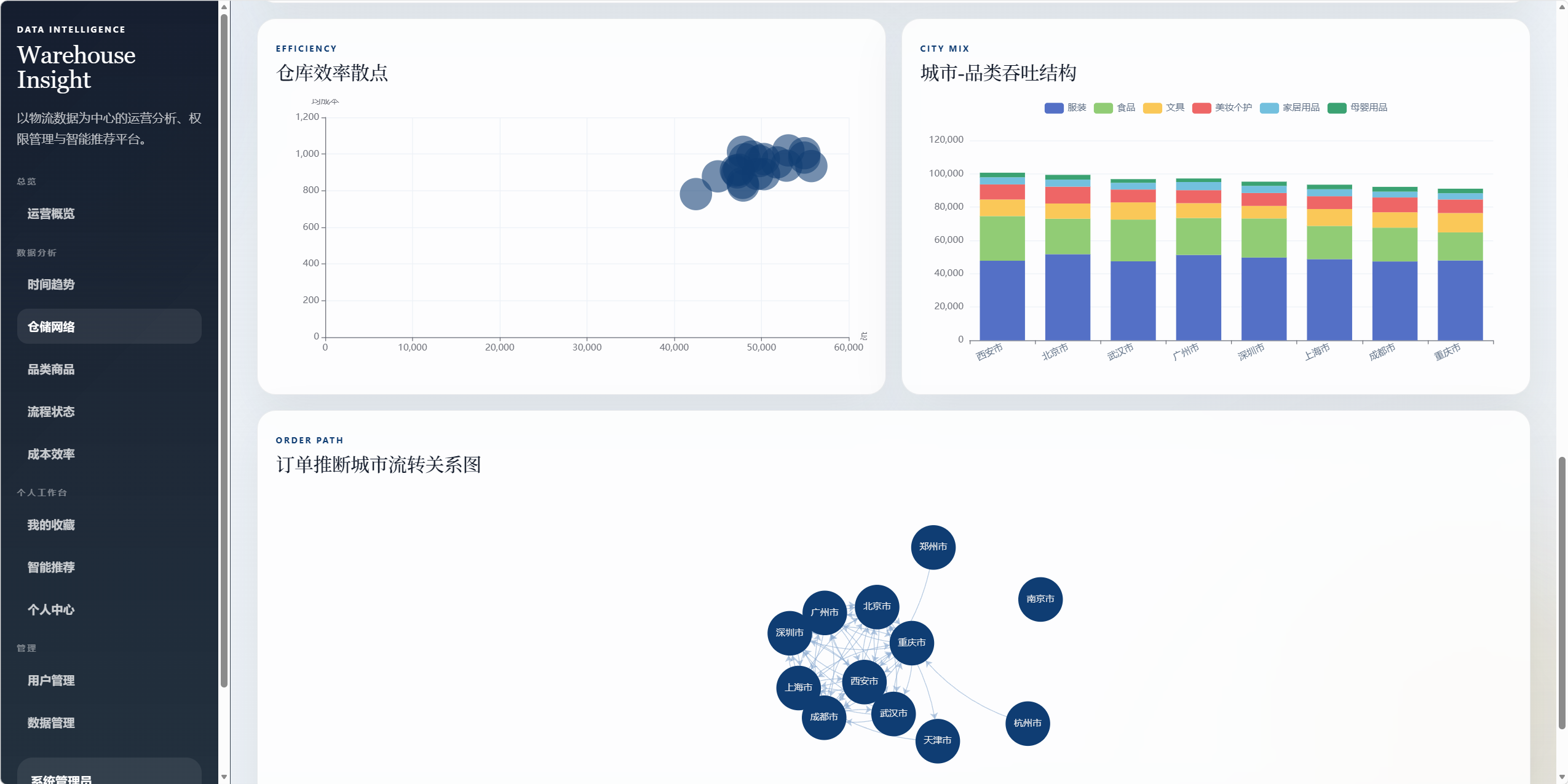
The warehouse network page supports clicking a city node to display that city’s operation count, throughput volume, total cost, average cost, and its most popular products and category structure. The category analytics page supports trend views and product rankings by category.
chart.on('click', function (params) {
  const city = params.name; // Get the clicked city name
  const detail = cityDrilldown[city]; // Read the city drill-down data
  updateCityCards(detail); // Update city metric cards
  renderCityCategory(detail); // Render the category structure chart
  renderHotProducts(detail); // Render the hot products table
});
This frontend logic shows that charts do more than display data. They also act as analytics entry points and controllers for linked data interactions.
The security and authorization design makes the system viable as a real business prototype
The system uses sessions to maintain login state and combines get_current_user with get_admin_user to control access scope. Passwords use PBKDF2-HMAC-SHA256 hashing, independent salts, and constant-time comparison, which is significantly more secure than plaintext storage or simple digest schemes.
The default administrator account is admin / Admin@123. That is acceptable for classroom demos, but in production it must be changed through environment variables or enforced during the first-start flow.
Data correction ensures time-based analytics stay aligned to 2025
The project explicitly performs two time corrections: it shifts operation timestamps in the CSV dataset into 2025, and it synchronizes updates to both operation_time and operation_date after the data is imported into MySQL. Final verification shows that the number of 2024 records in the database is 0.
SELECT COUNT(*) AS total_count,
       MIN(operation_time) AS min_time,
       MAX(operation_time) AS max_time
FROM warehouse_records;
This validation SQL quickly verifies the record count, earliest timestamp, and latest timestamp, ensuring that analytics charts do not include cross-year dirty data.
The recommendation algorithm uses interpretable rules instead of a black-box model
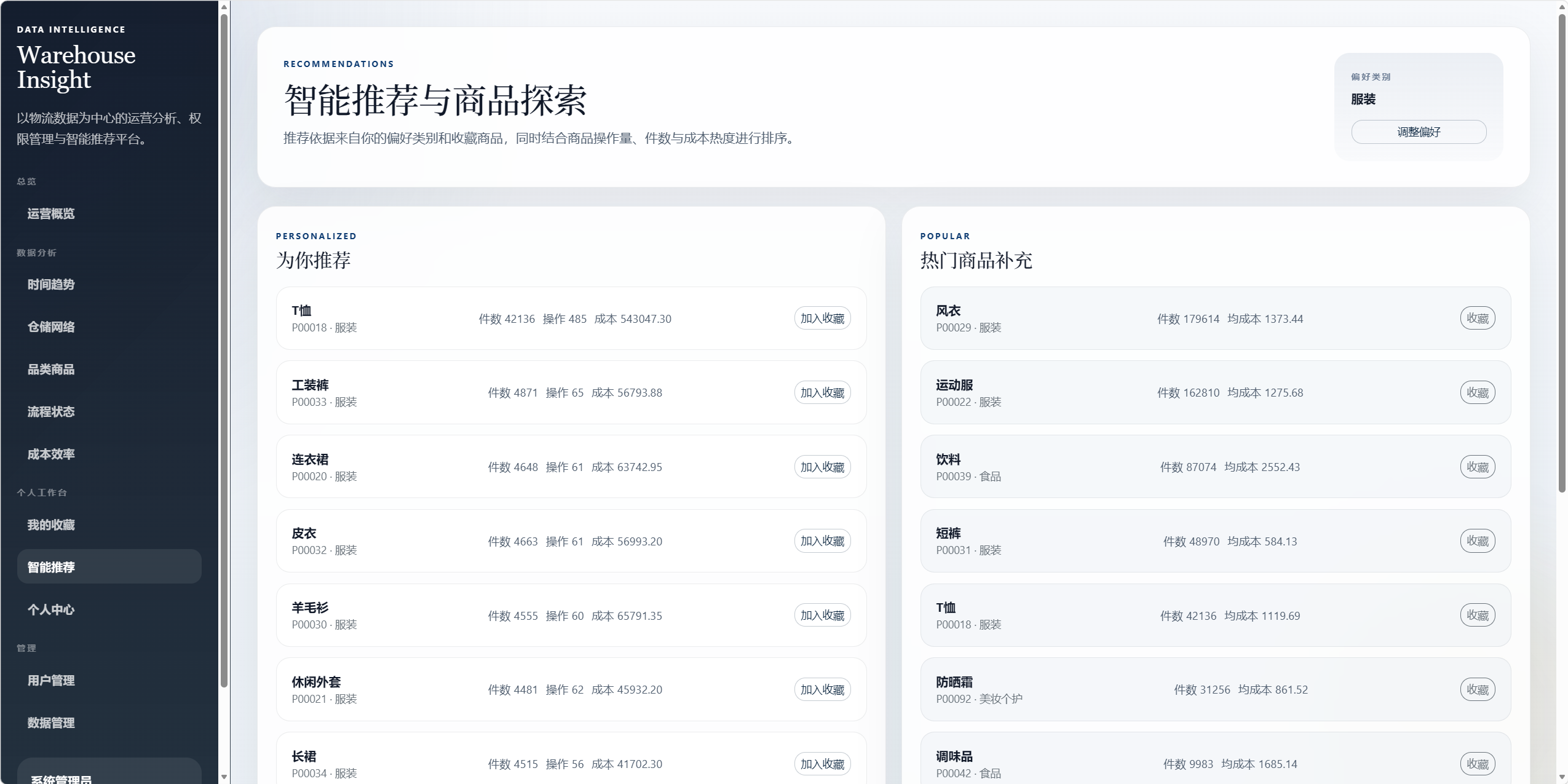
The recommendation logic is based on user preference categories, favorite categories, and product popularity. The system first excludes products the user has already favorited, then ranks the remaining items by cumulative quantity, operation count, and cumulative cost. The algorithm is not complex, but it is highly interpretable and well suited for teaching, project defense, and demo scenarios.
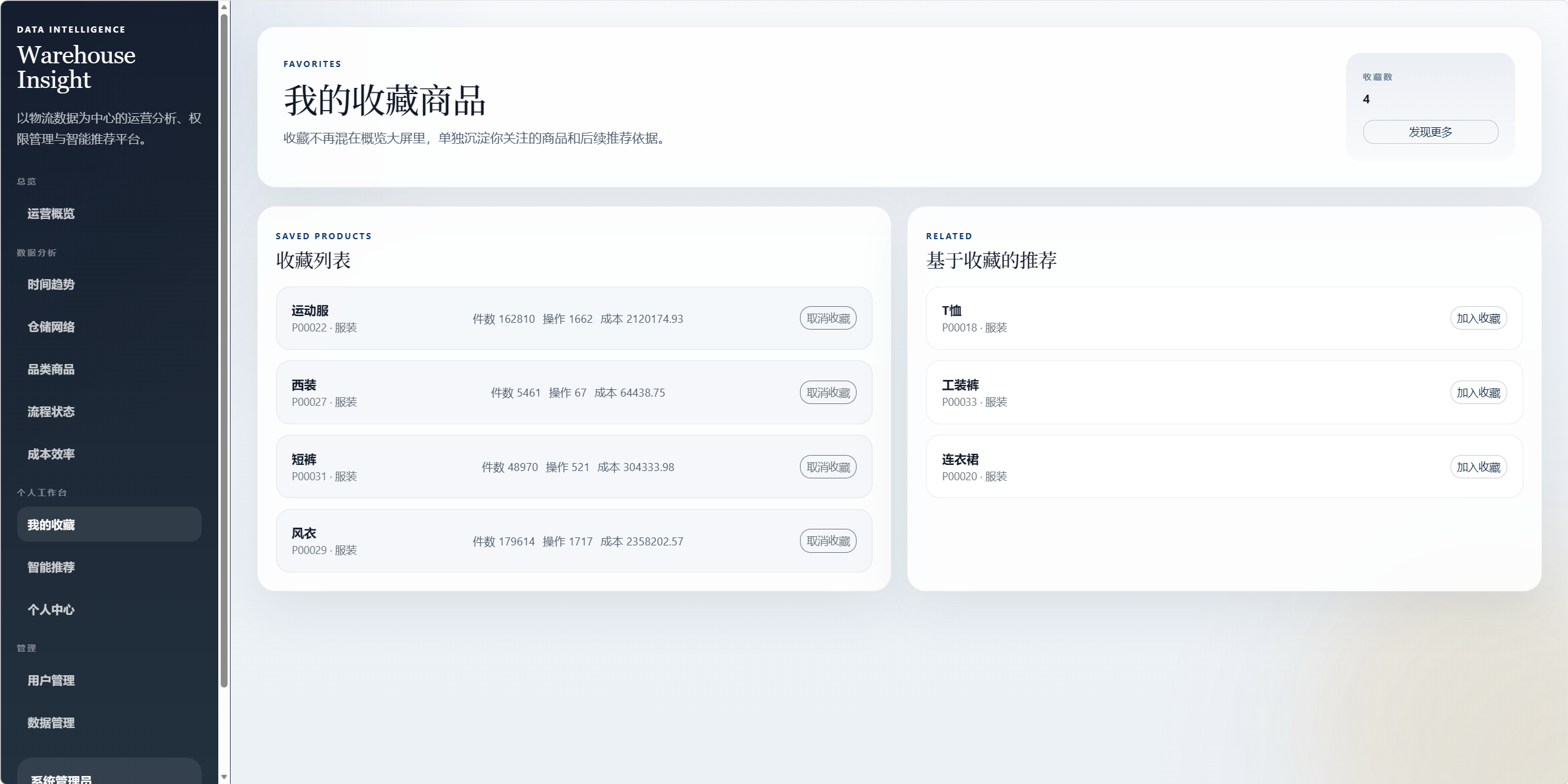
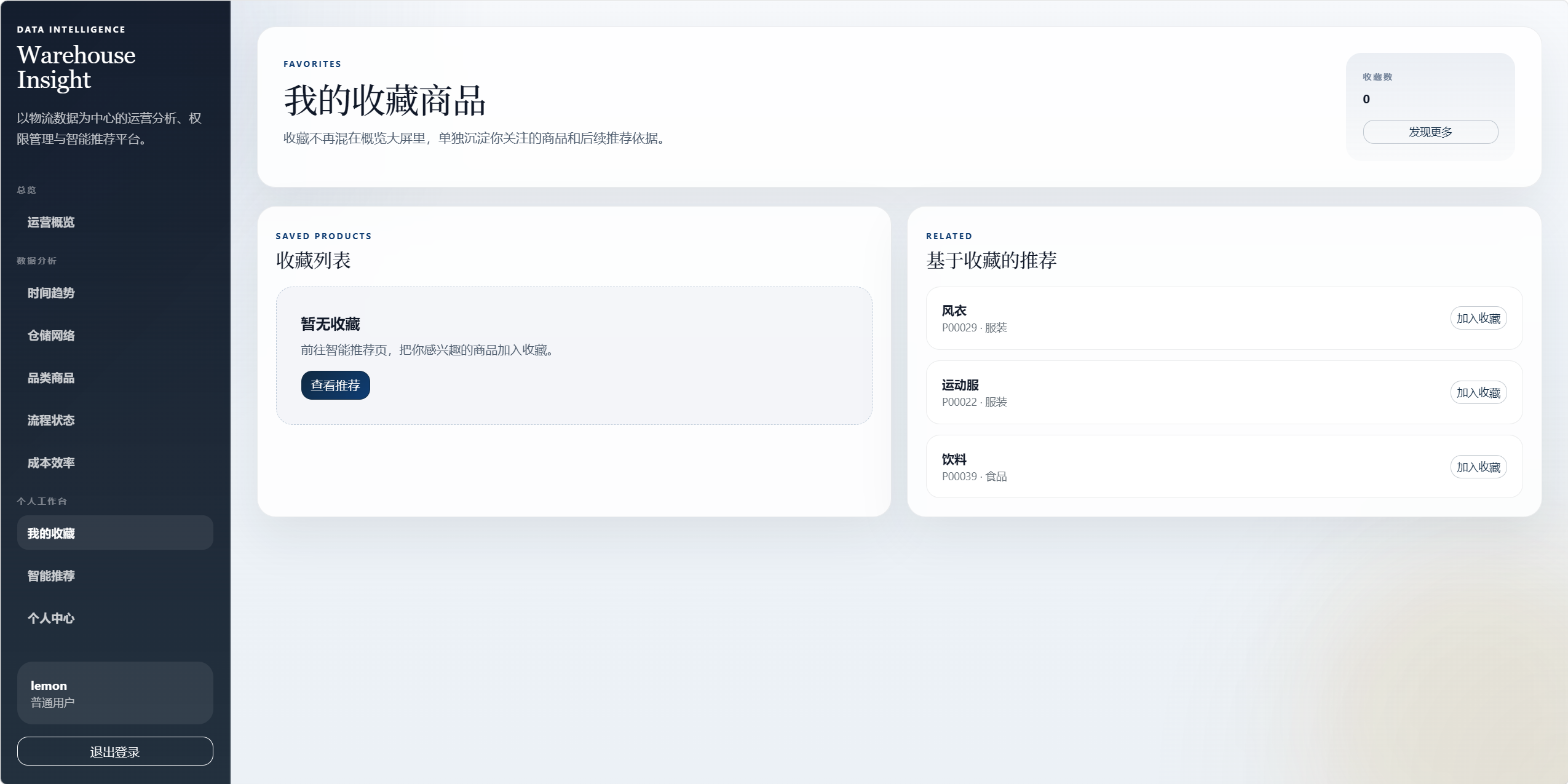
At the same time, separating the favorites page from the recommendations page is the right product decision. It avoids overloading the analytics pages with too many user-centric features and keeps the analytics workflow and personal workspace independent.
 AI Visual Insight: This image may show a product category distribution, treemap, or matrix chart. It uses area, color, or coordinates to map product scale and cost, making it useful for identifying key categories with both high throughput and high cost.
 AI Visual Insight: This image may be a Sankey diagram or funnel chart that reflects flow and drop-off across operation types, logistics status, and transport modes. It is useful for identifying process bottlenecks and abnormal state distributions.
Local static assets improve offline usability
The project copies Bootstrap and ECharts into local directories instead of relying on a CDN. For campus networks, internal networks, or offline demo and defense environments, this is a high-value improvement.
uvicorn main:app --reloadThis command starts the application locally. The default access URL is http://127.0.0.1:8000.
The project works well as both a logistics analytics capstone and an enterprise prototype template
From an engineering perspective, it includes five layers: data import, access control, visual analytics, user behavior tracking, and recommendation output. From a business perspective, it covers core logistics metrics across warehousing, products, transport, status, and cost.
If you continue to evolve the system, a good next step is to split /api/dashboard into finer-grained APIs and introduce filters, report export, anomaly detection, and collaborative filtering recommendations to improve both performance and intelligence.
FAQ structured Q&A
1. Why does this project use FastAPI instead of Django?
FastAPI is lighter for API definitions, async support, type hints, and API organization. It fits scenarios where server-rendered pages, data APIs, and analytics aggregation coexist. If the project’s core is analytics APIs rather than a complex admin backend, FastAPI is the more direct choice.
2. Does the single aggregated /api/dashboard endpoint become too heavy?
Yes. Its advantage is consistent metrics and faster early-stage development, but the downside is a potentially large response payload. This tradeoff is acceptable in a course project, but a production system should split APIs by page or chart and combine that with caching and pagination.
3. What is the most valuable direction for extending this system?
The highest-priority improvements are filtering, anomaly detection, and report export. These features significantly increase business usefulness. If you want to push the system further toward intelligence, then add collaborative filtering, similar-product recommendation, and cost forecasting models.
AI Readability Summary
This article reconstructs the technical implementation of a product logistics data visualization system, covering the FastAPI backend, MySQL data modeling, ECharts multi-dimensional charts, authentication and authorization, data import, recommendation logic, and page-layering strategy. It is well suited for course projects, capstone work, and logistics analytics prototyping.