Technical Specifications at a Glance
| Parameter | Details |
|---|---|
| Deployment Platform | Tencent Cloud Lighthouse |
| Deployment Method | One-click deployment with the official OpenClaw application image |
| Recommended Specs | 2 vCPU / 2 GB RAM / 50 GB SSD / 4 Mbps |
| Region | Beijing |
| Core Model | GLM-5.1 |
| Interaction Channels | WeChat + QClaw |
| Core Dependencies | Official OpenClaw image, WeChat binding support, skill system |
| Protocols / Interfaces | HTTP, model API, WeChat authorization flow |
| GitHub Stars | Not provided in the source article |
This is a production-oriented cloud deployment path for OpenClaw
This article focuses on a reproducible way to deploy OpenClaw on Tencent Cloud Lighthouse. It covers out-of-the-box deployment with the official image, GLM model integration, WeChat channel connectivity, and skill-based extensions, then validates two high-value scenarios: AI job coaching and college application planning. It addresses common pain points such as complex setup for beginners, unclear skill selection, and weak scenario implementation. Keywords: OpenClaw, Tencent Cloud Lighthouse, AI assistant.
The core value of the original article is not simply that OpenClaw can be installed. It provides a standard implementation path that fits developers in China: choose the official image, connect a domestic model, bind a WeChat channel, and install skills based on real scenarios.
This path upgrades OpenClaw from a general-purpose chat agent into a task-oriented AI assistant that can run online continuously. It is especially suitable for individual developers, office users, and lightweight teams that need 24/7 cloud-based availability.
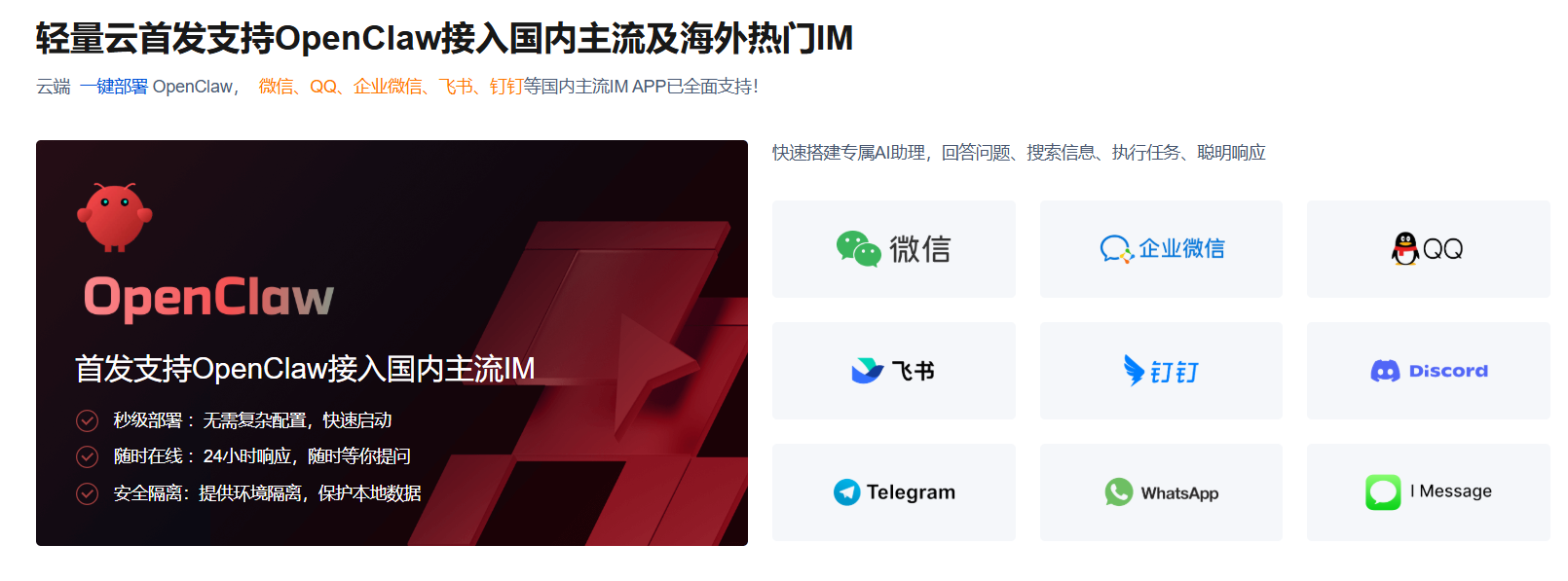 AI Visual Insight: This image shows the overall deployment entry points and functional layout of OpenClaw on a cloud server. It likely includes an admin panel, configuration navigation, and service status sections, indicating that this solution emphasizes initialization through a visual interface rather than manual source-based installation.
You should lock in the baseline constraints before deployment
The highest-success approach is to use the dedicated OpenClaw image provided by Tencent Cloud instead of a clean operating system. This avoids cascading failures caused by missing Node.js packages, dependency libraries, service scripts, and environment variables.
The recommended configuration in the original article is 2 vCPU, 2 GB RAM, 4 Mbps bandwidth, 50 GB SSD, and the Beijing region. The goal of this setup is not high performance. It is to provide the lowest-cost environment that can reliably handle model calls, WeChat interaction, and routine skill execution.
# After logging in to the Lighthouse instance, verify network and disk status first
uname -a          # View system information
free -h           # Check whether memory meets the minimum runtime requirement
df -h             # Check remaining disk space
ss -lntp          # Check listening status on key ports
These commands help you quickly confirm after deployment whether the instance meets the minimum requirements for running OpenClaw continuously.
Model configuration determines inference quality and response stability in OpenClaw
After OpenClaw is initialized, you must bind at least one available model. Otherwise, the system has only a shell and no inference capability. The original article uses GLM-5.1 under Zhipu’s Coding Plan. This is a practical choice for Chinese-language tasks, low-latency integration, and stable domestic network access.
For office automation, coding assistance, and multi-turn Q&A, GLM-5.1 offers stable Chinese understanding, a low integration barrier, and no dependency on additional networking workarounds. For beginners, this is more practical than chasing larger overseas models.
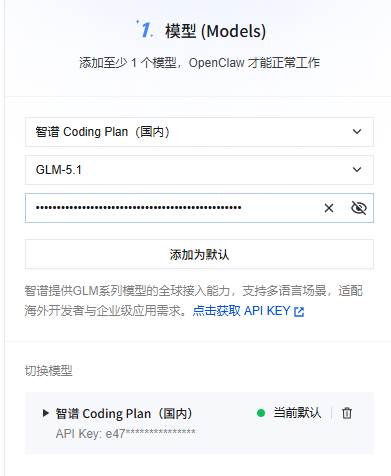 AI Visual Insight: This image likely shows the model management page, including the model list, provider configuration, and API key input fields. It suggests that OpenClaw integrates models through a form-based admin workflow, which makes it easy to switch inference backends quickly.
{
  "provider": "zhipu",
  "model": "glm-5.1",
  "api_key": "YOUR_API_KEY",
  "temperature": 0.3,
  "max_tokens": 4096
}
This example shows the five most important parameters when connecting a domestic model to OpenClaw.
Channel configuration makes cloud capabilities available on demand
If the model is the brain, the channel is the set of hands. The original article clearly selects WeChat as the primary interaction channel, and that choice matters a lot. It turns OpenClaw from a service that only works in a console into a mobile assistant that can receive commands anytime.
The advantage of a WeChat channel is not just convenience. It also keeps the learning curve low. Users do not need to install an additional complex client. They only need to complete binding and authorization to create a closed loop: send a request from WeChat, execute the task in the cloud, and return the result back to WeChat.
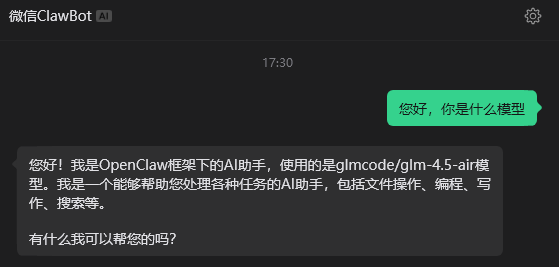 AI Visual Insight: This image likely shows the control status after WeChat channel binding, usually including a QR code, authorization result, or online status indicator. It demonstrates that OpenClaw has completed the connection from backend configuration to an instant messaging entry point.
# Pseudocode: verify that the service and channels are working correctly
curl http://127.0.0.1:3000/health   # Check OpenClaw service health
curl http://127.0.0.1:3000/channels # View the list of loaded channels
These example commands help verify that both the main OpenClaw service and the channel modules are registered correctly.
The skill system determines whether OpenClaw can move from conversation to execution
The most valuable part of the original article is the clarity of its skill selection logic. It does not pursue quantity. Instead, it builds a capability matrix around office work, search, operations, documents, storage, and meetings.
The web search skill solves the problem of stale model knowledge. memory-hygiene controls memory growth during long-running sessions. The GitHub skill supports development collaboration. Tencent Docs, COS, and meeting skills complete an enterprise office workflow inside the Tencent ecosystem.
The recommended skill set directly covers common workflows
openclaw-tavily-search: Adds real-time web search capability.memory-hygiene: Controls context size and memory usage.github: Useful for code lookup and repository integration.tencentcloud-lighthouse-skill: Supports cloud host operations and maintenance.tencent-docs/tencent-cos-skill/tencent-meeting-skill: Builds a complete Tencent ecosystem office loop.
There is only one key principle here: install skills that are officially verified, clearly sourced, and tied to explicit use cases first. Do not turn a production environment into a plugin testing ground.
skills:
  - name: openclaw-tavily-search   # Real-time web search
    version: 0.1.0
  - name: memory-hygiene           # Clean redundant memory
    version: 1.0.0
  - name: tencentcloud-lighthouse-skill  # Cloud host O&M skill
    version: 1.0.0
This list shows a minimum viable skill combination that covers three core capabilities: search, stability, and operations.
Two scenarios validate the real business value of OpenClaw
The first scenario is AI job coaching. In the original article, the job-hunting skill is built on real HR experience and combines resume optimization, interview preparation, job filtering, and application strategy into a standard process. This means OpenClaw does not just answer questions. It executes a reusable methodology.
The second scenario is college application planning for the Gaokao. The value of the XueFeng skill is that it extracts structured decision logic from public video content and uses exam scores, ranking, city preference, family conditions, and employment goals to drive major selection. This design is especially well suited for advisory tasks with high information density and low tolerance for error.
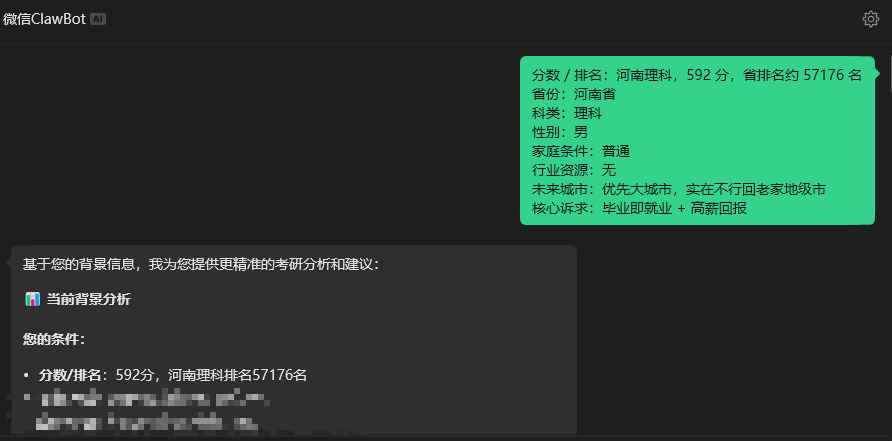 AI Visual Insight: This image likely shows the Q&A result page for the application planning scenario, including user inputs and recommended majors or planning paths. It indicates that the skill has transformed an unstructured consulting request into structured decision output.
A minimal invocation example can be designed like this
def route_user_request(scene, user_input):
    # Select different skills based on the scenario
    if scene == "job":
        return "Invoke the AI job coaching skill to handle resume and interview questions"
    elif scene == "gaokao":
        return "Invoke the XueFeng skill to handle major and application planning"
    # Fall back to the general model when no scenario matches
    return "Invoke the general model for conversational handling"
This code shows the most common routing pattern in a multi-scenario OpenClaw assistant: identify the scenario first, then assign the appropriate skill.
This solution should be optimized for stability, security, and low operational overhead
The original article repeatedly emphasizes three practical lessons: use the official image, choose compatible channels, and stay disciplined with skills. At its core, this is about controlling system complexity.
In lightweight server deployments, the most common problems are usually not insufficient compute resources. They come from changing ports incorrectly, creating inconsistent firewall rules, or installing skills from untrusted sources that destabilize the service. The best production practice is therefore simple: keep the default ports, record your secrets, limit unnecessary changes, and add skills only when needed.
The recommended deployment checklist keeps the system maintainable
- Create the instance with the official OpenClaw image.
- Confirm that the login password, region, and public network access work correctly.
- Configure the model first, then the WeChat channel, and install skills last.
- Validate one scenario first before expanding to multiple scenarios.
- Do not casually change critical system ports or firewall rules.
FAQ
1. Why is manual installation on a clean Ubuntu system not recommended for OpenClaw?
Manual installation introduces uncertainty in dependency versions, startup scripts, permissions, and environment variables. The official image has already standardized these prerequisites and can significantly reduce the failure rate.
2. Can a 2 vCPU / 2 GB Tencent Cloud Lighthouse instance run OpenClaw reliably?
For scenarios that rely on API calls to external models and focus on message-based interaction and lightweight skills, this specification is usually sufficient. If you enable a large number of automated tasks or high-frequency concurrency, then you should consider upgrading the instance.
3. Which business scenarios should you prioritize for OpenClaw?
Start with structured decision-making or highly repetitive tasks, such as job coaching, college application planning, document organization, cloud host operations, and knowledge retrieval. These scenarios make the value of skill-based execution easiest to demonstrate.
AI Readability Summary
This article reconstructs the OpenClaw deployment workflow on Tencent Cloud Lighthouse and focuses on three core configuration areas: model, channel, and skills. It also demonstrates two high-value use cases—AI job coaching and college application planning—making it a strong fit for developers who need a low-barrier, reproducible, and extensible AI assistant solution.