This article focuses on API versioning in .NET 10. It uses Microsoft.AspNetCore.OpenApi together with Asp.Versioning to connect versioned routing, document grouping, and visual API documentation, solving the compatibility risks that often appear as APIs evolve. Keywords: .NET 10, OpenAPI, API Versioning.
Technical Specifications Snapshot
| Parameter | Description |
|---|---|
| Language | C# / ASP.NET Core |
| Runtime | .NET 10 |
| Versioning Strategy | URL Path Versioning |
| OpenAPI Library | Microsoft.AspNetCore.OpenApi 10.0.0 |
| Versioning Libraries | Asp.Versioning.Http / Mvc / ApiExplorer 10.0.0 |
| Documentation UI | Scalar.AspNetCore 2.6.0 |
| Protocol | HTTP / OpenAPI |
| Repository | denglei1024/openapi-apiversion |
| Star Count | Not provided in the original article |
| Core Dependencies | Asp.Versioning, Microsoft.AspNetCore.OpenApi, Scalar |
API Versioning Is the Foundation for Safe API Evolution
Once clients integrate with an API, that API stops being just code implementation and becomes a stable contract. Without versioning, adding fields, changing response structures, or retiring old endpoints can directly break production consumers.
In Web API design, versioning mainly solves three problems: backward compatibility, incremental evolution, and controlled deprecation. It allows teams to keep shipping new capabilities without disrupting existing clients.
Common Versioning Strategies Should Match Team Boundaries
Common approaches include URL path versioning, query string versioning, header versioning, and media type versioning. Among them, URL versioning is the most intuitive and the easiest to standardize across gateways, logs, and documentation systems.
/api/v1/users
/api/users?api-version=1.0
X-API-Version: 1.0
Accept: application/json; v=1.0
This example shows the four mainstream ways to declare an API version. For the ASP.NET Core scenario in this article, the URL path strategy is the best fit.
.NET 10 Unifies Native OpenAPI and Version Governance More Naturally
In the past, many .NET projects relied on Swashbuckle for documentation generation and layered Asp.Versioning on top for version handling. That combination works, but the configuration chain is longer and the integration between versions and documentation is less natural.
In .NET 10, Microsoft provides Microsoft.AspNetCore.OpenApi. At the same time, Asp.Versioning v10 can now integrate directly with this library. That means version grouping, document generation, and route constraints can now work together within a single capability set.
Start by Installing the Dependencies Required for Multi-Version Documentation
# API versioning
 dotnet add package Asp.Versioning.Http --version 10.0.0
 dotnet add package Asp.Versioning.Mvc --version 10.0.0
 dotnet add package Asp.Versioning.Mvc.ApiExplorer --version 10.0.0

# OpenAPI document generation
 dotnet add package Microsoft.AspNetCore.OpenApi --version 10.0.0

# Documentation UI
 dotnet add package Scalar.AspNetCore --version 2.6.0
These dependencies handle version detection, MVC integration, document grouping, and visual documentation rendering respectively.
Program.cs Must Configure Both Version Declaration and Document Grouping
The core idea has two steps: first, teach the application how to read API versions; second, generate an independent OpenAPI document for each version. This way, consumers see clearly separated v1 and v2 documents instead of one mixed collection.
var builder = WebApplication.CreateBuilder(args);
var services = builder.Services;

services
    .AddApiVersioning(options =>
    {
        options.DefaultApiVersion = new ApiVersion(1, 0); // Set the default version to 1.0
        options.AssumeDefaultVersionWhenUnspecified = true; // Use the default when no version is specified
        options.ReportApiVersions = true; // Report supported versions in response headers
        options.ApiVersionReader = new UrlSegmentApiVersionReader(); // Read the version number from the URL path
    })
    .AddMvc()
    .AddApiExplorer(options =>
    {
        options.GroupNameFormat = "'v'V"; // Generate group names such as v1 and v2
        options.SubstituteApiVersionInUrl = true; // Replace the route version placeholder with the actual value automatically
    });

services.AddOpenApi("v1", options =>
{
    options.ShouldInclude = api => api.GroupName == "v1"; // Include only v1 endpoints
});

services.AddOpenApi("v2", options =>
{
    options.ShouldInclude = api => api.GroupName == "v2"; // Include only v2 endpoints
});

var app = builder.Build();

app.MapOpenApi();
app.MapScalarApiReference(options =>
{
    options.WithTitle("Users API - {documentName}")
           .AddDocuments(new[] { "v1", "v2" }); // Display multiple versioned documents in the UI
});

app.Run();
This configuration delivers three key capabilities: version-aware routing, grouped OpenAPI output, and multi-document rendering in Scalar.
Controller Attributes Must Explicitly Declare API Versions
Configuring the base services is not enough. Controllers and action methods must also tell the framework which API version they belong to. Only then can the framework route requests correctly and place endpoints into the correct document.
[ApiController]
[Route("api/v{version:apiVersion}/[controller]")]
[ApiVersion("1.0")]
public class UsersController : ControllerBase
{
    [HttpGet]
    [MapToApiVersion("1.0")]
    public IActionResult GetV1()
    {
        return Ok(new
        {
            Version = "v1", // Return the current API version
            Users = new[] { "Alice", "Bob" }
        });
    }
}

[ApiController]
[Route("api/v{version:apiVersion}/[controller]")]
[ApiVersion("2.0")]
public class UsersV2Controller : ControllerBase
{
    [HttpGet]
    [MapToApiVersion("2.0")]
    public IActionResult GetV2()
    {
        return Ok(new
        {
            Version = "v2", // Return the upgraded API version
            Users = new[] { "Alice", "Bob", "Charlie" }
        });
    }
}
This code demonstrates how to bind different controllers to different versions through attributes and return version-specific data structures.
Access Paths and Output Behavior Clearly Reflect Version Isolation
After versioned routing is enabled, clients can access different implementations through different URLs, which prevents new logic from overwriting old behavior.
GET /api/v1/users
GET /api/v2/usersv2
This shows that the API version is part of the routing contract. Clients get a clear upgrade path, and the server can evolve more safely in stages.
Scalar Turns Multi-Version OpenAPI Documents Into a Readable Developer Portal
The original article also introduces Scalar as the API reference presentation layer. It does not manage versions by itself, but it is well suited for browsing, switching, and searching across multiple documents.
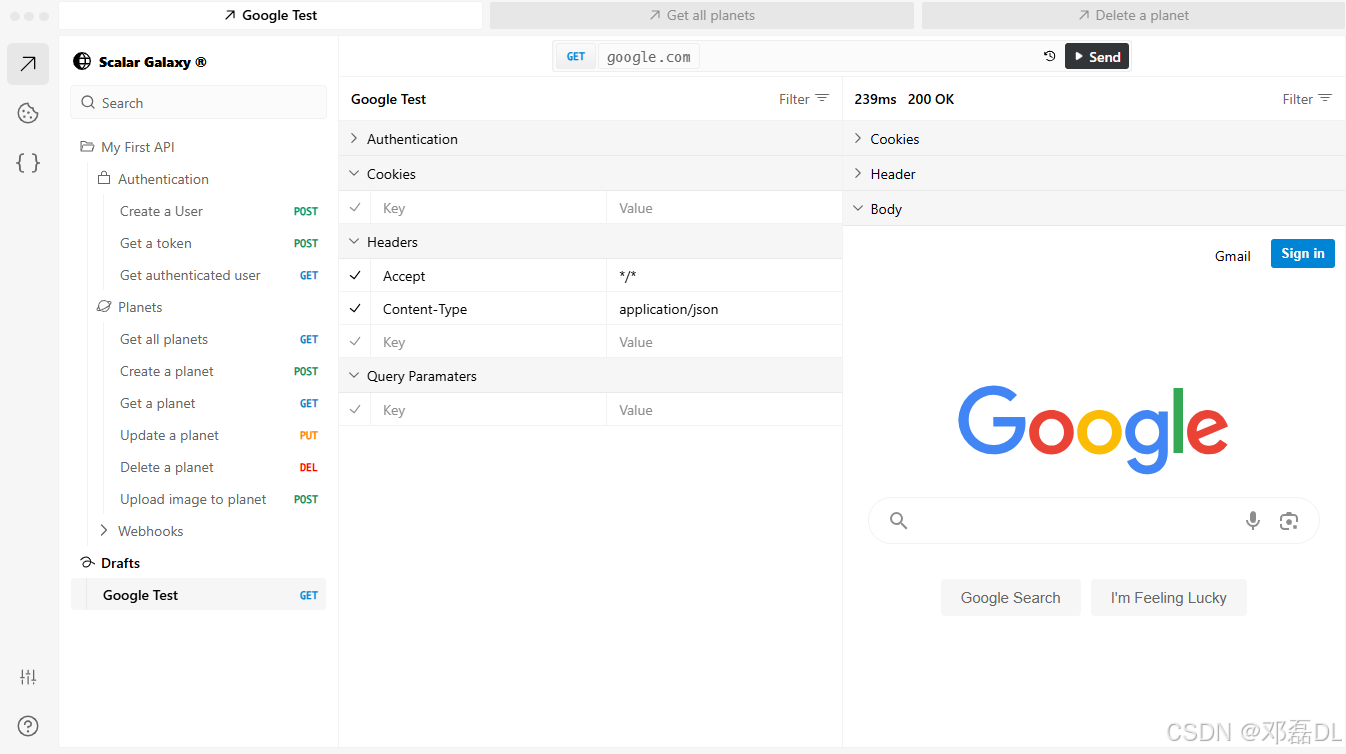
AI Visual Insight: This image shows a multi-column API documentation layout, typically including endpoint navigation on the left, request details and examples in the center, and an environment or version switcher at the top. This structure helps developers quickly locate endpoints across multiple API versions, inspect parameters and response models, and verify that document grouping is configured correctly.
If your team plans to expose OpenAPI output directly to frontend developers, QA engineers, or third-party integrators, a documentation frontend like Scalar can significantly improve API discoverability and collaboration efficiency.
This Approach Works Especially Well for ASP.NET Core Services That Need Long-Term Compatibility
The value of this setup is not just that it can generate documentation. It unifies versioning strategy, route constraints, grouped documents, and the reading experience into one engineering workflow.
For medium and large systems, you should define a version lifecycle policy early: default version, deprecation notices, migration windows, and document freeze rules. Tools enforce the mechanics, but governance rules determine long-term maintainability.
Reference Repository
FAQ
1. Why not just keep using Swashbuckle?
If your existing project already runs stably, Swashbuckle is still a valid choice. But for new .NET 10 projects, Microsoft.AspNetCore.OpenApi integrates more naturally with the framework, and the configuration path becomes more consistent when combined with Asp.Versioning.
2. Is URL versioning better than header-based versioning?
There is no universally better option. URL versioning is more intuitive and works well for gateway forwarding, log analysis, and documentation display. Header-based versioning is more semantically pure, but it is slightly weaker in debugging visibility and operational transparency. Teams should choose based on consumers and infrastructure.
3. Can one controller support multiple API versions at the same time?
Yes. You can declare multiple ApiVersion attributes on the same controller, then use MapToApiVersion to map different actions to different versions. However, if the differences between versions are substantial, splitting controllers is usually easier to maintain.
[AI Readability Summary]
This article reconstructs a complete API versioning solution for .NET 10 using Microsoft.AspNetCore.OpenApi and Asp.Versioning. It covers dependency installation, Program.cs configuration, controller version annotations, multi-version OpenAPI document generation, and Scalar-based presentation. It is especially suitable for ASP.NET Core developers who need to balance backward compatibility with documentation governance.