This article focuses on practical large model integration with Gitee MoArk for Universities. It explains how to create an access token, call the Serverless API, connect models to tools such as Claude Code and Trae, and troubleshoot common compatibility errors. The core pain points are fragmented documentation, multiple URL sources, and inconsistent tool protocols. Keywords: MoArk, Claude Code, Serverless API.
Technical specs at a glance
| Parameter | Details |
|---|---|
| Platform | Gitee MoArk for Universities |
| Integration methods | Serverless API, CLI, IDE |
| Supported protocols | OpenAI-compatible API, Anthropic-style API |
| Typical Base URLs | https://api.moark.com/v1/, https://ai.gitee.com/anthropic |
| Authentication | Access token / API key |
| Typical models | GLM-4, DeepSeek, Qwen, and more |
| Star count | Not provided in the source material |
| Core dependencies | HTTP client, Claude Code, Trae, VS Code extension ecosystem |
This article provides the shortest path to integrating MoArk
The core value of the source material is not exhaustive documentation. Instead, it provides a real, reproducible integration path: enter the university workspace, create an access token, map that token to an API key, and then connect it to a CLI or IDE.
For university users, this path solves a practical problem: you may already have model quota, but not know how to connect to it. This becomes especially confusing when the platform shows both moark.com and ai.gitee.com, making it easy to misjudge whether an endpoint is actually usable.
You start by entering the workspace and creating an access token
First, sign in to your Gitee account, enter MoArk, and switch to the correct university workspace. Then create an access token in that workspace. Nearly all subsequent API calls and third-party tool integrations rely on this token for authentication.
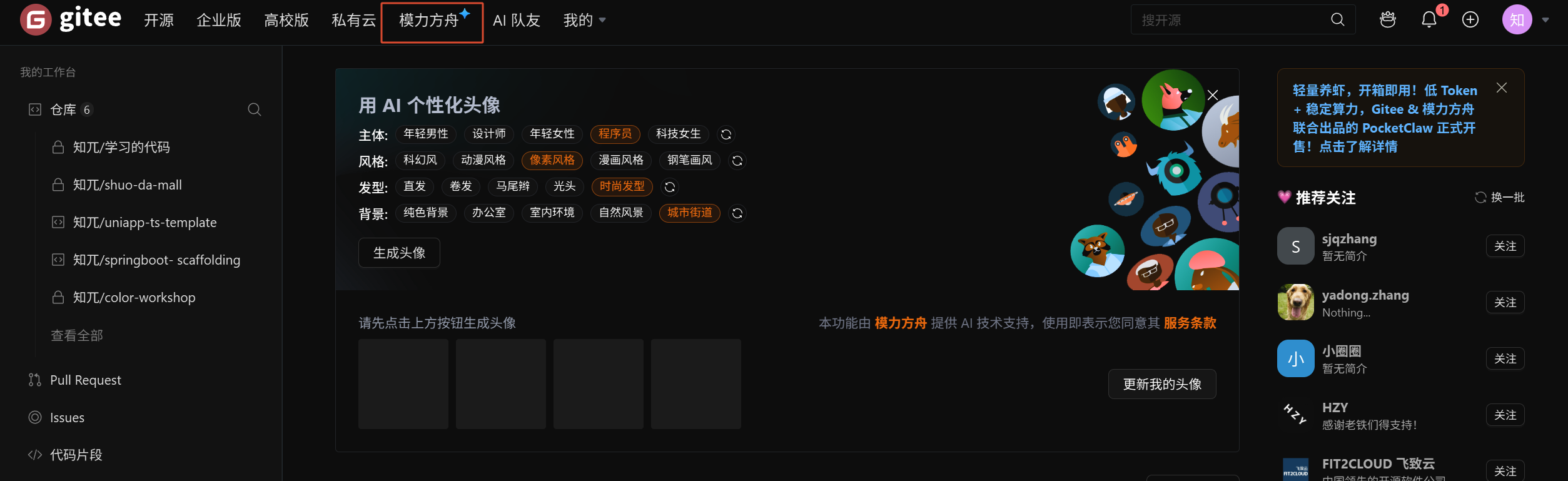 AI Visual Insight: The image shows the MoArk entry page. The key takeaway is that after signing in, you enter a unified AI platform. Integration does not start with code. It starts with identity and resource authorization on the platform side.
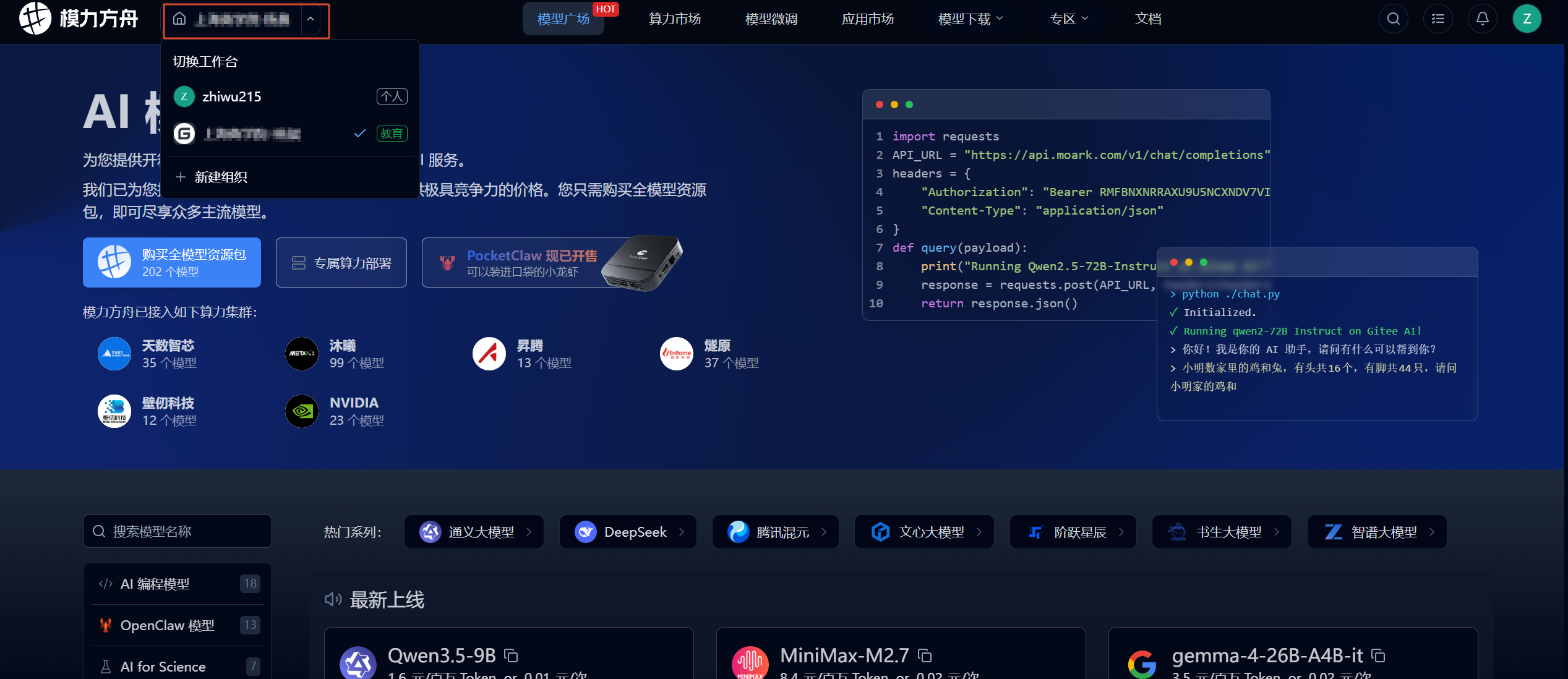 AI Visual Insight: The image shows the university workspace selection screen. This indicates that university resources are isolated by organization or workspace. If you choose the wrong workspace, the token may not bind to the correct model resource package.
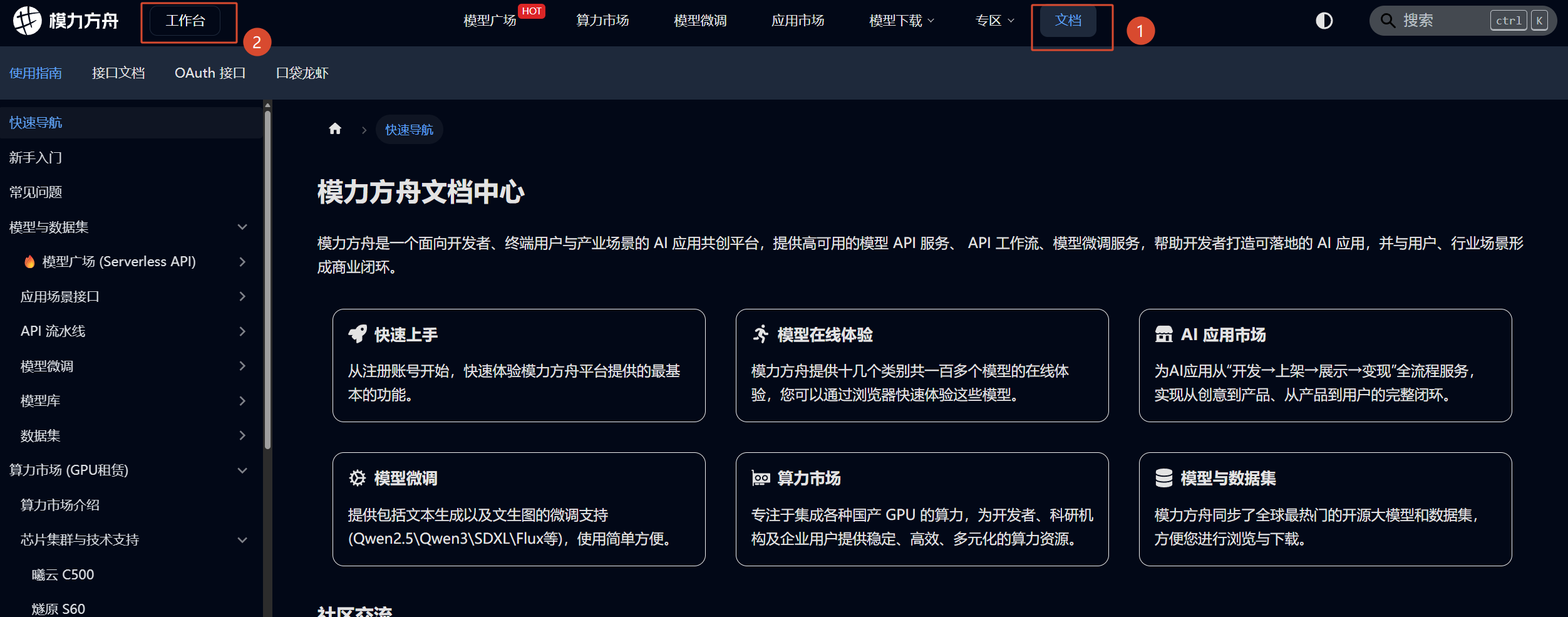 AI Visual Insight: The image shows the internal workspace console entry point. It suggests that tokens, models, quotas, and related capabilities are centrally managed in a unified backend, which is well suited for multi-model and multi-tool integration.
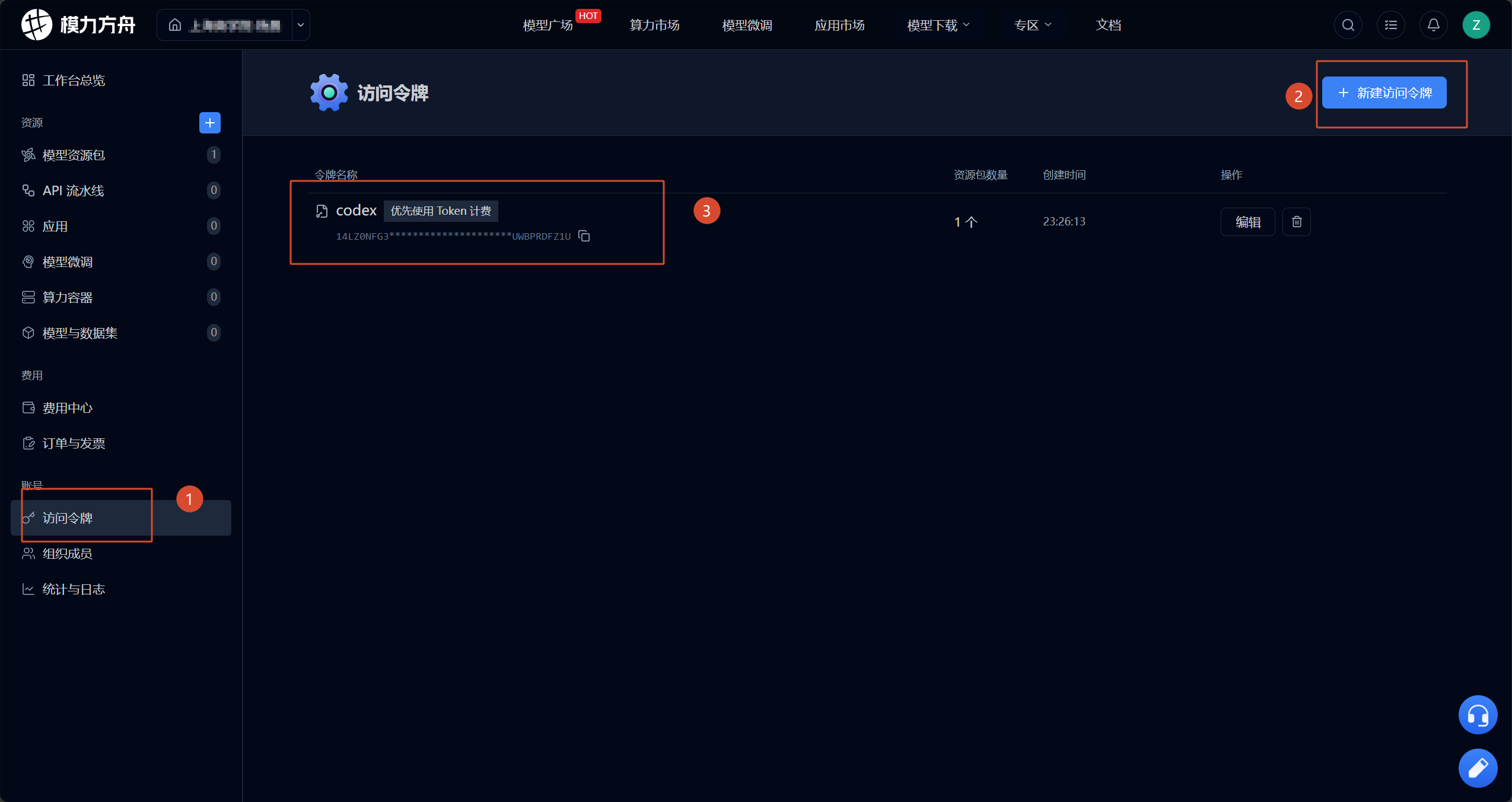 AI Visual Insight: The image shows where to create an access token. The key technical point is that the token is not a generic replacement for your account password. It is a fine-grained credential for API authentication.
# Store the access token in an environment variable instead of hardcoding it
export MOARK_API_KEY="your_access_token"

# Core idea: OpenAI-compatible and Anthropic-compatible clients can both reuse this token
echo $MOARK_API_KEY
This command abstracts the MoArk access token into a reusable API key.
Calling the Serverless API depends on correct model and token binding
After selecting a model in the AI model marketplace, you must also choose an access token that has authorization for the corresponding resource package. The source material uses “Who are you?” as a minimal test, which highlights an important principle: verify that the request path works before integrating complex business logic.
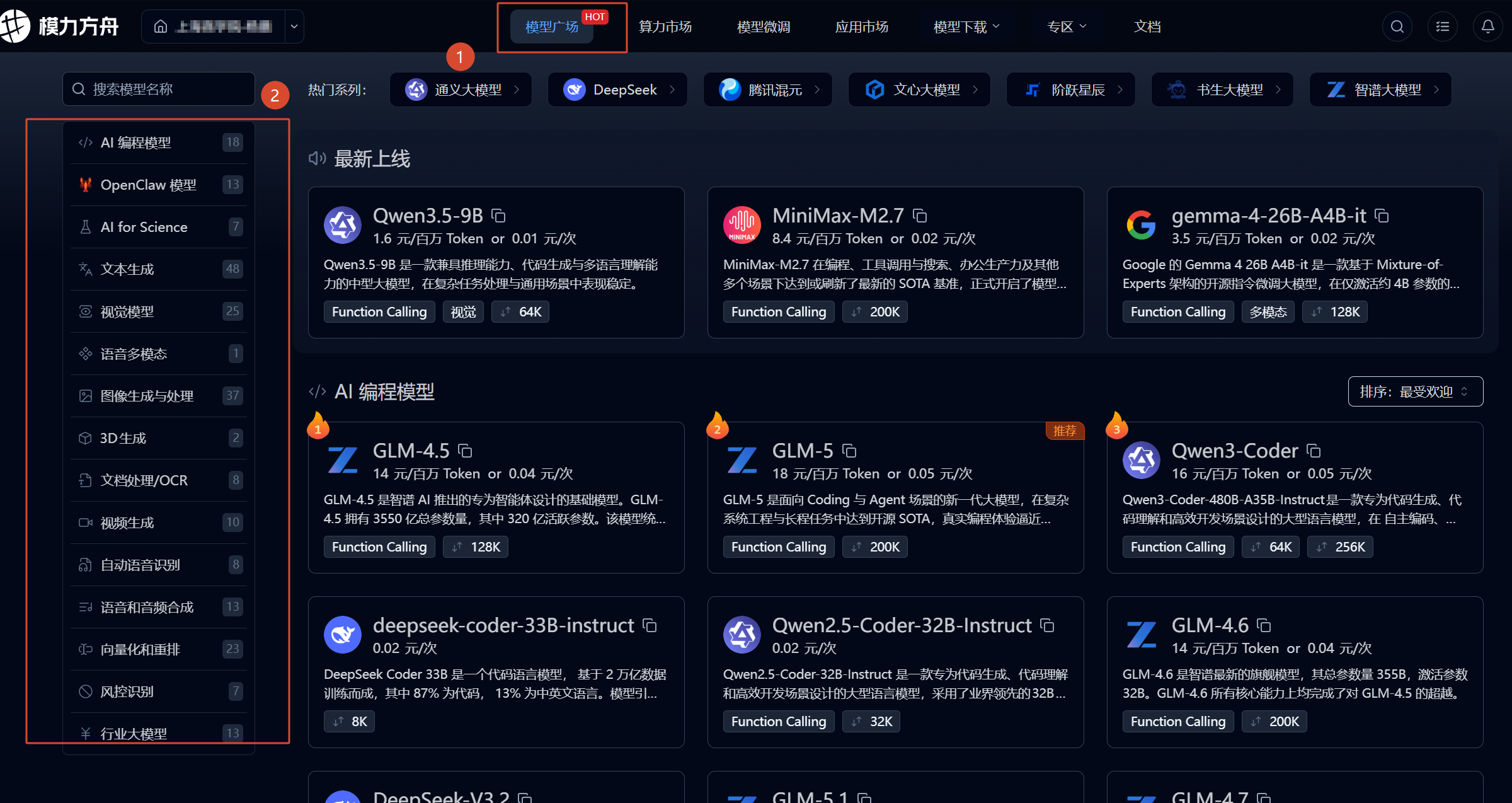 AI Visual Insight: The image shows the model selection page in the model marketplace. This indicates that the platform exposes inference capabilities in a marketplace style. You need to identify the model name first, then choose the appropriate protocol and client.
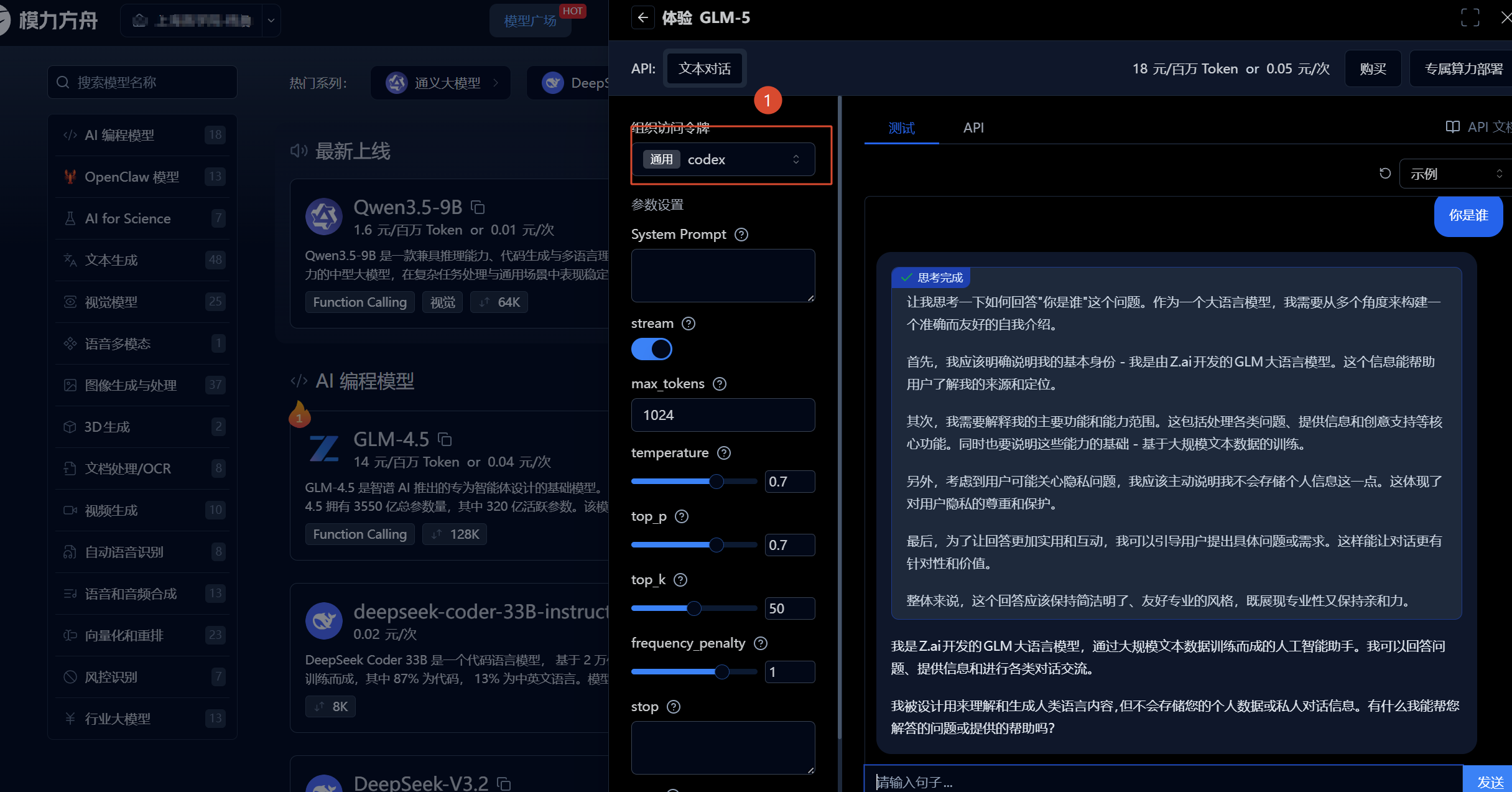 AI Visual Insight: The image shows that the token and model binding has been completed in the test chat interface. The key validation point is that the authorized resource package and the access token must match. Otherwise, you may have a key but still be unable to run inference.
You should identify the Base URL by its stable prefix
One of the biggest sources of confusion in the original article is the presence of multiple URLs. You can simplify this with one rule: if multiple endpoints share a fixed prefix and differ only by path, that prefix is usually the Base URL.
For OpenAI-compatible APIs, focus on https://api.moark.com/v1/. For Anthropic-style integrations, the source material verified that both https://ai.gitee.com/anthropic and https://moark.com/anthropic may work.
import requests

base_url = "https://api.moark.com/v1"  # Core idea: use the stable prefix as the Base URL
api_key = "your_access_token"  # Core idea: the access token serves as the API key
model = "DeepSeek-R1"

resp = requests.post(
    f"{base_url}/chat/completions",
    headers={
        "Authorization": f"Bearer {api_key}",
        "Content-Type": "application/json"
    },
    json={
        "model": model,
        "messages": [
            {"role": "user", "content": "Who are you?"}
        ]
    },
    timeout=30
)

print(resp.status_code)
print(resp.text)
This code verifies whether the MoArk OpenAI-compatible inference API is working end to end.
Claude Code integration depends more on protocol matching than simple network access
The source material points out that the official Codex documentation does not clearly explain how to connect third-party models, while Claude Code can be integrated through a compatible configuration. This shows that differences between CLI tools are not just about whether you can enter an API key. They depend on whether the underlying request protocol is compatible.
For Claude Code, the practical approach in the source material is to use an Anthropic-compatible request endpoint directly and pass the access token as the API key. If you configure only the primary model, other scenarios often inherit the same model settings.
{
  "provider": "anthropic",
  "baseURL": "https://ai.gitee.com/anthropic",
  "apiKey": "your_access_token",
  "model": "claude-compatible-model"
}
This configuration shows the minimum required parameters for connecting Claude Code to MoArk.
Codex limitations come from API deprecation
The original article mentions an important change: Codex deprecated chat/completions in February 2026. This means that even if MoArk provides an OpenAI-compatible API, Codex may stop working with the old path because of its own version strategy.
As a result, Codex-related issues are not necessarily platform-side failures. They may be caused by a client-side protocol upgrade that breaks compatibility. During troubleshooting, confirm which API specification the tool currently depends on.
IDE integration requires understanding that the model name and provider name are not the same thing
In tools such as VS Code, Cursor, and Trae, developers most often confuse three fields: provider, Base URL, and model ID. The source material makes one especially important observation about Trae: the documentation says gitee, but the console now displays “MoArk.”
This means the platform brand, provider field, and actual inference model name may come from different layers of the system. What really determines whether your request reaches the target model is usually the model ID, not the Chinese product name shown in the UI.
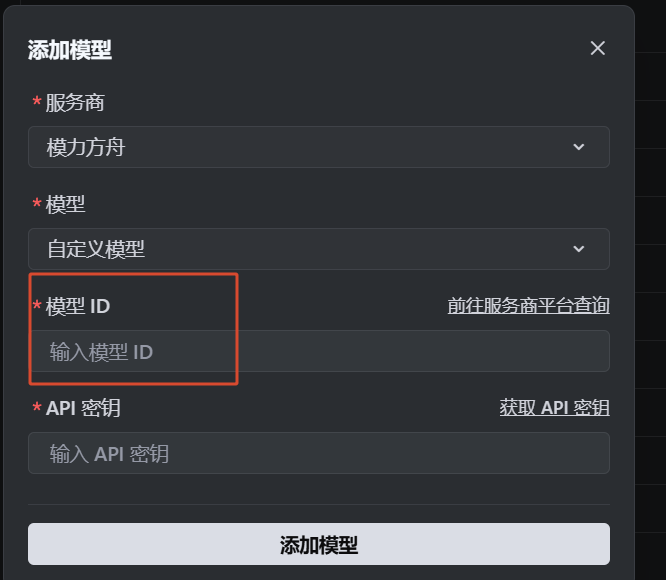 AI Visual Insight: The image shows the model name field in a model details or configuration page. It indicates that when integrating with a third-party IDE, you must use the exact model identifier rather than a marketing-facing product name.
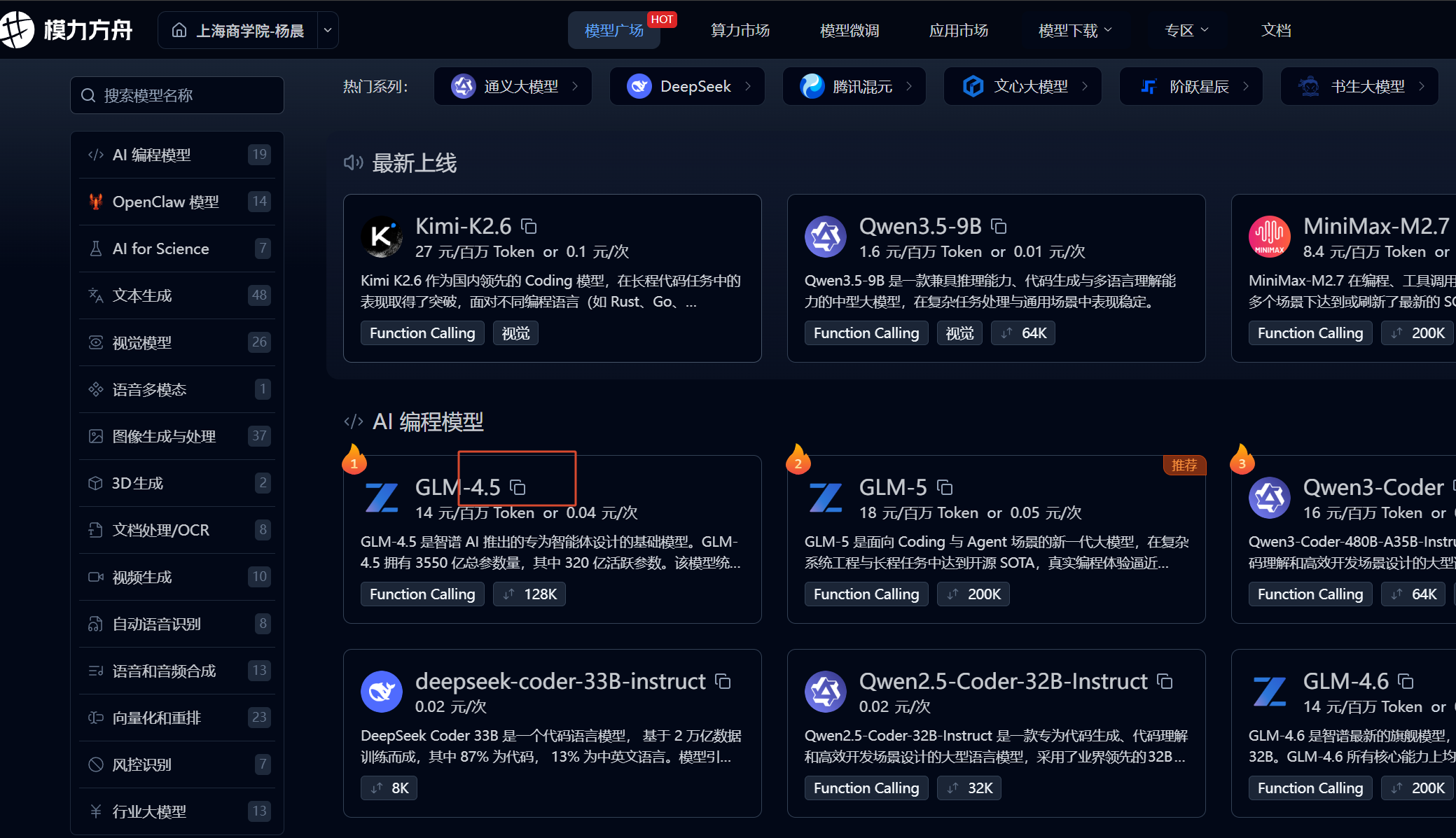 AI Visual Insight: The image shows an interaction for copying the model ID directly. This emphasizes that model selection is not fuzzy search. It is strict string matching, which is well suited for automation and scripted deployment.
You can think about Trae custom model configuration this way
The model ID is the exact model code, such as DeepSeek-R1 or Qwen-2.5-72B. As long as the provider entry is correct, the token is valid, and the protocol is compatible, the IDE can route completion or chat requests to that model.
provider: moark
base_url: https://api.moark.com/v1
api_key: your_access_token
model: DeepSeek-R1  # Core idea: enter the exact model ID here
This configuration highlights that the model field is what actually determines the target model during IDE integration.
“Content block is not a text block” is fundamentally a message format compatibility issue in tool calling
In the source material, using GLM-4 triggered API Error: Content block is not a text block. This is a highly representative error because it is not a standard authentication failure. It is a message structure parsing failure.
When Claude Code performs tool calls, the content sent to the model is no longer plain text only. It may include tool-use blocks, structured JSON blocks, and other composite message formats. If the target model or its compatibility layer accepts only plain text blocks, parsing fails at that stage.
 AI Visual Insight: The image shows an error screen from Claude Code or a similar tool. It indicates that the failure happens during structured request parsing after the message body reaches the model gateway, rather than at the network or authentication layer.
The safest mitigation is to switch to a compatible model first
The original conclusion is straightforward: switching models resolves the issue. Technically, this means you should choose a model that supports tool-calling message blocks, Anthropic-style content blocks, or a more complete function-calling protocol.
If you must keep the current model, fall back to plain text chat mode and avoid enabling tool calling, function calling, or complex agent features. In most cases, however, that means degraded functionality and is not a good long-term solution.
FAQ
1. What is the relationship between a MoArk access token and an API key?
In this integration flow, the access token usually serves directly as the API key. Whether you use an OpenAI-compatible API or a tool such as Claude Code, authentication fundamentally depends on this token.
2. Why do both moark.com and ai.gitee.com appear?
This usually happens because the platform maintains historical domains, brand-specific entry points, or multiple protocol gateways at the same time. In practice, rely on official documentation, console examples, and actual test responses rather than judging usability from the page label alone.
3. Why can some models chat successfully but fail in Claude Code?
Because chat only requires text completion, while Claude Code may send structured tool-calling messages. If the model or gateway does not support that content block format, parsing fails. The typical symptom is Content block is not a text block.
Core summary
This article systematically reconstructs the large model integration workflow for Gitee MoArk for Universities, covering access token creation, Serverless API calls, Base URL identification, Claude Code and Trae integration, and the root cause and mitigation strategies for the Content block is not a text block error.