This article focuses on three foundational pieces of engineering infrastructure—Maven, Git, and Docker. It clarifies their core models, typical commands, and practical boundaries to address three common pain points: mixed concepts, scattered commands, and inconsistent environments. Keywords: dependency management, version control, containerized deployment.
The technical specification snapshot summarizes the scope.
| Parameter |
Description |
| Core Topics |
Maven, Git, Docker |
| Primary Languages |
XML, Bash, YAML |
| Key Protocols / Mechanisms |
POM, Git Snapshot, Namespace / Cgroup |
| Star Count |
Not provided in the source content |
| Core Dependencies |
Maven Central, Git repositories, Docker Engine |
Maven is the standard entry point for Java project builds and dependency management.
Maven is not simply a “tool for downloading JAR files.” It is a POM-based project management system. It standardizes project structure, dependency resolution, plugin execution, and the build lifecycle, which makes it well suited for Java team collaboration and CI pipeline integration.
The core of every Maven project is pom.xml. This file defines the project coordinates, dependencies, plugins, packaging type, and build phases. It serves as the single source of truth for the project.
Maven coordinates define the globally unique identity of an artifact.
Coordinates consist of groupId, artifactId, and version. When needed, you can also add packaging and classifier. In practice, groupId usually represents the organization, artifactId represents the project name, and version represents the release version.
<dependency>

<groupId>com.alibaba</groupId>

<artifactId>easyexcel</artifactId>

<version>3.1.1</version>
</dependency>
This configuration declares a Maven dependency. Maven resolves and downloads the artifact from a repository based on its coordinates.
Maven dependency resolution relies on scopes and transitive dependencies.
dependencies is the dependency collection, while dependency represents a single dependency entry. Common additional properties include scope, type, optional, and exclusions. Among them, scope determines whether the dependency participates in the compile, test, or runtime phase.
Dependency conflicts are usually caused by transitive dependencies. If multiple versions of the same artifact appear in a project, first analyze the dependency tree and use targeted exclusions where necessary instead of blindly overriding versions.
The Maven repository system ensures artifact reuse and traceability.
Maven searches for dependencies in a fixed order: local repository first, then remote repositories, and finally it fails with an error if nothing matches. Remote repositories typically include the central repository, mirror repositories, and private enterprise repositories.
The value of a private enterprise repository is not limited to faster downloads. More importantly, it standardizes artifact sources, caches external dependencies, preserves internal components, and improves build stability and supply chain control.
mvn clean install   # Clean old artifacts and install to the local repository
mvn dependency:tree # View the dependency tree and locate conflicts
This command set performs a local build and analyzes dependency relationships.
The Maven lifecycle abstracts the build process into composable phases.
Maven provides three main lifecycles: default, clean, and site, with default being the most important. A common path is: validate -> compile -> test -> package -> verify -> install -> deploy.
When you execute a phase, Maven automatically runs all preceding phases in order. That is why running mvn package also triggers compilation and testing.
Git solves version management and collaboration through a distributed snapshot model.
The key difference between Git and SVN lies in the data model. SVN is more oriented toward storing diffs, while Git is more oriented toward storing snapshots. Each commit records a snapshot of the project state rather than a plain text difference.
Because of its distributed design, every developer has the full history locally. As a result, Git does not depend on a single central server. GitHub and GitLab are collaboration hubs, not prerequisites for Git itself.
Git workflows are built on three areas and three states.
Git’s three states are modified, staged, and committed, which correspond to the working directory, the staging area, and the local repository. The staging area makes it possible to control the exact boundary of a commit.
git status              # View the current state of the working directory and staging area
git add .               # Add changes to the staging area
git commit -m "feat: add feature"  # Commit to the local repository
This command sequence shows the minimal closed loop from modification to commit in Git.
Cloning a repository and pushing to a remote are the starting point of collaboration.
You can create a repository with git init, or fetch an existing repository with `git clone
`. When a local repository is linked to a remote repository for the first time, use `git remote add origin ` to establish the mapping.
“`bash
git clone https://example.com/repo.git # Clone the remote repository
git remote add origin https://example.com/new.git # Bind the remote URL
git push origin master # Push to the remote main branch
“`
This command set covers code retrieval, remote binding, and the first push.
### Git undo operations are fundamentally about reverting state in different areas.
Before undoing anything, determine whether the change is in the working directory, staging area, or local repository. `git restore` is better suited for reverting file content, while `git reset` is better suited for moving HEAD or unstaging changes.
“`bash
git restore –staged a.txt # Unstage the file and move it back to the working directory
git restore a.txt # Discard changes in the working directory
git reset –hard origin/master # Force the repository back to the remote branch state; dangerous operation
“`
These commands correspond to unstaging, discarding modifications, and forcefully rolling back state.
### Git branches make parallel development and feature delivery low cost.
A Git branch is essentially a movable pointer to a commit object, so creating and switching branches is very inexpensive. Common operations include `branch`, `checkout`, and `merge`.
In team environments, isolate feature development, bug fixes, and release branches. Avoid letting multiple people commit directly to the main branch, which helps reduce conflict and rollback costs.
## Docker solves environment consistency and delivery efficiency through containerization.
Docker’s core value is not virtualization by itself. Its real value is packaging the application, dependencies, and configuration into a standard image so you can build once and run anywhere. It directly addresses inconsistencies across development, testing, and production environments.
Both containers and virtual machines provide isolation, but containers share the host kernel, so they start faster and consume fewer resources. Virtual machines provide stronger isolation and better cross-operating-system capabilities.
### Docker’s foundational objects form the software delivery chain.
To understand Docker, focus on five objects: `Dockerfile`, `Image`, `Container`, `Repository`, and `Registry`. The image is the template, the container is the running instance, and the repository is used to distribute images.
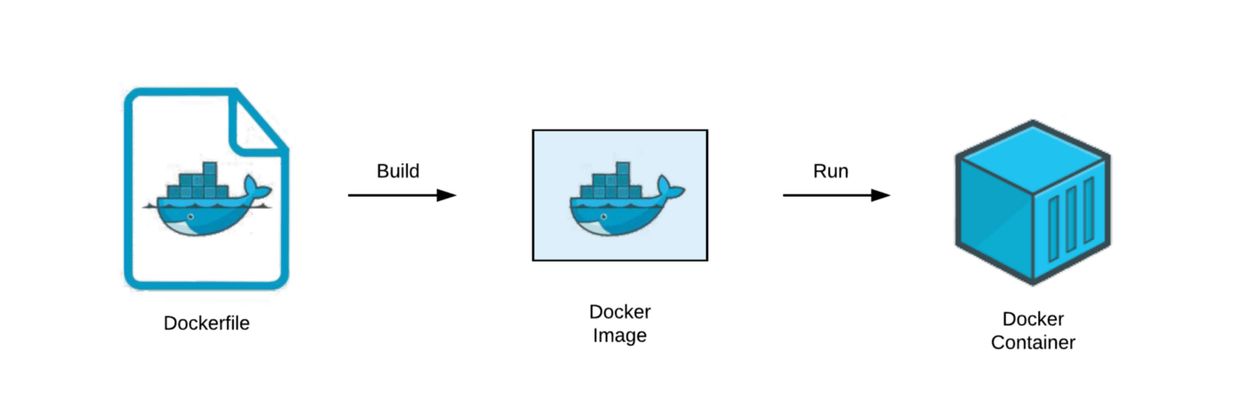
**AI Visual Insight:** This diagram shows the relationship among Docker’s three core objects. It is typically used to explain the dependency chain in which the image acts as the static template, the container acts as the runtime instance, and the repository acts as the distribution hub, emphasizing the closed loop from build to distribution to execution.
Images use a layered read-only structure, which improves caching and reuse. Containers add a writable layer on top of the image, but that layer lives and dies with the container itself. For that reason, mount critical data to a Volume instead of writing it into the container layer.
“`dockerfile
FROM openjdk:8
COPY app.jar /app.jar # Copy the application JAR into the image
CMD [“java”,”-jar”,”/app.jar”] # Run the Java application when the container starts
“`
This Dockerfile builds a base image that can run a Java application.
### Docker’s build and runtime flow can be abstracted as Build, Ship, and Run.
Developers first write a Dockerfile, then build an image with `docker build`, push it to a repository with `docker push`, and finally pull and start it on the target server with `docker pull` and `docker run`.
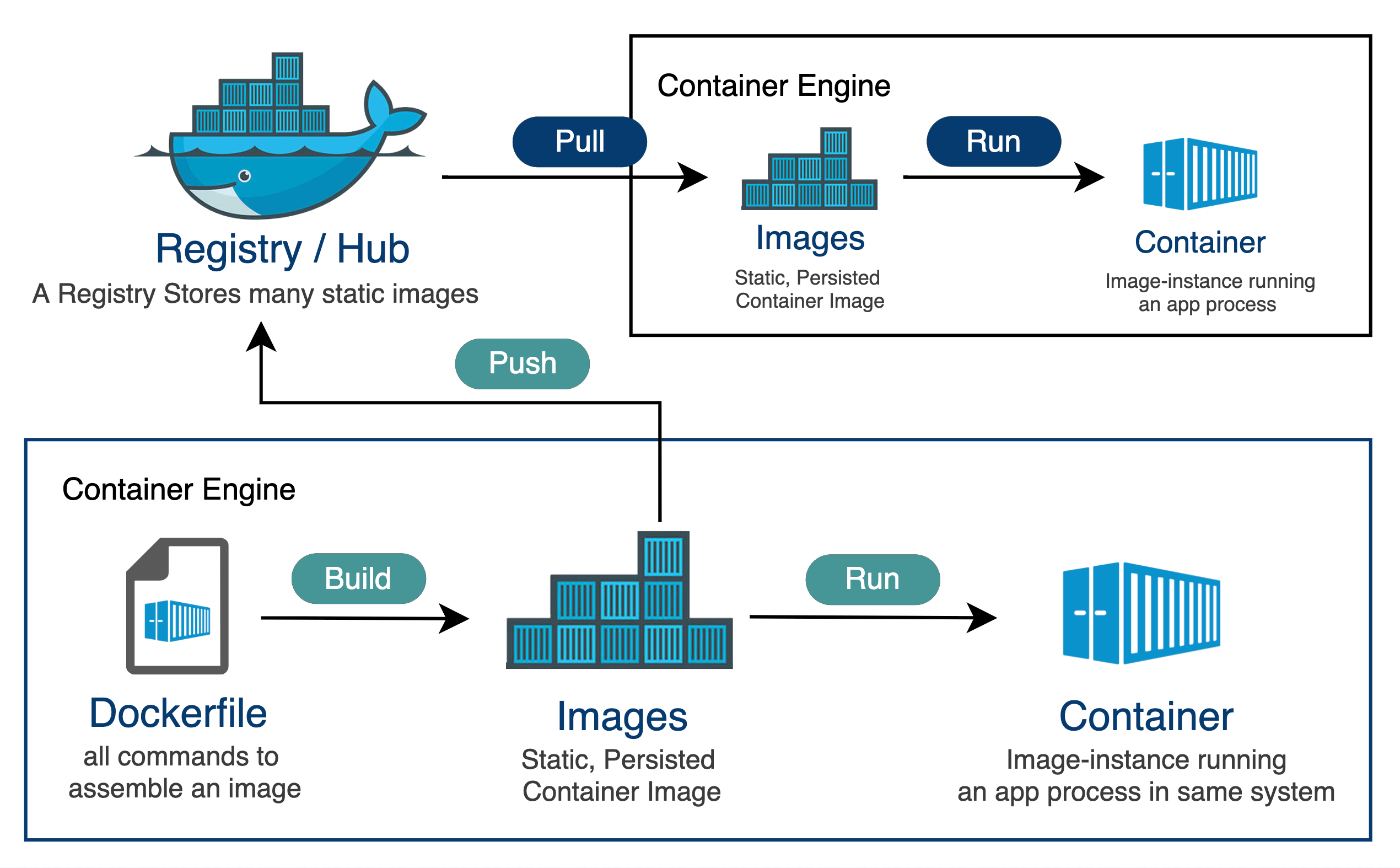
**AI Visual Insight:** This diagram maps the flow among Dockerfile, Image, Container, and Repository. It highlights the engineering path of defining an image, generating it, uploading it to a repository, and running the container, which is useful for understanding artifact flow in CI/CD.
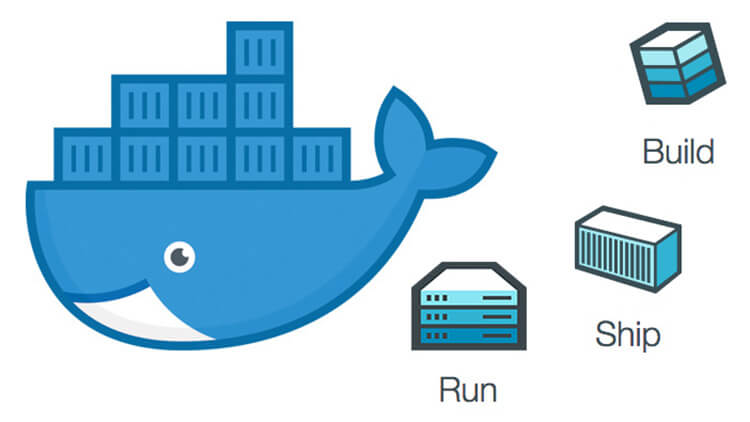
**AI Visual Insight:** This diagram focuses on the three-stage Build, Ship, and Run model. It shows how images move between the local environment, the repository, and the runtime environment, emphasizing the core idea behind Docker’s standardized delivery model.
“`bash
docker build -t myapp:v1 . # Build the image
docker push myapp:v1 # Push the image to a repository
docker run -d myapp:v1 # Start the container in detached mode
“`
This command set forms the shortest delivery path for image build, distribution, and startup.
### Docker Compose converges multi-container deployment into a single declarative file.
When a system depends on MySQL, Redis, a backend, and a frontend at the same time, multiple `docker run` commands create scattered parameters, complex networking, and confusing startup order. Compose solves this problem by using `docker-compose.yml` to define the service topology in one place.
“`yaml
services:
mysql:
image: mysql:5.7
redis:
image: redis:latest
backend:
image: myapp-backend:v1
“`
This configuration shows the minimal structure for multi-service orchestration and is well suited for quickly starting local development and test environments.
### Docker’s low-level capabilities come from Linux kernel isolation and resource control.
Docker is not a full virtual machine. It runs isolated processes constrained by `namespace` and `cgroup`. `namespace` provides view isolation for processes, networks, mounts, and more, while `cgroup` provides resource limits for CPU, memory, and other system resources.
In essence, Docker is a lightweight form of operating-system-level virtualization built on Linux kernel capabilities.
## These three tools form the minimum closed loop of modern Java engineering.
Maven handles builds and dependencies, Git handles history and collaboration, and Docker handles environments and delivery. Together, they operate across three critical dimensions: how code is organized, how change is tracked, and how software is delivered.
When connected in engineering practice, they form a stable workflow: developers manage code with Git, build artifacts with Maven, and package the runtime environment with Docker before releasing to the target server.
## FAQ provides structured answers to common questions.
### What problem does each of Maven, Git, and Docker solve in engineering?
Maven handles dependency management and standardized builds, Git handles version control and team collaboration, and Docker handles environment consistency and fast deployment. They do not overlap. Instead, they cover different layers of the software delivery chain.
### Why does Git need a staging area when many version control tools do not?
The staging area lets developers precisely select changes before committing. It allows them to combine only specific modifications from multiple files into a single semantically clear commit. That is Git’s core advantage in commit-granularity control.
### Why does Docker usually run in Linux environments?
Because Docker depends on Linux kernel features such as Namespace and Cgroup to implement isolation and resource control. On Windows or macOS, Docker typically requires a Linux runtime environment underneath.
Core Summary: This article reframes Maven, Git, and Docker into a high-density technical reference that covers Maven coordinates and lifecycle, Git states and commit flow, and Docker images, containers, and Compose. It is well suited for interview review and real-world engineering practice.