robots.txt is a public access declaration file for search engine crawlers. It defines which paths can be crawled and which must be skipped, helping prevent accidental exposure of sensitive pages, wasted crawl budget, and rendering issues. Keywords: robots.txt, search engines, crawlers.
Technical Specification Snapshot
| Parameter | Details |
|---|---|
| File type | Plain text |
| Deployment location | Site root at /robots.txt |
| Applicable targets | Standards-compliant crawlers such as Googlebot, Bingbot, and Baidu |
| Core directives | User-agent, Allow, Disallow, Sitemap |
| Optional fields | Crawl-delay, Host |
| Protocol property | A convention-based protocol, not an enforced security mechanism |
| Example languages in this article | TypeScript, Bash |
| Related dependencies | Search Console, curl, sitemap |
| Practical context | Website indexing troubleshooting and crawl management |
robots.txt Is a Crawl Boundary Declaration, Not a Security Boundary
robots.txt is a public text file placed at the site root. It tells search engines which paths they may crawl and which paths they should skip. It solves crawl control problems, not authentication or authorization problems.
When paths such as /api/ or /admin/ appear in search engine results, the root cause is often not a service leak. More commonly, the site simply never published clear crawler rules. For SEO and operations teams, this creates noisy pages, wasted crawl budget, and brand risk.
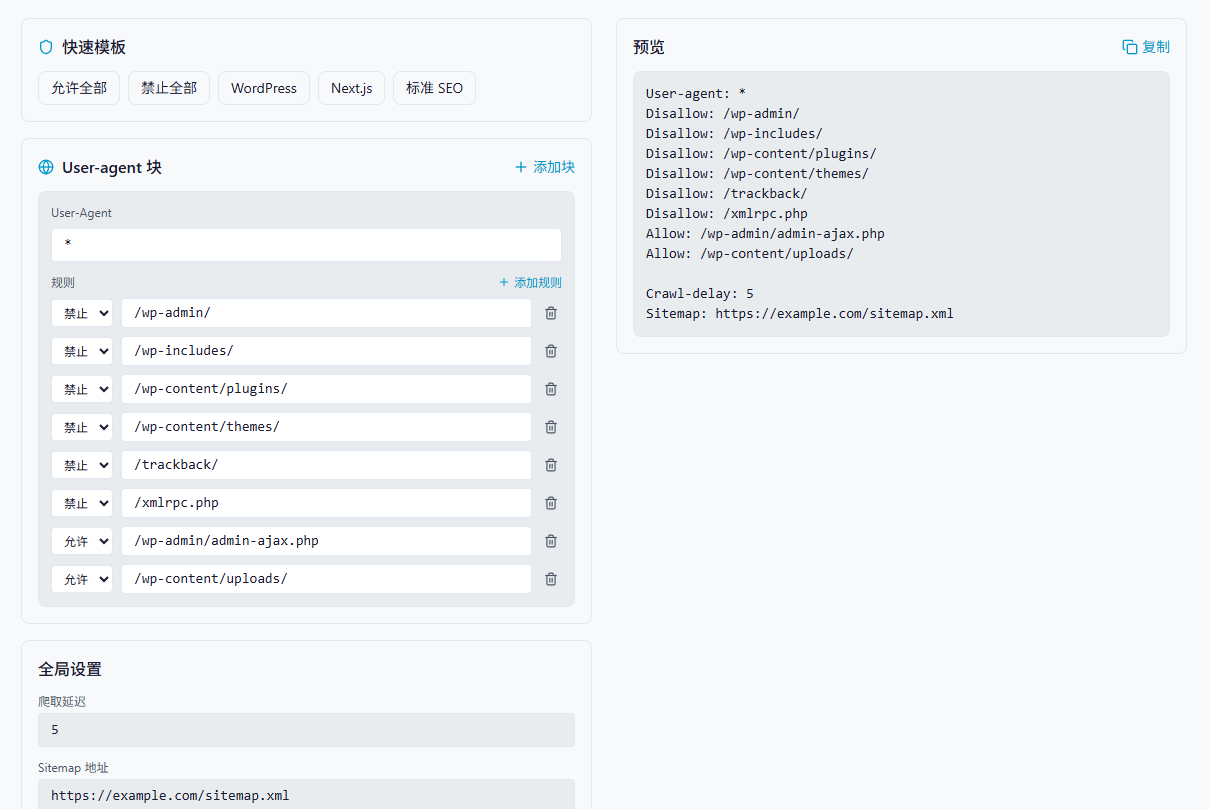 AI Visual Insight: The image shows an article illustration area intended to reinforce robots.txt as a visible crawl-entry configuration for a site. It works well as a conceptual visual for “whether crawlers may access specific directories,” rather than as a protocol flowchart.
A minimal viable configuration usually needs only four directive types
User-agent: *
Disallow: /admin/
Disallow: /api/
Allow: /public/
Sitemap: https://example.com/sitemap.xml
This configuration declares the default crawler policy: block admin and API directories, allow public resources, and explicitly expose the sitemap location.
Rule Matching Depends on Path Specificity, Not Assumed Writing Order
The hardest part of understanding robots.txt is that many developers treat it like a firewall rule set. In practice, it behaves more like a collection of prefix-based matching rules. When rules conflict, the more specific path usually determines the outcome.
A common misconception is “block everything first, then selectively allow a subset.” If the syntax is not precise, you may accidentally make the entire site uncrawlable and even block static assets.
User-agent: *
Disallow: /
Allow: /public/
This configuration means “deny everything by default, but allow a more specific directory if the crawler supports the longest-match behavior as expected.” Whether it works exactly as intended depends on how the search engine implements longest-path matching.
A safer strategy is to explicitly list the directories you want to protect
User-agent: *
Disallow: /admin/
Disallow: /api/
Disallow: /temp/
Allow: /public/
Allow: /static/
This approach is more readable than “close the whole site first, then punch holes in it,” and it is easier for teams to review collaboratively.
Wildcard Support Is Limited, So You Cannot Use robots.txt as a Regex Engine
robots.txt typically supports * and $. The former matches any character sequence, and the latter matches the end of a path. This is useful for file extensions, temporary directories, and specific query patterns, but it does not support full regular expression syntax.
User-agent: *
Disallow: /*.pdf$
Disallow: /temp/
Disallow: /search?q=*
These rules can block PDF files, temporary directories, and search result pages from being crawled.
The purpose of this snippet is to demonstrate that robots.txt wildcards cover only limited patterns and do not support regular expressions such as \d+.
When You Define Multiple User-agent Groups, Put the Fallback Rules Last
In production environments, a site often needs different crawl policies for different search engines. For example, you may allow Google to crawl more aggressively, apply moderate throttling to Bing, and tighten directory access for unknown crawlers.
User-agent: Googlebot
Allow: /
Crawl-delay: 1

User-agent: Bingbot
Allow: /
Crawl-delay: 5

User-agent: *
Disallow: /admin/
Disallow: /api/
This configuration places crawler-specific rules first and uses * as the fallback block, which helps prevent a broad wildcard policy from swallowing more specific strategies too early.
Crawl-delay Is Not a Universally Reliable Control Mechanism
Crawl-delay is not a strongly standardized directive. Google typically ignores it, while Bing and Baidu support it to varying degrees. If your site is concerned about crawler load, the truly effective controls are rate limiting, middleware caching, and server-level access control.
Generating robots.txt in Code Reduces Manual Typing Errors
Handwriting robots.txt often leads to mistakes in blank lines, paths, field names, and block ordering. If you model the rules structurally and generate the file automatically, the result is a better fit for admin platforms and visual configuration tools.
interface Rule {
  type: 'Allow' | 'Disallow'
  path: string
}

interface UserAgentBlock {
  userAgent: string
  rules: Rule[]
}

function generateRobotsTxt(
  blocks: UserAgentBlock[],
  crawlDelay?: string,
  sitemapUrl?: string,
  host?: string
): string {
  const lines: string[] = []

  for (const block of blocks) {
    if (!block.userAgent.trim()) continue // Skip empty crawler identifiers
    lines.push(`User-agent: ${block.userAgent}`)

    for (const rule of block.rules) {
      if (!rule.path.trim()) continue // Skip empty path rules
      lines.push(`${rule.type}: ${rule.path}`)
    }

    lines.push('') // Use a blank line to separate different User-agent blocks
  }

  if (crawlDelay?.trim()) lines.push(`Crawl-delay: ${crawlDelay}`)
  if (sitemapUrl?.trim()) lines.push(`Sitemap: ${sitemapUrl}`)
  if (host?.trim()) lines.push(`Host: ${host}`)

  return lines.join('\n').trim() // Merge into the final robots.txt content
}
This code abstracts crawler rules into structured objects and automatically emits valid robots.txt content.
const blocks: UserAgentBlock[] = [
  {
    userAgent: '*',
    rules: [
      { type: 'Disallow', path: '/admin/' },
      { type: 'Disallow', path: '/api/' },
      { type: 'Allow', path: '/public/' }
    ]
  },
  {
    userAgent: 'Googlebot',
    rules: [{ type: 'Allow', path: '/' }]
  }
]

const robotsTxt = generateRobotsTxt(
  blocks,
  '10',
  'https://example.com/sitemap.xml',
  'example.com'
)
This example shows how to combine default rules, search engine-specific exceptions, and sitemap metadata in code.
Common Frameworks Require Different Handling for Static Assets and Admin Paths
In WordPress, the priority is to protect admin, plugin, and theme directories while still allowing access to asynchronous endpoints and uploaded assets. In Next.js, the priority is to avoid accidentally blocking compiled assets, or search engines may fail to render pages correctly.
User-agent: *
Disallow: /_next/
Disallow: /api/
Allow: /_next/static/
Allow: /api/sitemap
This Next.js example expresses a common pattern: block internal build directories while preserving static assets and sitemap endpoints.
Validation Matters More Than Authoring
After you write robots.txt, you must validate it with both tooling and real HTTP requests. Tool-based validation shows how rules are interpreted, while request-based validation shows what the server actually returns. You need both.
curl -A "Googlebot" https://example.com/robots.txt
curl -A "Googlebot" https://example.com/admin/
The first command verifies that robots.txt is accessible. The second checks whether sensitive paths still have additional server-side protection.
robots.txt Has Inherent Limits, So It Cannot Replace Access Control
First, search engines may cache it, so updates do not take effect immediately. Second, it can restrict crawling but cannot absolutely prevent indexing. Third, it is a public file, which means it effectively advertises which areas are sensitive.
Truly sensitive content should be protected with login-based authentication, HTTP authentication, IP allowlists, or gateway policies. robots.txt is appropriate for crawl governance, not for data security.
FAQ
Can robots.txt prevent a page from appearing in search results?
Not completely. It primarily controls crawling, not indexing. If external links have already exposed the page, search engines may still index it.
Why does Google still crawl frequently even though I configured Crawl-delay?
Because Google usually does not honor Crawl-delay. Use Search Console, rate limiting, caching, or WAF policies to control request frequency instead.
If I add /admin/ to robots.txt, does that make the admin panel secure?
No. robots.txt only tells compliant crawlers to stay away. It does not block malicious access. Admin paths must rely on server-side authentication and access control.
Core summary: This article systematically reconstructs the core mechanics of robots.txt. It explains the real behavior of User-agent, Allow, Disallow, Sitemap, and Crawl-delay, breaks down matching priority, wildcard misconceptions, multi-crawler strategies, framework configuration patterns, and validation methods, and helps developers manage crawl boundaries correctly while avoiding accidental indexing of sensitive paths.