This article reconstructs the core capability comparison of UU Remote, ToDesk, and Sunlogin based on the original benchmark data, focusing on connection efficiency, cross-platform compatibility, image quality and frame rate, latency control, and wireless second-screen support. The real pain point is that free plans are often limited by bandwidth caps, reduced image quality, and locked features. Keywords: remote control, low latency, wireless second screen.
The technical specification snapshot highlights their differences
| Parameter | UU Remote | ToDesk | Sunlogin |
|---|---|---|---|
| Product Type | Remote control / streaming / second screen | Remote control / remote assistance | Remote control / enterprise collaboration |
| Supported Platforms | Windows, macOS, iOS, Android, TV beta | Windows, macOS, iOS, Android, Linux, and more | Windows, macOS, iOS, Android, HarmonyOS, and more |
| Connection Mode | Account or device-based connection with an emphasis on low-latency streaming | Device code + verification, with optional two-factor verification | Device ID + verification code |
| Free Tier Characteristics | High frame rate, low latency, and relatively complete second-screen support | Advanced image quality and high frame rate are restricted | The free tier is noticeably feature-limited |
| Image Quality Ceiling (as measured in this article) | Up to nearly 4K / 144Hz | Around 60Hz on the free tier | Around 30fps on the free tier |
| Latency Performance (as measured in this article) | About 5–15ms on LAN | About 30–50ms on LAN | About 35–55ms on LAN |
| Core Dependencies | Network optimization, cross-device streaming, image encoding | Security verification, cross-platform access | Remote control ecosystem, device access |
| GitHub Stars | Not disclosed | Not disclosed | Not disclosed |
This comparison focuses on the real-world usability of free remote desktop tools
The core judgment from the source material is clear: users do not really care about a specification sheet alone. What matters is whether the free tier remains usable over time. The issue with most remote desktop tools is not whether they can connect, but whether the connected session is limited by frame-rate caps, downgraded image quality, aggressive upsell prompts, or missing second-screen functionality.
This evaluation covers five dimensions: first-connection experience, mainstream OS support, image quality and latency, game streaming, and remote second-screen functionality. Together, these dimensions map closely to the day-to-day needs of developers, operations teams, and power office users.
Connection capability quickly reveals product maturity
ToDesk stands out for its mature security verification flow, which makes it suitable for temporary support sessions and light office work, but the limits of its free tier are easy to notice. Sunlogin offers broad feature coverage, but its interface is dense and carries a higher learning curve.
UU Remote is described in the original article as “easy to get started with, clean in design, and stable in connection.” That suggests its product strategy prioritizes reducing onboarding friction instead of exposing advanced complexity too early.
Connection experience summary
- ToDesk: Strong security, but a relatively low ceiling on the free tier
- Sunlogin: Feature-rich, but complex UI and limited free-tier capability
- UU Remote: Fast connection, lightweight interaction, and stronger stability
This summary works as a compressed view of the original benchmark’s findings on first-connection experience.
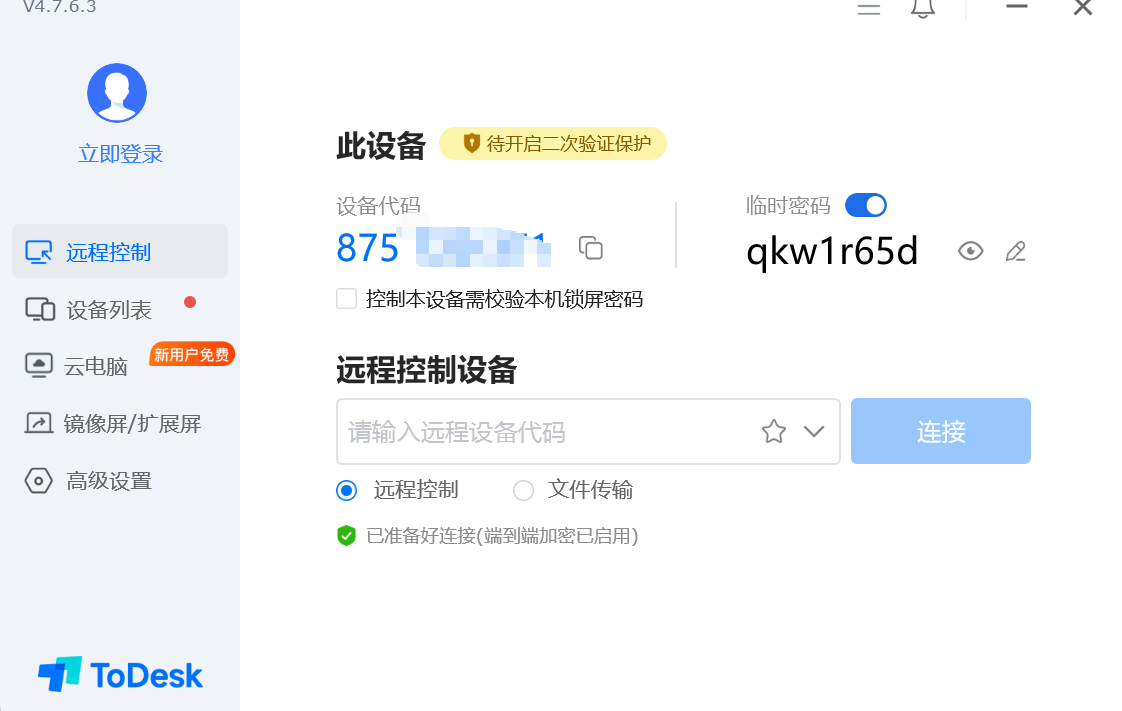 AI Visual Insight: This image shows ToDesk’s main connection interface. Its information architecture is relatively flat, with core entry points concentrated around device connection and session launch. That suggests the product is designed to establish remote sessions quickly, although its visual hierarchy and feature guidance remain somewhat conservative.
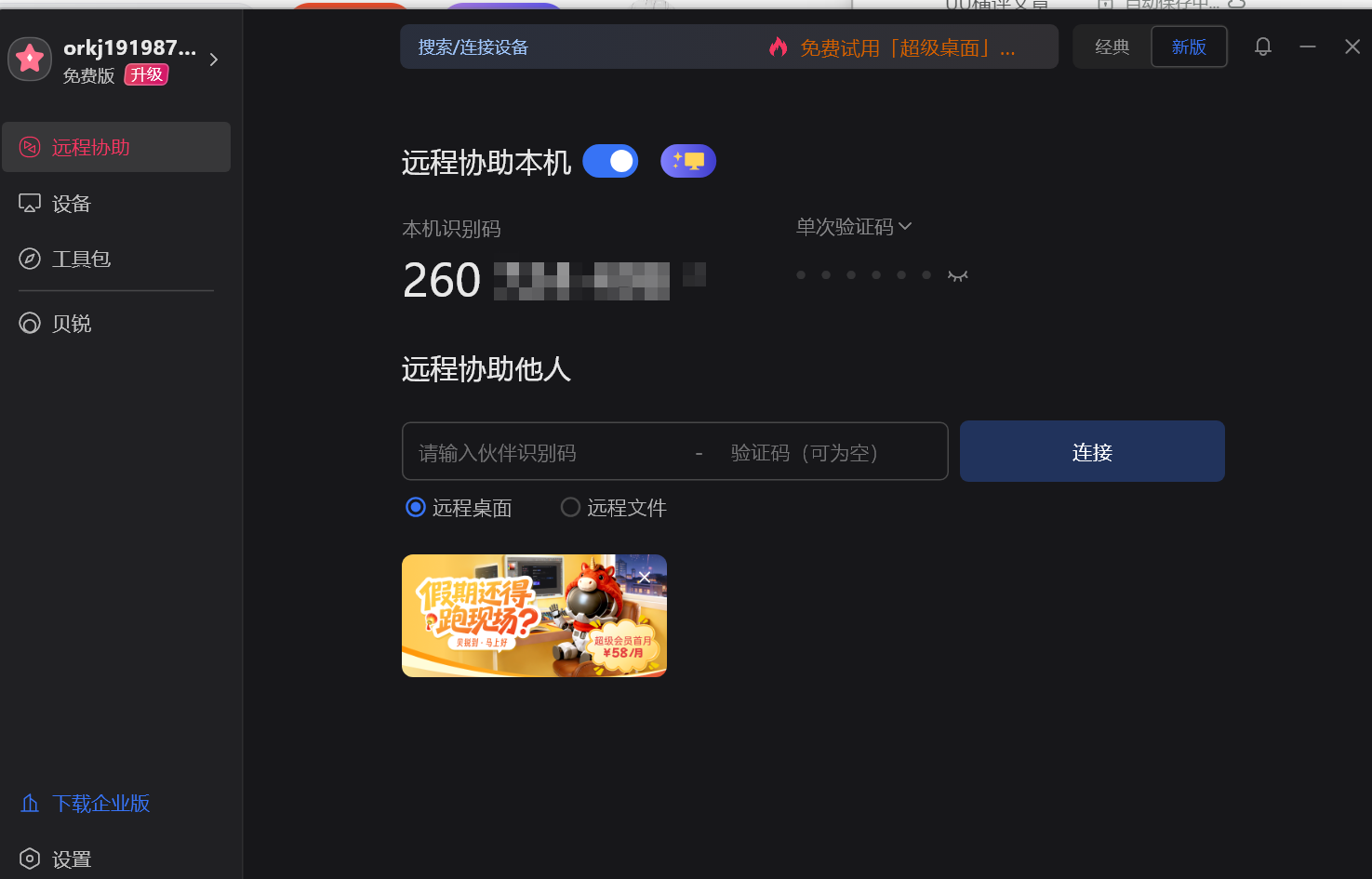 AI Visual Insight: This image presents Sunlogin’s main interface with multiple functional modules arranged side by side. It reflects a product strategy centered on device management, value-added features, and ecosystem entry points, but it also increases information density and cognitive load during operation.
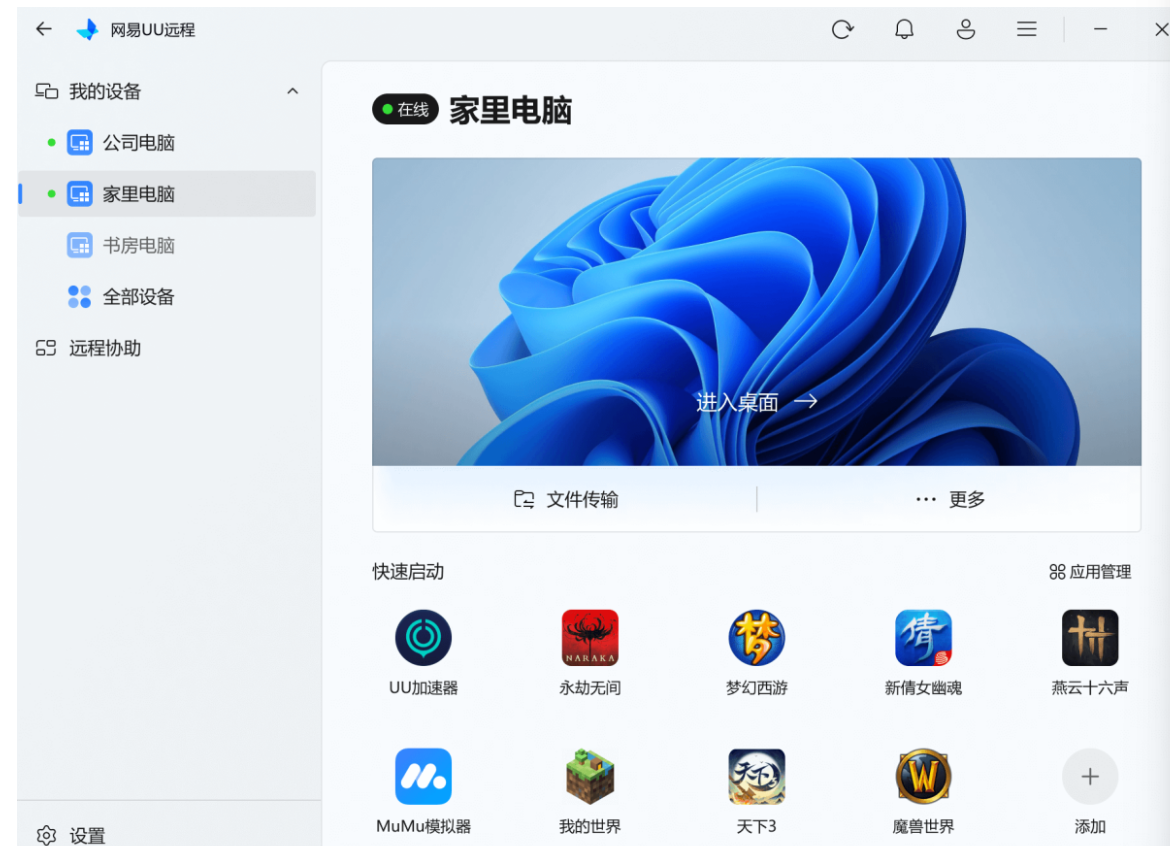 AI Visual Insight: This image shows UU Remote using a more simplified light-themed interface. Core actions are concentrated and button sizes are clear, making it suitable for both touch and desktop scenarios. The design feels consumer-friendly while still emphasizing efficiency in remote interaction.
Broad platform coverage does not guarantee a consistent cross-platform experience
Sunlogin has the broadest platform footprint and even includes HarmonyOS. ToDesk also supports Linux, which has practical value for server maintenance and heterogeneous office environments. UU Remote currently covers mainstream desktop and mobile platforms, with an additional TV beta.
The original benchmark, however, emphasizes optimization quality rather than the support matrix alone. Based on the results, UU Remote may not appear to have the widest platform list on paper, but it performs better in immediate feedback when controlling a PC from a mobile device. That makes it feel more like a high-frequency interaction tool than a pure emergency remote-control utility.
Beyond compatibility, end-to-end optimization defines the experience
platform_score = {
    "UU远程": {"coverage": 90, "experience": 90},
    "ToDesk": {"coverage": 90, "experience": 80},
    "向日葵": {"coverage": 95, "experience": 75}
}

# Sort by experience first to avoid evaluating platforms by count alone
rank = sorted(platform_score.items(), key=lambda x: x[1]["experience"], reverse=True)
print(rank)  # Output a ranking that is closer to real-world user perception
This code snippet shows that cross-platform evaluation should not focus only on coverage. It also needs to account for interaction quality and latency.
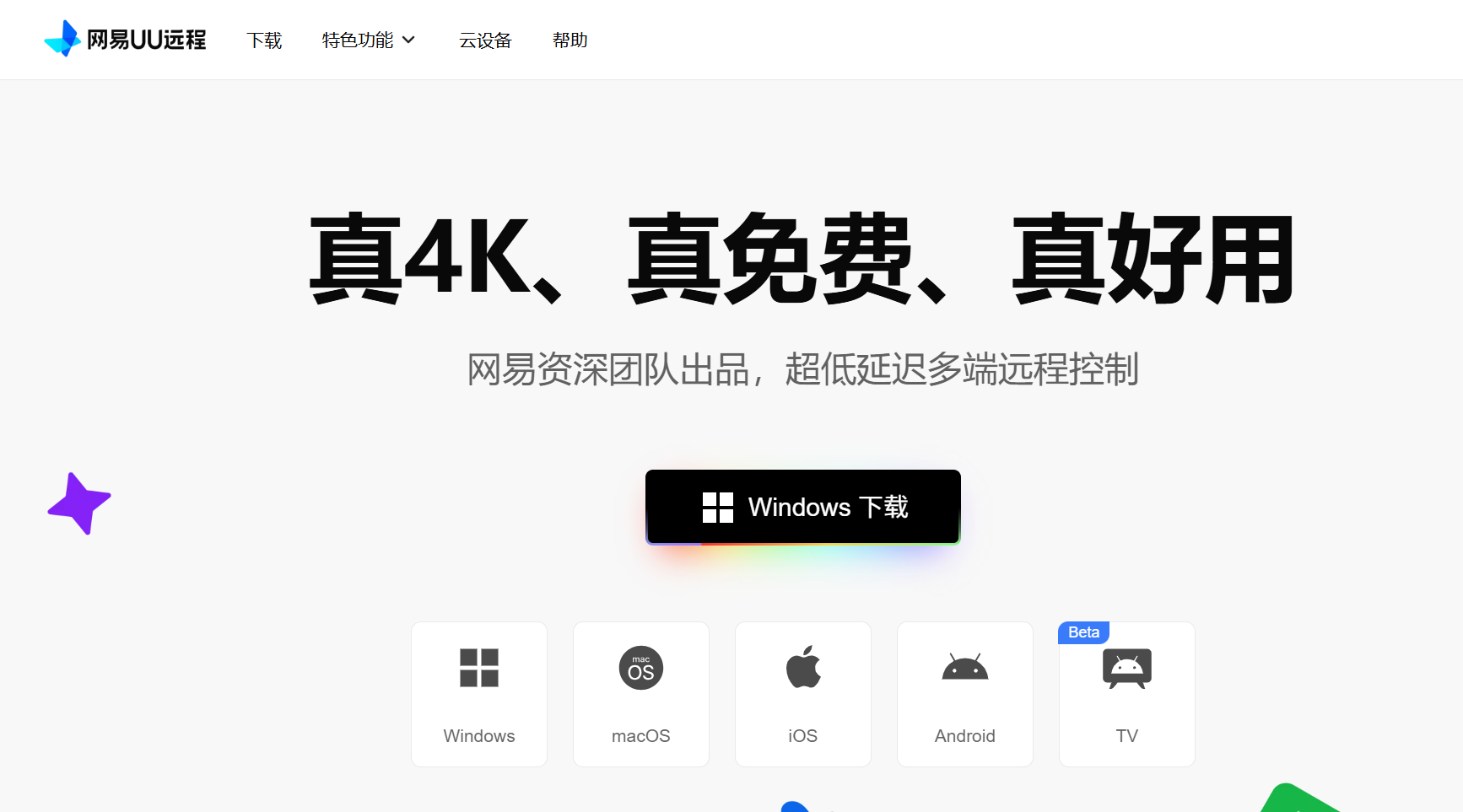 AI Visual Insight: This image likely shows UU Remote’s multi-end entry points or platform support matrix, emphasizing unified access across desktop and mobile devices. It reinforces the product’s positioning around cross-device collaboration.
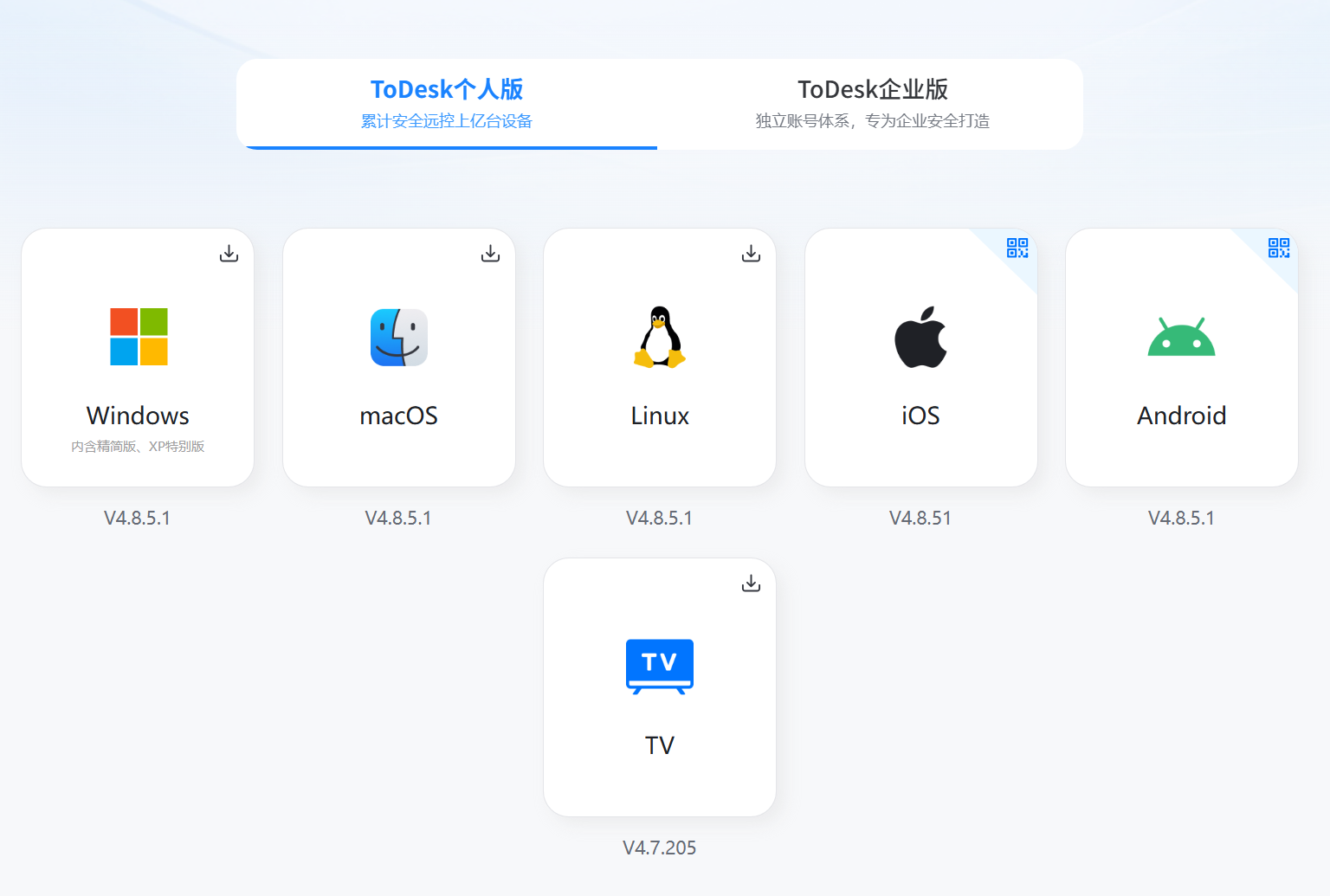 AI Visual Insight: This image likely presents ToDesk’s compatibility layout across multiple systems, with particular value in desktop and Linux-based production environments. It fits operations-heavy or hybrid office scenarios.
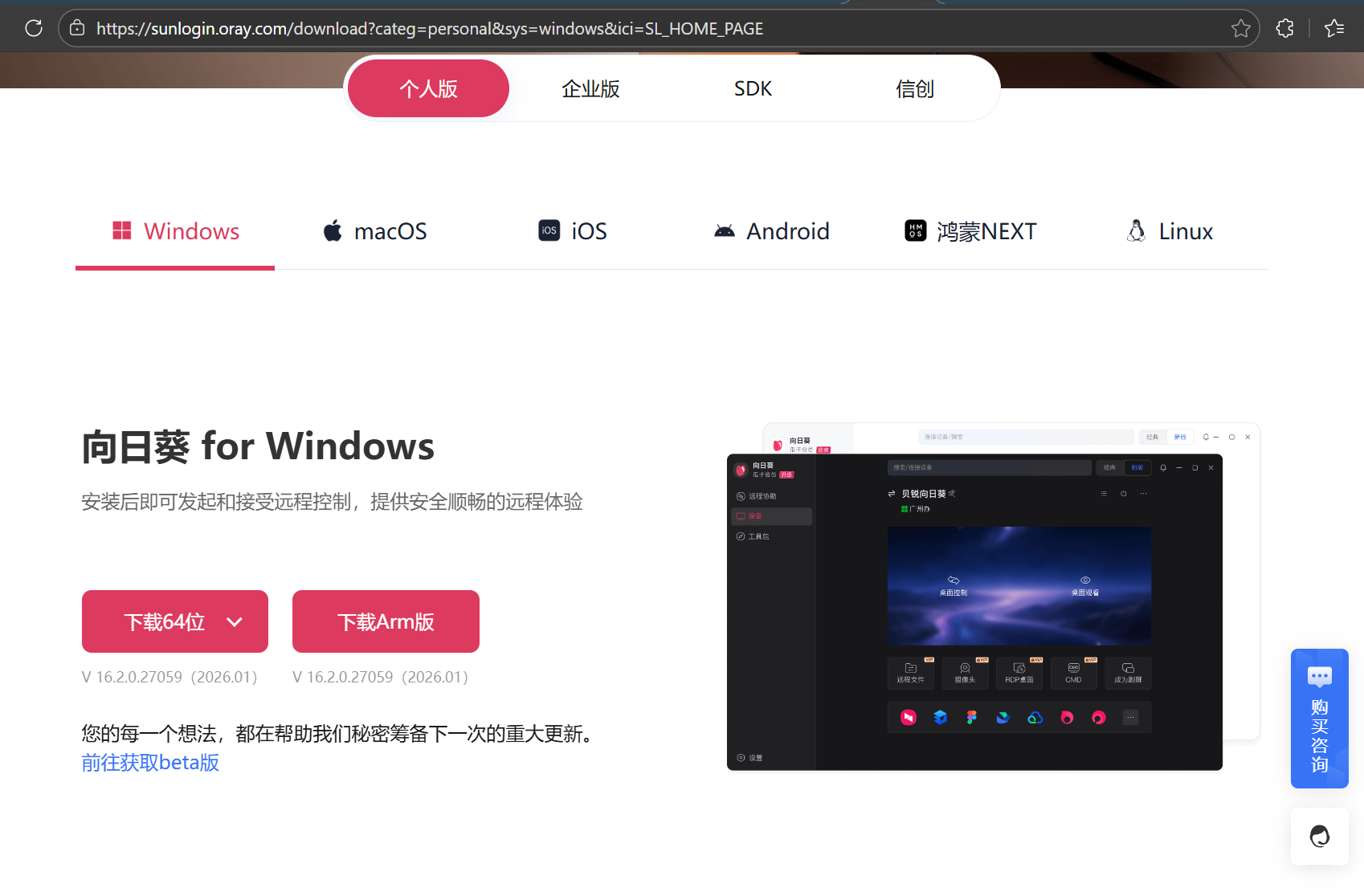 AI Visual Insight: This image likely reflects Sunlogin’s broad platform and device adaptation range, indicating a product roadmap that leans more toward ecosystem expansion and multi-end connectivity.
Image quality and latency expose the hardest-to-fake technical strengths
The most information-dense part of the original article is the cross-comparison of image quality, frame rate, and latency. UU Remote delivers a higher frame rate and a near-original visual experience even on the free tier, which is its key differentiator compared with the other two products.
ToDesk’s free tier provides sufficient image quality for general office work, but it lacks high-frame and enhanced-display capability. Sunlogin’s free tier is closer to basic usability, with clear limits in color, detail, and frame-rate ceiling. Its advanced experience depends heavily on paid unlocks.
Latency data directly shapes office responsiveness and streaming feel
| Test Scenario | UU Remote | ToDesk | Sunlogin |
|---|---|---|---|
| LAN / same network | 5–15ms | 30–50ms | 35–55ms |
| Public internet / cross-ISP | 15–30ms | 50–80ms | 60–90ms |
| Weak network conditions | Low jitter and continuously usable | Noticeable stutter | Prone to stutter or disconnects |
| Real-time feel | Close to local | Clearly delayed | More obvious latency |
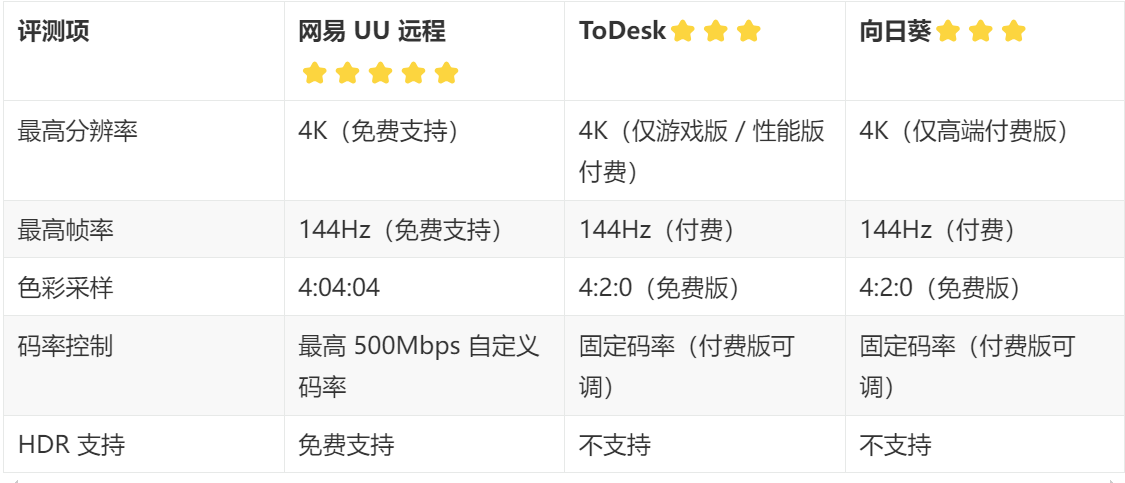 AI Visual Insight: This image should be a summary table covering the three products across resolution, frame rate, chroma sampling, bitrate control, and HDR support. It serves as key evidence for judging the strength of the underlying image pipeline and makes the free-tier ceiling differences visually obvious.
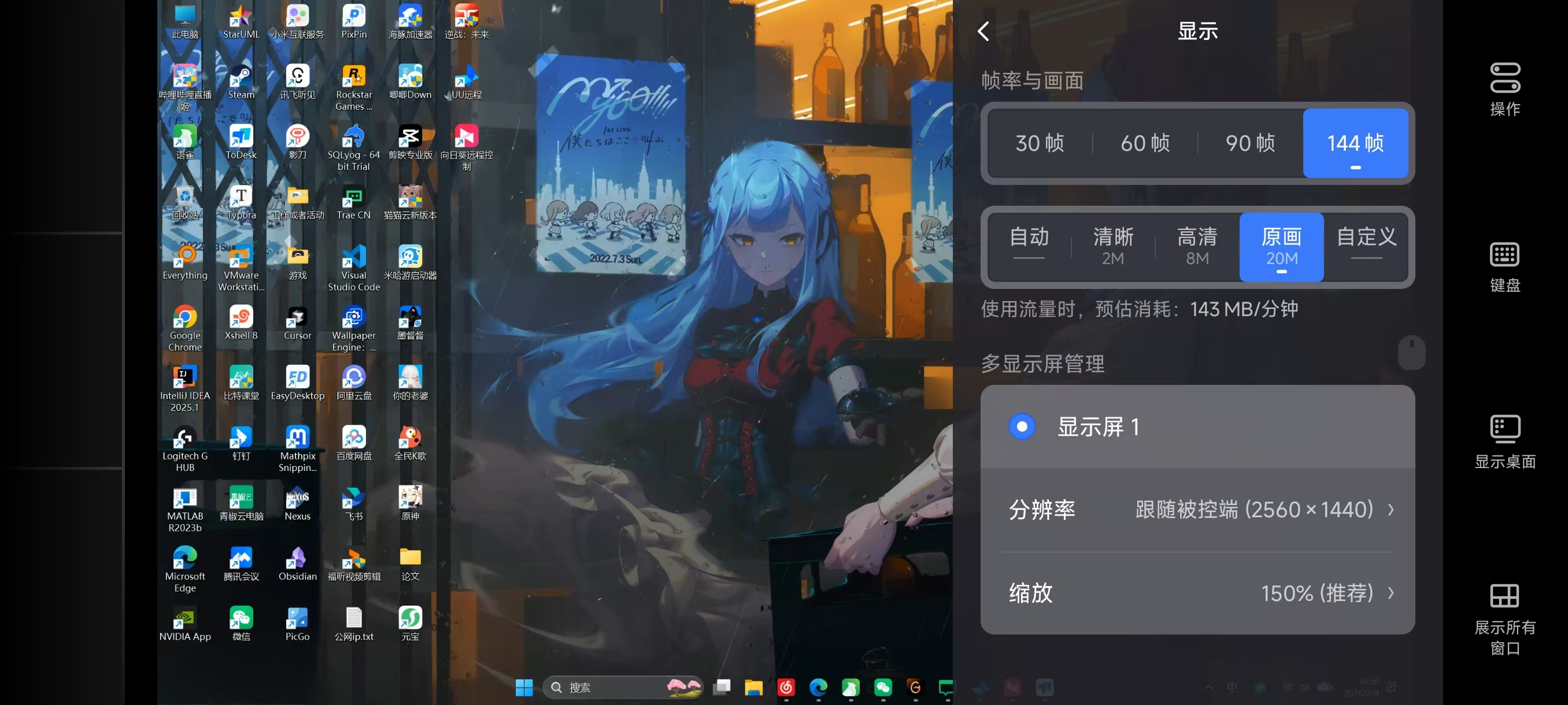 AI Visual Insight: This image should show a high-resolution remote-control view on a mobile device. If text edges look sharp and the UI has no obvious compression artifacts, it suggests strong encoding quality, bitrate allocation, and client-side rendering optimization.
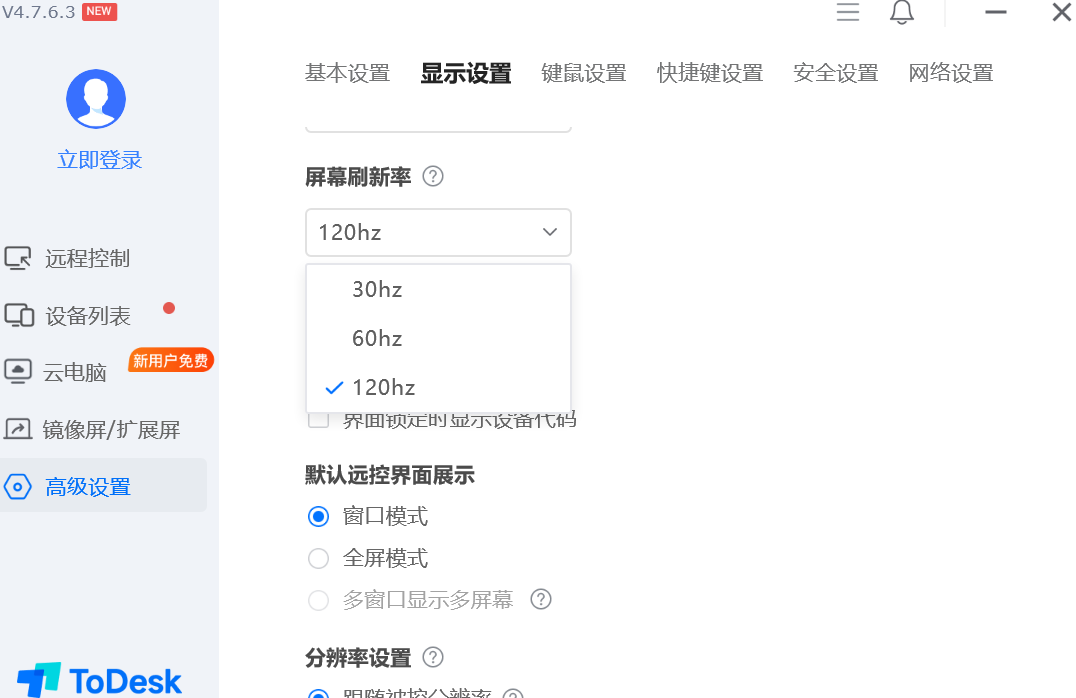 AI Visual Insight: This image should illustrate ToDesk’s display output under the default free configuration. If the overall view is readable but dynamic edges look slightly soft, it indicates a setup optimized more for office usability than for high-fidelity streaming.
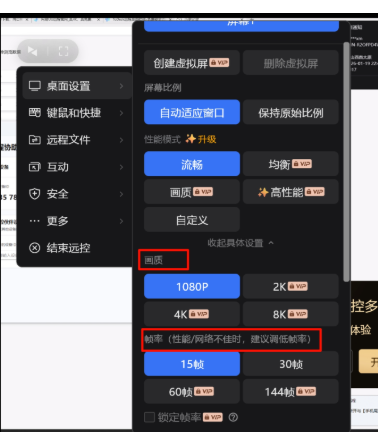 AI Visual Insight: This image helps show the upper limit of Sunlogin’s free-tier detail reproduction and high-frame dynamic rendering. If detail and color layering look average, that aligns with the source article’s conclusion that it is basically usable but limited for advanced use.
Game streaming tests amplify the underlying technical gap
The source material uses Delta Force and Genshin Impact as live test samples, which is a sensible method because the two titles stress different capabilities: fast-motion responsiveness and visual stability in complex scenes.
The conclusion is straightforward. UU Remote leads clearly in high frame rate and synchronized response, making it closer to a true remote streaming solution rather than just a remote control tool. ToDesk and Sunlogin are better suited to office control and are not ideal when game streaming is the primary requirement.
A structured configuration helps define each product’s use-case boundary
remote_use_cases:
  UU远程:
    office: strong
    gaming: strong
    second_screen: strong
  ToDesk:
    office: strong
    gaming: medium
    second_screen: paid
  向日葵:
    office: medium
    gaming: weak
    second_screen: paid and average
This configuration summarizes the capability boundaries of the three tools across different scenarios.
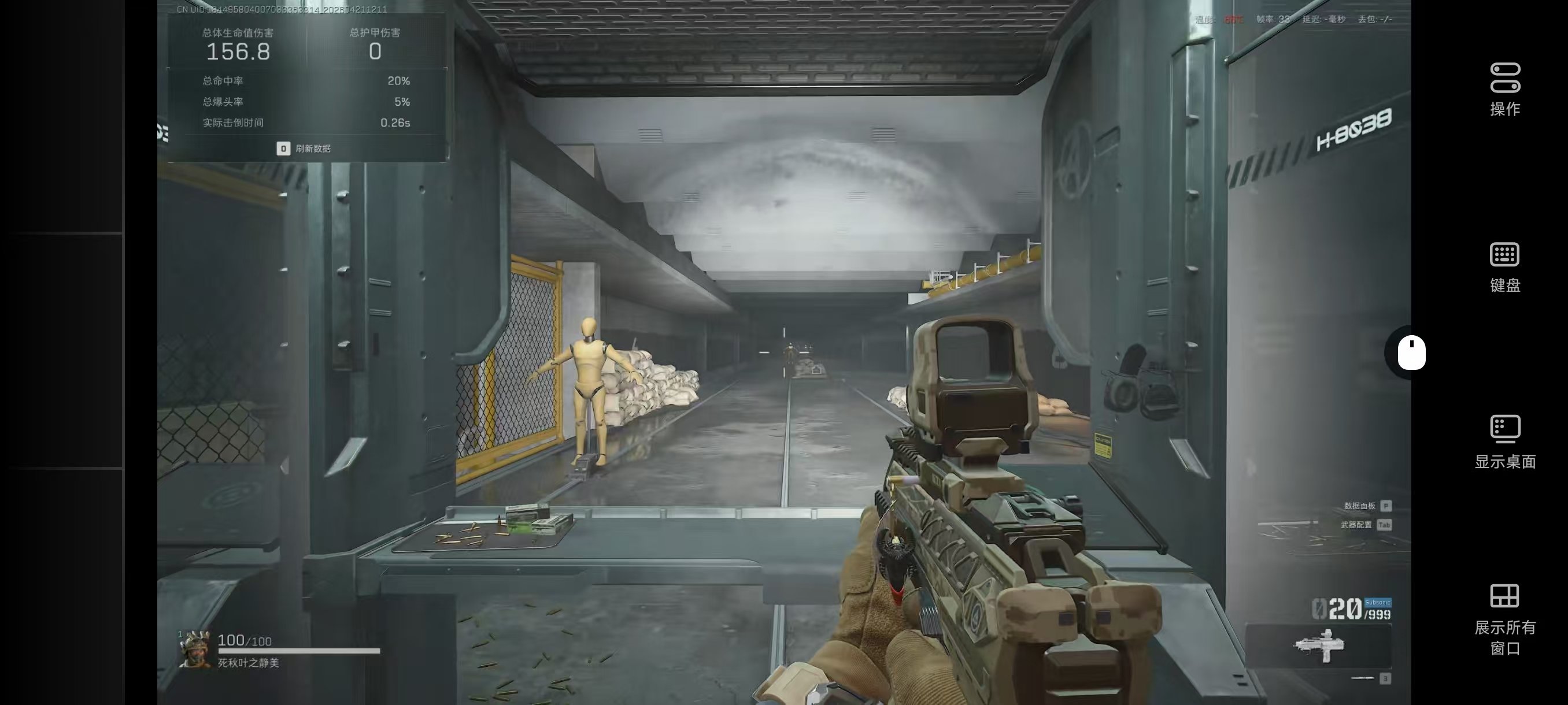 AI Visual Insight: This image should show a live remote session running a high-motion game on a mobile device. If the crosshair, HUD, and moving scene all remain clear, that suggests the high-frame, low-latency pipeline is well established.
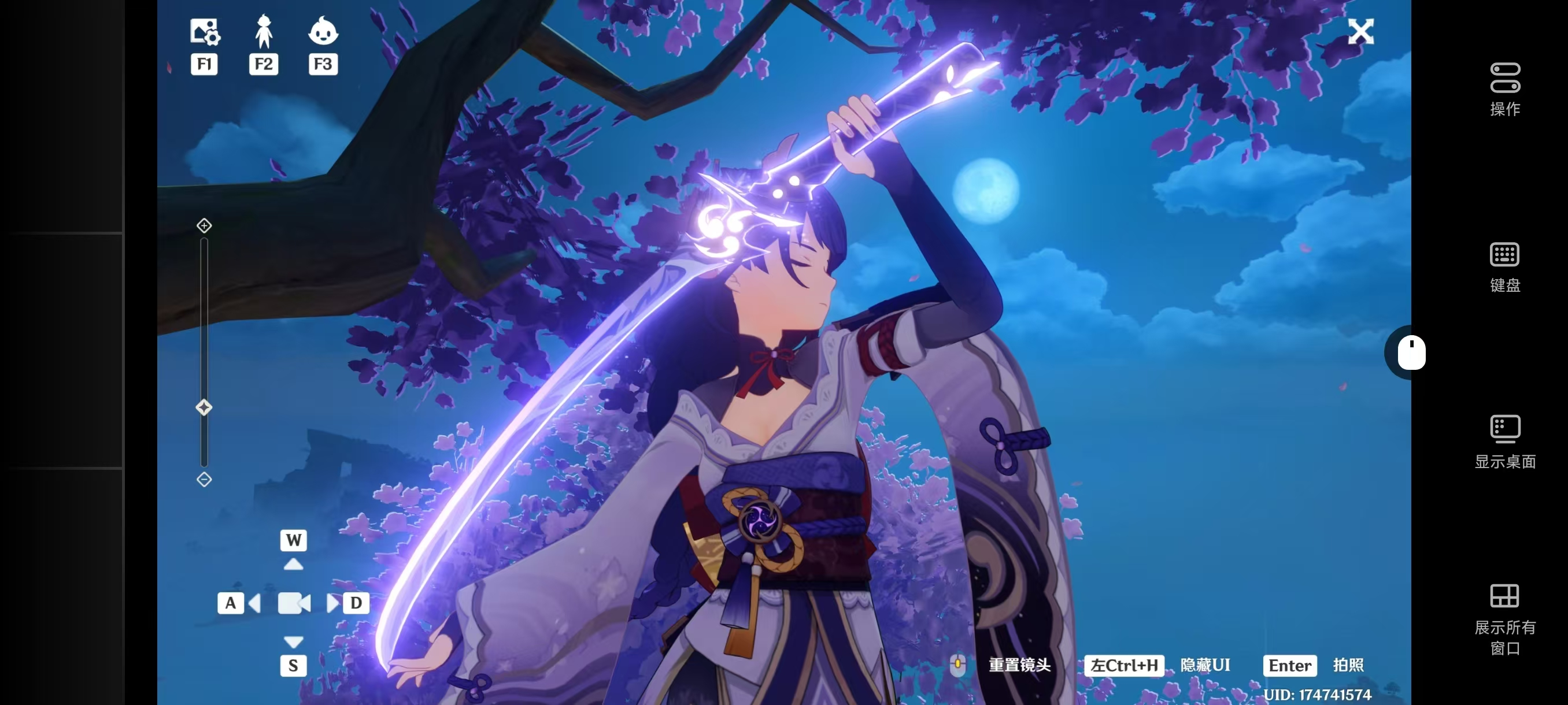 AI Visual Insight: This image is useful for validating image stability under complex lighting and large environments. If distant detail and character edges show no obvious ghosting, the product likely handles image compression and frame synchronization effectively.
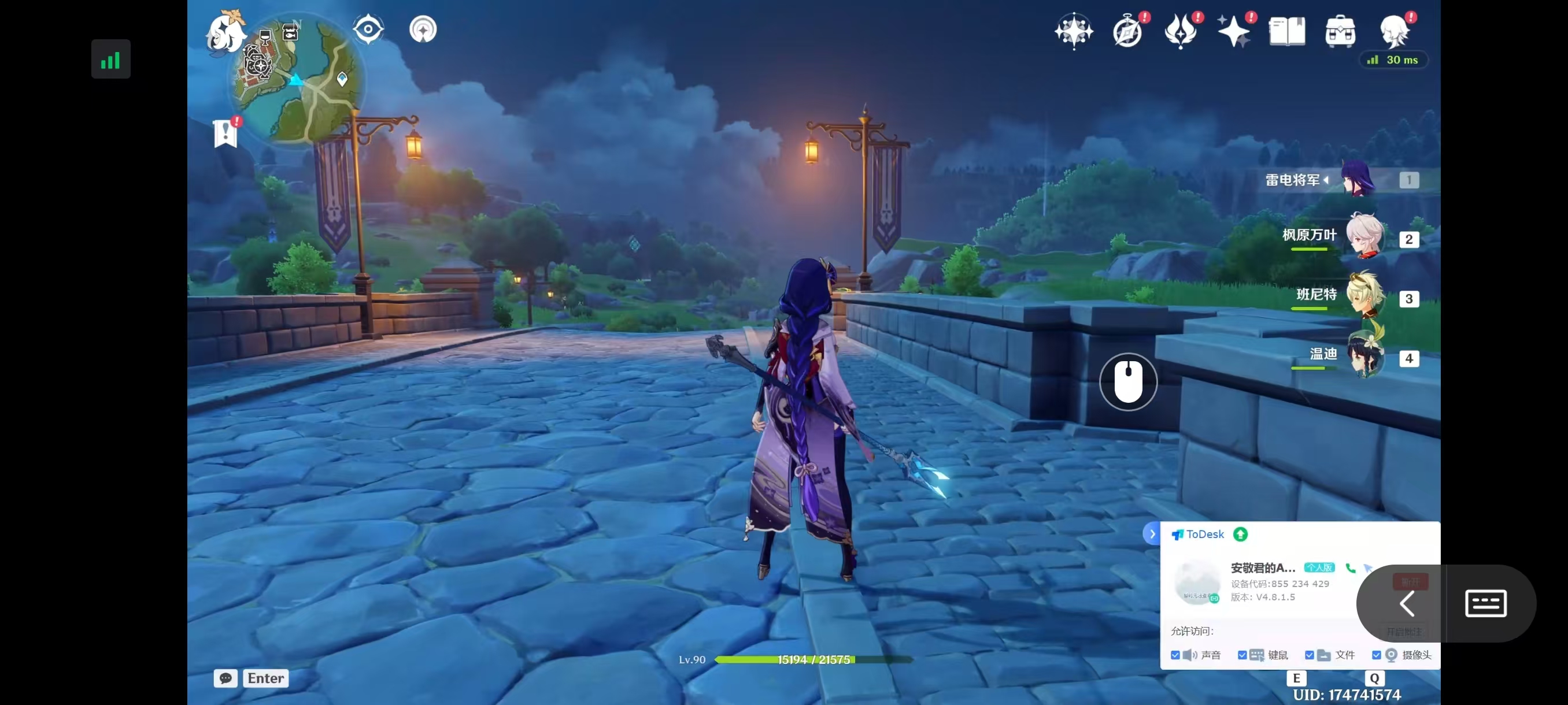 AI Visual Insight: This image should reveal ToDesk’s visual and interaction constraints in gaming scenarios. If motion looks blurry or response lag is obvious, that matches its positioning as an office-first tool rather than a game-streaming solution.
 AI Visual Insight: This image mainly reflects Sunlogin’s upper limit when handling high-motion content in free mode. If frame rate is low and detail loss is apparent, it confirms that the tool is more suitable for basic control than for real-time interactive content.
Wireless second-screen capability is the most differentiated feature in this comparison
A remote second screen is not just an accessory feature of traditional remote control. It is a productivity restructuring feature. It solves the problem of keeping the main display focused on primary work while using the secondary display for references, chat, monitoring, or supporting material. That is especially useful in development, livestreaming, video editing, and game-guide workflows.
The source article reaches a sharp conclusion: UU Remote’s second-screen capability is not only usable, but close to a physical secondary monitor. ToDesk and Sunlogin require payment for similar functionality, and even then they still show practical issues in resolution adaptation, drag stability, and cross-screen control lag.
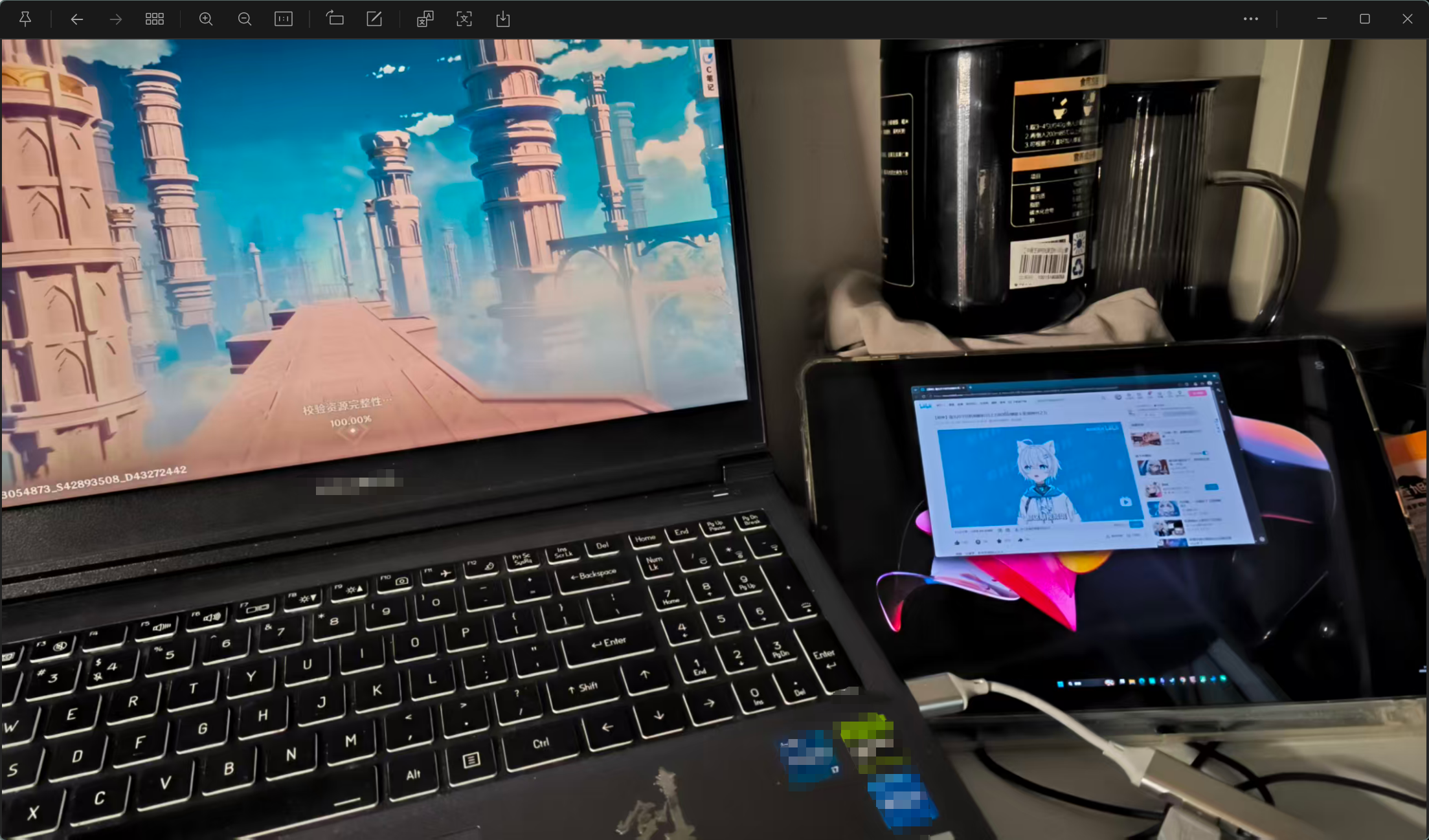 AI Visual Insight: This image should show a workflow where a host machine and a tablet or mobile device form an extended display setup. If the mouse can move across screens and windows can be dragged between them, the product has moved beyond remote control into lightweight multi-display collaboration.
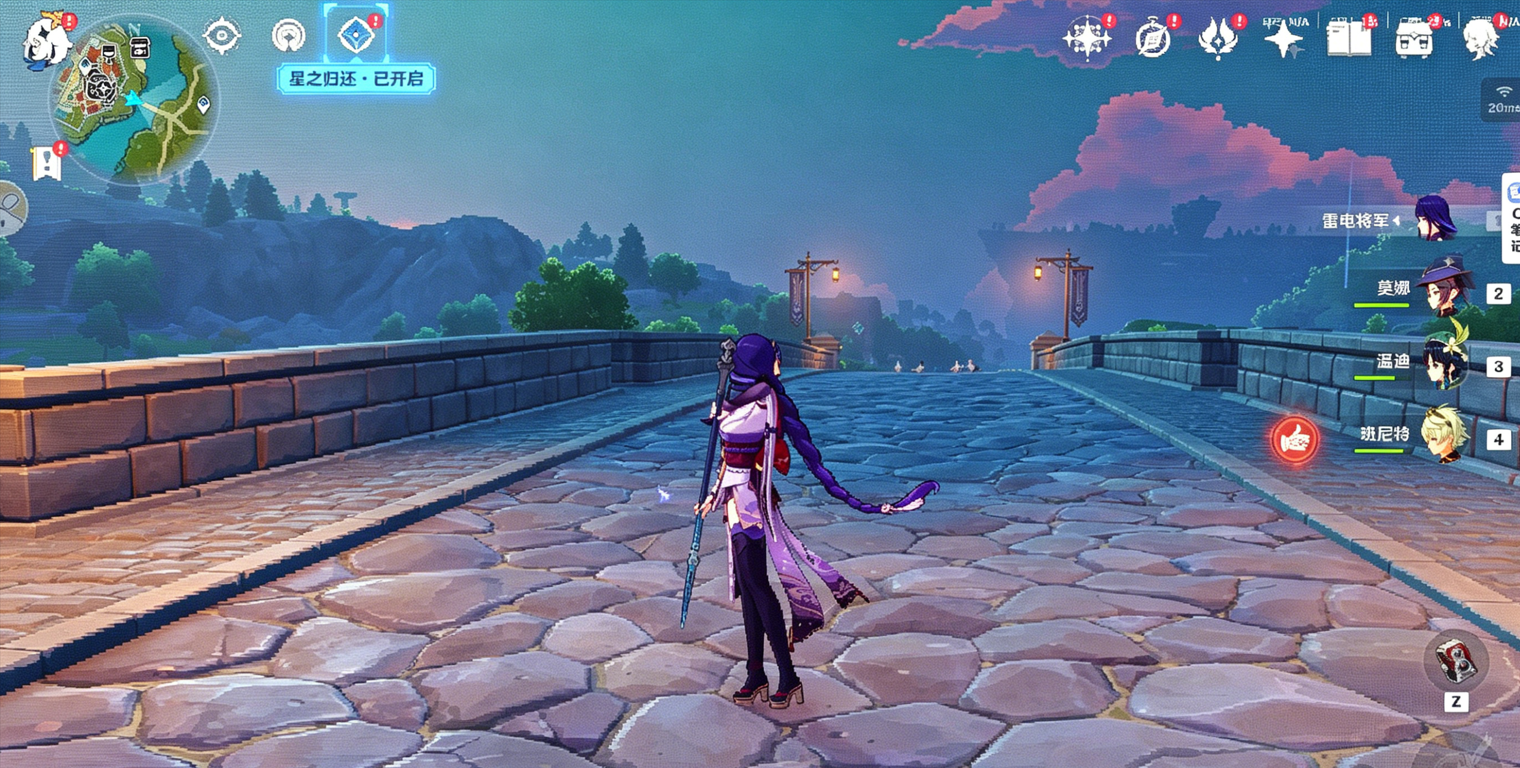 AI Visual Insight: This image helps explain the actual display quality and interaction performance of Sunlogin’s second-screen solution. If text appears soft and the picture looks blurry, the experience is closer to remote mirroring than to a high-quality extended desktop.
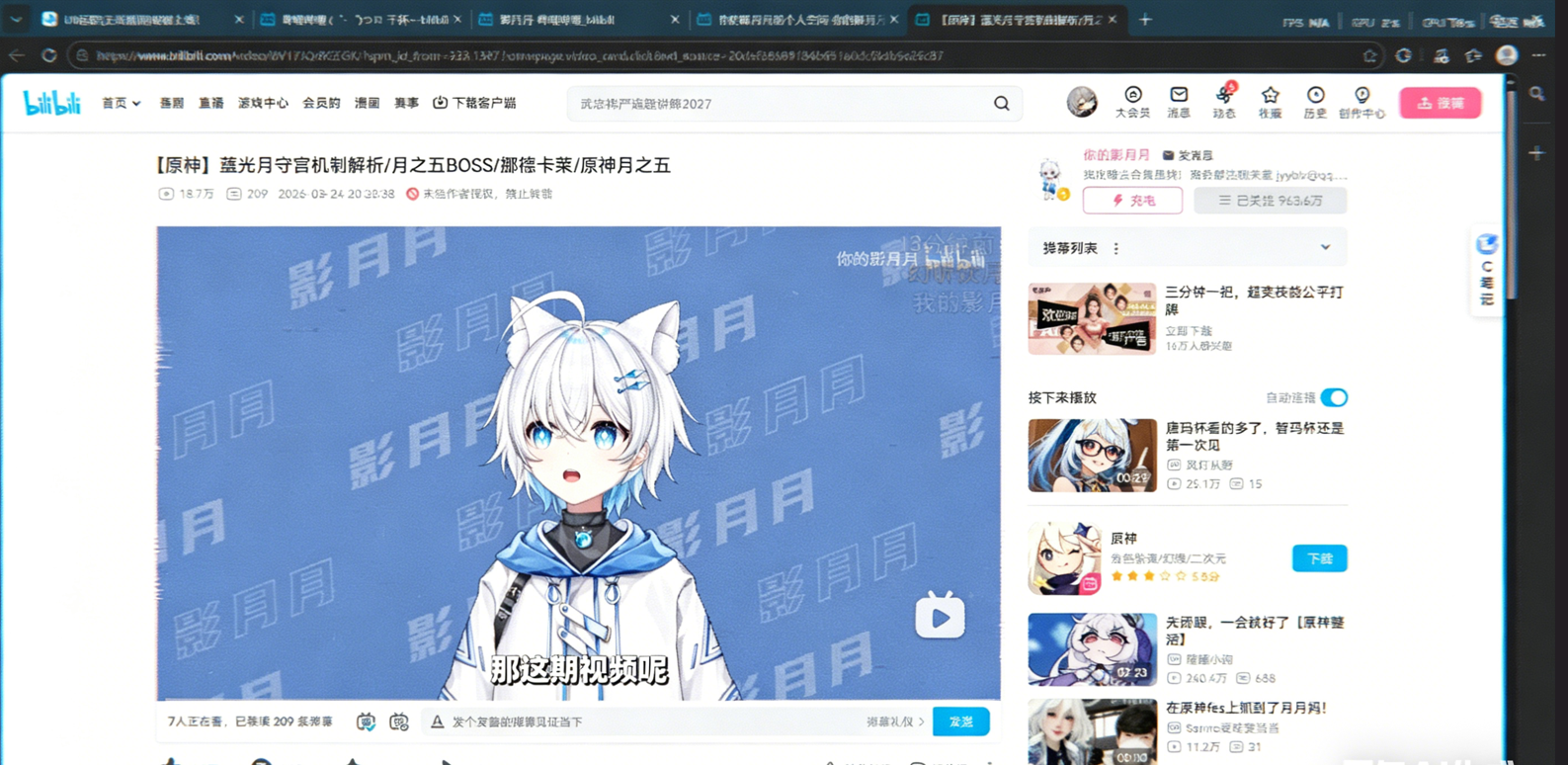 AI Visual Insight: This image should reflect ToDesk’s second-screen state in terms of resolution, scaling, and connection setup. If manual adjustment steps are required, it indicates there is still room to improve automation and ease of use.
The overall conclusion shows that the three products follow different technical paths
If your requirement is a free solution with high frame rate, low latency, and usable second-screen capability, UU Remote is the clear winner in the original benchmark. It brings experiences typically reserved for advanced paid plans into a free-use scenario.
If your requirement is cross-platform office work, mature security verification, and reliable remote assistance, ToDesk remains a reasonable choice. If you value device ecosystem breadth, hardware access, and long-term product accumulation, Sunlogin still has a place, but its free-tier weaknesses are also the most visible.
Final recommendations are best made by scenario rather than by brand alone
| Scenario | Best Choice | Reason |
|---|---|---|
| Free high-performance remote control | UU Remote | High frame rate, low latency, and complete second-screen support |
| Cross-platform office assistance | ToDesk | Better platform coverage including Linux, with mature security mechanisms |
| Device ecosystem / enterprise extension | Sunlogin | Rich ecosystem and broad system adaptation |
FAQ in structured form
1. What should you evaluate first in free remote desktop software?
Prioritize latency, frame rate, and the boundaries of the free feature set. A successful connection does not mean you can work efficiently. Locked image quality, capped frame rate, and paywalled second-screen features all directly affect long-term usability.
2. Why do gaming or design scenarios favor solutions like UU Remote?
Because these scenarios are more sensitive to motion rendering, input response, and color fidelity. The original hands-on tests show that UU Remote comes closer to a local experience in both high frame rate and low latency.
3. Are ToDesk and Sunlogin still worth choosing?
Yes, but only when matched to the right scenario. ToDesk is better for cross-platform office work and remote assistance. Sunlogin is better for users who value device ecosystem coverage and basic remote control. If your priority is free high performance, neither is the optimal choice.
AI Readability Summary
Based on the original hands-on test data, this article reconstructs a technical comparison of three mainstream remote desktop tools—UU Remote, ToDesk, and Sunlogin—across connection experience, cross-platform support, image quality and frame rate, network latency, and remote second-screen capability. The overall conclusion is that UU Remote offers the strongest free-tier capability and the best all-around performance.