Docker storage mounts solve data loss after container deletion, simplify file synchronization between the host and containers, and avoid I/O bottlenecks in the writable container layer. Core capabilities include data persistence, directory sharing, and in-memory temporary mounts. Keywords: Docker Volume, Bind Mount, tmpfs.
| Parameter | Description |
|---|---|
| Language | Shell / Bash |
| Runtime Environment | Docker Engine on Linux |
| Core Protocol | OCI container runtime and local filesystem mounts |
| Stars | Not provided in the original article |
| Core Dependencies | nginx:1.24.0, mysql:5.7, Docker CLI |
Docker storage mounts decouple container data from container lifecycle
By default, Docker writes data into the writable layer of the Union File System. That layer exists only as long as the container exists. Once you remove the container, the written data disappears with it.
The purpose of a storage mount is to map a directory inside the container to a host directory or an in-memory region, so the data exists independently of the container itself. This allows you to rebuild containers while preserving and reusing the data.
Storage mounts are a foundational capability in production environments
Without mounts, databases, logs, uploaded files, and configuration files all face obvious risks. Deleting a container means deleting data, and recreating a container means reinitializing business state.
At the same time, UnionFS is not ideal for workloads with frequent writes and deletions. High-I/O services such as Redis and MySQL are usually better off writing critical data to mounted storage rather than to the container layer.
# Inspect container mount information
docker inspect mynginx --format '{{json .Mounts}}'

# List all volumes on the local host
docker volume ls
These commands help you quickly verify whether a container has mounted storage correctly.
Docker provides three mount types to cover different scenarios
A Volume is a Docker-managed mount. Docker maintains it centrally, and it is typically stored under /var/lib/docker/volumes or a distribution-specific directory. It works well for production-grade persistence.
A Bind Mount directly maps an existing host path into a container. It is well suited for development workflows, hot reloading source code, injecting configuration files, and scenarios with explicit directory planning.
A tmpfs Mount is an in-memory mount. Data lives only in memory and disappears when the container stops. It is ideal for caches, temporary files, and sensitive data.
The right mount choice should be driven by data characteristics
If you care most about portability and centralized management, choose a Volume first. If you need to edit files directly on the host, choose a Bind Mount. If you need high performance without writing to disk, choose tmpfs.
# Volume: managed by Docker
docker run -d --name app -v appdata:/data nginx:1.24.0

# Bind Mount: directly map a host directory
docker run -d --name app-dev -v /home/dev/site:/usr/share/nginx/html nginx:1.24.0

# tmpfs: mount into memory
docker run -d --name app-tmp --tmpfs /tmp/cache nginx:1.24.0
These commands show the minimum viable syntax for all three mount types.
Volume is better suited for stable persistence and container rebuilds
The key advantage of a Volume is that it exists independently of the container lifecycle. Removing a container does not remove the volume. Data only disappears when you explicitly delete the volume.
Common commands include docker volume create, ls, inspect, rm, and prune. Among them, prune mainly removes unused anonymous volumes and does not proactively remove named volumes.
Named volumes give multiple containers a consistent data view
Multiple containers can mount the same named volume, which makes it a natural fit for sharing static assets, common configuration, or test data directories.
# Create a named volume
docker volume create test_volume

# Mount it into two containers to share data
docker run -d --name mynginx1 -p 8080:80 -v test_volume:/usr/share/nginx/html nginx:1.24.0
docker run -d --name mynginx2 -p 8081:80 -v test_volume:/usr/share/nginx/html nginx:1.24.0

# After you modify files in the host-side volume directory,
# both containers will see the same updates
These commands demonstrate that a named volume can reuse the same content across multiple containers.
Bind Mount is better suited for development workflows and host-side visibility
The biggest characteristic of a Bind Mount is explicit path control. You decide exactly which host directory is mounted into the container, and both sides see the same files.
It is especially useful for frontend hot reload, Nginx configuration debugging, log export, and custom database directory layouts. The trade-off is a strong dependency on the host directory structure, which makes it less portable than a Volume.
-v and --mount do not behave exactly the same for Bind Mounts
With -v, Docker may automatically create the host directory if it does not already exist. With --mount, Docker throws an error if the directory does not exist. This difference is critical in automated deployments.
# Using -v: the directory may be created automatically if it does not exist
docker run -d --name web1 \
  -v /home/drw/nginx:/usr/share/nginx/html \
  nginx:1.24.0

# Using --mount: the directory must already exist
docker run -d --name web2 \
  --mount type=bind,src=/home/drw/nginx,dst=/usr/share/nginx/html \
  nginx:1.24.0
These commands highlight the directory validation difference between -v and --mount.
tmpfs mounts fit short-lived and sensitive-data scenarios
tmpfs does not write to disk. It stores data only in memory, so it is fast and leaves minimal residue. It is practical for session caches, temporary intermediate files, and one-time upload directories.
However, it cannot be shared across containers and should never store data that must be recovered later. In addition, this capability mainly applies to Docker on Linux.
# Create a tmpfs mount and limit its size
docker run -d --name mynginx \
  --mount type=tmpfs,dst=/test,tmpfs-size=104857600 \
  nginx:1.24.0
This command creates a 100 MB in-memory temporary mount directory.
The MySQL disaster recovery example proves mounts are essential for stateful services
After you bind /var/lib/mysql to a host directory, MySQL data files are persisted directly on the host. Even if you remove the container, the data can be recovered as long as the mounted directory still exists.
This is one of the best examples of the principle that containers are disposable but data must not be. It is also a basic requirement for running databases in production.
# Start MySQL and bind the data directory to the host
docker run --name mysql \
  -e MYSQL_ROOT_PASSWORD=your_password \
  -v /home/drw/mysql:/var/lib/mysql \
  -d mysql:5.7

# Recreate the container after deletion and reuse the same data directory
docker rm -f mysql
docker run --name mysql \
  -e MYSQL_ROOT_PASSWORD=your_password \
  -v /home/drw/mysql:/var/lib/mysql \
  -d mysql:5.7
These commands show how a Bind Mount enables MySQL disaster recovery by preserving the database directory.
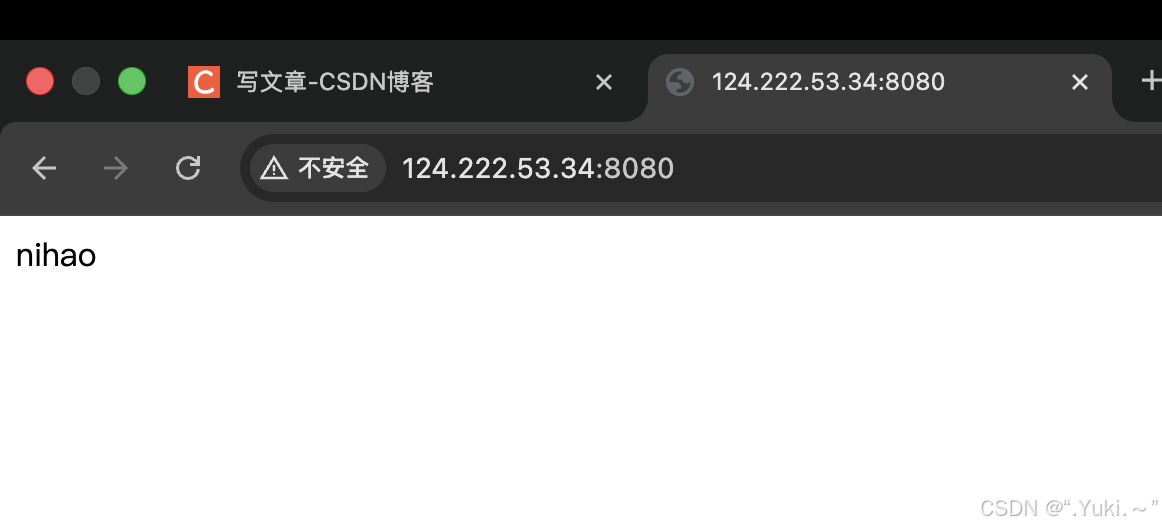 AI Visual Insight: This screenshot shows that after accessing the containerized Nginx service, the page content has changed to custom text. It proves that modifications to
 /usr/share/nginx/html/index.html inside the container have been synchronized to the underlying mounted directory and were read immediately by the web server.
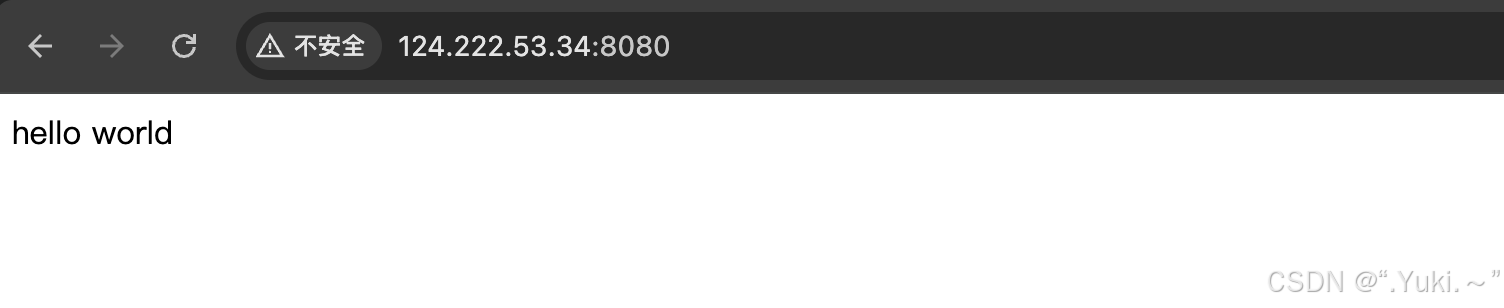 AI Visual Insight: This screenshot shows that the first Nginx instance reads the same
 index.html content through the shared volume. It demonstrates that a named volume provides a consistent data view across multiple containers and can be used to share static assets or unified configuration output.
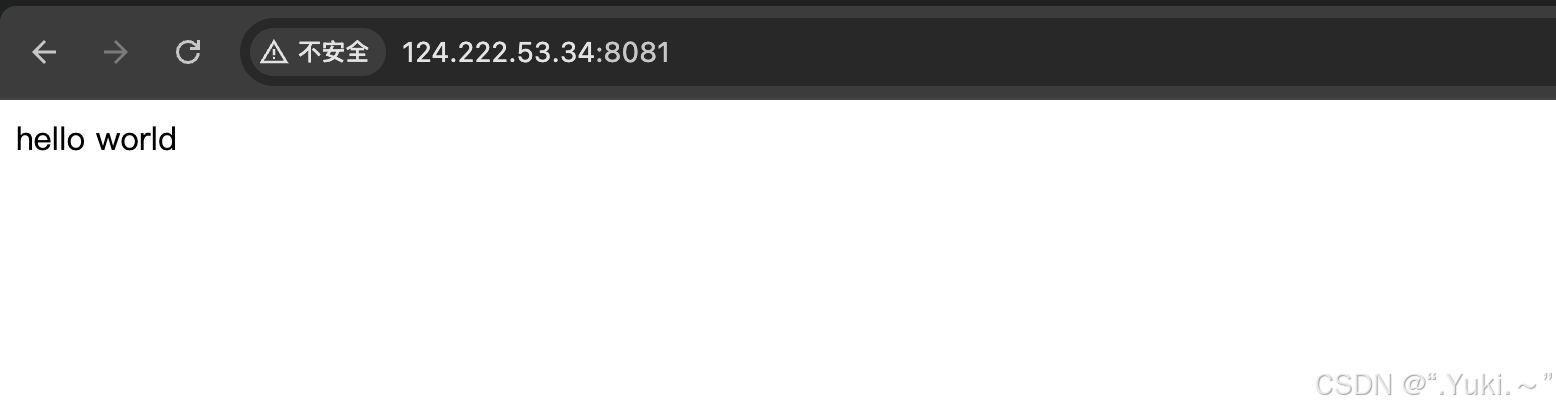 AI Visual Insight: This screenshot shows that the second Nginx instance, running on a different port, returns the same page content as the first instance. It further confirms that when multiple containers mount the same volume simultaneously, they read the same persistent data.
The real limits of storage mounts appear in cross-host scheduling and operational complexity
Local volumes and local bind-mounted directories both depend on the current host machine. If the container is scheduled onto another machine, the local data does not follow automatically. A single-host volume is not the same thing as distributed storage.
In cluster environments, you often also need NFS, object storage, block storage, or a cloud provider CSI solution. Docker local volumes alone cannot solve cross-node consistency.
Writing startup parameters into orchestration files is essential for long-term maintenance
If volumes, ports, environment variables, and network parameters exist only in CLI commands, they are easy to miss during later rebuilds. You should define mount strategy in Compose files or other orchestration manifests whenever possible.
FAQ
Q: In production, should I prefer Volume or Bind Mount?
A: Use Volume by default. It is more independent, easier to manage, and decoupled from the container lifecycle. Use a Bind Mount only when you must control a specific host directory.
Q: Why does the data still exist after I delete the container?
A: Because the data was written to a volume or a host directory rather than to the container writable layer. Removing a container deletes only the container itself and does not automatically delete externally mounted data.
Q: Is tmpfs suitable for database persistence?
A: No. tmpfs keeps data in memory, and the data is lost as soon as the container stops. It is suitable only for caches, temporary files, and sensitive data that does not need to be persisted.
Core summary
This article systematically reconstructs how Docker storage mounts work. It explains the design goals, lifecycle behavior, sharing model, and performance differences of Volume, Bind Mount, and tmpfs, and uses Nginx and MySQL disaster recovery examples to illustrate best practices for persistent container data.