This article focuses on two high-frequency core capabilities in Flutter for OpenHarmony: map rendering and audio playback. It addresses three common pain points in OpenHarmony cross-platform development: plugin availability, permission handling, and runtime verification. You will get reusable Dart examples and practical troubleshooting guidance. Keywords: Flutter, OpenHarmony, audio playback.
Technical Specifications Snapshot
| Parameter | Description |
|---|---|
| Language | Dart 3.0+ |
| Framework | Flutter for OpenHarmony |
| Target Platform | OpenHarmony 4.0+ on real devices or emulators |
| Map Solution | amap_flutter_map |
| Audio Solution | audioplayers |
| Permission Solution | permission_handler |
| License | Original article declared CC 4.0 BY-SA |
| Star Count | Not provided in the original content |
| Core Dependencies | amap_flutter_map, audioplayers, permission_handler |
Flutter for OpenHarmony lets one codebase cover common OpenHarmony capabilities
The value of Flutter for OpenHarmony is not simply that it can run Flutter. Its real value is enabling the existing Flutter ecosystem to move to OpenHarmony devices with as little cost as possible. For most business applications, maps and audio are two of the most common scenarios for capability validation.
The evaluation criteria for these scenarios are straightforward: whether the plugin works, whether permissions are handled consistently, whether interactions remain stable, and whether extra native adaptation is required. The answer from the original case study is clear: within typical capability boundaries, developers can complete most of the implementation in Dart.
The recommended dependency set is enough to cover both capabilities in this article
dependencies:
  flutter:
    sdk: flutter
  amap_flutter_map: ^4.2.0 # Map rendering and interaction
  audioplayers: ^5.2.1 # Audio playback control
  permission_handler: ^10.2.0 # Request location, storage, and other permissions
This dependency set handles maps, audio, and permissions, and represents the minimum viable combination.
The core map implementation focuses on permissions, location, and markers
The minimum viable map workflow is not just rendering a map on screen. It must also cover permission requests, initial camera setup, marker rendering, and interaction validation. For OpenHarmony adaptation, verifying that the Flutter-side logic forms a complete loop is more important than going too deep into the native layer too early.
The original example uses the AMap Flutter plugin and simulates the current location with fixed coordinates. This approach works well for teaching and environment troubleshooting because it removes the extra variables introduced by a real location SDK.
The map page can use fixed coordinates first for end-to-end validation
import 'package:flutter/material.dart';
import 'package:amap_flutter_map/amap_flutter_map.dart';
import 'package:amap_flutter_base/amap_flutter_base.dart';
import 'package:permission_handler/permission_handler.dart';

void main() {
  runApp(const MyMapApp());
}

class MyMapApp extends StatelessWidget {
  const MyMapApp({super.key});

  @override
  Widget build(BuildContext context) {
    return MaterialApp(
      title: 'Flutter 鸿蒙地图',
      home: const CuteMapPage(),
    );
  }
}

class CuteMapPage extends StatefulWidget {
  const CuteMapPage({super.key});

  @override
  State
<CuteMapPage> createState() => _CuteMapPageState();
}

class _CuteMapPageState extends State
<CuteMapPage> {
  LatLng? _currentLocation;
  final List
<Marker> _markers = [];

  @override
  void initState() {
    super.initState();
    _requestPermissions(); // Request location permission at startup
  }

  Future
<void> _requestPermissions() async {
    final status = await Permission.location.request();
    if (status.isGranted) {
      setState(() {
        _currentLocation = const LatLng(39.90916, 116.397498); // Use fixed coordinates for integration testing
        _markers.add(
          Marker(
            position: _currentLocation!,
            title: '我的位置',
            snippet: 'OpenHarmony 地图验证点',
          ),
        );
      });
    }
  }

  @override
  Widget build(BuildContext context) {
    if (_currentLocation == null) {
      return const Scaffold(
        body: Center(child: CircularProgressIndicator()),
      );
    }

    return Scaffold(
      appBar: AppBar(title: const Text('地图功能验证')),
      body: AMapWidget(
        initialCameraPosition: CameraPosition(
          target: _currentLocation!, // Set the initial camera to the current point
          zoom: 15,
        ),
        markers: Set
<Marker>.of(_markers), // Render the marker collection
      ),
    );
  }
}
This code validates whether map rendering, permission handling, and marker display work correctly on OpenHarmony devices.
Audio playback is a strong validation scenario for event listeners and the system output pipeline
Compared with maps, the audio module is more likely to expose platform compatibility issues because it touches network streaming, playback state synchronization, and resource cleanup at the same time. If play, pause, and stop all respond reliably, the plugin bridge is usually in a usable state.
The original case uses audioplayers for practical reasons: the API is simple, the community is mature, and the package is widely adopted in the Flutter ecosystem. That makes it a good sample for validating cross-platform capabilities on OpenHarmony.
The audio player code should focus on state listeners and resource cleanup
import 'package:flutter/material.dart';
import 'package:audioplayers/audioplayers.dart';

class CuteAudioPlayer extends StatefulWidget {
  const CuteAudioPlayer({super.key});

  @override
  State
<CuteAudioPlayer> createState() => _CuteAudioPlayerState();
}

class _CuteAudioPlayerState extends State
<CuteAudioPlayer> {
  final AudioPlayer _audioPlayer = AudioPlayer();
  PlayerState _playerState = PlayerState.stopped;
  final String _audioUrl = 'https://www.soundhelix.com/examples/mp3/SoundHelix-Song-1.mp3';

  @override
  void initState() {
    super.initState();
    _audioPlayer.onPlayerStateChanged.listen((state) {
      setState(() {
        _playerState = state; // Listen for playback state changes and sync the UI
      });
    });
  }

  Future
<void> _playAudio() async {
    await _audioPlayer.play(UrlSource(_audioUrl)); // Play network audio
  }

  Future
<void> _pauseAudio() async {
    await _audioPlayer.pause(); // Pause the current audio
  }

  Future
<void> _stopAudio() async {
    await _audioPlayer.stop(); // Stop playback and reset the state
  }

  @override
  void dispose() {
    _audioPlayer.dispose(); // Release player resources when the page is destroyed
    super.dispose();
  }
}
This code verifies whether network audio playback, state listeners, and lifecycle cleanup remain stable.
The runtime screenshots show that both capabilities can be delivered visually on OpenHarmony devices
The original content includes two runtime screenshots, one for the map screen and one for the audio playback screen. This indicates that the author completed basic validation on a device instead of stopping at the code level.
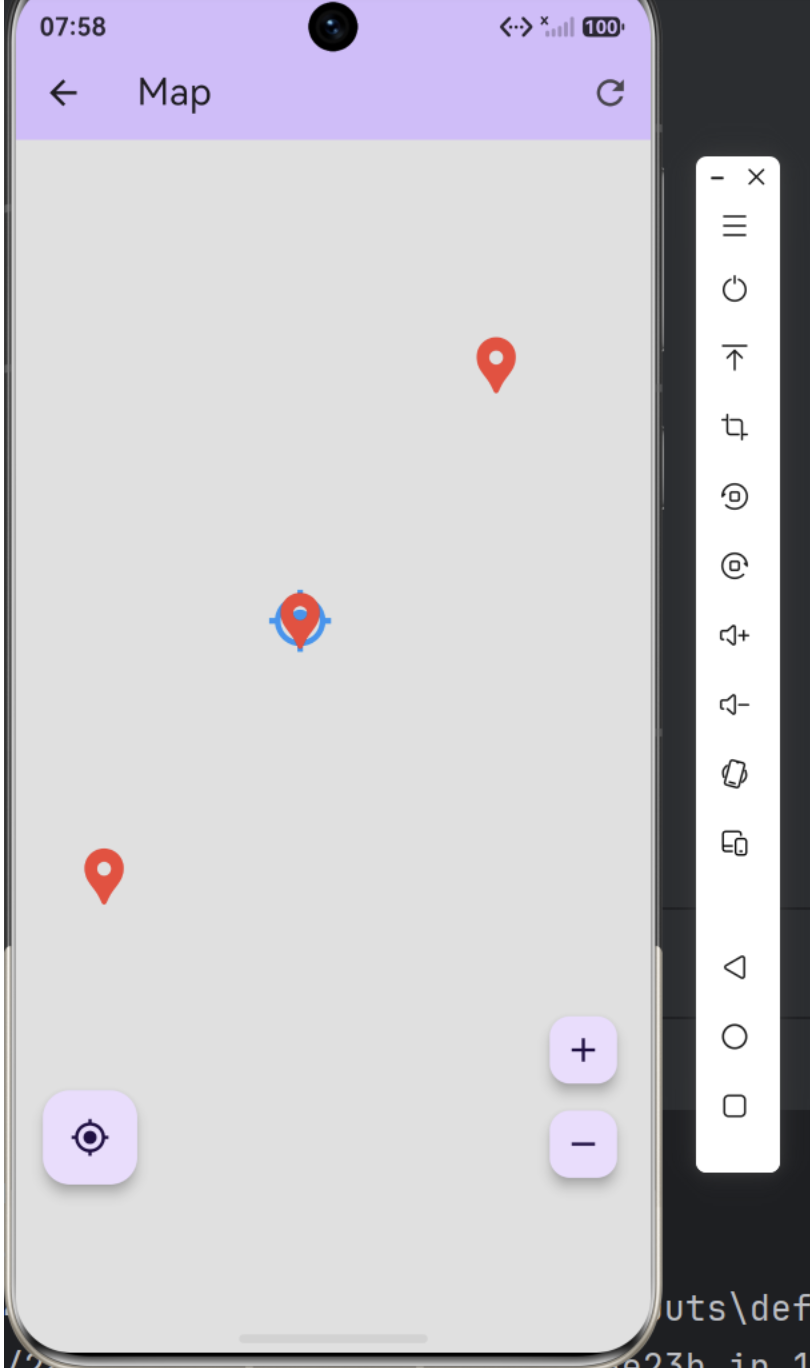 AI Visual Insight: This screenshot shows that the map page in a Flutter for OpenHarmony application has rendered successfully. The interface includes a top app bar, a map tile area, and a centered marker, which indicates that the map SDK, permission flow, and core interaction pipeline are already working on an OpenHarmony device. It serves as a solid starting template for location features, POI annotations, and embedded map containers.
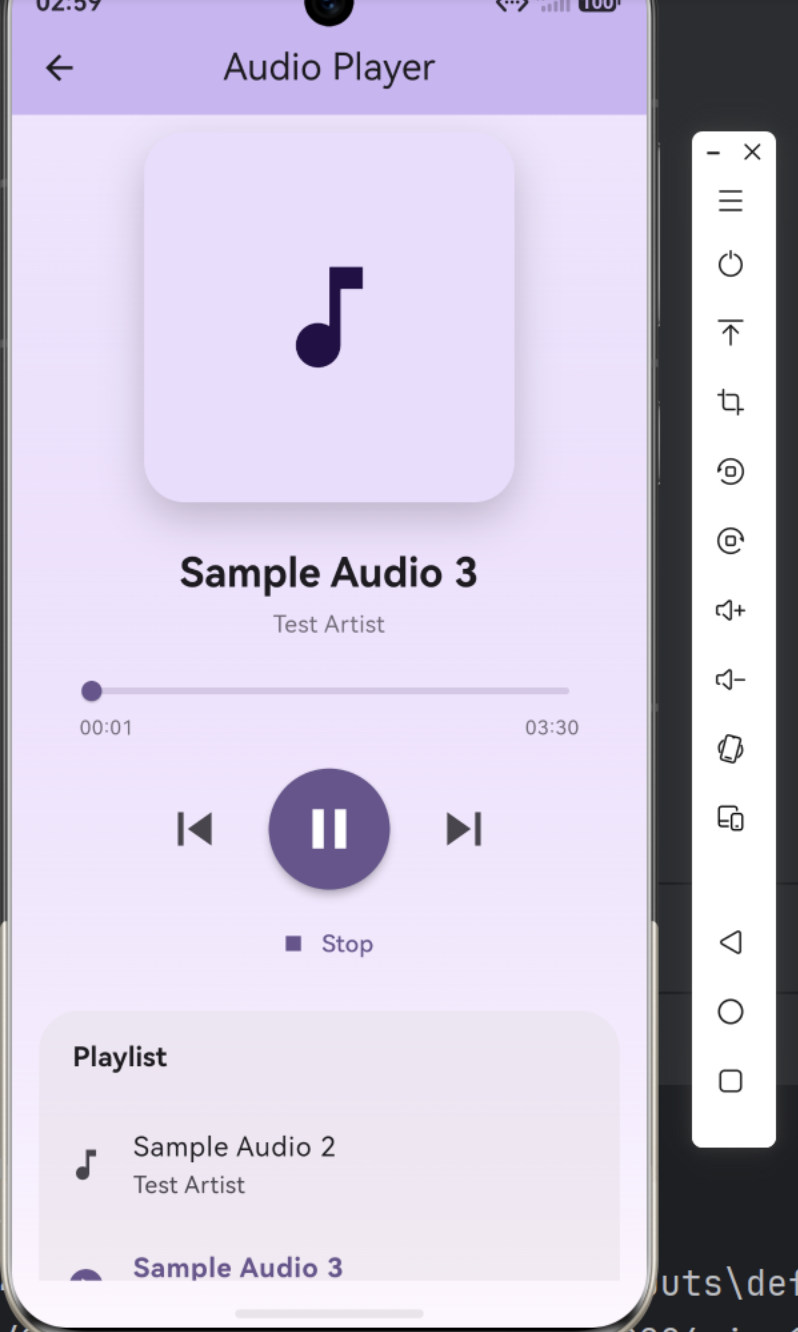 AI Visual Insight: This screenshot shows a typical audio playback interface with playback status text and three buttons for play, pause, and stop. It demonstrates that the Flutter UI, audio event listeners, and system audio output have formed a complete working loop. From here, you can extend the implementation with progress bars, duration display, and caching strategies.
Common issues usually fall into four troubleshooting checkpoints
final checklist = [
  'Check whether the map API key is correct', // Verify the key first if the map does not render
  'Confirm that location or network permissions are granted', // Permissions are the first troubleshooting step on OpenHarmony devices
  'Run flutter clean and fetch dependencies again', // Resolve plugin build cache issues
  'Verify that the audio URL is accessible and the device is not muted', // Check the media source and device volume first when audio is silent
];
This checklist covers most failure scenarios during first-time integration.
The real value of this approach is reusing the Flutter ecosystem instead of rewriting native capabilities
From an engineering perspective, this case study does not aim to build complex business logic. Instead, it verifies whether Flutter for OpenHarmony keeps migration costs low enough. The answer is yes: dependency management, state handling, page construction, and event listening all remain aligned with standard Flutter development practices.
For teams, this means they can move high-frequency modules to OpenHarmony first and then decide whether specific capabilities need native enhancement. For individual developers, it means they can ship the first set of working applications without learning the full native OpenHarmony syntax up front.
FAQ
1. Does Flutter for OpenHarmony require rewriting native code?
Not necessarily. The map rendering, audio playback, and permission requests in this article can be handled primarily through Flutter plugins and Dart code. You typically only need additional native adaptation for advanced location workflows, background audio, or deep system integration.
2. Why does the map example use fixed coordinates instead of real-time location first?
Fixed coordinates are better for the first round of validation. They let you quickly verify whether the map component, markers, and permission flow work correctly, without mixing in issues from a real location SDK, device services, or network conditions.
3. What should you check first if audio playback is silent on an OpenHarmony device?
Start with three checks: whether the network audio URL is valid, whether the device volume or mute state is abnormal, and whether the player state listener has entered playing. If the state looks correct but there is still no sound, then investigate plugin compatibility and the system audio output pipeline.
Core Summary: This article reconstructs two high-frequency Flutter for OpenHarmony capabilities on OpenHarmony: map location and audio playback. It covers dependency selection, permission handling, map markers, audio state listeners, runtime verification on OpenHarmony, and common troubleshooting scenarios, helping developers quickly deliver reusable functionality with a single Dart codebase.