[AI Readability Summary]
This article walks through practical robots.txt and sitemap.xml implementation in the Next.js App Router, addressing a common SEO issue: pages are accessible, but crawl efficiency is low and index coverage remains inconsistent. The core topics include crawler access control, sitemap generation, and splitting large sites into multiple sitemaps. Keywords: Next.js SEO, robots.txt, sitemap.xml.
Technical Specification Snapshot
| Parameter | Details |
|---|---|
| Framework Language | TypeScript / JavaScript |
| Runtime Framework | Next.js App Router |
| Protocol Standards | Robots Exclusion Protocol, Sitemaps XML |
| Core Capabilities | Crawler access control, URL discovery, image/video extensions |
| GitHub Stars | Not provided in the source content |
| Core Dependencies | next, MetadataRoute |
robots.txt serves as the first boundary of a site’s crawl policy.
robots.txt lives at the root of a website and tells search engines which paths they may crawl and which paths they should avoid. It does not directly decide whether a page gets indexed, but it strongly affects whether crawlers can access pages efficiently.
Common fields include User-agent, Allow, Disallow, Crawl-delay, Sitemap, and Host. Among them, the first four are the most frequently used, while Sitemap exposes the sitemap entry point to crawlers.
The core fields in robots.txt should be used according to their semantics.
User-agent: Specifies the crawler name, such asGooglebotorBaiduspider.Disallow: Blocks crawling for paths such as/admin/or/api/.Allow: Permits crawling for a path, commonly/.Crawl-delay: Defines a crawl interval. Google does not support it, but some crawlers do.Sitemap: The sitemap URL.
User-agent: Googlebot
Allow: /
Disallow: /api/
Sitemap: https://example.com/sitemap.xml
This configuration allows Googlebot to crawl public pages while preventing it from accessing the API directory.
Rule matching priority determines crawler behavior.
If the same file contains both User-agent: * and User-agent: Googlebot, Google prioritizes the named group over the wildcard group. That behavior is the foundation for many large sites to apply differentiated crawl policies to different crawlers.
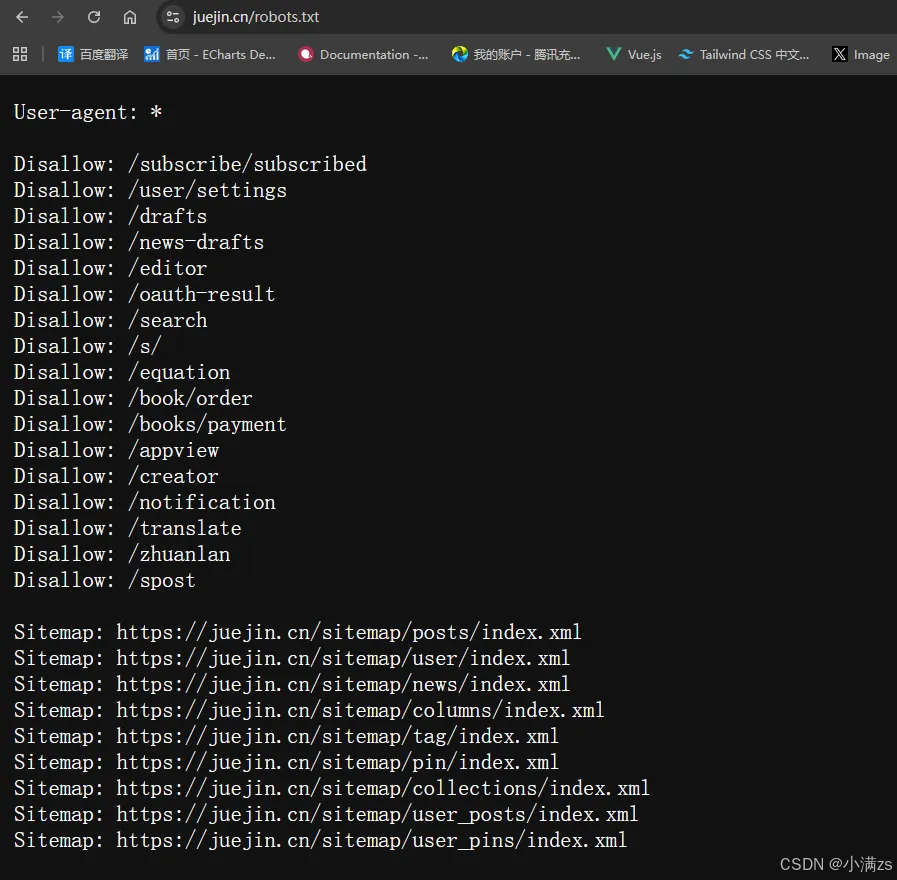 AI Visual Insight: The image shows the
 robots.txt configuration for the Juejin website. The key detail is that it uses User-agent: * as the global rule entry point and explicitly declares several Disallow paths and a Sitemap URL. This reflects a configuration strategy of allowing public content by default while selectively restricting specific functional pages.
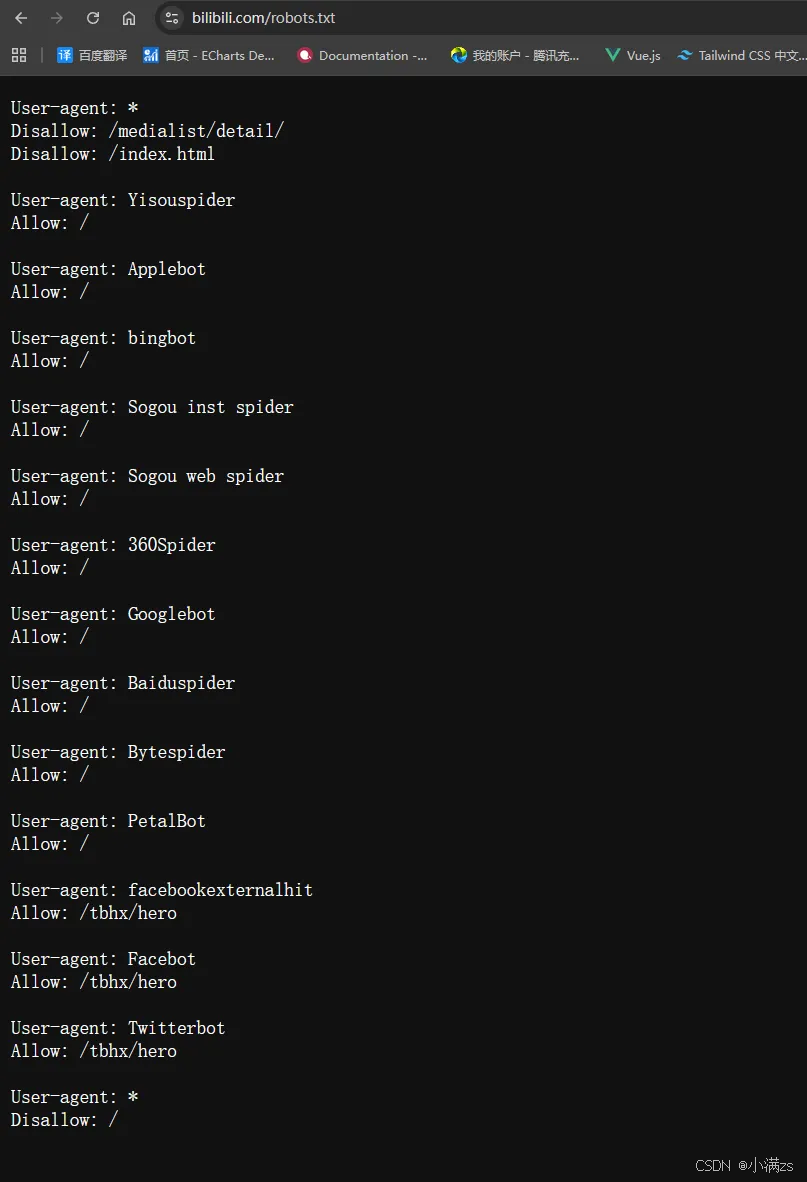 AI Visual Insight: The image presents a
 robots.txt structure with multiple User-agent groups, including a wildcard group, independent groups for mainstream search engines, and groups for social sharing preview crawlers. It highlights an engineering-oriented pattern built around rule priority, group isolation, and fallback blocking strategies.
Next.js includes built-in support for generating robots.txt.
Under the App Router, you can create app/robots.ts directly. Next.js automatically generates /robots.txt from the returned result, so you do not need to maintain a handwritten static file. This approach is better suited for multi-environment configuration and type safety.
import type { MetadataRoute } from 'next'

export default function robots(): MetadataRoute.Robots {
  return {
    rules: [
      {
        userAgent: 'Googlebot',
        allow: '/', // Allow crawling for public pages
        disallow: '/api/', // Block crawling for the API directory
        crawlDelay: 10,
      },
      {
        userAgent: 'Baiduspider',
        allow: '/',
        disallow: '/api/',
        crawlDelay: 10,
      },
    ],
    sitemap: 'https://example.com/sitemap.xml', // Expose the sitemap URL
  }
}
This code lets Next.js output a standards-compliant robots.txt automatically while keeping the rules maintainable and versionable.
sitemap.xml provides the primary index mechanism for search engines to discover URLs.
Unlike robots.txt, sitemap.xml does not restrict access. Instead, it proactively tells search engines which URLs are worth discovering. It is especially important for new sites, deep routes, and websites with large content inventories.
Its core value lies in improving page discovery and index coverage, but it cannot replace content quality itself. Whether a page is ultimately indexed still depends on content value, site authority, and crawl stability.
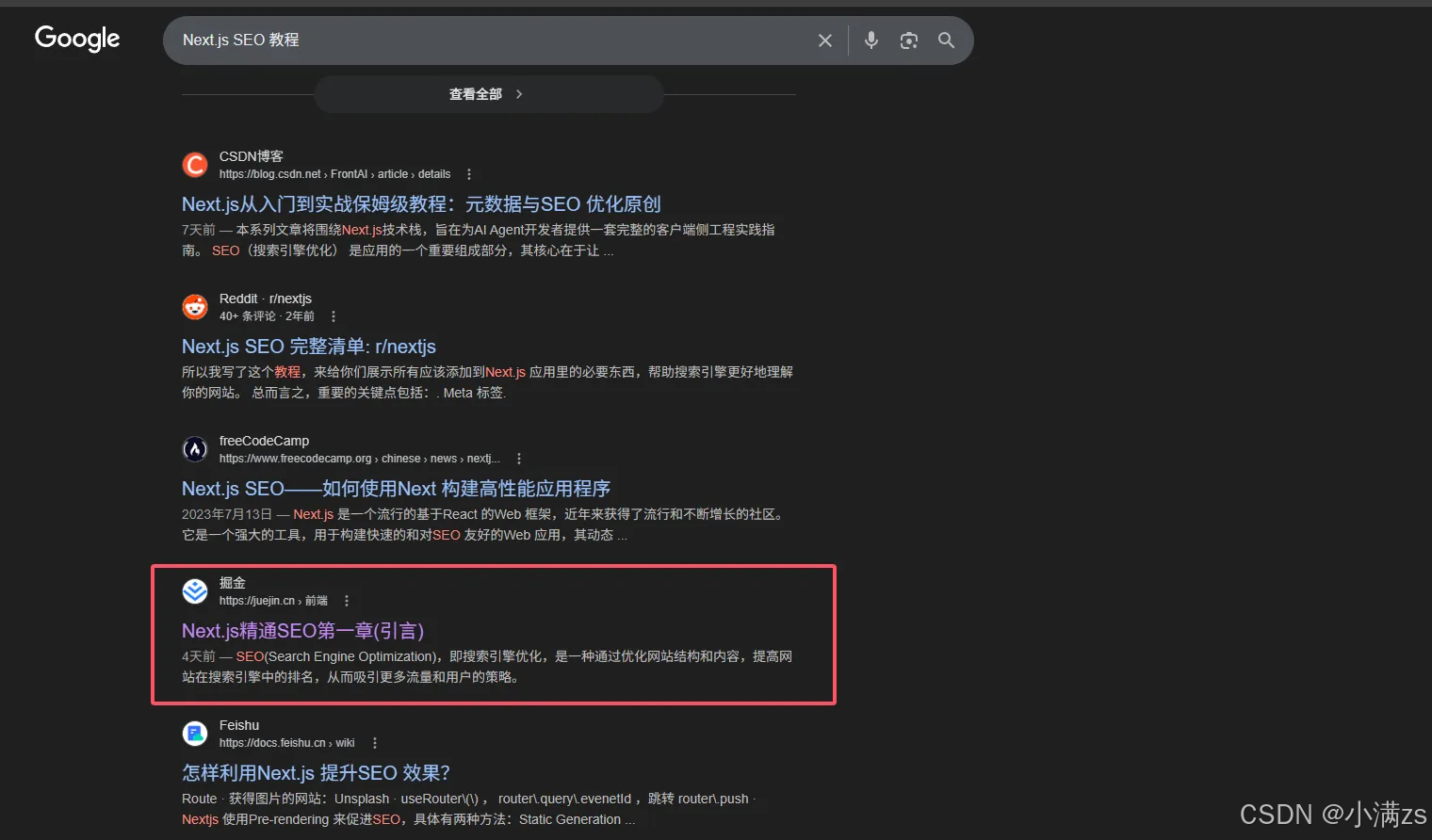 AI Visual Insight: The image shows how a content platform organizes article URLs through a sitemap index or child sitemaps. It reflects a common large-scale content strategy: instead of placing every page into a single file, the site splits sitemaps by content type or pagination to improve crawl traversal efficiency.
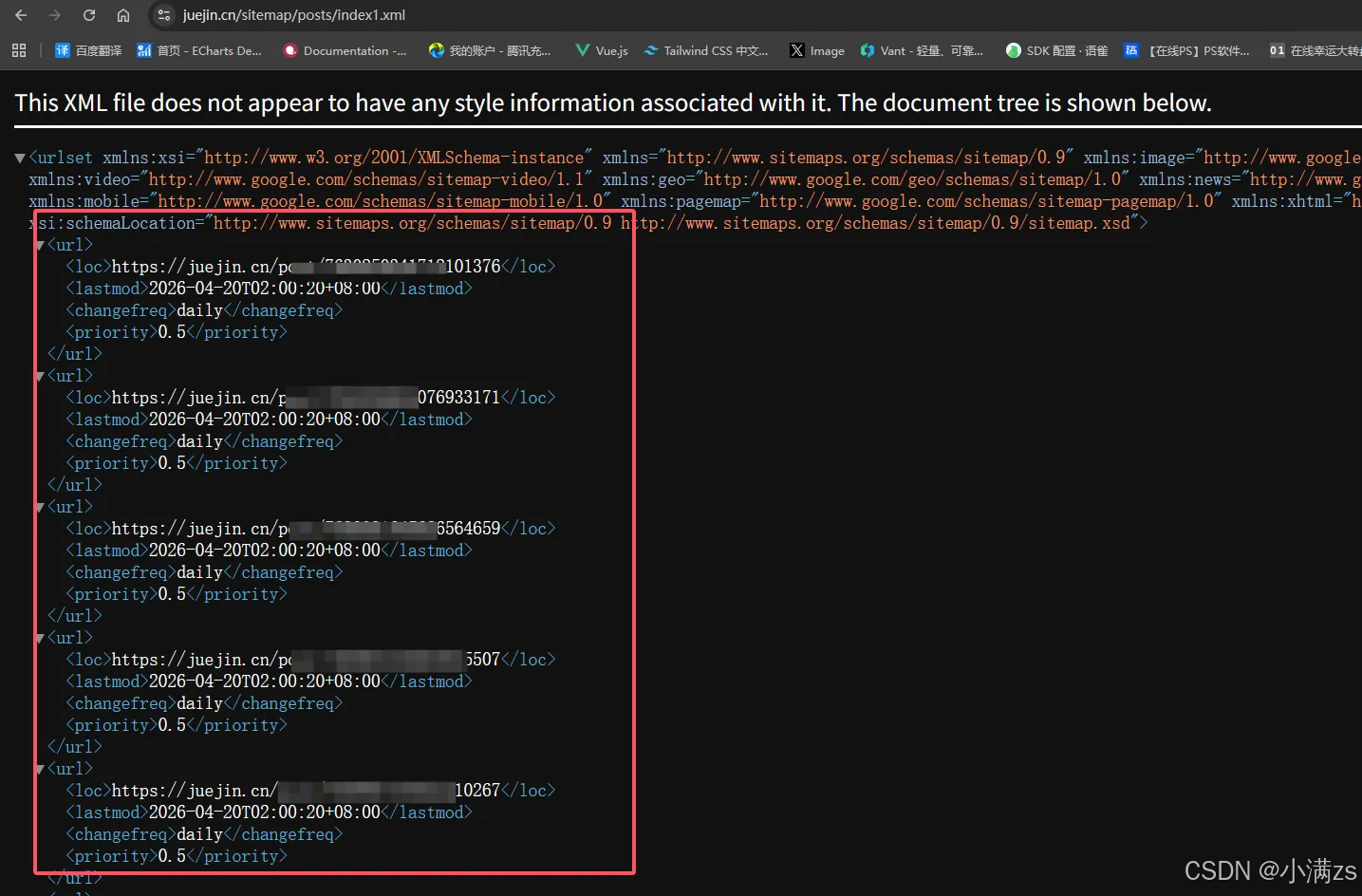 AI Visual Insight: The image illustrates the hierarchical structure of a sitemap XML document. It typically uses `