This implementation blueprint shows how to build a cross-platform Markdown editor with Vue 3, Electron, and OpenHarmony. It covers real-time preview, file I/O, PDF/HTML export, and OpenHarmony capability adaptation, helping teams reuse a Web technology stack across desktop and the OpenHarmony ecosystem. Keywords: Vue 3, Electron, OpenHarmony
Technical Specifications at a Glance
| Parameter | Details |
|---|---|
| Language | TypeScript, Vue 3, CSS |
| License | CC 4.0 BY-SA |
| Stars | Not provided in the source |
| Core Dependencies | electron, vue, markdown-it, html2pdf.js, file-saver |
| Target Platforms | Windows, macOS, Linux, OpenHarmony |
| Core Capabilities | IPC communication, Markdown rendering, PDF/HTML export, system capability abstraction |
This Solution Reduces Cross-Platform Complexity with a Unified Three-Layer Architecture
The original project centers on a Markdown editor, but its real value lies in its cross-platform engineering approach: the frontend layer handles interaction, the adaptation layer handles communication, and the native layer handles system capabilities. This separation creates clear boundaries between the Vue 3 UI, Electron desktop capabilities, and OpenHarmony device capabilities.
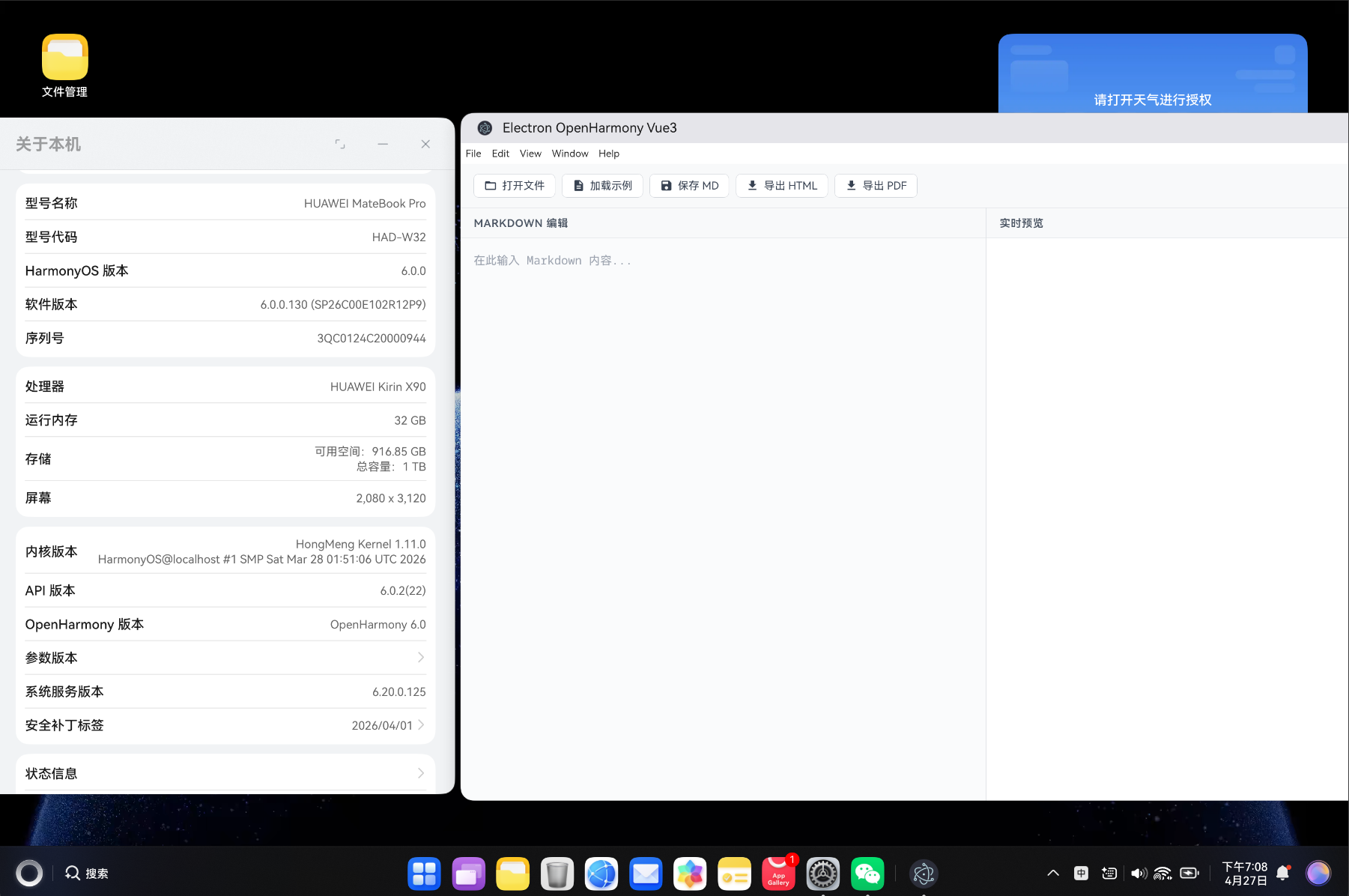 AI Visual Insight: The image shows the application UI or a runtime screenshot of the project. It highlights a multi-window or multi-page workspace, a top action area, and a content editing area, showing that the project focuses not only on rendering but also on desktop interaction design.
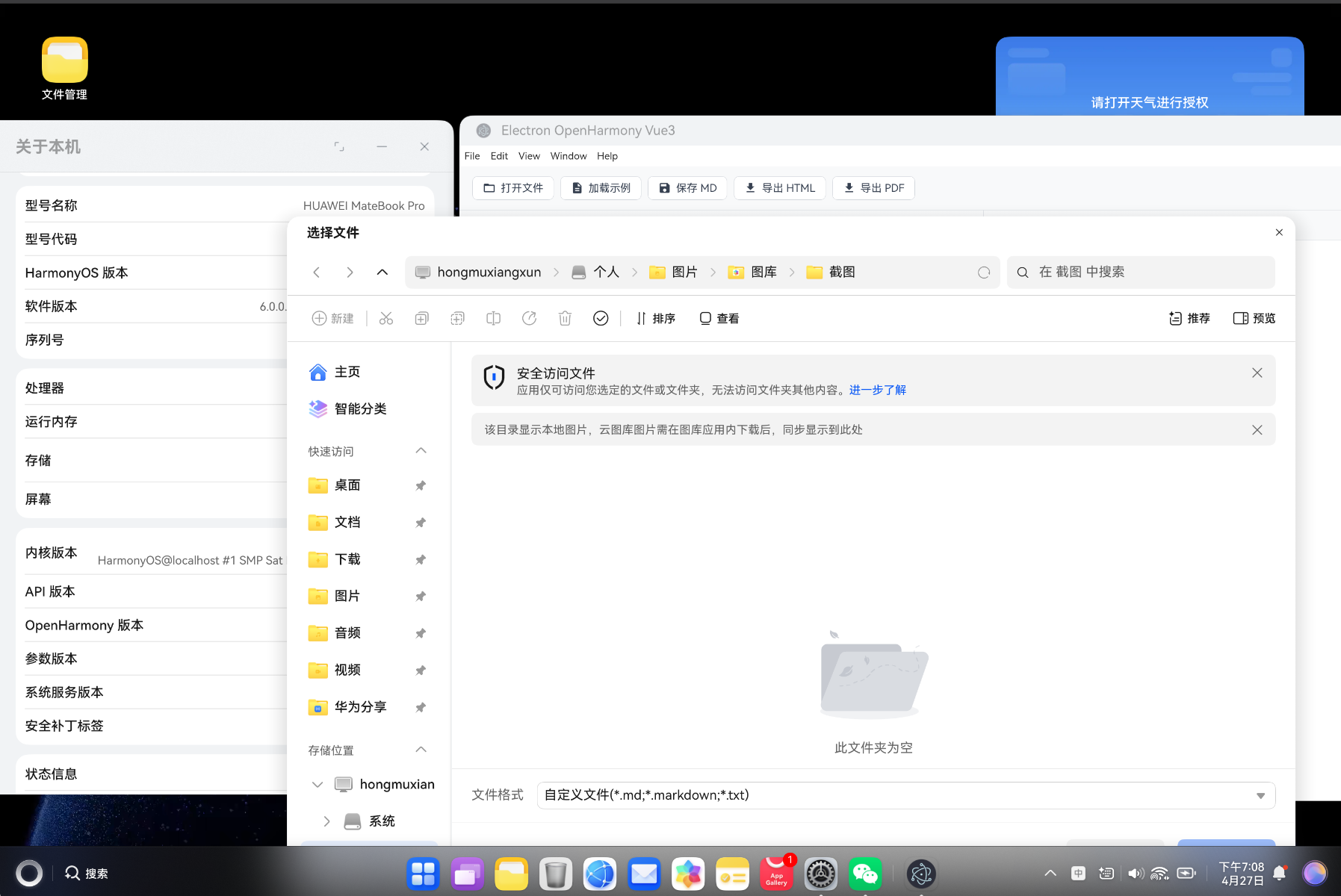 AI Visual Insight: The image presents local details of the editor or a feature page, typically used to show a list, editing panel, or preview area. It reflects how the Vue 3 componentized structure maps directly to the business UI.
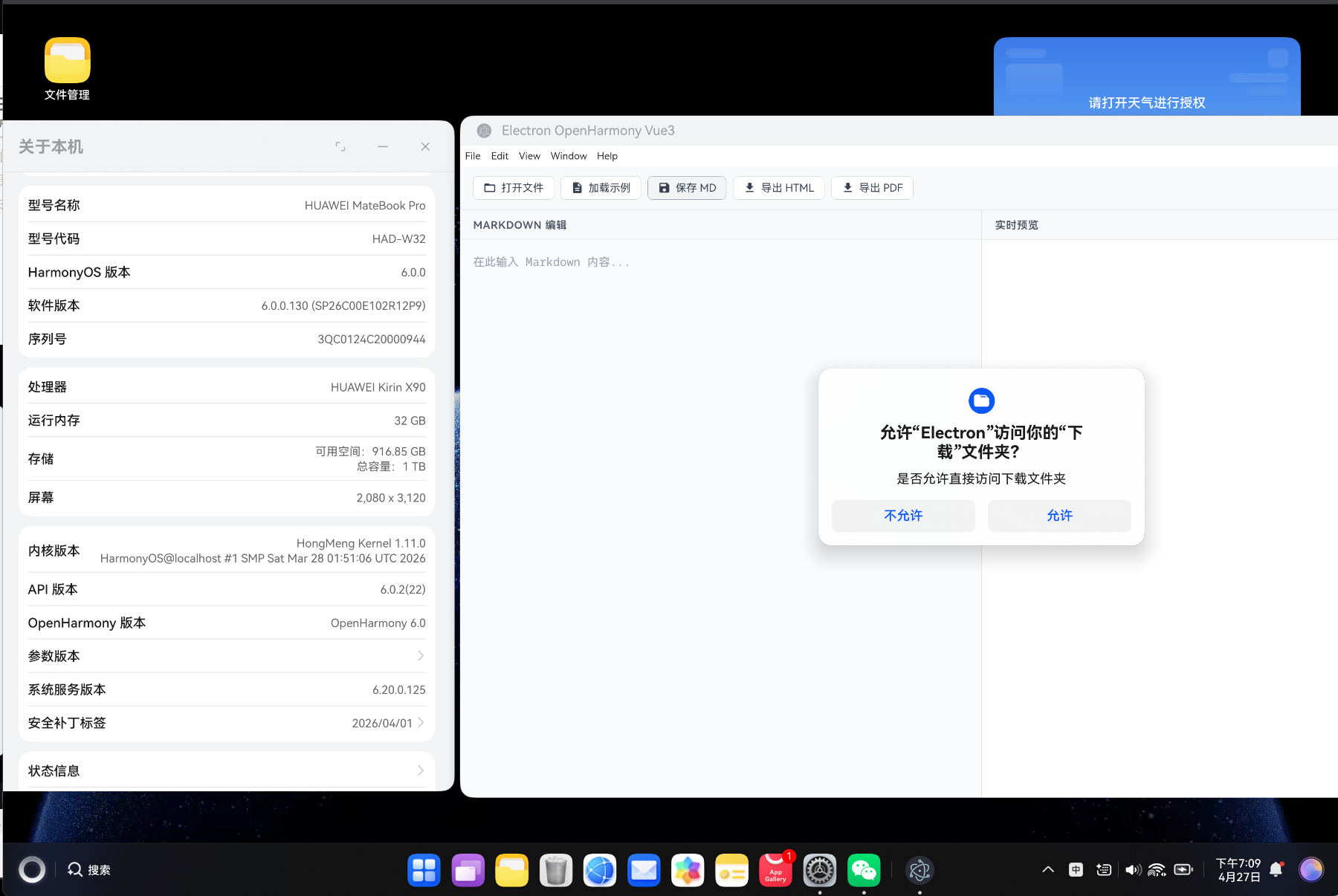 AI Visual Insight: The image may show real-time preview, a task view, or a hybrid layout, indicating that the project adopts a responsive UI strategy and separates business components from core layout logic, which supports future expansion.
Vue 3 Is a Cost-Effective Choice for the Frontend Layer
Vue 3 and the Composition API make it easy to split editor state, file operations, and platform detection into independent composables. Compared with piling all logic inside components, this approach improves testability, reuse, and state sharing across pages.
import { ref, computed } from 'vue'

export function useCounter(initialValue = 0) {
  const count = ref(initialValue)
  const doubleCount = computed(() => count.value * 2) // Compute derived state

  function increment() {
    count.value++ // Update the reactive counter
  }

  return { count, doubleCount, increment }
}
This example shows that the core value of the Composition API is to package state and behavior into reusable capabilities.
Directory Layering Directly Affects Long-Term Maintenance Cost
The project structure separates components, views, composables, services, and types, which aligns with the separation of concerns principle. Once the editor, storage, event bus, and platform capabilities are isolated, new features are much less likely to pollute the main workflow.
src/
├── components/      # Shared components
├── views/           # Page-level views
├── composables/     # Composable capability wrappers
├── services/        # Business services and state management
├── types/           # Type definitions
└── router/          # Router configuration
The value of this structure is not aesthetics. It keeps desktop feature expansion manageable over time.
Electron IPC Is the Critical Bridge Between the UI and System Capabilities
Electron uses a split model with a main process and a renderer process. Sensitive capabilities such as file system access and dialogs must go through IPC. In a Markdown editor, opening files, saving files, and exporting documents should all happen through a controlled bridge instead of exposing Node capabilities directly.
import { ipcMain, dialog } from 'electron'
import * as fs from 'fs/promises'

ipcMain.handle('fs:readFile', async (_event, filePath: string) => {
  try {
    const content = await fs.readFile(filePath, 'utf-8') // Safely read the file in the main process
    return { success: true, content }
  } catch (error) {
    return { success: false, error: (error as Error).message } // Return a standard error object
  }
})

ipcMain.handle('dialog:openFile', async () => {
  const result = await dialog.showOpenDialog({ properties: ['openFile'] }) // Open the system file picker
  return result.filePaths
})
This code safely exposes system file capabilities to the frontend UI.
The preload Layer Is a Security Boundary, Not Just a Pass-Through
Use contextBridge to expose only a whitelist of APIs such as openFile, readFile, and saveFile. This preserves developer productivity while preventing the renderer process from accessing the full Node environment directly.
OpenHarmony Adaptation Depends on Capability Abstraction and Graceful Degradation
The project’s key strength is not only that it runs in Electron, but also that it reserves integration points for OpenHarmony Web components and JSBridge. Checking whether window.ohos exists and then calling notification, clipboard, and device information APIs conditionally is a standard cross-environment abstraction pattern.
import { ref } from 'vue'

export function useOhos() {
  const isOhosEnv = typeof (window as any).ohos !== 'undefined'
  const systemInfo = ref(null)

  const getSystemInfo = async () => {
    if (!isOhosEnv) {
      return { platform: 'browser', version: 'N/A' } // Return a degraded fallback outside OpenHarmony
    }
    const ohos = (window as any).ohos
    systemInfo.value = { platform: 'ohos', version: ohos.deviceInfo.sdkApiVersion }
    return systemInfo.value
  }

  return { isOhosEnv, systemInfo, getSystemInfo }
}
This code provides a unified way to access system information across Web and OpenHarmony environments.
The Core Markdown Editor Flow Is a Closed Loop of Parsing, Previewing, and Exporting
The parsing layer typically uses markdown-it, which supports HTML, automatic link detection, and plugin extensions. For an editor product, rendering success alone is not enough. Rendering security, stable performance, and export consistency matter more.
import MarkdownIt from 'markdown-it'

const md = new MarkdownIt({
  html: true,
  linkify: true,
  breaks: true
})

export function renderMarkdown(content: string) {
  return md.render(content) // Convert Markdown to HTML
}
This code performs real-time conversion from editor text to preview HTML.
Debounced Rendering Significantly Improves the Large-Document Experience
If every keystroke triggers a full render while the user is typing, the editor will lag. Using watch + debounce to reduce render frequency to around 300 ms can noticeably lower CPU usage, especially for long documents or plugin-heavy scenarios.
Export Capabilities Determine Whether the Editor Is Production-Ready
PDF export relies on html2pdf.js, while HTML export wraps rendered output in a complete document template. The former focuses on pagination, CJK font support, and image cross-origin issues. The latter focuses on style integrity and portability. Together, they enable a publish-ready document workflow.
import html2pdf from 'html2pdf.js'

export async function exportToPdf(element: HTMLElement) {
  await html2pdf().set({
    margin: 10,
    filename: 'document.pdf',
    html2canvas: { scale: 2 }, // Improve export clarity
    jsPDF: { format: 'a4', unit: 'mm' }
  }).from(element).save()
}
This code exports the preview DOM as a printable PDF document.
Performance Optimization Should Cover Rendering, Memory, and Build Size
The optimization path in the original solution is sound: use virtual lists for long data sets, lazy-load heavy components, move repeated calculations into computed properties, and clean up events and timers during unmount. Desktop applications run for long periods, so memory leaks are more dangerous than in a typical single-page website.
import { defineConfig } from 'vite'

export default defineConfig({
  build: {
    rollupOptions: {
      output: {
        manualChunks: {
          vendor: ['vue', 'vue-router'], // Split the core framework into a separate chunk
          editor: ['markdown-it'],       // Split editor capabilities into an independent chunk
          pdf: ['html2pdf.js']           // Load the export module on demand
        }
      }
    }
  }
})
This configuration uses code splitting to reduce initial load and improve the structure of the build output.
Most Common Issues Come from Environment, Paths, and Build Configuration
A blank Electron window usually comes from incorrect asset paths, so Vite’s base should use a relative path. OpenHarmony packaging failures are often related to the SDK version, DevEco Studio version, or build cache. For cross-platform path handling, always use path.join instead of hardcoding separators.
FAQ
Q1: Why is this solution a good fit for cross-platform desktop applications?
A: Because Vue 3 delivers an efficient UI layer, Electron provides mature desktop capabilities, and the OpenHarmony abstraction preserves an extension point into the OpenHarmony ecosystem. Together, they balance development efficiency, platform coverage, and long-term evolution.
Q2: What capabilities should a Markdown editor prioritize first?
A: Prioritize stable real-time preview, secure file I/O, and consistent PDF/HTML export. Without these three, an editor is unlikely to succeed in real production workflows.
Q3: How can you keep an Electron project maintainable as it grows?
A: Stick to the three-layer architecture, expose only whitelisted IPC APIs, encapsulate platform capabilities in composables, and enforce code splitting and dependency boundaries during the build stage. This prevents feature growth from turning the project into an unmanageable codebase.
AI Readability Summary
This article reconstructs a cross-platform Markdown editor solution built with Vue 3, Electron, and OpenHarmony. It covers technology selection, three-layer architecture, IPC communication, OpenHarmony capability abstraction, real-time preview, PDF/HTML export, and performance optimization. It is a practical reference for building scalable desktop applications.