DevPocket is a pure static developer toolbox built with native frontend technologies. It focuses on three high-frequency tasks: JSON formatting, timestamp conversion, and Base64 encoding/decoding. It addresses the long-term availability problems of traditional utility sites that depend on backends and are difficult to deploy and maintain. Keywords: pure static toolbox, native JavaScript, GitHub Pages.
The technical specification snapshot outlines a zero-backend utility site
| Parameter | Details |
|---|---|
| Project Name | DevPocket |
| Primary Languages | HTML / CSS / JavaScript |
| Runtime Model | Runs locally in the browser |
| Network Protocols | HTTP / HTTPS |
| Backend Dependency | None |
| Third-Party Dependencies | None |
| Deployment Options | GitHub Pages, Netlify, or any static hosting |
| Repository | https://github.com/dxiangwiki/DevPocket |
| Live Demo | https://dxiangwiki.github.io/DevPocket/ |
| Star Count | Not provided in the source material |
This project solves the long-term availability problem of utility sites with a pure static approach
The core value of DevPocket is not that it offers many tools, but that its tools remain reliable. Many developer utility pages depend on backend APIs, databases, or cloud functions. Once maintenance stops, those services often fail quickly.
DevPocket takes the opposite approach by moving all logic into the browser. The result is simple: no installation, no login, and no server required. Users can open the page and use it immediately, which dramatically reduces maintenance overhead.
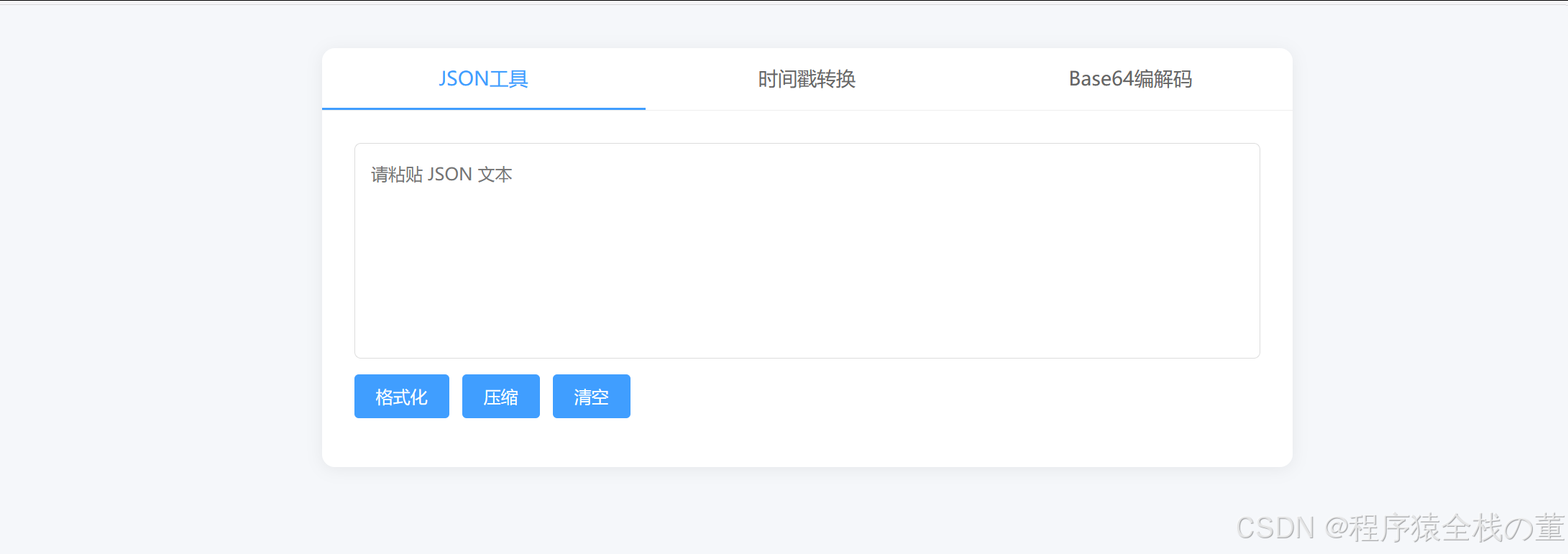 AI Visual Insight: The image shows the overall homepage layout of DevPocket, including a top title area, a tool-switching section, and input/output panels. This suggests that the project uses a single-page information architecture, switching between tools through tabs or buttons. The interface appears lightweight and emphasizes instant usability with a low learning curve.
A pure static architecture fits developer tools well
First, the computational logic behind these tools is simple and can run locally. JSON parsing, string encoding, and time conversion do not require backend participation.
Second, static hosting is naturally inexpensive and stable. As long as the repository exists, developers can continue to access the site through GitHub Pages or Netlify.
Third, the source code works well as a teaching example. Beginners can understand structure, styling, and interaction logic directly from a single-file project.
<div class="tool-tabs">
  <button data-tool="json">JSON Tool</button>
  <button data-tool="time">Time Conversion</button>
  <button data-tool="base64">Base64</button>
</div>

<section id="panel-json"><!-- JSON panel --></section>
<section id="panel-time"><!-- Time panel --></section>
<section id="panel-base64"><!-- Base64 panel --></section>
This snippet shows DevPocket’s typical single-page, multi-tool switching pattern: buttons map to different functional panels.
This project compresses high-frequency needs into three highly practical tools
DevPocket does not try to be large and all-inclusive. Instead, it focuses on three of the most common developer tasks: JSON formatting, timestamp/date conversion, and Base64 encoding/decoding. That constraint makes the utility site more focused.
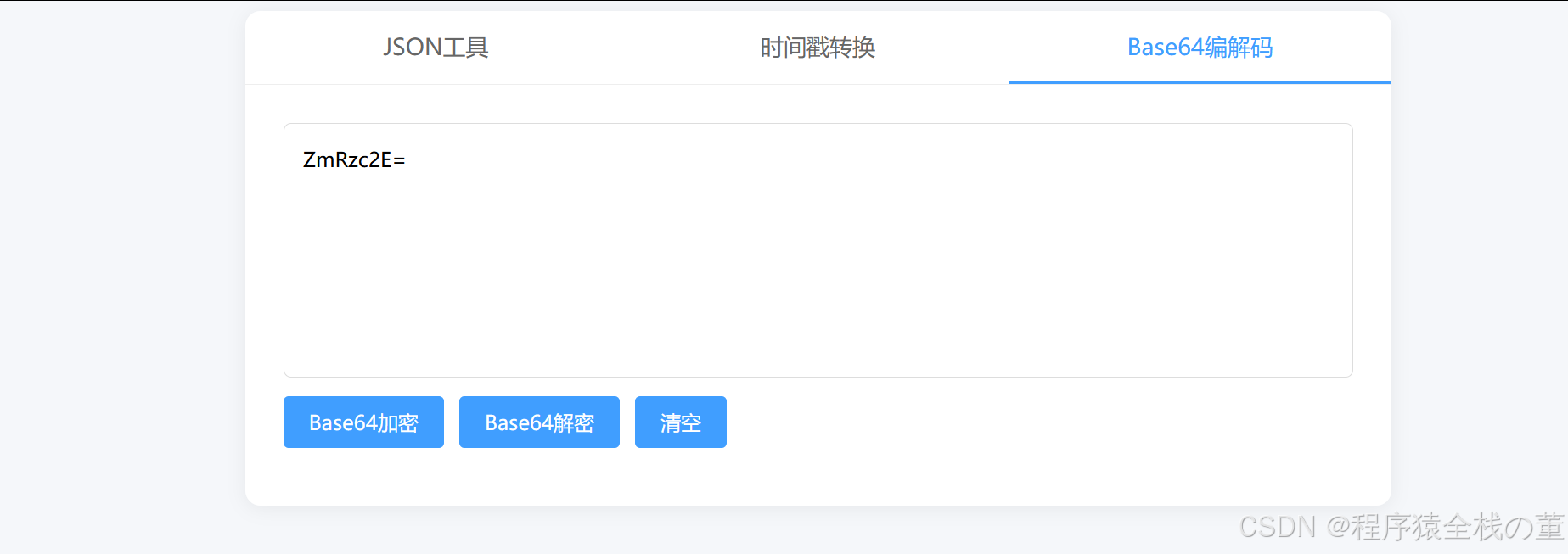
The JSON tool is useful for API debugging, configuration inspection, and log reading. The time conversion tool helps troubleshoot server-side time fields. The Base64 tool supports text transmission, debugging, and quick encoding validation.
 AI Visual Insight: The image shows the JSON tool interface, which typically includes a raw input area, a formatted output area, and action buttons such as Beautify, Minify, and Validate. The interface focuses on improving the readability of nested JSON and helping developers quickly locate field hierarchies and syntax errors.
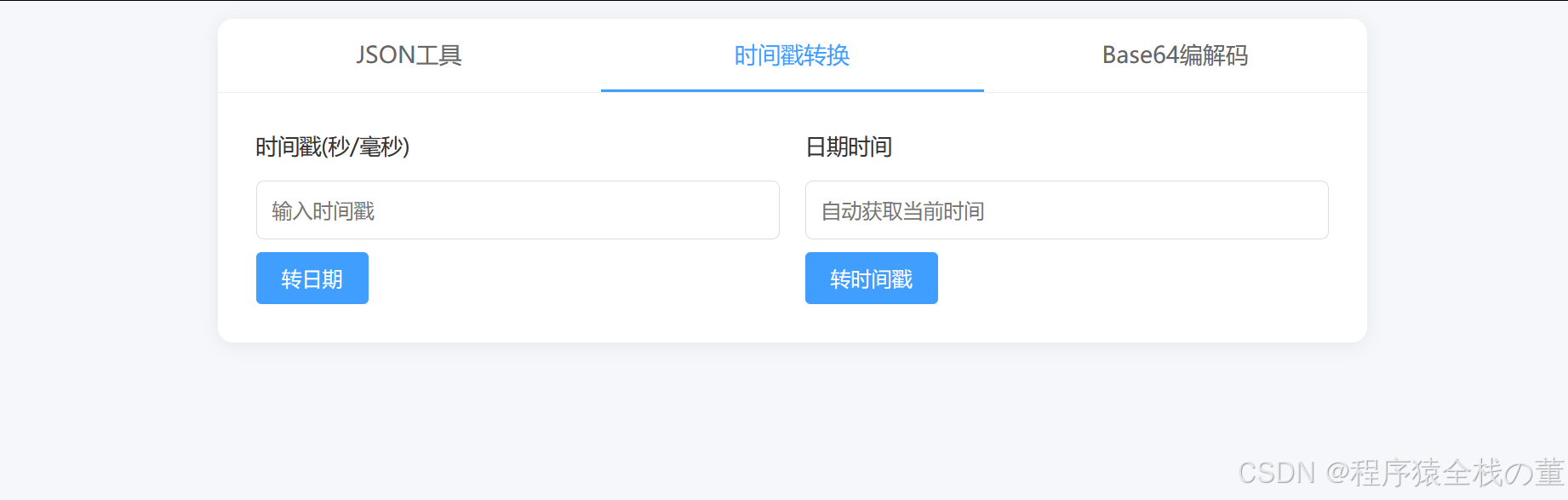
 AI Visual Insight: The image shows the timestamp and date conversion panel, which typically supports both second-level and millisecond-level timestamp input, along with standard date format output. This design helps developers quickly verify timezone, precision, and format compatibility issues during frontend-backend integration.
The implementation of all three tools ultimately relies on native browser capabilities
JSON formatting typically relies on JSON.parse and JSON.stringify. Time conversion relies on the Date object. Base64 encoding and decoding usually call btoa and atob, sometimes with additional Unicode handling logic for better compatibility.
function formatJson(input) {
  const data = JSON.parse(input); // Parse text into a JSON object
  return JSON.stringify(data, null, 2); // Reformat with 2-space indentation
}

function timestampToDate(ts) {
  const value = String(ts).length === 10 ? Number(ts) * 1000 : Number(ts); // Automatically detect seconds or milliseconds
  return new Date(value).toLocaleString(); // Convert to a human-readable local time
}
This snippet summarizes the underlying logic of two core tools: parse, normalize, then output a readable result.
This project’s single-file organization works extremely well as a frontend practice template
The source material shows that the project is primarily concentrated in index.html, with only README.md and .gitignore alongside it. That strongly suggests the page structure, styles, and scripts are consolidated into a single file.
This organization is not ideal for large-scale engineering, but it is highly suitable for lightweight tools, project showcases, and teaching demos. Its main advantage is low migration cost, because any static server can host it directly.
The project structure can be understood as the minimum deployable unit
DevPocket/
├── index.html   # Main page containing structure, styles, and interaction logic
├── README.md    # Project overview and usage documentation
└── .gitignore   # Git ignore rules
This directory layout illustrates DevPocket’s minimum delivery model: a single core page can deliver the entire feature set.
This project has an almost zero deployment barrier
For local use, developers do not even need to start a web server. They can simply open index.html directly in a browser. That is one of the clearest experience advantages of a pure static utility.
If you want to share it publicly, you only need to push the repository to GitHub and enable Pages, or import it into Netlify for automatic deployment. The entire workflow is ideal for individual developers who want to publish projects quickly.
git clone https://github.com/dxiangwiki/DevPocket.git
cd DevPocket
# Open index.html directly in a browser to run the project
These commands show that DevPocket does not depend on a build toolchain. Once you obtain the source code, you can use it locally right away.
GitHub Pages and Netlify are both low-cost publishing options
GitHub Pages is a good fit for repository-backed hosting and continuous code updates. Netlify is a strong option for quickly generating a publicly accessible domain and providing a friendlier hosting experience.
If your goal is to keep a developer utility page available over the long term, static hosting is usually easier to maintain than an architecture that depends on serverless functions or databases.
This project offers direct reference value for both open source authors and frontend beginners
For open source authors, DevPocket demonstrates a “less is more” product strategy: polish three high-frequency features until they are stable and usable, then consider expansion.
For frontend beginners, it serves as an unusually clear learning sample: HTML handles structure, CSS handles layout, and JavaScript handles events and data transformation, without framework abstractions getting in the way.
If you are building a personal portfolio, a debugging page, or a project for interviews, a pure static model like DevPocket is worth prioritizing.
FAQ structured Q&A
Is DevPocket suitable for production use?
Yes, it works well as a public utility page, an internal helper page, or a personal showcase site. If your use case involves sensitive data, complex permissions, or audit requirements, you should still add backend capabilities.
Why are pure static tools easier to maintain long-term than full-stack tools?
Because they do not rely on databases, service processes, or backend APIs, they have fewer failure points and a simpler deployment surface. As long as the static files can be hosted, the tool can continue to run.
Who should use this project as a reference?
It is most useful for frontend beginners, indie developers, open source authors, and engineers who need to quickly build lightweight utility pages. It is especially representative in three areas: simplicity, readability, and deployability.
AI Readability Summary
DevPocket is a pure static developer toolbox built with native HTML, CSS, and JavaScript. It provides three high-frequency capabilities: JSON formatting, timestamp/date conversion, and Base64 encoding/decoding. This article reconstructs its architectural characteristics, project structure, and deployment model, making it a strong reference for frontend beginners, open source authors, and developers who need utility pages with long-term availability.