Images 2.0 is a more engineering-oriented generation model for AI images. It focuses on fixing common pain points such as distorted Chinese text, uncontrollable layouts, and limited local editing. This article distills its workflow, capability boundaries, and prompt engineering methodology. Keywords: AI image generation, prompt engineering, Chinese text rendering.
The technical specification snapshot highlights the product shape
| Parameter | Description |
|---|---|
| Product Format | Built-in image generation capability in ChatGPT |
| Primary Interaction | Natural language prompts + local editing |
| Typical Entry Point | Create images from the chat interface |
| Core Capabilities | Chinese text rendering, physical lighting and shadows, local inpainting, layout control |
| Target Users | Designers, content operators, developers, product managers |
| Stars | Not provided in the source |
| Core Dependencies | A ChatGPT account and web access |
Images 2.0 has moved from toy-like generation to controllable creation
The core argument in the original article is clear: the upgrade in Images 2.0 is not just about higher image clarity. It systematically improves four categories of problems: text, spatial composition, materials, and editing. That makes AI image generation feel more like a production tool than a random image generator.
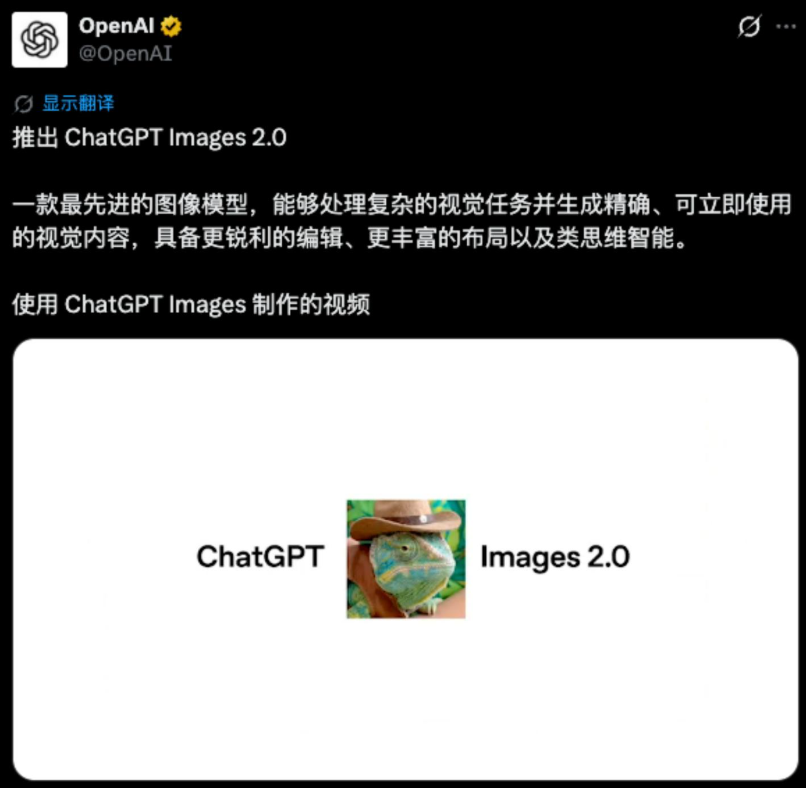 AI Visual Insight: This screenshot shows a high-level overview of the model’s image generation capabilities. It emphasizes high-fidelity visuals, understanding of complex composition, and coordinated generation of multiple elements, making it strong visual evidence of a generational model upgrade.
The core capabilities can be summarized across four dimensions
First, Chinese typographic rendering is more stable. The error rate for long titles, descriptive copy, and information cards has dropped significantly. Second, the model has a stronger understanding of real-world lighting and materials, so images no longer carry the overly common “plastic” look.
Third, local editing has started to deliver practical value. Users can redraw only a specific region instead of discarding the entire image. Fourth, the default aesthetic quality has improved, which makes commercial outputs such as posters, infographics, and interior visuals easier to get right on the first pass.
Prompt structure = Layout constraints + Subject description + Style references + Text content + Detail constraintsThis formula shows that high-quality outputs start with structured expression, not with piling up adjectives.
The standard workflow is simple enough for beginners to adopt quickly
The path described in the source material is straightforward: sign in to ChatGPT, open the conversation interface, click “Create image,” enter a prompt, and wait for the result. If the first output is unsatisfactory, move into the editing panel to adjust aspect ratio or refine selected regions.
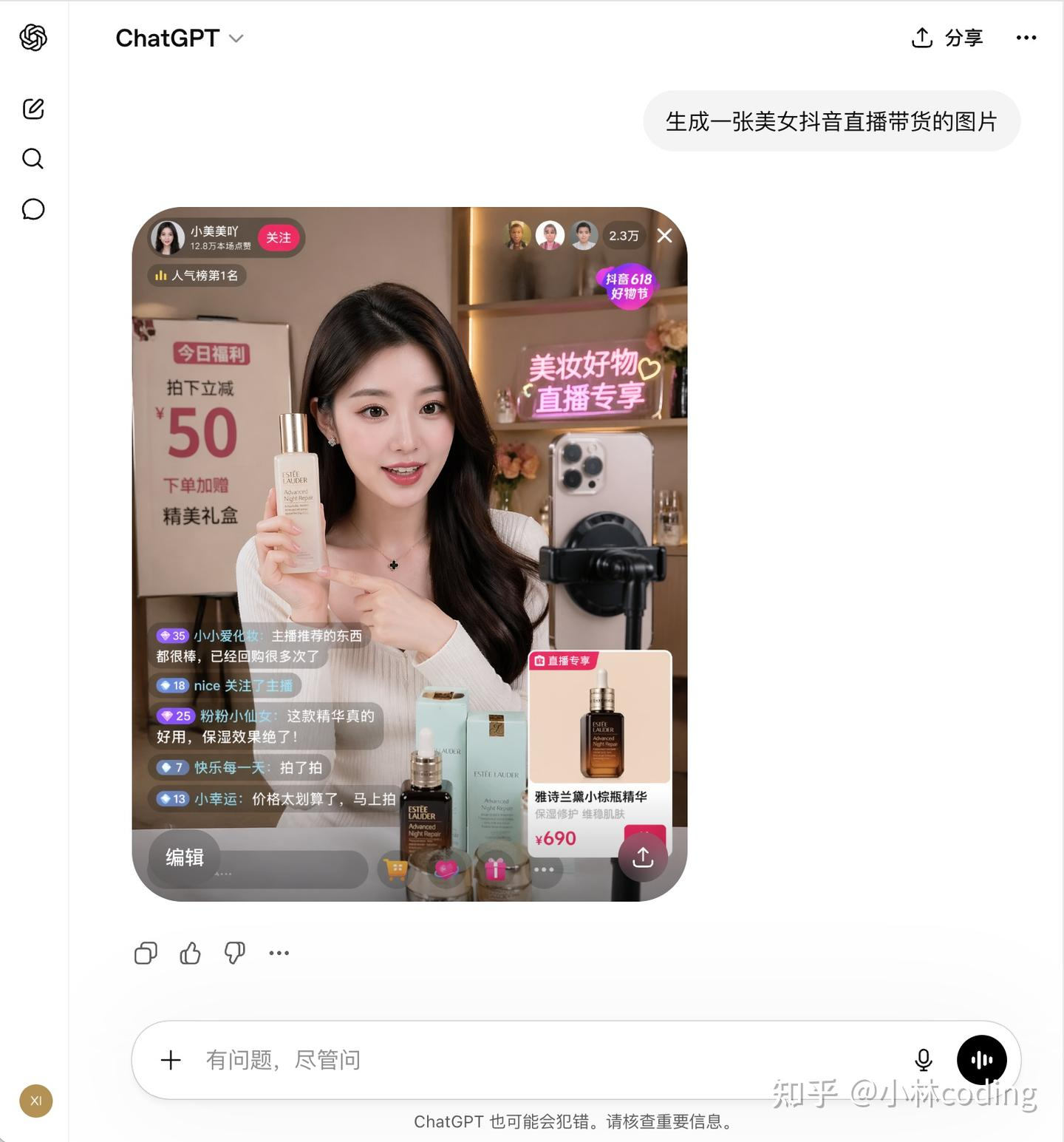 AI Visual Insight: This image shows the generation entry point and an initial generated result. It highlights how text-to-image generation is integrated into the chat flow rather than packaged as a standalone design tool, which lowers the barrier to entry.
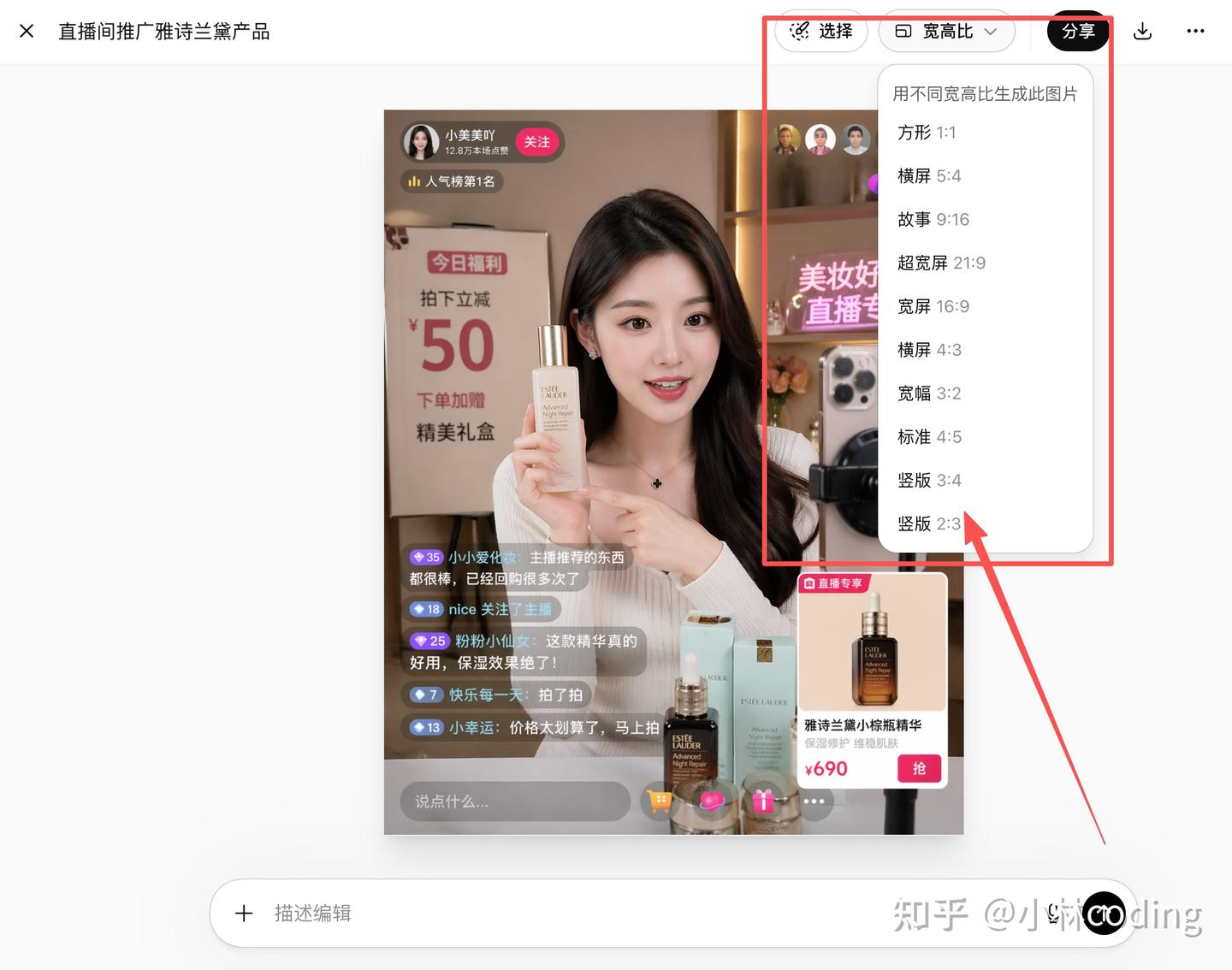 AI Visual Insight: This image shows the secondary image editing panel. The technical takeaway is support for aspect ratio adjustment, regeneration, and local modification, which shows that the model handles not only first-pass generation but also iterative editing.
A minimum viable prompt template looks like this
Generate a vertical poster with the theme "Spring City Travel".
Requirements: premium magazine-style layout, balanced whitespace, and clear information hierarchy.
It must include the text: "Beijing" "Shanghai" "Hong Kong".
Style: a fusion of traditional Chinese aesthetics and modern design, restrained colors, suitable for commercial publishing.
This template works because it locks down the structure first and then provides the content, which significantly reduces loss of visual control.
Stress tests show that the model is better at handling complex information
The most valuable part of the original article is its three test scenarios: Chinese infographics, interior materials and spatial rendering, and knowledge relationship graphs. These map to three separate capabilities: layout performance, physical understanding, and knowledge-to-visual coordination.
The Chinese infographic test shows that the model has crossed the usability threshold
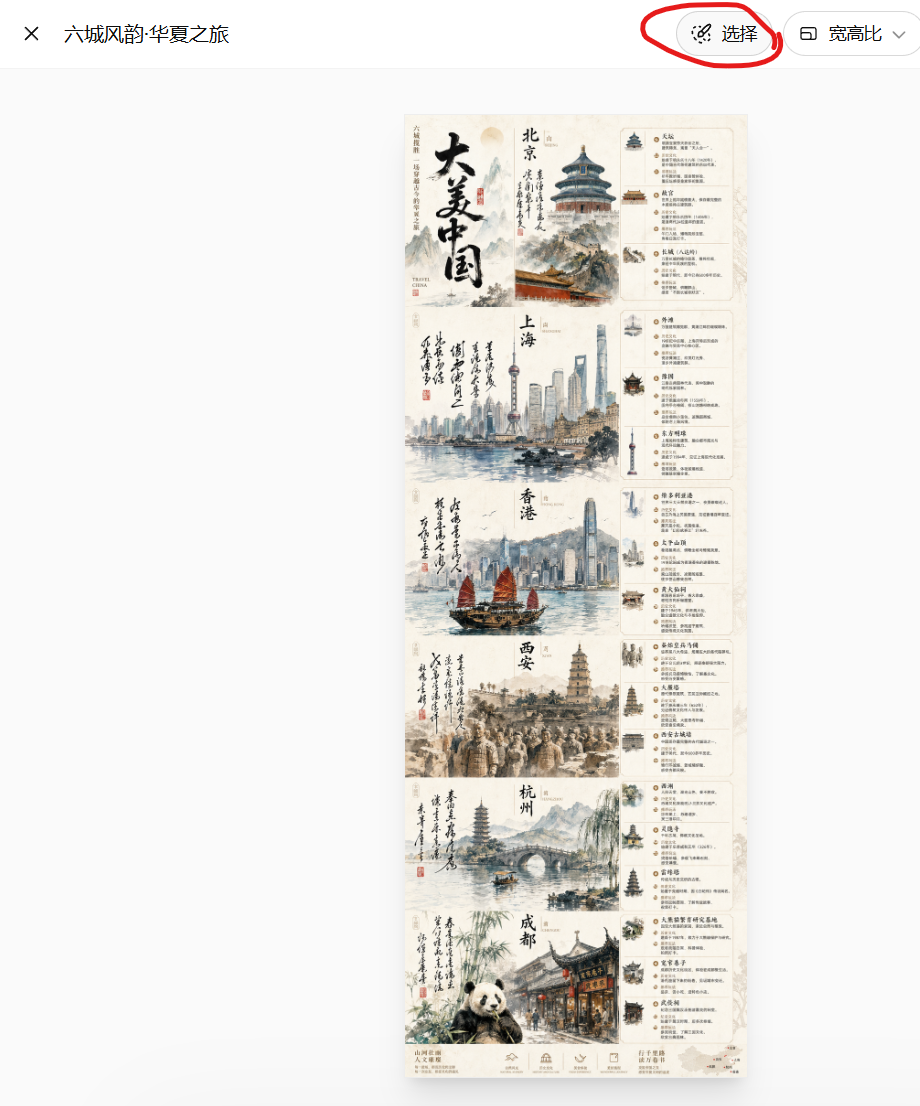
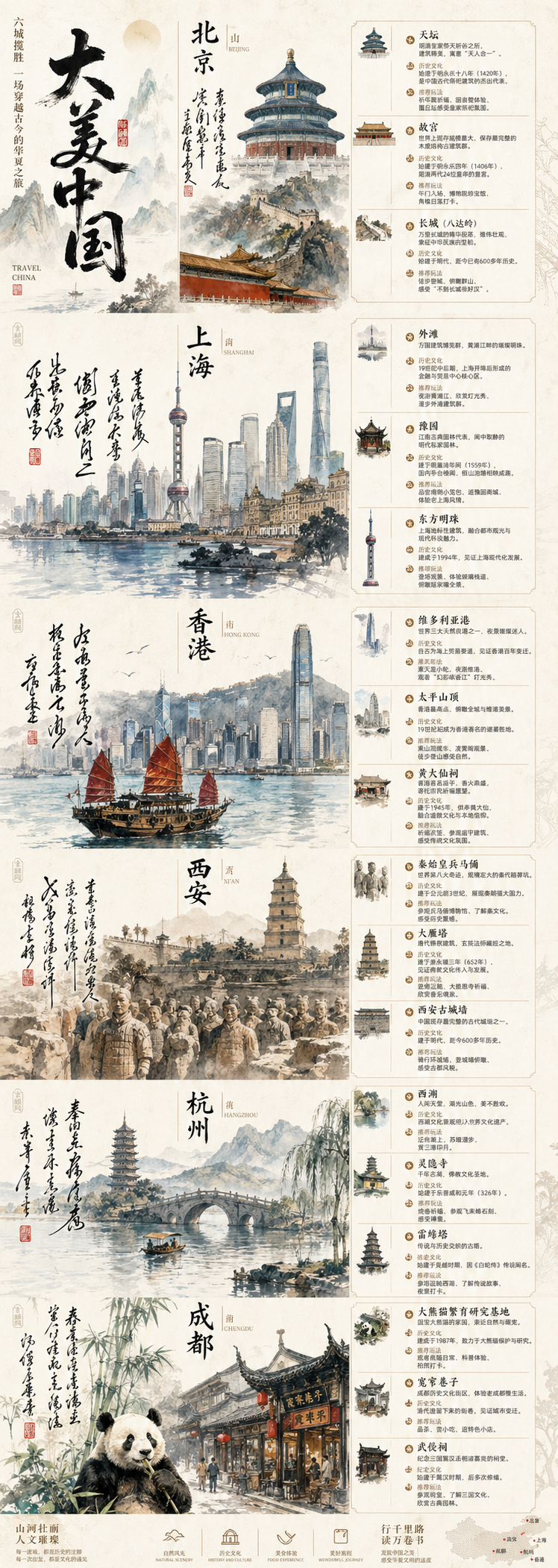 AI Visual Insight: This image shows a long-form Chinese poster with multiple cities and modules, including titles, landmark illustrations, descriptive text, and segmented layout zones. It demonstrates that the model can already handle complex information arrangement and Chinese visual hierarchy organization.
This result means the model can already produce first drafts for scenarios such as promotional posters, long-form educational visuals, and marketing infographics. Human proofreading is still necessary, but the amount of rework is much lower than with earlier models.
The lighting and material test reflects an upgrade in physical-semantic understanding
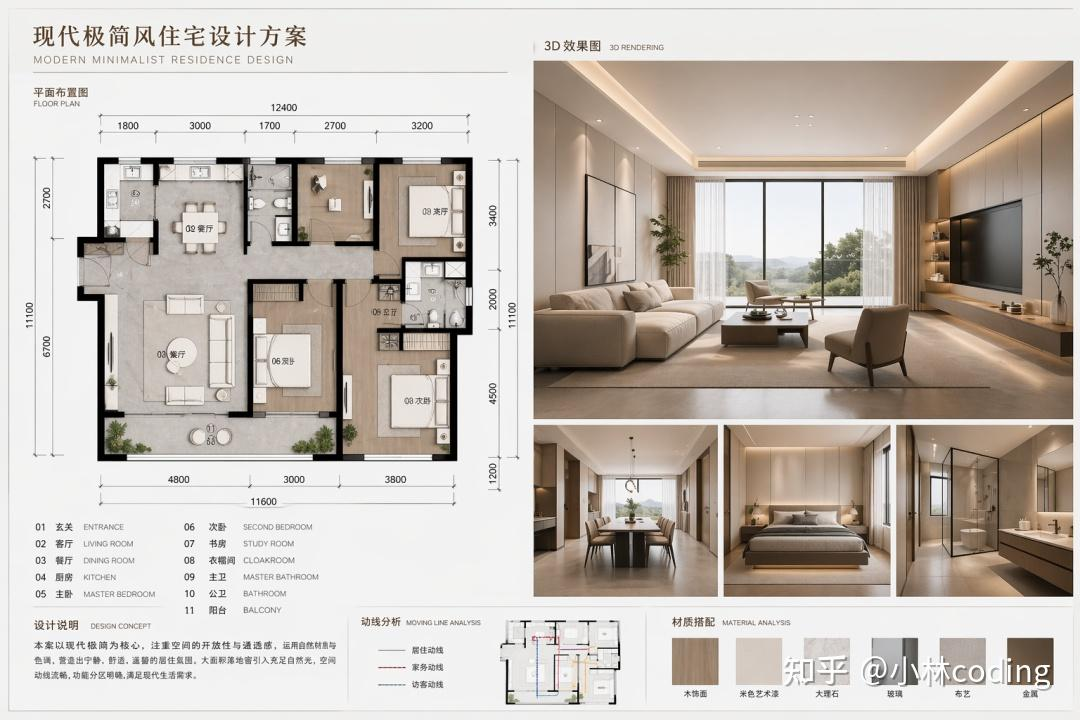 AI Visual Insight: This image emphasizes lighting, material reflection, whitespace ratio, and structural perspective in a modern interior space. It suggests that the model has a near-3D scene inference capability, which is especially useful for home, architecture, and showroom visualization.
 AI Visual Insight: This image further highlights localized material behavior, furniture edges, lighting transitions, and spatial layering. It reflects more stable rendering of diffuse reflection, shadow falloff, and material consistency.
These capabilities directly affect the commercial value of e-commerce hero images, architectural concept art, and interior proposal visuals. The model is not just “drawing something realistic.” It is constructing a believable space based on common-sense physical cues.
prompt = {
    "layout": "Landscape format, floor plan + 3D rendering combination",  # Constrain the output structure first
    "scene": "Modern minimalist residence, floor-to-ceiling windows, large areas of whitespace",  # Describe the core scene
    "style": "Warm lighting, showroom texture, premium and clean",  # Specify the aesthetic direction
    "constraints": ["Open spatial feel", "Realistic materials", "Suitable for commercial presentation"]  # Add technical constraints
}
This example shows how to break a natural-language prompt into structured fields so teams can reuse and iterate more efficiently.
The knowledge graph test demonstrates the value of multimodal coordination
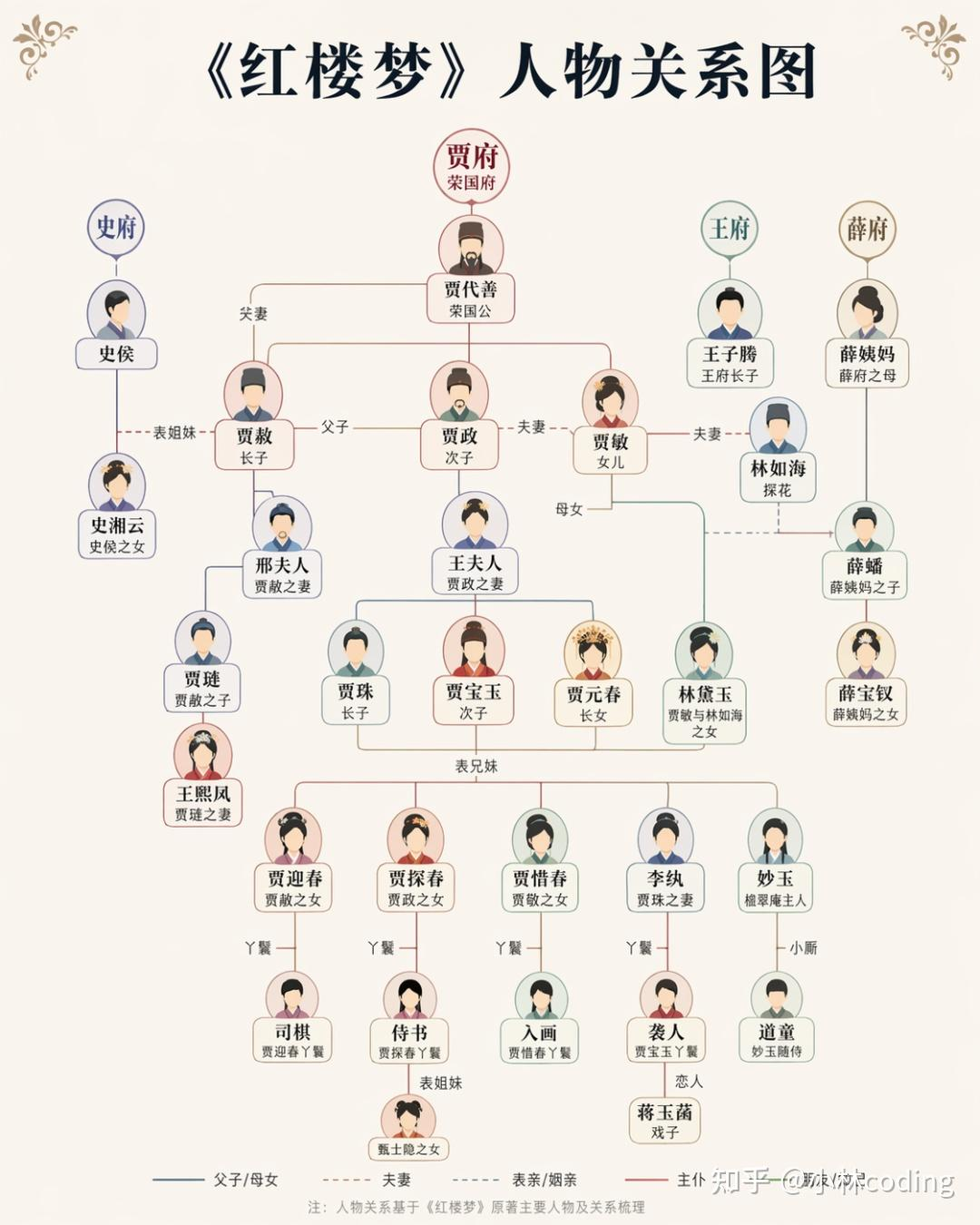 AI Visual Insight: This image shows a visualized output of literary character relationships, including nodes, links, and grouping logic. It suggests that the model is doing more than artistic generation; it is also attempting to map knowledge structures into graphical structures.
This type of use case matters especially for educational content, knowledge cards, and training materials. It shows that language understanding and image construction are beginning to work together rather than remaining isolated from each other.
Prompt engineering has become the deciding factor in output quality
The practical experience in the original article can be distilled into five rules: define the layout first, state the text explicitly, provide style anchors, specify hierarchy and whitespace, and use local edits for small-step iteration. These principles work better than simply adding more vague “premium-looking” adjectives.
An engineering-style prompt works better than an inspiration-style prompt
Scene: premium travel information poster
Layout: vertical long-form image divided into 6 modules
Subject: landmarks from cities such as Beijing, Shanghai, and Hong Kong
Text: title "City Roaming Guide"
Style: magazine layout, traditional Chinese aesthetics blended with modern design
Constraints: clear Chinese text, balanced whitespace, clear information hierarchy
This layered format shifts the model from “guess what you mean” to “execute your specification.”
Chinese text errors still exist, but there is now a stable remediation path
The original article does not avoid the issue: free users usually face daily usage limits, and Chinese text can still appear blurry or misarranged. However, the remediation strategy is also clear: write the exact copy explicitly, specify font style, and use local editing to fix only the text region.
 AI Visual Insight: This image shows a workflow for secondary processing of a text region. It demonstrates that text rendering issues do not require regenerating the entire image and can instead be fixed at lower cost through region-based local editing.
A recommended text repair strategy looks like this
def refine_text_prompt(title: str) -> str:
    # Explicitly require the text to appear to reduce model improvisation
    return f'Generate a poster with the title “{title}”. The Chinese text must be clear, use a bold sans-serif style, be center-aligned, and contain no incorrect characters.'

result = refine_text_prompt("Spring Outing")
print(result)
This code wraps high-frequency text constraints into a reusable template for repeated use.
The industry conclusion is that image generation is becoming a standard production component
The most important conclusion worth preserving from the original article is this: competition in AI image generation is shifting from “can it generate images at all?” to “can it reliably serve real business needs?” As differences in base model capability narrow, the truly scarce assets become judgment, taste, and the ability to define problems clearly.
The roles of developers, designers, and product managers will not disappear, but the division of labor will change. What matters more in the future is defining requirements, controlling outputs, building templates, validating results, and integrating AI into real production workflows.
FAQ
Q1: Can free users access Images 2.0?
Yes, but there is usually a daily usage limit, and queues may appear during peak hours. It is suitable for exploration and lightweight image generation, but not ideal for high-frequency comparative testing.
Q2: Why are my generated Chinese titles still blurry or misspelled?
Because text generation remains a high-complexity task. You should explicitly provide the target text, specify font and placement, and use local editing on the text region for correction.
Q3: How can I make the output look more like a commercial poster?
Start by constraining the layout, then add the main content, then provide style references, and finally specify text and detail constraints. Do not rewrite everything at once; prioritize small-step iteration.
AI Readability Summary: This article reconstructs the core capabilities, usage workflow, and prompt engineering methodology of Images 2.0. It covers entry-point operations, Chinese typography optimization, local inpainting, lighting and material generation, and common troubleshooting patterns to help developers move quickly from experimentation to production-oriented AI image generation.