PDFLock is a Windows-based secure PDF distribution tool. Its core capability is to package a PDF as a standalone EXE while providing AES-256 encryption, dynamic licensing, watermarking, and online updates. It addresses the key limitation of traditional PDF passwords, which cannot truly control copying, redistribution, or the document reading lifecycle. Keywords: PDF encryption, PDF to EXE, dynamic licensing.
Technical specifications are clear at a glance
| Parameter | Description |
|---|---|
| Tool Name | PDFLock.exe |
| Primary Platform | Windows 7/8/10/11, with 32-bit and 64-bit support |
| Core Use Cases | Secure PDF distribution, access control, copyright protection |
| Encryption Mechanism | AES-256 + ZIP obfuscation packaging |
| Output Format | Standalone EXE executable |
| Reading Dependency | No third-party PDF reader required |
| Licensing Modes | No password, fixed password, Dynamic Password A/B, one-device-one-license |
| Online Capabilities | Supports remote upgrades and PDF content updates |
| GitHub Stars | Not provided in the source |
| Core Dependencies | Built-in PDF rendering engine, license generation tool |
This distribution model is stronger than traditional PDF passwords
Traditional PDF owner and user passwords act more like access gates than sustainable control mechanisms. Once a user can open the document normally, it remains difficult to fully restrict copying, screenshots, forwarding, and secondary distribution.
PDFLock changes the delivery vehicle itself. Instead of distributing the PDF directly, it re-encrypts and packages the file into an EXE, where a built-in reading engine handles decryption, rendering, and permission enforcement. This shifts the control point from the file format to the runtime execution environment.
Original PDF document
  ↓ Re-encryption
AES-256 data protection
  ↓ Obfuscated packaging
EXE + built-in reading engine
  ↓ Runtime verification
Password / dynamic code / machine code / permission policy
This flow shows how PDFLock upgrades a static document into a controllable executable delivery format.
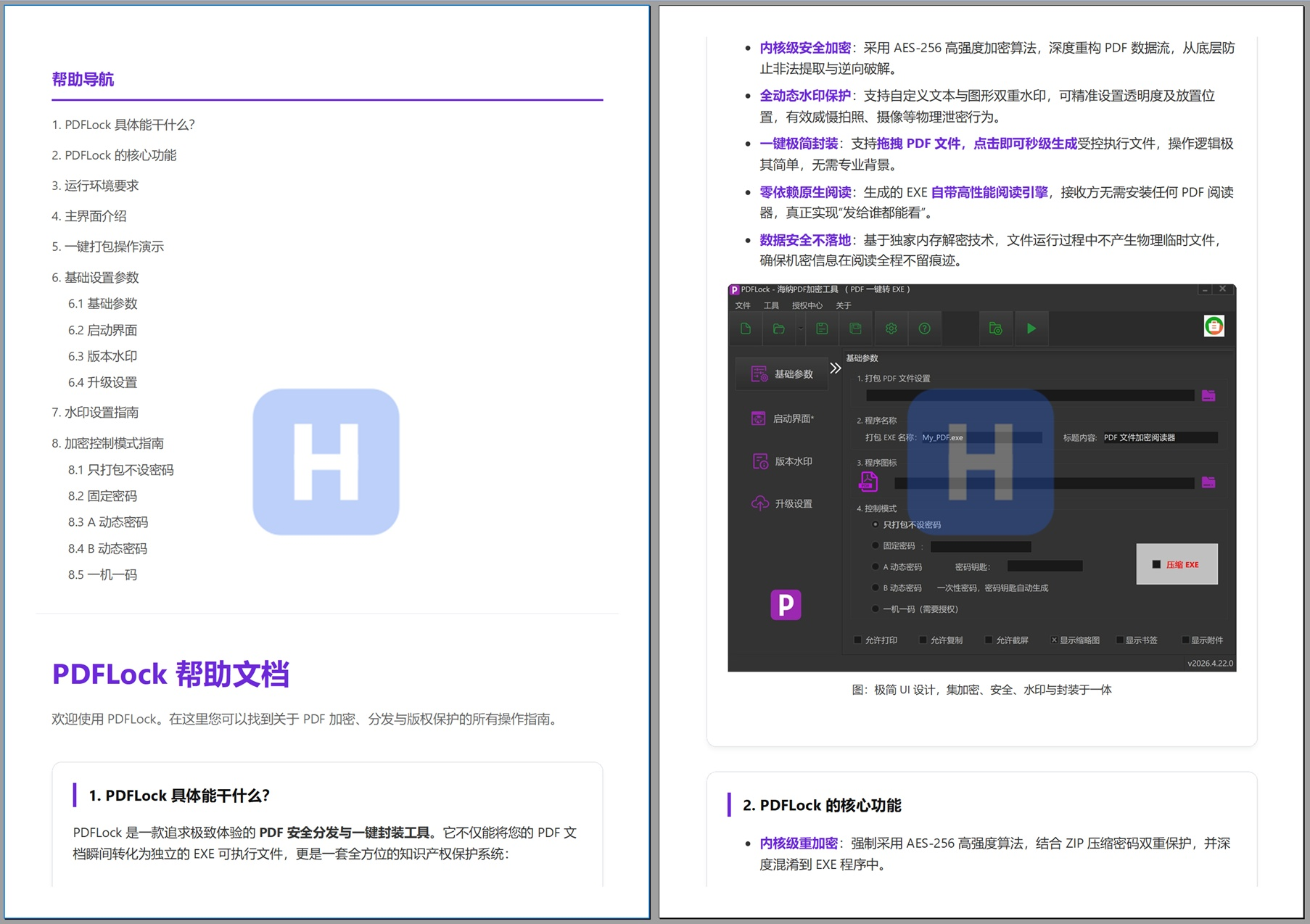
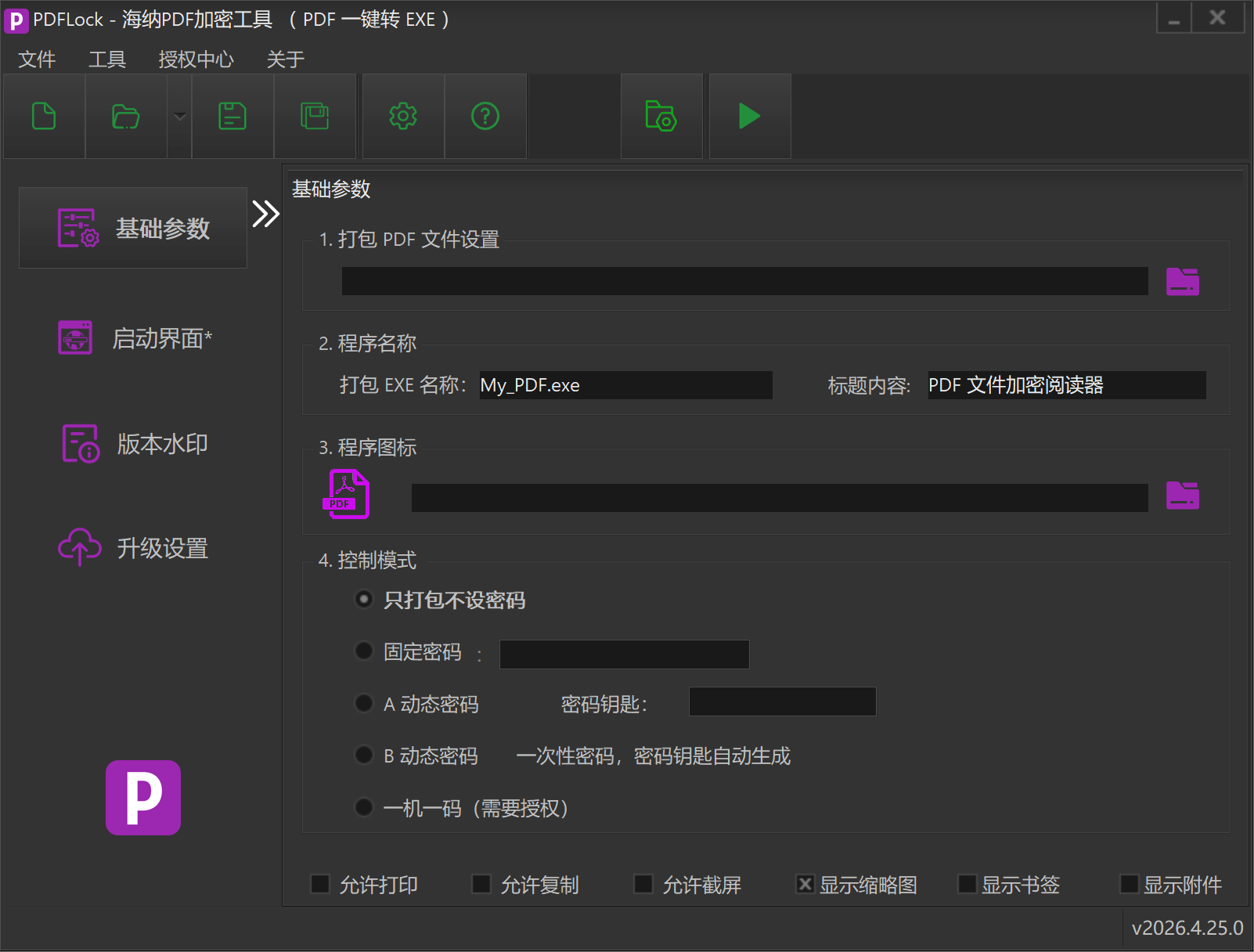 AI Visual Insight: The image shows PDFLock’s main feature entry points and product positioning screen, highlighting capabilities such as PDF-to-EXE conversion, secure encryption, and access control. The interface follows a desktop utility style, indicating that the product is designed for localized distribution and offline reading scenarios.
The core value lies in moving access control to runtime
Based on the source material, PDFLock provides fine-grained switches for printing, copying, screenshots, watermarks, thumbnails, bookmarks, and attachments. Unlike standard PDF permission flags, these restrictions are enforced by its own reader, which gives the policy model stronger consistency.
Even more important is its no-data-left-on-disk design. The document is decrypted in memory at runtime, without generating a directly extractable temporary PDF file. This is especially valuable for training materials, bid documents, ebooks, and internal manuals.
The main interface is designed as a low-barrier packaging workbench
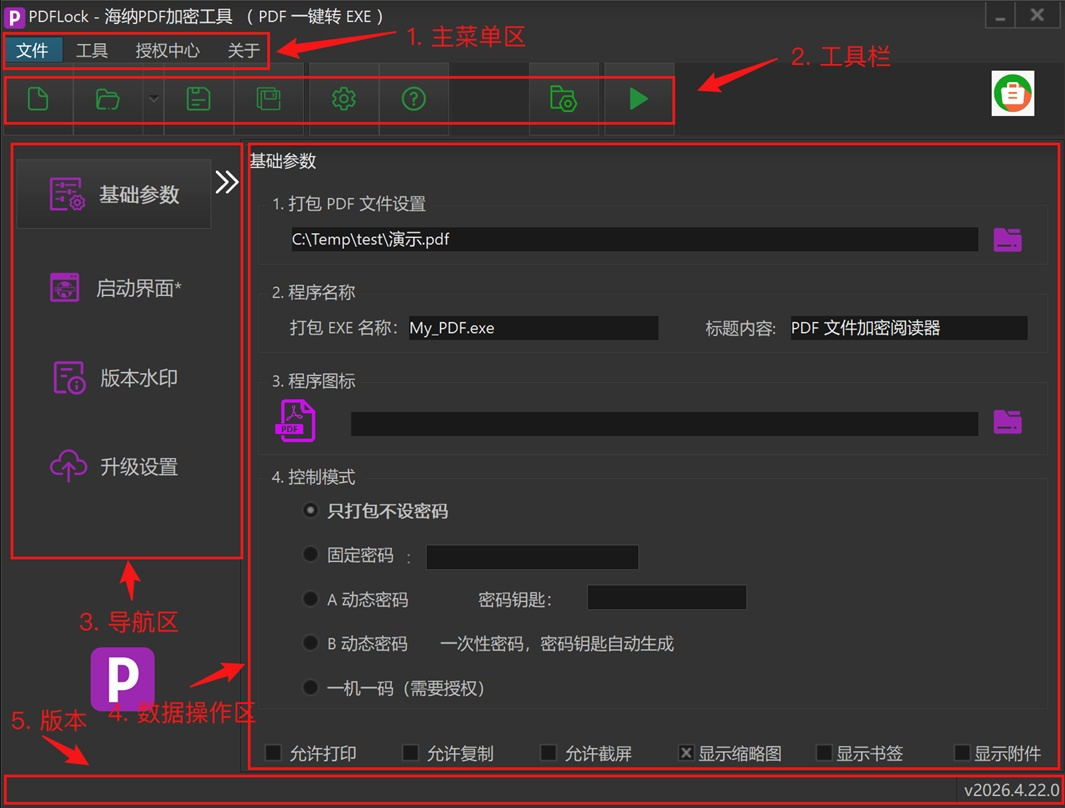 AI Visual Insight: The image shows five major interface areas: the top menu and toolbar, the left navigation panel, the central parameter configuration area, and the bottom project information area. This indicates that the tool uses a typical desktop engineering configuration model suited to repeated packaging and version maintenance.
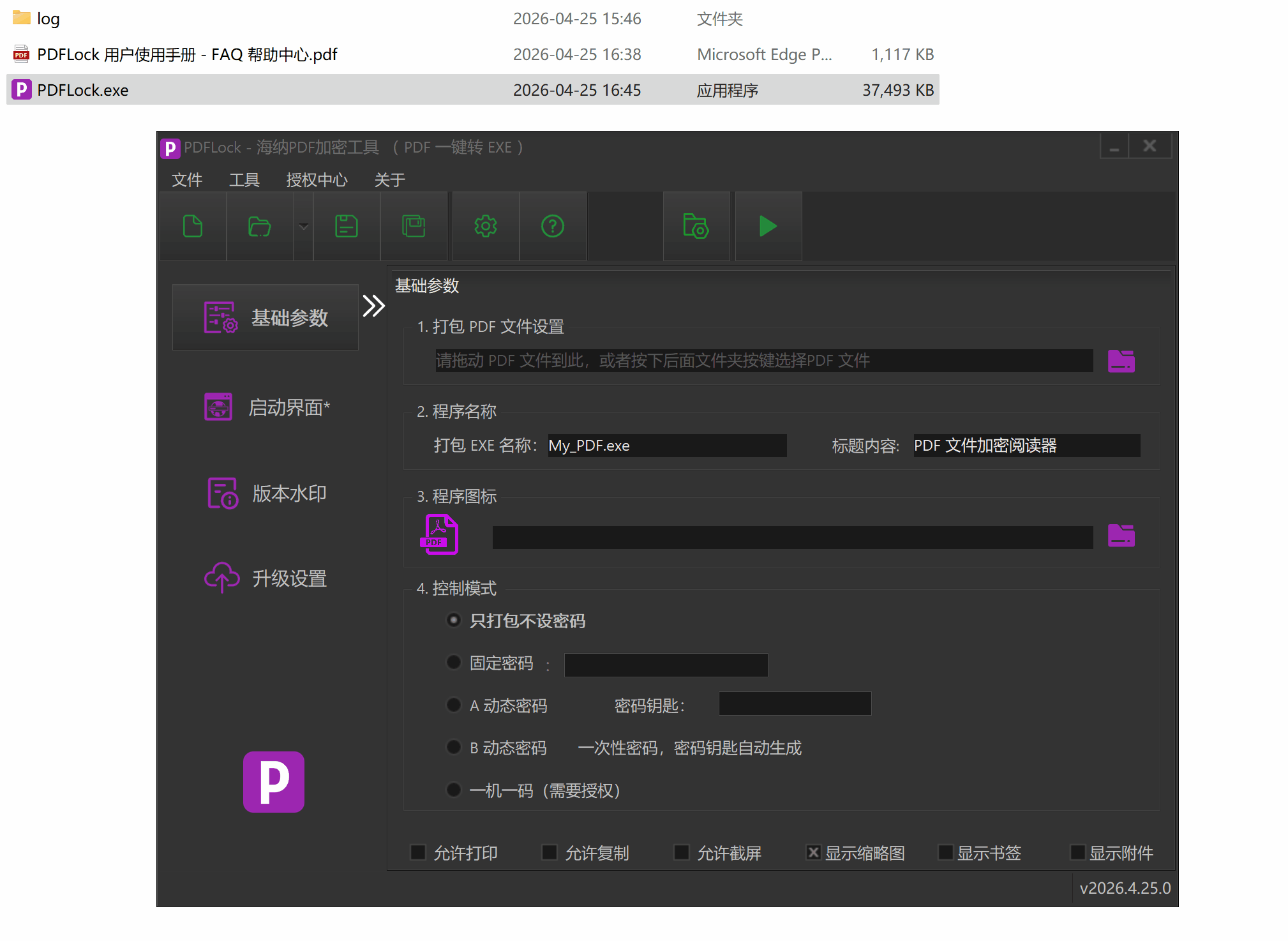 AI Visual Insight: This image focuses on the Basic Parameters page and highlights the PDF file input field and packaging button. It reflects a simplified workflow with drag-and-drop import and one-click EXE output, making the tool approachable for non-developers.
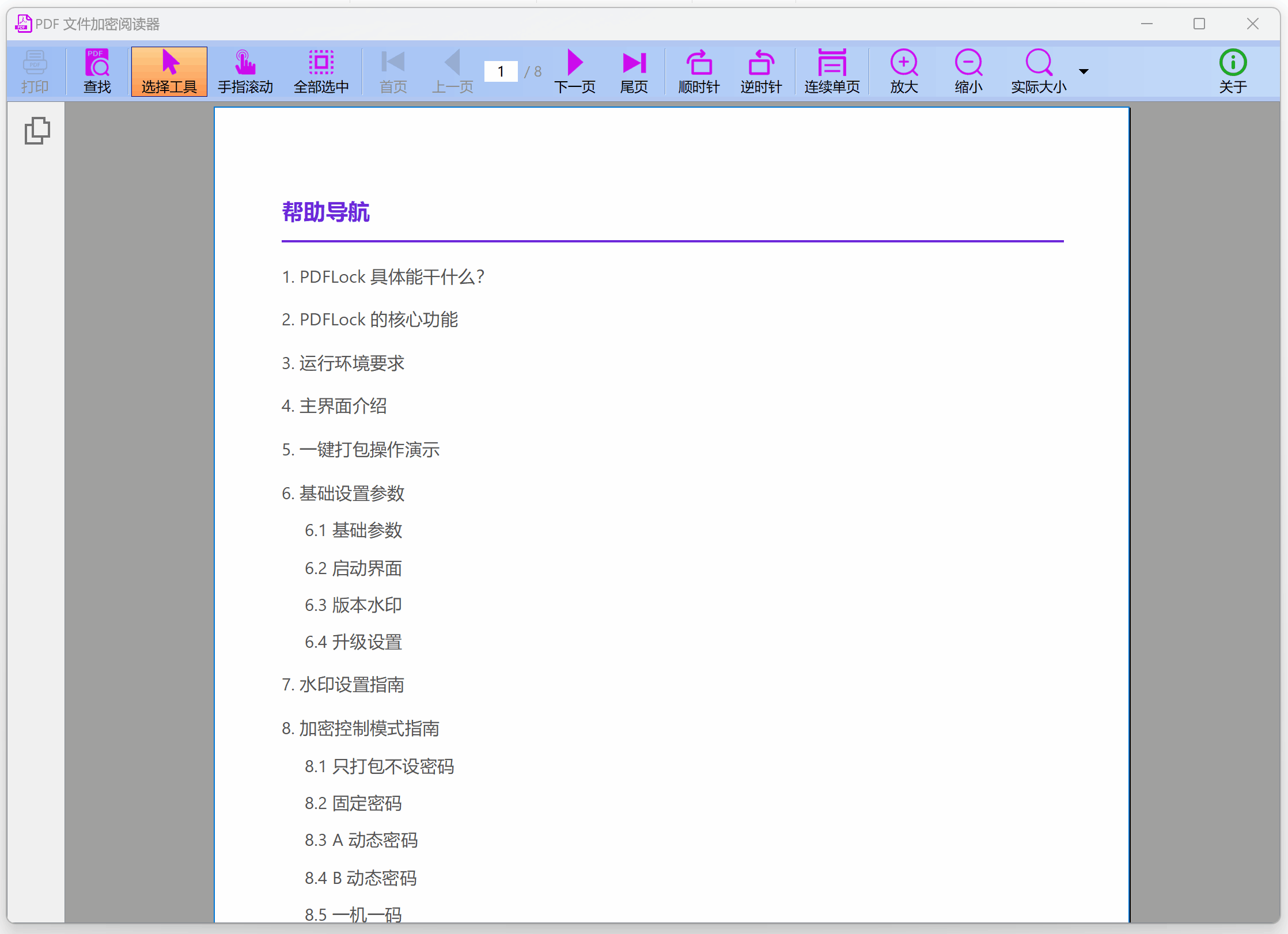 AI Visual Insight: The image shows the runtime result of the packaged application, demonstrating that the final deliverable is a desktop reader that can be launched directly by double-clicking, rather than a normal PDF file. At runtime, it can carry authorization checks and branded interface elements.
# Example: a typical distribution workflow
$source = "manual.pdf"              # Source PDF
$target = "manual_secure.exe"      # Output EXE
$mode   = "device-license"         # One-device-one-license mode
$watermark = "Confidential"        # Dynamic watermark text

Write-Host "Import $source"
Write-Host "Set output file to $target"
Write-Host "Enable licensing mode $mode"
Write-Host "Configure watermark $watermark"
Write-Host "Run one-click packaging"
This example captures the minimum workflow for using PDFLock: import, set permissions, add a watermark, and package.
Basic parameters and branding customization shape the delivery experience
The source shows that when generating an EXE, you can configure the application name, window title, icon, splash screen, copyright information, and version number. This means PDFLock is not only a security tool, but also a branded content delivery vehicle.
For education, publishing, and enterprise training scenarios, this controlled reader model is especially practical. Users receive a standalone program with a logo, splash screen, and copyright notice, rather than a raw PDF that can be freely forwarded.
The watermarking system covers both digital leakage and physical photography risks
 AI Visual Insight: The image shows the actual overlay effect of anti-photography dynamic watermarks. The watermark covers the main page area and supports transparency control, with the goal of increasing the cost of tracing secondary photography, screen recording, and external redistribution.
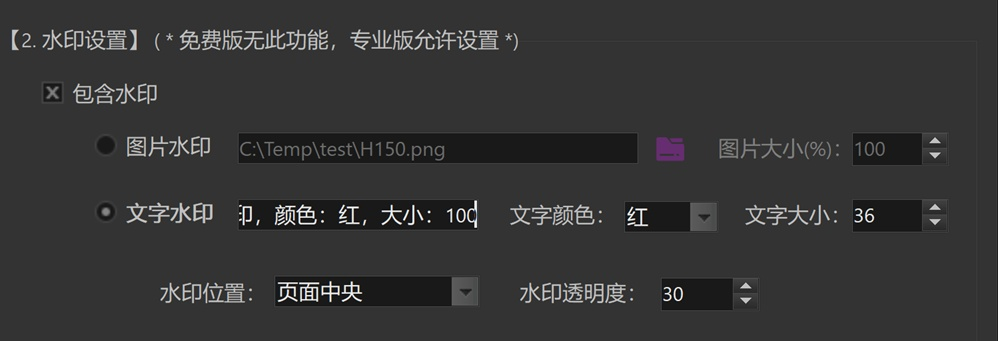 AI Visual Insight: This image shows the watermark parameter panel, including image watermark, text watermark, font size, color, position, and transparency settings. It indicates that the system supports fine-grained tuning of both visual presentation and deterrence strength.
In addition to text and image watermarks, position and transparency are also configurable. This suggests that the watermark is not a static overlay, but a presentation-layer strategy that can adapt to different document layouts.
Five licensing modes cover the full range from public distribution to strong binding
Package-without-password is suitable for low-protection scenarios, where the goal is better compatibility and a consistent reading experience. A fixed password works for limited sharing, but still carries the risk of password spread.
Dynamic Password A introduces a time dimension. Passwords can expire by year, month, day, or hour, making this mode well suited to course materials, time-limited reports, and event documents. Dynamic Password B goes further by calculating a one-time password from a random index generated at each launch, making it suitable for authorization issued after manual review.
 AI Visual Insight: The image shows the Dynamic Password A configuration interface, with emphasis on the password key and mode selection area. This indicates that the mode computes authorization codes using a fixed secret combined with a time window, making it suitable for periodic expiration control.
 AI Visual Insight: The image shows the Dynamic Password B configuration area. The interface emphasizes index-driven password generation logic, representing a mode in which each run requires a unique authorization code generated from a real-time index.
One-device-one-license is the strongest endpoint binding model
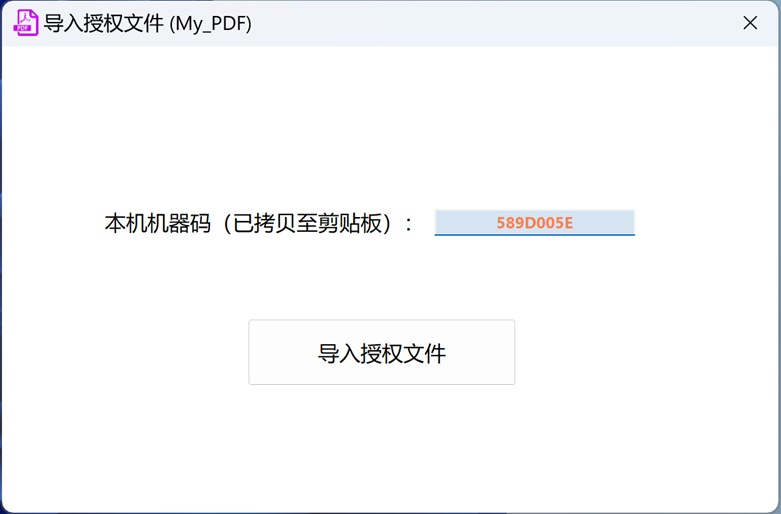 AI Visual Insight: This image shows the client-side license import window, where the machine code is prominently displayed. It indicates that the client must first collect a device fingerprint, after which the distributor generates the corresponding license file to complete the binding.
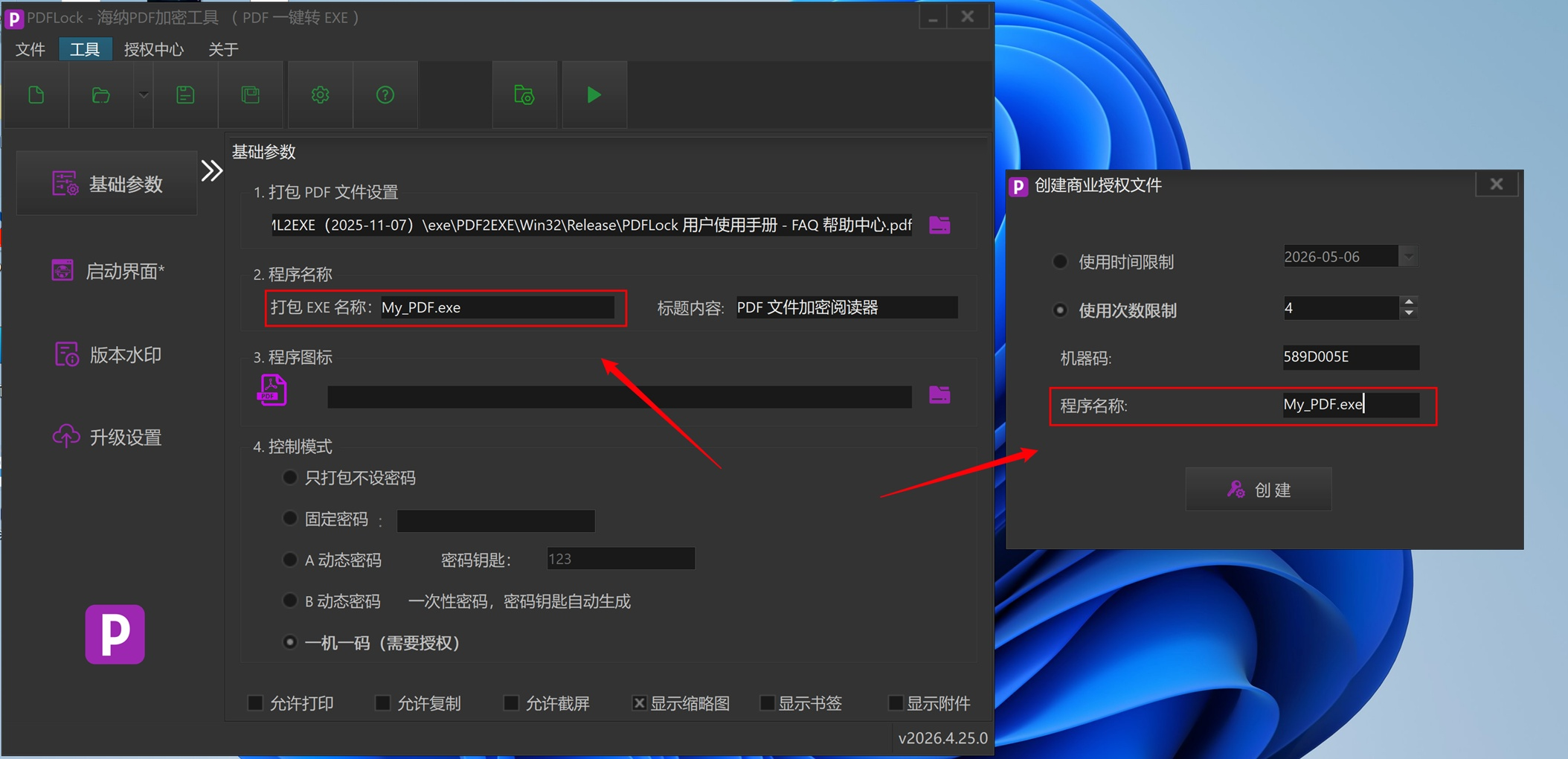 AI Visual Insight: The image shows the administrative interface for generating a .lic license file, including fields such as machine code, program name, and expiration date. It demonstrates that the license generation process has been productized rather than handled through manual scripts.
One-device-one-license binds access control to a device fingerprint and can restrict either validity duration or reading count. For high-value drawings, internal policy documents, and paid teaching materials, this is much closer to a DRM-style approach than a shared password.
def choose_mode(security_level, need_device_bind):
    # Choose a strategy based on security level and whether device binding is required
    if need_device_bind:
        return "one-device-one-license"  # Strongest binding, suitable for high-value documents
    if security_level == "high":
        return "Dynamic Password B"  # One-time authorization with high security
    if security_level == "medium":
        return "Dynamic Password A"  # Time-limited access for batch distribution
    return "fixed password"
This code summarizes the logic for selecting a licensing mode across different business scenarios.
Online upgrade support turns PDF content into a continuously operated asset
One of the most distinctive features in the source material is support for remote PDF content updates. When online upgrade is enabled during packaging, the system generates a version directory, upgrade program files, and version metadata files.
This means the delivered EXE is not a one-time artifact, but a continuously updatable reading endpoint. For product manuals, course materials, policy documents, and software guides, this significantly reduces the cost of repeated redistribution.
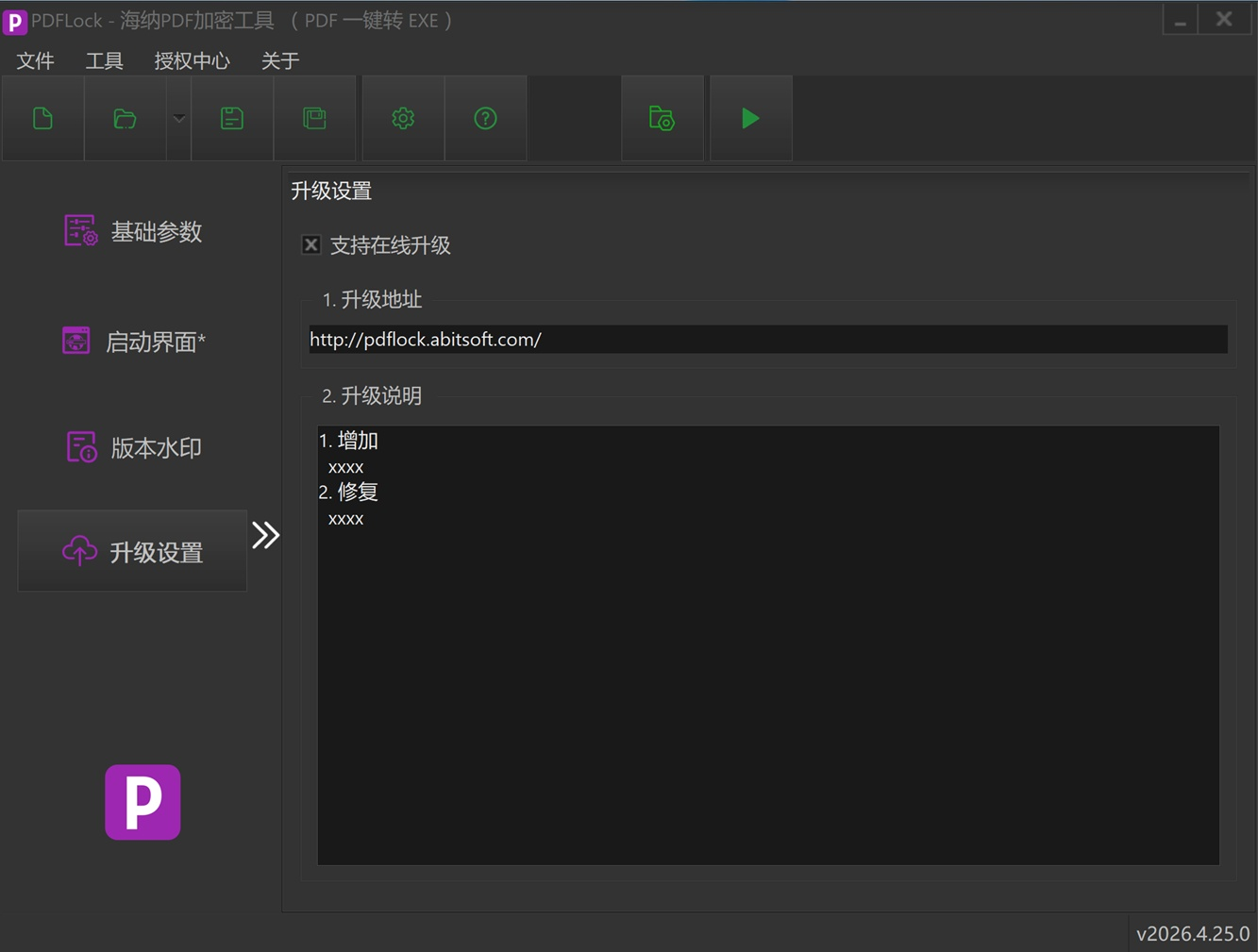 AI Visual Insight: The image shows the upgrade configuration interface before packaging. The key fields are the upgrade URL, upgrade notes, and online check options, indicating that the upgrade mechanism depends on coordination between a remote URL and local version metadata.
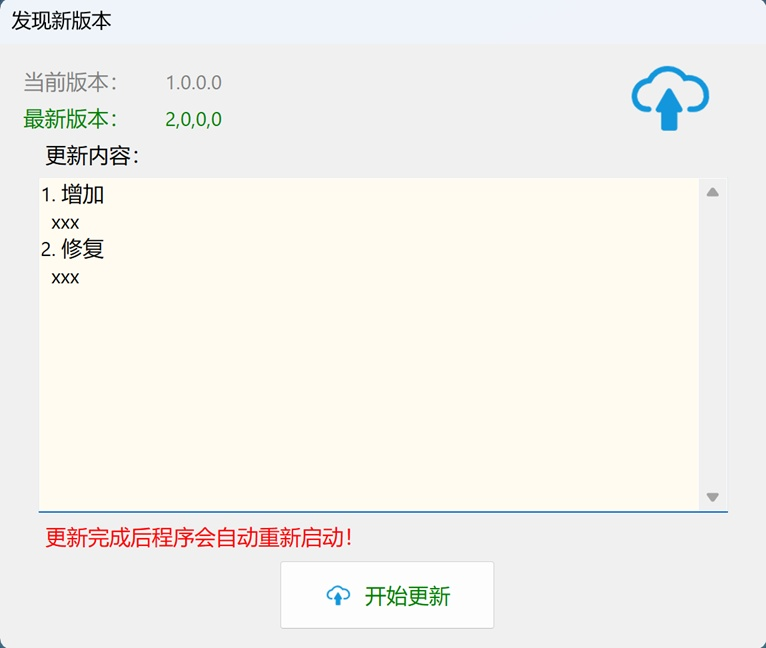 AI Visual Insight: This image shows the upgrade prompt window displayed when the client detects a new version. It indicates that the client implements a complete loop for version comparison, update notification, and replacement upgrade.
The most suitable use cases for this tool are already quite clear
Judging from its feature combination, PDFLock is well suited to four categories of scenarios: paid content distribution, protection of internal enterprise materials, control of bid and contract documents, and endpoint reading management for training materials.
It is not a general-purpose PDF editor, nor is it a standard open-source encryption library. It is a desktop distribution system focused on delivery control. If your goal is to let recipients read the content without easily taking it away, the product strategy is sound.
FAQ
1. What is the fundamental difference between PDFLock and ordinary PDF password protection?
A standard PDF mainly restricts opening or certain operations, but the file itself can still be handled by conventional PDF readers. PDFLock, by contrast, repackages the PDF into an EXE and relies on a built-in engine to enforce permissions and authorization checks, giving it much stronger control.
2. Which of the five licensing modes is best for commercial document sales?
If you prioritize large-scale issuance and expiration management, choose Dynamic Password A first. If you prioritize per-instance manual approval, choose Dynamic Password B. If you must restrict access to a single device, choose one-device-one-license.
3. Does the online upgrade feature mean that already distributed PDF content can be replaced remotely?
Yes. After online upgrade is enabled, the client can detect updates based on remote version information and automatically pull the upgrade files associated with the new content, allowing remote replacement of PDF content along with synchronized release notes.
Core Summary: This article reconstructs and analyzes PDFLock’s core capabilities, including AES-256 re-encryption, PDF-to-EXE packaging, dynamic passwords, one-device-one-license binding, watermarking, and online upgrades. It is well suited to Windows scenarios that require secure PDF document distribution.