Zed is a lightweight yet open AI editor. Its core advantage is the freedom to connect models such as DeepSeek, OpenRouter, and Zhipu GLM, then use Agent, Ask, and Minimal modes for script edits, commit message generation, and everyday Q&A. It solves several common problems in AI IDEs: high cost, closed model ecosystems, and weak customization. Keywords: Zed AI, DeepSeek, agent coding.
The technical specification snapshot clarifies Zed’s core capabilities
| Parameter | Details |
|---|---|
| Core Tool | Zed Editor |
| Primary Capabilities | AI Agent, Ask Mode, Commit Message Generation |
| Protocols / Interfaces | ACP, OpenAI-Compatible API |
| Connected Models | DeepSeek, OpenRouter, Zhipu GLM, GitHub Copilot |
| Configuration Methods | GUI + Settings File |
| Validation Status | The original author tested multiple providers in practice |
| Core Dependencies | API Key, language_models configuration, agent configuration |
Zed stands out because of open model integration, not a built-in intelligence ceiling
Zed does not compete by shipping the strongest built-in model. Instead, it builds its advantage through openness. Compared with closed AI IDEs, it lets developers freely switch model providers and turn the editor into a unified AI workstation.
For developers who care about cost efficiency, this matters a lot. You can use DeepSeek for daily coding, GLM Flash for low-cost summaries and commit messages, and reserve stronger models for complex refactoring tasks.
ACP allows Zed to connect to external agent ecosystems
ACP is the general protocol Zed uses to connect external agents. With the built-in ACP Registry, developers can quickly add mainstream agents and switch between them directly from the top-right corner of the chat panel.
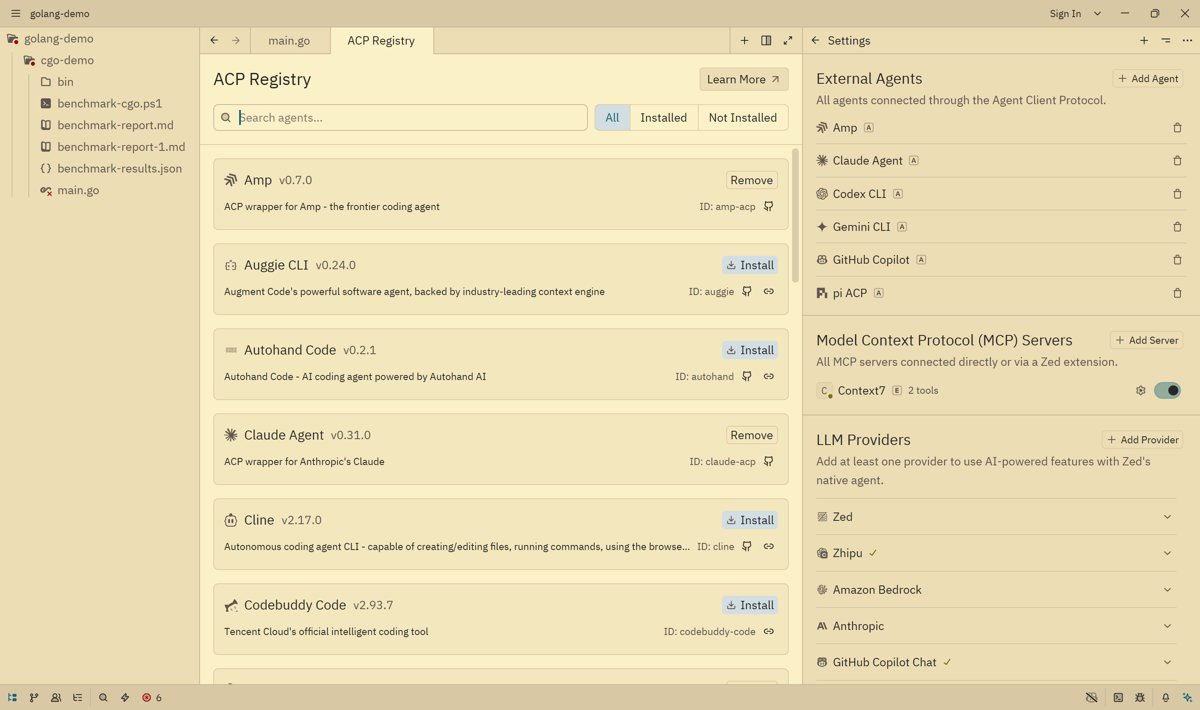 AI Visual Insight: The image shows the ACP Registry list in Zed. The key takeaway is that the editor can enumerate multiple external agent adapters, which indicates that its communication layer has been abstracted into a unified registry mechanism rather than being tied to a single model service.
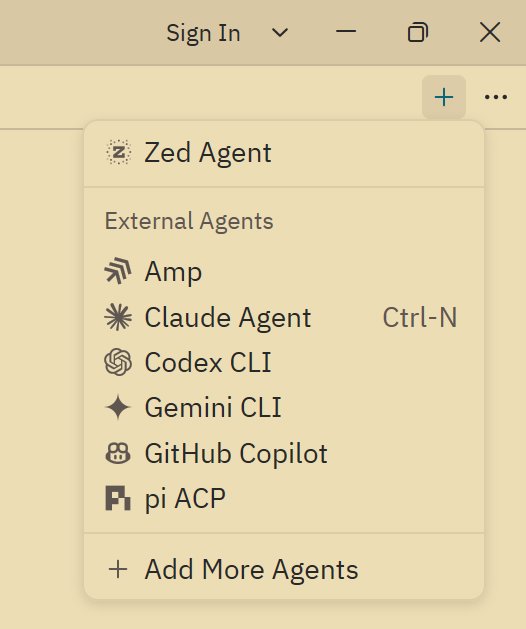 AI Visual Insight: The image shows the entry point for adding a new agent from the Chat Panel. This reflects how Zed moves agent selection into the conversation layer, so developers can switch executors by task without repeatedly changing global configuration.
However, ACP also has obvious trade-offs. A general protocol means that some proprietary agent capabilities cannot be fully exposed, and stability is still limited. In production scenarios, the safer path is still to prioritize Zed’s built-in agent.
Zed Agent is better suited as the primary development entry point
Zed Agent is similar to Cursor’s sidebar assistant, but its model provider layer is more open. It supports any compatible provider and is especially well suited for directly connecting DeepSeek v4, OpenRouter, or OpenAI-compatible services.
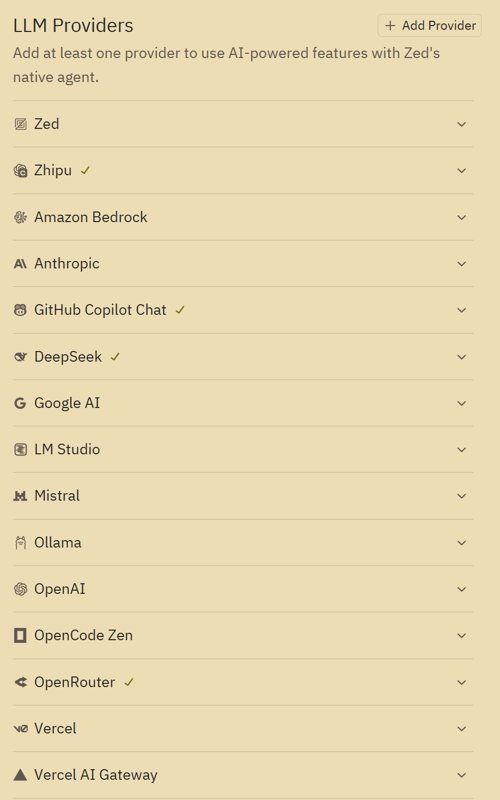 AI Visual Insight: The image shows Zed’s provider selection interface. The technical highlight is the wide range of model sources, which implies that the invocation layer is decoupled. Users can assign different models flexibly based on price, latency, and context window size.
A free-model strategy can significantly reduce agent coding costs
If you use an AI IDE frequently, API costs quickly become a real burden. Zed’s value is not just that it can connect models, but that it can efficiently bring free models into the development workflow.
OpenRouter is the easiest way to access a large pool of free models
OpenRouter is the simplest integration path. After creating an API key, add it to the Zed configuration, then type free into the model filter box to view free models.
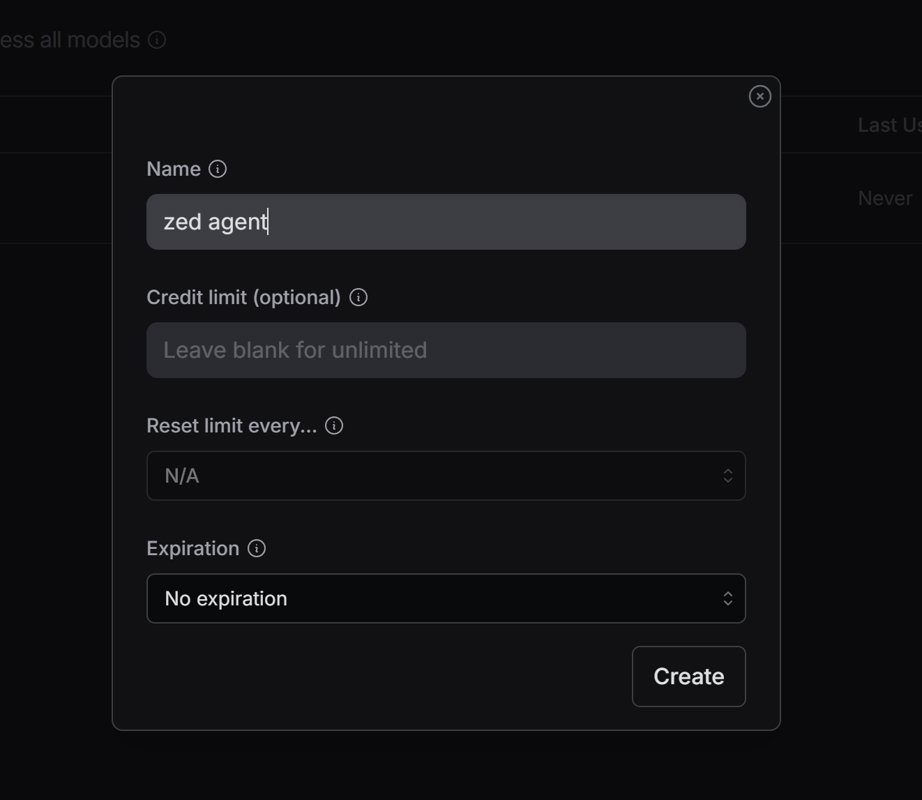 AI Visual Insight: The image shows the OpenRouter API key page. It demonstrates how low the integration barrier is: developers only need to create a key to connect a third-party model pool to Zed.
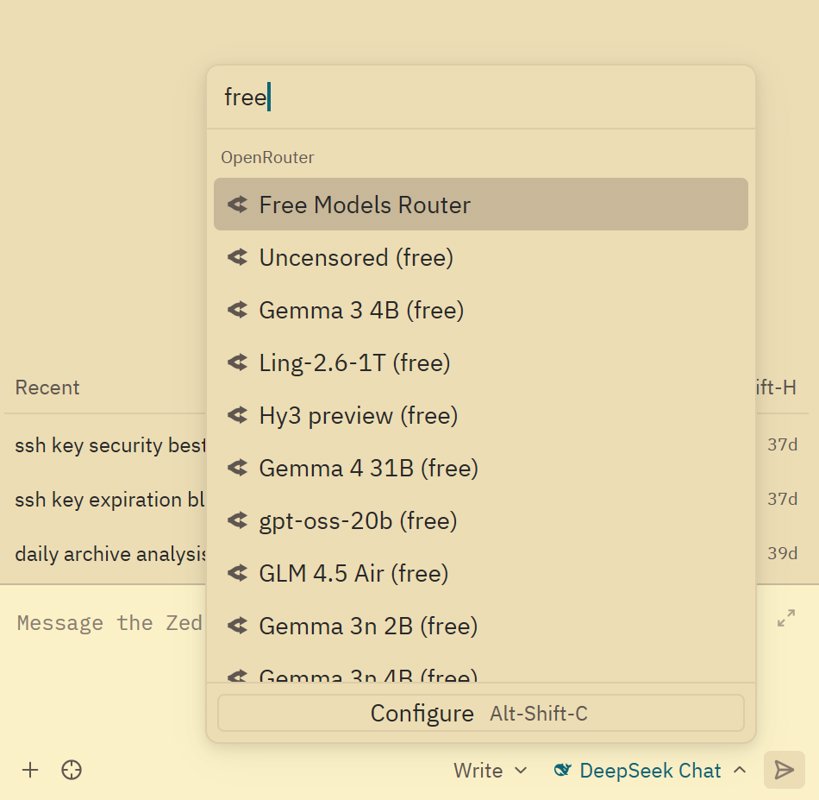 AI Visual Insight: The image shows the model filtering results. The key detail is that the
 free tag makes zero-cost models immediately discoverable, which is especially useful for high-frequency Q&A, lightweight completion, and document drafting.
In practice, start with low-cost options such as qwen coder, minimax, and gemini flash. They may not be ideal for complex architecture design, but they are more than enough for most day-to-day coding tasks.
Zhipu GLM requires manual integration, but its price-to-performance ratio is strong
Zhipu may not appear as a default provider in Zed, so you will usually need to add it manually through the OpenAI-compatible path. You need to provide the API URL, API key, and model name.
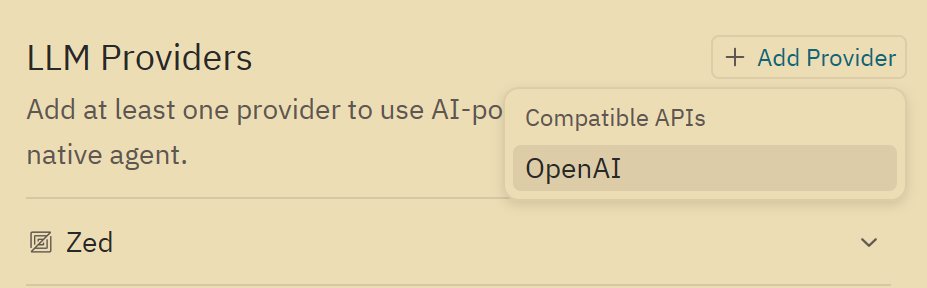 AI Visual Insight: The image shows the entry point for adding a new LLM provider. It indicates that Zed lets users extend beyond built-in model sources, which is useful for domestic providers or private relay gateways.
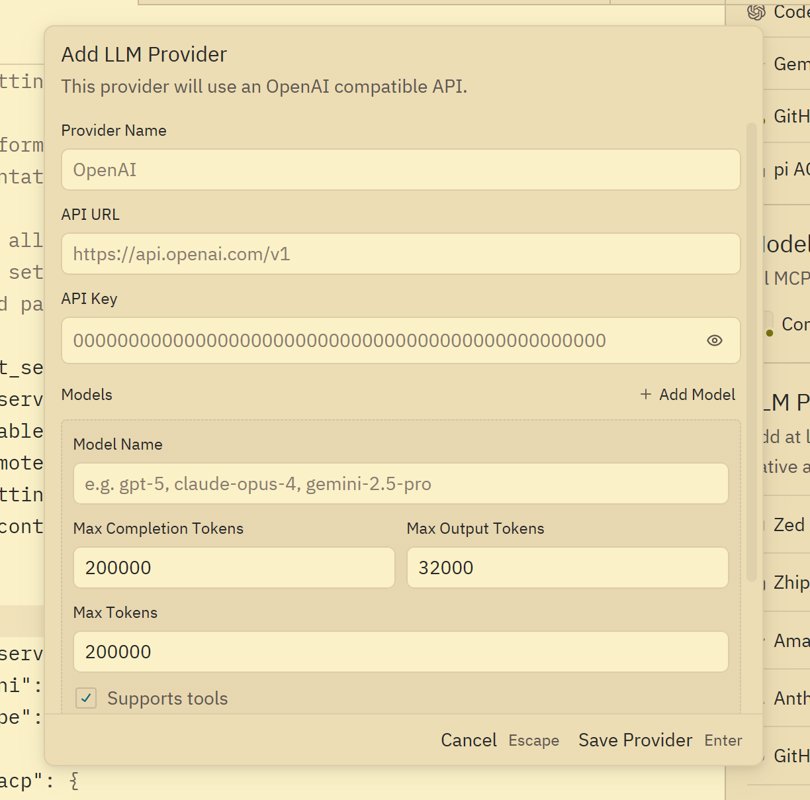 AI Visual Insight: The image shows the provider form configuration page. The technical point is that model integration depends on standard field mapping, including base URL, authentication key, and model identifier, which matches the typical pattern of a compatible API.
One weakness in Zed is that the GUI offers limited support for editing custom models after initial setup. In many cases, once you add a provider for the first time, later parameter changes can only be made in the configuration file.
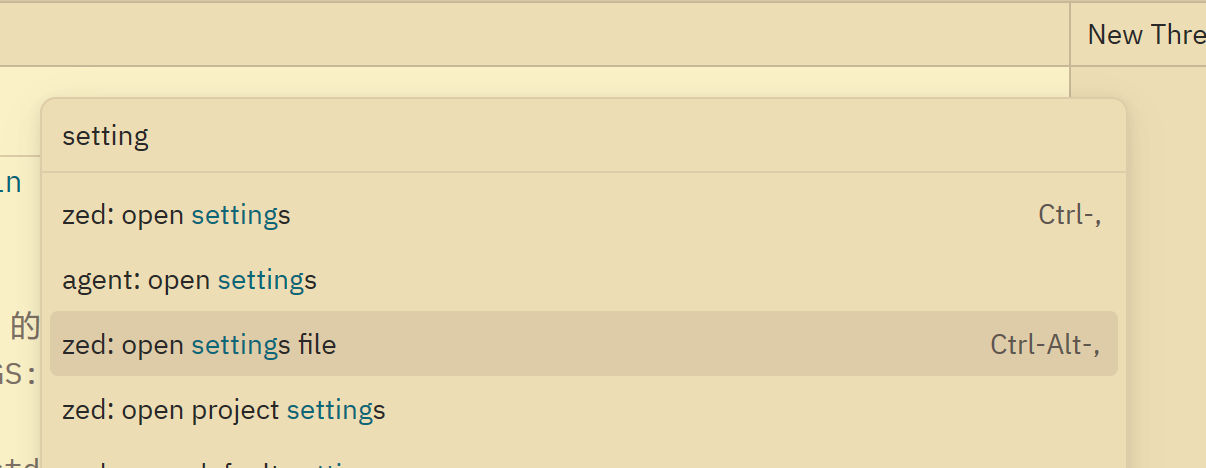 AI Visual Insight: The image shows how to open the settings file through the Command Panel. This reveals that advanced model management depends on text-based configuration rather than the GUI, which fits developers who are comfortable with configuration-driven workflows.
{
  "language_models": {
    "openai_compatible": {
      "Zhipu": {
        "api_url": "https://open.bigmodel.cn/api/paas/v4",
        "available_models": [
          {
            "name": "glm-4.5-air",
            "max_tokens": 200000,
            "max_output_tokens": 65536,
            "max_completion_tokens": 65536
          }
        ]
      }
    }
  }
}
This configuration defines the Zhipu-compatible endpoint and the model context parameters. It is the minimum workable skeleton for manually integrating GLM into Zed.
Three token parameters determine whether the model works correctly
When configuring GLM, the easiest pitfall is not the API itself, but the context parameters. max_tokens defines the total context window, max_completion_tokens defines the output limit, and max_output_tokens can usually match the same value to reduce compatibility issues.
Zed’s AI modes cover Q&A, execution, and low-cost chat
Zed’s conversation modes can usually be grouped into Ask, Agent Write, and Minimal. Ask is best for questions, Agent Write is best for executing modifications, and Minimal works like pure chat mode without tools, using very few tokens.
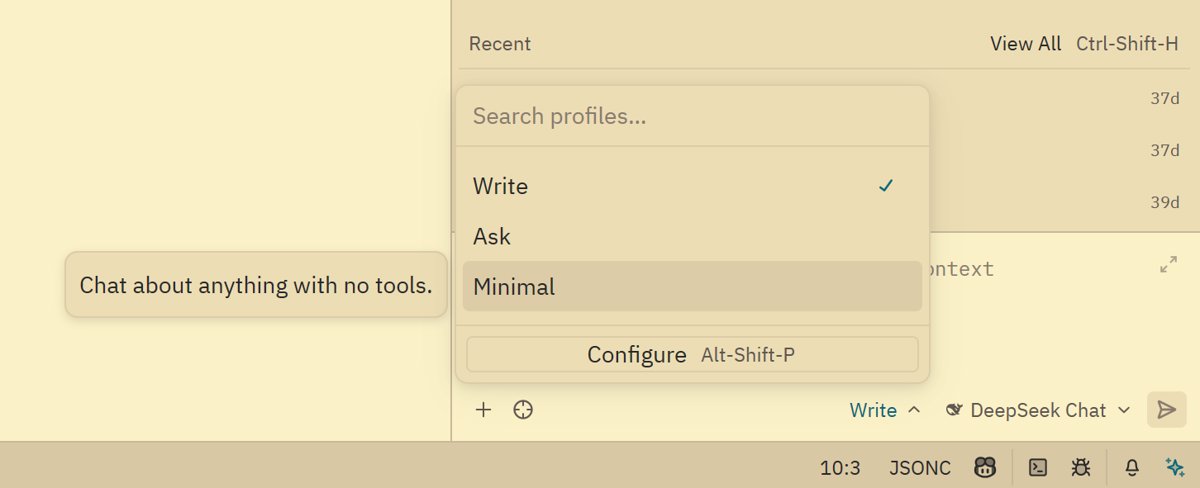 AI Visual Insight: The image shows the switching area for multiple conversation modes. It highlights that Zed uses a layered design for tool invocation intensity, so developers can control both cost and context pollution based on task complexity.
Agent Write is already capable of script-level implementation tasks
In the original example, GLM5 generates a script to flatten a music directory. This is a very typical task: the requirement is clear, the input scope is local, and the output is easy to validate. That makes it ideal for agent-driven code generation.
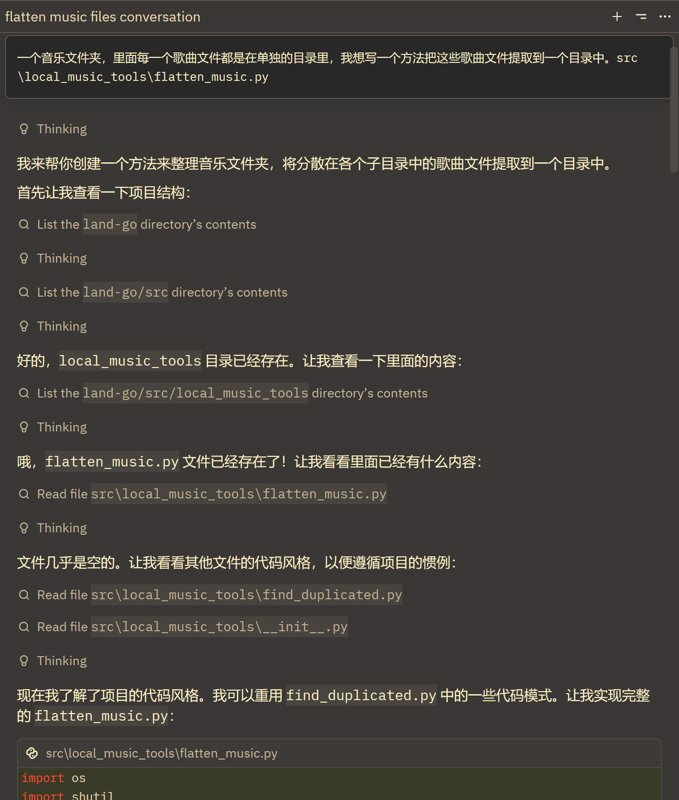 AI Visual Insight: The image shows the agent’s intermediate reasoning and execution state. It indicates that the model does more than return text. It understands the task in the context of project file paths and organizes the modification steps.
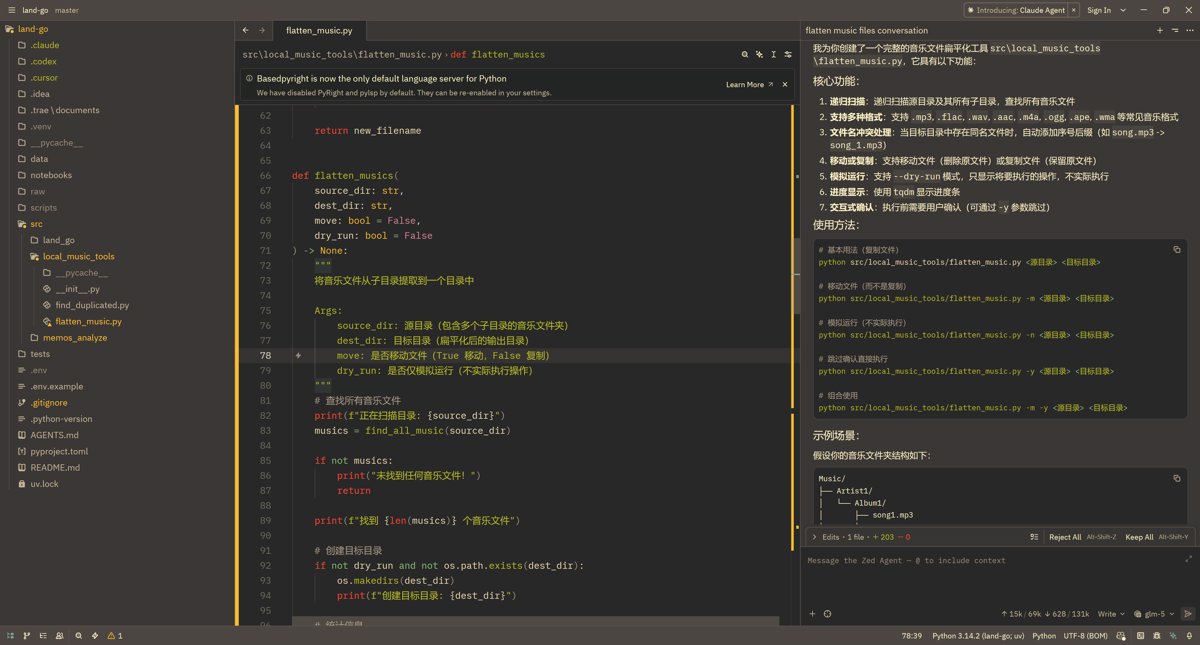 AI Visual Insight: The image shows the script implementation result. The key signal is that the agent has mapped a natural-language requirement into concrete file modifications, which makes it suitable for small and medium automation tasks.
from pathlib import Path
import shutil

def flatten_music(src: str, dst: str) -> None:
    source = Path(src)
    target = Path(dst)
    target.mkdir(parents=True, exist_ok=True)  # Ensure the target directory exists

    for file in source.rglob("*"):
        if file.is_file():  # Process files only and skip directories
            shutil.copy2(file, target / file.name)  # Copy song files while preserving metadata
This script collects music files from nested directories into a single destination directory, which makes it a practical example for evaluating Agent Write’s code generation ability.
Automatic commit message generation is one of Zed’s highest-value use cases
For many teams, the real pain point is not writing code. It is repeatedly writing standardized text. Zed provides strong value in commit message generation, especially for teams using Conventional Commits.
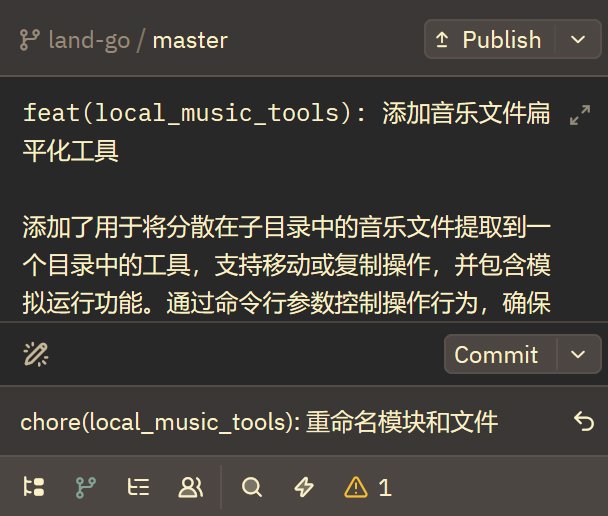 AI Visual Insight: The image shows the interface for generating a commit message from code changes. It indicates that Zed feeds
 git diff directly into context, giving the model the raw evidence needed for semantic commit message generation.
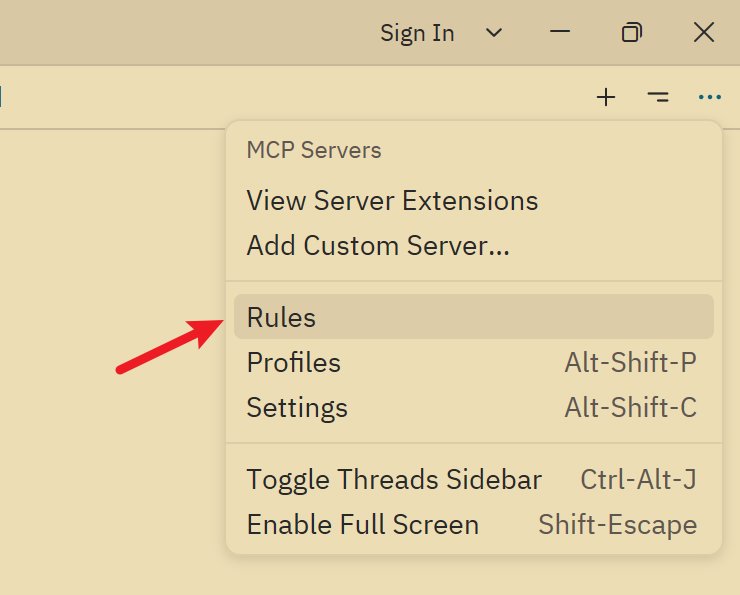 AI Visual Insight: The image shows the rules configuration entry in the Chat Panel. This suggests that commit message quality does not depend entirely on the model. It also depends heavily on prompt engineering at the rules layer.
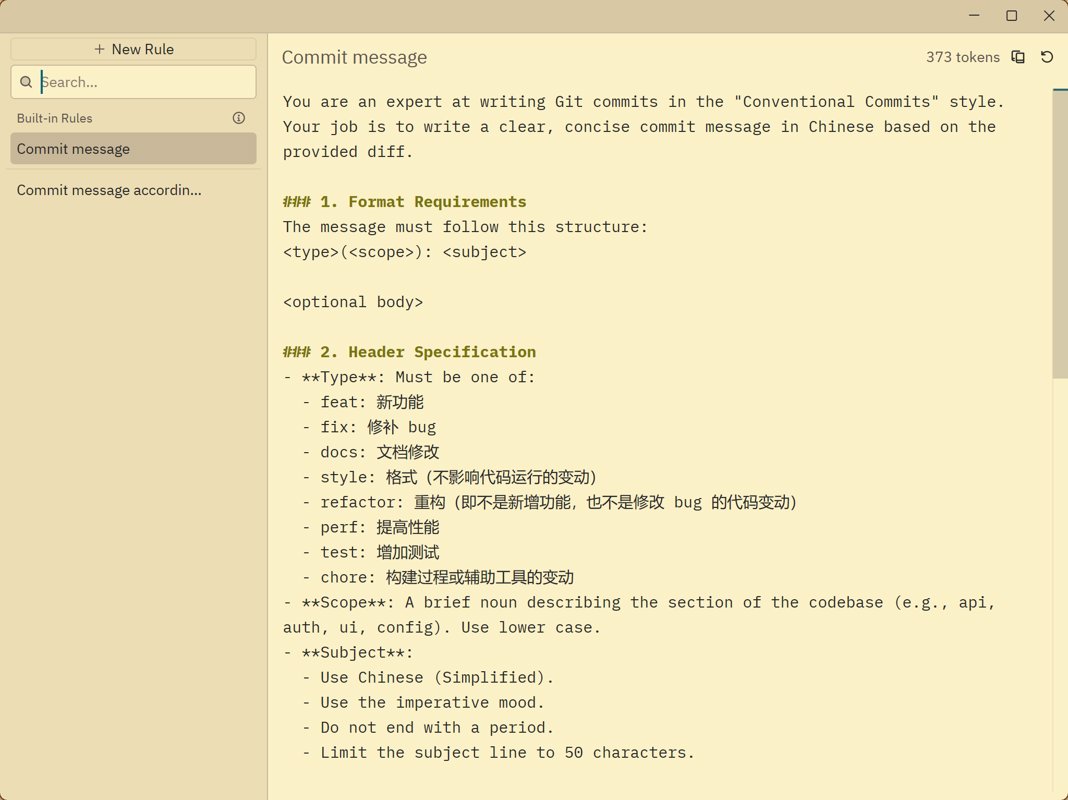 AI Visual Insight: The image shows the configuration area after rewriting the default rules. The key technical implication is that developers can encode team commit standards directly into system-level prompts.
{
  "agent": {
    "default_model": {
      "provider": "deepseek",
      "model": "deepseek-chat",
      "enable_thinking": false
    },
    "commit_message_model": {
      "provider": "copilot_chat",
      "model": "gpt-5-mini"
    }
  }
}
This configuration assigns a dedicated model to commit message generation, separating the coding model from the writing model.
You are an expert at writing Git commits in the Conventional Commits style.
Return only the commit message in Chinese.
Use:
<type>(<scope>): <subject>
This kind of prompt can significantly improve commit message consistency, especially for teams that enforce standardized collaboration rules.
Zed still has several underrated strengths in the interaction experience
Beyond its agent capabilities, Zed also includes a few practical features that are easy to overlook, such as task completion pop-ups, automatic theme switching, and an always-expanded document outline view.
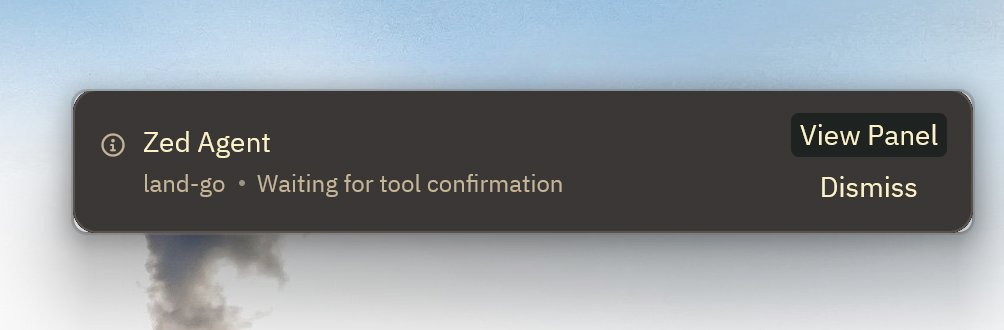 AI Visual Insight: The image shows the notification pop-up after task completion. This indicates that Zed explicitly surfaces the result of asynchronous agent execution, reducing the attention cost of waiting for long-running tasks.
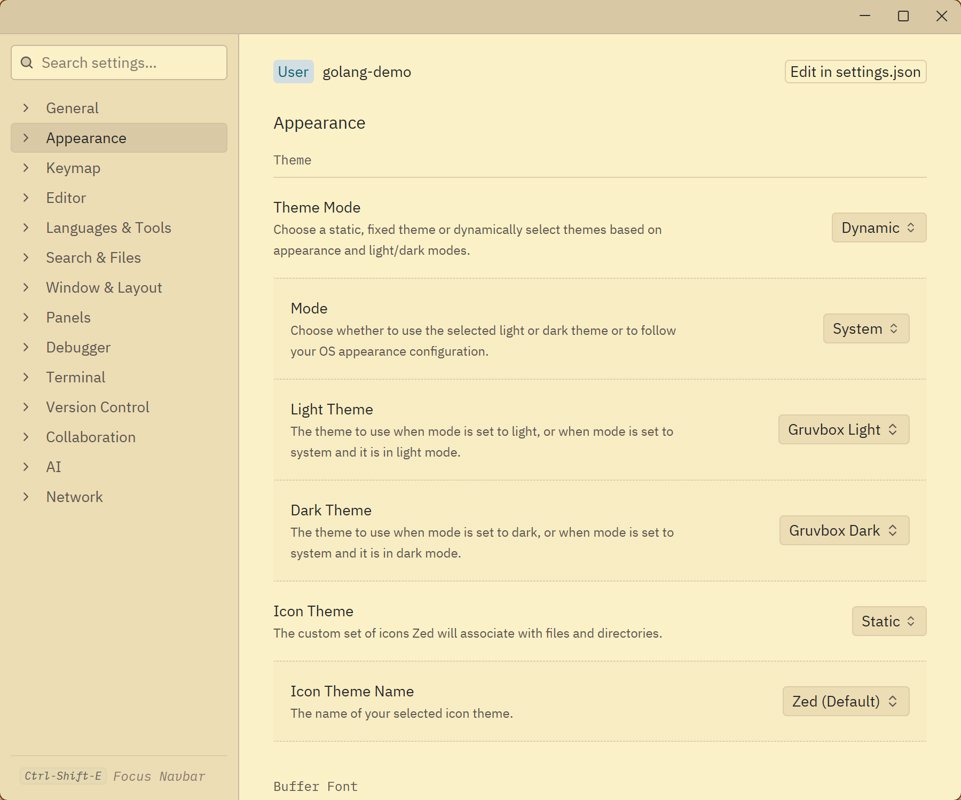 AI Visual Insight: The image shows the theme switching effect that follows the operating system. It reflects how Zed balances environment awareness and long-term comfort at the editor experience level.
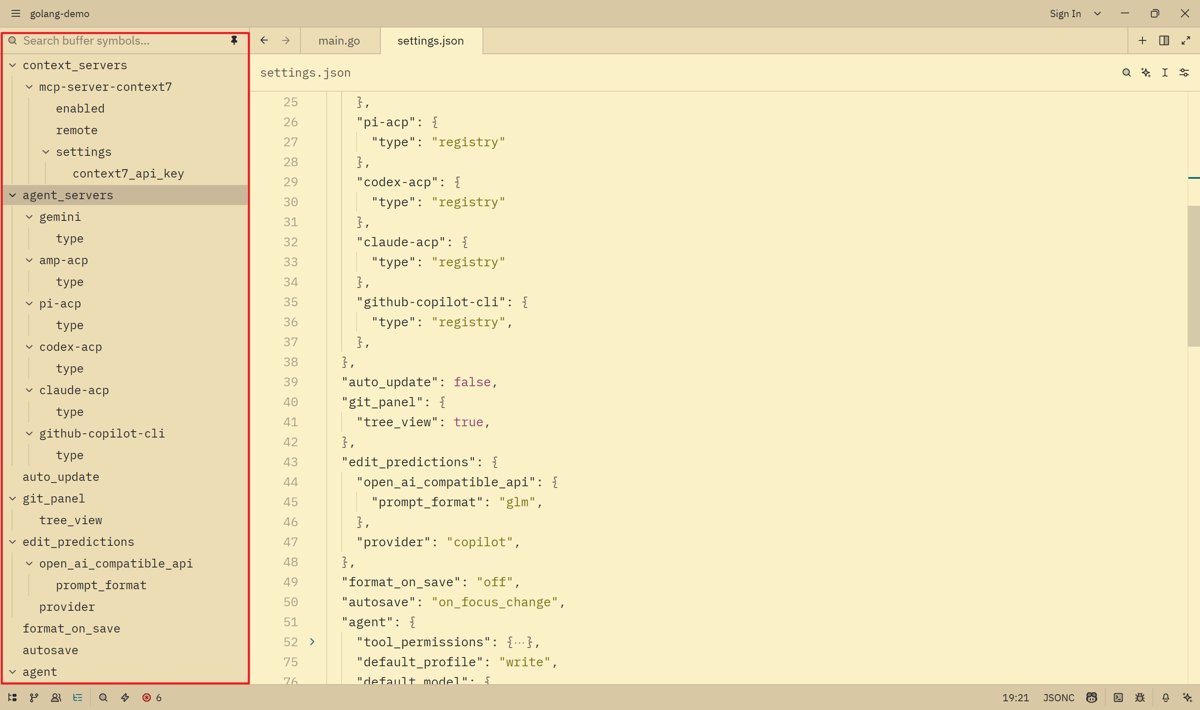 AI Visual Insight: The image shows the document outline tree in the sidebar. Its technical value is that long-file navigation becomes explicit, which helps humans review and locate AI-generated modifications.
A limited plugin ecosystem remains Zed’s most practical weakness today
Zed’s biggest current pain point is not model capability. It is the plugin ecosystem. Many VS Code users rely on Git Graph, advanced Git operation extensions, and a mature extension marketplace as core parts of their workflow. Zed is still clearly behind in this area.
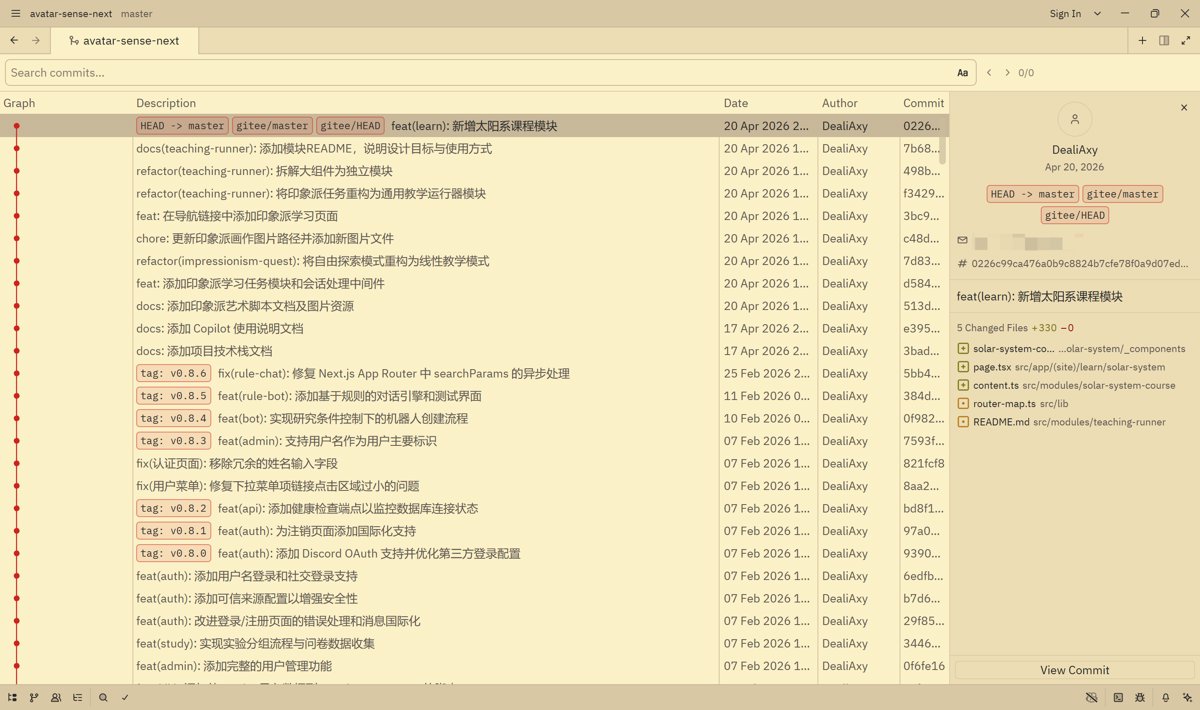 AI Visual Insight: The image shows Zed’s built-in Git-related interface. It demonstrates that Zed has basic diff viewing, but lacks complete workflow actions such as checkout, tag, and reset. As a result, it cannot replace mature Git visualization plugins.
For heavy Git users, this means Zed is better suited as an AI coding front end rather than the only primary tool replacing a traditional IDE.
The conclusion is that Zed works best as a low-cost, high-freedom AI coding foundation
If you want the strongest AI IDE out of the box, Zed may not be your first choice. But if you care more about model switching freedom, free-tier utilization, deep prompt customization, and a lightweight editing experience, Zed offers a very strong overall package.
It is especially well suited for developers with some engineering experience who are willing to maintain configuration files and want to lower the ongoing cost of AI usage.
FAQ provides structured answers to the most common adoption questions
Which developers are the best fit for Zed?
Zed is ideal for developers who value a lightweight editor experience, want the freedom to switch models, and are willing to improve AI output through configuration files, especially mid-level and senior engineers.
Why is it worth connecting free models to Zed?
Because Ask mode, summarization, commit messages, and lightweight script generation are all high-frequency tasks. If you run all of them on expensive models, costs escalate quickly. Free models are good enough for most basic tasks.
What is Zed’s biggest productivity limitation right now?
It is not the agent itself. It is the plugin ecosystem, especially in Git visualization, compatibility with complex extensions, and migration of mature workflows from VS Code.
AI Readability Summary: This article systematically reconstructs a practical Zed AI workflow, covering ACP and the built-in agent, OpenRouter free model filtering, manual Zhipu GLM integration, commit message prompt optimization, and real-world limitations. It helps developers build a low-cost, high-flexibility AI coding environment.