This article introduces a drone-view cannabis detection and voice alert system built with YOLO26, Python, and PyQt5. It can identify two target classes—Cannabis and Suspected Zone—and addresses the low efficiency, limited coverage, and high miss risk of manual field inspection. Keywords: YOLO26, drone detection, voice alerts.
The technical specification snapshot defines the project baseline
| Parameter | Details |
|---|---|
| Programming Language | Python 3.9 |
| Detection Framework | YOLO26 / Ultralytics |
| GUI Framework | PyQt5 |
| Input Sources | Image, Batch Images, Video, Camera |
| Detection Classes | Cannabis, Suspected Zone |
| Dataset Size | 2,074 images |
| Data Split | Train 1,451 / Validation 416 / Test 207 |
| Evaluation Metrics | Precision, Recall, [email protected], [email protected]:0.95 |
| Core Dependencies | ultralytics, opencv-python, PyQt5, matplotlib |
| GitHub Stars | Not provided in the source material |
This system is designed for drone-based anti-drug inspection scenarios
This project focuses on cannabis recognition from drone aerial imagery. It is not a general-purpose detection system. Instead, it targets a vertical law-enforcement inspection use case. The system uses deep learning to detect both individual cannabis plants and larger suspected planting zones, then triggers on-screen text and voice alerts after a hit.
Compared with manual field inspection, it is better suited for highly concealed areas such as mountains, slopes, forests, and remote regions. The drone first performs wide-area coverage, and the model then completes rapid screening. This shifts patrol work from “people searching for targets” to “targets becoming proactively visible.”
The system supports multiple input sources and result archiving
The system supports four input types: single images, batch images, video, and live camera streams. For static images, it can not only draw detection boxes but also export CSV results for later archiving, statistical analysis, and manual review.
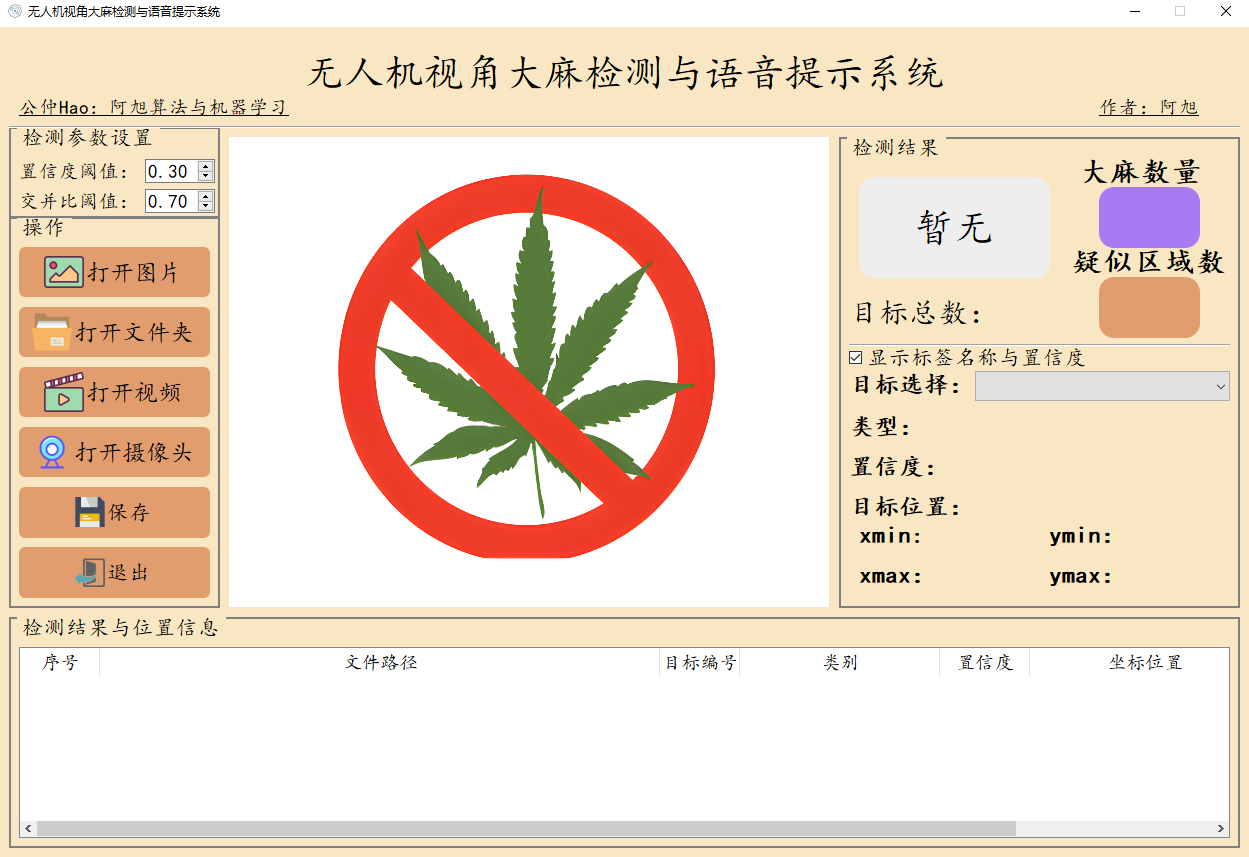 AI Visual Insight: This interface shows a typical PyQt5 detection workstation layout. The left side contains the image display area, the middle section contains control buttons and threshold parameters, and the right side contains the target information panel. Together, they reflect a three-stage interaction flow: input, inference, and result interpretation.
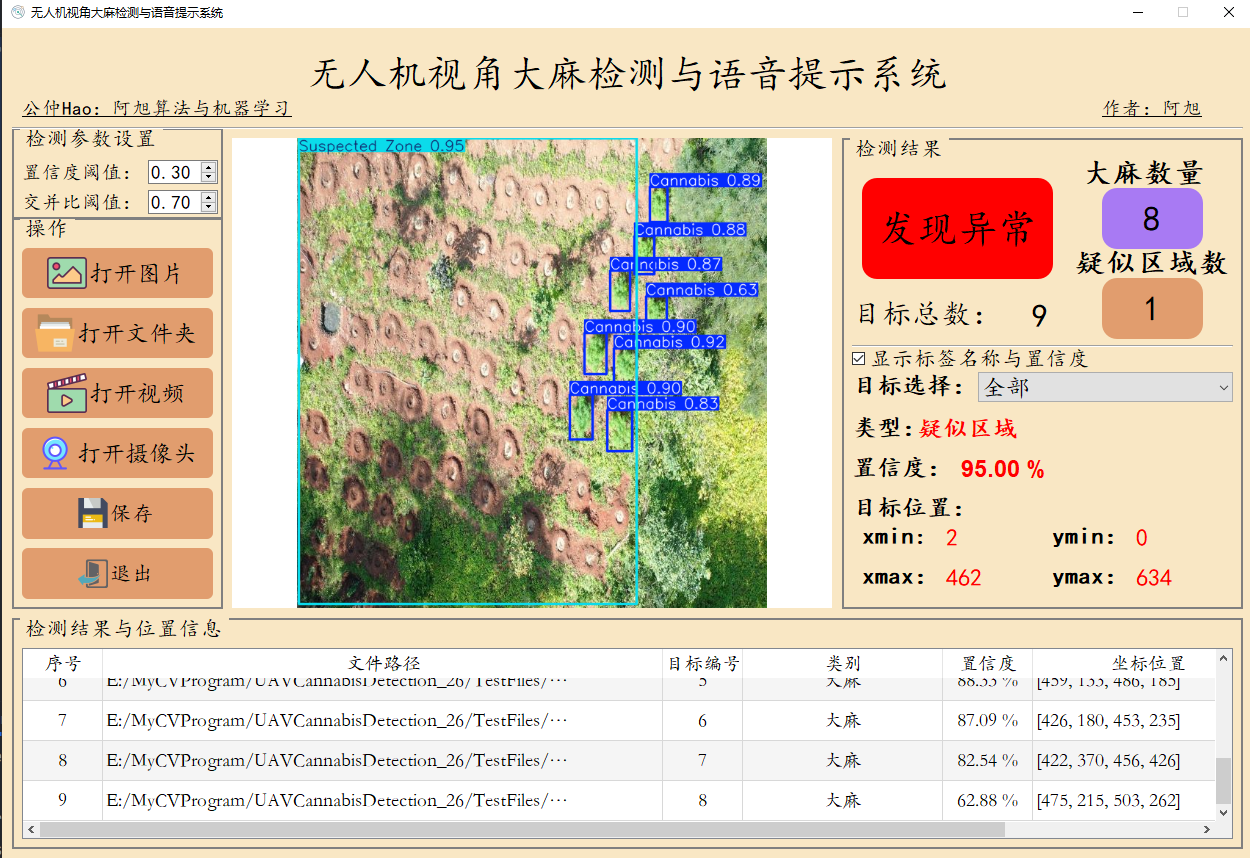 AI Visual Insight: The image shows detection boxes, class labels, confidence scores, and result statistics displayed together, indicating that the system has structurally mapped model outputs into the GUI for fast interpretation in law-enforcement scenarios.
The dataset and class design directly determine deployment value
The project dataset contains 2,074 images captured from real drone perspectives and is divided into two classes: Cannabis and Suspected Zone. This label design is important. The first class supports precise identification of individual targets, while the second supports estimation of area-level risk.
The dataset includes 1,451 training images, 416 validation images, and 207 test images. For a single-task vertical detection problem, this volume already provides a workable training foundation. The reported results show that the model achieved 0.981 [email protected], which indicates strong consistency between the data distribution and the task definition.
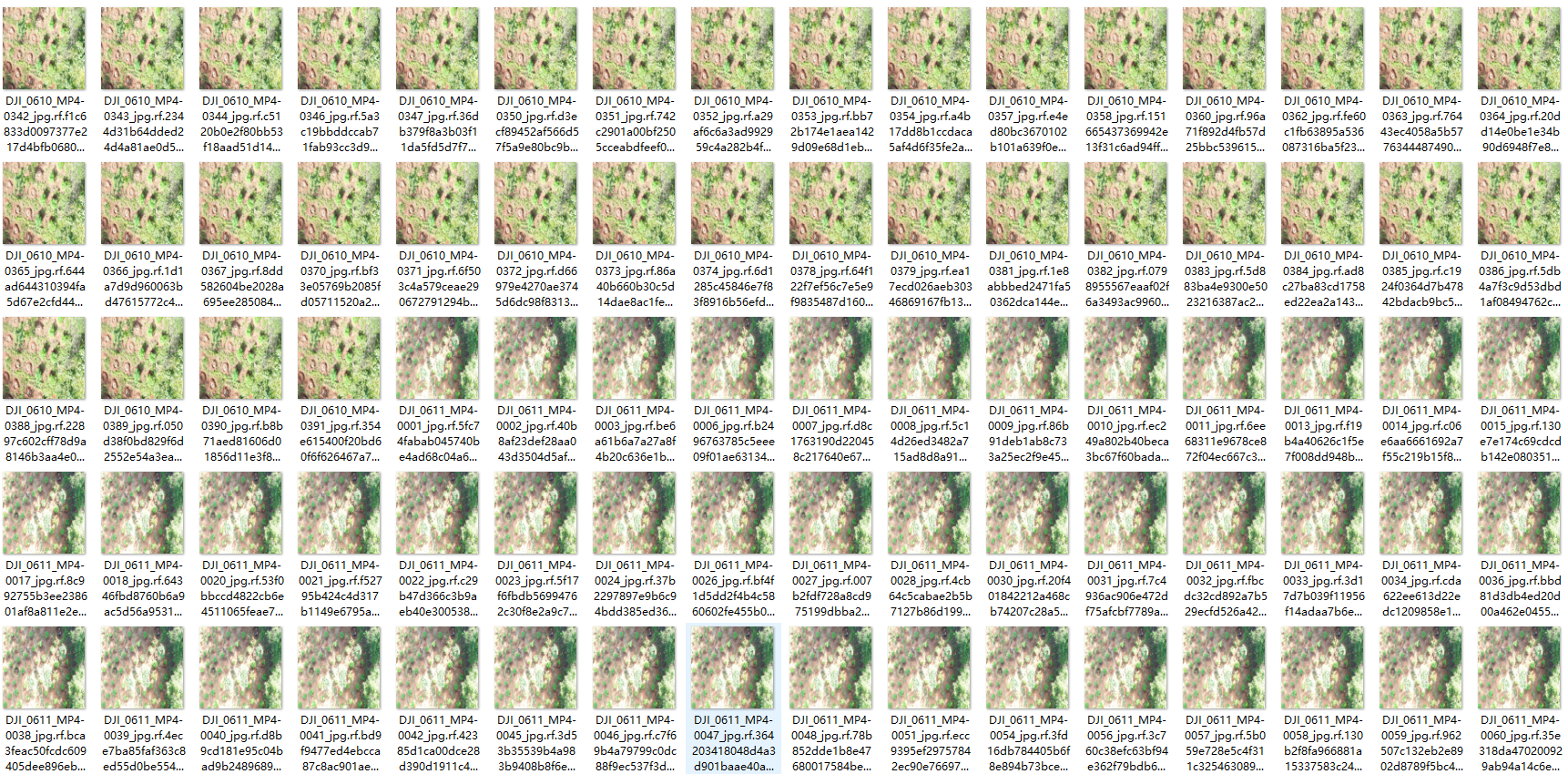 AI Visual Insight: The figure shows object-box annotations in aerial imagery. Target sizes vary significantly, while the background includes mountains, vegetation, and complex textures. This reflects the dual challenge of small-object detection and background confusion suppression.
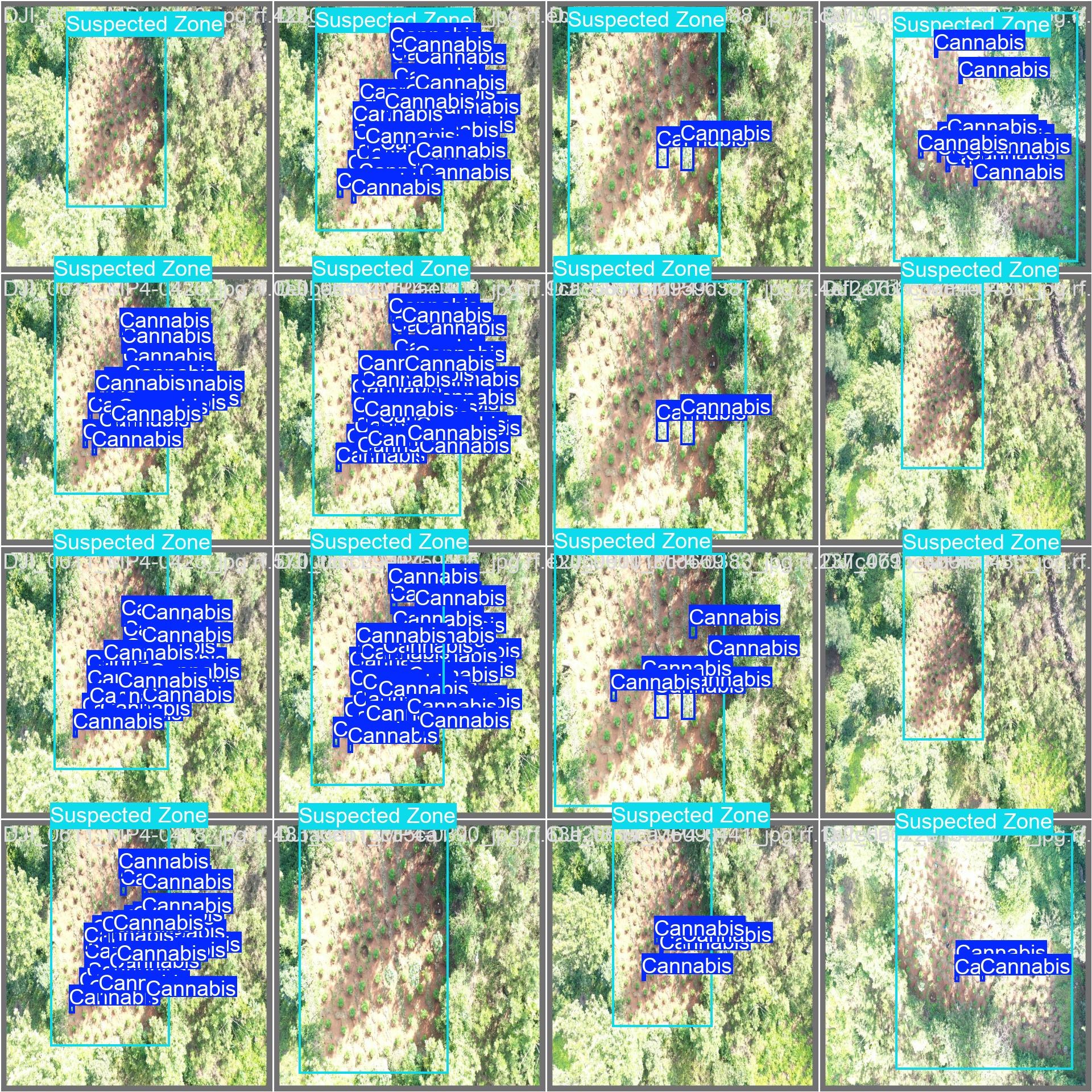 AI Visual Insight: This figure further shows that Suspected Zone behaves more like an area target than a single plant target, which means the model must learn both local leaf texture and region-level spatial distribution patterns.
Data configuration should explicitly define classes and path mappings
Before training, you need to define data.yaml so the framework knows the train, validation, and test paths, as well as the number of classes. Absolute paths are recommended to reduce configuration errors when switching environments.
train: E:/MyCVProgram/UAVCannabisDetection_26/datasets/train/images
val: E:/MyCVProgram/UAVCannabisDetection_26/datasets/valid/images
test: E:/MyCVProgram/UAVCannabisDetection_26/datasets/test/images
nc: 2
names: ["Cannabis", "Suspected Zone"]
This configuration declares the data entry points and serves as the foundation for reproducible model training.
YOLO26 handles the main high-efficiency detection pipeline
The source material describes YOLO26 as a next-generation vision model with end-to-end design, efficient deployment, and edge-device friendliness. In drone scenarios, these characteristics imply lower latency and stronger real-time performance, especially for joint real-time analysis between onboard devices and ground stations.
The project uses the YOLO26n variant for training, which indicates that the author chose a lighter balance point between accuracy and inference cost. This matters especially for video-stream inspection, because continuous inference depends more heavily on throughput than single-image inference.
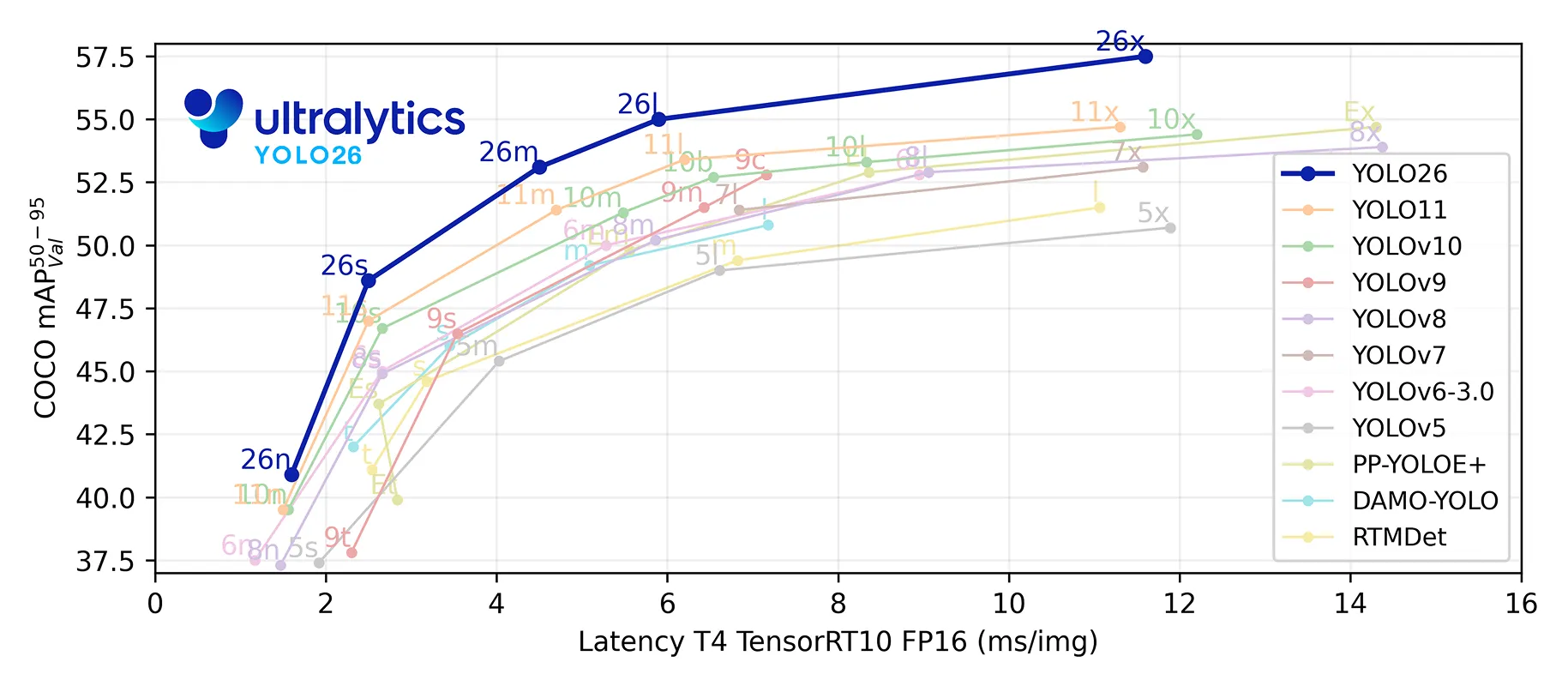 AI Visual Insight: This figure compares different YOLO versions in terms of accuracy, speed, or parameter count. The key takeaway is that YOLO26 emphasizes lightweight deployment and efficiency gains, making it suitable as the core model for real-time drone recognition.
The training code should remain minimally reproducible
# coding:utf-8
from ultralytics import YOLO
import matplotlib

matplotlib.use('TkAgg')  # Set the visualization backend to avoid display issues in some environments

model_yaml_path = "ultralytics/cfg/models/26/yolo26.yaml"  # Model architecture configuration
data_yaml_path = r"datasets/data.yaml"  # Dataset configuration file
pre_model_name = "yolo26n.pt"  # Pretrained weights

if __name__ == '__main__':
    model = YOLO(model_yaml_path).load(pre_model_name)  # Load the architecture and pretrained parameters
    results = model.train(
        data=data_yaml_path,
        epochs=150,  # Number of training epochs
        batch=32,    # Batch size; adjust based on available GPU memory
        name='train_26'
    )
This code completes YOLO26 model loading, transfer learning training, and experiment naming.
The evaluation results show that the model is practical for real-world use
After training, you can inspect loss curves, PR curves, and weight files in the runs/ directory. The source content highlights changes in box loss, cls loss, and dfl loss, along with the final detection quality reflected by the PR curve.
In object detection tasks, an [email protected] score of 0.981 is already very high. However, in real-world deployment, you still need to monitor generalization across seasons, lighting conditions, and flight altitudes, so that strong validation scores do not hide scene-transfer weaknesses.
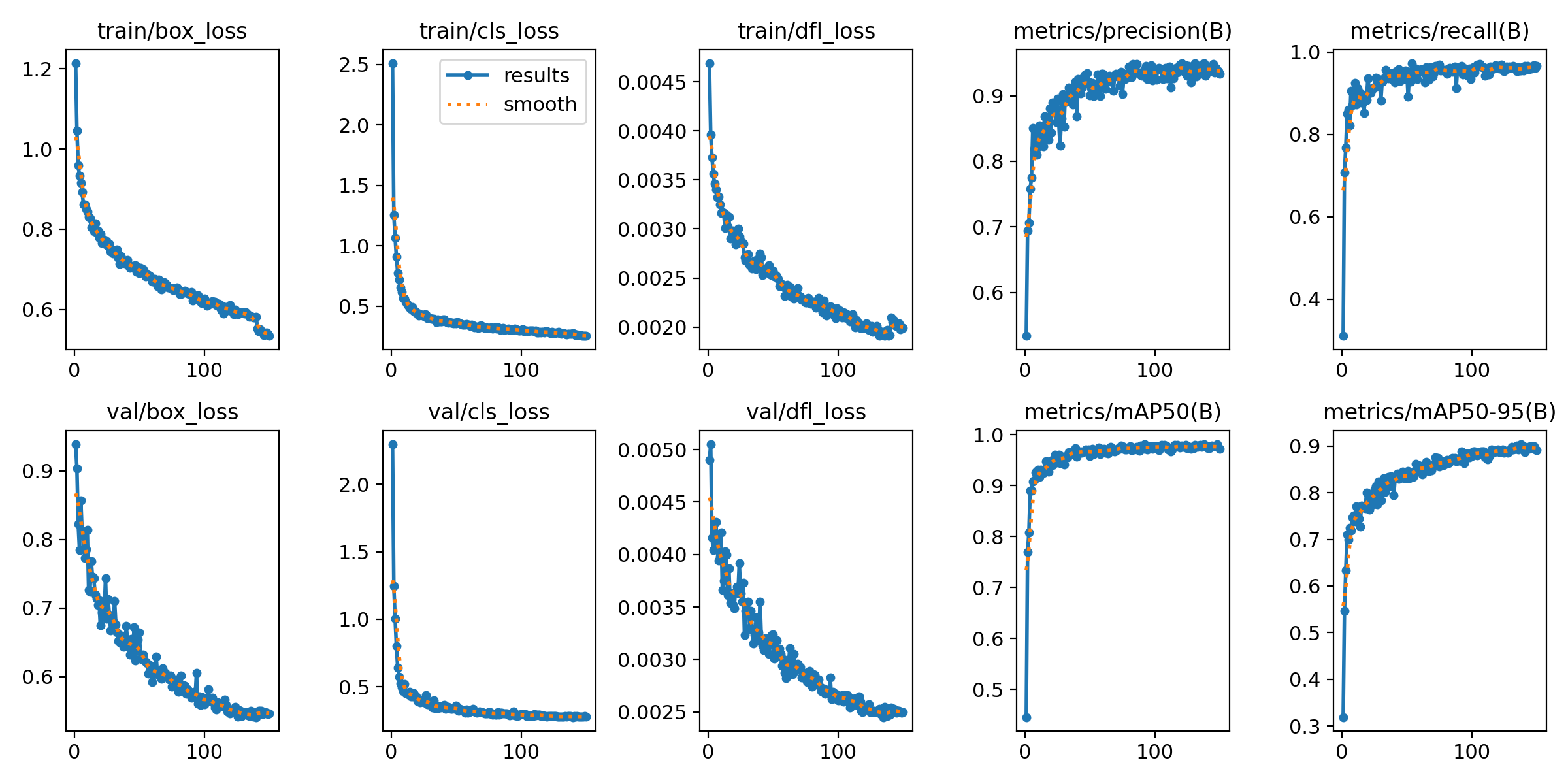 AI Visual Insight: The figure includes multiple training and validation curves for loss, precision, and recall. You can use it to judge whether the model has converged, whether overfitting exists, and whether the best-weight checkpoint is stable.
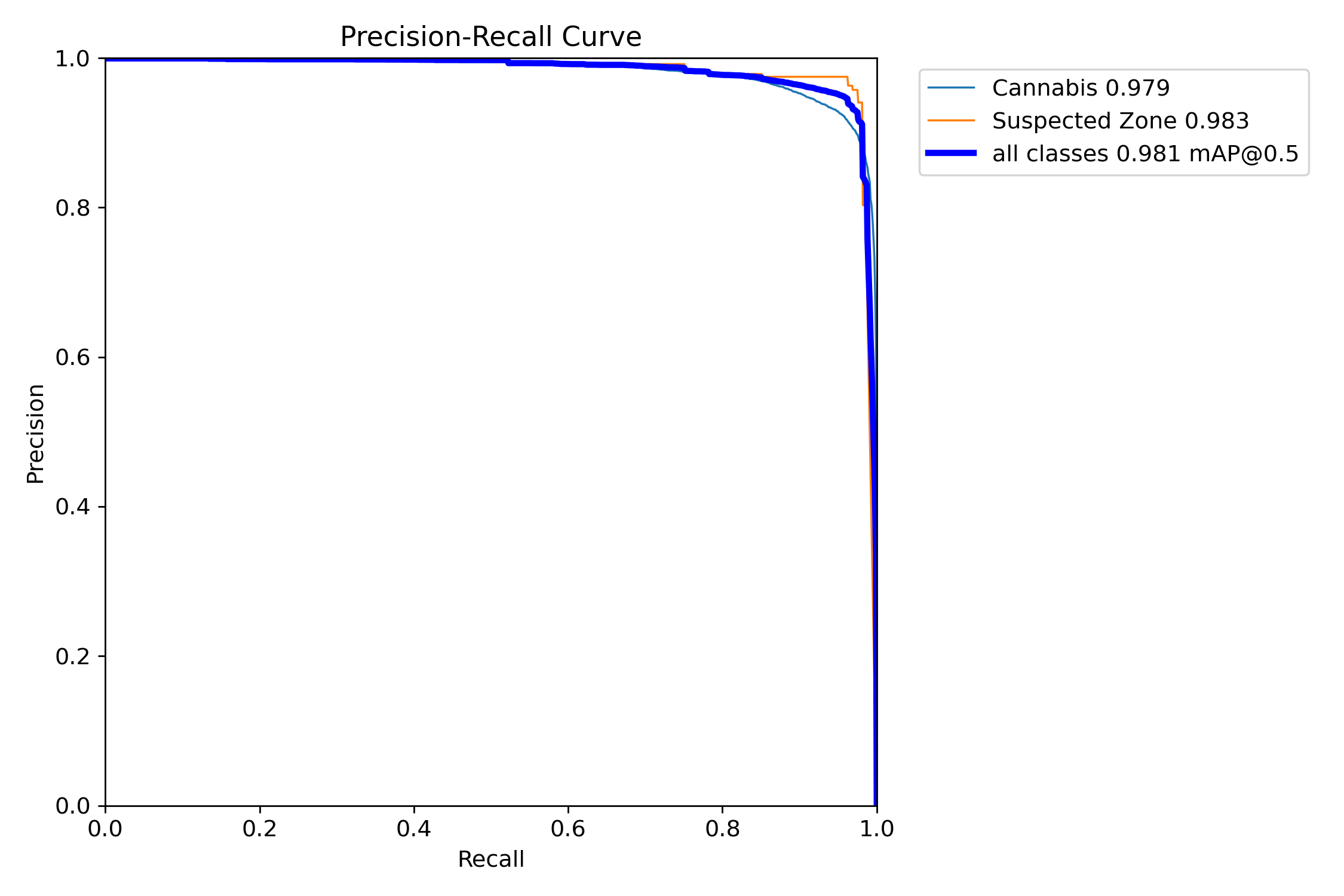 AI Visual Insight: The PR curve stays close to the upper-right corner, which indicates that the model maintains high precision even at high recall. That makes it suitable for inspection and early-warning tasks where missed detections are costly.
The inference code shows the shortest deployment path
# coding:utf-8
from ultralytics import YOLO
import cv2

path = 'models/best.pt'  # Best weights produced during training
img_path = 'TestFiles/test.jpg'  # Input image to detect

model = YOLO(path, task='detect')  # Load the detection model
results = model(img_path, conf=0.3)  # Run inference and set the confidence threshold
res = results[0].plot()  # Draw detection boxes on the image

cv2.imshow("Detection Result", res)
cv2.waitKey(0)  # Block the window so the user can inspect the result
This code demonstrates the complete single-image inference flow, from loading weights to visualizing the final result.
The PyQt5 interface converts model capability into an operable product
If the project only included training scripts, it would still be a research prototype. Once PyQt5 is added, it becomes much closer to a deliverable system. The GUI layer handles critical responsibilities such as parameter adjustment, input switching, result presentation, save/export operations, and voice-alert coordination.
The system supports configurable confidence and IoU thresholds. It can display target coordinates and confidence values, save image and video results, and export CSV files for image detections. This design clearly targets real operational workflows rather than a simple model demo.
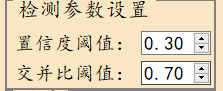 AI Visual Insight: The figure shows graphical controls for the two core parameters,
 conf and iou, indicating that the system lets users make scenario-specific trade-offs between false positives and missed detections.
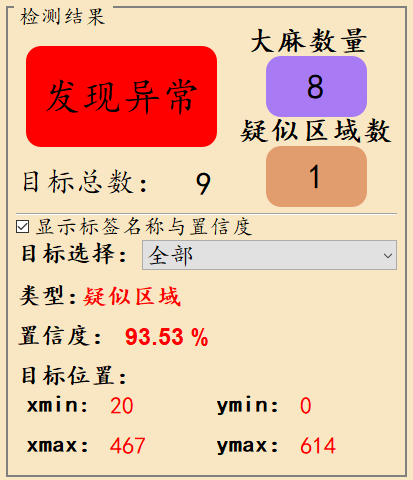 AI Visual Insight: This interface highlights total target count, per-class counts, coordinate positions, and voice-alert status, showing that the system outputs not only boxes but also structured target explanations and decision-support information.
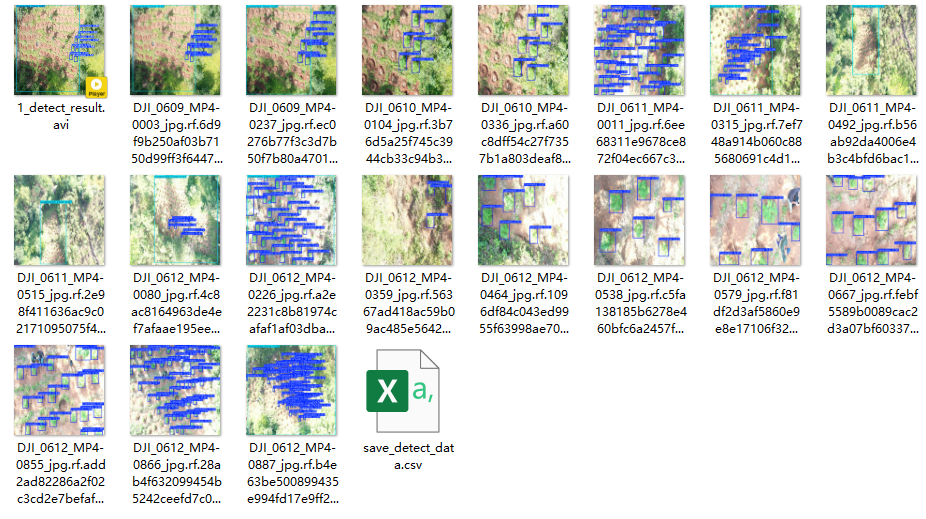 AI Visual Insight: This figure shows the directory of saved image or video artifacts, which demonstrates that the system already supports result archiving for law-enforcement evidence retention and later review.
The engineering value of this project lies in its end-to-end completeness
The source material covers the dataset, training, evaluation, inference, GUI, and resource packaging, forming a relatively complete computer vision delivery path. For learners, it provides a useful reference template that connects model experimentation to desktop application deployment.
It is important to note that the discussion of “YOLO26” mainly comes from the original source material. If you reproduce this system in a real project, you should further verify the model version, dependency sources, and inference behavior, and also supplement implementation details for the voice module, thread scheduling, and exception handling.
FAQ with structured answers
1. Which scenarios is this system best suited for?
It is well suited for aerial anti-drug patrol, remote-area screening, rapid assessment of suspected planting zones, and grid-based scanning with multiple drones. Its core strengths are broad coverage and fast early warning.
2. Why define both Cannabis and Suspected Zone as separate classes?
Single-plant detection is useful for precise localization, while region detection is useful for scale estimation. When combined, these two labels let the system perform both point-level recognition and area-level risk assessment.
3. What should you validate first during deployment?
First, validate cross-scene generalization, including different altitudes, weather conditions, seasons, shooting heights, and device resolutions. Then validate video real-time performance, voice-alert latency, and result-saving stability.
AI Readability Summary
This article reconstructs a drone-view cannabis detection system based on YOLO26, Python, and PyQt5. It covers the dataset composition, training workflow, inference code, GUI capabilities, and voice-alert mechanism, making it suitable for aerial inspection, batch image analysis, and real-time video warning scenarios.