All three tools address the same core problem: large language models struggle to understand large codebases. GitNexus emphasizes serverless knowledge graphs and Agent context injection, Code Review Graph emphasizes incremental graph construction and review workflows, and CodeFlow emphasizes visual dependency mapping and repository health scoring. Keywords: knowledge graph, MCP, code review.
The technical specification snapshot highlights their different trade-offs
| Project | Language / Stack | Protocol / Interface | Stars | Core Dependencies |
|---|---|---|---|---|
| GitNexus | Node.js, WebAssembly | MCP, HTTP | 34.7K | Tree-sitter WASM, KuzuDB WASM |
| Code Review Graph | Python, SQLite | MCP | 14.9K | Tree-sitter, FTS5, Leiden |
| CodeFlow | Web app, AI visualization stack | GitHub repository import | 2.8K | Dependency graph analysis, health scoring module |
These tool categories are reshaping how teams understand codebases
Traditional code search depends on grep, directory trees, and manual navigation. In multi-module repositories, that approach easily misses call chains, implicit dependencies, and test coverage relationships. AI models that read raw source code directly also make frequent mistakes because their context windows are limited.
These newer tools share a common strategy: first parse the code into ASTs, dependency edges, execution flows, and community structures, then feed that structured context into AI. Compared with pure vector retrieval, they emphasize explainability, impact scope, and token efficiency.
GitNexus precomputes repositories into queryable structural intelligence
GitNexus does not primarily generate documentation. Its core value is building a code knowledge graph that Agents can query directly. During indexing, it precomputes function clustering, call-chain tracing, and dependency confidence labeling, which reduces exploration cost during inference.
It is especially well suited for teams that want Cursor, Claude Code, or Windsurf to become architecture-aware. Its value is straightforward: even smaller models can gain a relatively complete system-level view, reducing the risk of incorrect edits to critical dependencies.
git clone https://github.com/abhigyanpatwari/gitnexus.git
cd gitnexus/gitnexus-web
npm install
npm run dev  # Start the local Web UI
This command sequence starts GitNexus in local web mode, which is useful for quickly uploading a ZIP repository and exploring the knowledge graph.
GitNexus offers both browser mode and a CLI/MCP path
The Web UI mode runs entirely in the browser and relies on WebAssembly, which makes deployment nearly zero-friction. The CLI + MCP mode is better suited for long-term use because it can build persistent local indexes and serve multiple repositories.
Bridge mode is a practical highlight. Repositories indexed by the CLI can be discovered directly by the Web UI without being uploaded again. For developers working across many projects, this significantly reduces switching cost.
npx gitnexus setup      # Automatically write the global MCP configuration
npx gitnexus analyze    # Index the current repository and generate context files
npx gitnexus serve      # Start the local HTTP service
npx gitnexus mcp        # Start the MCP server
These commands complete the full local GitNexus integration loop: configuration, graph construction, service exposure, and Agent integration.
Code Review Graph functions more like a graph engine for review workflows
If GitNexus focuses on architecture awareness, Code Review Graph focuses more on code review automation. It builds graphs for functions, classes, imports, and test coverage relationships, while minimizing the number of files AI needs to read.
Its fact density is high. It supports 23 languages and Jupyter, along with graph diffs, anomaly scoring, bridge-point detection, knowledge gap analysis, multi-repository search, and Markdown wiki generation. Its engineering maturity is clearly stronger in workflow-heavy environments.
The core value of Code Review Graph lies in incremental updates and minimal context
This tool emphasizes automatic incremental updates after each edit, with subsequent refreshes controlled within two seconds. For daily PR review, that means the graph can stay aligned with the workspace state instead of becoming a static snapshot.
Its get_minimal_context capability is especially important. It first gives the model a compressed context of roughly one hundred tokens, then decides whether to dig deeper into callers, affected execution flows, and test gaps. This layered retrieval pattern fits AI-assisted development workflows extremely well.
pip install code-review-graph
pip install "code-review-graph[embeddings]"  # Enable semantic search
code-review-graph build                      # Perform the initial full graph build
code-review-graph serve                      # Start the MCP service
This command sequence shows the installation and initial graph build process for Code Review Graph, which is suitable for integration with clients such as Claude Code.
MCP tool orchestration is a differentiating strength of Code Review Graph
It exposes 28 tools at once, covering graph construction, impact analysis, architecture analysis, documentation generation, and refactoring previews. In particular, detect_changes, get_impact_radius, and get_affected_flows map closely to real code review workflows.
At the same time, built-in templates such as review_changes, architecture_map, and debug_issue elevate a tool collection into a workflow protocol. That means the AI does not just know how to query the graph. It knows how to query the graph in the right sequence.
{
  "code-review-graph": {
    "command": "uvx",
    "args": ["code-review-graph", "serve"]
  }
}
This MCP configuration registers Code Review Graph with the client so the model can directly call graph tools.
CodeFlow is better suited to visual exploration and health scanning
CodeFlow has a lighter positioning. Its main appeal is automatic architecture dependency graphs, file-level impact visibility, and repository health scores. It supports both GitHub repositories and local folders, which makes it useful for quick project inspections.
Compared with the other two, CodeFlow provides less public detail about graph reasoning depth and MCP workflow design. However, it offers a more direct visual entry point and stronger code audit visibility, such as scanning for hard-coded secrets and identifying design patterns and anti-patterns.
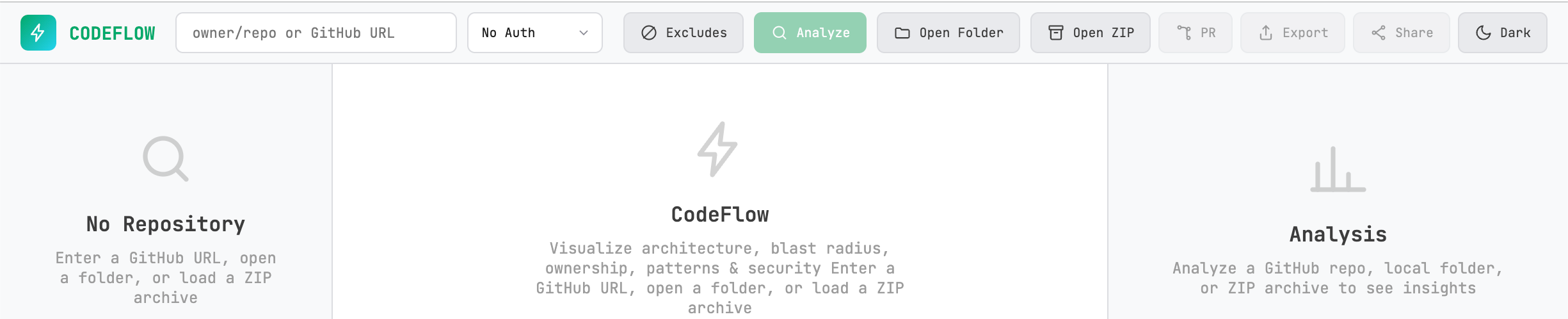 AI Visual Insight: This interface shows the entry point for visual dependency analysis of a code repository. Its key capabilities include viewing impact scope by file node, presenting module coupling as a graph structure, and compressing architectural complexity, security risk, and maintainability into health scores that teams can consume at a glance.
Tool selection should be driven by tasks, not popularity
If your goal is to give an AI Agent continuous structural awareness during local development, choose GitNexus first. If your goal is to operationalize change review, impact analysis, and minimal-context retrieval, choose Code Review Graph first.
If your team needs a low-barrier entry point for architecture visualization, plus health scanning and lightweight security auditing, CodeFlow will usually be easier for non-platform engineering teams to adopt.
# Prioritize review workflows
code-review-graph detect-changes

# Prioritize architecture awareness
npx gitnexus analyze

# Prioritize visual inspection
# Import a GitHub repository or local directory into CodeFlow
This side-by-side command reference helps match the three most common usage scenarios: review, architectural understanding, and visual inspection.
FAQ structured Q&A
Q: What fundamentally distinguishes these three tools from a standard RAG-for-code approach?
A: They build a structured graph first, then let AI query call chains, communities, impact radius, and test coverage. That makes them more explainable and more token-efficient than vector retrieval alone.
Q: If a team already uses Claude Code, which tool is the best first integration?
A: If you prioritize PR review and change-risk control, integrate Code Review Graph first. If you care more about long-term architecture awareness and reusable multi-repository indexing, integrate GitNexus first.
Q: Can CodeFlow replace the other two?
A: Usually no. CodeFlow is better understood as a lightweight visualization and health-check tool for fast insight. GitNexus and Code Review Graph are better suited for deep Agent integration, automated review, and continuous knowledge accumulation.
Core summary
This article reconstructs and compares three AI-enhanced codebase analysis tools—GitNexus, Code Review Graph, and CodeFlow—through the lenses of knowledge graphs, MCP integration, incremental updates, and visualization. The goal is to help developers quickly choose the right approach for code review, architectural understanding, and repository governance.