This article documents a serial debugging workflow for a portable printer: identify the interface as RS232 by checking the DB9 pinout and negative idle voltage, build a TTL/RS232 conversion path with MAX3232, and verify ASCII printing at 9600 baud. The main challenges were an unknown wire order, an unclear physical layer, and uncertain Chinese encoding compatibility. Keywords: RS232, MAX3232, ASCII.
The technical specification snapshot captures the test baseline
| Parameter | Value |
|---|---|
| Device Type | Portable Printer |
| Communication Interface | DB9 Serial Port |
| Physical Layer Protocol | RS232 |
| Test Baud Rate | 9600 |
| Power Supply Range | 9V-12V |
| Measured Operating Current | Approximately 28mA |
| Core Dependencies | MAX3232, Serial Terminal, Python, USB-to-Serial Adapter |
| Original Repository / Star Count | Not provided in the source |
| Key Result | ASCII prints successfully; GB2312 failed |
This test first confirmed that the printer uses standard RS232 rather than TTL serial
The key step in the original record was not “send commands immediately,” but instead to inspect the cable, identify the wires, and measure the idle voltage. For an unknown device, this is the first step in reducing the risk of damage.
It was confirmed that DB9 pins 2, 3, and 5 correspond to the blue, black, and orange wires respectively. After powering on the device, pin 3 measured about -5.6V while pin 2 floated. This observation was critical because a negative idle voltage is a classic RS232 characteristic, not a 3.3V/5V TTL serial interface.
 AI Visual Insight: The image shows the physical form of the portable printer and its external serial cable harness. It clearly uses a separate power input and a DB9 serial connection to the host, which indicates that the device behaves more like a traditional industrial serial peripheral than a consumer USB printer.
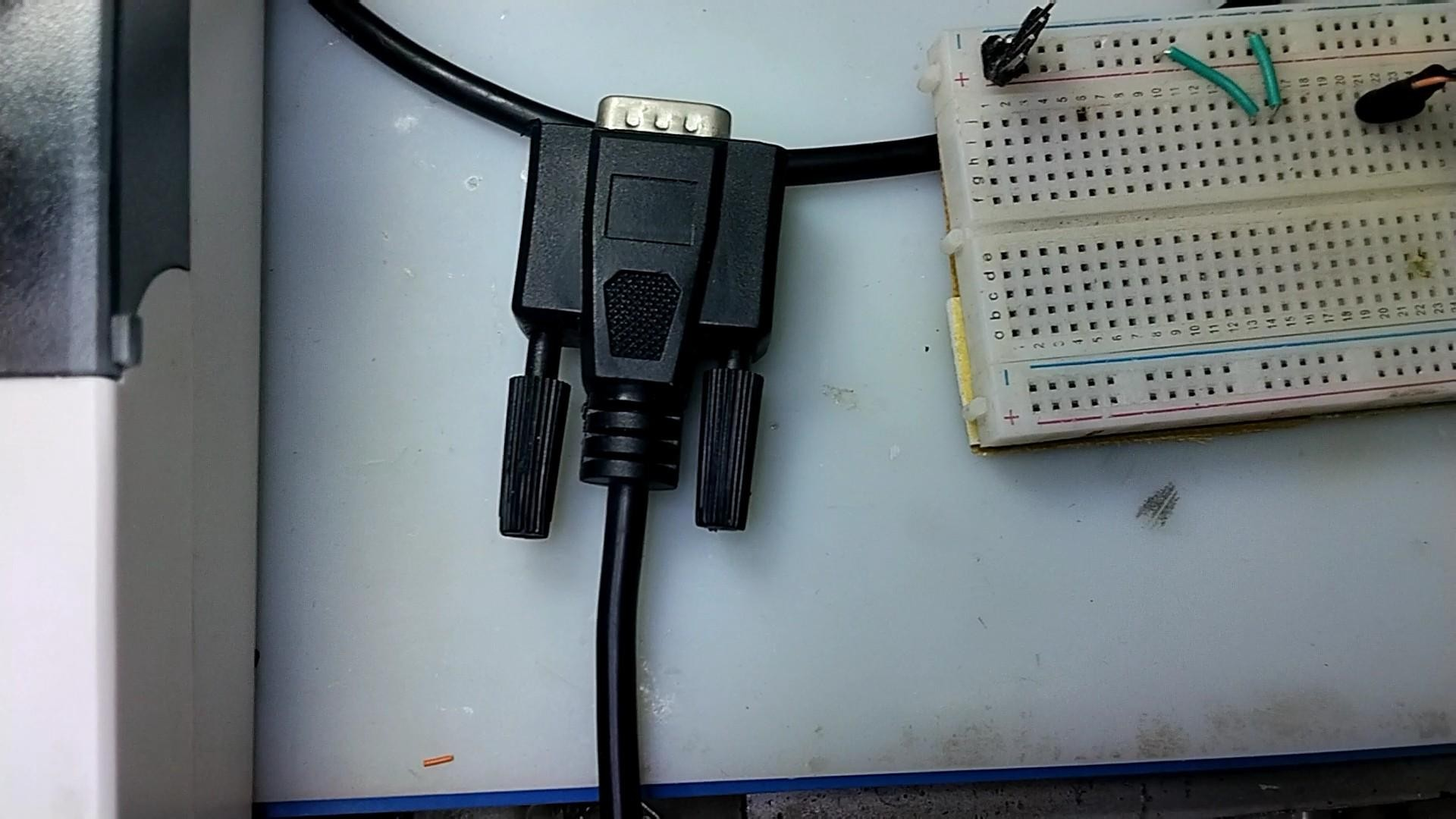 AI Visual Insight: The image highlights the printer interface area and the test bench setup. It helps identify cable routing, power delivery, and connector accessibility, which are all important for defining pin order, confirming ground, and selecting oscilloscope probe points.
# Build a DB9 pin mapping from measured results
pin_map = {
    2: "蓝线",   # Record the wire color for DB9 pin 2
    3: "黑线",   # Record the wire color for DB9 pin 3
    5: "橙线"    # Record the wire color for DB9 pin 5; often a strong candidate for ground
}

idle_voltage = {
    3: -5.6,      # Key evidence: negative idle voltage matches RS232 behavior
    2: None
}

if idle_voltage[3] is not None and idle_voltage[3] < 0:
    print("物理层更可能是 RS232")  # Make a preliminary protocol judgment based on negative voltage
This code does not represent driver logic. It is simply a structured way to record the test conclusion.
The MAX3232 conversion circuit became the critical bridge between the PC and the printer
After confirming the physical layer, the next step was not to plug in a USB-to-serial adapter directly. A level shifter had to be added first. The reason is simple: most development boards and USB-UART modules output TTL-level signals and cannot connect directly to an RS232 device.
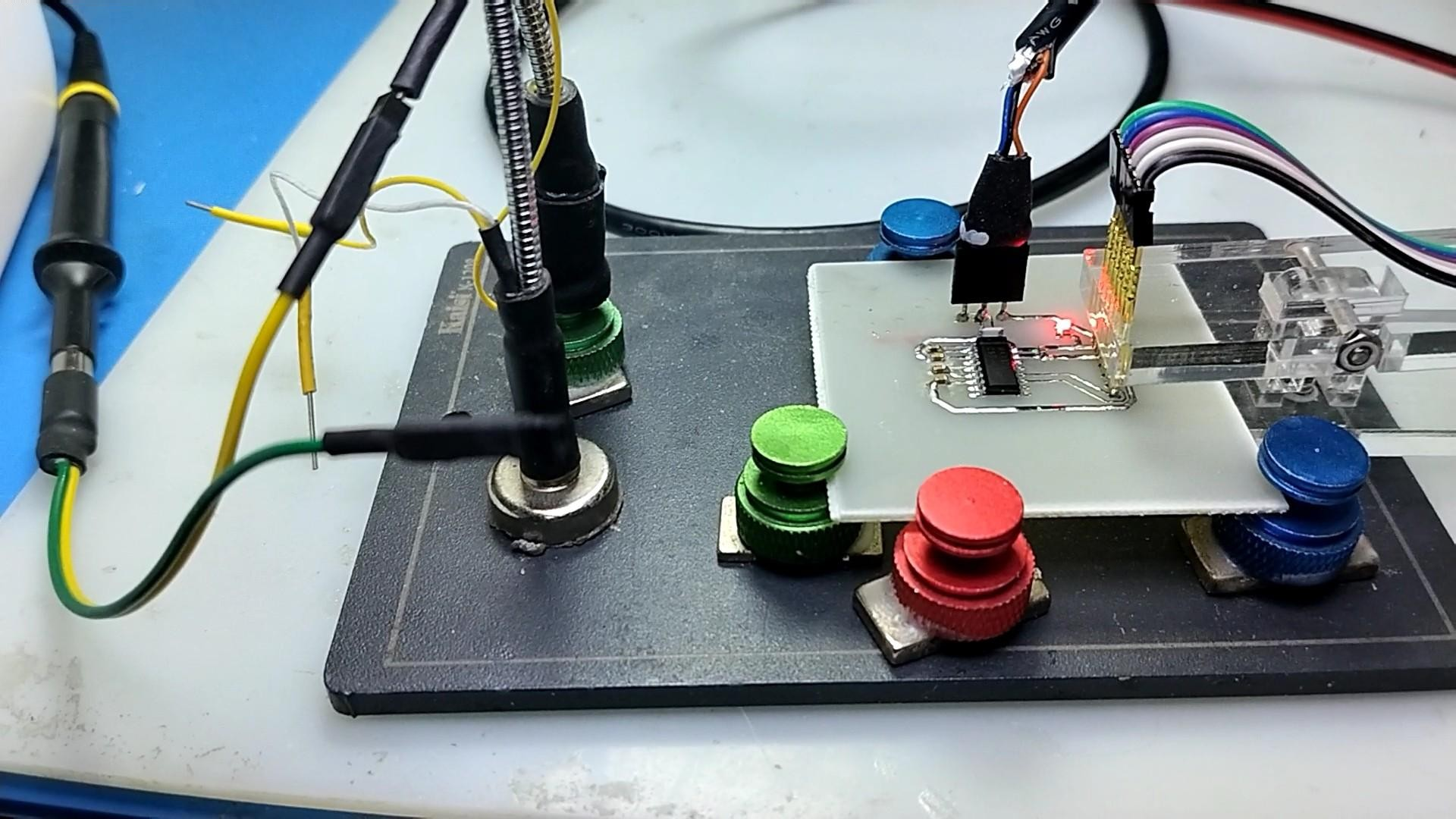
The original test used a MAX3232-based conversion board. The first PCB revision had TX and RX reversed, and that issue was corrected quickly. This is one of the most common and easiest-to-miss problems in serial debugging: a transmitter must connect to the other side’s receiver, not to a pin with the same name.
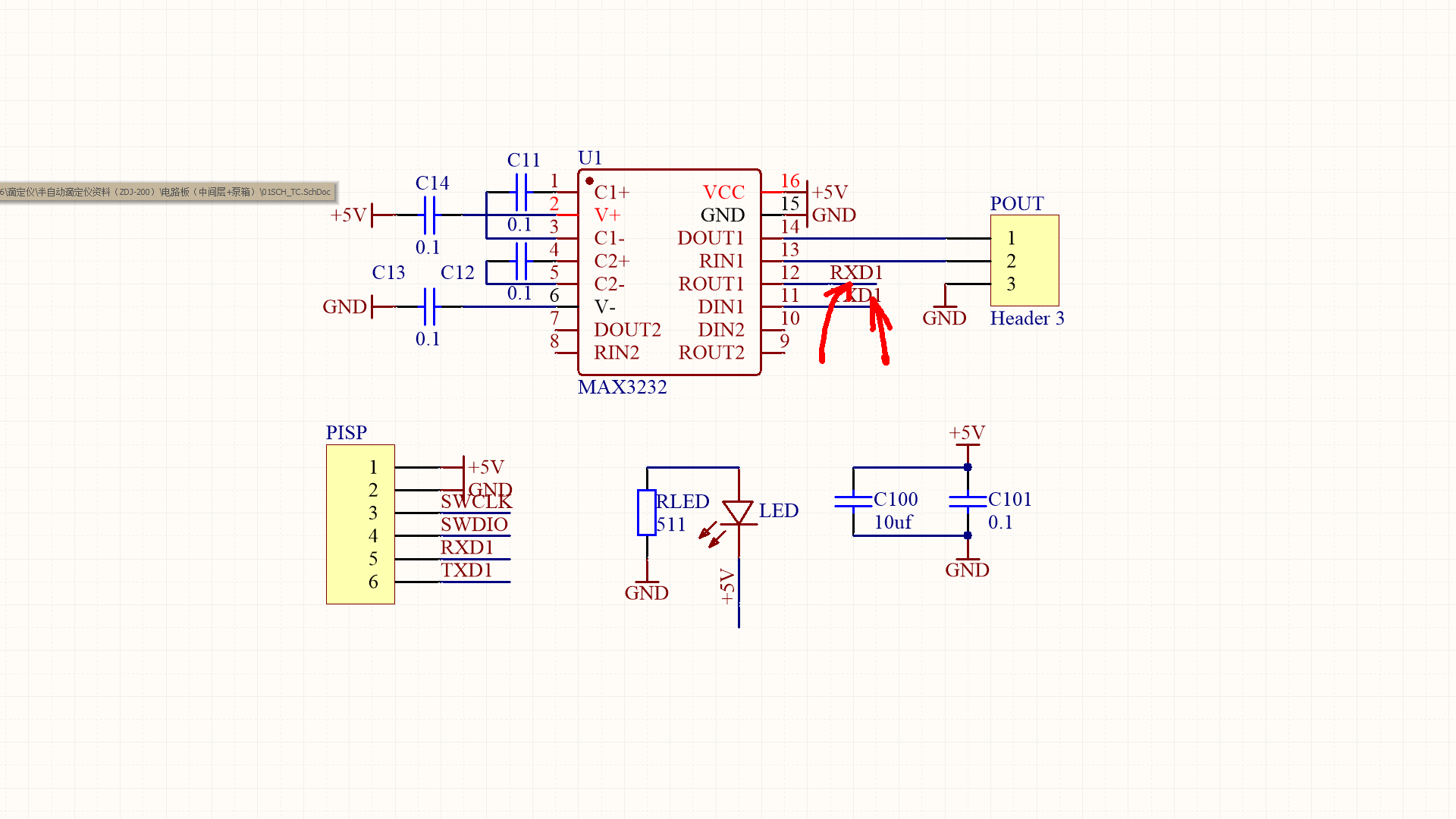 AI Visual Insight: The image shows the layout of a compact MAX3232-based serial converter board. It is designed for bidirectional level conversion between TTL and RS232. If the TX/RX routing is crossed incorrectly in the design, the terminal may send data successfully while the device remains unresponsive.
import serial

# Open the host serial port with parameters aligned to the printer's default settings
ser = serial.Serial(
    port="COM3",
    baudrate=9600,
    bytesize=8,
    parity="N",
    stopbits=1,
    timeout=1
)

# Send ASCII text plus a carriage return to trigger one printed line
ser.write(b"HELLO PRINTER\r\n")
ser.close()
This code provides a minimal validation of whether the communication path is working.
The print result proved that the link worked, but character set support had clear limits
When ASCII characters were sent from the serial terminal with a trailing carriage return, the printer fed paper and printed the text normally. That confirmed three things at once: power was stable, the physical layer matched, and the serial parameters were basically correct.
However, after sending GB2312-encoded Chinese text, the device only fed paper and printed no characters. This shows that “the link works” does not mean “the protocol is fully compatible.” The issue is more likely related to character set support, control commands, or the firmware font library than to the transmit/receive circuit itself.
 AI Visual Insight: The image corresponds to the real printing test scenario. The key point is that the device shows a mechanical response after receiving serial data, which means the serial signal has successfully reached the print controller. The problem has therefore moved from the physical connection layer to the instruction and encoding compatibility layer.
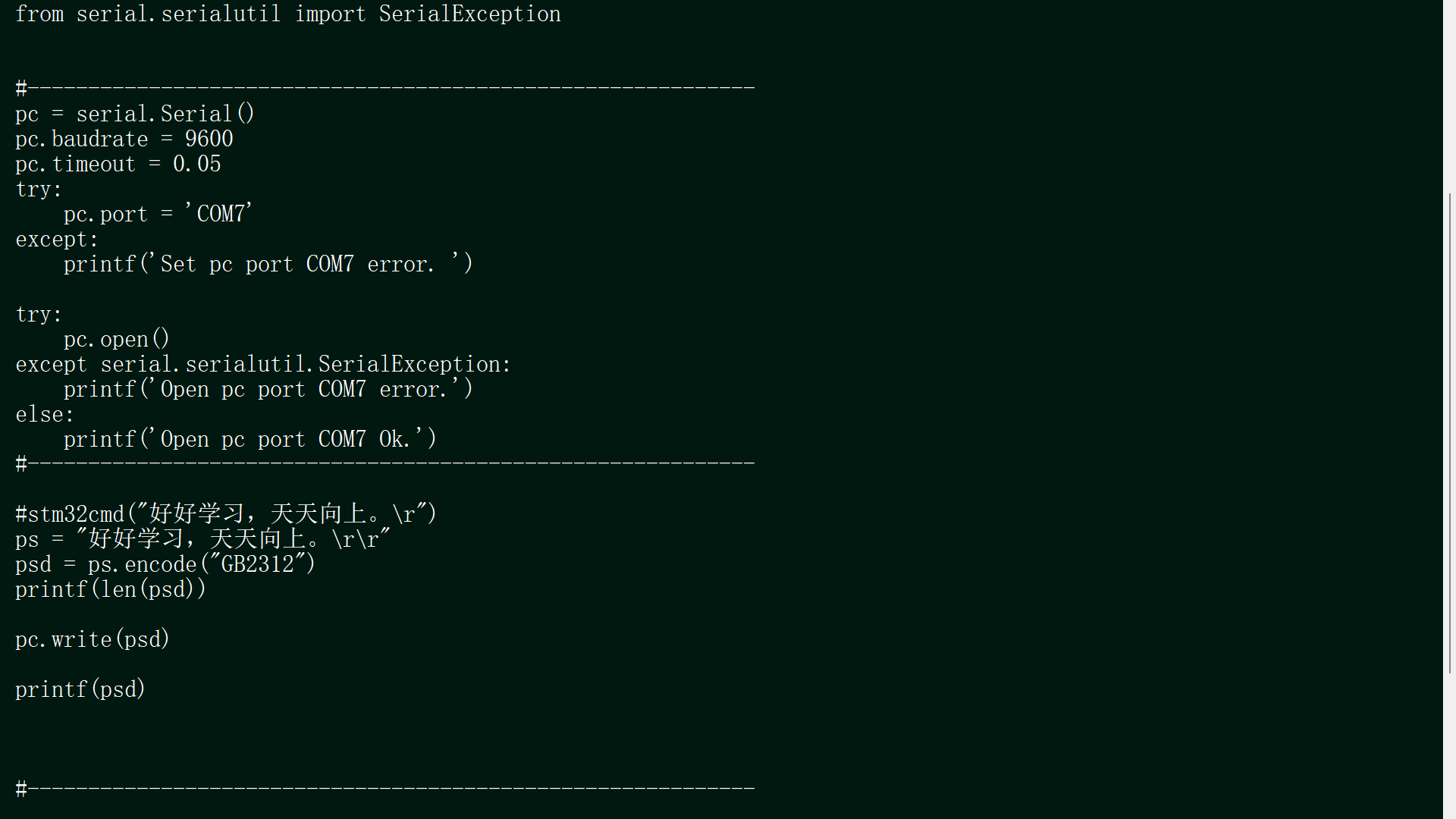 AI Visual Insight: The image shows the final paper output and can be used to compare ASCII and Chinese text jobs. If the printer only feeds paper or produces blank output, that usually means it recognized a print action but did not recognize valid glyph data.
import serial

text = "中文测试"
payload = text.encode("gb2312", errors="ignore")  # Build outbound data using GB2312 encoding

with serial.Serial("COM3", 9600, timeout=1) as ser:
    ser.write(payload)
    ser.write(b"\r\n")  # Add a line break and observe whether it triggers printing
This code reproduces the validation step where Chinese text was sent successfully but printing still failed.
The engineering conclusions from this experiment are very clear
First, before connecting to an unknown printer, you should identify the physical layer. A negative idle voltage is a high-value signal for recognizing RS232. Second, MAX3232 is not optional; it is required when a TTL interface must connect to an RS232 device. Third, successful ASCII printing only proves that the link is established. It does not guarantee that advanced capabilities such as Chinese text, control codes, or page mode are available.
Further troubleshooting should focus on protocol documentation instead of swapping more hardware
If you want to continue validating Chinese printing, first try to obtain the device manual and confirm whether it supports GB2312, GBK, ESC/POS, or a vendor-specific command set. If the manual is unavailable, capture known-good terminal traffic and analyze the boundary between control characters and text payload.
FAQ structured answers
Why can this printer be identified as RS232 rather than TTL?
Because one measured data pin showed about -5.6V in the idle state. TTL serial interfaces typically swing within a 0V to 3.3V/5V range and do not exhibit the negative idle voltage that is characteristic of RS232.
Why did communication start working only after adding MAX3232?
MAX3232 converts TTL voltage levels to RS232 voltage levels and also handles the reverse receive path. Without it, the host serial module may still fail to communicate even if the baud rate is correct, simply because the electrical signaling standard is incompatible.
What does it most likely mean when ASCII prints but GB2312 fails?
It most likely means the device supports only an English character set, has an insufficient built-in font library, or requires specific commands for Chinese printing rather than a raw GB2312 byte stream. The next step is to review the device protocol manual and confirm the required encoding and command format.
The core summary reconstructs the complete debugging path
This article reconstructs a portable printer interface debugging session: by measuring the DB9 pin mapping and idle voltage, it confirmed that the device uses the RS232 physical layer; with a MAX3232-based level shifter, it established host communication at 9600 baud; and it ultimately verified that ASCII printing works while GB2312 Chinese text is not recognized.