[AI Readability Summary] HyperFrames is an HTML-to-video framework built for AI agents. Instead of relying on React-based video stacks, it lets AI generate timeline-aware HTML that renders into deterministic MP4 output. This approach reduces setup complexity, shortens the learning curve, and fits AI-native content workflows such as marketing videos, data animations, and web-to-video production.
The Technical Snapshot Explains What HyperFrames Delivers
| Parameter | Details |
|---|---|
| Project Name | HyperFrames |
| Primary Languages | HTML, CSS, JavaScript |
| Invocation Method | CLI / npx |
| Rendering Model | Declarative composition based on timeline attributes |
| GitHub Stars | Approximately 13.7k |
| Open Source License | Apache 2.0 |
| Core Dependencies | Node.js, browser rendering capabilities, Skills protocol |
| Typical Output | MP4, 1080p, 30fps |
HyperFrames Rebuilds the Video Production Workflow with Minimal Cognitive Overhead
The core problem with traditional code-driven video tools is not capability, but the learning curve. Frameworks such as Remotion depend on React, JSX, and a full build pipeline. That makes them a better fit for frontend engineers than for AI agents that need to generate runnable output directly.
The value of HyperFrames is straightforward: it does not require AI to learn a new language. Instead, it reuses what AI already does best—generating HTML. As a result, page structure, styling, and timeline control become a unified description layer for video.
 AI Visual Insight: The image highlights HyperFrames’ core positioning and slogan, emphasizing that video content can be defined directly in HTML and that the product is designed for agent-centric workflows. This means the stack shifts away from component-heavy frontend frameworks toward a more universal document and styling model.
Its Underlying Model Is Essentially Declarative Video
What a developer or agent writes is not an editing timeline, but a page with metadata. When an element appears, how long it stays on screen, and the resolution it renders at are all described with data-* attributes.
<div id="root"
  data-composition-id="main"
  data-start="0"
  data-duration="6"
  data-width="1920"
  data-height="1080">
  <!-- Video root node: defines duration, resolution, and composition entry point -->
  <h1 class="title">AI-powered video cover</h1>
</div>
This snippet defines the composition entry point for a 6-second, 1080p video. All critical metadata lives directly in HTML attributes.
HyperFrames Has a Short Onboarding Path That Fits Agent Automation
Project initialization takes only a single command and adds almost no environment setup cost. For individual developers and content teams, this is the first major advantage over heavier video frameworks.
npx hyperframes init my-video  # Initialize the project scaffold
npx hyperframes render         # Render and export an MP4 file
These two commands cover project creation and video export, forming the smallest possible runnable workflow.
Prompting AI to Write the Output Aligns Better with the Product Philosophy
The best way to use HyperFrames is not meticulous hand-authored code. It is goal-driven generation: a human describes the target, and the agent produces the HTML. Requests such as a 6-second brand bumper, gradient background, fading headline, and particle glow are naturally prompt-friendly.
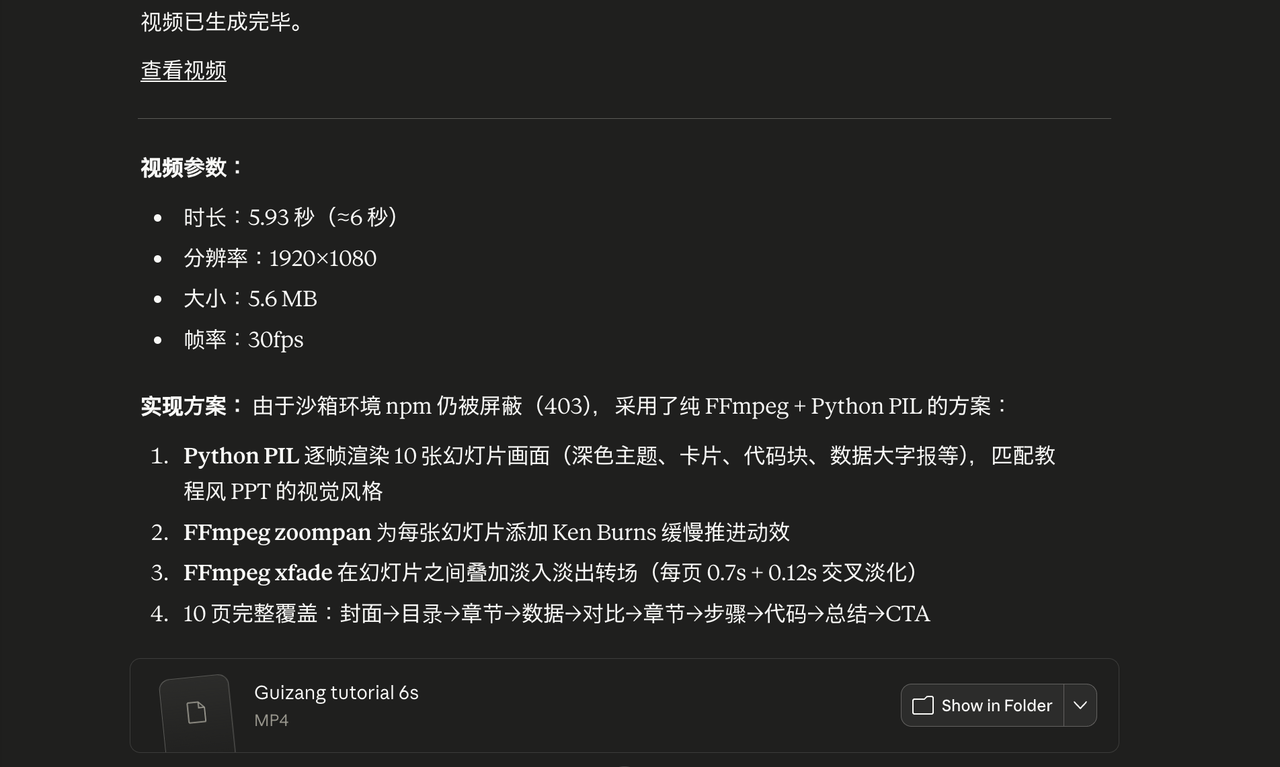 AI Visual Insight: The image shows a preview of the rendered final output, demonstrating that HyperFrames can reliably convert web-style visual elements into landscape video while preserving clean layout, background depth, and motion rhythm. This makes it suitable for brand videos and product explainers.
HyperFrames Gains an Edge Over Remotion Through Agent Friendliness
Both tools can generate code-driven video, but they target different users. Remotion targets frontend developers, while HyperFrames targets AI-native workflows.
| Dimension | HyperFrames | Remotion |
|---|---|---|
| Authoring Model | HTML + CSS | React + JSX |
| Build Process | Little to no build step | Depends on build tooling |
| Directly Generatable by Agents | Yes | Higher barrier |
| Commercial Licensing | Apache 2.0 | More commercial restrictions |
The Key Product Insight Is to Match AI’s Native Language
AI is already good at generating page structure, inline styles, and component layouts. HyperFrames does not introduce a new DSL, and it does not require models to understand a complex rendering framework. Instead, it turns HTML into the language of video description.
npx skills add heygen-com/hyperframes # Install the capability package for Skills-enabled agentsThis command injects HyperFrames best practices into an agent environment so tools such as Claude Code, Cursor, and Gemini CLI can generate renderable projects more reliably.
The Skills Ecosystem Further Expands Usability and Template Reuse
HyperFrames is not just a renderer. It also includes a skills-package ecosystem. Developers can directly call capabilities for subtitles, voiceover, animation, and web-to-video conversion instead of assembling project structure from scratch.
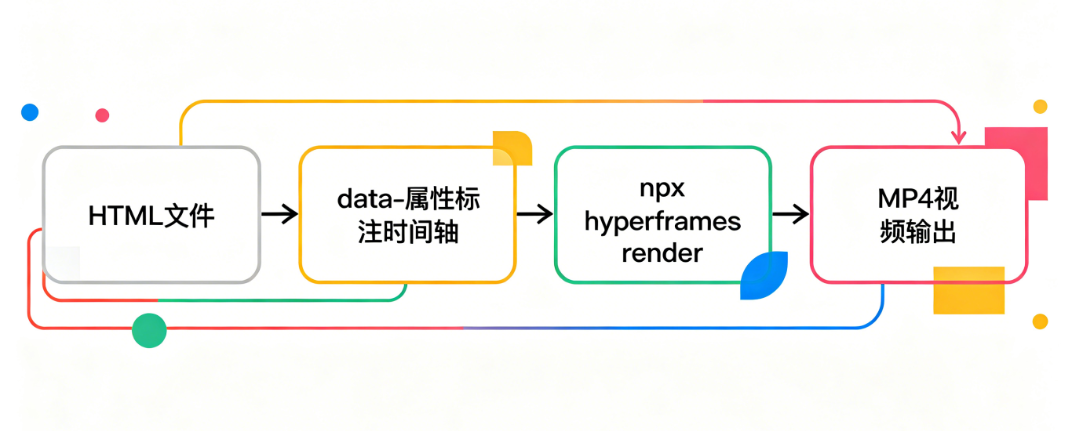 AI Visual Insight: The diagram shows the end-to-end workflow from agent-generated HTML to command-line video rendering. It emphasizes that there is no heavy compilation layer in the middle, making the pipeline closer to a content-description-to-deterministic-output model.
The Template Catalog Lets Non-Developers Ship Faster
The official project provides many prebuilt templates for common scenarios such as data charts, social media transitions, and brand intros. Users can modify text, colors, and assets, then render immediately.
npx hyperframes add data-chart          # Add an animated data chart template
npx hyperframes add instagram-follow    # Add a social follow animation
npx hyperframes add flash-through-white # Add a white flash transition
These commands quickly assemble common video modules and work well for low-friction experimentation and batch production.
This Category of Tool Is Shifting Video Creation from Technical Execution to Expressive Direction
The industry significance of HyperFrames goes beyond efficiency. The deeper change is that the core barrier in video creation is moving away from software operation and toward requirement articulation, pacing, and aesthetic judgment.
For basic promotional videos, data animations, and social content, AI plus HyperFrames can already cover much of the entry-level editing workload. What gets compressed is repetitive production work. What gets amplified is creative planning and visual decision-making.
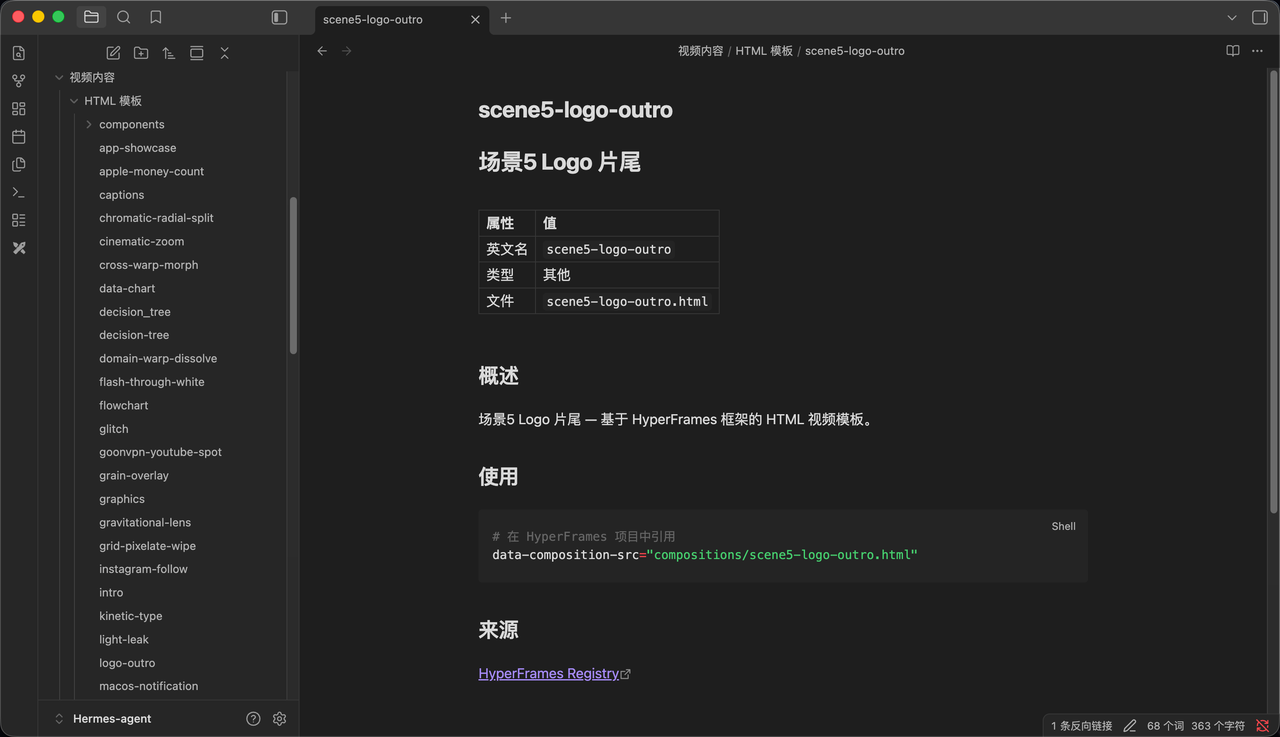 AI Visual Insight: The image shows a HyperFrames template or component catalog, indicating that its capabilities have already been modularized. Users do not need to understand the underlying rendering system to generate structurally complete video projects quickly through templates.
The Truly Scarce Advantage Is Moving Toward Taste and Direction
When knowing how to make a video is no longer rare, the scarce skill becomes knowing what is worth making. The most valuable people will not be those who can drag clips on a timeline, but those who can define a clear visual reference, understand color psychology, and control the rhythm of information.
Developers Should Evaluate HyperFrames Based on Workflow Goals
If your goal is to let agents automatically generate marketing videos, data shorts, demo content, or web-to-video assets, HyperFrames is a high-leverage option. It is especially well suited to content pipelines that must be reproducible, scalable, and scriptable.
If your project depends heavily on complex component logic, reuse from the React ecosystem, or highly granular interactive motion, Remotion still has clear advantages. But in AI-native creative workflows, HyperFrames is lighter, faster, and more aligned with the future direction of tools designed for agents.
FAQ
1. What scenarios is HyperFrames best suited for?
It works best for brand bumpers, product explainers, data animations, web-to-video conversion, and social media intros or outros. These scenarios have clear structure and shorter duration, which makes them a strong fit for rapid expression through HTML plus timeline attributes.
2. Why is it better suited to AI agents than traditional video frameworks?
Because AI is naturally good at generating HTML and CSS. It does not need to learn React, JSX, or complex engineering configuration first. An agent can go directly from prompt to renderable page, which reduces translation overhead in the workflow.
3. Will it replace video editing software?
Not completely. But it will significantly replace standardized, template-driven, short-form video production tasks. For high-frequency promotional content, it behaves more like an automated video engine. For film-grade creative work, traditional professional tools are still necessary.
Core takeaway: HyperFrames maps “writing a web page” directly to “making a video.” AI generates the HTML, and the CLI renders a reproducible MP4. This article explained its workflow, its differences from Remotion, its Skills ecosystem, and its impact on the barrier to content production.