This article focuses on Kubernetes Ingress as the cluster’s external traffic management layer. It explains how Ingress routes requests to backend Services by domain and path, and shows how to deploy, validate, and troubleshoot ingress-nginx. The goal is to address the coarse-grained exposure model of Service and its lack of Layer 7 routing capabilities. Keywords: Kubernetes, Ingress, ingress-nginx.
Technical Specification Snapshot
| Parameter | Description |
|---|---|
| Core topic | Kubernetes Ingress and Ingress Controller |
| Languages | YAML, Bash |
| Network layer | L7 application-layer routing |
| Supported protocols | HTTP, HTTPS |
| Controller implementation | ingress-nginx |
| Example Kubernetes version | 1.20.10 |
| Example controller version | v1.3.1 |
| GitHub stars | Not provided in the source. Refer to the live GitHub page for kubernetes/ingress-nginx. |
| Core dependencies | CoreDNS, Service, Deployment, IngressClass |
Ingress Is Kubernetes’ Layer 7 Entry Abstraction
Ingress is a Kubernetes API object used to manage HTTP/HTTPS access from outside the cluster to internal services. It does not forward traffic by itself. Instead, it describes where requests should go.
Service, by contrast, handles in-cluster service discovery and Layer 4 load balancing. The two are not alternatives. They divide responsibilities: Service manages internal connectivity, while Ingress manages the external entry point.
Ingress Solves Shared Entry and Fine-Grained Routing Problems
When multiple services need to share the same entry IP or domain, Ingress can route traffic to different Services by Host or Path. It also supports TLS termination, virtual hosts, and centralized reverse proxy rule management.
kubectl get svc
kubectl get ingress
kubectl get ingressclass
# Check services, ingress rules, and ingress controller classes
These commands provide a quick way to confirm whether the cluster already has the basic Ingress-related resources.
Ingress and an Ingress Controller Must Exist Together
Ingress is declarative configuration. The Ingress Controller is the actual execution engine. Without a controller, Ingress is only a static rule definition. Without Ingress, the controller has no routing intent to apply.
You can think of Ingress as a routing specification, and the controller as the runtime component that reads the specification and turns it into proxy behavior. In production, the most common implementation is ingress-nginx.
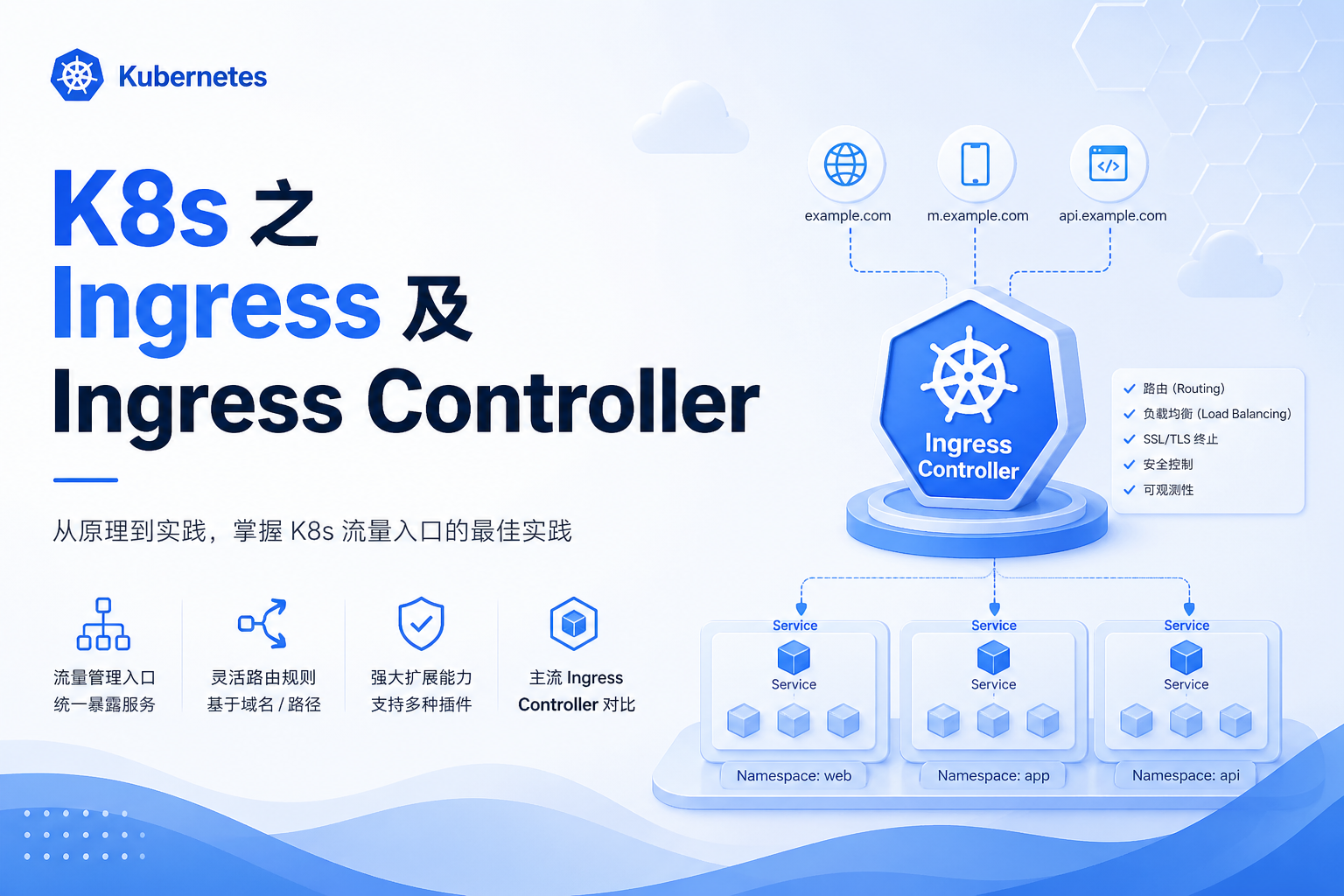 AI Visual Insight: This diagram shows a guided structural view of the Ingress topic. Its core intent is typically to illustrate that external traffic first enters the Ingress Controller, then gets forwarded to backend Services or Pods based on routing rules, emphasizing its architectural role at the north-south traffic entry point of the cluster.
The Differences Between Four Exposure Models Matter
ClusterIP is internal-only. NodePort exposes a port directly on each node. LoadBalancer depends on cloud provider integrations. Ingress provides a unified Layer 7 entry point with domain-based routing, path-based routing, and TLS support.
In production, if multiple web services need to share one entry point and support HTTPS, Ingress is usually a better choice than exposing multiple NodePorts individually.
ingress-nginx Makes It Easy to Implement Ingress Capabilities
The source example uses Kubernetes 1.20.10 with ingress-nginx v1.3.1. This version alignment matters. A mismatched combination can easily cause issues with webhooks, API fields, or image compatibility.
Before deployment, make sure CoreDNS is healthy. Otherwise, Service name resolution will fail, and even if the controller starts successfully, it may still be unable to resolve backend services correctly.
Start by Downloading or Preparing the Official Deployment Manifest
wget https://raw.githubusercontent.com/kubernetes/ingress-nginx/controller-v1.3.1/deploy/static/provider/cloud/deploy.yaml
# Download the official ingress-nginx deployment file compatible with Kubernetes 1.20
This command retrieves the controller deployment YAML recommended by the official project.
If internet access is unavailable, you can also use an offline YAML file. However, you should carefully verify that objects such as image versions, RBAC, IngressClass, and Admission Webhook resources are complete.
kubectl apply -f ingress-nginx-1.3.1.yaml
# Install the ingress-nginx controller and its dependent resources
This command creates the controller, Service, RBAC, and Webhook resources in one step.
Validating Controller Status Is the First Deployment Checkpoint
After installation, first verify that the ingress-nginx-controller Pod is in the 1/1 Running state and confirm that the IngressClass has been created. It is normal for the two admission-related Jobs to complete and remain in a non-running state afterward.
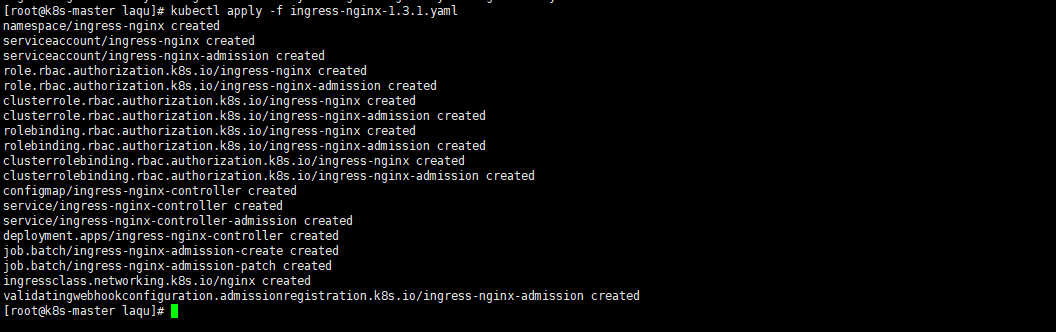 AI Visual Insight: This image shows the resource creation results after
 kubectl apply. It typically includes per-object creation feedback for Namespace, ServiceAccount, Role, ClusterRole, Deployment, Service, and IngressClass, which helps confirm that the controller manifest was accepted successfully by the API server.
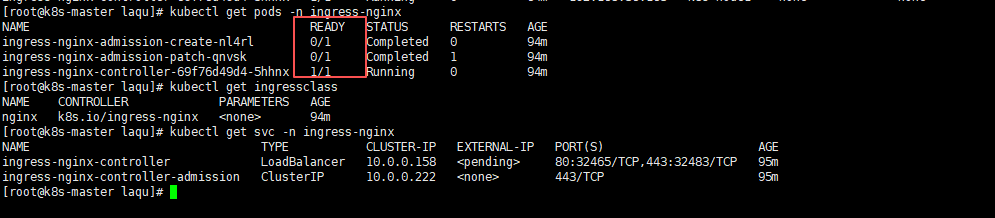 AI Visual Insight: This image shows the status check results for Pods and Services in the ingress-nginx namespace. Key details usually include the controller Pod runtime state, admission Job completion status, and the exposure type and external ports of the
 ingress-nginx-controller Service.
In Non-Cloud Environments, You Often Need to Change the Service Type to NodePort
If no cloud load balancer is available, change the ingress-nginx-controller Service from LoadBalancer to NodePort so that you can access it through a node IP and port.
kubectl patch svc ingress-nginx-controller -n ingress-nginx -p '{"spec":{"type":"NodePort"}}'
# Change the controller Service to NodePort for node IP-based access

kubectl patch svc ingress-nginx-controller -n ingress-nginx -p '{"spec":{"externalTrafficPolicy":"Cluster"}}'
# Allow any cluster node to receive and forward ingress traffic
These two commands switch the exposure model and adjust the cross-node traffic forwarding policy.
You Must Bind Ingress Rules to the Correct Service
The three most critical Ingress-related fields are namespace, service.name, and service.port. If any one of them does not match, you can easily end up with a 404 or 503.
It is a good practice to set ingressClassName: nginx explicitly, especially when multiple controllers exist in the cluster. This avoids ambiguity about which controller should own the route.
A Minimal Ingress Example Is Enough to Validate the Request Path
apiVersion: networking.k8s.io/v1
kind: Ingress
metadata:
  name: test-load
  namespace: default
spec:
  ingressClassName: nginx  # Handled by the nginx controller
  rules:
    - http:
        paths:
          - path: /
            pathType: Prefix  # Match all requests starting with /
            backend:
              service:
                name: test-service  # Forward to the backend Service
                port:
                  number: 80
This Ingress forwards requests for the root path to test-service:80 in the default namespace.
If you need multi-service traffic splitting, you can add path rules such as /app1 and /app2. Prefix works well for most prefix-based routing scenarios, while Exact is more appropriate for strict matching.
Backend Application and Service Labels Must Form a Closed Loop
To make Ingress return an actual application page, you also need a Deployment and a Service. The Deployment starts the Nginx Pod, and the Service forwards traffic to those Pods reliably.
apiVersion: apps/v1
kind: Deployment
metadata:
  name: nginx-deployment
  namespace: default
spec:
  replicas: 1
  selector:
    matchLabels:
      app: nginx
  template:
    metadata:
      labels:
        app: nginx
    spec:
      containers:
        - name: nginx
          image: nginx:1.24.0
          ports:
            - containerPort: 80  # The container listens on port 80
---
apiVersion: v1
kind: Service
metadata:
  name: test-service
  namespace: default
spec:
  selector:
    app: nginx  # Must match the Pod label
  ports:
    - port: 80
      targetPort: 80  # Forward to the container's actual listening port
This YAML creates the minimum working forwarding chain between Pod, Service, and Ingress.
 AI Visual Insight: This image shows the query result after the Ingress resource is created. It typically displays the Ingress name, Class, Host, Address, Ports, and Age, which helps confirm that the rule was accepted by the API server and associated with the correct
 nginx IngressClass.
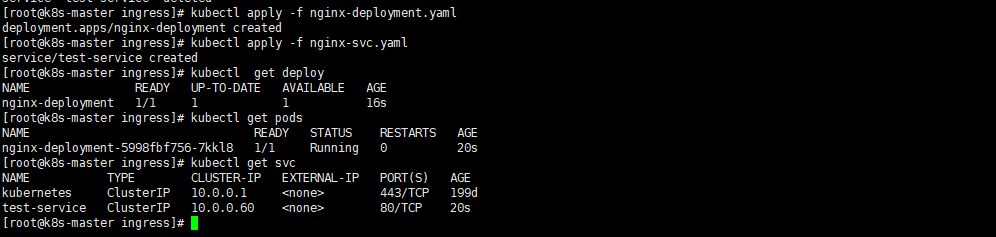 AI Visual Insight: This image shows the runtime status of the backend Nginx Deployment, Pod, and Service. Key details include Pod readiness, the Service ClusterIP, and exposed ports, which help verify that the backend is ready to receive traffic forwarded by Ingress.
A Returned Page Means the Layer 7 Request Path Is Working
If visiting NodeIP:NodePort returns the default Nginx page, the external request has successfully passed through the four-layer object chain: Ingress Controller, Ingress rule, Service, and Pod.
If the response is 404, the Ingress route likely did not match. If the response is 503, the Service usually has no available Endpoints.
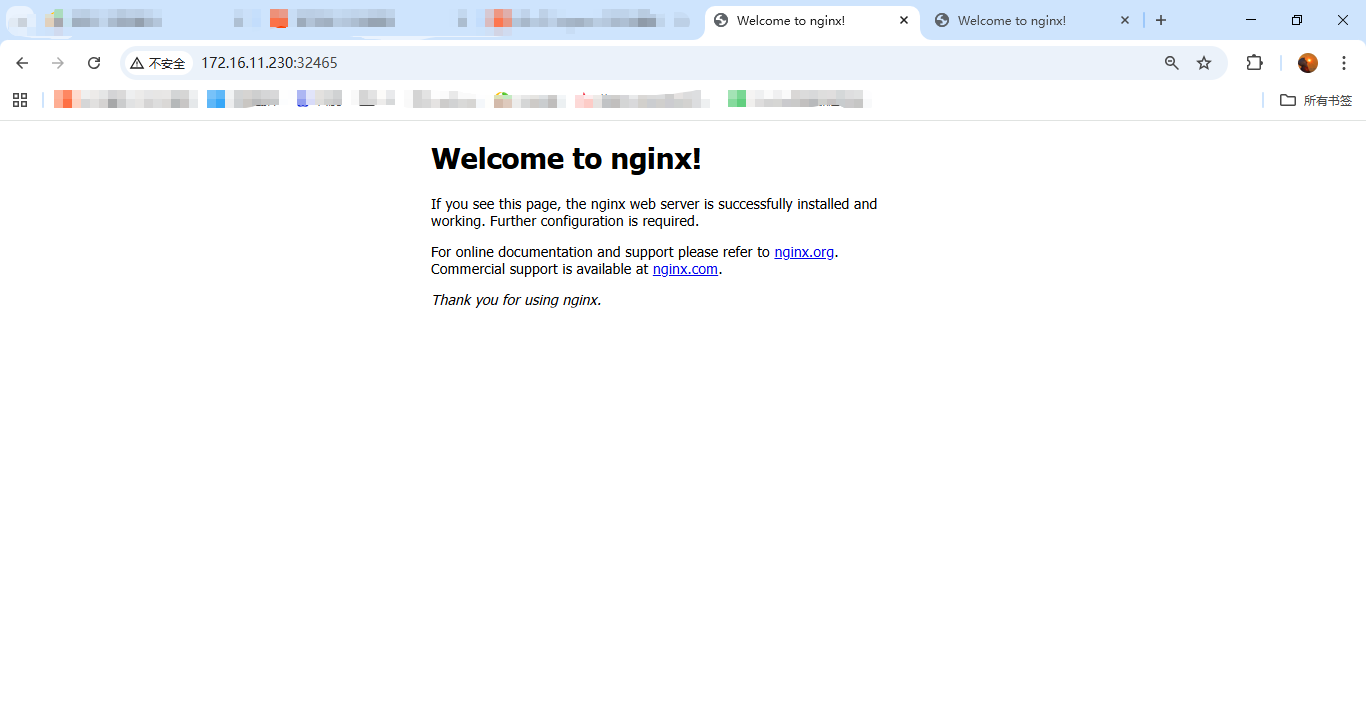 AI Visual Insight: This image shows the default Nginx welcome page returned after accessing the Ingress entry over HTTP, indicating that plaintext traffic successfully reached the controller and was forwarded correctly to the backend web service.
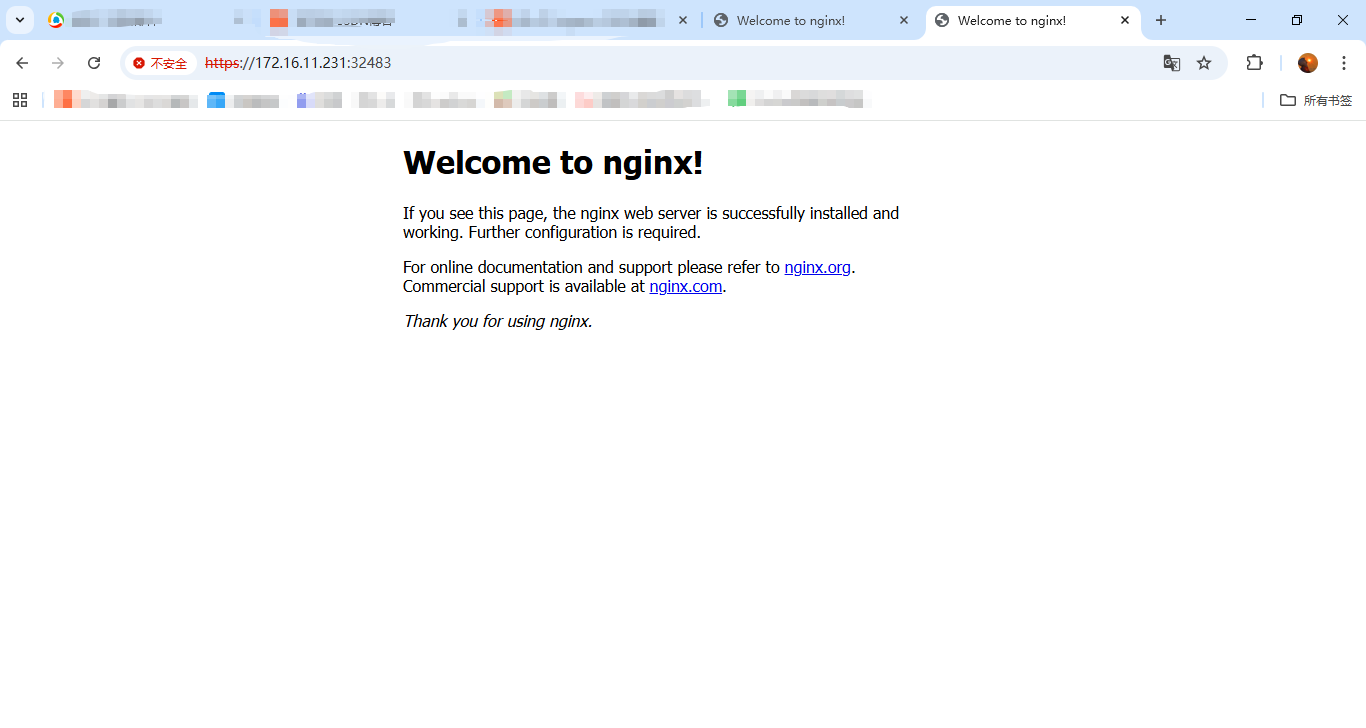 AI Visual Insight: This image shows the page result after accessing the entry over HTTPS. It indicates that the controller is listening on port 443 and processing TLS requests. If the page loads normally, the HTTPS ingress path is operational, although production environments should still use proper certificates.
You Can Infer the Failing Layer from Common Error Symptoms
- 404 Not Found: Check
host,path, andingressClassName - 503 Service Unavailable: Check whether the Service has available Endpoints
- 502 Bad Gateway: Check the container port and the application’s listening port
- Connection timeout: Check the controller Pod, NodePort, firewall rules, and security groups
Namespace and Port Mapping Are the Most Commonly Overlooked Details
Ingress cannot directly discover a Service across namespaces, so Ingress.metadata.namespace and Service.metadata.namespace must match. Also, the port specified in Ingress is the Service port, not the container’s containerPort.
A reliable troubleshooting flow is to inspect Ingress first, then Service, then Endpoints, and finally Pod logs and the container’s listening port.
kubectl get ingress
kubectl get svc
kubectl get endpoints
kubectl describe ingress test-load
# Troubleshoot in order: ingress, service, endpoints, then detailed events
These commands work well as a standardized starting point for Ingress troubleshooting.
FAQ
FAQ 1: Why is the result still 404 even though the Ingress was created?
The route rule usually did not match. Check whether path, host, and ingressClassName align with the controller configuration, and confirm that your request is actually reaching ingress-nginx-controller.
FAQ 2: Why does it return 503 Service Unavailable?
The most common reason is that the Service is not associated with any Pods. Check whether the Service selector matches the Pod labels, and confirm that the Ingress, Service, and Deployment are all in the same namespace.
FAQ 3: In production, should I choose NodePort or LoadBalancer first?
In cloud environments, prefer LoadBalancer because it provides a more standard entry model. In on-premises or bare-metal environments, NodePort is common when combined with a reverse proxy or an external load balancer. If you need domain-based routing, TLS, and multi-path forwarding, the real core remains Ingress plus a controller.
Core Summary
This article systematically reconstructs the core concepts of Kubernetes Ingress and Ingress Controller, including deployment workflow, route definition, and troubleshooting methods. It focuses on the relationship between Ingress, Service, and the controller, and shows how to use ingress-nginx to quickly enable external HTTP/HTTPS access to services running inside the cluster.