This article refactors a Pomodoro timer and countdown case study with Flutter for OpenHarmony. Its core value lies in building a HarmonyOS productivity tool with a single Dart codebase while addressing timer accuracy, animation smoothness, and device adaptation. Keywords: Flutter for OpenHarmony, Pomodoro Timer, Countdown.
The technical specification snapshot outlines the implementation baseline
| Parameter | Description |
|---|---|
| Development Language | Dart |
| UI Framework | Flutter |
| Target Platform | OpenHarmony / HarmonyOS devices |
| Core Protocol | Not specified in the article; the original content follows CC 4.0 BY-SA |
| Star Count | Not provided in the original content |
| Core Dependencies | flutter/material.dart, dart:async, percent_indicator |
| Typical Capabilities | Timer scheduling, state management, circular progress animation, input interaction |
This feature set serves as a high-frequency template for validating Flutter cross-platform timing capabilities
Both the Pomodoro timer and countdown are lightweight, strongly state-driven utility components. They demand high reliability in per-second accuracy, UI refresh frequency, pause-and-resume behavior, and device adaptation stability, which makes them ideal for validating the practicality of Flutter for OpenHarmony.
The value of the original case does not come from complex architecture. Instead, it proves that developers can keep using the familiar Dart and Flutter component model, without switching to ArkTS or maintaining separate logic for two platforms, and still deliver a working productivity tool on HarmonyOS devices.
The two features validate different engineering goals
The Pomodoro timer validates fixed durations, mode switching, and animated feedback. The countdown validates user input, dynamic duration initialization, and completion alerts. Together, they cover the minimum viable loop for time-management applications.
const int focusMinutes = 25;
const int breakMinutes = 5;

// Fixed duration configuration for Pomodoro mode
final int focusSeconds = focusMinutes * 60;
final int breakSeconds = breakMinutes * 60;
This configuration moves business rules into constants up front and reduces the risk of hard-coded timing logic.
The Pomodoro implementation uses the classic structure of a timer plus state transitions
The core state of the Pomodoro page includes total duration, remaining time, current mode, and running state. By triggering a refresh every second with Timer.periodic and updating the text and progress bar through setState, the implementation forms a complete timing loop.
There are two key points. First, remainingSeconds must decrement consistently. Second, when the timer reaches zero, the app must automatically switch between focus and break modes. The implementation is direct, readable, and easy for beginners to reuse.
The core Pomodoro logic lies in flipping the mode
void switchMode() {
  setState(() {
    isWorking = !isWorking; // Toggle between focus and break modes
    remainingSeconds = isWorking ? focusTime * 60 : restTime * 60; // Reset seconds based on the active mode
    totalSeconds = remainingSeconds; // Keep total duration in sync for correct progress calculation
  });
}
This code rebuilds the next cycle after the timer reaches zero, which is critical to maintaining a continuous Pomodoro experience.
The circular progress animation makes timer status more immediately perceivable
The original case uses percent_indicator to build a circular progress UI and calculates the percentage with 1 - (remainingSeconds / totalSeconds). This expression is simple and effective, mapping discrete per-second changes into continuous visual feedback.
For productivity tools, animation is not decoration. It externalizes state. Users do not need to constantly read the numbers because they can understand the remaining task time from the shrinking progress ring, which directly improves interaction efficiency.
CircularPercentIndicator(
  radius: 130,
  lineWidth: 15,
  percent: 1 - (remainingSeconds / totalSeconds), // The less time remains, the closer the progress is to completion
  progressColor: isWorking ? Colors.red : Colors.green, // Use different semantic colors for different modes
  center: Text(timeText),
)
This UI code converts timer state into visual feedback and strengthens the user’s perception of the focus phase.
The custom countdown implementation fills the need for flexible input scenarios
Unlike the Pomodoro timer, the countdown does not preset a duration. It reads the number of minutes from an input field and then converts it into total seconds. That makes it better suited for dynamic scenarios such as workouts, cooking, and study reminders, while also placing higher demands on input validation and state initialization.
In the original implementation, int.tryParse handles input conversion. This is both correct and necessary as a defensive programming pattern. If the input is invalid or less than or equal to zero, the function returns immediately and prevents an invalid timer from starting.
The countdown start logic must validate input first
void startCountdown() {
  final int minutes = int.tryParse(_controller.text) ?? 0;
  if (minutes <= 0) return; // Reject invalid input immediately

  setState(() {
    _totalSeconds = minutes * 60; // Initialize the total duration
    _remaining = _totalSeconds; // Sync the remaining duration
    _isRunning = true;
  });
}
The key value of this startup logic is that it guarantees valid input before entering the timer state machine.
Real-device validation on HarmonyOS shows that this approach has practical delivery value
The original article reports test results across several dimensions: no skipped seconds, responsive buttons, smooth circular animation, no layout blocking on full-screen devices, and stable long-running behavior. These indicators show that the solution does more than simply run. It already provides a quality baseline close to a production app.
For Flutter for OpenHarmony, the most important signal is that native code is not required in this scenario. For most utility applications, as long as the business logic stays focused on UI, Timer, and basic interaction layers, pure Flutter is enough to support the first delivery phase.
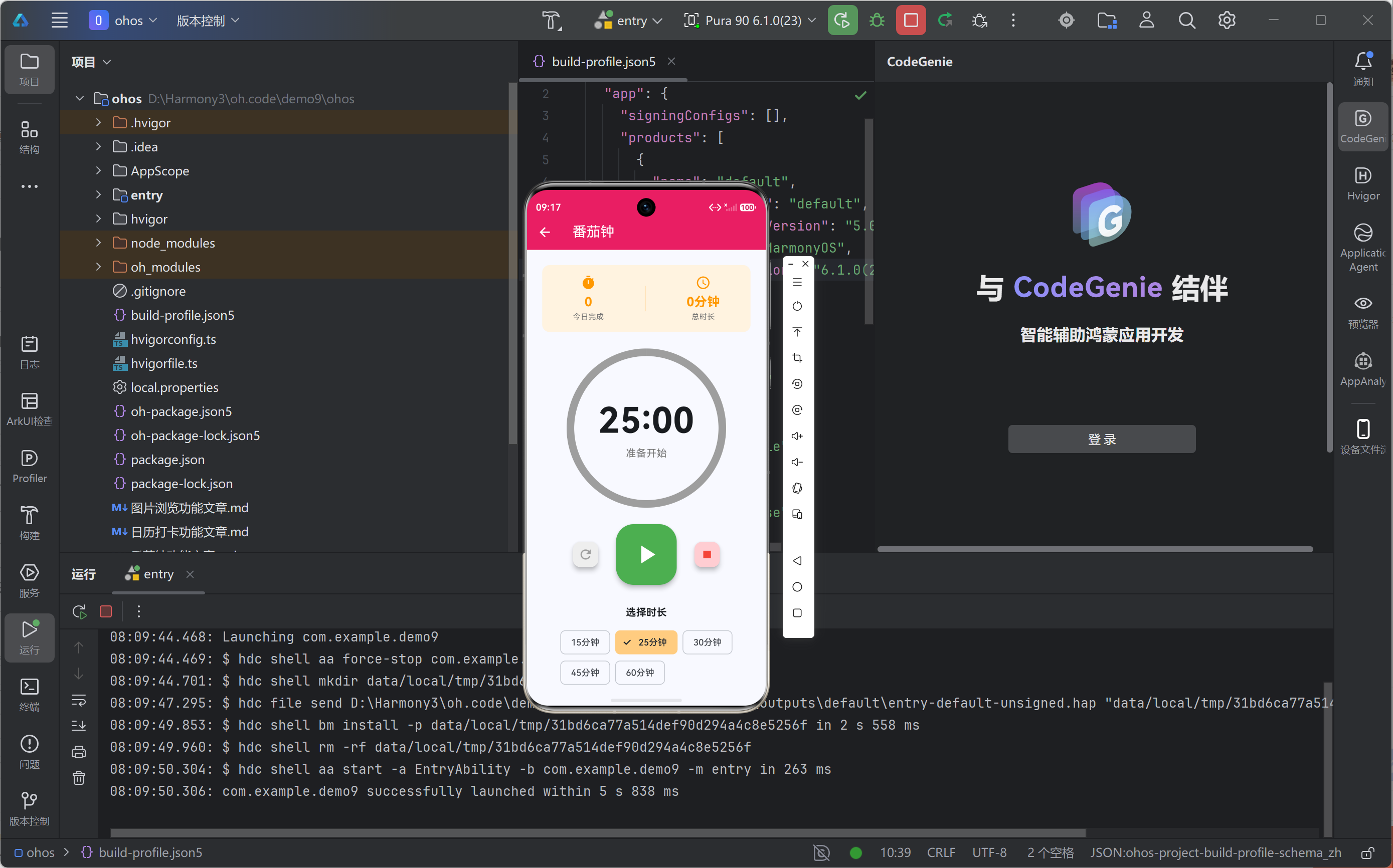 AI Visual Insight: The image shows a running countdown interface on a HarmonyOS device. The main layout includes a top app bar, a large central time display, an input field, and action buttons. The vertically centered layout suggests that the implementation prioritizes a focused single-task experience. From the control arrangement, the three-layer structure of input, display, and control is clear, which helps maintain a low learning curve and high tap accuracy on full-screen smartphone displays.
Real-device adaptation concerns should be addressed at the component selection stage
@override
void dispose() {
  _timer?.cancel(); // Release the timer before the page is destroyed to avoid memory leaks
  _controller.dispose(); // Release the input controller resources
  super.dispose();
}
This cleanup code prevents background timing tasks from lingering after the page exits and helps ensure runtime stability.
This implementation still has three clear directions for enhancement
First, background persistence. The current logic mainly depends on in-memory page state, so the timer context may be lost if the system reclaims the app. Second, notification capabilities. Sound, vibration, and notification alerts can significantly improve the completeness of the tool. Third, theme adaptation. Dark mode support and unified state colors would improve visual consistency on HarmonyOS devices.
If you want to evolve the sample into a product, add a state-management and persistence layer next. For example, use Provider, Riverpod, or BLoC to manage timing state, and pair that with local storage to record the start time, active mode, and task history.
An example of extensible completion logic
void onCountdownFinished() {
  _timer?.cancel(); // Stop the timer first to avoid repeated triggers
  setState(() => _isRunning = false);
  showFinishDialog(); // Show a completion prompt to provide explicit feedback
}
This logic consolidates countdown completion events into one place, making it easier to integrate ringtones, notifications, or analytics modules later.
The conclusion is that Flutter for OpenHarmony is already sufficient for the first release of lightweight productivity apps
This Pomodoro timer and countdown case study shows that Flutter for OpenHarmony already has solid engineering viability in timer accuracy, component reuse, animation quality, and device adaptation. For Flutter developers who want to enter the HarmonyOS ecosystem quickly, this is a practical path with low migration cost and high validation value.
More importantly, this type of case is naturally suited to serve as a benchmark for cross-platform capability. The logic is simple, but the implementation is sensitive to stability. If this class of utility app can be delivered reliably, expanding into scenarios such as note-taking, study tools, and habit tracking becomes much easier.
FAQ
Q: Why is a Pomodoro timer better suited to fixed constants instead of dynamic input?
A: A Pomodoro timer is fundamentally a standardized focus workflow. A fixed 25/5-minute setup simplifies state transitions and interaction paths while matching user expectations for the Pomodoro Technique.
Q: Is Flutter’s Timer stable enough on OpenHarmony?
A: Based on the real-device results in the original case, per-second refreshes, pause-and-resume behavior, and long-running execution all remain stable, making it suitable as the foundation for lightweight time-management features.
Q: If I want to turn this sample into a production app, what should I add first?
A: Prioritize background persistence, completion alerts, and state management. These three areas directly determine the reliability and completeness of a timing tool in real-world usage.
Core summary
This article reconstructs a practical productivity-tool case built with Flutter for OpenHarmony, focusing on two core features: a Pomodoro timer and a custom countdown. It explains Timer-based scheduling, state transitions, circular progress animation, HarmonyOS real-device adaptation, and future extension paths. It is especially useful for developers who want to quickly ship HarmonyOS productivity apps with a single Dart codebase.