Git Worktree lets a single Git repository expose multiple independent working directories. It is especially useful for parallel AI development because it solves the common problems of code overwrites and hard-to-merge duplicated repositories. This guide explains the underlying model, core commands, and merge workflow. Keywords: Git Worktree, AI programming, parallel development.
Technical Specifications at a Glance
| Parameter | Description |
|---|---|
| Core topic | Using Git Worktree in AI parallel development |
| Language | Shell / Git CLI |
| Protocol | Based on Git branches and local repository mechanics |
| Stars | Not provided in the source article |
| Core dependencies | Git, branching model, optional Cursor Parallel Agents |
Git Worktree eliminates collaboration conflicts in multi-AI development
In AI programming workflows, the most common problem is not that AI cannot generate code. The real problem appears when multiple AI agents modify the same project at the same time and overwrite each other in a shared workspace, which leads to file chaos and hard-to-track commits.
Manually copying a project folder three times may seem like a way to isolate tasks, but the cost is high. Each copy carries its own history, wastes disk space, and requires manual comparison and code transfer. In the end, merge efficiency becomes very low.
Multi-AI parallel development has recurring pain points
 AI Visual Insight: The image shows a food delivery project split into multiple feature modules such as the homepage merchant list, search, and user profile. This illustrates that the work is naturally parallelizable across multiple AI agents, while also highlighting the need for isolation and structured merging later.
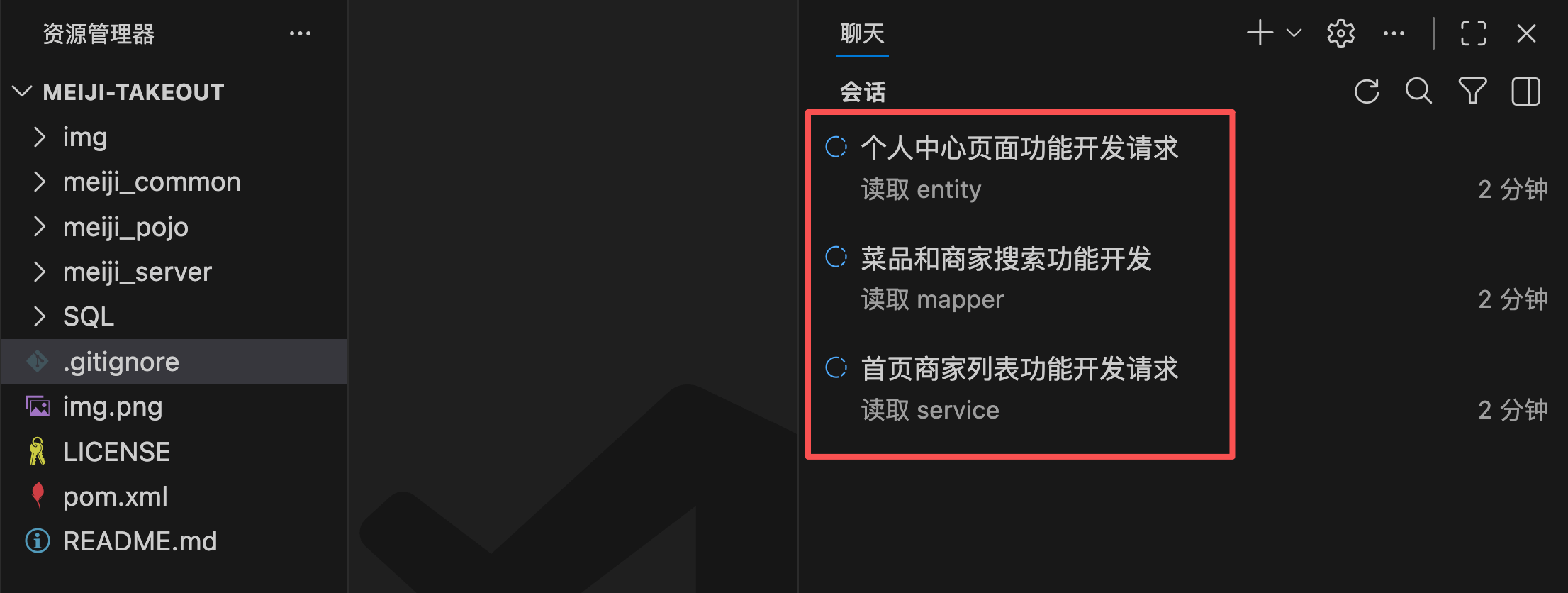 AI Visual Insight: The image emphasizes a workflow where several AI assistants operate concurrently on the same project directory. This can improve throughput, but if they share one workspace, file write conflicts and context contamination become very likely.
# Letting multiple AI agents modify the same directory at once can easily cause overwrites
# The problem is not the number of AI agents, but the lack of workspace isolation
main-project/
├── src/
├── package.json
└── .git/
This structure shows that when multiple AI agents share the same working directory, they compete to modify the same set of files.
Git Worktree maps one repository to multiple working directories
Git is a version control system that records code history and uses branches to isolate people, tasks, and parallel lines of development. Worktree builds on that model by adding the ability to use one repository with multiple working directories.
By default, a Git repository typically has only one active working directory, so at any given time it is convenient to stay on only one branch. Switching branches often requires handling uncommitted changes first before moving into another task context.
Worktree is not the same as manually copying folders
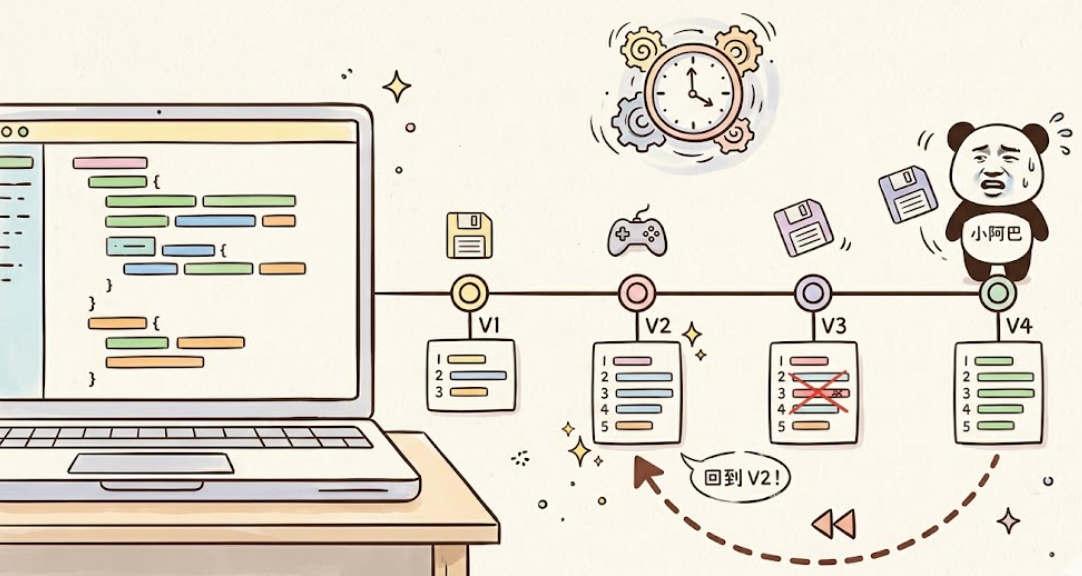 AI Visual Insight: The image uses the metaphor of a time machine to explain Git’s version management model. The key point is that commit history forms restorable snapshots, which provide the foundation for parallel branches, rollbacks, and safe merges.
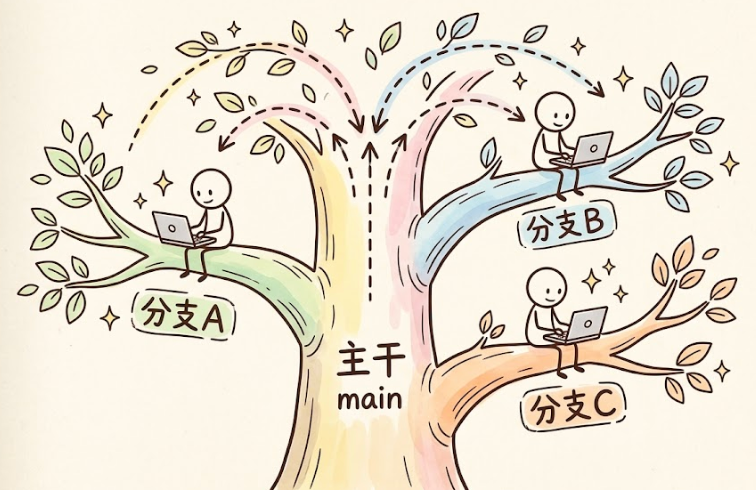 AI Visual Insight: The image shows the mainline evolving alongside multiple branches in parallel. It demonstrates that multi-person or multi-task development depends on branch isolation, and Worktree extends this branch model with multiple working directories.
 AI Visual Insight: The image shows how a single repository can map to multiple working directories, each bound to a different branch. This makes it well suited to separate AI agents, each with its own context and file modification scope.
Worktree directories are not full copies of the repository. They share the same .git metadata. You can think of them as multiple branches of the same tree, while the root remains one.
# List all worktrees in the current repository
git worktree list

# The output shows which branch is attached to each directory
# This helps you confirm which feature each AI agent is handling
This command inventories your worktrees and serves as one of the most important status checkpoints in a parallel development workflow.
Splitting AI coding tasks with Git Worktree is an efficient strategy
Suppose you are building a food delivery project and need to implement the homepage merchant list, search, and user profile at the same time. The most reasonable approach is not to copy the project three times, but to create three worktrees from the main repository.
The standard workflow creates three independent worktrees
# Run in the main repository and create three feature branches with matching worktrees
git worktree add -b feat/shop-list ../feat-homepage
git worktree add -b feat/search ../feat-search
git worktree add -b feat/user-profile ../feat-profile
These commands create new branches and bind each one to a dedicated directory in a single step, so every AI agent can complete one task in its own isolated workspace.
After creation, the directory structure typically looks like this:
# One repository, multiple working directories
/projects/
├── meiji-takeout/   # Main repository, usually on the main branch
├── feat-homepage/   # Homepage merchant list branch
├── feat-search/     # Search feature branch
└── feat-profile/    # User profile branch
This means your task breakdown has shifted from multiple people fighting over one desk to each AI agent having its own workstation.
Cursor Parallel Agents make Worktree fit AI-native workflows even better
AI coding tools such as Cursor have started to support Worktree mode natively. Their value is not to replace Git, but to automate worktree creation, agent isolation, and merge assistance.
That means a team can turn the model of one AI per worktree into a stable operating workflow and reduce the overhead of manually switching directories, switching branches, and preparing environments.
Effective parallel strategy should center on file boundaries
If the homepage list and search feature both need to modify the MerchantList component at the same time, they should not be assigned to two separate AI agents. A better approach is to divide work by module, page, or clearly defined file boundaries.
# Recommended task partitioning strategy
# 1. Assign an independent page to an independent AI agent
# 2. Keep shared components under the responsibility of only one AI agent when possible
# 3. Define boundaries first, then start parallel development
The key point here is simple: Worktree solves isolation problems, but it does not automatically fix poor task decomposition.
Worktree-based development still requires ordered branch merges
Each worktree is an independent directory, so after development finishes, you should commit code inside each worktree first and then return to the main repository to merge branches. This keeps commit history clean and makes conflict investigation easier.
The standard command chain covers commit and merge
# Commit code after entering a worktree directory
git add .
git commit -m "Complete homepage merchant list"

# Return to the main repository and merge feature branches in sequence
cd ../meiji-takeout
git merge feat/shop-list
git merge feat/search
git merge feat/user-profile
These commands create the full loop from isolated development to centralized integration, which is the core usage path of Git Worktree.
After the merge is complete, remove worktrees that are no longer needed to prevent directory sprawl and branch state confusion.
# Remove worktree directories that are no longer needed
git worktree remove ../feat-homepage
git worktree remove ../feat-search
git worktree remove ../feat-profile
This cleanup step keeps the main project directory tidy and maintainable.
Conflicts can still happen, but task design can reduce them significantly
Worktree does not eliminate Git conflicts. It moves the problem from silent overwrites during development to explicit conflicts during merge. That is a more controllable and more engineering-friendly way to handle collaboration.
If two AI agents modify the same file or even the same code block, Git may report a conflict during merge. At that point, you need to decide which logic to keep or how to reorganize the code.
Resolve merge conflicts by locating them first and deciding second
# Check repository status after a merge conflict
git status

# Open conflicted files and resolve the <<<<<<< ======= >>>>>>> markers
# Commit again after the conflict is resolved
git add .
git commit -m "Resolve merge conflict"
This workflow shows that conflicts are not the real problem. The important thing is to make them surface at a controlled merge point instead of allowing silent overwrites during development.
Git Worktree is a foundational skill worth prioritizing in the AI era
For individual developers, Worktree lets you drive multiple AI agents at the same time and significantly increase the speed of parallel feature delivery. For teams, it serves as an operational foundation for AI-native software development workflows.
Its real value is not just opening multiple directories. It creates a complete loop across branching, committing, merging, and cleanup, so AI-generated code becomes part of an engineering system that is traceable, reversible, and reviewable.
FAQ
1. What is the difference between Git Worktree and directly copying a project directory?
Copying directories creates multiple independent repositories or messy duplicates, which consume space and are difficult to merge. Worktree shares the same .git data and simply maps multiple working directories, so branch management and commit history stay unified by design.
2. Which AI coding scenarios are best suited to Git Worktree?
It is ideal for parallel feature development, multiple agents coding at the same time, and complex implementations that need context isolation. It works especially well in projects with clear boundaries across pages, modules, or services.
3. Can conflicts still happen after adopting Git Worktree?
Yes. If multiple AI agents modify the same file or region, merge conflicts can still occur. However, compared with directly overwriting one another in a shared workspace, Worktree makes conflicts appear later, easier to locate, and easier to resolve.
[AI Readability Summary]
This article systematically reconstructs the core concepts, suitable scenarios, and full operational workflow of Git Worktree, explaining why it works so well for multi-AI parallel development. It covers worktree creation, branch isolation, code commits, main branch merging, conflict avoidance, cleanup practices, and the integration value of Cursor Parallel Agents.