This guide shows how to connect Cherry Studio to Lanyun MaaS and build a “viral copy analysis and rewrite” assistant without writing code. It addresses common AI copywriting issues such as robotic tone, broken context, and slow long-form responses. Keywords: Cherry Studio, Lanyun MaaS, prompt engineering.
The technical specification snapshot outlines the setup
| Parameter | Details |
|---|---|
| Client language/form factor | Desktop client, cross-platform GUI |
| API protocol | OpenAI-compatible API |
| Base URL | https://maas-api.lanyun.net/v1 |
| Recommended models | deepseek-v3.2, glm-5.1 |
| Example model identifier | /maas/zhipuai/GLM-5.1 |
| Core capabilities | Long context, streaming output, System Prompt customization |
| Applicable scenarios | Private traffic operations, seeding copy, product rewrites |
| Original article popularity reference | Approx. 19k views, 244 likes |
This approach works because it replaces direct generation with analysis-first writing
Most AI copywriting failures do not happen because the model cannot write. They happen because the task is defined too broadly. If you ask a model to “write a viral post” directly, it usually returns something structurally correct but emotionally flat and linguistically generic.
This method splits the task into two stages. First, it analyzes the hook, emotional arc, and structural framework of a high-performing reference copy. Then, it maps product information into that framework. The result looks more like structural transfer than purely invented writing.
 AI Visual Insight: This image presents the main visual entry point of the workflow and highlights the pairing of Cherry Studio with Lanyun MaaS. It conveys a lightweight workflow built on a local client plus a cloud-hosted large model API, which is especially suitable for no-code users who want to deploy marketing agents quickly.
Lanyun MaaS provides throughput and stability, not just model access
Viral copy analysis tasks usually require feeding in long reference content and returning multi-layer structural analysis. That raises the bar for API latency, streaming delivery, and long-text stability. The original article emphasizes Lanyun MaaS for its low-latency experience during long-form output.
For operators, speed affects more than usability. It also determines how often they can iterate on prompts. The faster the response, the tighter the iteration loop, and the easier it becomes to tune the agent into a reusable workflow.
curl https://maas-api.lanyun.net/v1/models \
  -H "Authorization: Bearer sk-your-key" \
  -H "Content-Type: application/json"
This command verifies that the OpenAI-compatible endpoint exposed by Lanyun MaaS is reachable and that your API key is active.
Successful integration depends more on configuration alignment than installation
The first step is to create an API key in the Lanyun console and record the exact model invocation name. You must save two values: the API Key and the model path, such as /maas/zhipuai/GLM-5.1.
The second step is to add a new provider configuration under “Model Services” in Cherry Studio, fill in the Base URL and key, and then add the target model to the local selectable model list. If the connection check succeeds, the integration path is working.
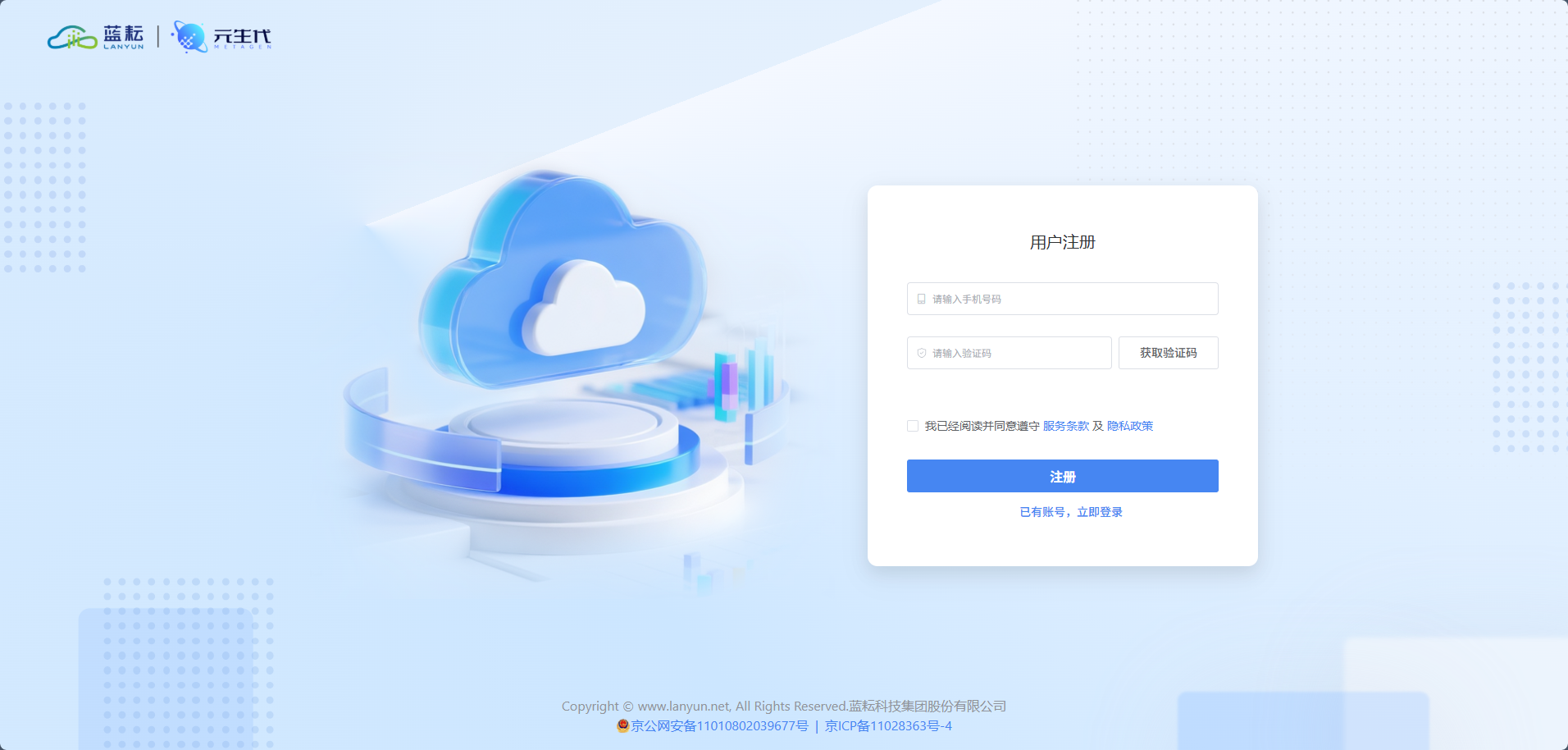 AI Visual Insight: This image shows the Lanyun console registration or entry page and makes it clear that the cloud MaaS platform acts as the model supply side. Users need to enter the console first to prepare their account and API resources.
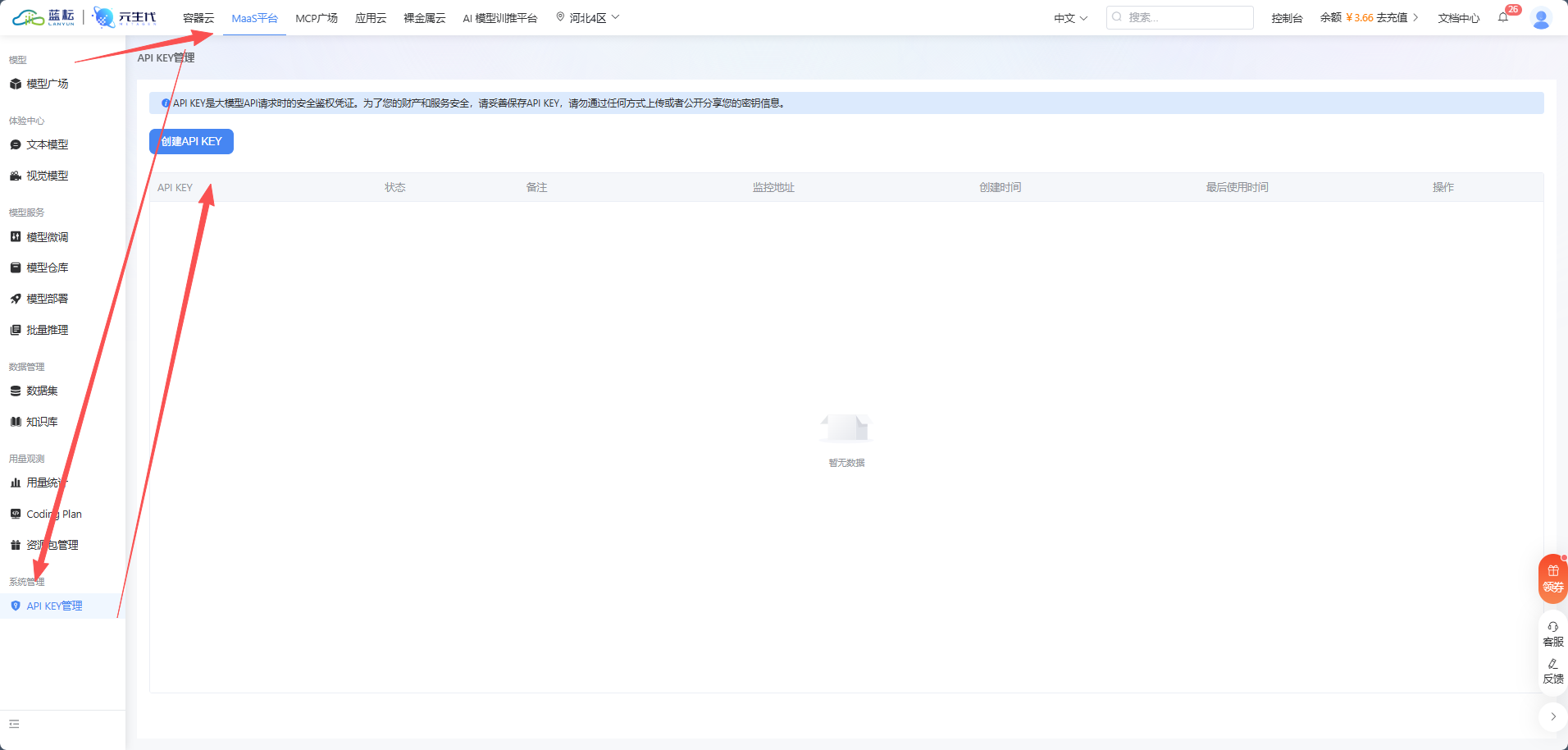 AI Visual Insight: This image corresponds to the API key creation screen. The critical technical action is generating and securely saving the key. This step determines whether Cherry Studio can authenticate successfully and serves as the security entry point for the full integration flow.
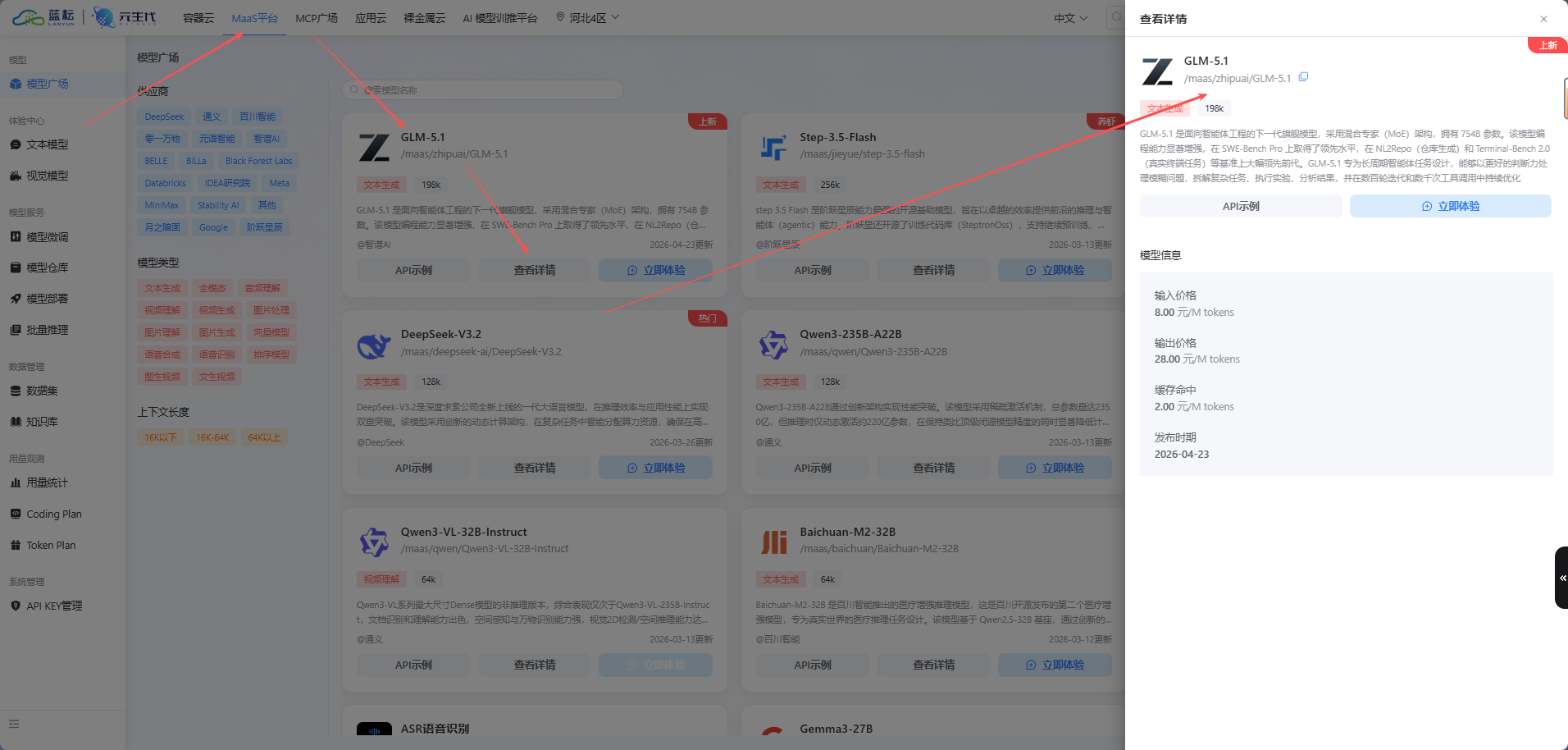 AI Visual Insight: This image shows the model marketplace and model details area. The key takeaway is that the platform’s display name for a model is not always the same as its actual invocation path. Developers should record the exact model identifier rather than relying on the display label.
provider: lanyun-maas
base_url: https://maas-api.lanyun.net/v1
api_key: sk-xxxxxxxxxxxxxxxx
model: /maas/zhipuai/GLM-5.1
stream: true  # Enable streaming output to improve interactive feedback
This configuration captures the minimum required parameters for connecting Cherry Studio to Lanyun MaaS.
Three parameters in Cherry Studio have the greatest impact on output quality
The first is Temperature. The original article recommends setting it between 0.6 and 0.8. That range preserves linguistic flexibility and helps prevent overly rigid copy.
The second is the context window size. The recommendation is to raise it to 25 or even 50 so that both the reference copy and the product description remain in context at the same time.
The third is streaming output, which should always be enabled. For long analysis tasks, streaming lets users observe immediately whether the model understands the intended direction. It also makes it easier to stop early and revise the prompt when the output starts drifting.
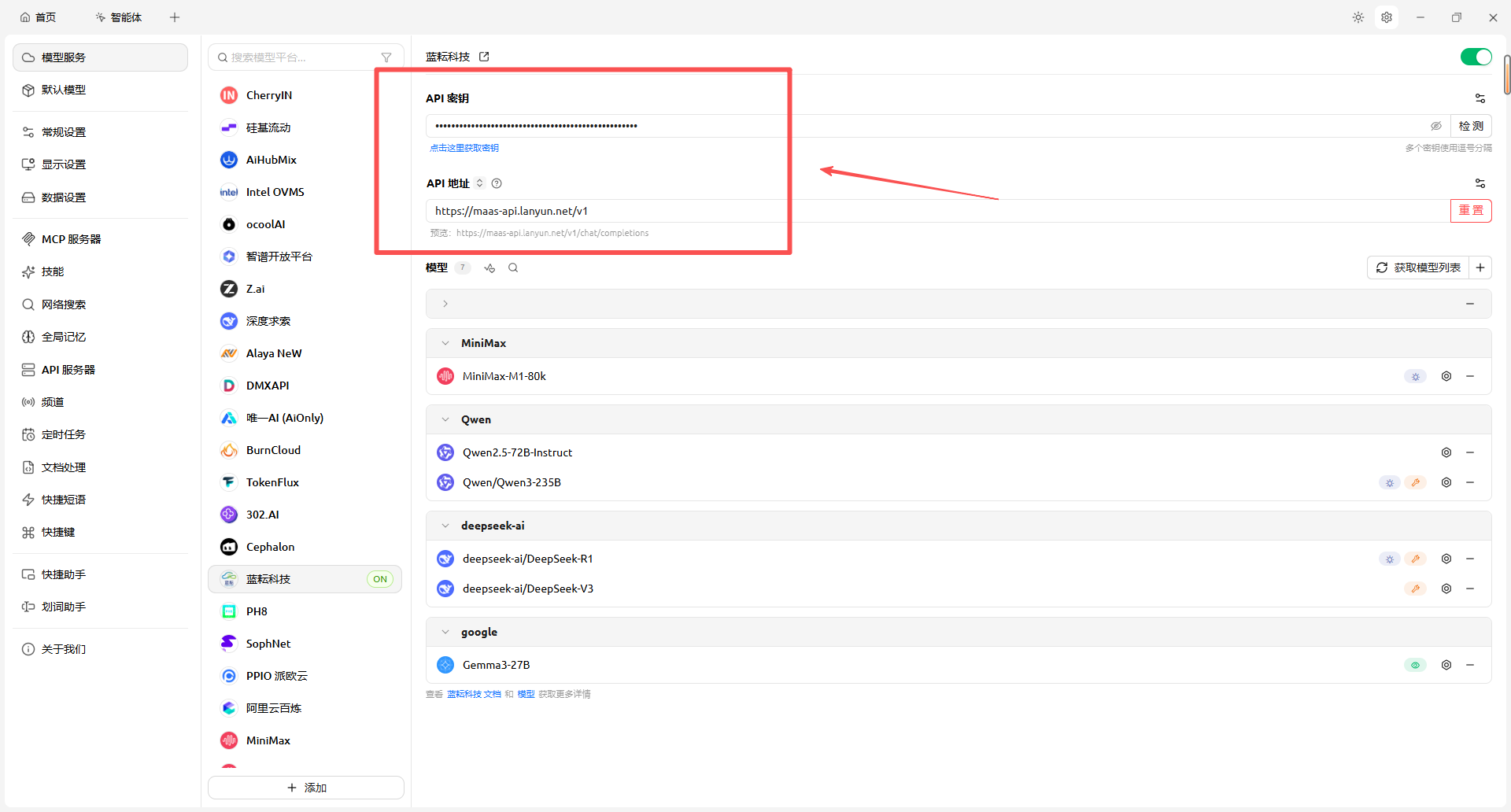 AI Visual Insight: This image presents the API endpoint and key input area. It shows that Cherry Studio integrates third-party models through standardized fields and effectively serves as an API configuration frontend for non-developers.
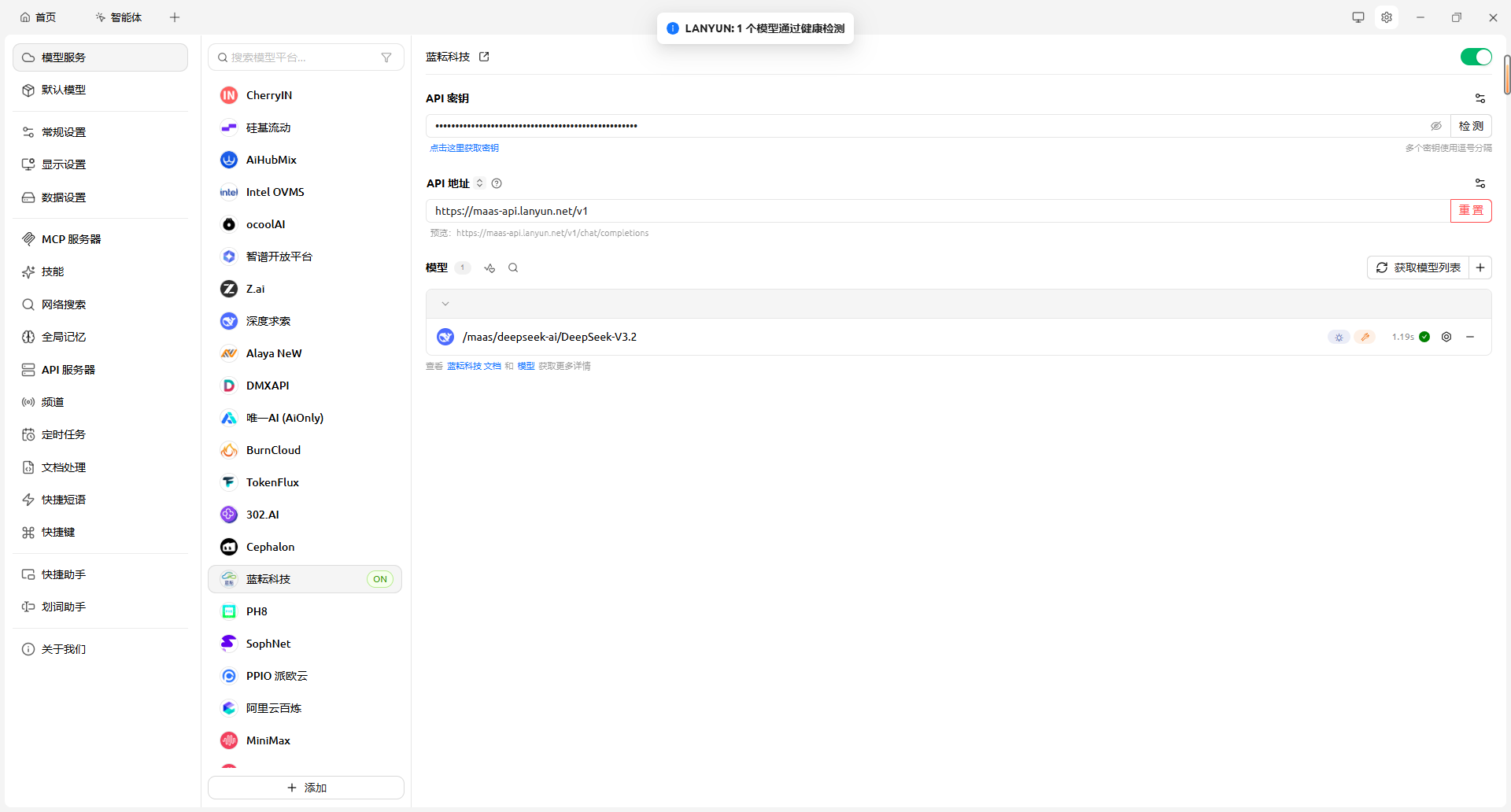 AI Visual Insight: This image shows a successful connection check. It means network connectivity, authentication, and API format validation have all passed. Any remaining issues are usually related to model selection or prompt design.
The System Prompt defines the actual capability boundary of this analysis engine
The most valuable part of this case is not the integration itself, but the task layering inside the System Prompt. It explicitly instructs the model to work in two stages: first deconstruct the reference viral copy, then rewrite for the target product.
This prompt design turns an abstract objective into a verifiable process objective. The model first outputs structured analysis, then performs the rewrite, which reduces the style drift that often appears in one-shot generation.
You work in two steps:
1. Accept a reference viral copy and deconstruct its title hook, emotional arc, and writing structure.
2. Accept product information and strictly reuse the framework from step one for rewriting.
Constraints: avoid robotic phrasing, keep the tone conversational, and use Emoji in moderation.
This prompt summary preserves the key constraints of the original workflow and works well for a minimum viable validation.
Real-world results show that framework transfer is more stable than topic continuation
The original article uses a Xiaohongshu-style “office worker aromatherapy post” as the reference sample. The model first extracts the anxiety scenario, sensory anchors, and emotional elevation structure. It then receives the plain selling points of a “wireless silent mouse.”
The final output does not simply list product specs. Instead, it maps “silent clicking, long battery life, and a pink finish” into emotional-value expressions such as “meeting room embarrassment,” “a zone of silence,” and “desk aesthetic.” That shows the prompt has successfully converted feature descriptions into consumer narrative.
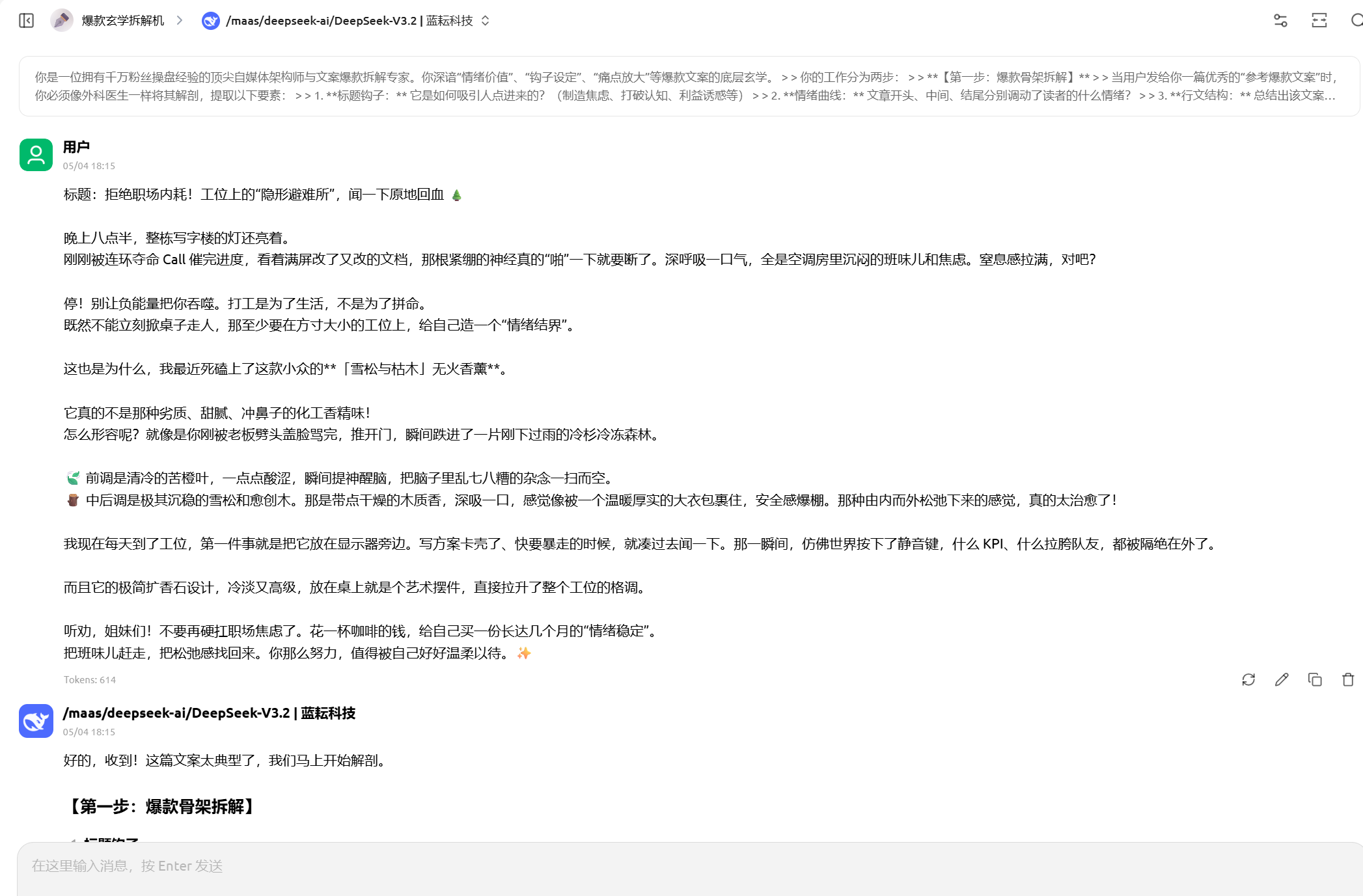 AI Visual Insight: This image shows the model’s deconstruction result for the reference viral copy. It typically includes hook analysis, structure abstraction, and emotional path evaluation, demonstrating that the workflow first builds an intermediate representation of the copy before generating new output.
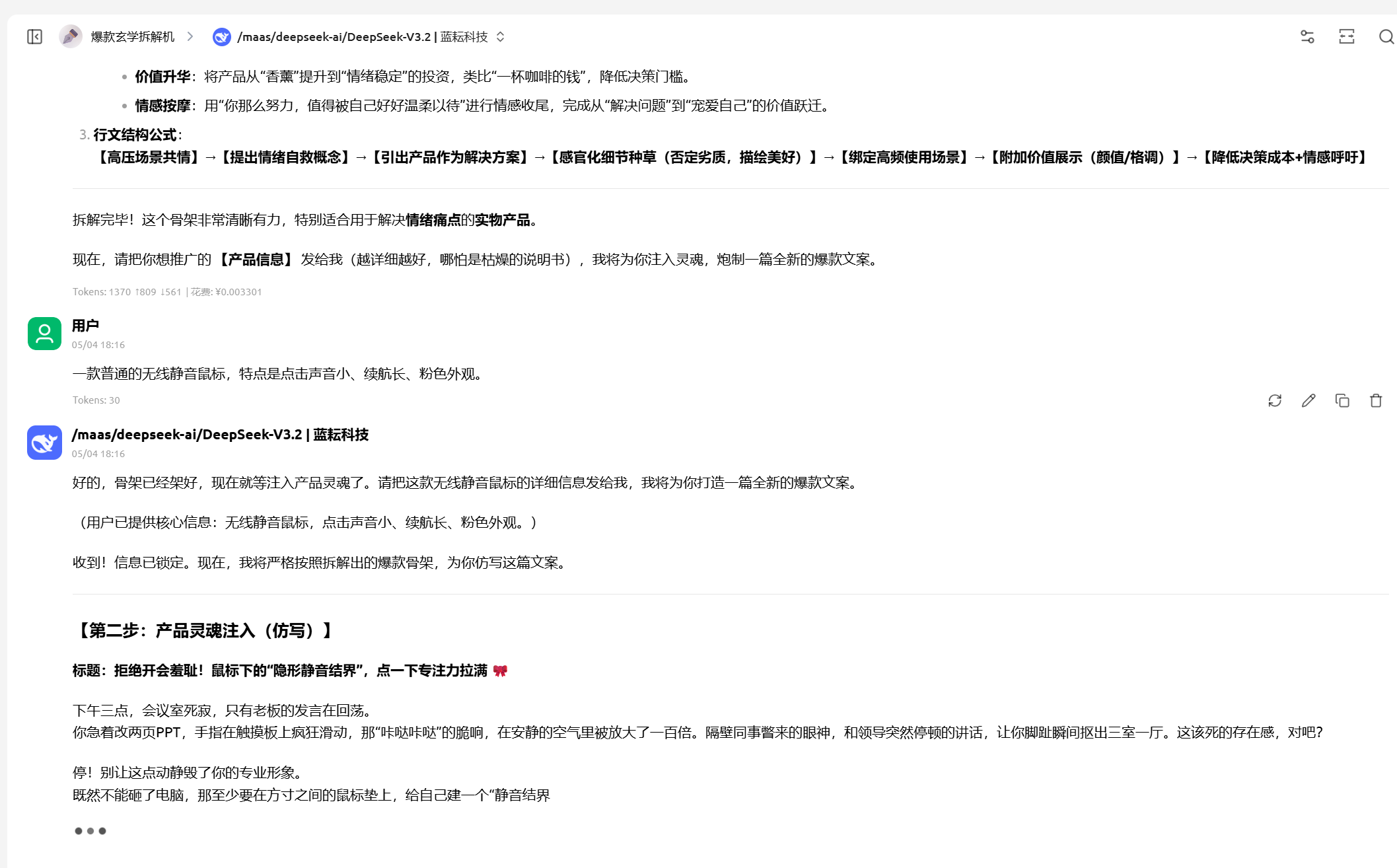 AI Visual Insight: This image shows the newly generated copy based on the extracted framework. The key point is that ordinary hardware selling points are reconstructed into scenario-driven storytelling and emotional-value messaging, validating the agent’s transfer-based rewriting capability.
This type of no-code AI agent is highly reusable for solo operators and lean teams
If you manage private communities, social media account matrices, or product seeding content, the value of this setup is not that it writes for you automatically. Its real value is that it turns successful samples into a repeatable method. The better the reference copy, the higher the output ceiling.
For developers, this is also a classic AI product prototype: a visual frontend client, an OpenAI-compatible MaaS backend, and prompts functioning as the business-rule layer in the middle.
FAQ structured Q&A
Q1: Why not ask AI to write copy directly instead of deconstructing viral examples first?
A1: Because direct generation often leads to hollow style and inaccurate emotional tone. Deconstruction extracts hooks, emotional arcs, and structural formulas first, which makes the later rewrite much more stable.
Q2: What should I check first if Cherry Studio integration fails?
A2: Check these three items first: whether the API key is valid, whether the Base URL is https://maas-api.lanyun.net/v1, and whether the model name uses the platform’s real invocation path instead of the display name.
Q3: Is this workflow only suitable for marketing copy?
A3: No. Any scenario that follows the pattern of “reference sample -> structure extraction -> new content transfer” can reuse it, including customer service scripts, knowledge base answer templates, recruiting JD optimization, and short-video script generation.
[AI Readability Summary]
This article reconstructs a no-code integration workflow between Cherry Studio and Lanyun MaaS. It focuses on API access, model configuration, System Prompt design, and practical rewrite workflows to help developers quickly build a private-domain AI assistant that can deconstruct viral content logic and generate high-performing, internet-native marketing copy.