Qwen2.5-1.5B-Instruct is a lightweight Chinese LLM that runs well on personal computers. This guide focuses on two local deployment paths: a fast Ollama-based setup and a source-level ModelScope workflow. It also includes a Python inference example to support offline usage, privacy protection, and secondary development. Keywords: Qwen2.5, local deployment, Ollama.
The technical specification snapshot outlines the deployment baseline
| Parameter | Details |
|---|---|
| Model | Qwen2.5-1.5B-Instruct |
| Languages | Python, Shell |
| Deployment Methods | Ollama, ModelScope + Git LFS |
| Inference Framework | Transformers |
| Protocols/Interfaces | Local CLI, Hugging Face Transformers API |
| Supported Systems | Primarily Windows, with possible extension to Linux/macOS |
| GitHub Stars | Not provided in the source content |
| Core Dependencies | ollama, git, git-lfs, transformers, python 3.8+ |
This tutorial targets local AI beginners and lightweight development scenarios
Qwen2.5-1.5B-Instruct delivers practical value through its moderate parameter count, stable Chinese-language capability, and relatively low hardware requirements. For developers who want to experiment with LLMs on a personal computer, it offers a strong balance between usability and programmability.
Compared with cloud-only APIs, local deployment works better for privacy-sensitive tasks, unstable network environments, and workflows that require repeated prompt iteration. Typical use cases include offline chat, text classification, information extraction, and small internal tool development.
The Ollama approach offers the lowest deployment cost
Ollama simplifies model download, startup, and interaction into a single command. For users who are new to LLMs, this is the fastest path to a working local setup.
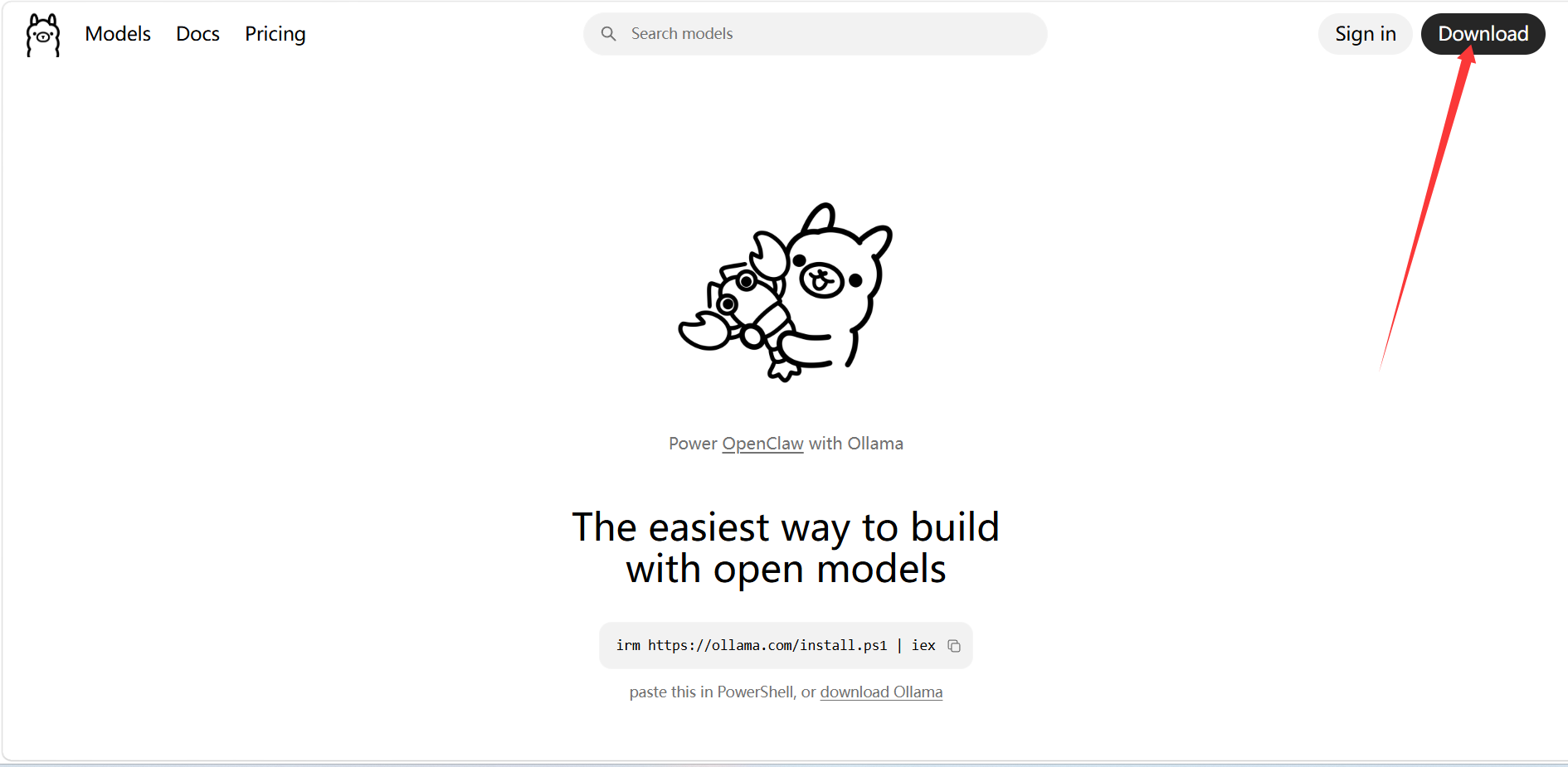 AI Visual Insight: The image shows the desktop installation entry point on the official Ollama download page. The key takeaway is that installation packages are distributed by operating system, which indicates that the local runtime has been packaged into a standard desktop installation flow and significantly lowers the barrier to starting a model service.
After installation, you can start the model directly from the terminal and begin a local conversation.
ollama run qwen2.5:1.5b # Download and start the 1.5B Instruct modelThis command provides the fastest validation path by completing model retrieval and local interaction in one step.
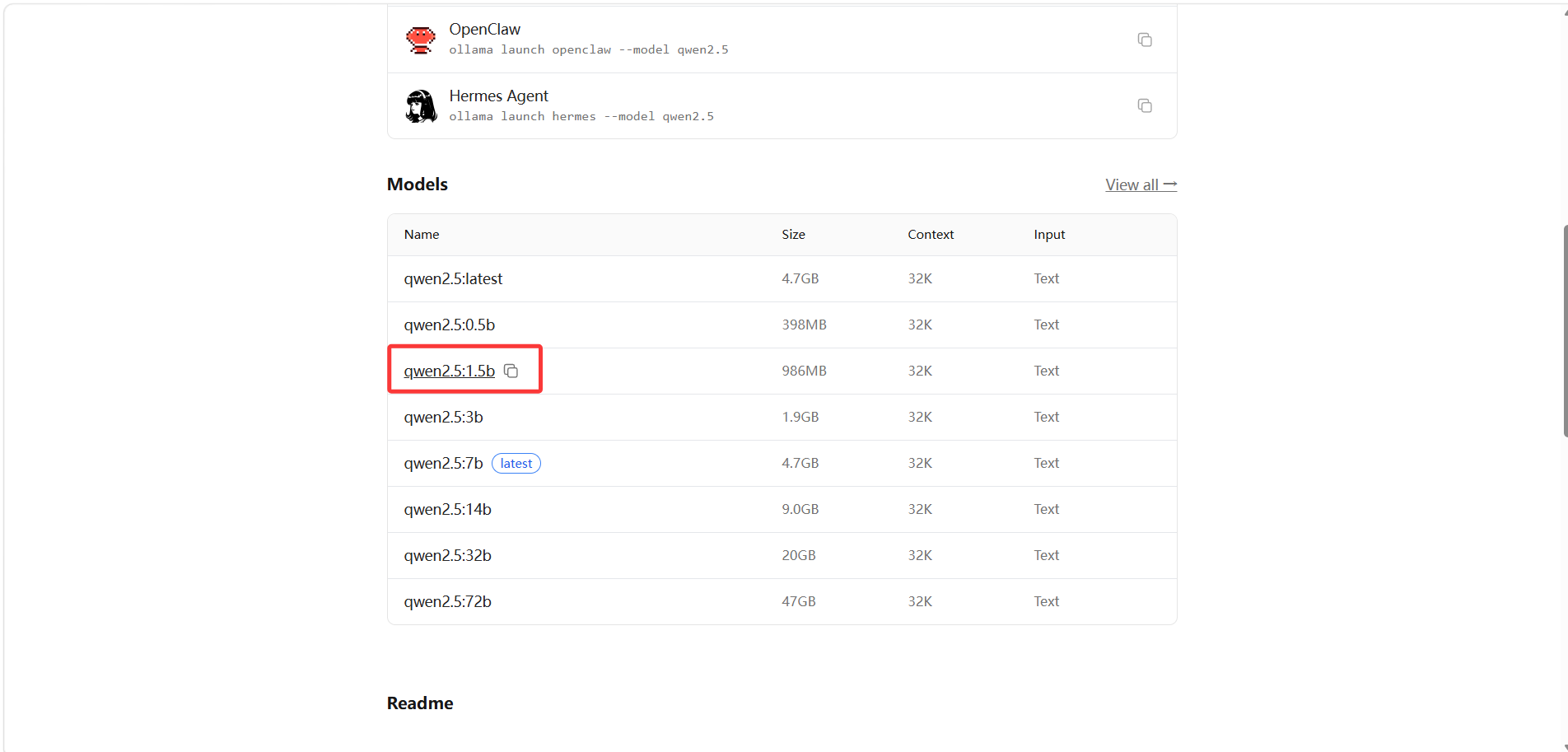 AI Visual Insight: The image shows the available qwen2.5 tags in the Ollama model list. The key detail is that tags distinguish parameter sizes and intended use cases, allowing developers to choose lightweight variants such as 1.5b based on local resource constraints.
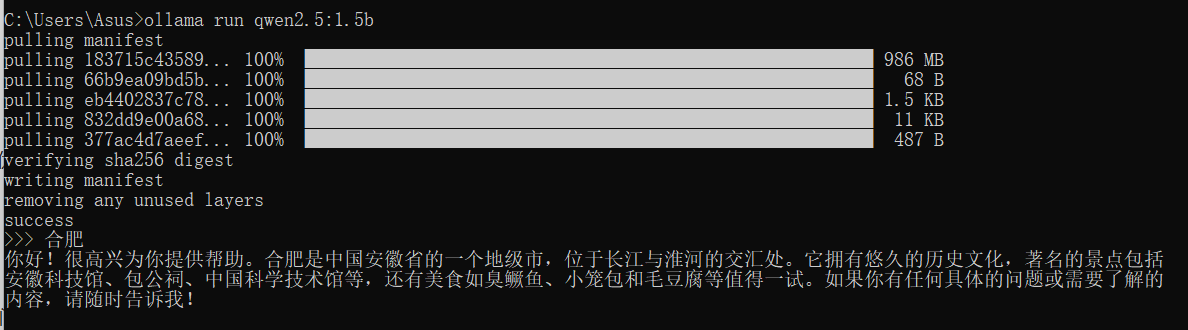 AI Visual Insight: The image shows model interaction results in the command line, indicating that Ollama has successfully launched a local inference service and that the terminal can serve as a minimal chat interface to verify model availability.
Terminal availability should be the first thing you verify when using Ollama
If the command does not run, the installation is usually incomplete or the environment variables have not taken effect. Reopen the terminal first, then run ollama --version to quickly verify whether the runtime has been registered correctly.
The ModelScope approach is better for source-level control and secondary development
When your goal shifts from simply getting the model to run to customizing it, integrating it into code, or fine-tuning preprocessing workflows, the ModelScope path becomes more suitable. It gives developers direct access to the model directory, weight files, and local inference entry points.
You need three basic tools during preparation: Git, Git LFS, and Python 3.8+. Git LFS is essential because model weights are usually not pulled automatically by a standard clone operation.
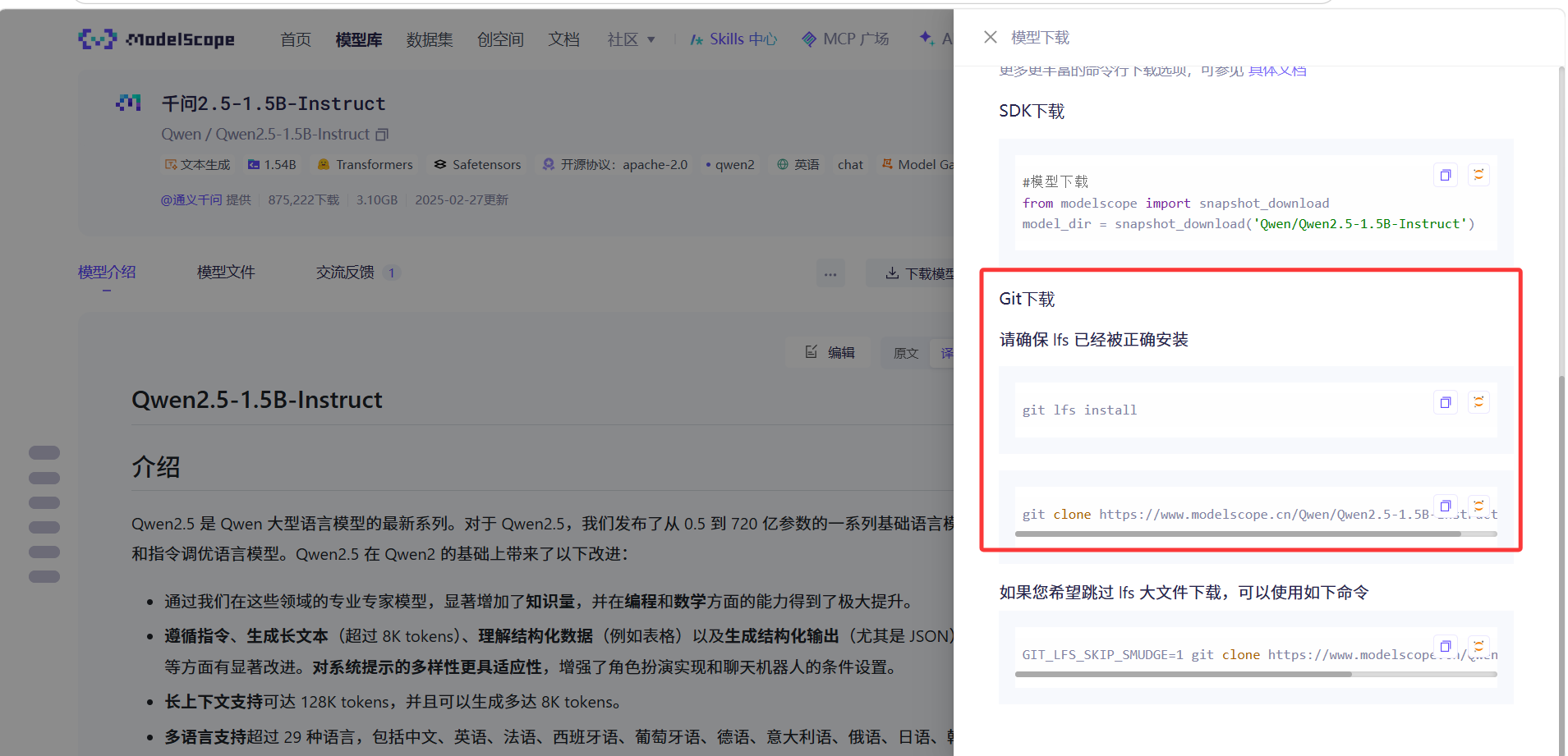 AI Visual Insight: The image shows the model search results page on ModelScope. The key purpose is to confirm the model name and repository URL so developers can copy the standard Git clone address and continue the local deployment workflow.
git clone https://www.modelscope.cn/qwen/Qwen2.5-1.5B-Instruct.git C:\Users\Asus\Qwen2.5-1.5B-Instruct  # Clone the model repository to a local directory
cd C:\Users\Asus\Qwen2.5-1.5B-Instruct  # Enter the model directory
git lfs pull  # Pull the large model weight files
These commands complete repository cloning and weight synchronization, which are critical steps for successful source-based deployment.
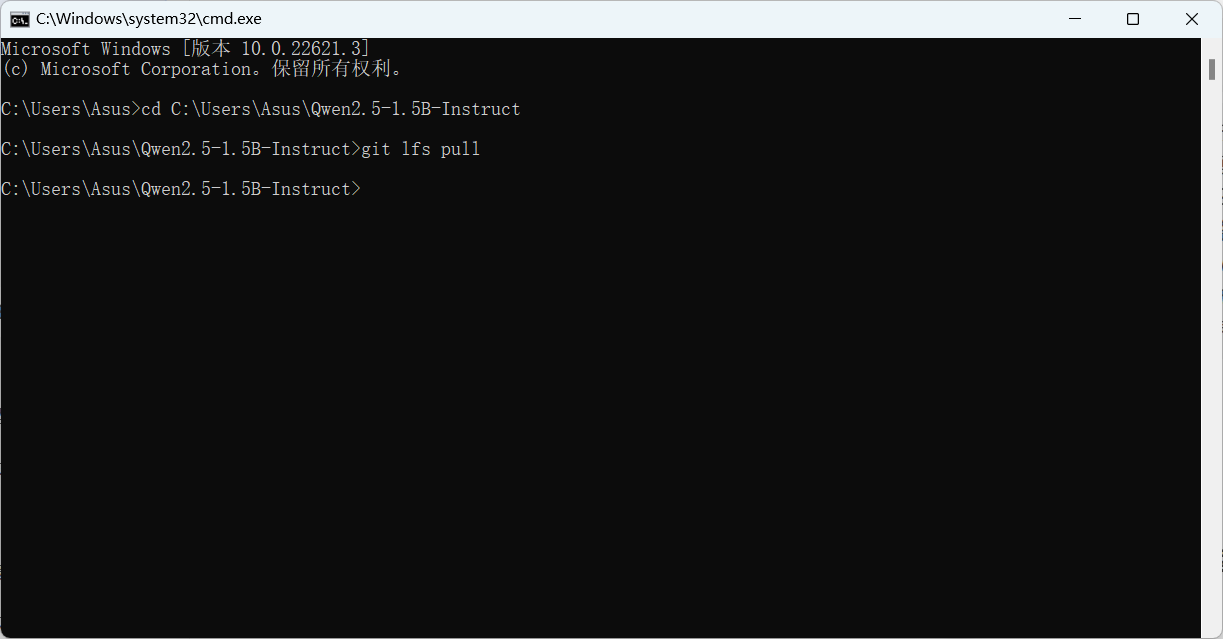 AI Visual Insight: The image shows Git LFS synchronizing large files, indicating that model weights are not included in standard Git objects. Only after the LFS pull does the local directory contain a complete set of model files for inference.
Next, install the Python dependency required for Transformers.
pip install transformers # Install the dependencies required for model loading and inferenceThis command prepares the minimum Python inference environment.
The Python inference example demonstrates the most direct invocation pattern
The following example uses a local model to perform three-class sentiment classification. It is not a traditional classifier head. Instead, it constrains a generative model with a prompt so the output becomes a class label.
from transformers import AutoModelForCausalLM, AutoTokenizer

# Load the local model directory
model_name = r"C:\Users\Asus\Qwen2.5-1.5B-Instruct"
model = AutoModelForCausalLM.from_pretrained(model_name)
tokenizer = AutoTokenizer.from_pretrained(model_name)

# Build a classification prompt so the generative model performs sentiment classification
prompt_template = "请判断以下文本属于哪个类别:{text}。可选类别有:正面、负面、中立。"
input_text = "这部电影真是太差劲,我非常不喜欢!"
prompt_input = prompt_template.format(text=input_text)

# Encode the input text
inputs = tokenizer(prompt_input, return_tensors="pt")

# Run generation inference
output_sequences = model.generate(
    inputs.input_ids,
    max_new_tokens=32,  # Control output length; classification tasks do not need long responses
    attention_mask=inputs.attention_mask
)

# Decode and slice the model response
generated_text = tokenizer.decode(output_sequences[0], skip_special_tokens=True)
result = generated_text[len(prompt_input):]

print("模型输出:", generated_text)
print("分类结果:", result.strip())
This code sample shows the complete minimum loop for local model loading, prompt-based classification, and result extraction.
The ideal output should be a concise label
If the prompt is designed clearly, the model will usually output one of the labels: “正面”, “负面”, or “中立”. Because the sample input text expresses strong negative sentiment, the expected result is “负面”.
 AI Visual Insight: The image shows the console output after local Python inference. The key detail is that both the full prompt and the final class label appear in the output, which confirms that the example uses a generative classification strategy rather than a dedicated classifier head.
The differences between the two deployment paths should be evaluated by goal
If you only want to validate the model quickly, Ollama is clearly the more time-efficient choice. It behaves like a plug-and-play local inference entry point and is well suited for product evaluation, command-line Q&A, and lightweight prototyping.
If you want to inspect the model directory structure, modify prompt templates, wrap the model behind an API, or integrate it into business logic, ModelScope + Transformers offers more flexibility and aligns better with real development workflows.
A concise comparison helps you decide faster
| Approach | Learning Curve | Startup Speed | Flexibility | Best For |
|---|---|---|---|---|
| Ollama | Low | Fast | Medium | Quick trials, offline chat, prototype validation |
| ModelScope | Medium | Medium | High | Secondary development, script-based invocation, workflow customization |
This workflow already covers the main path for getting started with local LLMs on a personal computer
From one-command Ollama startup to full ModelScope retrieval and finally to a Python sentiment classification example, this workflow already satisfies the first-stage needs of most developers who want to localize a lightweight model.
If you want to extend it further, you can wrap the inference script as a Web API, add batch text processing, logging, and result caching, and gradually evolve a single-machine model into a reusable local AI service.
FAQ
Q1: Why does the model still not run after git clone?
A: Because the weight files are usually managed by Git LFS. Running only git clone gives you the repository metadata, but not the large weight files. You still need to enter the directory and run git lfs pull.
Q2: Should I choose Ollama or Transformers first?
A: Choose Ollama if you only want a fast hands-on experience. Choose the Transformers route if you want to write code, customize workflows, or do secondary development. The first prioritizes efficiency; the second prioritizes control.
Q3: What beginner tasks is Qwen2.5-1.5B-Instruct suitable for?
A: It works well for offline Q&A, sentiment classification, text summarization, information extraction, and simple coding assistance. It is better suited as a lightweight LLM for personal computer experiments than as a heavy production inference node.
Core summary
This article reconstructs the local deployment workflow for Qwen2.5-1.5B-Instruct, covering fast startup with Ollama, full retrieval with ModelScope + Git LFS, and a Python sentiment classification example based on Transformers. It helps developers enable offline inference and secondary development with a low barrier to entry.