Flipbook is an experimental browser prototype that uses AI to generate interface pixels directly. It attempts to bypass HTML, CSS, and component systems, allowing users to explore real-time visual pages by clicking on images. It addresses the rigidity, redevelopment cost, and limited exploratory nature of traditional websites. Keywords: AI browser, generative UI, real-time video interaction.
The technical snapshot defines Flipbook at a glance
| Parameter | Details |
|---|---|
| Project Name | Flipbook |
| Positioning | Infinite visual browser / generative interface prototype |
| Interaction Model | Click an image region to generate the next page |
| Frontend Paradigm | Non-traditional DOM rendering, direct pixel output |
| Transport Protocol | WebSocket |
| Output Format | 1080p video stream at approximately 24 fps |
| Core Model | Lightricks LTX Studio / LTX Video-related models |
| Compute Infrastructure | Modal Labs GPU services |
| Team Size | Approximately 3 people |
| Public Traction | Original source mentions roughly 5.5 million impressions within days |
| GitHub Stars | Not provided in the source material |
Flipbook redefines the browser output layer
The key idea behind Flipbook is not that “AI helps you browse the web,” but that “AI becomes the web page itself.” After a user enters a query, the system does not return a DOM structure or render conventional components. Instead, it generates a complete visual page.
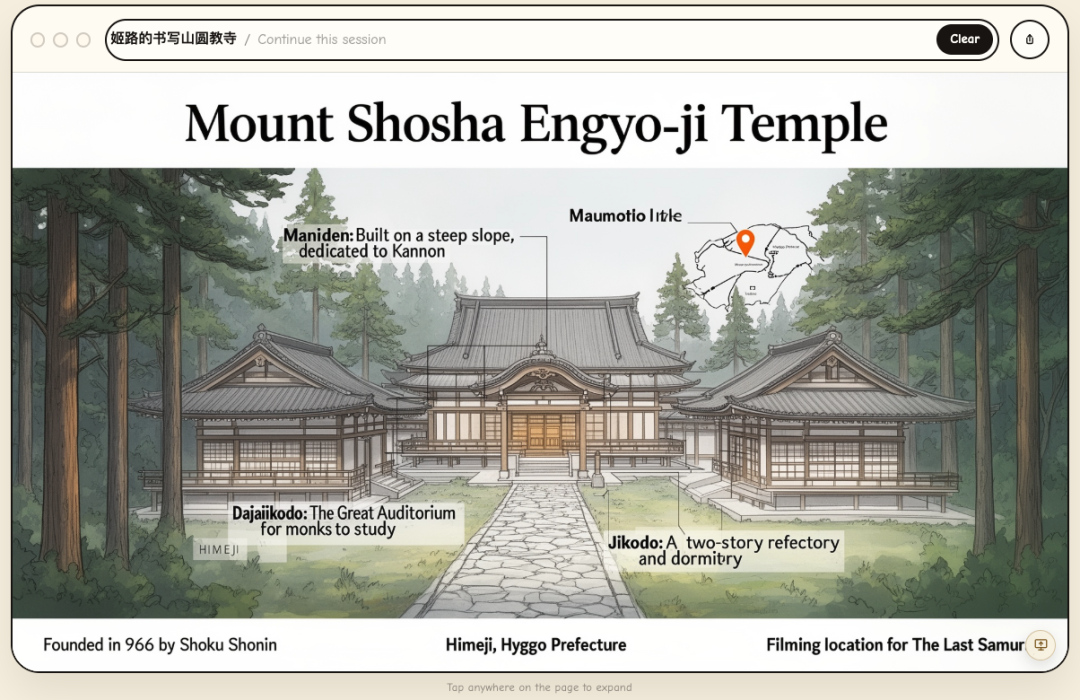 AI Visual Insight: The image shows Flipbook’s core interaction model: the interface appears as a full-page visual image. Instead of clicking HTML buttons, users explore by clicking arbitrary regions of the visual page, and the system generates the next scene accordingly.
This means buttons, text, cards, and layout are no longer structured nodes. They are only pixel-level results. The browser shifts from “interpreting code” to “receiving generated streams,” and the logic of interface creation moves up into the model layer.
The difference between traditional web pages and generative interfaces can be modeled clearly
class TraditionalBrowser:
    def render(self, html, css, js):
        dom = parse_html(html)  # Parse the HTML structure
        style = apply_css(dom, css)  # Compute styles
        return execute_js_and_paint(dom, style, js)  # Execute scripts and render the page

class GenerativeBrowser:
    def render(self, user_intent, click_region=None):
        prompt = build_context(user_intent, click_region)  # Build context from intent and click region
        frame = model_generate_pixels(prompt)  # Generate screen pixels directly
        return stream_frame(frame)  # Stream the frame to the frontend
This snippet captures the fundamental split between the two browser paradigms: one renders code, while the other generates outcomes.
Flipbook depends on real-time generation and streaming transport
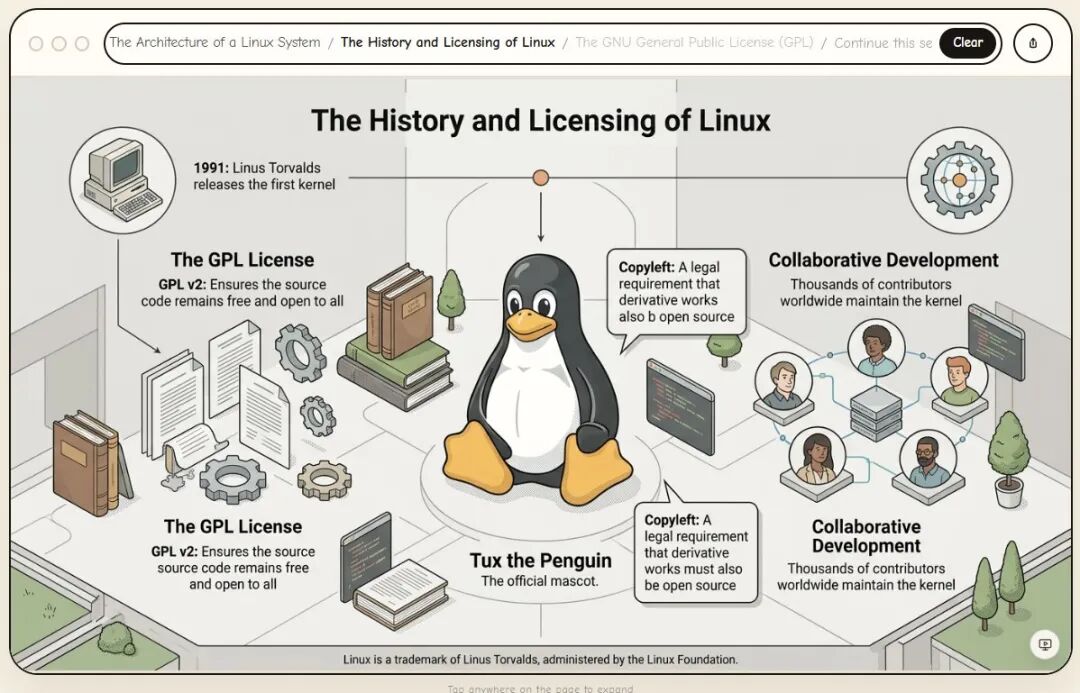
According to the source material, Flipbook combines a video generation model, cloud GPUs, and WebSocket-based streaming. The core idea is straightforward: the model generates visual frames on demand, the server continuously streams the result to the user’s screen, and click events feed back into the next generation cycle.
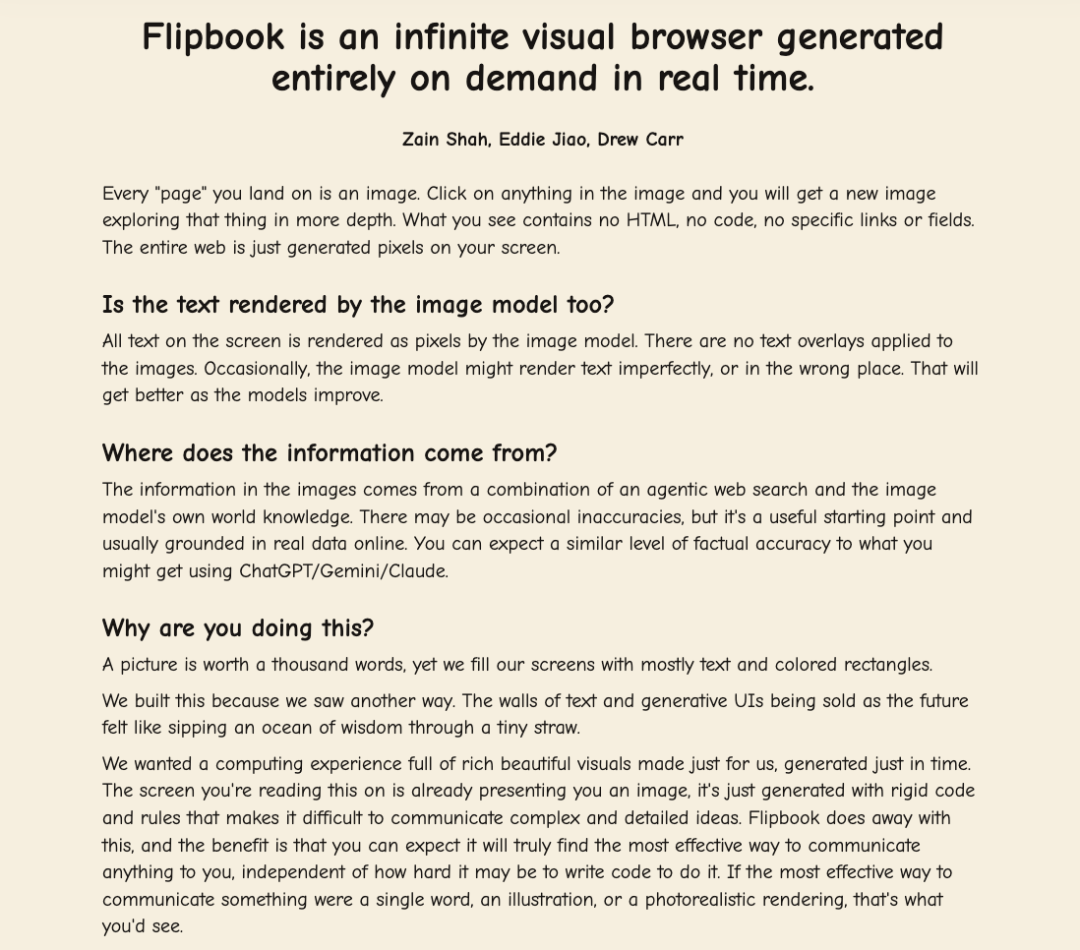 AI Visual Insight: The image shows a layered visual page structure that users can keep drilling into, suggesting the system is not returning a single static image. Instead, it is trying to build a navigable “visual information space,” where the click location itself becomes state input.
A minimum viable architecture can be abstracted into four layers
const pipeline = {
  input: "User query + click coordinates", // Capture intent and interaction location
  reasoning: "The model understands the current visual context", // Decide where the user wants to continue
  generation: "A video/image model generates the next frame", // Output a new visual page
  delivery: "WebSocket pushes to the frontend player" // Deliver to the browser with low latency
};
This pipeline shows that Flipbook is essentially a composite system of “intent understanding + visual generation + real-time stream delivery.”
Flipbook does not follow the mainstream AI browser path
Most AI browser products are still built on top of the existing web. They summarize pages, click automatically, fill forms, and search across pages. They assume the web page already exists, and AI acts only as the operator layer or assistant layer.
 AI Visual Insight: The image emphasizes how current AI browsers improve efficiency around traditional web pages. The focus remains on “assisting understanding and operation of existing pages,” rather than rewriting the page generation mechanism itself.
Flipbook pushes the question further: if interfaces can be generated in real time, do web pages still need to be developed in advance? That marks a shift from “AI-enhanced browsers” to “AI-rebuilt browsers.”
This architectural divergence directly changes the development stack
Traditional AI browser = HTML/CSS/JS + page automation + LLM assistant
Flipbook-like browser = visual models + click understanding + state management + video streaming infrastructure
This makes it clear that the engineering challenge moves away from frontend component work and toward multimodal reasoning and low-latency generation systems.
Flipbook’s biggest idea is turning the interface itself into a generated artifact
In the past, AI-generated web experiences still usually followed the pattern of “generate code first, then let the browser render it.” What makes Flipbook radical is that it skips code as the representation layer and generates the final interface the user sees directly.
 AI Visual Insight: The image highlights the idea that interfaces can change dynamically based on the task, pointing toward a new interaction paradigm where software no longer has a fixed layout but grows an operational space around the user’s goal in real time.
This approach is particularly well suited to exploratory scenarios such as education, knowledge maps, spatial design, paper walkthroughs, and interactive storytelling. These tasks rely more on visual structure and continuous exploration than on standardized form workflows.
Flipbook’s technical bottlenecks remain easy to identify
The first bottleneck is latency. Traditional web rendering works at the millisecond level, while a generative interface must pass through understanding, reasoning, generation, and transmission on every click. That chain is much longer than a conventional frontend pipeline.
The second bottleneck is accuracy. Pixel-based buttons have no structural semantics, so the system must correctly understand where the user clicked, what they intended to do, and how the next page should continue. Otherwise, interaction quality breaks down.
The third bottleneck is state retention. Real software must remember selections, inputs, permissions, and workflows instead of simply generating a sequence of visually appealing images.
def next_frame(user_intent, click_xy, session_state):
    visual_focus = detect_clicked_region(click_xy)  # Identify the visual region clicked by the user
    updated_state = update_session(session_state, visual_focus)  # Maintain session and task state
    return generate_frame(user_intent, updated_state)  # Generate the next frame from state
This pseudocode shows that without a stable state machine, a generative interface is unlikely to support real-world workflows.
Commercialization is more likely to begin in lightweight workflows and exploratory scenarios
At the prototype stage, Flipbook is not a good fit for highly controlled environments such as finance, healthcare, or government. However, it has obvious potential in education, content browsing, creative tools, interactive storybooks, and interface prototyping.
 AI Visual Insight: The image emphasizes a vision of the “internet interface trailer,” where web pages are no longer fixed and search no longer returns only lists of text. Instead, users enter an explorable visual space generated on demand from intent.
From a product perspective, Flipbook is better understood as a validation of a new interface paradigm
It is not a mature browser today, but it already proves one thing: in the future, some software UIs may no longer be predefined by design comps and component libraries. Instead, models may compose them in real time based on the user’s goal.
That is also the signal frontend engineers, AIGC practitioners, and interaction designers should watch together: the next generation of interface systems may compete less on “component quality” and more on “generation quality, state control, and interaction continuity.”
FAQ
Will Flipbook replace HTML web pages?
Not in the short term. HTML, CSS, and JavaScript are inexpensive, stable, and auditable, which makes them appropriate for most business systems. Flipbook is better understood as an exploratory complementary form.
What are Flipbook’s main technical challenges?
The core challenges are low-latency generation, click semantic understanding, cross-page state retention, and maintaining controllability and consistency inside generated interfaces.
Which teams should pay closest attention to this direction?
Teams building AI browsers, multimodal interaction systems, education products, creative tools, and prototyping platforms should follow this space closely, because these scenarios are the most likely to gain differentiated experiences from generative interfaces.
[AI Readability Summary]
Flipbook does not embed an AI assistant into a traditional browser. Instead, it attempts to let a model generate the entire interface as pixels and use clicks to drive the next visual frame. This article explains why this “generative browser” prototype matters to frontend and AI practitioners across five dimensions: architecture, interaction model, tech stack, limitations, and commercial potential.