This article breaks down a baby care application built with Flutter for OpenHarmony. It focuses on three core capabilities: a knowledge base, growth tracking, and vaccine reminders, addressing how to quickly deliver cross-platform applications and structure development effectively in OpenHarmony scenarios. Keywords: Flutter for OpenHarmony, baby care app, Clean Architecture.
Technical specifications provide a quick project snapshot
| Parameter | Details |
|---|---|
| Programming Language | Dart |
| UI Framework | Flutter |
| Target Platform | OpenHarmony |
| Architecture Pattern | Clean Architecture + ViewModel |
| State Management | ChangeNotifier |
| Data Protocol | Local mock data / JSON mapping |
| Repository | https://atomgit.com/maaath/baby-care-flutter-oh |
| Star Count | Not provided in the original article |
| Core Dependency | flutter/material.dart |
This project proves Flutter can efficiently ship real business scenarios on OpenHarmony
This case is not a simple demo. It is a complete business prototype organized around baby care content, growth records, and reminder services. It validates Flutter for OpenHarmony in page rendering, state transitions, and component organization on OpenHarmony devices.
From a business perspective, baby care applications require strong information architecture, approachable visual design, and continuous user interaction. If teams can reuse a Flutter codebase on OpenHarmony, they can significantly reduce duplicate multi-platform development costs while keeping interactions consistent.
The project scope can be clearly divided into three capability layers
The first layer is content consumption, including categorized parenting knowledge browsing and article card presentation. The second layer is growth data management, such as height, weight, and milestone records. The third layer is reminder services, which handle vaccination schedules and status notifications.
class VaccineRecord {
  final String status;

  const VaccineRecord({required this.status});

  String getStatusText() {
    switch (status) {
      case 'completed':
        return 'Completed'; // Map raw status to UI-friendly text
      case 'overdue':
        return 'Overdue'; // Mark overdue vaccination status
      default:
        return 'Pending'; // Default status for upcoming vaccination
    }
  }
}
This code converts low-level status values into business copy that the UI can consume directly.
The project structure emphasizes layered decoupling instead of page stacking
The original project follows a relatively standard Clean Architecture approach by separating model, service, viewmodel, and view. This structure is especially important for OpenHarmony adaptation because platform differences should typically be isolated in the service layer or host layer, not scattered across pages.
You can think of the directory structure as four core responsibility domains: models define data structures, services define data sources, ViewModels orchestrate state, and views render components. This approach makes testing easier and iteration more stable.
lib/
├── main.dart
├── model/
├── service/
├── viewmodel/
└── view/
This directory layout shows the minimum maintainable boundary of the project.
Data model design determines whether business semantics remain stable
The article model, growth record model, and vaccine model represent the three core entities in the project. They share several strengths: clear field semantics, support for JSON mapping, and direct usability in the UI.
Among them, KnowledgeArticle.fromJson decouples backend responses from page presentation, GrowthRecord captures time-series data, and VaccineRecord not only stores values but also encapsulates status color and status text, making it a classic lightweight business model.
factory KnowledgeArticle.fromJson(Map<String, dynamic> json) {
  return KnowledgeArticle(
    id: json['id'] ?? 0,
    title: json['title'] ?? '', // Fallback for missing title
    summary: json['summary'] ?? '', // Fallback for missing summary
    category: json['category'] ?? '',
  );
}
This code establishes a stable data deserialization entry point and reduces the impact of null values on the UI.
Using mock data in the service layer is a practical strategy for validating the business loop first
In the early stage of a cross-platform project, it is often better not to connect real APIs immediately. Instead, you can simulate network behavior with Future.delayed and static lists. This lets you validate interaction flows, refresh behavior, and state update logic on OpenHarmony devices first.
In this project, BabyService provides unified outputs for the knowledge list, categories, growth records, and vaccine records. The service layer separates the question of where data comes from from the question of how pages present it. That separation is central to maintainable engineering.
The ViewModel transforms service output into observable page state
KnowledgeViewModel uses ChangeNotifier to manage _articles, _categories, _currentCategory, and _isLoading. This state set is sufficient to support category switching, loading indicators, and empty-state fallbacks.
For OpenHarmony scenarios, the advantage of this lightweight state management approach is clear: fewer dependencies, faster integration, and lower debugging overhead. It is well suited for validating the baseline usability of Flutter pages inside an OpenHarmony container.
Future
<void> loadArticles() async {
  if (_isLoading) return; // Prevent duplicate requests
  _isLoading = true;
  notifyListeners(); // Notify the view to enter loading state
  _articles = await _service.getKnowledgeList(
    category: _currentCategory,
  );
  _isLoading = false;
  notifyListeners(); // Notify the view to refresh results
}
This code ties together request deduplication, loading-state control, and list refresh in a single flow.
The UI implementation demonstrates Flutter’s page composition capabilities on OpenHarmony devices
The knowledge page uses a classic combination of category chips and a card list, which fits content-driven applications well. Structurally, the page is composed with Scaffold, Column, Expanded, and ListView.builder, showing that Flutter’s native widget system is already capable of supporting this type of business UI.
The growth record page is more data-oriented. It uses information cards, statistics blocks, and milestone lists to present a baby’s development journey. The visual style remains consistent across pages, which shows that UI design can preserve brand consistency even in cross-platform scenarios.
Widget _buildArticleList() {
  if (_viewModel.isLoading) {
    return const Center(child: CircularProgressIndicator()); // Loading state
  }
  if (_viewModel.articles.isEmpty) {
    return const Center(child: Text('No knowledge articles available')); // Empty list message
  }
  return ListView.builder(
    itemCount: _viewModel.articles.length,
    itemBuilder: (context, index) => _ArticleCard(
      article: _viewModel.articles[index], // Render article card
    ),
  );
}
This code compresses page state switching into a unified rendering entry point.
Runtime screenshots clearly show UI completeness and device adaptation quality
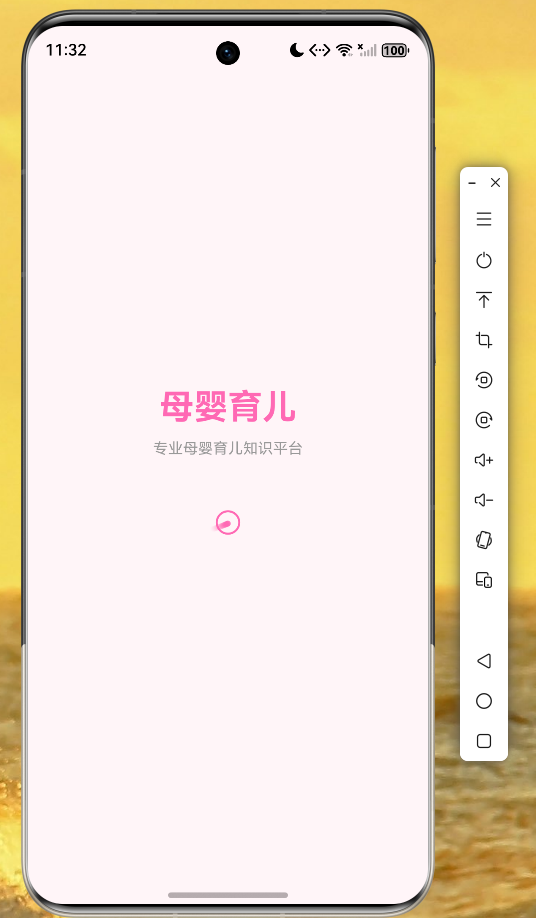 AI Visual Insight: This image shows the application during startup on an OpenHarmony device. The centered brand presentation and large whitespace layout indicate that the Flutter page has been successfully packaged and launched on an OpenHarmony terminal. The first-screen rendering appears stable, with no obvious scaling imbalance or widget misalignment.
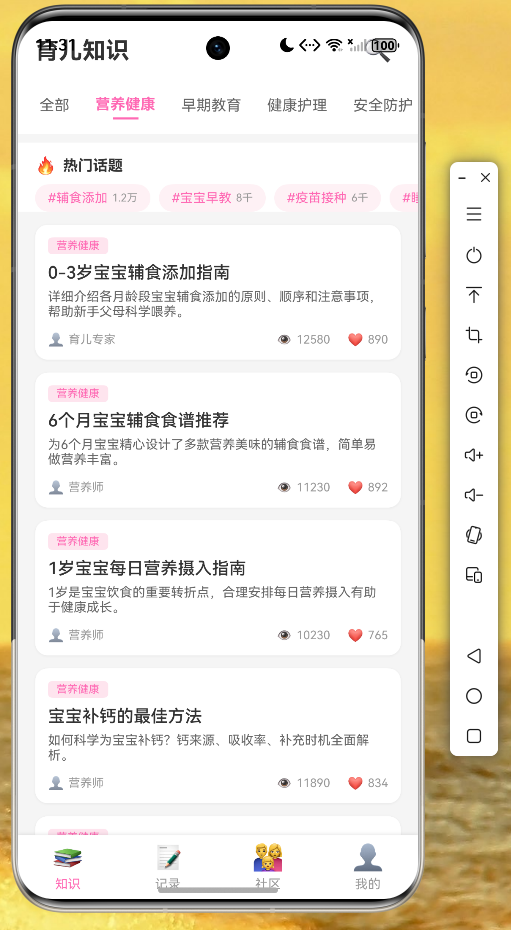 AI Visual Insight: This image shows the actual knowledge list page. The top app bar, horizontal category tabs, vertical content cards, and reading interaction metadata are all fully rendered. It reflects strong compatibility for
 ListView, Container rounded corners and shadows, text truncation, and multi-layer layouts on OpenHarmony.
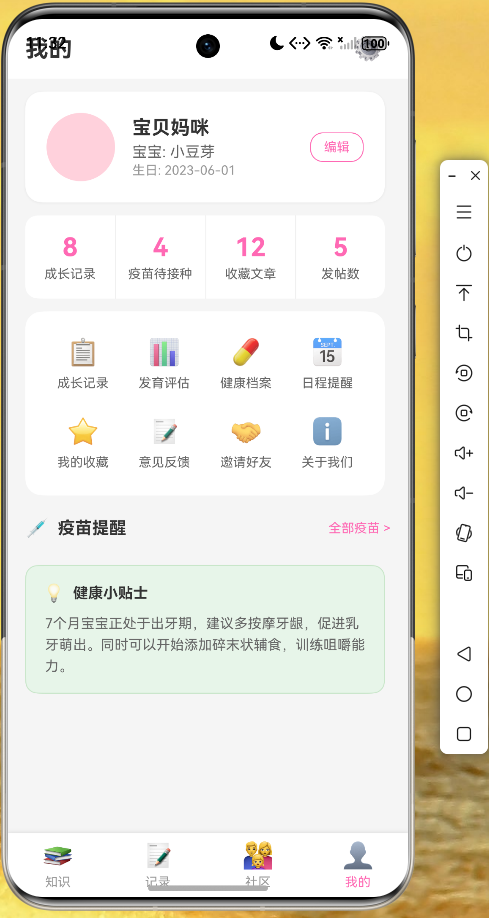 AI Visual Insight: This image shows a combined profile and reminders page. The interface typically includes a user profile section, a baby information summary, and a vaccine reminder module. It demonstrates that the Flutter widget tree can still maintain clear hierarchy in information-dense business pages and is suitable for future expansion with forms, navigation, and message entry points.
The application entry configuration shows how theming can unify the cross-page experience
In main.dart, the project uses MaterialApp to configure theme colors, background colors, and AppBarTheme. This keeps the pink visual language of the baby care app consistent across multiple pages. A unified theme is also an important way to reduce style fragmentation in cross-platform projects.
The real value of this solution lies in portability, not just successful execution
From an engineering perspective, this case provides a reusable template: it includes layering, models, state management, multi-page organization, and verified execution on OpenHarmony devices. Developers can later replace the data source and business components to migrate the same structure to education, health, or utility applications.
Before moving into production, however, teams should still focus on three issues: screen-size adaptation, Harmony-compatible support for third-party libraries, and performance stability in list-heavy and animation-heavy scenarios. These three factors determine whether a demo can evolve into a product.
FAQ: The three questions developers care about most
Is Flutter for OpenHarmony suitable for production applications right away?
It is well suited for business prototypes and validation of small to mid-sized applications. For production use, you should first evaluate plugin compatibility, device coverage, and the host capability integration approach.
Why does this project use ChangeNotifier instead of a heavier state management library?
Because the example is designed to validate cross-platform pages and a complete business loop. ChangeNotifier is lightweight, quick to integrate, and sufficient for category switching, loading state handling, and list refresh.
Which layer should be changed first when integrating real APIs into this project?
Replace the service layer first. Keeping the interfaces of model and viewmodel stable minimizes UI changes and reduces adaptation risk on the OpenHarmony side.
AI Readability Summary
This article uses a baby care application case study to reconstruct a practical delivery path for Flutter for OpenHarmony. It covers project layering, data models, the service layer, the ViewModel, UI pages, and entry-point configuration, and uses runtime screenshots to explain key cross-platform adaptation considerations on OpenHarmony devices.