This article focuses on two classic utility app categories built with Flutter for OpenHarmony: a calculator and a notes app. Its core value lies in using a single Dart codebase to run reliably on OpenHarmony, reducing adaptation costs, maximizing component reuse, and simplifying cross-platform maintenance. Keywords: Flutter, OpenHarmony, cross-platform development.
The technical specification snapshot highlights the project baseline
| Parameter | Description |
|---|---|
| Primary Language | Dart |
| UI Framework | Flutter |
| Target Platform | OpenHarmony 4.0+ |
| Development Model | One codebase running across multiple platforms |
| License | Marked as CC 4.0 BY-SA in the original source |
| Star Count | Not provided in the original source |
| Core Dependency | flutter/material.dart |
| Typical Features | Calculator, Notes app |
These examples represent typical validation cases for Flutter for OpenHarmony adoption
Calculator and notes apps are among the best sample applications for validating cross-platform delivery in the utility app category. The former covers input, computation, exception handling, and grid-based interaction. The latter covers list rendering, form input, state updates, and delete operations.
The shared value of these two examples does not come from feature complexity. Instead, they are high-frequency, highly standardized, and easy to use when verifying rendering consistency and interaction stability on OpenHarmony.
These two features are well suited for OpenHarmony cross-platform validation
- A calculator validates button taps, layout adaptation, and result rendering.
- A notes app validates text fields, lists, cards, and state management.
- Both can deliver a complete interaction loop without native code.
import 'package:flutter/material.dart';

void main() {
  runApp(const MyApp()); // App entry point that launches the Flutter app directly
}

class MyApp extends StatelessWidget {
  const MyApp({super.key});

  @override
  Widget build(BuildContext context) {
    return const MaterialApp(
      home: Scaffold(
        body: Center(
          child: Text('Flutter for OpenHarmony'), // Use a minimal example to validate the OpenHarmony rendering pipeline
        ),
      ),
    );
  }
}
This code shows that Flutter’s basic runtime model on OpenHarmony remains consistent with other platforms.
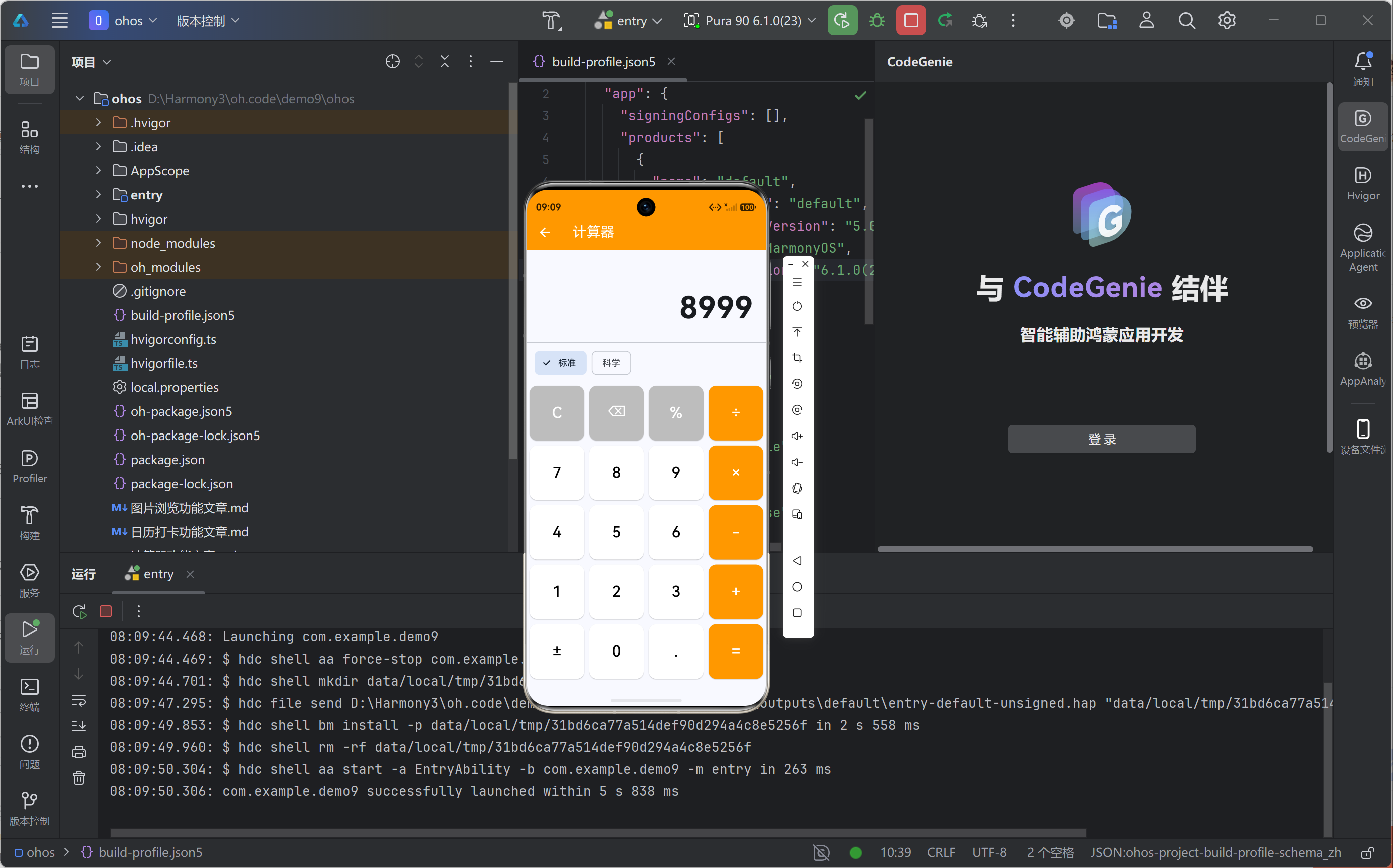
The calculator example clearly demonstrates an interaction path without native intrusion
The original implementation uses StatefulWidget to manage input and result values, while a unified button dispatch flow handles clear, delete, append, and compute actions. Its advantage is structural simplicity, which makes it easy to extend into a standard reusable utility component.
On OpenHarmony devices, the key for this kind of page is not visual flair. It is whether button feedback, layout stability, and exception handling remain reliable, especially when controlling the proportion between the display area and the button grid on full-screen devices.
The calculator’s core interaction state should keep a single entry point
class CalculatorLogic {
  String input = '';
  String result = '';

  void onPressed(String text) {
    if (text == 'C') {
      input = '';      // Clear input
      result = '';     // Clear result
    } else if (text == '⌫' && input.isNotEmpty) {
      input = input.substring(0, input.length - 1); // Delete the last character
    } else if (text == '=') {
      result = calculate(); // Trigger calculation here through a single path
    } else {
      input += text;   // Append user input
    }
  }

  String calculate() {
    return input; // The original source uses simplified logic; a real project should integrate expression parsing
  }
}
This code shows that once button events flow through a single unified entry point, the UI and business logic become easier to separate and reuse.
The notes app example validates the stability of list-based utility apps on OpenHarmony
Although the notes feature is lightweight, it covers the most common CRUD interaction path in mobile applications: create, display, and delete. It can later be extended naturally with editing, search, persistence, and categorization.
The original code completes all functionality with built-in Flutter components, without introducing a database or a complex state management library. This directly reflects the low-cost adoption advantage of Flutter for OpenHarmony in lightweight app scenarios.
The key to a notes app lies in lightweight state and extensible storage
final List
<String> notes = []; // Maintain notes in an in-memory list

void addNote(String text) {
  if (text.trim().isEmpty) return; // Filter out empty content
  notes.add(text); // Add a note
}

void deleteNote(int index) {
  if (index < 0 || index >= notes.length) return; // Prevent out-of-bounds deletion
  notes.removeAt(index); // Delete the specified note
}
This code shows that for utility apps, ensuring a minimal viable interaction loop first and adding persistence later is often the more pragmatic engineering path.
The cross-platform value of these examples appears in three reusable capability layers
The first layer is component reuse. Buttons, text fields, lists, and cards from the Material system can be reused directly on OpenHarmony.
The second layer is interaction reuse. Basic behaviors such as tapping, swiping, scrolling, and text input do not require platform-specific branching logic.
The third layer is maintenance reuse. A team can maintain a single Dart codebase while covering the main utility pages for OpenHarmony, Android, and iOS.
 AI Visual Insight: The image shows the notes app running on a device in a real interface. The top section contains the input area and an Add button, while the middle section displays a card-based note list in a single-column scrolling layout. The screen reflects strong rendering consistency for standard Flutter components on OpenHarmony, including
 TextField, ElevatedButton, Card, and ListTile. Spacing, padding, and tap targets are clear, making this layout useful for validating full-screen adaptation and baseline interaction smoothness.
The optimization path for utility apps on OpenHarmony is straightforward
The calculator can continue to evolve with expression parsing, scientific functions, history, and dark mode. The notes app should prioritize local persistence, such as shared_preferences or a more complete local storage solution.
If the project moves into formal delivery, you should extract business logic into a dedicated layer and introduce a more robust state management solution such as Provider, Riverpod, or Bloc to better control page complexity.
The recommended next engineering step is clear
Future
<void> saveNotes(List<String> notes) async {
  // Reserve this interface for local persistence
  // A real project can integrate shared_preferences or a database
}

Future<List<String>> loadNotes() async {
  return
<String>[]; // Restore note data when the app starts
}
This code shows that once persistence is added, the notes app can evolve from a demo case into a utility application suitable for long-term use.
These two examples are already enough to prove the engineering feasibility of Flutter for OpenHarmony
From a technical validation perspective, these examples prove three things: the Flutter component system can be reused directly on OpenHarmony, lightweight utility apps can be delivered without native involvement, and a cross-platform approach can significantly reduce learning and maintenance costs.
For teams, this means they can start with a minimal feature set to complete a proof of concept, then gradually integrate more advanced system capabilities instead of getting trapped in multi-platform native adaptation from the start.
The FAQ section answers the most common implementation questions
1. What kinds of applications is Flutter for OpenHarmony best suited for?
It is best suited for small to medium-weight apps, utility apps, content-driven apps, and business scenarios that require fast delivery across multiple platforms. It performs especially well in standard UI, forms, lists, and state-driven interactions.
2. Why does this example set emphasize the importance of “pure Flutter + Dart”?
Because it means developers do not need to write additional ArkTS or platform-specific page logic. They can directly reuse an existing Flutter technology stack, which significantly reduces migration and maintenance costs.
3. What is still missing before the calculator and notes app become production-ready?
The calculator still needs robust expression parsing and exception rules. The notes app still needs local persistence, editing capability, and data recovery mechanisms. Once state management and testing are added, both examples move much closer to production-grade implementation.
The core takeaway is that Flutter for OpenHarmony is already practical for lightweight utility apps
This article reconstructs the calculator and notes app examples to extract the key value of Flutter for OpenHarmony in pure Dart development, one-codebase multi-platform delivery, OpenHarmony adaptation, and lightweight utility app implementation, while also providing reusable code patterns and practical extension directions.