Elasticsearch now natively supports Prometheus Remote Write, allowing you to send metrics directly into time series data streams without extra adapters. This creates a unified backend for logs, traces, and metrics, and removes the long-standing split between Prometheus long-term storage and cross-signal analysis. Keywords: Prometheus, Elasticsearch, Remote Write.
Technical specifications are easy to summarize
| Parameter | Description | |
|---|---|---|
| Core capability | Native support for Prometheus Remote Write v1 | |
| Target storage | Elasticsearch TSDS (Time Series Data Streams) | |
| Protocol | Protobuf + Snappy + HTTP | |
| Data type inference | counter / gauge |
|
| Default data stream | metrics-generic.prometheus-default |
|
| Query capabilities | ES | QL and PROMQL-compatible function queries |
| Deployment recommendation | Elastic Cloud Serverless first | |
| GitHub stars | Not provided in the source | |
| Core dependencies | Prometheus, Elasticsearch, API key |
Elasticsearch provides immediate value as a native Prometheus backend
Prometheus local TSDB is better suited for short-term retention, with a typical window of only 15 to 30 days. If your team needs to retain metrics for quarters or years, you usually need a remote storage backend.
Elasticsearch does more than simply store data. It stores time series data efficiently through TSDS. It provides automatic rollover, time-based partitioning, index sorting and compression, and downsampling for aging data. That makes it a strong fit for long-term metrics retention and cost control.
A unified backend creates a unified query surface
Once metrics, logs, and traces land in the same cluster, troubleshooting no longer requires jumping across multiple systems. You can inspect an error rate first, then immediately correlate it with the relevant logs and trace data. This can significantly improve efficiency for SRE and platform teams.
remote_write:
  - url: "https://YOUR_ES_ENDPOINT/_prometheus/api/v1/write"
    authorization:
      type: ApiKey
      credentials: YOUR_API_KEY  # Use a least-privilege API key to write metrics
This configuration sends metrics scraped by Prometheus directly to Elasticsearch through the standard Remote Write protocol.
Elasticsearch already implements the write path natively
After a Remote Write request reaches Elasticsearch, the server accepts a WriteRequest payload encoded with protobuf and compressed with snappy. It then converts each sample into a document and writes it into the target time series data stream.
Prometheus labels are mapped to TSDS dimension fields, while metric values are stored under the `metrics.
` path. This preserves label semantics while also optimizing the index for time series workloads. ### Metric type inference depends on naming conventions Metrics that end with `_total`, `_sum`, `_count`, or `_bucket` are identified as `counter`. All others are treated as `gauge` by default. This aligns with Prometheus community naming conventions, but non-standard metric names can still lead to incorrect inference. “`json { “@timestamp”: “2026-04-02T10:30:00.000Z”, “data_stream”: { “type”: “metrics”, “dataset”: “generic.prometheus”, “namespace”: “default” }, “labels”: { “__name__”: “prometheus_http_requests_total”, “handler”: “/api/v1/query”, “code”: “200”, “instance”: “localhost:9090”, “job”: “prometheus” }, “metrics”: { “prometheus_http_requests_total”: 42 // Metric value written into a typed field } } “` This document example shows how a single Prometheus sample is persisted in Elasticsearch. ## The integration process can be reduced to three steps The first step is to obtain your Elasticsearch endpoint. If you use Elastic Cloud Serverless, the Prometheus write endpoint is already available and usually offers the lowest implementation overhead. The second step is to create an API key that only allows writes to `metrics-*`. The principle of least privilege matters here, because you should not expose administrative permissions to a metrics collector. “`json { “ingest”: { “indices”: [ { “names”: [“metrics-*”], “privileges”: [“auto_configure”, “create_doc”] } ] } } “` This role descriptor is used to generate an API key with write-only access to metrics data streams. ### The third step is to declare the write target on the collector side If you use Grafana Alloy, you can send data directly to Elasticsearch with an equivalent configuration and without any extra bridge component. “`hcl prometheus.remote_write “elasticsearch” { endpoint { url = “https://YOUR_ES_ENDPOINT/_prometheus/api/v1/write” headers = {“Authorization” = “ApiKey YOUR_API_KEY”} # Pass authentication through an HTTP header } } “` This configuration shows that Alloy can also act as a Remote Write client for Elasticsearch. ## Data stream routing works well for multi-environment and multi-team isolation The default write target is `metrics-generic.prometheus-default`. If you want to split data by team, business domain, or environment, you can route more precisely through the `dataset` and `namespace` values in the URL path. For example, `/_prometheus/metrics/infrastructure/production/api/v1/write` writes data into `metrics-infrastructure.prometheus-production`. This is especially useful when you want different lifecycle policies for production, staging, and test environments. ### Custom templates can correct type inference errors If your metric names do not follow the standard suffix rules, you can override the default dynamic templates through the `metrics-prometheus@custom` component template. “`json { “template”: { “mappings”: { “dynamic_templates”: [ { “counter”: { “path_match”: “metrics.*_counter”, “mapping”: { “type”: “double”, “time_series_metric”: “counter” // Force all *_counter metrics to be treated as counters } } } ] } } } “` This template explicitly marks all `*_counter` metrics as `counter`, which avoids incorrect default inference. ## You should evaluate current limitations before adopting this design At the moment, only Remote Write v1 is supported. Remote Write v2 is not yet supported, which means native histograms and exemplars cannot be stored natively today. Teams that rely heavily on advanced metric types should validate compatibility in advance. In addition, staleness markers are not stored, and non-finite values such as `NaN` and `Infinity` are silently dropped. This means some edge-case semantics will not be reproduced completely at query time. 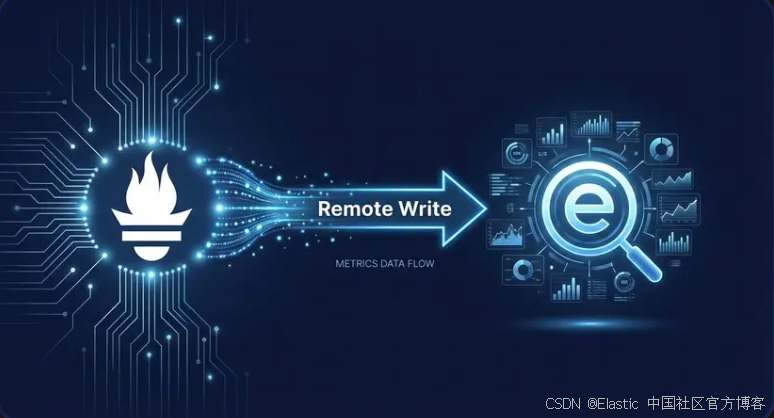 **AI Visual Insight:** The image presents an Elastic Observability brand visual. Its main purpose is to emphasize that Elasticsearch has become a unified foundation for observability data. It communicates the product position of bringing metrics, logs, and traces into one platform rather than illustrating specific architectural details, so it works best as a high-level capability overview. ## This integration model is effectively a unified observability data plane For teams that already use Prometheus, the biggest advantage is that you do not need to change your scraping logic. You only replace the long-term storage target. For Elastic users, the biggest gain is that metrics become part of a unified search, access control, and analytics system. As ES|QL and PROMQL function support continue to converge, teams can keep familiar PromQL workflows while also gaining cross-dataset joins, aggregations, and transformation capabilities. Traditional standalone time series databases rarely provide this kind of unified analysis experience. ## FAQ ### Q: After connecting Prometheus to Elasticsearch, do I need to change my existing scrape configuration? A: Usually not. You only need to add a `remote_write` block. Your existing scrape targets and scrape intervals can remain unchanged. ### Q: Why not keep all metrics in Prometheus local storage? A: Local storage is better for short-term retention. If you need long-term retention, layered cost optimization, and correlation analysis across logs and traces, Elasticsearch is a better fit as a unified backend. ### Q: What should I do if my metric naming is inconsistent and type detection is wrong? A: You can override the default dynamic templates with a custom component template and force specific metrics to map to `counter` or `gauge` based on path rules. **Core summary:** This article explains Elasticsearch native support for Prometheus Remote Write, including how it works, how to configure Prometheus and Grafana Alloy, how data stream routing behaves, how to customize metric type inference, and what limitations still exist. The goal is to help teams build a unified observability storage layer with lower operational overhead.