[AI Readability Summary]
This article explains how to port the Qt Widgets text editor NotePad– to HarmonyOS PC. The core pattern is to convert the original desktop executable into an OHOS-loadable shared library, then let an ArkTS shell handle the application lifecycle and HAP packaging. This approach solves the common blocker that Qt desktop applications cannot be shipped directly as HarmonyOS HAP packages.
Technical specification snapshot
| Parameter | Description |
|---|---|
| Project name | notepad–_ohos |
| Target application | NotePad– / Ndd |
| Primary languages | C++, ArkTS, CMake |
| UI technology | Qt Widgets |
| Target platforms | HarmonyOS / OpenHarmony PC, tablet |
| Output artifacts | libNotePad--.so + HAP |
| Build method | CMake + OHOS Toolchain |
| Key dependencies | Qt 5.12 for OHOS, DevEco Studio, libqohos.so |
| Upstream project stars | About 15.5K |
| Typical ABIs | arm64-v8a, x86_64 |
Qt applications on HarmonyOS must use the “shared library + ArkTS shell” delivery model
Traditional Qt PC applications usually produce an .exe or another executable format directly, but HarmonyOS does not launch third-party Qt Widgets programs in that way. The system starts an ArkTS application process first, and then the Qt on OHOS runtime loads the business shared library.
That means the key to porting is not rewriting the UI. The real task is to refactor the build target: change the original add_executable to add_library(... SHARED ...). The business logic can remain in the Qt project, while the shell layer is handled by a DevEco Studio template.
The application runs successfully after the port
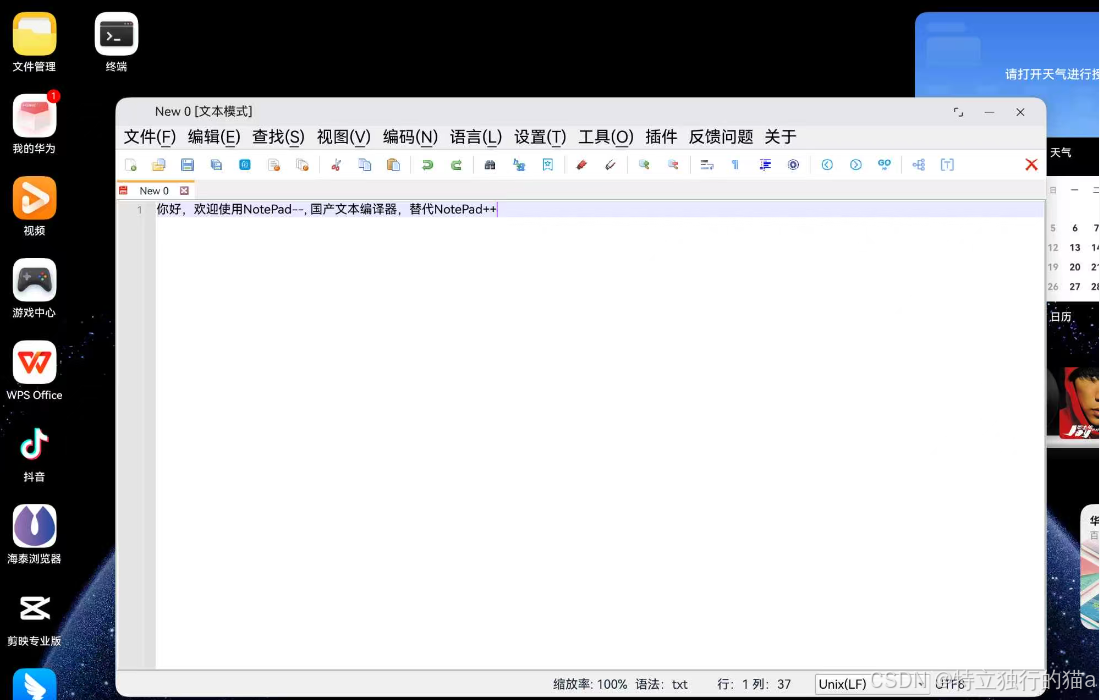 AI Visual Insight: The image shows that the ported NotePad– desktop interface starts successfully on a HarmonyOS device. This confirms that the Qt Widgets rendering pipeline, the main text editing UI, the menu bar, and the multi-tab area are all loaded correctly through the native shared library. It also validates that the integration between
 libNotePad--.so and the ArkTS container is working.
NotePad– is a strong Qt open source project for validating HarmonyOS desktop migration
NotePad– is a lightweight text editor written in C++. It supports Windows, macOS, and Linux, and provides text editing, code highlighting, and file comparison features. It is often seen as a domestic alternative to Notepad++.
For HarmonyOS PC, this kind of mature Qt project is highly representative. Its codebase is moderate in size, its Widgets characteristics are clear, and its dependency graph is manageable. That makes it a practical sample for validating whether a Qt desktop application can be migrated into a HAP-based delivery model.
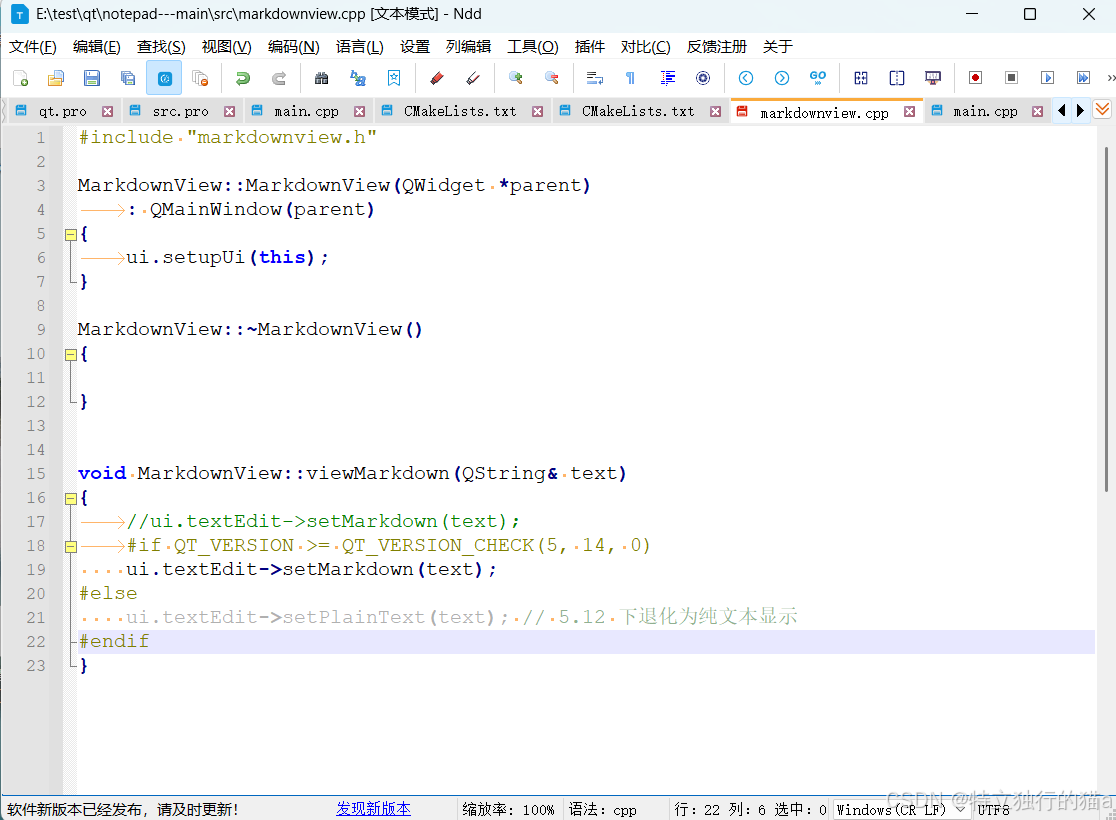 AI Visual Insight: The image shows the original NotePad– project UI and editing capabilities, reflecting a typical rich-text or code-editing Qt Widgets application. This kind of interface includes menus, toolbars, an editor area, and a status bar, which makes it an ideal sample for HarmonyOS desktop-style app migration.
You should align the key project paths first
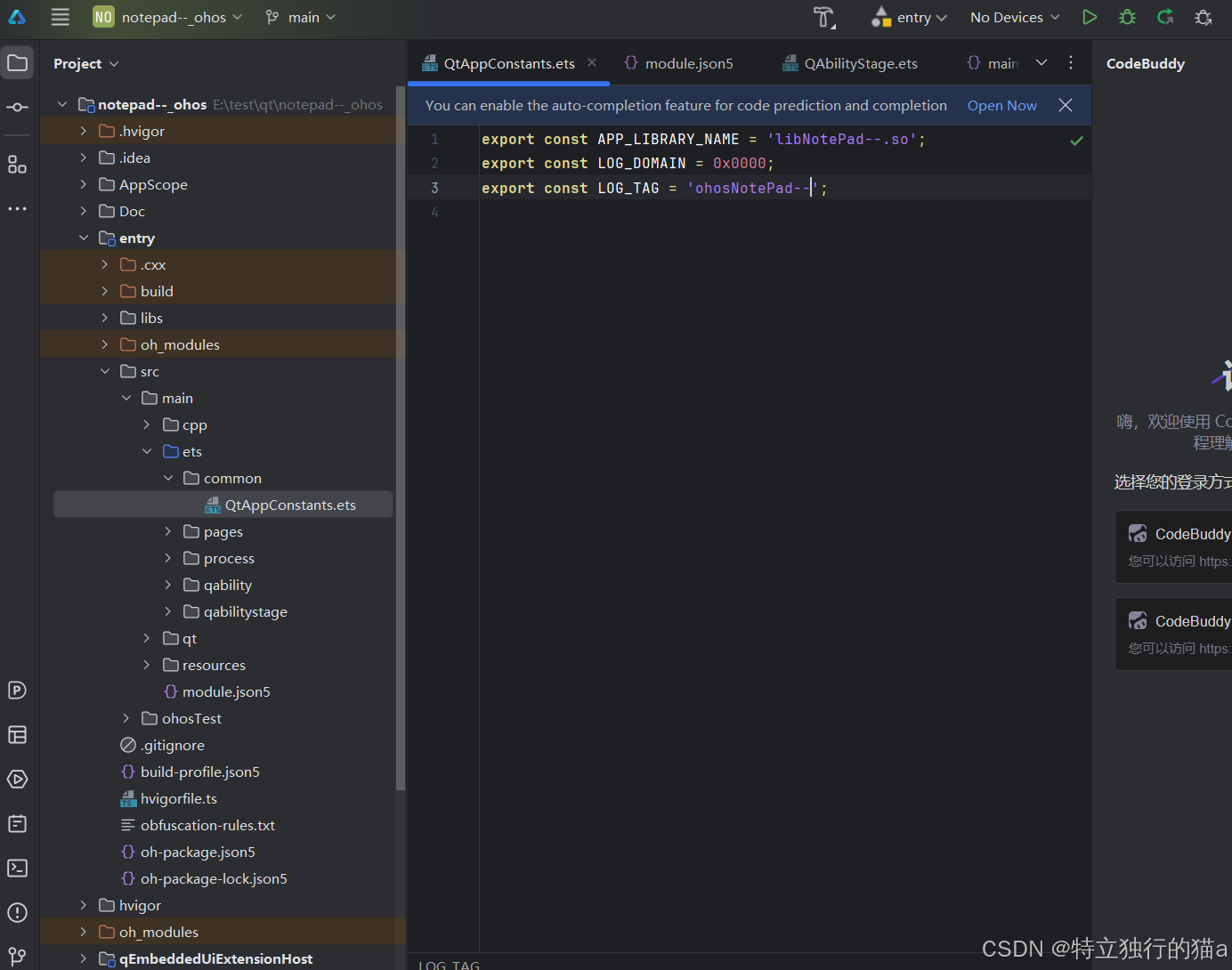
The HarmonyOS project root directory is notepad--_ohos/, and the main Qt project is located at Doc/src_qt_prj/notepad---main/. On the ArkTS side, the name of the business library to load is declared in QtAppConstants.ets.
// entry/src/main/ets/common/QtAppConstants.ets
export const APP_LIBRARY_NAME = 'libNotePad--.so'; // Core: declare the business library to load
export const LOG_DOMAIN = 0x0000;
export const LOG_TAG = 'ohosNotePad--';
This code binds the ArkTS shell layer to the CMake output artifact name. If the library names do not match exactly, loading fails immediately.
The migration workflow can be reduced to three steps: build the shared library, place it into the project, and package the HAP
The first step is environment preparation, including DevEco Studio, the HarmonyOS SDK, the OHOS native toolchain, and a Qt 5.12 for OHOS build tree that matches the target ABI.
The second step is to adjust CMake so that the OHOS branch outputs a .so file. The third step is to place the business library and Qt runtime dependencies into the DevEco project, then sign, package, and install the app on a real device.
The CMake refactor determines whether the project crosses the HarmonyOS migration boundary
# Doc/src_qt_prj/notepad---main/CMakeLists.txt
if(OHOS)
    message(STATUS ">>>> Current mode: HarmonyOS cross-compilation (generating a SHARED library) <<<<")
    add_library(${PROJECT_NAME} SHARED  # Core: switch to a shared library on HarmonyOS
        ${SRC}
        ${UI_SRC}
        ${PROJECT_SOURCE_DIR}/src/RealCompare.qrc)
elseif(CMAKE_HOST_WIN32)
    list(APPEND WIN_RCS ${PROJECT_SOURCE_DIR}/src/RealCompareToMinGw.rc)
    add_executable(${PROJECT_NAME} WIN32 ${WIN_RCS} ${SRC} ${UI_SRC}
        ${PROJECT_SOURCE_DIR}/src/RealCompare.qrc)
else()
    add_executable(${PROJECT_NAME} ${SRC} ${UI_SRC}
        ${PROJECT_SOURCE_DIR}/src/RealCompare.qrc)
endif()
This configuration allows the same source tree to continue generating an executable on Windows while producing a shared library on OHOS that ArkTS can load.
During cross-compilation, you must bind both the OHOS toolchain and the Qt for OHOS prefix path
There are four core parameters during configuration: CMAKE_TOOLCHAIN_FILE points to ohos.toolchain.cmake, DOHOS_ARCH specifies the ABI, and CMAKE_PREFIX_PATH together with Qt5_DIR is used to locate Qt for OHOS.
cmake ^
  -DCMAKE_PREFIX_PATH="C:/Qt/qt-5.12.12-ohos" ^  # Core: Qt for OHOS root directory
  -DCMAKE_TOOLCHAIN_FILE="D:/oh/DevEcoStudio/sdk/HarmonyOS-NEXT-DB6/openharmony/native/build/cmake/ohos.toolchain.cmake" ^  # Core: OHOS toolchain
  -DQt5_DIR="C:/Qt/qt-5.12.12-ohos/lib/cmake/Qt5" ^
  -DCMAKE_FIND_ROOT_PATH="C:/Qt/qt-5.12.12-ohos" ^
  -DOHOS_ARCH=arm64-v8a ^  # Core: target ABI
  ..
This command generates the OHOS cross-compilation configuration for NotePad– and ultimately produces build output that targets the HarmonyOS platform.
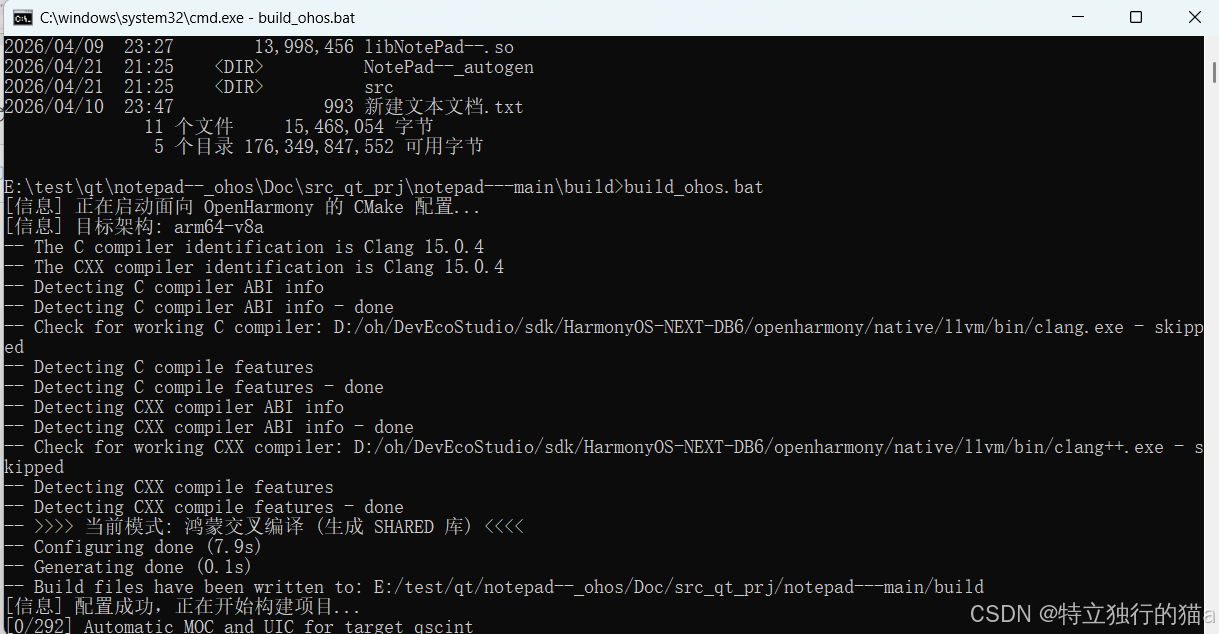
cmake --build . # Core: run the actual build and generate libNotePad--.soThis command compiles the project using the generated configuration. After it succeeds, you should see the main business library in the build directory.
A batch script is better for team reuse
If you need to fix the SDK path, Qt path, and ABI, package the command into build_ohos.bat. This reduces environment-switching overhead and minimizes manual input errors.
 AI Visual Insight: The image shows the structure of a batch script used to trigger OHOS cross-compilation on Windows. It includes variables for the SDK, CMake, toolchain, Qt root directory, and target architecture. This indicates that the project has already templated complex command parameters, which makes repeated builds and team collaboration easier.
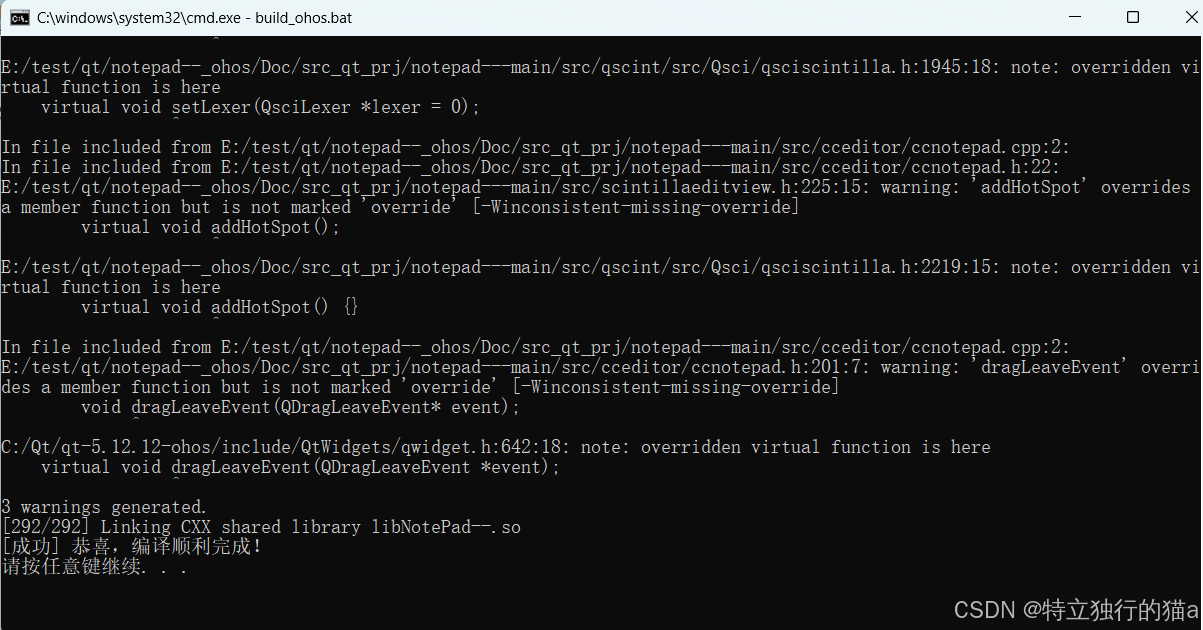 AI Visual Insight: The screenshot indicates that the build process completed successfully and generated the target artifact. In most cases, that means CMake configuration, Qt dependency resolution, OHOS toolchain invocation, and the link stage all passed. This is strong evidence that the port has entered the integration phase.
In the DevEco integration stage, the most common issues come from mismatched library names, ABI settings, and runtime dependencies
First, check whether APP_LIBRARY_NAME is exactly the same as libNotePad--.so on disk. The lib prefix, the .so suffix, and the -- naming must all match exactly.
Second, check abiFilters in entry/build-profile.json5. If you built only arm64-v8a but the project also declares x86_64, the packaged app will report a missing library on the corresponding device.
QAbilityStage is the connection point between the ArkTS shell and the Qt runtime
QAbilityStage.ets passes APP_LIBRARY_NAME to the native side through qpa.setupQtApplication(...). At runtime, startup requires not only the business library, but also libqohos.so, several libQt5*.so files, and platform plugins.
 AI Visual Insight: The image shows the project integration view in DevEco Studio and highlights the mapping between the native library directory, ABI classification, and the ArkTS entry. It makes clear that running on HarmonyOS is not as simple as copying a single
 .so file. You must keep the library layout, load constants, and entry template in sync.
// Typical invocation pattern in QAbilityStage
qpa.setupQtApplication({
  appName: APP_LIBRARY_NAME, // Core: pass the business library name to Qt on OHOS
});
This code bridges the ArkTS lifecycle to the Qt native application entry point, allowing the Qt business logic to start inside the HarmonyOS application process.
This approach proves that mature Qt desktop applications can enter the HarmonyOS PC ecosystem with minimal code changes
The key conclusion from this practice is straightforward: you do not need to rewrite NotePad– entirely in ArkTS. You only need to produce libNotePad--.so under OHOS conditions and let the DevEco ArkTS shell load it.
For existing Qt software teams, the value of this path is clear. It reuses established C++ code assets, shortens the HarmonyOS adaptation cycle, and preserves the original desktop-class interaction model. For text editors, utility applications, and industry-specific desktop clients, this is a realistic and repeatable migration route.
FAQ
1. Why can’t I compile a Qt desktop program directly into a HarmonyOS executable?
Because HarmonyOS application delivery is centered on HAP packages, and the lifecycle is managed by ArkTS and Ability components. A Qt desktop program must be loaded by the runtime as a native shared library rather than launched directly as an .exe.
2. I generated libNotePad--.so, but the app still does not start. What should I check first?
Check these three items first: whether the library name matches APP_LIBRARY_NAME; whether the ABI matches abiFilters; and whether the Qt runtime dependencies such as libqohos.so, libQt5*.so, and platform plugins are complete.
3. Is this method only applicable to NotePad–?
No. Any desktop project based on Qt Widgets or Qt/C++ can use this migration pattern, as long as its dependencies can be compiled successfully with the OHOS toolchain and its entry can be refactored into a shared library model.
Core Summary: This article reconstructs the key workflow for porting NotePad– (Ndd) to HarmonyOS PC: convert the Qt Widgets project from an executable into a shared library under the OHOS toolchain, generate libNotePad--.so, and then let the ArkTS shell in DevEco Studio load and package it into a HAP. The article focuses on CMake refactoring, cross-compilation, ABI alignment, runtime dependencies, and common integration considerations.