ToDesk AI is an AI assistant built for desktop execution scenarios. Its core capabilities include multi-model switching, scheduled tasks, keyboard-mouse operations, and cross-device collaboration. It primarily addresses repetitive office work, fragmented workflows, and the high cost of remote execution. Keywords: AI assistant, desktop automation, remote collaboration.
ToDesk AI’s technical specifications quickly define its product positioning
| Parameter | Details |
|---|---|
| Product Type | AI execution assistant / remote collaboration tool |
| Primary Environment | Multi-platform client support, including Windows, macOS, iOS, and Android |
| Interaction Protocol | Natural language conversation + remote control + keyboard-mouse execution |
| Model Capabilities | 7 selectable models, including GLM-5V-Turbo32+, Qwen3.5 plus, and Step-3.5-flash |
| Core Dependencies | Cloud inference, scheduled task system, message notifications, skill framework |
| Typical Use Cases | Daily and weekly reports, document organization, content operations, cross-device orchestration |
| GitHub Stars | Not provided in the source material; this is not an open-source project |
ToDesk AI’s core value lies in moving AI from response generation to task execution
The source material repeatedly emphasizes one point: most traditional AI tools stop at Q&A, writing, and summarization, while ToDesk AI is closer to an executable assistant. The key differentiator for products in this category is not model size, but whether they can receive a task, advance a workflow, and return results in a closed loop.
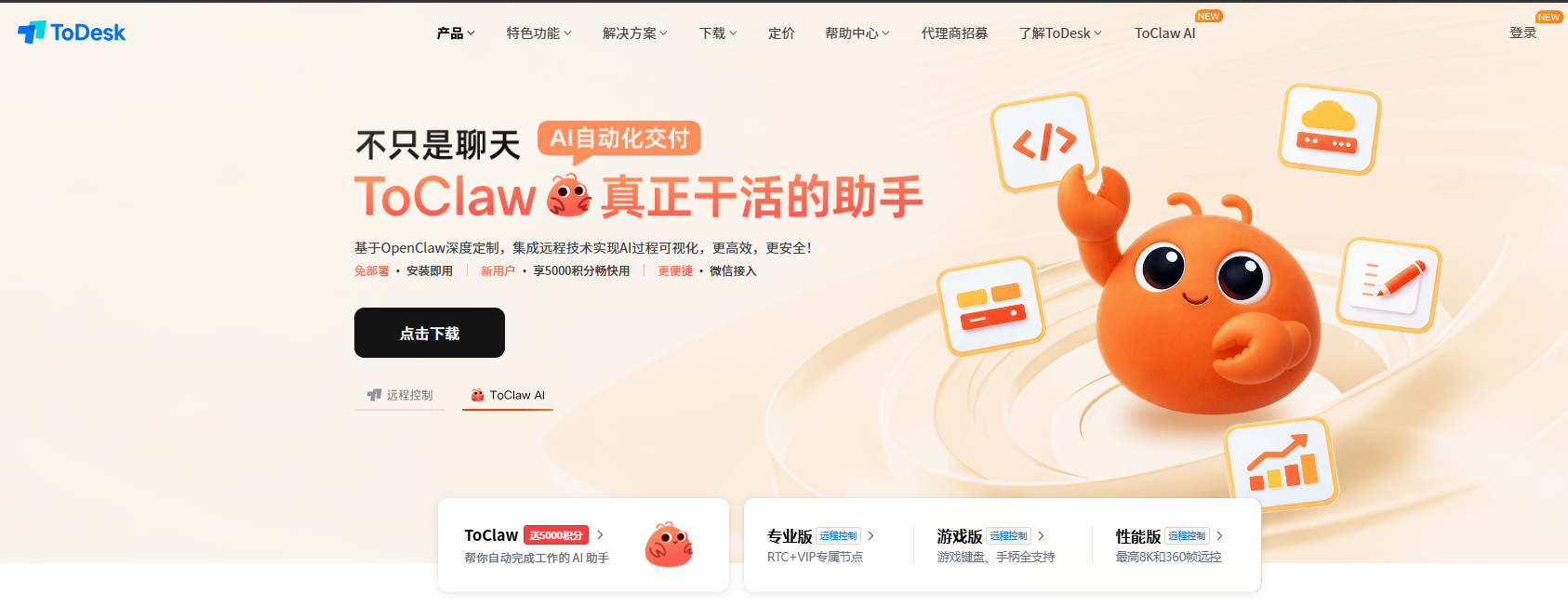 AI Visual Insight: The image shows ToDesk AI’s main interface and conversational entry point, with a clear emphasis on the desktop task scheduling area. This indicates that the product is not just a chat window, but a unified control panel built for real workflows.
From a use-case perspective, it fits three types of users: people who work remotely at high frequency, knowledge workers who handle tasks across multiple devices, and content or operations teams that spend too much energy on repetitive processes.
# Use pseudocode to express ToDesk AI's execution loop
user_intent = "Organize the daily report and send a reminder before the end of the workday"  # The user describes the goal in natural language
model_plan = parse_intent(user_intent)      # AI parses the goal and breaks it into steps
schedule_job(model_plan)                    # Add the task to the scheduling system
execute_actions(model_plan)                 # Execute organization, generation, notification, and other actions at the scheduled time
log_result(model_plan)                      # Record results for traceability and auditing
This code snippet captures ToDesk AI’s value: it connects intent parsing, task orchestration, execution, and logging into a single workflow.
Multi-model switching improves flexibility for complex task matching
The article notes that ToDesk AI now supports 7 models and adds GLM-5V-Turbo32+, Qwen3.5 plus, and Step-3.5-flash. This means it does not force a single model onto every task. Instead, it allows users to choose a strategy based on speed, reasoning ability, and visual understanding.
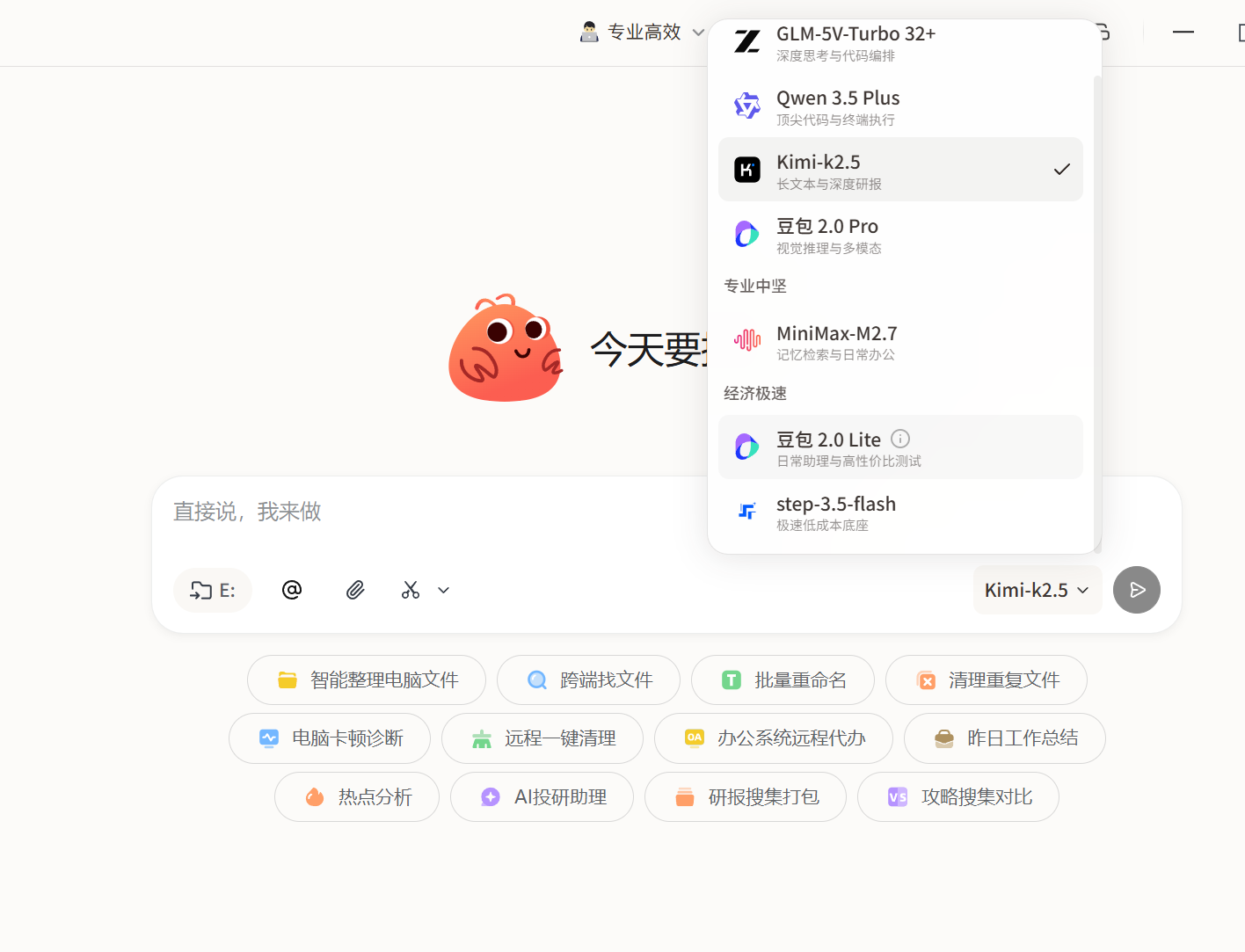 AI Visual Insight: The image shows the model-switching entry point and a list of available models. It reflects that the product exposes model selection directly to end users, making it easier to balance fast responses, strong reasoning, and visual understanding dynamically.
This design matters in real office environments. Simple summaries fit fast models, complex decomposition benefits from stronger reasoning models, and visual recognition or UI understanding depends on multimodal models. The ceiling of an AI platform often depends on whether tasks are matched to the right model, not on whether a single answer feels smooth.
Scheduled tasks and notifications deliver stable automation for repetitive work
One of the most practical parts of the article is the automated handling of recurring tasks such as daily and weekly reports. The problem it solves is not that users do not know how to do the work, but that they must do it repeatedly and may easily forget. When AI can trigger organization at a fixed time, generate output, and send notifications, users gain continuous cognitive relief.
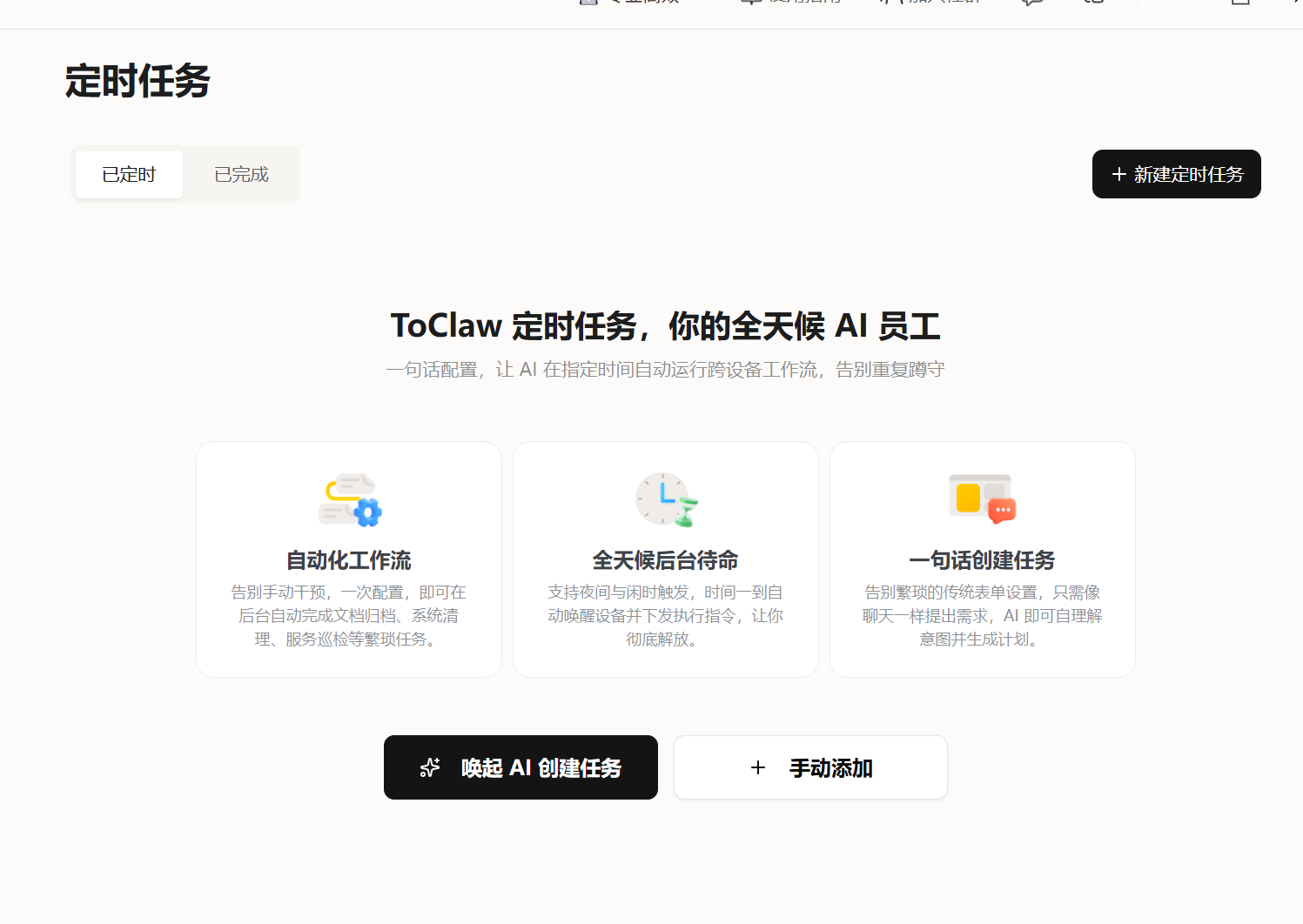 AI Visual Insight: The image shows a scheduled task configuration page with elements such as task name, trigger time, and execution content. This indicates that the system already has foundational task orchestration capabilities, rather than relying on ad hoc conversational triggers.
 AI Visual Insight: The image shows a task record or history list, highlighting that execution results are traceable and reviewable. This is especially important for auditing, error correction, and accountability in office scenarios.
# Abstract a scheduled task as a workflow
18:00 -> Collect the day's items
18:01 -> Generate the daily report using a template
18:02 -> Send a notification asking the user to confirm
18:05 -> Record the execution log
This flow shows that ToDesk AI focuses not only on generating text, but on embedding generation into a fixed operational rhythm.
The skill framework expands the boundaries of office, content, and document workflows
The source material showcases skills for PDF processing, office assistance, and search research. Unlike pure chat products, this kind of skill-based packaging is more suitable for non-technical users because common capabilities are prebuilt into the product, so users do not need to assemble workflows themselves.
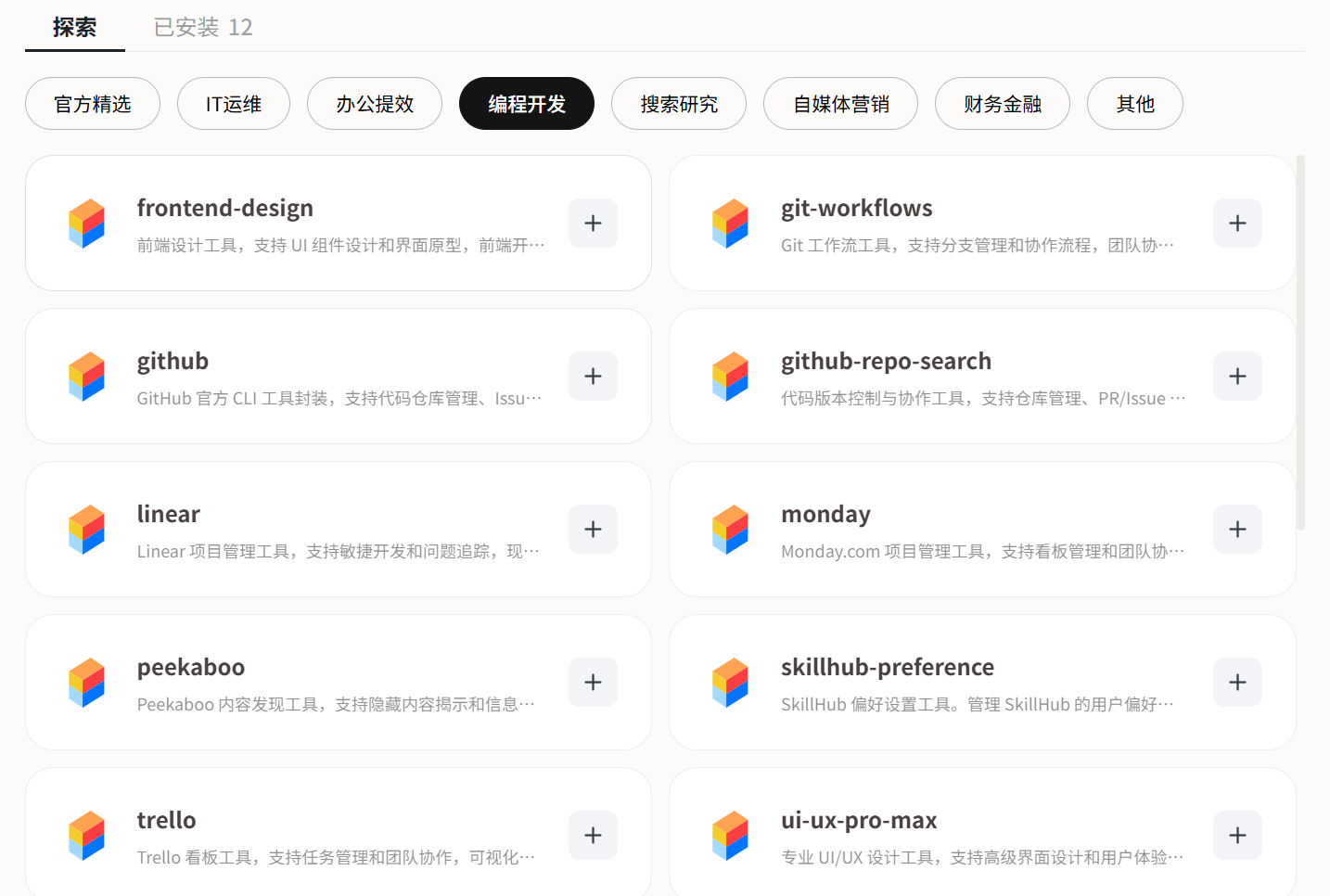 AI Visual Insight: The image shows a skill marketplace or capability catalog covering categories such as software development, office productivity, and search research. This suggests that the platform is lowering the barrier to entry through modular capabilities.
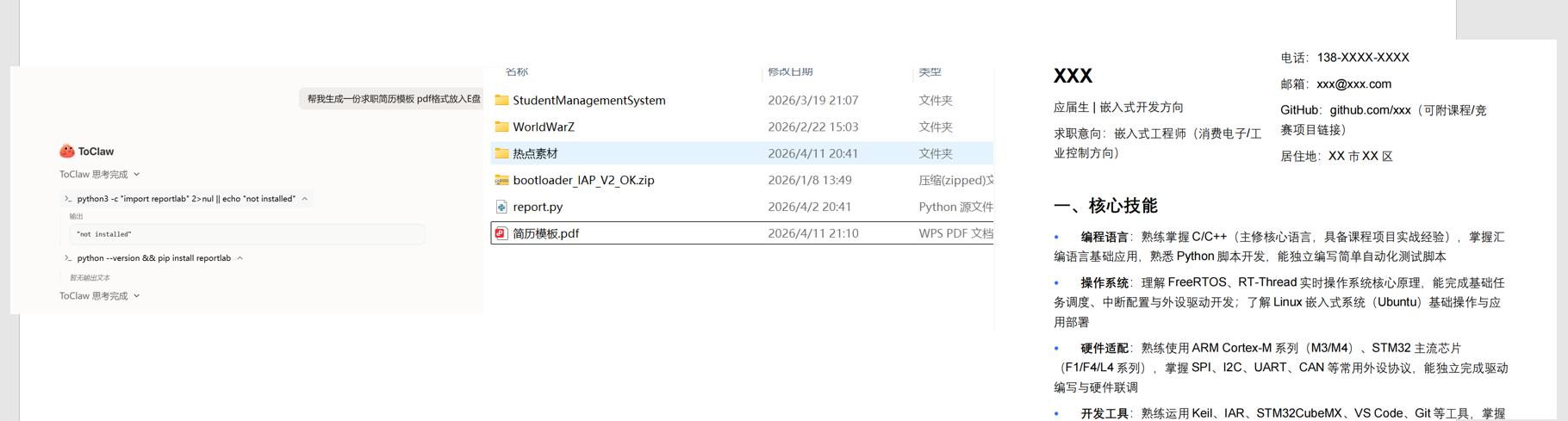 AI Visual Insight: The image shows a PDF-related operation interface, indicating that the system has already packaged document generation or conversion into callable skills suitable for standardized scenarios such as report output and material organization.
Cross-device collaboration upgrades a single AI tool into a distributed workstation
The so-called “Lobster Legion” is essentially multi-device collaboration under the same account. The original article points out that after users sign in to the same account on Windows, macOS, iOS, and Android, they can access unified AI capabilities and create a collaborative model where Device A searches for information, Device B runs computation, and Device C performs rendering.
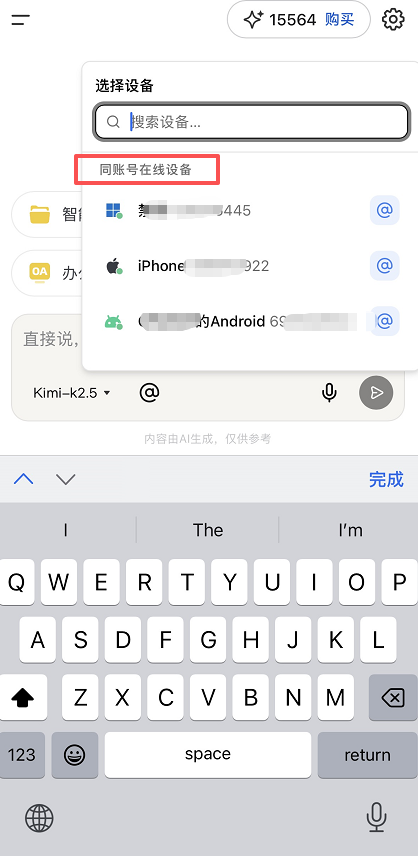 AI Visual Insight: The image shows a multi-device interaction interface, emphasizing the device list and orchestration relationships under a unified account. It reflects that the product is attempting to map AI capabilities onto a network of devices rather than a single endpoint.
The significance of this capability is that it expands the production model from “one person, one machine” to “one person orchestrating multi-end resources.” Even if feature parity across endpoints is still evolving, this direction already offers strong productivity potential.
devices = ["Device A", "Device B", "Device C"]
tasks = ["Search for information", "Run computation", "Perform rendering"]

for device, task in zip(devices, tasks):
    dispatch(device, task)  # Dispatch each task to the corresponding device
This snippet shows that the core of cross-device collaboration is not remote control itself, but task orchestration.
Content and operations use cases validate its value in production pipelines
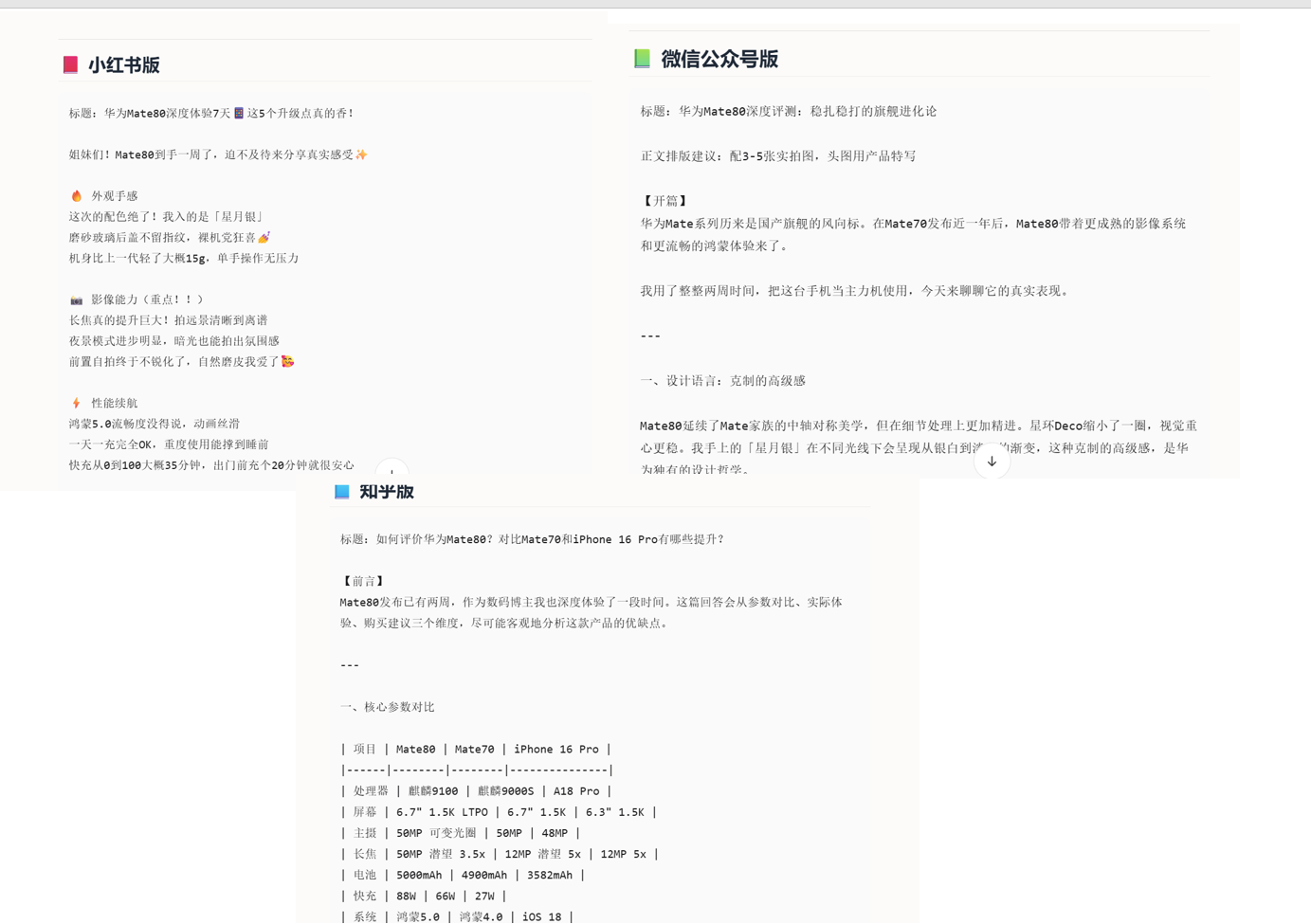
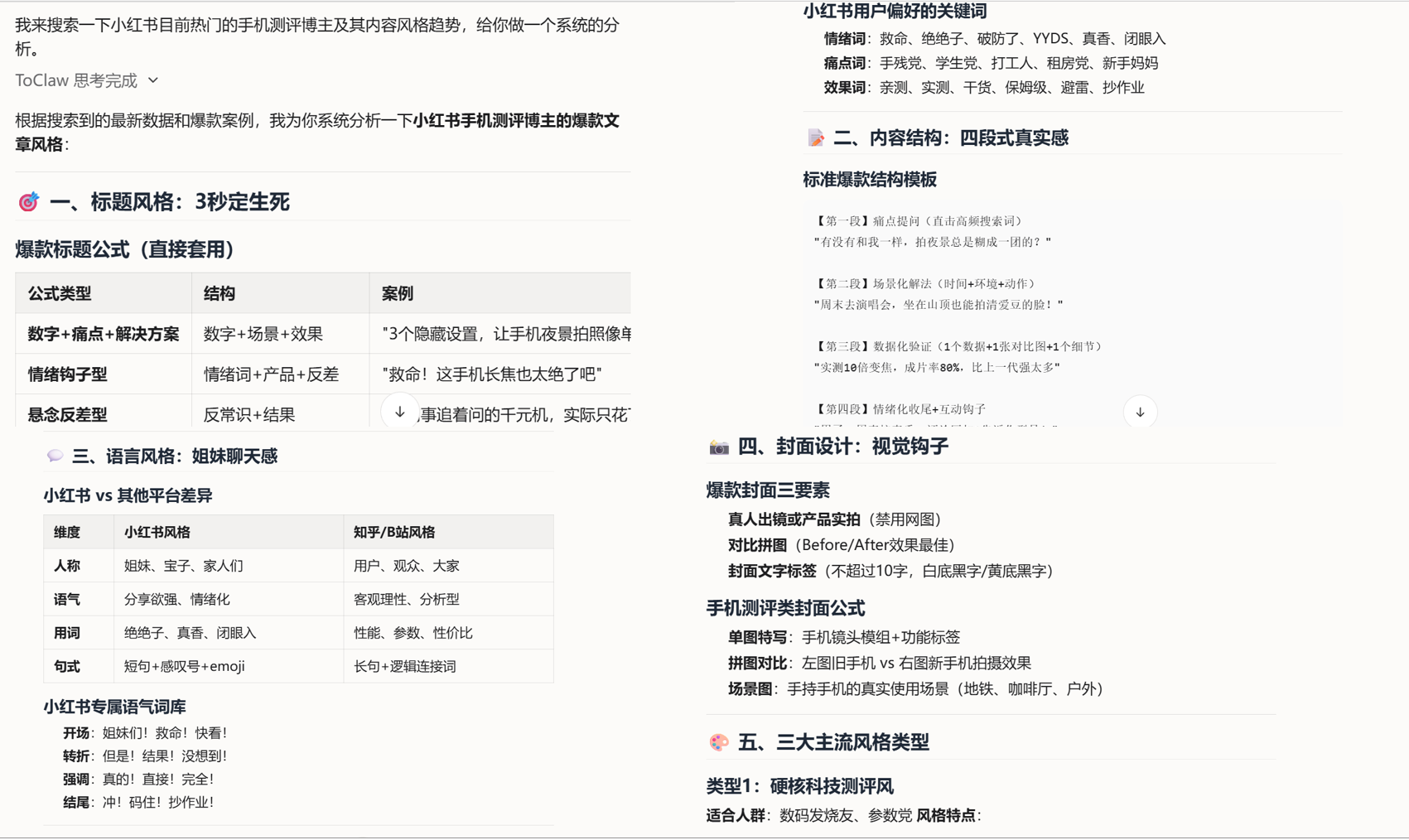
The original article spends considerable time on hot-topic collection, topic decomposition, format rewriting, and viral content analysis. The essence here is not that “AI writes for you,” but that AI takes over the high-frequency operational work before and after content creation, including information filtering, structure breakdown, multi-platform adaptation, and competitor analysis.
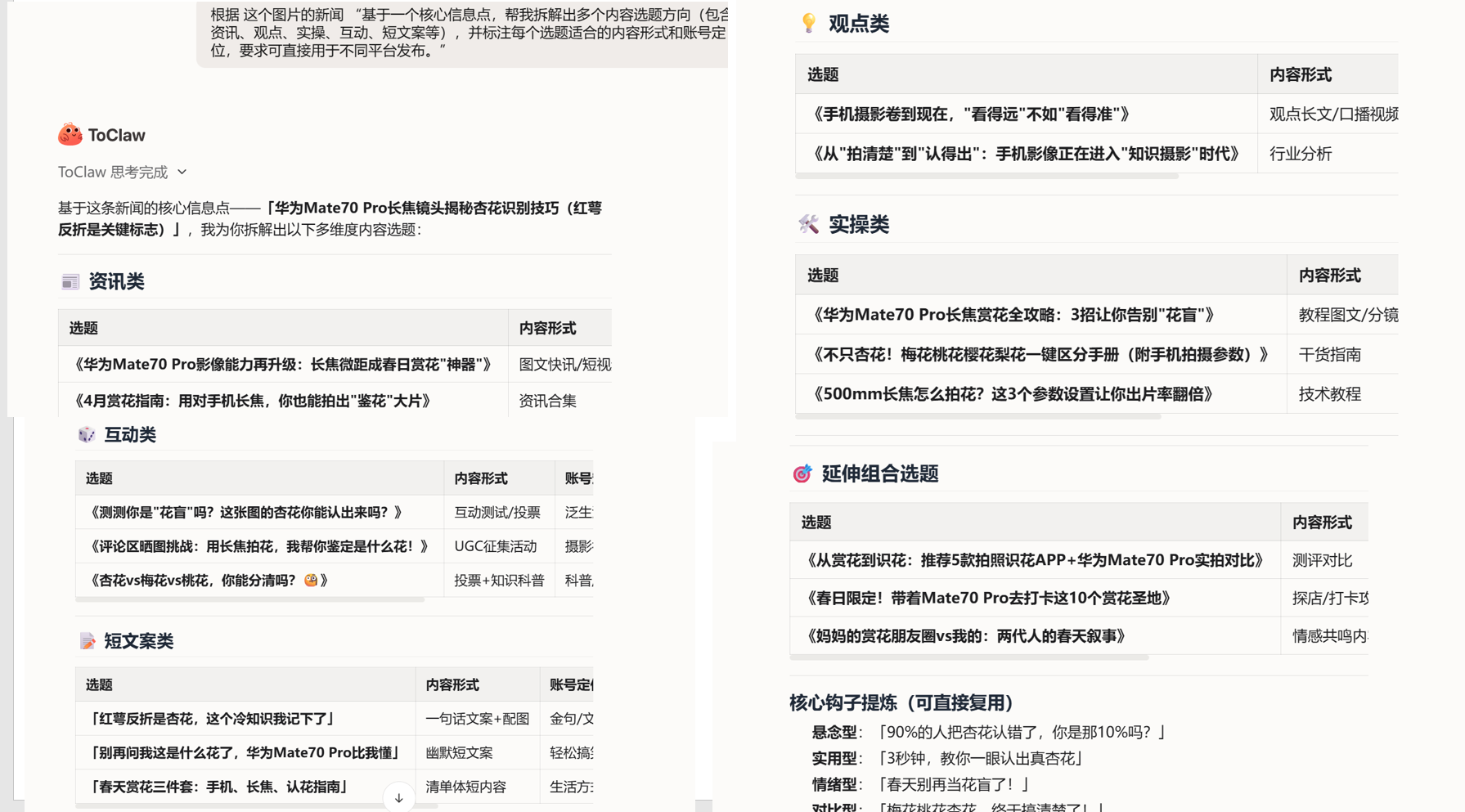 AI Visual Insight: The image shows a hot-topic material collection or information aggregation interface, indicating that AI can act as the front-end layer of content production by first completing rough filtering and topic classification.
 AI Visual Insight: The image shows topic decomposition or content planning results, emphasizing that a single information source can be expanded into multiple distribution angles, which is useful for operating account matrices.
 AI Visual Insight: The image shows an article format conversion or multi-platform rewriting interface, reflecting content reuse and style transfer capabilities that can reduce repeated formatting and rewriting costs.
ToDesk AI’s product boundary is approaching that of a desktop automation agent
Taken together, ToDesk AI’s competitiveness does not come from any single feature, but from its combined capabilities: multi-model support determines understanding depth, scheduled tasks preserve operational rhythm, keyboard-mouse execution fills the action layer, logs and notifications form a feedback loop, and cross-device collaboration amplifies resource utilization.
If we place it in the context of AI tool evolution in 2026, it represents a more agent-like desktop assistant: it no longer just generates answers, but organizes actions around task goals.
FAQ
What is the essential difference between ToDesk AI and a standard chat-based AI?
Standard chat-based AI mainly outputs answers or content. ToDesk AI emphasizes the execution chain, including task decomposition, scheduled triggering, keyboard-mouse operations, result notifications, and logging, making it better suited for office automation.
Does multi-model switching really matter for everyday users?
Yes. Different tasks require different balances of speed, reasoning, and visual understanding. Switchable models allow users to choose more appropriate capability combinations for daily reports, long documents, UI recognition, and similar tasks.
Which real-world scenarios fit ToDesk AI best?
It is best suited for scenarios that are repetitive, step-based, and require cross-device or remote execution, such as daily and weekly reports, document organization, content operations, document processing, and basic workflow automation.
Core Summary: Based on hands-on testing, this article reconstructs ToDesk AI’s core capabilities: multi-model switching, scheduled tasks, message notifications, keyboard-and-mouse-level execution, and cross-device collaboration. It focuses on how the product moves AI from “able to answer” to “able to execute,” making it suitable for remote work, content operations, and repetitive workflow automation.