This article breaks down the Day 1 engineering bootstrap plan for “Zhilian Linli.” It focuses on Flutter project creation, OpenHarmony environment adaptation, directory architecture planning, and baseline configuration to solve two common problems: slow cold starts in cross-platform projects and unclear OpenHarmony adaptation paths. Keywords: Flutter, OpenHarmony, smart community.
Technical specifications are summarized below
| Parameter | Description |
|---|---|
| Core languages | Dart, Kotlin, Swift, JSON5, Gradle |
| Target platforms | OpenHarmony, Android, iOS, DAYU200 |
| Core protocols/capabilities | Cross-platform UI rendering, device debugging, permission declaration, reserved MQTT extensibility |
| Project type | Day 1 initialization for a smart community service platform |
| Star count | Not provided in the original source |
| Core dependencies | flutter_screenutil, Provider, Dio, shared_preferences, ohos-sdk |
This article defines a cross-platform engineering starting point for smart community applications
“Zhilian Linli” is not just a simple Flutter demo. It is a cross-platform project skeleton designed for public service scenarios. It places government services, neighborhood interaction, property management, and smart facility integration under one engineering perspective, emphasizing build once and reuse across multiple platforms.
The value of the original content does not lie in complex business implementation. Instead, it lies in clarifying the direction, engineering boundaries, and OpenHarmony adaptation path on Day 1. For OpenHarmony beginners, this step is more important than jumping straight into page development.
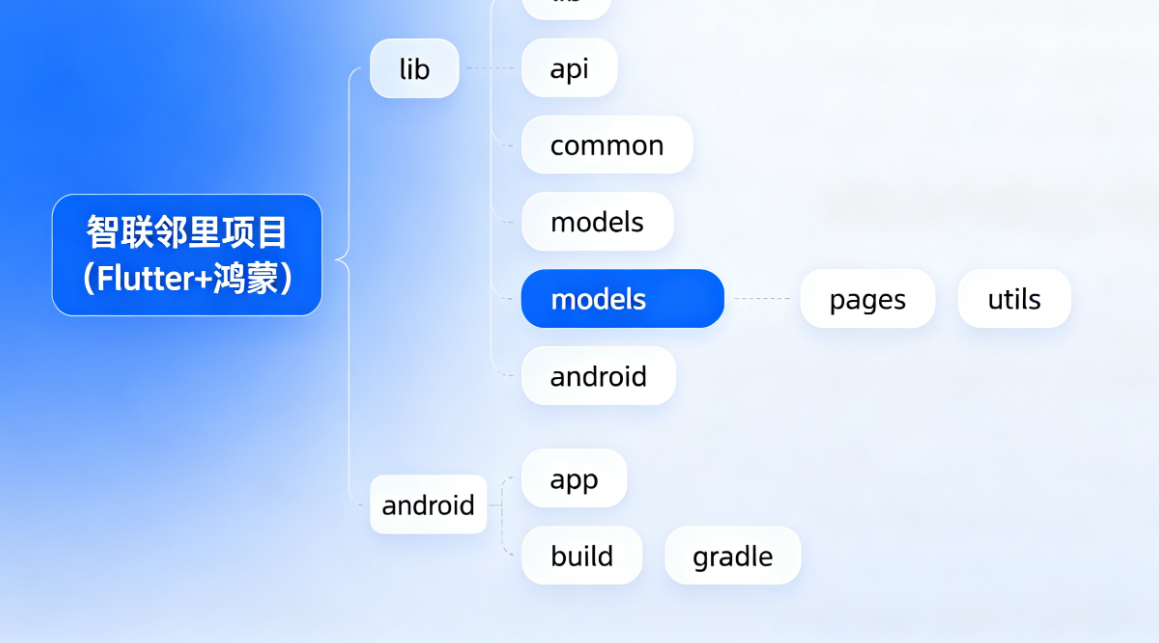 AI Visual Insight: The image illustrates how the project converges across three core dimensions: policy direction, community scenarios, and cross-platform adaptation. It highlights that smart community applications are not single-feature products, but a unified engineering entry point for resident-facing, property-facing, and management-facing systems.
Project goals should be defined before page development starts
The project divides users into three roles: residents, property managers, and community administrators. This approach makes it easier to map future pages, data models, and permission design to real-world roles instead of piling up disconnected feature entries.
At the same time, OpenHarmony integration is not decorative. It is the technical anchor for domestic platform adaptation and multi-device deployment, especially in community service scenarios where phones, tablets, and development boards coexist.
Day 1 focuses on closing the loop with a runnable engineering baseline
Day 1 centers on four tasks: creating the Flutter project, completing OpenHarmony runtime adaptation, planning the directory structure, and filling in global baseline configuration. Together, these actions answer one question: does the project have a stable foundation for future iterations?
# Create a cross-platform project skeleton
flutter create --project-name zhilian_linli \
  --android-language kotlin \
  --ios-language swift zhilian_linli

# Enter the project directory
cd zhilian_linli

# Verify that the default project runs successfully
flutter run
These commands generate a maintainable Flutter starter project and verify that the local SDK and runtime toolchain are working correctly.
Three checks should happen immediately after project creation
First, make sure the default counter page runs successfully. If it does not, do not rush into OpenHarmony configuration. Second, confirm that the Android directory is complete, because many OpenHarmony-side changes will land in the platform project. Third, keep the initial main.dart so you can roll back when needed.
These checks may look basic, but they help isolate Flutter environment issues from OpenHarmony adaptation issues early, which prevents the two from getting mixed together during troubleshooting.
OpenHarmony adaptation depends on dependencies, device recognition, and permission entry points
The most valuable part of the original article is that it breaks OpenHarmony adaptation into three stages: dependency configuration, device runtime, and common pitfalls. This matches the real development sequence: first let the project recognize the platform, then make the device runnable, and finally handle failure paths.
dependencies {
    implementation fileTree(dir: 'libs', include: ['*.jar'])
    // Import OpenHarmony-related SDKs
    implementation 'com.huawei.ohos:ohos-sdk:4.0.8.1'
    // Import utility capabilities for baseline adaptation
    implementation 'com.huawei.ohos:ohos-utils:4.0.8.1'
}
This configuration fills in the OpenHarmony-side dependencies for the Flutter project so that it gains baseline platform recognition and adaptation capabilities.
The most common issues cluster around three areas: the IDE cannot detect the device, dependency versions do not match, and the first installation crashes immediately. At their core, these are toolchain issues, version compatibility issues, and system authorization issues.
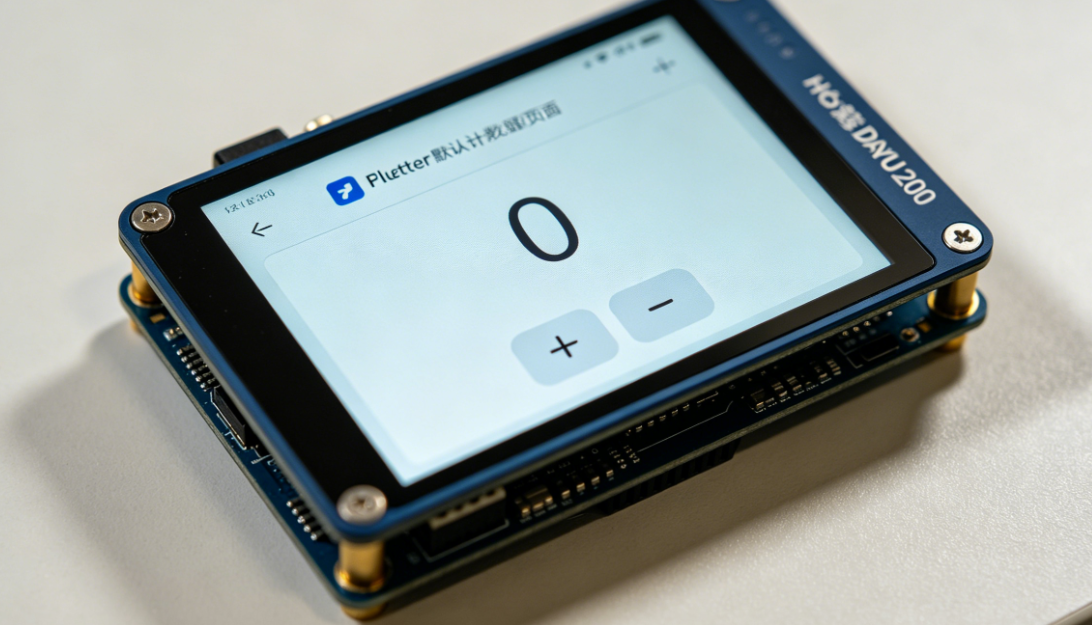 AI Visual Insight: The image highlights the process relationships among real-device connection, platform execution, and adaptation verification. It shows that OpenHarmony adaptation is not just a configuration change, but a full integration workflow from SDK and IDE setup to device authorization.
Version convergence should be the first priority during adaptation
If the device system version, ohos-sdk version, and Flutter plugin version are inconsistent, build issues increase significantly. In practice, you should lock one validated version set first and upgrade gradually afterward, instead of letting dependencies drift while development is in progress.
A clear directory structure is the prerequisite for future government-service and IoT expansion
In smart community projects, many pages, many roles, and many APIs are the norm. The original structure with pages, widgets, utils, models, services, and routes is a solid medium-scale application layout that can support early-stage evolution.
lib/
├── main.dart
├── pages/        # Page layer for resident-facing and management-facing UI
├── widgets/      # Reusable component layer for buttons, cards, and input fields
├── utils/        # Utility layer for networking, caching, and OpenHarmony adaptation
├── models/       # Data model layer for unified entity definitions
├── services/     # Service layer for backend, government-service, and IoT integrations
├── constants/    # Constant layer for themes, copy, and endpoints
└── routes/       # Routing layer for centralized navigation
The key idea in this structure is to separate the fast-changing page layer from the slower-changing service and model layers, which improves the efficiency of future incremental development.
module.json5 should be treated as the OpenHarmony capability gateway
The original article specifically calls out module.json5, and that is important. Permissions for networking, storage, sensors, and other capabilities often determine whether features actually run. That makes it more than a config file. It is the entry point for declaring OpenHarmony capabilities.
Global configuration determines whether the multi-platform experience stays stable and consistent
Screen adaptation, the theme system, and permission declarations are the three most valuable baseline tasks to complete on Day 1. They do not produce business features directly, but they strongly influence UI efficiency and runtime stability from Day 2 onward.
dependencies:
  flutter:
    sdk: flutter
  flutter_screenutil: ^5.9.0 # Unified multi-device size adaptation
This dependency configuration introduces a unified screen adaptation capability and reduces the risk of layout fragmentation across phones, tablets, and development boards.
ThemeData appTheme() {
  return ThemeData(
    primaryColor: const Color(0xFF2E8B57), // Primary color for the community theme
    scaffoldBackgroundColor: Colors.white, // Keep the page background consistent
    textTheme: TextTheme(
      bodyLarge: TextStyle(fontSize: 16.sp), // Scale text with screen size
    ),
  );
}
This theme code establishes a unified visual baseline and gives text sizing adaptive behavior across devices.
{
  "requestPermissions": [
    {
      "name": "ohos.permission.INTERNET",
      "reason": "Required to access community announcements and government service APIs",
      "usedScene": {
        "ability": ["com.zhilianlinli.app.MainAbility"],
        "when": "always"
      }
    }
  ]
}
This permission declaration opens the network access path in advance and prevents false diagnosis during later API integration when the real issue is missing permissions.
The technology stack reflects a strategy of stability first and gradual expansion second
Flutter handles cross-platform UI. Provider keeps state management lightweight. Dio provides API access. shared_preferences covers baseline local caching. MQTT is reserved as an extension point for future smart facility integration. This stack is not aggressive, but it fits projects that balance teaching value with real-world delivery.
If the project later integrates community access control, elevator status, or streetlight alerts, the combination of services and MQTT can absorb IoT message flows naturally without forcing major changes to the page structure.
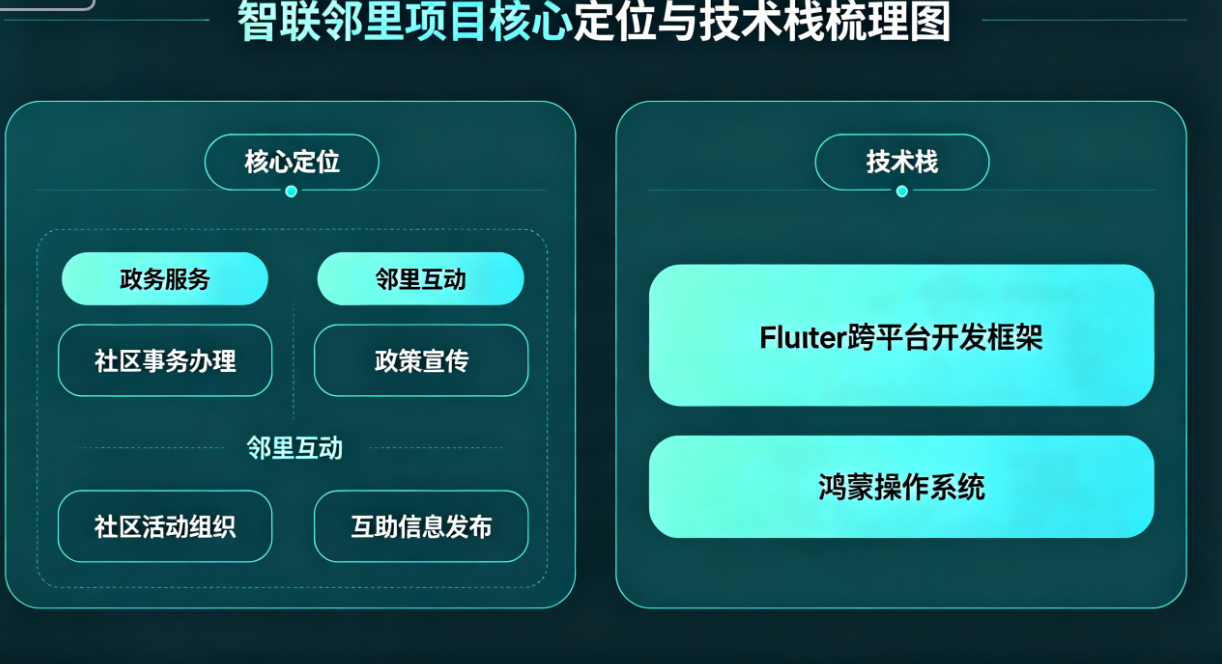 AI Visual Insight: The image emphasizes the phase-to-phase handoff from engineering setup to home page UI development. It shows that the real output of Day 1 is a sustainable development foundation that reduces rework in later page development and multi-platform adaptation.
The real Day 1 deliverable is a cross-platform foundation that can evolve sustainably
The core of this content is not technical showmanship. It compresses the startup steps of an OpenHarmony scenario project into an executable path: get the project running first, stabilize adaptation second, constrain the structure third, and unify baseline configuration last.
For developers preparing to build Flutter + OpenHarmony projects, the most reusable takeaway is not a single code snippet. It is this startup method: engineering first, adaptation upfront, and clear layering.
FAQ
1. Why not start building the home page on Day 1?
Because cross-platform projects are most likely to incur rework in environment setup, permissions, and directory structure. Closing the runnable loop first prevents future UI and business development from being interrupted repeatedly by platform issues.
2. What usually blocks Flutter projects during OpenHarmony adaptation?
The most common blockers are SDK version mismatches, IDEs failing to recognize devices, and missing permission declarations. The best approach is to lock a validated version combination first, then verify device connectivity and permission configuration one item at a time.
3. Is this project structure suitable for future IoT integration?
Yes. services can absorb device APIs and MQTT messages, models can standardize data entities, and utils can encapsulate platform capabilities. This makes it easier to extend into access control, sensors, and alert scenarios smoothly.
Core Summary: This article reconstructs the core content of “Zhilian Linli” Day 1. It focuses on Flutter and OpenHarmony project initialization, OpenHarmony environment adaptation, layered directory design, and baseline configuration for themes and permissions. It also outlines the technology stack and common pitfalls required for delivering smart community applications in later stages.