This article explains how to replace Bibliometrix’s built-in Gemini call chain with a OneAPI-based integration for Chinese foundation models, solving the native limitations around Google-only support, higher cost, and weak extensibility. The implementation covers OneAPI setup, R source replacement, model routing, and chart recognition. Keywords: Bibliometrix, DeepSeek V4, OneAPI.
The technical specification snapshot outlines the integration baseline
| Parameter | Description |
|---|---|
| Primary Language | R |
| API Protocol | OpenAI Chat Completions-compatible protocol |
| Gateway Component | OneAPI |
| Target Models | deepseek-ai/DeepSeek-V4-Flash, Qwen/Qwen3.6-27B |
| Local Endpoint | http://localhost:3000/v1/chat/completions |
| Upstream Platform | SiliconFlow |
| GitHub Stars | Not provided in the source |
| Core Dependencies | httr2, base64enc, jsonlite |
This migration removes Bibliometrix’s single-point dependency on Gemini
Bibliometrix has clear potential for AI-enhanced analysis, but its native implementation is directly bound to the Gemini API. For Chinese developers, that creates unnecessary friction in integration, cost control, and network accessibility.
A better approach is to abstract the upstream model layer. Bibliometrix continues to call a unified interface, while OneAPI forwards requests to DeepSeek or Qwen. This preserves the existing workflow and adds model portability.
The refactored call chain stays stable at the front end and replaceable at the back end
Bibliometrix/biblioshiny
        ↓
   custom gemini_ai()
        ↓
OneAPI local unified endpoint
        ↓
SiliconFlow model channel
        ↓
DeepSeek-V4-Flash / Qwen3.6-27B
The value of this chain is straightforward: the front end remains unchanged, while the back end becomes interchangeable.
OneAPI unifies multi-model access behind a standard endpoint
OneAPI works well as a protocol adaptation layer. It normalizes models from different vendors into an OpenAI-compatible interface, which makes it ideal for modernizing older projects that depend on fixed APIs.
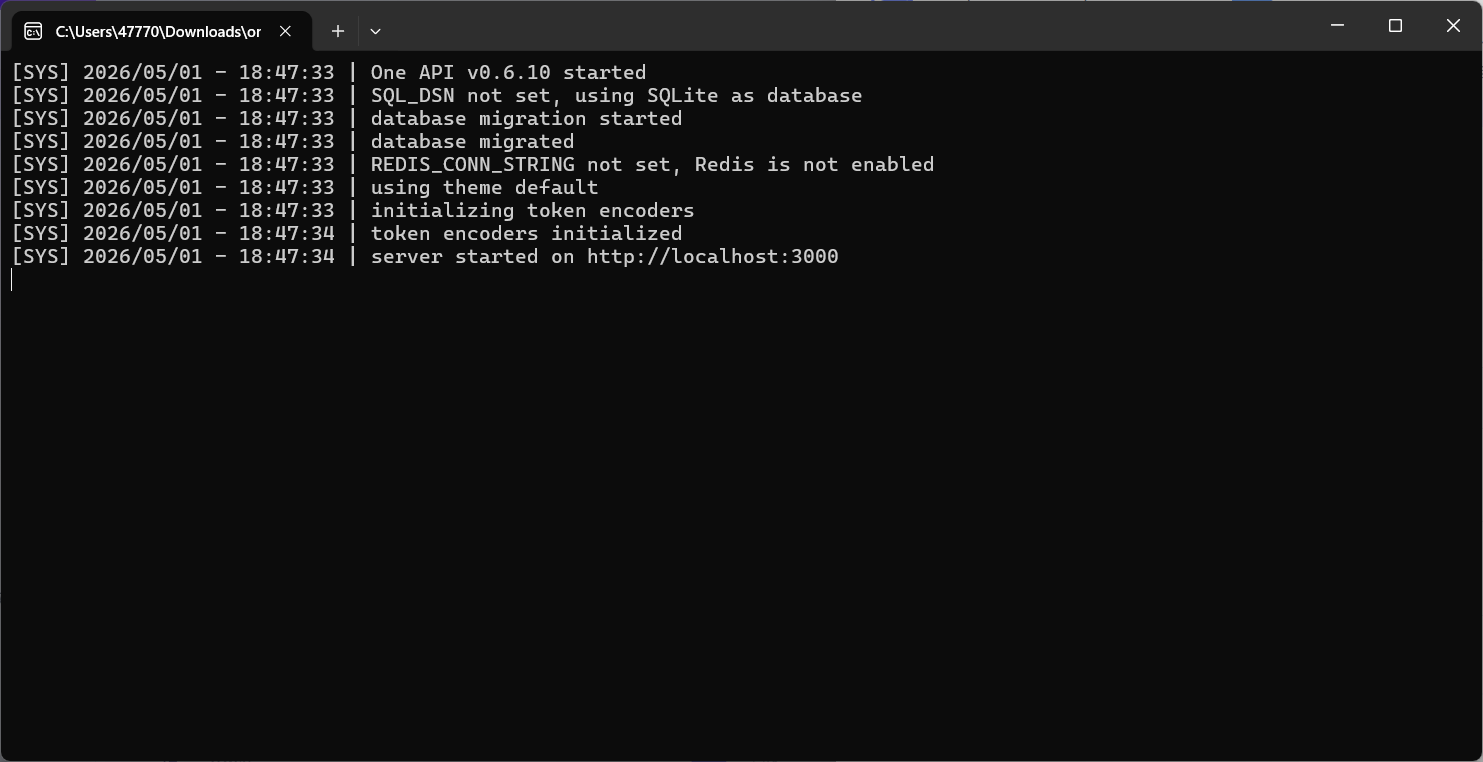
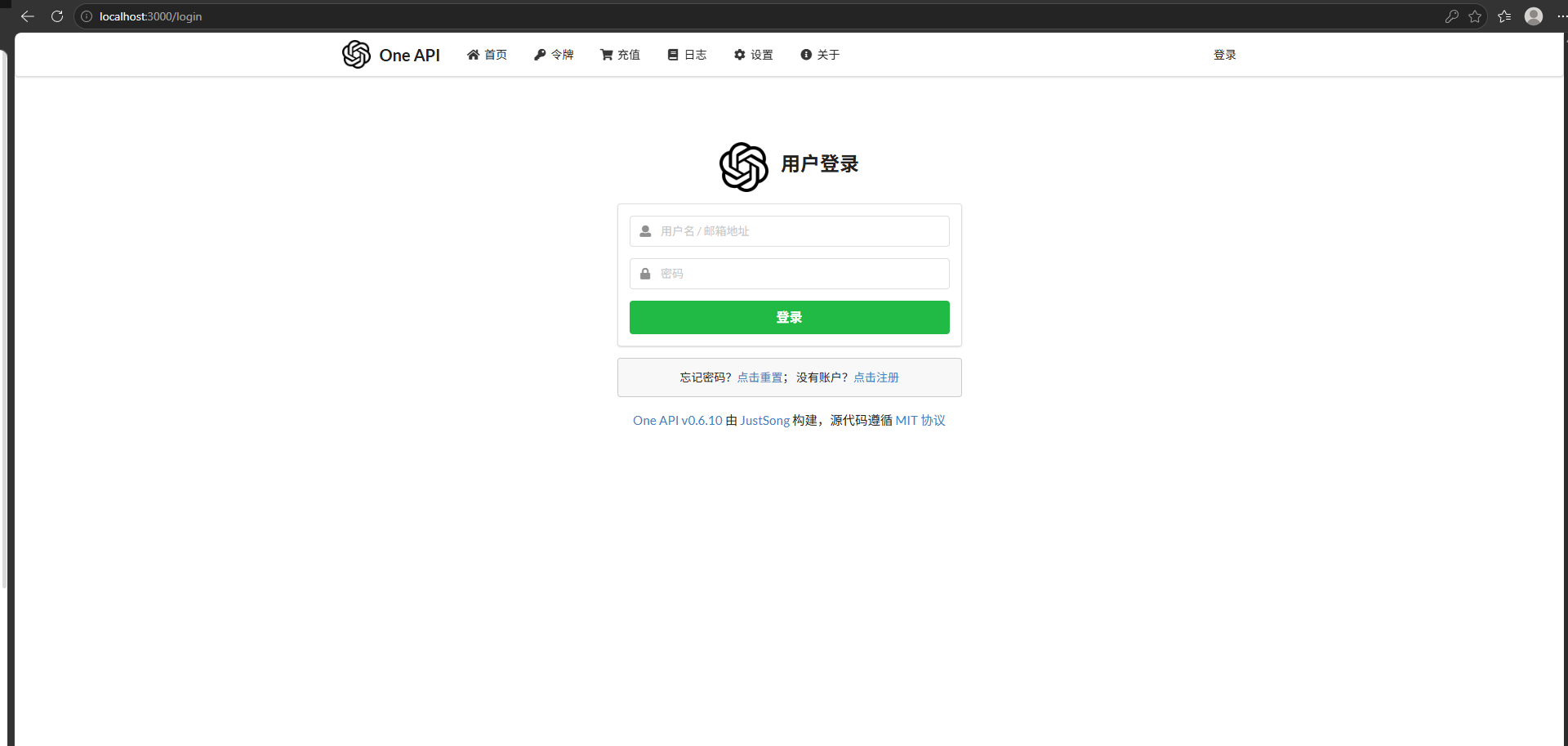
Download the executable package from GitHub Releases and install it. The default local dashboard is usually available at http://localhost:3000.
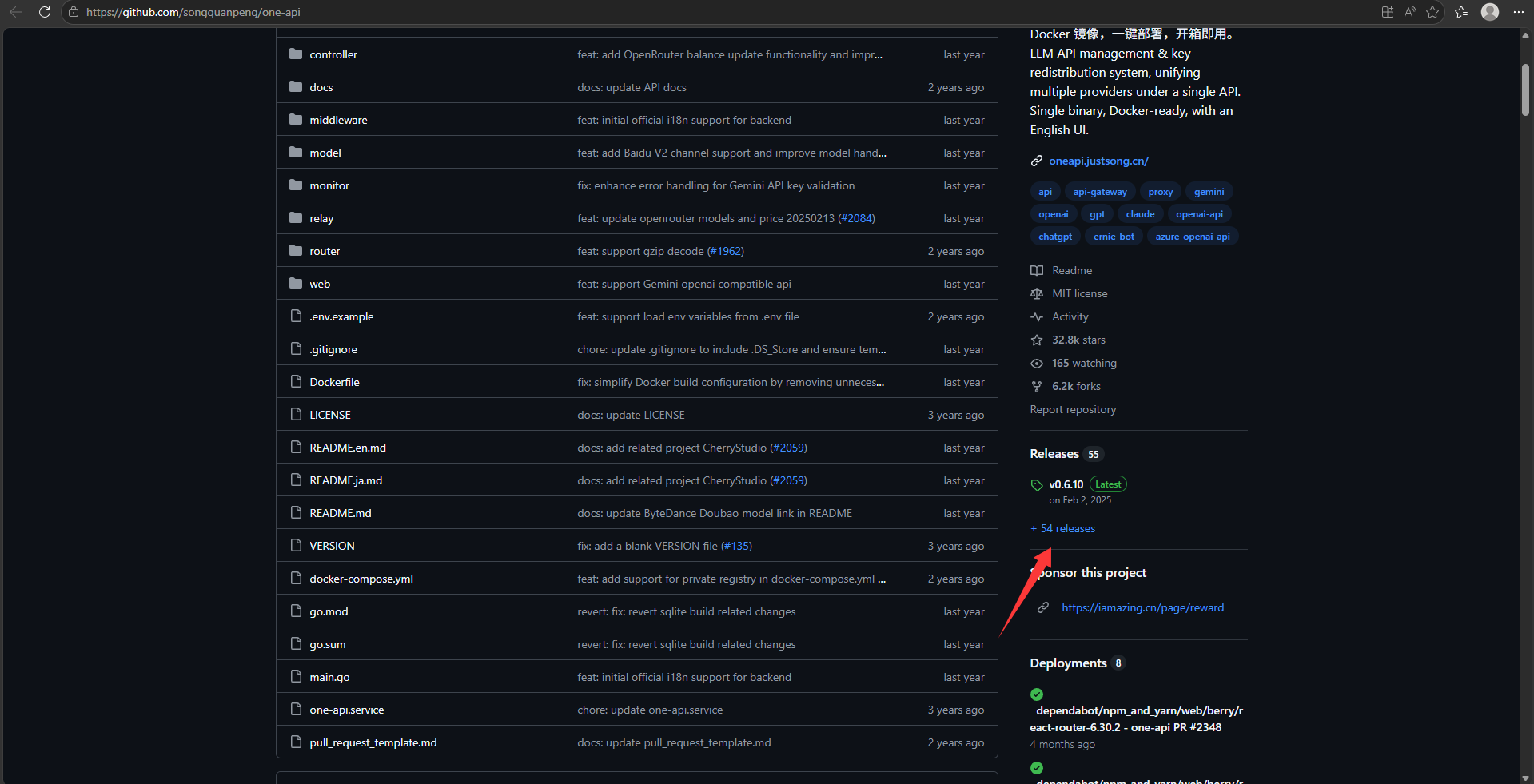 AI Visual Insight: This screenshot shows the OneAPI repository homepage and the entry point to the Releases page. The key action is downloading a prebuilt package, which indicates that this approach prioritizes the desktop executable over source deployment and is well suited for fast local validation.
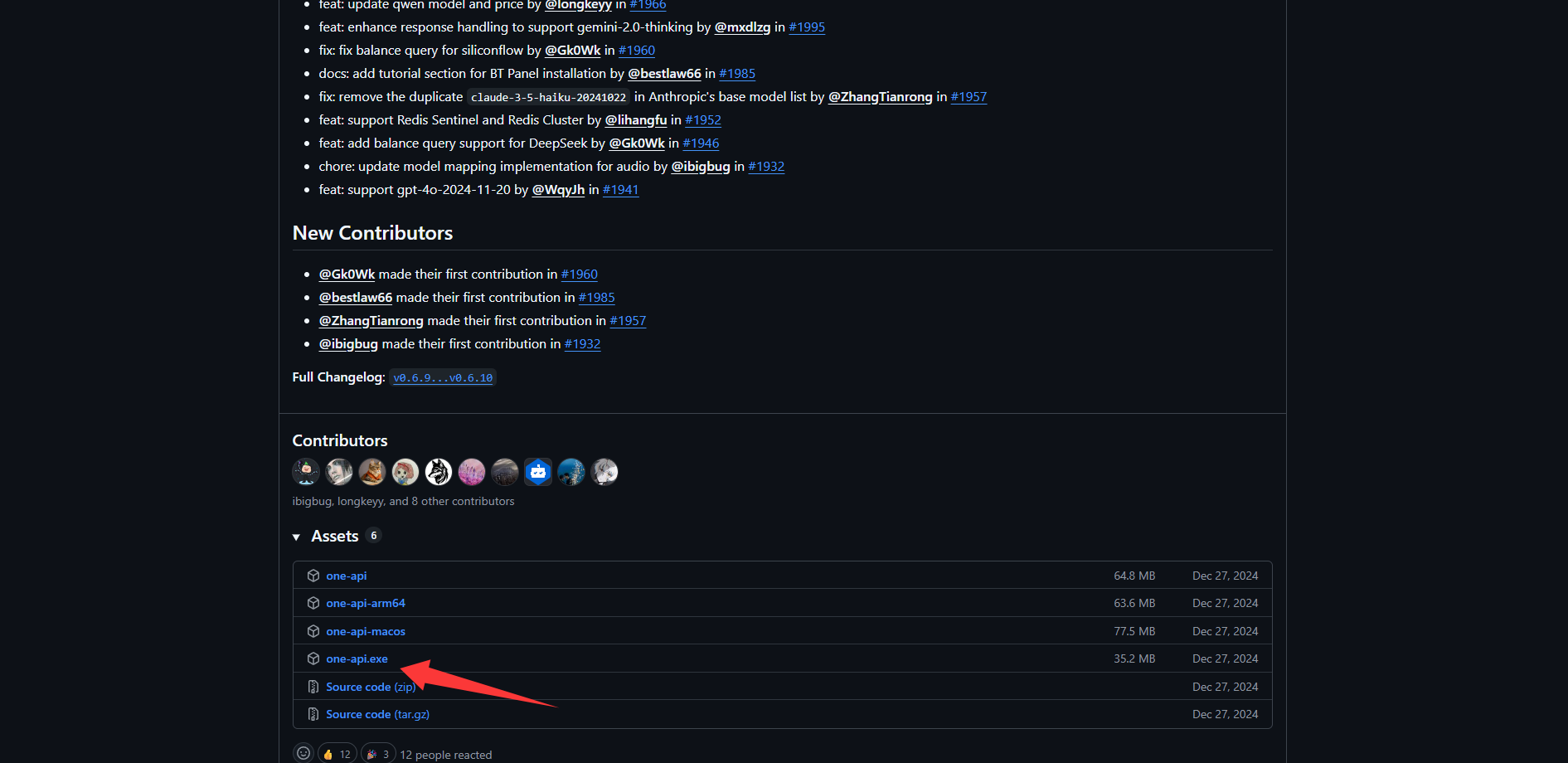 AI Visual Insight: This image shows the downloadable assets in the Releases list. It highlights a binary distribution workflow that avoids manual compilation, making it suitable for researchers who want to stand up a local LLM gateway quickly.
Channel configuration determines whether biblioshiny can route models correctly
After signing in to OneAPI, create a new channel and fill in at least three fields: channel name, full model name, and proxy URL. Here, the proxy URL should use SiliconFlow’s https://api.siliconflow.cn.
If you want to connect DeepSeek-V4-Flash, set the model name to deepseek-ai/DeepSeek-V4-Flash. If you also need vision support, add another channel for Qwen/Qwen3.6-27B.
# SiliconFlow upstream endpoint
https://api.siliconflow.cn

# Example model names
deepseek-ai/DeepSeek-V4-Flash
Qwen/Qwen3.6-27B
At its core, this step builds a mapping in OneAPI from a model alias to the vendor-specific endpoint.
 AI Visual Insight: This screenshot appears to show the OneAPI channel management interface. The key point is the entry point for adding a new channel and the separation of configuration fields, indicating that model onboarding happens in the middleware layer before any R code changes are made.
 AI Visual Insight: This image shows the channel configuration form, which typically includes the model name, group, key, and proxy URL. The technical takeaway is that the model identifier must exactly match the upstream platform; otherwise, OneAPI may connect successfully but still fail to invoke the intended model.
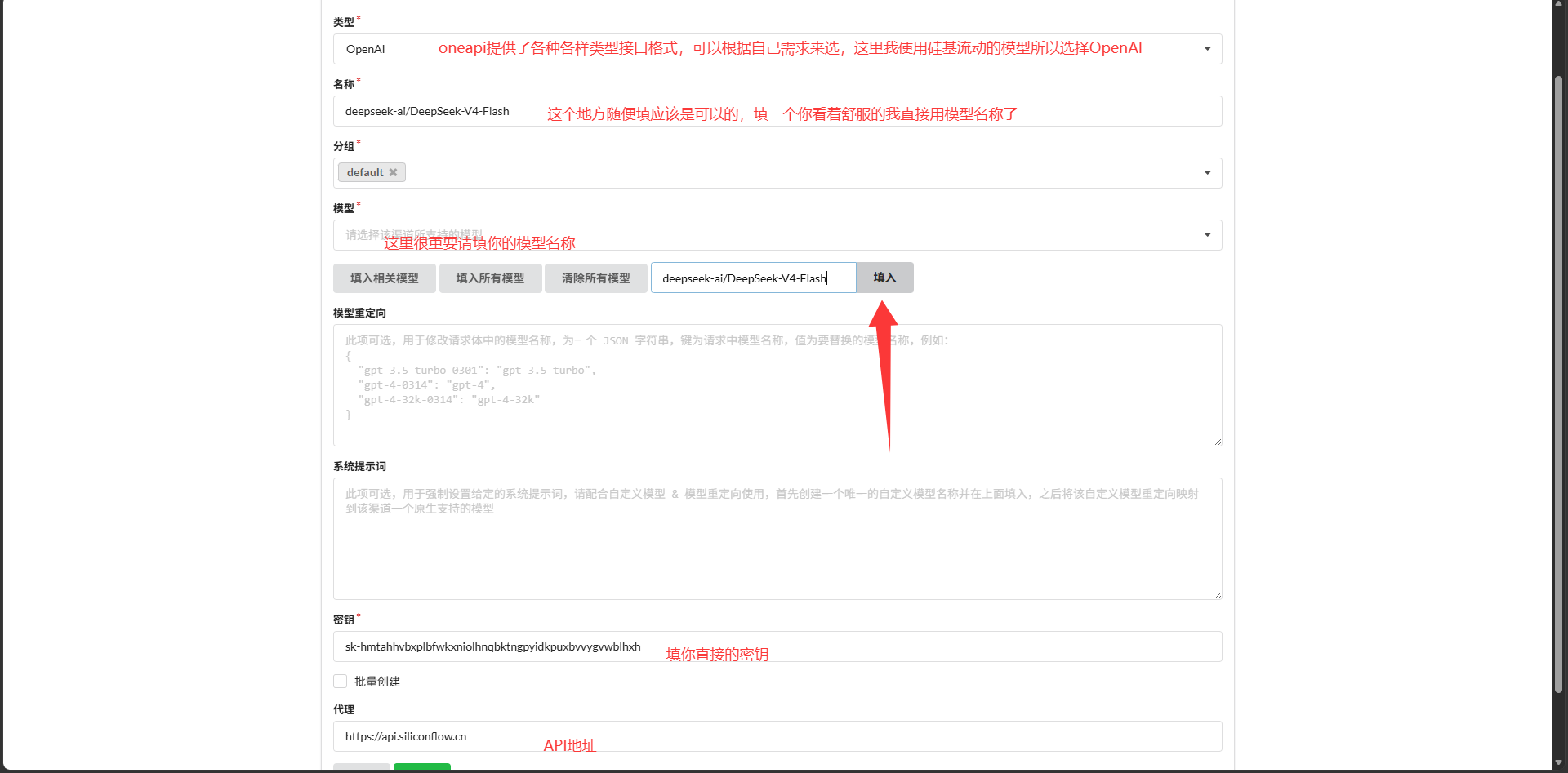 AI Visual Insight: This screenshot reflects a confirmation or test screen before saving parameters. It suggests that OneAPI supports direct connectivity testing in the console, which helps you rule out API key, model permission, and endpoint configuration issues before modifying R code.
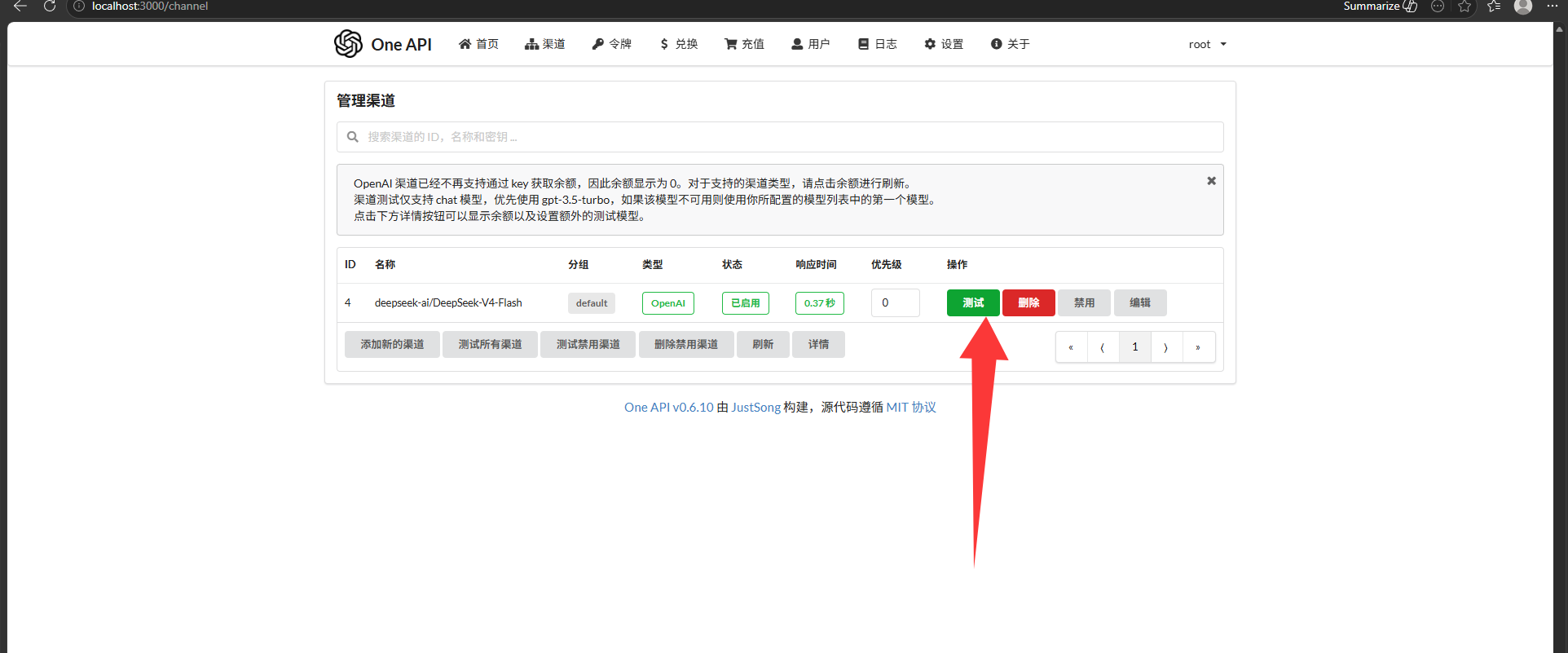 AI Visual Insight: This image most likely shows a successful channel test or a healthy channel state in the list. Its technical significance is that it confirms a stable connection between the local gateway and the upstream model service, so the R side can now target only the standardized local endpoint.
The critical Bibliometrix change is replacing the request implementation in biblioAI.R
First, locate the installed package directory in RStudio. Then open the biblioshiny subdirectory and find biblioAI.R. The core strategy here is not to add a new plugin, but to directly override the gemini_ai() function.
Run the following command to retrieve the Bibliometrix installation path.
find.package("bibliometrix") # Get the local installation pathThis command quickly identifies the R package source directory that needs to be modified.
 AI Visual Insight: This screenshot shows the RStudio console returning the package installation path. It confirms that the migration uses local source replacement on an installed package rather than forking the repository and repackaging it.
The new function rewrites Gemini requests into an OpenAI-compatible message body
The refactored function keeps the original entry point name, gemini_ai, so biblioshiny does not need any UI binding changes. It also performs lightweight routing based on the presence of flash or pro in the model name.
gemini_ai <- function(image = NULL, prompt = "Explain these images", model = "2.5-flash") {
  library(httr2)
  library(base64enc)

  if (grepl("flash", tolower(model))) {
    actual_model <- "deepseek-ai/DeepSeek-V4-Flash"  # Route to the text model
    use_vision <- FALSE
  } else {
    actual_model <- "Qwen/Qwen3.6-27B"  # Route to the multimodal model
    use_vision <- TRUE
  }

  content_list <- list(list(type = "text", text = prompt))
  url <- "http://localhost:3000/v1/chat/completions"  # Point to the local OneAPI endpoint
}
This code handles model routing, message initialization, and local gateway targeting.
Image input support is the more advanced part of this migration
The native Gemini version uploads images through inline_data. The refactored version follows the OpenAI style by encoding images as Base64 data URLs and attaching them under the image_url field. That allows Qwen’s multimodal model to directly read charts generated by Bibliometrix.
if (use_vision && !is.null(image)) {
  for (img_path in as.vector(image)) {
    if (file.exists(img_path)) {
      img_b64 <- base64encode(img_path)  # Convert the image to Base64
      content_list <- append(
        content_list,
        list(list(
          type = "image_url",
          image_url = list(url = paste0("data:image/png;base64,", img_b64))
        ))
      )
    }
  }
}
This code allows charts generated by biblioshiny to flow directly into the multimodal inference pipeline.
Token management and request stability determine production usability
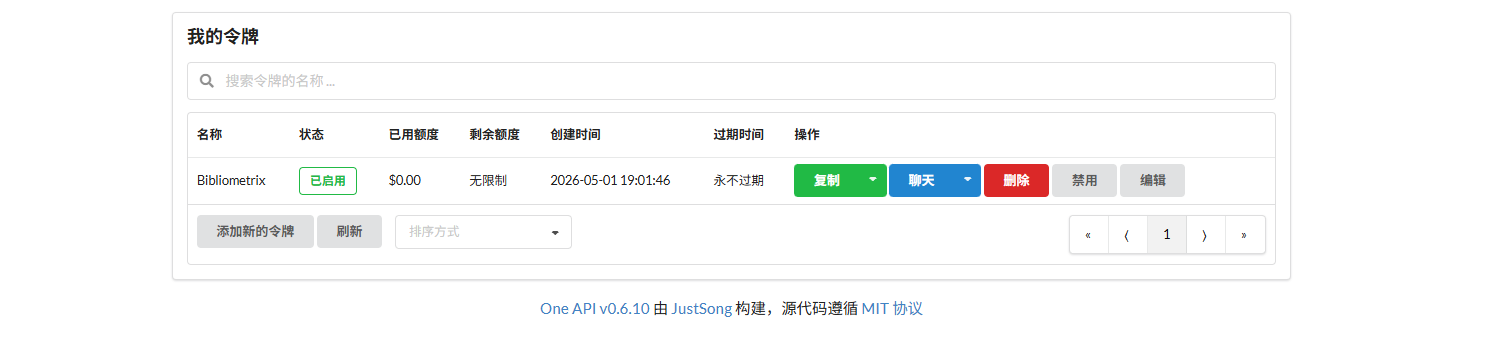
After the OneAPI channel is available, you still need to create an access token. This token is not the raw SiliconFlow key. It is the Bearer token used by the local gateway for authentication.
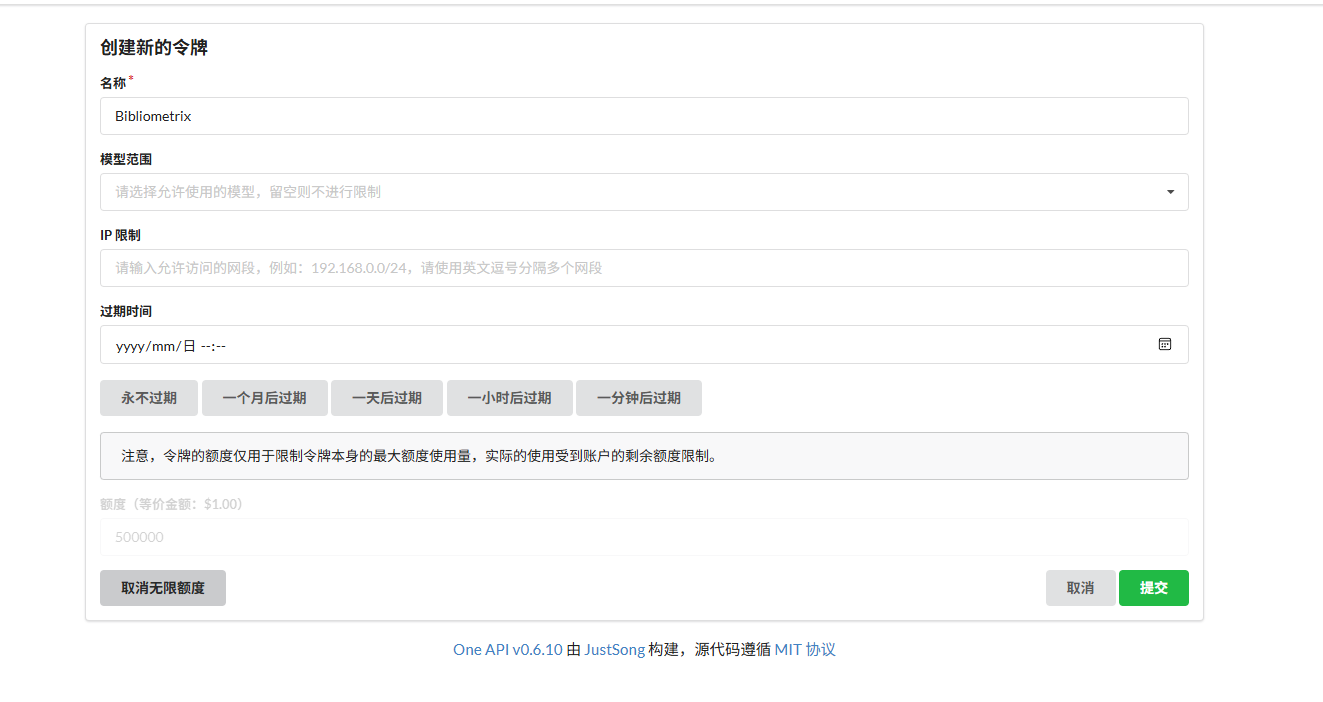 AI Visual Insight: This screenshot shows the token management entry in OneAPI. It demonstrates a layered credential design: channel credentials connect to the upstream provider, while access tokens are issued to local clients, isolating the real vendor key.
 AI Visual Insight: This image shows the token creation form or the result of token creation. The important details typically include name, expiration time, and quota limits, which indicates that OneAPI provides basic request governance suitable for teams or multiple applications sharing the same gateway.
Store the real token in an environment variable instead of hardcoding it into the R file. The original notes used a placeholder string, but a production environment should switch to a safer retrieval method.
api_key <- Sys.getenv("ONEAPI_API_KEY")  # Read the token from an environment variable
req <- request(url) |>
  req_headers(
    "Authorization" = paste("Bearer", api_key),  # Authentication header
    "Content-Type" = "application/json"
  )
This approach reduces the risk of secret exposure caused by source leakage.
The final result enables scenario-based switching between text and vision models
When biblioshiny selects a model with flash semantics, requests can be routed to DeepSeek-V4-Flash, which is well suited for summarization, explanation, and topic synthesis. When it selects a model with pro semantics, requests switch to Qwen’s multimodal capability for understanding co-occurrence maps, clustering diagrams, and trend charts.
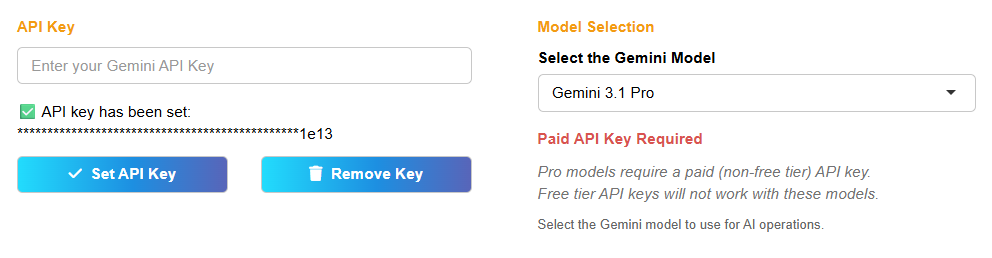 AI Visual Insight: This screenshot shows the modified system running in practice. It indicates that biblioshiny can now invoke the replaced AI function at the UI layer, proving that the underlying function signature remains compatible with the original system and avoids front-end refactoring costs.
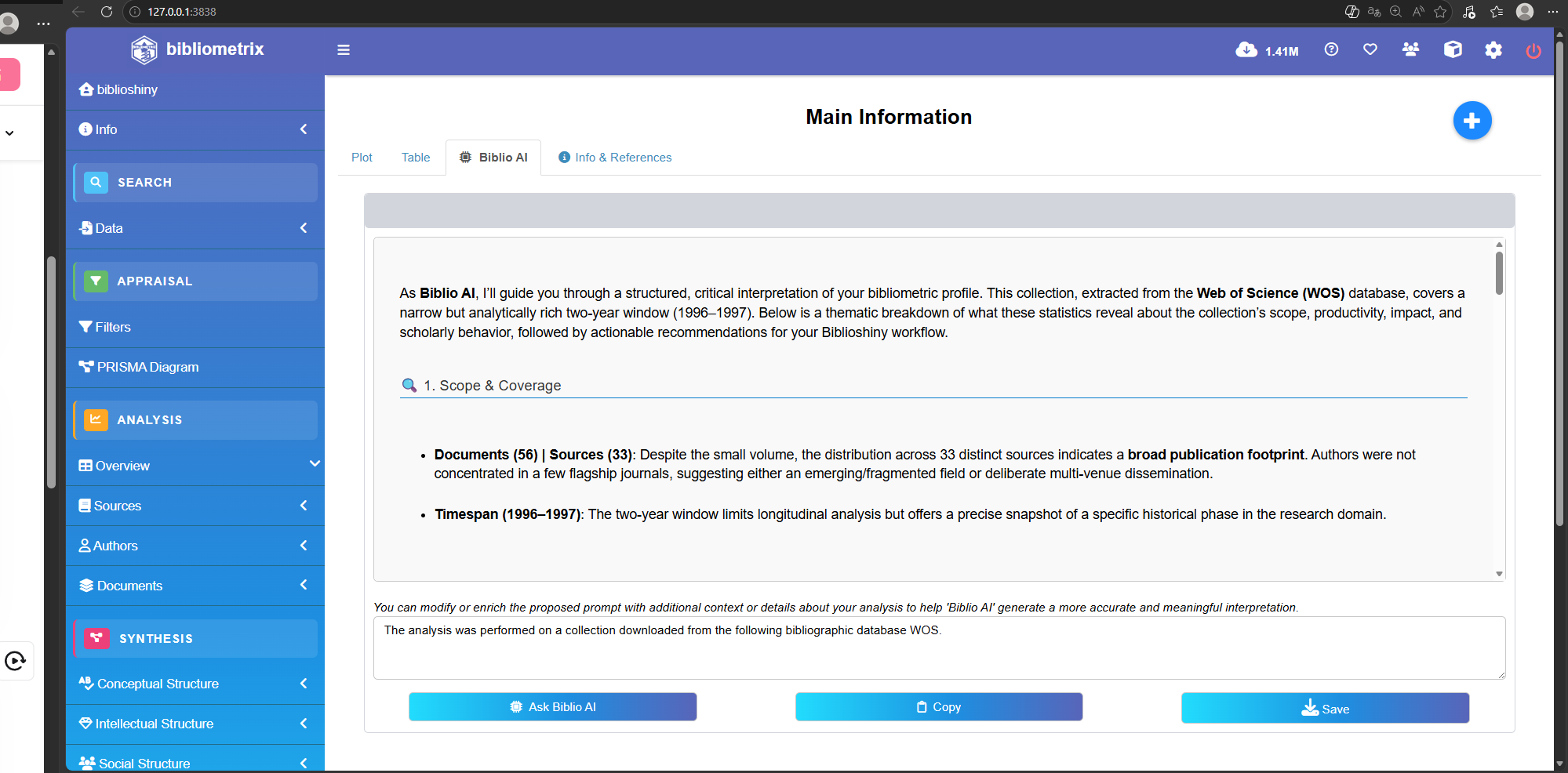 AI Visual Insight: This image shows the model response or analysis output. Technically, it confirms that the
 choices.message.content field returned by OneAPI is being parsed correctly in R, which closes the loop from request, to forwarding, to usable output.
FAQ
Q1: Why not call the SiliconFlow API directly from Bibliometrix?
A1: Because OneAPI provides a unified protocol layer that abstracts different models behind the same OpenAI-style interface. That means you can replace DeepSeek, Qwen, or other models later without repeatedly rewriting the R code.
Q2: Why keep the function name gemini_ai()?
A2: To preserve compatibility with biblioshiny’s existing call path. Replacing only the implementation while keeping the same function entry point minimizes disruption to the package structure and UI logic.
Q3: How should you choose between DeepSeek-V4-Flash and Qwen3.6-27B?
A3: Use DeepSeek-V4-Flash first for text summarization and topic explanation. Use Qwen3.6-27B first for chart understanding, screenshot recognition, and multimodal analysis. If you want a more unified experience, you can continue expanding model channels inside OneAPI.
Core summary
This article reconstructs a practical path for replacing Bibliometrix’s native Gemini integration with a Chinese LLM-compatible architecture. By using OneAPI as a unified OpenAI-compatible gateway and connecting DeepSeek-V4-Flash plus Qwen3.6-27B, you can enable low-cost text analysis and chart understanding for bibliometrics and biblioshiny workflows.